Going Paperless: How Contractors Are Ditching Clipboards and Boosting Profits
The Hidden Cost of Paper in Field Service
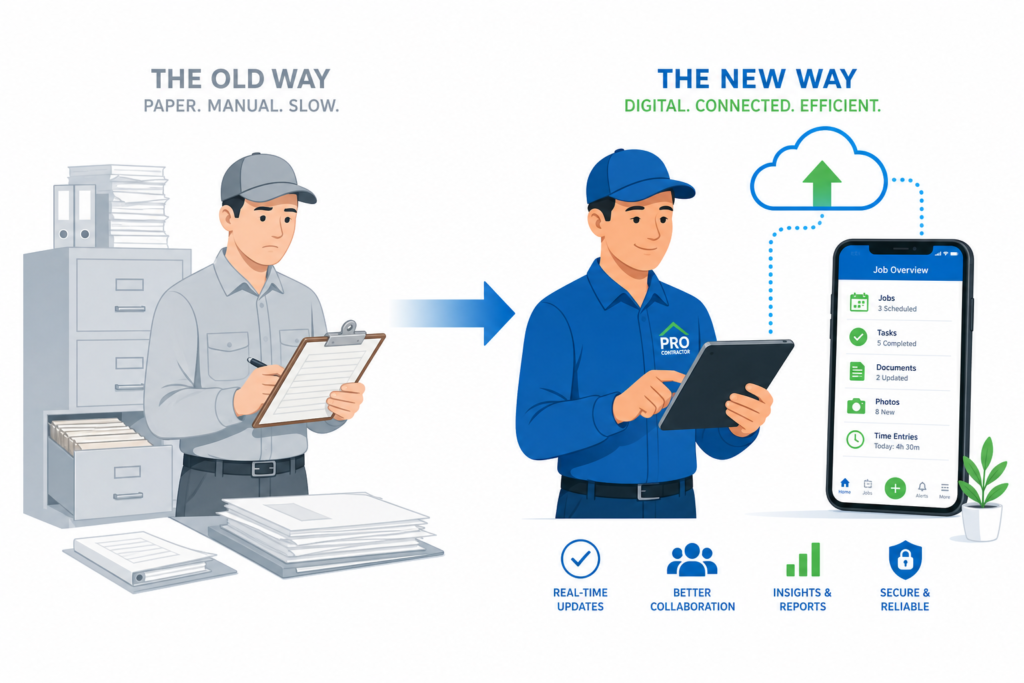
If your technicians are still carrying clipboards, scribbling on carbon-copy work orders, and dropping paper invoices at the office at the end of the day — you’re running a 2010 business in 2026. And it’s costing you more than you think.
The average paper-based contractor loses:
- 5-10 hours per week on manual data entry (transferring paper to software)
- 3-7 days in payment delays (paper invoices sit in a truck until someone processes them)
- 8-15% of billable work to missed line items (technicians forget to write down everything they did)
- $2,000-$5,000 per year in printing, forms, filing, and storage costs
Going paperless isn’t about chasing technology trends. It’s about plugging profit leaks that have been draining your business for years.
What “Going Paperless” Actually Means for Contractors
Paperless doesn’t mean going completely digital overnight. It means replacing the paper touchpoints that cost you the most time and money:
- Work orders — Digital work orders on a mobile app instead of paper forms
- Invoicing — Auto-generated invoices from completed work orders, sent instantly
- Signatures — Digital signature capture on the technician’s phone or tablet
- Photos — Before/after photos attached directly to the job record
- Scheduling — Digital dispatch board instead of a whiteboard or paper calendar
- Estimates — Digital proposals sent via text or email, approved with one tap
5 Immediate Benefits of Going Paperless
1. Get Paid Days Faster
With paper invoicing, the typical flow is: technician completes job → writes up a paper invoice → drives back to office → someone enters it into QuickBooks → invoice gets mailed or emailed → customer pays in 15-30 days.
With digital invoicing: technician completes job → invoice is auto-generated and sent to the customer on the spot → customer pays via credit card or ACH before the tech leaves.
That’s the difference between getting paid in 30 days and getting paid same day.
2. Never Lose a Work Order Again
Paper gets lost. It gets coffee-stained, left in trucks, accidentally thrown away, or filed in the wrong folder. When that happens, you lose job details, warranty information, and potentially billable work.
Digital work orders live in the cloud. Every job is searchable, filterable, and accessible from anywhere — forever. When a customer calls about a repair you did two years ago, you pull it up in seconds instead of digging through file cabinets.
3. Capture More Billable Work
Studies show that technicians using paper forms miss 8-15% of billable items because they forget to write them down or run out of space on the form. Digital work orders with pre-built checklists ensure nothing gets missed:
- Material and parts used (auto-populated from inventory)
- Labor time (tracked automatically via clock-in/clock-out)
- Additional work performed
- Recommended future services
4. Eliminate Double Data Entry
Every time your office manager transcribes a paper work order into your accounting software, that’s time and money. It’s also an error opportunity — typos in dollar amounts, wrong customer addresses, missed line items.
When work orders, invoices, and payments are digital from the start, the data flows automatically. Job completed → invoice generated → payment recorded → accounting updated. Zero re-entry.
5. Look More Professional to Customers
Which makes a better impression?
- A technician handing the customer a messy handwritten invoice on a carbon-copy form
- A technician showing them a clean, branded digital invoice on a tablet, with before/after photos and a one-tap payment option
Customers notice. And they’re more likely to leave a 5-star review for the contractor who looks like they have their act together.
How to Go Paperless: A Step-by-Step Plan
Week 1: Choose Your Platform
Pick a field service management app that covers scheduling, work orders, invoicing, and payments. TackOn FSM handles all of these in one platform — no need to piece together multiple tools.
Week 2: Set Up and Migrate
- Import your customer list
- Set up your services and pricing
- Configure your invoice template with your logo and payment terms
- Connect your payment processor
Week 3: Train Your Team
- Start with one or two tech-savvy technicians as “champions”
- Have them run digital work orders alongside paper for the first week
- Once comfortable, drop the paper backup
- Roll out to the rest of the team
Week 4: Go Fully Digital
- All new jobs are created and managed digitally
- Paper forms are retired (keep blank copies for true emergencies)
- Set up automated reporting to track the impact on cash flow and productivity
Common Objections (and Why They Don’t Hold Up)
“My technicians aren’t tech-savvy”
If they can use a smartphone, they can use a field service app. Modern apps like TackOn FSM are designed for contractors, not IT professionals. Big buttons, simple workflows, minimal typing.
“What if the phone dies or loses signal?”
Good FSM apps work offline. Data syncs when connectivity returns. Battery packs are $15. This objection made sense in 2015 — not in 2026.
“We’ve always done it this way”
And you’ve always lost money doing it this way. The question isn’t whether to go paperless — it’s how much longer you can afford not to.
Calculate Your Savings
Curious how much going paperless would save your specific business? Use our free FSM Savings Calculator to see the numbers.
Ready to Ditch the Clipboard?
TackOn FSM makes the transition painless. Digital work orders, instant invoicing, mobile payments, and cloud-based job records — all in one platform built for contractors.