A Contractor’s Guide to Construction Inventory Software
Let's face it, managing construction inventory without the right tools is like trying to fill a bucket riddled with holes. Every unaccounted-for part, misplaced tool, or roll of wire that vanishes from a job site is another leak, slowly but surely draining your profits. Construction inventory software is designed to plug those leaks for good.
What Is Construction Inventory Software?
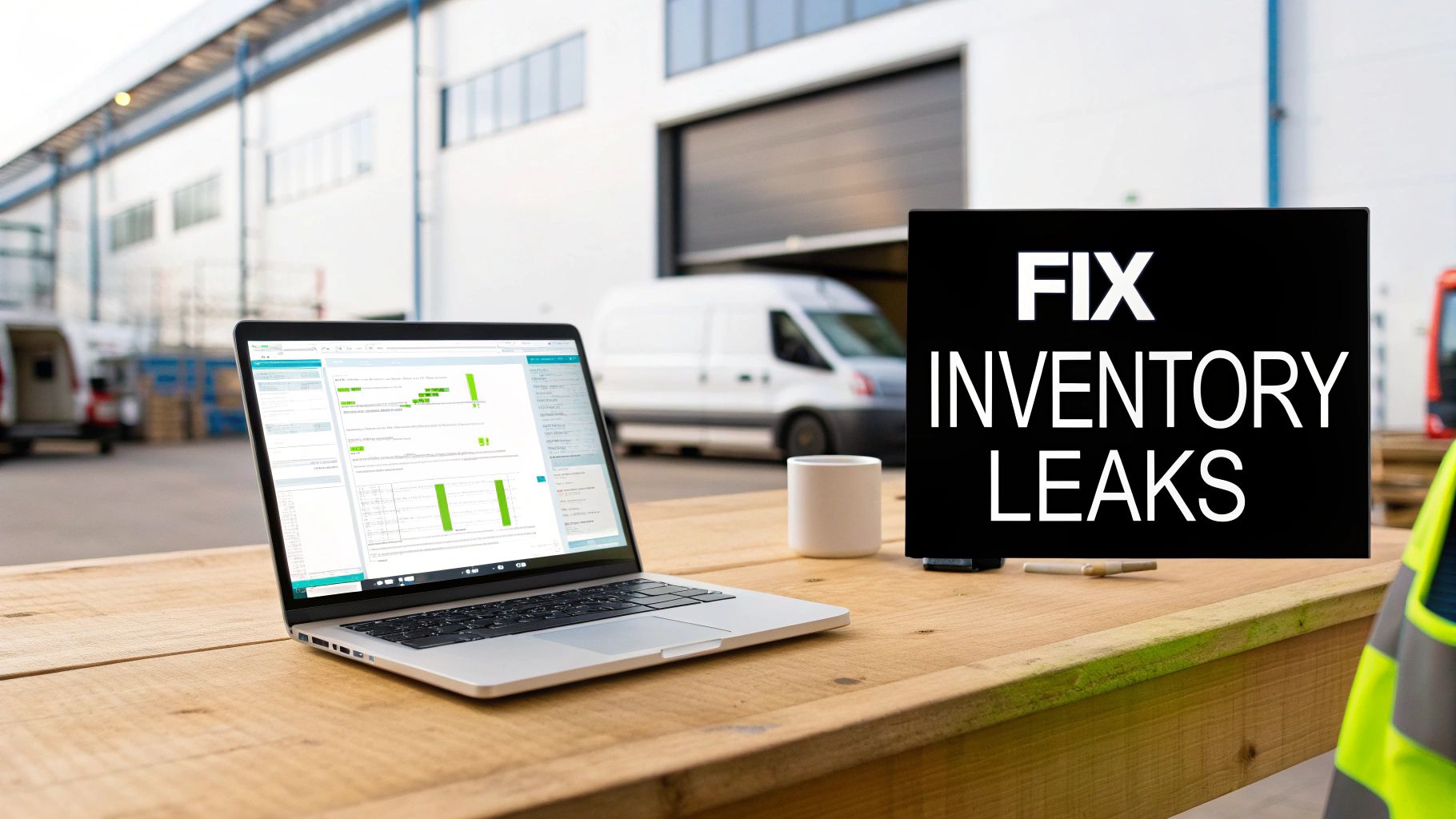
Think of this software as the central hub for all your physical assets. It connects the back office, your main warehouse, and every single service van into one unified system. It gets rid of the guesswork that costs you money and time. No more frantic phone calls to a tech asking, "Hey, have you got a 3/4-inch PVC connector on your truck?"
Instead of relying on out-of-date spreadsheets or just plain memory, you get a single source of truth. This shift from manual chaos to automated clarity is the key for any trade contractor who wants to grow their business profitably.
From Disconnected Data to a Unified System
The old-school approach to inventory is a messy patchwork of disconnected methods. You’ve probably seen it: a spreadsheet for the warehouse, sticky notes on the dispatcher’s monitor for special orders, and techs just guessing what they have in their vans. This kind of fragmentation is a recipe for disaster.
It leads directly to common, frustrating problems:
- Phantom Stock: Your spreadsheet claims you have 50 circuit breakers, but when you look, there are only 15 on the shelf. The others are scattered across three different trucks or were used on a job last week and never logged.
- Tool Hoarding: Techs hang onto expensive tools "just in case," leaving other team members scrambling. This often forces you to buy duplicate equipment you don't actually need.
- Last-Minute Supply Runs: A technician gets to a job site only to realize they're missing a critical part. That means a costly, unproductive trip to the supply house, delaying the project and frustrating the customer.
It's no surprise that the construction software market is booming. Valued at USD 3.72 billion in 2024, it's expected to hit nearly USD 8.99 billion by 2034. This explosive growth shows a clear industry-wide move away from manual methods. As you can see from construction software market trends, contractors are embracing technology to get a real competitive advantage.
"For many trade businesses, true inventory isn't what's on the shelf—it's what's available and accountable across every job and every truck. The right software provides that visibility, turning every van into a mobile, trackable warehouse."
The Power of Real-Time Visibility
Let's look at how things change when you ditch the old way of doing things.
Manual vs. Automated Construction Inventory Management
The difference between managing inventory manually and using dedicated software is night and day. A manual system is reactive and full of blind spots, while an automated one gives you proactive control and complete visibility. Here’s a quick breakdown of the common struggles and how software solves them.
| Challenge | Manual Method (The Problem) | Software Solution (The Fix) |
|---|---|---|
| Inaccurate Counts | Relies on periodic, error-prone physical counts and spreadsheets that are instantly outdated. | Barcode scanning and mobile app updates provide a live, real-time count of all stock. |
| Lost or Misplaced Parts | Parts "disappear" from vans or the warehouse with no record of where they went or who has them. | Parts are assigned to specific jobs or technicians, creating a clear audit trail for every item. |
| Unnecessary Purchases | Office orders more materials because they can't see what's already stocked in the service vans. | A centralized view of all inventory locations (warehouse and vans) prevents double-ordering. |
| Poor Job Costing | Materials used on a job are recorded inaccurately (or not at all), skewing profit margins. | Techs digitally assign parts to a job in the field, ensuring 100% accurate material cost tracking. |
| Inefficient Restocking | Restocking is based on guesswork, leading to overstocked items or emergency stock-outs. | Automated low-stock alerts and purchase order generation streamline the entire replenishment process. |
Ultimately, a dedicated system provides a clear, accurate, and live view of every single item you own. It instantly answers the critical questions that slow your business down: Where is that specific pipe threader? How many furnace filters are left in Van #7? Which jobs ate up the most expensive materials last month?
This level of insight isn't just about convenience. It's about making smarter financial decisions that lead directly to higher profits and smoother, more predictable day-to-day operations.
Core Features That Drive Contractor Profitability
Let’s be honest, a simple spreadsheet isn’t going to cut it anymore. Real construction inventory software is all about specific, powerful tools that have a direct impact on your bottom line. These aren't just bells and whistles; they're the core functions that stop waste in its tracks, protect your margins, and get your team across the finish line on jobs faster.
Think of these features as the three legs of a stool. Together, they create a stable system of accountability and precision, finally putting an end to guesswork and those frantic, last-minute runs to the supply house. Once you see how they work together, you'll spot exactly where money has been leaking out of your business.
Turn Every Truck into a Mobile Warehouse
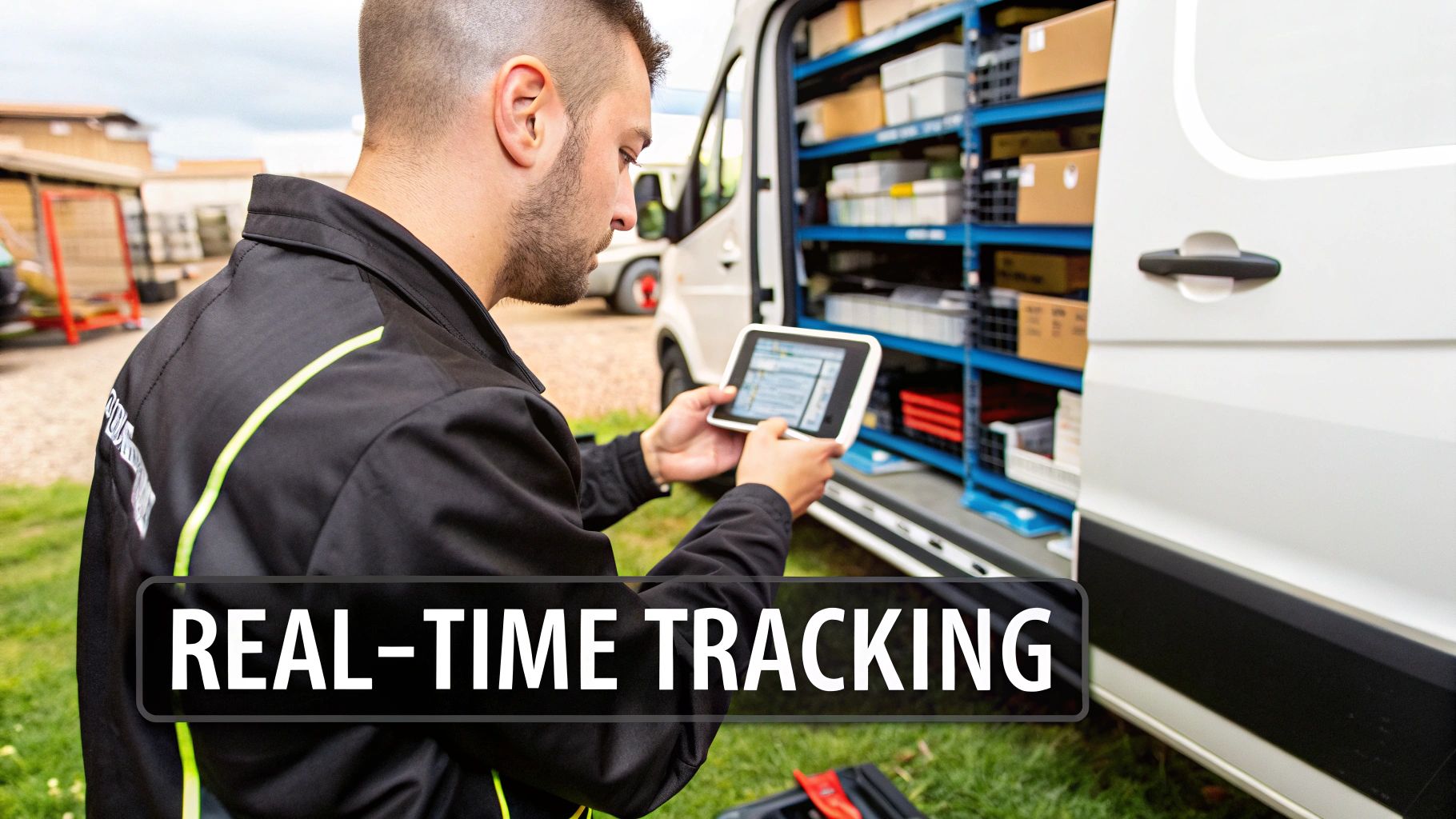
For most trade contractors, the biggest inventory black hole isn't the main shop—it's the fleet of vans scattered across your service area. Real-time van and warehouse tracking is what finally gives you eyes on all that mobile stock, turning each truck from a cluttered mystery box into a visible, trackable part of your stockroom.
Here’s a real-world scenario. An HVAC tech is on a service call and finds a bad capacitor. The old way? A 25-minute drive to the nearest distributor. The new way? He pulls out his phone, and the software shows another tech is just three miles away with two of the exact part needed on his truck. A quick call and a short trip later, the job is done. You just saved nearly an hour of windshield time and kept the customer happy.
This isn't just about saving a few minutes here and there. It's about a fundamental shift in how you operate. Suddenly you gain:
- Total Visibility: You know exactly what’s on every truck, right now.
- Reduced "Phantom" Stock: You can finally put an end to the mystery of parts that are on the books but nowhere to be found.
- Faster Job Completion: Your techs can solve problems on the spot by finding parts from the nearest coworker, not the nearest supplier.
This one feature is foundational. It means you stop buying parts you already own and start putting your existing inventory to work much, much smarter.
Link Every Part to a Profitable Job
How much money do you lose on the small stuff? The wire nuts, the fittings, the screws—all those little items that get used on a job but never seem to make it onto the final invoice. This is a slow, silent killer of profit, and material-to-job costing is the cure.
This feature creates a direct digital link between every single part that leaves your inventory and a specific work order. It’s like creating a perfect, itemized receipt for every single thing you do.
When an electrician grabs a circuit breaker from their van, they scan its barcode or tap it in the app. Instantly, that part is assigned to the customer's job. The cost of the breaker, along with your markup, is now locked into the invoice. No more forgetting. No more "I'll add it later."
This process moves material tracking from a "best guess" honor system to an exact science. It ensures that your estimates are profitable in practice, not just on paper, by capturing 100% of the material costs associated with each project.
Without this, you're flying blind. You might feel like you had a good week, but all those unaccounted-for parts could easily be turning your winning jobs into losers.
Protect Your Margins with Digital Pricebooks
We’ve all been burned by this. You quote a job based on last month's prices, only to find out your material costs have shot up. A centralized digital pricebook is your best defense against this kind of margin erosion. It becomes the single source of truth for pricing for your entire company, whether you're an estimator in the office or a tech in the field.
Instead of flipping through an outdated catalog or calling a supplier for every little thing, your team has the latest pricing right at their fingertips. When your vendor updates the cost of copper pipe, you update it once in the system, and every quote from that moment on is accurate.
This is a game-changer for on-the-spot estimates. A plumbing customer asks about adding a new faucet while your tech is already there fixing a leak. With a digital pricebook, your plumber can build a profitable, professional-looking quote in minutes, because the software already knows the cost of the faucet, the supply lines, and the labor needed.
When you integrate your pricebook directly into your construction inventory software, you're making sure every quote is built on a solid foundation of current, accurate data. It’s the difference between hoping a job is profitable and knowing it will be before you even start the work.
The Real-World Payoff: How Smart Inventory Control Impacts Your Bottom Line
Getting a handle on your inventory isn't just a tidying-up exercise for the stockroom. It's a fundamental business shift that directly impacts your profit and loss statement. When you finally ditch the chaotic spreadsheets and random purchasing, you start seeing real, measurable improvements in your company's financial health, day-to-day efficiency, and even your reputation with customers.
These aren't just fuzzy, theoretical gains. We're talking about the direct results of knowing exactly what you own and where it is at all times. This is precisely why the global market for this kind of software is already worth around $3.9 billion in 2024 and climbing. As you can see from these market growth insights on gminsights.com, businesses are spending the money because the return is undeniable.
Stop Wasting Money on Double-Buying
One of the quickest ways you’ll see a return is by killing off redundant purchases. It happens all the time: without a central view of your stock, the office orders a part that’s already sitting on a technician's van, completely forgotten. This common mistake leads to overstock, which ties up your cash and clutters your warehouse and vehicles.
Construction inventory software gives you that single source of truth. Picture this: your dispatcher sees that Van #3 has three extra condenser fans. When a new call comes in for that exact part, they can simply reroute the tech or arrange a quick transfer instead of hitting "buy now" on yet another one.
This gets even better when you use automated reorder points. Instead of guessing when to restock, the system flags an item when it hits a minimum level you’ve already set. You stop reacting and start planning, buying only what you need, right when you need it.
Protect Your Razor-Thin Job Margins
In the trades, margins can be brutally thin. A few miscalculated parts can easily flip a profitable job into a money-loser. Think of smart inventory control as your margin bodyguard—it ensures every single component gets accounted for and billed.
When a tech pulls a part from their van, they log it directly to the work order on their phone or tablet. That simple step makes sure the cost of that part, plus your markup, actually makes it onto the final invoice. It stops that slow, silent bleed from forgotten fittings, connectors, and other small items that really add up over a year.
It comes down to this: by tying every piece of material to a specific job, you stop guessing at your costs and start knowing them. This is how you get paid for everything you use and protect your profit on every single project.
On top of that, having a live, integrated pricebook means your quotes are always based on today's numbers. You'll never again bid a job using last month's copper prices, only to have a surprise price spike wipe out your profit before you've even started.
Get More Jobs Done on the First Trip
Nothing kills a schedule—or a customer's good mood—like a return trip. When your tech shows up without the right part, it’s a cascade of problems: wasted fuel, a frustrated client, and a schedule that's now thrown off for the rest of the day. Boosting your first-time fix rate is all about sending your crew out with the right gear.
With an accurate, real-time view of what's on every van, your team leaves the shop knowing they're prepared. And if an unexpected part is needed, the system can quickly find the closest colleague who has it, turning a potential day-long delay into a quick fix.
- Happier Customers: People are always impressed by a tech who shows up ready to solve the problem on the spot.
- More Productive Techs: Less time driving to and from the supply house means more time spent on billable work.
- A Stronger Reputation: Being known as the company that gets it done right the first time is one of the best marketing tools you can have.
This is exactly what TackonFSM is built to do. It weaves inventory management directly into your daily workflow—from scheduling and dispatching all the way to invoicing. It makes managing your parts a natural part of the job, not some extra chore, helping you build a more profitable and resilient business.
How to Choose the Right Software for Your Trade Business
Picking the right inventory software isn't about checking off the most features. It's about finding a true partner for your business. The monster system built for a massive general contractor will absolutely crush a ten-person plumbing company. To get this right, you need to ask a few sharp, trade-specific questions that cut through the sales pitches and get to what actually matters in your day-to-day.
Think of it like buying a new work truck. You wouldn’t get a giant dump truck when what you really need is a nimble service van. It's the same deal here—you're looking for a tool that fits the unique grind of your trade, your crew, and where you're headed.
Can the System Grow with You?
First thing's first: scalability. The software you pick today for your three-van operation better be the same one you're using when you have thirty. Ripping out your entire business system and starting over is a nightmare you only want to live through once, preferably never. You need a solution that lets you start with what you need now and bolt on more muscle as you grow.
A platform like TackonFSM is built for this. You can jump in with a basic plan for scheduling and tracking parts, and when you’re ready to open that big warehouse, you can upgrade to add full-blown warehouse management. This way, your initial investment is safe, and your team gets to stick with a tool they already know as you take on bigger and better work.
Is It Built for the Field?
Let's be real: your techs are the ones who will make or break this thing. If they can't or won't use it, you just wasted a pile of money. Field usability is completely non-negotiable. The mobile app has to be dead simple, quick, and easy enough to use on a muddy, chaotic job site—not just in a quiet office.
A solid field app needs:
- Big, fat buttons you can hit with dirty fingers.
- Barcode scanning with the phone's camera to pull parts into a job in seconds.
- Offline mode so the work doesn't stop in a basement or out in the sticks with no signal.
- Simple steps for everyday tasks like checking what’s on another van or logging a part transfer.
The app should make a tech's life easier, not give them another complicated headache. If it takes more than a few taps to track a part, they'll just stop doing it.
Does It Connect to Your Business Ecosystem?
Your inventory software can't be an island. It has to talk to the other tools you depend on. These integrations are what turn a simple tracking app into the command center for your entire operation.
For any trade contractor, the most important connection is with supplier pricebooks. Having your system sync up with the catalogs from your go-to electrical, plumbing, or HVAC distributors means your estimates are always built on today's material costs. That's how you protect your profit margin on every single quote.
The other must-have link is to your accounting software. A system that syncs directly with a platform like QuickBooks saves you from hours of soul-crushing data entry, cuts down on mistakes, and gives you a live look at your company’s financial health. Parts used on a job flow right into your job costs and onto the final invoice, no extra steps needed.
Who Will Help You Get Started?
Finally, you have to look at the onboarding and support. A powerful tool is worthless if you can't get your parts list loaded in or your team trained to use it. A good software partner will actually help you with the initial data migration, guiding you through cleaning up your existing parts list and getting it imported correctly.
Ask them straight up about their training. Do they offer live sessions for your office staff and your field crew? Is there a dedicated support line you can call when you’re stuck? A company that invests in getting you up and running smoothly is a partner for the long haul. That early support is what makes sure your team actually adopts the new system and you start seeing a return on your money right away.
Your Step-by-Step Implementation Guide
Switching to a new inventory system can feel like a monster project, but it doesn't have to be a nightmare. The secret isn't flipping a switch and hoping for the best. It’s about a deliberate, phased rollout that gets your whole team on board.
Think of it like this: you wouldn't frame a house without pouring a solid foundation first. Rushing the prep work only creates bigger problems down the line. A step-by-step plan ensures your new software gets used, and you start seeing a return on that investment almost immediately.
Phase 1: Get Your Data House in Order
This is the step everyone wants to rush, and it’s the biggest mistake you can make. Your new construction inventory software is only as smart as the data you put into it. Before you even think about importing a file, you need to clean house.
This is your chance for a fresh start. Standardize how you name everything. No more "cpr elb .5," ".5 copper 90," and "half-inch cpr fitting." Pick one—like "1/2" Copper Elbow"—and stick with it. Get rid of all the duplicate parts that have crept in over the years.
Most importantly, do a full physical count of everything. Yes, everything. This gives you a true, accurate baseline to build from and kills the "garbage in, garbage out" problem that derails so many software projects before they even start.
Phase 2: Build Your Digital Warehouse
With a clean parts list in hand, it's time to set up your system to mirror how your business actually works. The key here is creating virtual locations for every single place you store parts.
- Main Warehouse: This is your primary hub, the heart of your inventory.
- Service Vans: Every truck in your fleet needs its own virtual warehouse. This is the only way to get a handle on mobile inventory.
- Job Sites: For big projects, you can even set up temporary job site locations to track materials stored there.
Next up, set your user permissions. Your lead tech doesn't need to see purchasing reports, and your office manager probably doesn't need to request a part transfer between vans. Configure the system so people only see what’s relevant to their job. It makes the software feel simpler and keeps sensitive data secure.
As you set things up, keep these core principles in mind: your software must be simple for the field team, sync data across every device in real-time, and be able to grow with you.
Phase 3: Train for Buy-In, Not Just for Clicks
A shiny new tool is worthless if your team fights you on using it. Skimping on training is the fastest way to kill adoption and waste your investment. The training needs to be specific to each person's role, and you have to put extra effort into getting your techs comfortable with the mobile app.
You have to show them how it makes their day easier, not just busier.
Focus on the practical, day-to-day stuff:
- How do I find a part on my truck?
- How do I add materials to this work order?
- How do I request a part I don't have?
- How do I record a transfer to another tech's van?
Keep the training sessions short and hands-on. When you can show a tech that this tool means fewer frustrating trips to the supply house, you’ll get the buy-in you need.
A well-trained team is an efficient team. The goal isn't just to teach them how to use the software; it's to show them how the software helps them win their day.
Phase 4: Go Live and Listen
Alright, your data is clean, the system is configured, and the team knows what to do. It's time to go live. But your job isn't done. The first few weeks are all about listening and tweaking.
Check in with your techs. Are they getting stuck somewhere? Does a certain workflow feel clunky or slow them down? This is invaluable feedback. Use it to make small adjustments that smooth out the rough edges.
A flexible platform like TackonFSM is built for this. It lets you adapt to your team's real-world needs, ensuring the software becomes a natural, can't-live-without-it part of your operation.
Answering Your Top Questions
Making a big software decision always comes with a lot of questions. When you're thinking about moving to a real inventory system, you need straight answers to make the right call for your business. Let's dig into some of the most common questions we hear from trade contractors.
How Much Does Construction Inventory Software Typically Cost?
The price tag on this kind of software can really swing depending on what you need and how big your team is. You might find a simple, standalone system for around $50 per user, per month. But for a more complete platform that ties inventory into everything else—scheduling, dispatching, invoicing—you're typically looking at $100 to over $300 per user, per month. These are often called Field Service Management (FSM) systems.
Honestly, the monthly fee isn't the number to get stuck on. The real question is, what's your return? If spending $200 a month stops you from losing $1,000 in misplaced materials, accidental re-orders, and wasted trips to the supply house, it’s a no-brainer. Just make sure you find a company with clear, upfront pricing and watch out for hidden fees for things like setup or basic support.
Can My Technicians Really Use This on a Messy Job Site?
They can, but only if you choose a system built for the field, not just the office. The best construction inventory software is designed with your techs in mind. The mobile app needs to be a tool that helps them on a chaotic job site, not another headache they have to deal with.
So what does that look like?
- Big, obvious buttons that are easy to press even with gloves or dirty hands.
- Barcode scanning that uses the phone's camera, so they can pull up a part in seconds.
- Simple steps for doing common things, like adding parts to a job or moving stock from one van to another.
The whole point is to make a tech's job easier, not harder. A good mobile app should feel so natural that a new tech can pick it up in a few minutes. If it’s clunky, your team just won’t use it.
What Is the Biggest Mistake Contractors Make During Implementation?
Trying to move a messy, disorganized parts list into a brand-new system. It’s the single biggest mistake we see. Contractors get excited about the new software and just dump all their old data in, expecting the software to magically clean it up.
It’s a classic "garbage in, garbage out" situation. Before you even think about moving your data over, you have to do the prep work.
- Standardize Your Naming: Pick one name for every part and stick to it. Is it a '1/2" Copper Elbow' or a 'cpr elb .5'? Decide now.
- Delete the Duplicates: Get rid of all the extra entries for the exact same item.
- Do a Real-World Count: You need an accurate, physical count of every single item in your warehouse and on your vans to set a reliable starting point.
Rushing this step will torpedo your efforts from day one, leading to nothing but frustration. A good software partner should give you a hand with this and offer tools to make it less painful.
Do I Need Inventory Software If I Only Have a Few Vans?
Yes. In fact, that's the absolute best time to do it. It is so much easier to build good habits with a small team than it is to untangle years of bad ones with a big crew. If you wait until you have ten or fifteen vans to get organized, you're just scaling your existing problems.
Even with just two or three trucks on the road, I can almost guarantee you're losing money on parts that walk away, wasting hours on extra supply runs, and struggling to price your jobs accurately. Putting a solid system in place when you're small builds the foundation you need to grow profitably. It makes sure your operations are tight and ready to handle more techs and more vans as your business expands.
Ready to stop the guesswork and take full control of your parts and profitability? TackonFSM integrates powerful inventory management directly into your scheduling, dispatching, and invoicing workflow. Learn how TackonFSM can streamline your operations and boost your bottom line.