Contractor Asset and Inventory Management Guide
It all starts here. For any trade business, nailing your asset and inventory management is the difference between chaos and profitability. And the very first step is getting crystal clear on one simple distinction: assets are the tools you use, while inventory is the stuff you use up.
It sounds basic, I know. But getting this wrong is a fast track to financial headaches and operational nightmares.
Why You Can't Afford to Lump Everything Together
Let's be honest—for a lot of contractors, everything bought for the business gets tossed into the same mental bucket labeled "stuff." A new coil cleaning wand, a case of refrigerant, a box of copper fittings, and a replacement ladder all feel like simple business expenses.
But from your accountant's perspective and for the health of your bottom line, they're worlds apart. Treating them the same is the first domino to fall in a long chain of problems.
When assets and inventory are mixed, you can’t accurately cost a job. That means your quotes are just guesses—either you’re losing money without realizing it, or you’re pricing yourself right out of a customer’s budget. Tax time becomes a frantic scramble to separate depreciable assets from consumable parts. Worst of all, you're blind to major issues, like the one tech who keeps "losing" expensive tools or why you’re constantly making emergency runs for a common furnace filter.
The Real-World Cost of Getting It Wrong
Think about it this way: an HVAC tech grabs a new multitester (an asset) and three capacitors (inventory) for a service call. If you treat both the same, you’ve just distorted the true cost of that job. The multitester is a company tool that will be used on hundreds of jobs over several years. The capacitors? They were consumed and should be billed for on this one call. When you blur that line, it’s far too easy to forget to bill the customer for the parts you used.
Or picture a plumbing crew. The pipe threader in the van is a high-value asset. You need to know where it is, who has it, and when it needs maintenance. The PVC cement and primer are inventory—you just need to make sure you don't run out. If a tech can’t find that threader because someone left it on another site, the whole job grinds to a halt. That’s billable time down the drain and a customer's patience wearing thin.
The core principle is simple: Assets generate revenue over time, while inventory generates revenue once. Mastering your physical resources begins the moment you separate these two powerful but different drivers of your business.
To help you get this right every time, here’s a quick reference table.
Assets vs. Inventory Quick Reference for Contractors
This table breaks down the key differences with specific examples you'll recognize from your own trucks and shop.
| Characteristic | Assets (Tools & Equipment) | Inventory (Parts & Materials) |
|---|---|---|
| Purpose | Used to perform work (the "how") | Consumed or installed during work (the "what") |
| Lifespan | Long-term (typically > 1 year) | Short-term; consumed quickly |
| Financial Treatment | Depreciated over time (Capital Expense) | Expensed when used or sold (Cost of Goods Sold) |
| Tracking Focus | Assignment (who has it?), location, condition, maintenance schedule | Quantity on hand, reorder points, turnover rate |
| HVAC Examples | Recovery machine, vacuum pump, manifold gauges, extension ladders | Capacitors, contactors, refrigerant, filters, copper tubing |
| Plumbing Examples | ProPress tool, drain snake, pipe threader, inspection camera | PVC fittings, PEX pipe, faucets, water heaters, solder |
| Electrical Examples | Multimeter, conduit bender, wire puller, hole hawg drill | Breakers, outlets, wire nuts, electrical boxes, switches |
Getting this classification right isn't just an accounting chore. It's a strategic decision that brings clarity to your costs, protects your valuable tools, and builds the foundation for a more organized and profitable future.
Building Your System from the Ground Up
Forget about software for a minute. The best asset and inventory management systems don’t start on a computer screen—they start on a whiteboard. Before you can fix the leaks in your process, you have to see where they are. That means getting a crystal-clear picture of how tools and parts actually move through your business, from the moment they arrive to the moment they get installed.
Let's take a high-value asset, like a new ProPress tool for your plumbing crew. Its life with you starts at purchase. From there, it gets assigned to a van, gets used on dozens of jobs, and eventually needs maintenance or gets replaced. Where does it live? Who's responsible for it? How do you track its service schedule? Each of those questions is a potential point where things can fall apart.
Now think about a common inventory part, like a 30-amp breaker for an electrical job. It comes in from the supplier, gets tossed on a warehouse shelf, gets picked for a job, and is finally installed. The trick is having just enough of those breakers on hand without sinking cash into parts that just sit there collecting dust. Seeing that entire flow from start to finish is how you’ll spot the bottlenecks and bad habits that are quietly draining your bank account.
Map Out How Things Really Work
Your first move is to trace the actual path of your stuff. And I mean actually trace it. Don’t just sit at your desk and imagine how it works. Grab a notepad, get up, and follow the items. This is where you’ll find the ugly truth—the massive gap between what you think is happening and what your team is actually doing in the field.
As you map this out, you'll want to pinpoint the key stages for both your big-ticket assets and your everyday inventory:
- Receiving: How do new tools and parts physically enter your business? Is there a formal check-in, or do they just get dropped on a random shelf by whoever signed for the delivery?
- Storage: Where does everything live? Are your warehouse bins labeled, or is it a free-for-all? How are the vans organized (or not organized)?
- Assignment & Usage: How does a tool get checked out to a tech? More importantly, how are parts tied to a specific job so you can actually bill for them?
- Replenishment: What kicks off a reorder? Is it a tech screaming that he's out of a part, or is there a real system to keep stock at the right levels?
- Returns & Maintenance: What happens to the parts that come back from a job unused? How do broken tools get flagged for repair before they end up back on a van?
Walking through this process will be an eye-opener. You'll probably find techs "borrowing" tools from other vans because they can't find their own, which is a recipe for lost assets. Or maybe you'll realize you're making three "emergency" runs to the supply house every single day for common parts, all because your van restock process is a complete mess.
This is the journey you're about to take—from chaos and confusion to a clear, organized system that actually makes you money.

The big takeaway here is that profit doesn't just happen. It’s a direct result of putting intentional, well-designed systems in place for your physical resources.
Create Simple Policies That Actually Stick
Once you’ve stared into the chaos, it’s time to bring some order. The goal here isn't to write a 50-page employee handbook nobody will read. It’s about creating dead-simple rules that your team can understand, remember, and follow. You’ll want to build these new policies around the three core areas of your operation: the warehouse, the vans, and the tools themselves.
Let’s walk through a real-world example.
A Simple Workflow for a Plumbing Company’s Van Stock
Imagine a plumbing company whose old "system" was just hoping techs remembered to ask for parts when they ran out. It never worked. The new way is a clear, repeatable workflow that takes the guesswork out of it.
- Set Par Levels: First, you define exactly what should be on each van. This isn't a guess—it's based on real job history. Every van has a pre-defined list of minimum quantities for common fittings, valves, and supplies.
- Weekly Restock Day: Every Friday afternoon, techs take 10 minutes to fill out a restock sheet (or better yet, scan the empty bins with a mobile app) for parts they used that week.
- Pull and Stage: The warehouse manager pulls all the requested items and stages them in a labeled bin for each tech.
- Grab and Go: On Monday morning, each tech grabs their pre-filled bin, loads their van, and is ready to roll for the week. The whole process takes maybe 15 minutes per tech.
By setting up a simple, repeatable process for van stock, you pretty much eliminate those frantic, mid-day supply house runs. You slash job delays and make sure your techs can actually finish the work on the first visit. This has a massive impact on your first-time fix rate, which is one of the most important numbers for a service business.
You can apply this same thinking everywhere. For your warehouse, a simple "two-bin" system for small parts works wonders. When the front bin is empty, that's the signal to reorder while the team works out of the back bin. For your expensive tools, a simple barcode or QR code scan to check them in and out creates instant accountability. These small, practical policies are the bedrock of a system that finally works.
Choosing the Right Tracking Technology
Once you've got your processes mapped out and some ground rules in place, it’s time to bring in the tech that makes modern inventory management actually work. This isn't about buying the most expensive gadgets; it's about picking the right tools that fit your budget, your team's real-world workflow, and the specific things you need to keep tabs on.
The entire system lives or dies on one thing: clean, consistent data.
Everything starts with how you name your parts. Without a standard system, your inventory data quickly becomes a useless jumble of duplicates like "1/2in copper elbow," "elbow, copper, 1/2," and "cpr elbow .5." This is where a Stock Keeping Unit (SKU) system becomes your best friend. A SKU is just a unique code you create and assign to every single distinct item you stock.
A good SKU isn't just a random string of numbers. It should be logical and easy for your team to understand at a glance, built from the part’s key details.

Designing a Simple SKU System
You can build an incredibly effective SKU system using a simple formula. For almost any trade contractor, a great starting point is a format like [CATEGORY]-[SUPPLIER]-[SPECIFICATION].
Let's look at how this plays out in the field:
- HVAC Example: A common capacitor could be CAP-GWW-455. Here,
CAPis for Capacitor,GWWis for Grainger, and455tells you it's a 45/5 MFD part. - Plumbing Example: A specific PEX fitting might become PEX-FER-90E12, where
PEXis the category,FERis for Ferguson, and90E12means it's a 1/2" 90-degree elbow. - Electrical Example: A standard outlet could be OUT-HD-GFCI20W. You instantly know
OUTis for Outlet,HDis Home Depot, andGFCI20Wis a 20-amp, white GFCI.
This logical structure makes it immediately obvious what an item is just by reading the SKU. It stops duplicate entries before they even happen and makes searching for parts in any system lightning-fast.
Comparing Tracking Methods
With unique SKUs assigned, you need a physical way to scan and track them. This is where labels and tags come in. For most shops, the choice really boils down to three main options: classic barcodes, more powerful QR codes, and high-tech RFID tags. Each has its place, depending on what you're tracking and where it lives.
The goal isn’t just to stick a label on something. It’s to create a scannable link between a physical item—whether it's a tool in a van or a part on a shelf—and its digital record in your system.
Let’s break down how these technologies stack up for a contractor.
| Technology | Best For | Pros | Cons |
|---|---|---|---|
| Barcodes | High-volume, low-cost inventory like fittings, wire nuts, and fasteners. | Extremely cheap to print and easy to use. Familiar tech that just works. | Requires a direct line of sight. Can be easily damaged by dirt or scratches. Holds very little data. |
| QR Codes | High-value assets like tools, equipment, and even service vans. | Holds significantly more data (maintenance history, manuals, etc.). Scannable with any smartphone. Durable, weatherproof options available. | Slightly more expensive than barcodes. Can be slower for rapid, one-after-another scanning. |
| RFID | Large-scale warehouse operations or bulk-scanning a full van's inventory at once. | No line of sight needed; can scan hundreds of tags at once, even through boxes. Insanely fast for big counts. | Significantly more expensive per tag and requires specialized reader hardware. Often overkill for small to mid-sized contractors. |
Making the Right Choice for Your Business
For the vast majority of HVAC, plumbing, and electrical businesses, a hybrid approach is the smartest and most cost-effective way to go.
Use simple, cheap barcodes for your consumable inventory—the thousands of small parts you burn through. The low cost makes them a no-brainer for these items.
Then, for your valuable assets—the tools, testing equipment, and machinery that actually make you money—invest in durable QR codes. Imagine an electrician slapping an industrial-grade, weatherproof QR code on a $2,000 thermal camera. A quick scan with a phone could instantly pull up its location, service history, and a link to the user manual. That's how you protect your most critical investments.
This intense focus on tracking and optimization is mirrored in the broader asset management industry. Globally, assets under management (AUM) recently hit $128 trillion, a 12% increase in just one year, driven by better performance and efficiency. While your shop isn't managing trillions, the principle holds true: the better you manage your resources, the better your financial results. You can read more about this trend in BCG's 2025 report. Meticulous tracking is what separates the most successful businesses from the rest.
Making Your System Work with Daily Operations
A sophisticated tracking system is just a fancy spreadsheet until it plugs directly into the activities that actually make you money. The real power of modern asset and inventory management is unlocked when it stops being a separate chore and becomes an invisible, automatic part of your daily workflow.
The magic truly happens when your system talks to your dispatching, estimating, and invoicing tools.
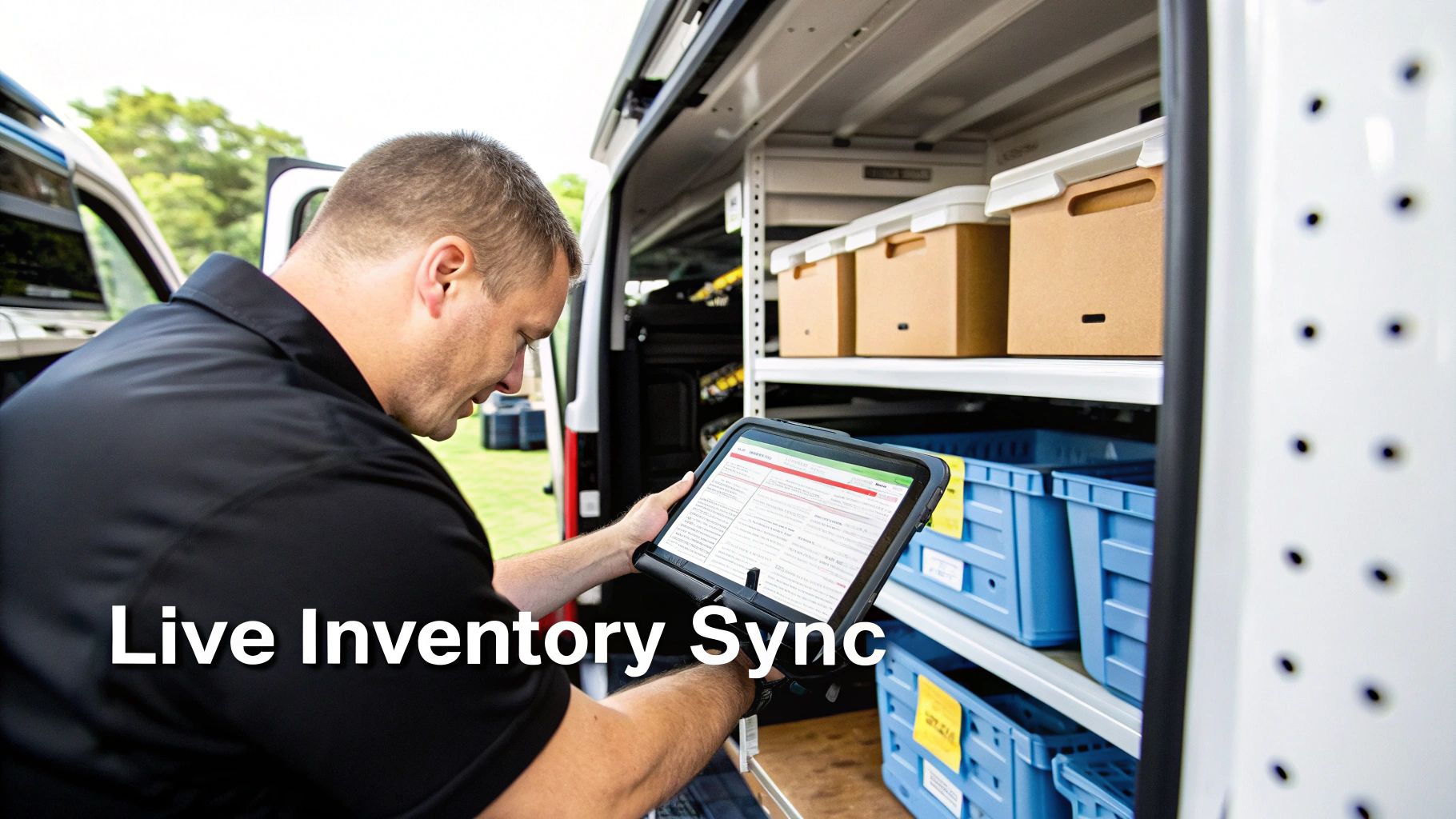
When a tech uses a part on a job, it should set off an immediate, automated chain reaction. The inventory count for that van instantly drops by one, the part gets added to the customer’s invoice at the right price, and the system flags it for reordering once it hits a minimum level. This isn’t some futuristic fantasy; it’s the baseline for an efficient, modern trade business.
Connecting Inventory to Your Field Service Software
Tying your inventory data into your primary field service management (FSM) software is what shifts your operation from reactive to proactive. Instead of creating more work for your team, it kills manual data entry, slashes human error, and gives you a live, honest look at the health of your business.
Think about the ripple effect. When a dispatcher can see live van stock for every single tech, they can make much smarter decisions. You can finally say goodbye to sending a tech to a job only for them to discover they don't have the right part—a situation that always leads to a frustrating second trip and an unhappy customer.
The ultimate goal is a seamless loop of information. A part is used in the field, which updates the office in real-time. This then informs the next dispatch decision and automates the final invoice. It's this integrated approach that separates the contractors who are struggling from the ones who are scaling profitably.
A Real-World HVAC Integration Scenario
Let's walk through a practical example. Imagine an HVAC company that just connected its inventory system to its dispatch board.
Before the integration, dispatching was a shot in the dark. The dispatcher, Sarah, would get a "no cool" call and assign it to the nearest tech, James. James would drive out, diagnose a bad capacitor, and realize he’d used his last one on the previous job. That meant a time-wasting trip to the supply house, a delayed repair, and a major hit to the day's productivity.
Now, after integrating their systems, the workflow is a completely different story:
- Informed Dispatch: The same "no cool" call comes in. Sarah checks her dispatch board. She sees James is close, but a quick look at his live van inventory shows he has zero 45/5 MFD capacitors. She also sees another tech, Mike, is ten minutes further away but has five of them in stock.
- Smarter Assignment: Sarah assigns the job to Mike, adding a quick note that the likely part needed is already on his truck.
- Efficient Field Work: Mike gets to the job, confirms the diagnosis, and grabs the capacitor from his van. He scans its barcode with his phone, which automatically deducts it from his van’s inventory and adds it to the job's invoice.
- Automated Invoicing: When Mike closes out the job, the invoice is already built with the correct labor and the exact part he used. It’s ready for the customer to pay right then and there.
- Triggered Replenishment: Back at the office, the system notes that Mike’s capacitor stock is now below its par level, automatically adding it to the weekly warehouse restock list. No one has to remember a thing.
This single integration drastically improves their first-time fix rate—a critical KPI for any service business. It also closes the door on lost revenue from parts that were used but never billed for, a common profit leak that can easily cost a business thousands of dollars a year. By weaving the system into the fabric of their daily operations, the company doesn't just track parts better; it serves customers faster, bills more accurately, and runs a leaner, more profitable shop.
Measuring What Matters to Your Bottom Line
https://www.youtube.com/embed/m0-9Gf52vFg
You've done the hard work of mapping your workflows, picking your tech, and plugging it into your day-to-day operations. So, how do you actually know if all this effort is making you more money? The answer is to look past simple inventory counts and start tracking the numbers that directly hit your profitability.
Effective asset and inventory management isn't just about being organized; it's a financial strategy. To really get ahead, you have to measure what matters.
This isn't just a trend in our industry, either. Across the board, businesses are waking up to the power of smart asset management. The global outlook has shifted to stable, with experts expecting that lower interest rates will boost confidence and revenue over the next 12–18 months. You can get more details on these broader economic trends from Moody's 2025 outlook. While you’re managing copper fittings instead of financial portfolios, the principle is the same: tighter control means better financial health.
KPIs That Directly Affect Profit
Let's cut through the noise. Here are three powerful Key Performance Indicators (KPIs) that give you the real story of your operational health. Think of them as your business's vital signs.
1. First-Time Fix Rate (FTFR)
This is the big one. For any service contractor, FTFR is arguably the most important metric you can track. It tells you the percentage of jobs your techs complete on the first visit, no follow-up required. A high FTFR is a direct result of having the right parts and tools on the truck, every single time.
- How to Calculate: (Jobs Completed on First Visit ÷ Total Service Jobs) x 100
- A Healthy Benchmark: You should be aiming for 80-90%. If you're falling short, you're almost certainly losing money on go-backs, and poor van stock is often the culprit.
2. Inventory Turnover Rate
This KPI reveals how many times you sell and replenish your entire inventory over a given period. Generally, a higher number is better—it means your cash isn't tied up in parts that are just sitting on a shelf collecting dust.
- How to Calculate: Cost of Goods Sold (COGS) ÷ Average Inventory Value
- A Healthy Benchmark: For most trade businesses, a turnover rate between 4 and 6 is a solid target. If it’s too high, you might be stocking out and missing sales. Too low, and you're sitting on dead stock.
3. Shrinkage Percentage
Shrinkage is the cold, hard reality of lost, stolen, or damaged inventory that simply vanishes from your books. These are the parts you paid for but can never bill to a customer. Tracking this is absolutely critical for plugging profit leaks.
- How to Calculate: (Value of Recorded Inventory – Value of Physical Inventory) ÷ Value of Recorded Inventory
- A Healthy Benchmark: Fight to keep shrinkage below 1-2%. Your best defense here is a rock-solid tracking system with clear check-in and check-out rules.
Avoiding Common Implementation Pitfalls
Putting a new system in place is one thing. Getting it to stick in the real world is another entirely. I’ve seen contractors make the same few mistakes over and over. Avoid these common traps from day one.
The first major pitfall is picking overly complicated software. The fanciest system on the market is useless if your techs find it too confusing to use in the field. Prioritize a simple, intuitive, mobile-friendly interface—something like the tools from TackonFSM, which are built for how trade contractors actually work. If it takes more than a few taps to log a part, your team will find a workaround.
Your system is only as good as the team that uses it. Rushing the rollout and skimping on training is a guaranteed recipe for failure. Your team needs to understand the "why" behind the change, not just the "how."
Another killer mistake is a lack of leadership buy-in. If the owner and managers aren't committed to using the system and holding people to the new policies, nobody else will be either. You have to lead by example. When your team sees that leadership is serious, they’ll get that this isn’t just the "flavor of the month"—it's the new standard for how the business runs. That commitment is what turns a simple software rollout into a fundamental upgrade for your entire company.
Questions We Hear All the Time
Even with a rock-solid plan, switching to a real asset and inventory management system is going to bring up some questions. Getting your team on board and sorting out the day-to-day details is where the rubber really meets the road. Here are the most common hurdles I see contractors run into, and how to clear them.
How Do I Get My Techs to Actually Use This Thing?
This is the big one. If your technicians don’t use the system, it's all for nothing. The key is to make them part of the solution from the get-go, not just on the receiving end of a new rule from the office.
Bring your lead techs into the software selection process. Let them get their hands on a few options and give you their honest, unfiltered feedback. When they have a say in the tool they’ll be using all day, every day, they become its biggest advocates out in the field.
It's also crucial to frame it as a benefit to them. This isn't just about saving the company money; it's about making their lives easier.
- No more blame game: Once a tool is scanned out to a tech, there’s no more arguing over who lost what. It creates clear accountability.
- Less paperwork: A quick scan is a heck of a lot faster than filling out a paper form to grab a part from the shop.
- Fewer frustrating trips: Accurate van stock means they aren’t making nearly as many last-minute runs to the supply house because they thought they had a part that wasn't there.
Finally, you have to lead from the top. If the owner and service manager are using the system daily to check on assets or pull reports, it sends a powerful message that this is the new way of doing business.
What's the Best Way to Handle Returns and Warranty Parts?
Returns are a black hole where profits go to die if you don't have a specific process. Unused parts from a job or items for warranty claims can easily get lost, tossed back into general stock, or just forgotten. When that happens, you eat the cost.
The fix is simple, but you have to be strict about it: create a dedicated, clearly labeled "Returns & Warranty" bin. Put one in the shop and, if it makes sense for your workflow, one on each truck.
When a technician brings back a part, it needs to be immediately scanned or logged into a "return" status. This single action pulls it out of your sellable stock count so it can't be accidentally installed on another customer's system.
Then, set a non-negotiable weekly routine. One person owns the task of clearing that bin. Their job is to process every single item—either sending it back to the supplier for credit or filing the warranty claim. This simple discipline closes one of the most common and costly leaks in any contractor's inventory.
Should I Start with Assets or Inventory?
It's the classic "how do you eat an elephant?" problem. For almost every trade contractor, the answer is to start with your high-value assets. It’s the quicker win and much easier to manage.
Just think about the numbers. You might have a few dozen expensive assets, but you could have thousands of individual inventory parts. The financial sting of losing a single $2,000 ProPress tool is way worse than misplacing a handful of copper fittings.
Start by tagging and tracking your most expensive gear—your sewer cameras, recovery machines, power tools, and all your service vehicles. This lets your team get comfortable with the new check-in/check-out process on a smaller, more controllable scale. Once that process is second nature, you can take what you've learned and apply it to the much bigger project of managing your full inventory.
Ready to stop guessing and start controlling your physical resources? TackonFSM provides the tools you need to manage everything from van stock to high-value assets, all integrated with dispatching and invoicing. See how it works by starting your free trial.
Ready to dispatch more jobs? Start your free trial →