

What Is Field Service Management Software? A Practical Guide
Field service management (FSM) software is basically the digital brain for any business that has technicians working out in the field. It takes all the chaotic, moving parts of your day—the spreadsheets, the whiteboard schedules, the endless phone calls—and pulls them into one clean, organized system.
Think of it as the air traffic control for your entire service operation. Instead of juggling everything manually, you have a single platform that handles scheduling, dispatching, invoicing, customer communication, and a whole lot more.
From Manual Chaos To Digital Control
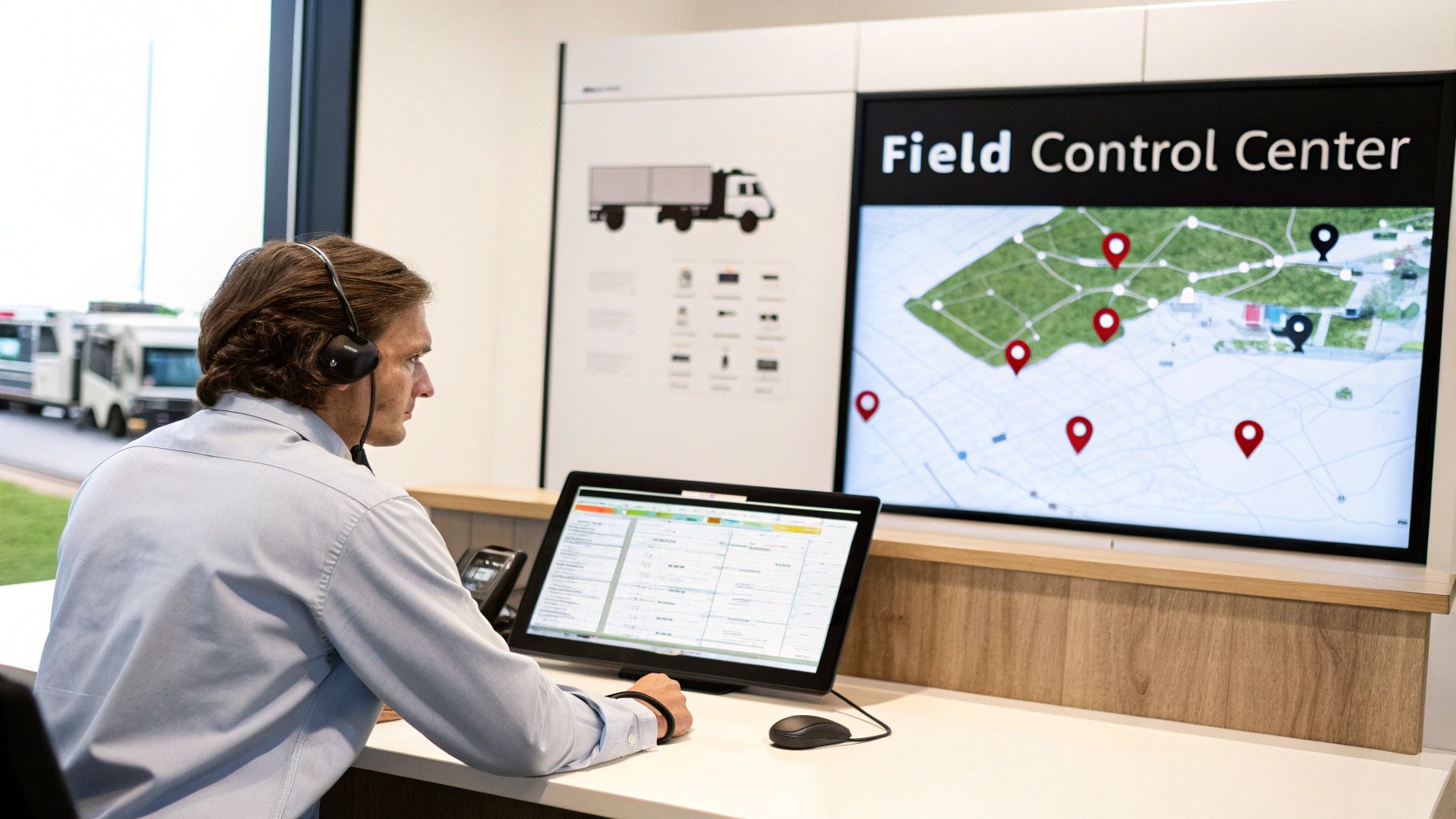
If you run a trade business—like HVAC, plumbing, or electrical—you know the daily grind all too well. Your technicians are scattered across town, your dispatcher is trying to put out fires over the phone, and you’re just trying to figure out who’s where and what’s been done. This old-school, manual way of working isn't just stressful; it's a huge drain on time and money.
That’s precisely the problem FSM software was built to solve. It centralizes every piece of the puzzle into one place that everyone can access. Instead of relying on sticky notes and memory, you get a real-time, bird's-eye view of your entire business.
A New Way of Working
Making the jump from manual methods to a dedicated FSM platform is a big deal. It’s about more than just getting rid of paper; it’s about fundamentally changing how your team gets work done, from the first customer call to the final payment. This shift is why the global FSM market was valued at $4.43 billion in 2022 and is expected to climb past $9 billion by 2030, as more businesses look for ways to work smarter. You can discover more insights about the FSM software market growth and see how companies are cutting downtime by up to 30%.
At its heart, FSM software connects the three most important parts of your business: your office staff, your field technicians, and your customers. When everyone is working from the same playbook, jobs run smoother, customers are happier, and your business becomes more profitable.
To really see the difference, let’s look at how everyday tasks change. The table below shows the stark contrast between the old, chaotic way of managing things and the organized, modern approach you get with FSM software.
Manual Methods vs FSM Software
| Task | The Old Way (Manual Chaos) | The New Way (FSM Control) |
|---|---|---|
| Scheduling | Relying on whiteboards, messy spreadsheets, and constant phone tag to juggle jobs. | Using a drag-and-drop digital calendar that shows real-time technician availability. |
| Dispatching | Calling or texting job details and addresses one by one, hoping nothing gets lost. | Sending instant job notifications to a technician's mobile app with all the details included. |
| Customer Updates | Waiting for frustrated customers to call and ask, "Where's my tech?" | Sending automated text reminders and "on-the-way" notifications with GPS tracking. |
| Invoicing | Technicians bring back messy paper invoices that the office has to manually re-enter. | Creating instant digital invoices and collecting payment on the spot, right in the field. |
As you can see, it's not just about doing the same things digitally. It’s about creating a smarter, more connected workflow that eliminates guesswork and frees up your team to focus on what they do best.
Diving Into the Core Features of FSM Software

To really get a feel for what field service management software can do, you have to look under the hood. It’s not about one single thing; it’s about a collection of powerful tools designed to solve the real-world problems that plague service businesses—the ones that eat up your time, shrink your profits, and frustrate customers.
Think of it less like a single piece of software and more like a connected digital toolbox. Every feature has a job to do, whether it's getting the right tech to the right job site or making sure you get paid on time. Let's pull apart the key features you'll find in any solid FSM platform.
Intelligent Scheduling and Dispatching
This is the heart of the operation, the mission control for your entire field team. Forget the messy whiteboards, sticky notes, and frantic phone calls. Modern scheduling is all about a clean, visual, and smart dispatch board that gives your office a bird's-eye view of everything happening in the field.
Instead of playing a guessing game about who to send, the software does the heavy lifting. You can instantly filter and assign work based on what actually matters:
- Proximity: An emergency call just came in? Find the closest tech and slash travel time.
- Skills: Does the job need a master plumber or a junior apprentice? Match the work to the right skillset so it gets done right the first time.
- Availability: See at a glance who’s free, who’s wrapping up a job, and who’s on their way back to the shop.
Rescheduling becomes a simple drag-and-drop affair, not a chain reaction of phone tag. Once a job is assigned, all the details—address, customer notes, job history—are zapped straight to the technician’s device. No more botched addresses or forgotten instructions.
The All-in-One Mobile Technician App
For your techs in the field, a good mobile app is a game-changer. It effectively puts the entire office in the palm of their hand. This is probably the single most important feature for your crew, giving them the tools and information they need to work smarter, not harder.
With a well-designed field service app, your techs can:
- Pull up the complete job history, notes, and even photos from past visits while standing in front of the customer.
- Run through pre-built digital checklists and safety forms, ensuring no steps are missed.
- Snap photos and videos of their work as proof of completion or to highlight an unexpected issue.
- Create an estimate, get a customer’s signature on their screen, and take payment right then and there.
This creates a live connection between the field and the office. The second a tech marks a job as "complete," your dispatcher sees it and can immediately assign them the next one. The dead time between jobs just disappears.
The mobile app is the bridge that closes the gap between your field operations and back-office management. It ensures that crucial information flows seamlessly in both directions, preventing delays and costly errors.
Automated Customer Communications
Let's be honest: happy customers are what keep the lights on. FSM software helps you deliver that five-star experience by keeping them in the loop without anyone in your office having to pick up the phone. Automated notifications handle the routine communication that customers appreciate but your team dreads.
Most systems can automatically fire off messages like:
- Appointment Reminders: A quick text or email the day before a service call drastically reduces no-shows.
- "On-The-Way" Alerts: A simple text with a GPS link lets the customer track the tech's arrival in real-time. No more "Where are you?" calls.
- Follow-Up Messages: Once a job is done, the system can automatically send a thank you note with a link to leave a review.
This kind of proactive communication shows customers you respect their time and makes your entire operation look incredibly professional. It builds trust and loyalty while freeing up your office staff to focus on more important things.
What FSM Software Actually Does for Your Business
It's one thing to know the features of field service management software, but what really matters is the impact it has on your bank account and your sanity. Forget the technical jargon for a minute. Let's talk about how this kind of tool delivers real-world improvements in three areas that keep every business owner up at night: efficiency, money, and customers.
Bringing in an FSM system isn't just about swapping a clipboard for a tablet. It's about changing the entire rhythm of your business for the better. You'll feel the difference on day one, and you'll see the long-term value build month after month.
Get More Done, With Less Chaos
The first thing you'll notice is just how much more efficient your whole operation becomes. When scheduling and routing are optimized, your techs are spending less time staring at their windshield and more time on the tools. That right there means less money burned on gas and more jobs squeezed into a day—without running your crew into the ground.
Better yet, when your technicians show up with a mobile app that gives them the complete job history and parts info, they're walking in prepared. This massively boosts your first-time fix rate. Getting it right on the first visit is huge; it cuts out those expensive, frustrating return trips that kill your profits and your reputation.
An FSM system turns your daily operations from a reactive fire drill into a smooth, proactive process. It’s the difference between always playing catch-up and finally getting ahead.
This level of control is why the FSM market is exploding. While the big players held a 66.1% revenue share in 2022, it's the small and medium-sized shops that are now growing the fastest by adopting these cloud-based tools. You can dig into the FSM software market trends yourself to see how businesses just like yours are getting on board.
Get Your Money Right
More efficiency leads directly to a healthier bottom line. When you're completing more jobs every day and slashing waste like unnecessary fuel and repeat visits, your profit margins can't help but go up.
And here’s a big one: invoicing from the field. This is a total game-changer for your cash flow. Instead of waiting for a tech to bring back a crumpled paper invoice that someone has to manually enter, you can send the bill and get paid the second the job is done. This single change can shrink your billing cycle from weeks to minutes, putting cash in your hand when you need it.
Smart scheduling also plays its part, making sure the right tech with the right skills is sent to the right job, maximizing what you earn from every single callout.
Create Customers for Life
Finally, let's talk about the customer experience, because this is where you can truly crush the competition. In a crowded market, being the most professional and transparent company wins.
Automated communication is your secret weapon here.
- No More Guessing Games: Sending an "I'm on my way" text with a live GPS link is a small touch that shows you value your customer's time. It gets rid of those vague, annoying four-hour arrival windows.
- Constant Contact: Simple appointment reminders and follow-up messages build trust and dramatically cut down on no-shows.
- A Polished Finish: From digital quotes and invoices to taking payment right on the spot, you give customers a seamless, modern experience from the first call to the final handshake.
This is how you get happy clients. And happy clients don't just pay their bills; they leave five-star reviews, recommend you to their neighbors, and call you back for every job they have for years to come.
A Day In The Life With FSM Software
Let's move past the technical definitions and see what FSM software actually looks like in the real world. The best way to understand its impact is to walk through a typical day for a busy plumbing company.
We’ll follow a single job, from the moment the phone rings to the final payment, to see how the right software turns a potentially chaotic day into a smooth, profitable operation.
It’s 9:15 AM, and a homeowner calls the office in a panic. Their water heater just gave out, and they need a plumber—fast. Instead of fumbling with a notepad, the dispatcher opens the FSM software and creates a digital work order while they’re still on the phone. All the critical details—address, contact info, the nature of the emergency—are captured instantly. The system immediately flags it as a high-priority job.
From Dispatch To On-Site
The dispatcher looks at the scheduling board, which is essentially a live map showing every tech’s current location and job status. They see that Mark, one of their senior plumbers, is just wrapping up a routine maintenance call only two miles away.
With a simple drag-and-drop, the emergency water heater job is assigned to Mark.
A notification instantly pops up on Mark’s tablet. He taps it open and sees everything he needs to know, all in one place:
- The customer's name, address, and phone number.
- The dispatcher’s notes detailing the water heater failure.
- The customer’s full service history, including the make and model of the old water heater he's about to replace.
Mark taps for directions, and his GPS navigates him straight to the job. At the same time, the system automatically sends the customer a text: “Your technician, Mark, is on the way! You can track his arrival here.” That one simple, automated message prevents anxious follow-up calls and immediately builds trust.
It's these small, connected actions that snowball into major improvements across the entire business.
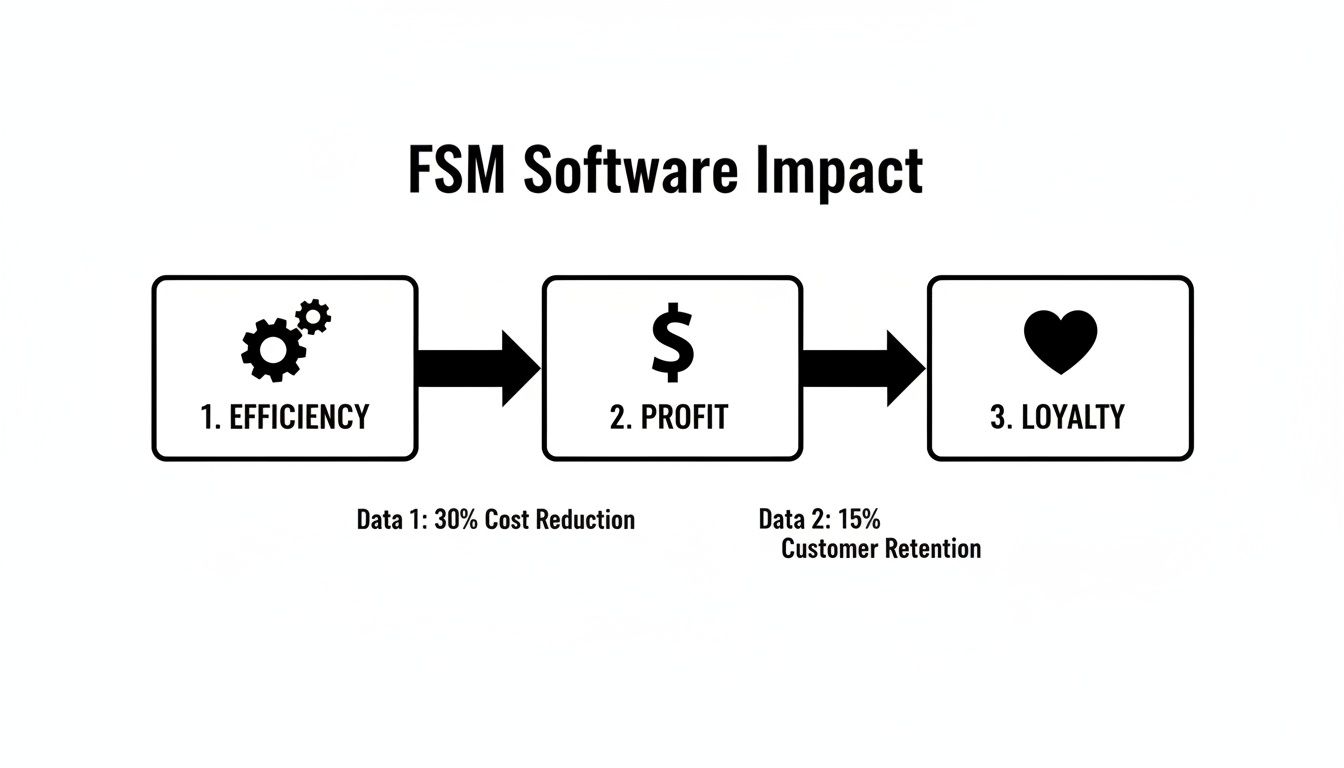
As the flowchart shows, it all starts with better efficiency on the ground, which directly leads to healthier profits and happier customers who call you back next time.
Closing The Job And Getting Paid
Once on-site, Mark quickly diagnoses the problem. He uses his tablet to pull up the company’s digital price book, builds a clean, itemized estimate for a new water heater installation, and shows it to the homeowner. The customer sees the clear pricing, agrees, and signs off digitally right on the tablet’s screen.
After installing the new unit, Mark snaps a few photos of the completed work and attaches them directly to the job file for the company’s records. He then converts the approved estimate into a final invoice with a single tap. There’s no paperwork to fill out and no need to re-enter numbers back at the office.
The homeowner pays right there on the spot with a credit card using a small reader connected to Mark's tablet.
The entire lifecycle of the job—from the first call to the final payment—is logged in a single, seamless digital record. This means no more lost invoices, fewer billing errors, and crucially, the company gets paid before the truck even pulls away from the curb.
By 11:30 AM, the job is complete, the invoice is paid, and Mark’s status in the system automatically updates to "available." He’s ready for the next call. That’s the power of a connected FSM platform in action.
How To Choose The Right FSM Software
Knowing you need better software is one thing; actually finding the right fit for your business can feel like a hunt for a needle in a haystack. The secret is to ignore the flashy sales pitches for a moment and start with a simple checklist focused squarely on your own company.
Think of it like buying a new truck. A massive fleet vehicle is perfect for a large commercial operation but complete overkill for a two-person plumbing crew. Your mission is to find a tool that solves your biggest daily headaches right now but still has the horsepower to grow with you down the road.
Evaluate Your Business Needs First
Before you schedule a single demo, you need to do a little homework on your own operations. Getting a clear picture of your daily workflow—the good, the bad, and the ugly—is the only way to know what you’re actually shopping for.
Start by asking yourself a few honest questions to figure out your baseline needs:
- Team Size and Structure: Are you a one-person show, a tight-knit crew of five, or managing a fleet of twenty techs? The software should feel right for your current size, not force you into a plan built for someone else.
- Primary Pain Points: What’s the most frustrating part of your day? Is it the constant phone calls to rejig the schedule, the time spent chasing down overdue invoices, or just not knowing which van has the part you need? Pinpoint the chaos.
- Integration Requirements: What other tools are essential to your business? For most, a smooth connection to accounting software like QuickBooks is a dealbreaker. No one wants to waste time with double-data entry.
The best FSM software isn't the one with the most bells and whistles. It's the one that solves your most annoying problems, day in and day out.
Key Factors To Compare
Once you’ve got that list of needs, you can start looking at your options with a clear head. This isn't just about comparing prices; it's about finding real value and a system your team will actually want to use.
Usability should be at the top of your list. If the software is a pain to navigate, your techs will find a way to avoid it, and you’ll be right back where you started. Always sign up for a free trial. Pay close attention to how the dispatch board feels on your desktop, but more importantly, how intuitive the mobile app is for your crew in the field.
Finally, dig into the pricing structure and the level of support they offer. Some platforms charge per user, which can get expensive fast, while others have tiered plans that give you more room to grow. Make sure you understand the total cost and confirm that you’ll have access to real, human support—especially when you’re getting everything set up. A good support team can make all the difference between a smooth transition and a bumpy, frustrating one.
So, What's the Next Move?
Look, it's pretty clear: field service management software isn't some futuristic tech—it's what successful trade businesses are using right now to get a handle on the day-to-day chaos. It’s how you give your techs the tools they need to win, keep customers happy, and actually build a business that can grow without giving you a headache.
Making this shift isn’t just a nice-to-have anymore; it's essential if you want to keep up and get ahead. Your first step is to be honest with yourself and figure out the one thing that's causing the most friction in your business right now.
What’s the biggest bottleneck? Is it the scheduling nightmare? The time it takes to create and chase invoices? Or maybe it's just keeping customers in the loop? Nail down that one big problem, and you can start looking for an FSM that’s built to crush it.
For a lot of folks in the trades, it all comes down to the daily juggle of scheduling jobs and getting paid on time. If that sounds familiar, you might want to see how a platform like TackonFSM can help. You can get a real feel for it with a no-pressure, 14-day free trial. It’s the perfect way to see firsthand how much smoother things could be, using your own jobs and your own team.
Frequently Asked Questions About FSM Software
When you're thinking about moving your trade business to a field service management platform, a few common questions always pop up. Let's tackle them head-on so you can get a clearer picture of what to expect.
How Much Does FSM Software Cost?
There's no one-size-fits-all price, which is actually a good thing. The cost of FSM software almost always scales with your business, so you're not overpaying for things you don't need. Most platforms operate on a subscription model, charging a monthly fee per user or offering different tiers based on your crew's size.
For instance, a small two-person operation might find a plan around $70 per month, while a larger team needing more features could be looking at something closer to $180 per month or more. Keep an eye out for potential one-time costs, like data migration or specialized training, though many modern systems include this in their standard onboarding.
Is The Implementation Process Difficult?
This is probably the biggest fear holding owners back, but getting set up is usually more straightforward than you’d imagine. A good FSM provider will hold your hand through the process, especially when it comes to migrating your data. That means all your customer lists, price books, and job histories get moved over, so you aren't starting from scratch.
After that, it's all about getting your team comfortable. The best platforms are built with technicians in mind, so the mobile app feels intuitive from day one. Expect a bit of an adjustment period—maybe a couple of weeks—as everyone gets used to the new digital workflows.
A successful launch isn't about flipping a switch; it's about getting your team to consistently use the new tools. That's why a user-friendly design and solid support from the software provider are non-negotiable.
Will It Work With My Other Business Tools?
Your FSM software can't be an island. For it to be truly effective, it needs to talk to the other software you already rely on. The most critical connection for virtually every trade business is with accounting software like QuickBooks.
This one integration is a game-changer. When your FSM and accounting are linked, invoices and payments sync automatically, which means no more double-entry and far fewer human errors. It turns hours of painful admin work into a seamless, automated process. Beyond accounting, check for other integrations that might matter to you, like CRMs or marketing platforms.
Ready to see how an FSM can pull your entire operation together? TackonFSM gives you the tools to manage scheduling, quoting, inventory, and payments all in one place. Start your 14-day free trial today.


