Small business service management software: Streamline Ops & Improve ROI
Think of all the moving parts in your service business. You've got clipboards for work orders, a whiteboard for scheduling, sticky notes for customer callbacks, and a stack of invoices waiting to be mailed. Small business service management software is what replaces that entire chaotic system with a single, digital command center.
It pulls everything—scheduling, dispatching, invoicing, and customer history—into one clean, organized platform. Suddenly, you have a bird's-eye view of your entire field operation.
What Exactly Is Service Management Software?
Imagine trying to run a busy kitchen during the dinner rush with orders scribbled on napkins. It’s pure chaos. That's what running a service business with manual methods feels like. Now, picture a modern kitchen with a digital display system where every order is tracked from the moment it's placed to the second it's served. That’s the kind of order and control small business service management software brings to the table.
This isn't just generic business software. It’s a purpose-built system for trade businesses like HVAC, plumbing, electrical, and landscaping. It acts as the central hub for the entire lifecycle of a service call, from the first ring of the phone to the final payment confirmation. Instead of your team wrestling with disconnected tools, everyone works from the same playbook.
From Manual Methods to Digital Control
Making the jump from old-school paper and spreadsheets to a dedicated software solution is a game-changer. Manual processes aren't just slow; they're magnets for expensive mistakes. A technician sent to the wrong address, a lost invoice, or a simple scheduling mix-up can tank your profit on a job and leave a customer furious.
Service management software digitizes and connects these critical workflows, turning friction into flow:
- Scheduling and Dispatching: The messy whiteboard and endless phone tag are replaced with a clean, drag-and-drop calendar.
- Work Order Management: Technicians get everything they need on their phones—job details, customer history, and even service manuals.
- Estimating and Invoicing: Professional quotes and invoices are generated in minutes, not hours, with no more manual data entry.
- Customer Communication: Automated appointment reminders and status updates keep customers in the loop without you lifting a finger.
The real magic is in consolidating all these functions. The software creates a single source of truth, eliminating the "he said, she said" between the office and the field. It empowers everyone on your team to work smarter, turning operational headaches into a smooth, repeatable process.
Let's break down the practical difference this makes in your day-to-day operations.
Manual Operations vs. Service Management Software
This table gives you a quick snapshot of how daily tasks change when you move from traditional methods to a dedicated software solution.
| Operational Area | Manual Method (The Old Way) | Service Management Software (The New Way) |
|---|---|---|
| Scheduling | Whiteboard, sticky notes, phone calls | Drag-and-drop digital calendar, optimized routes |
| Dispatching | Phone calls, texts with job info | Instant job dispatch to a tech's mobile app |
| Work Orders | Carbon copy paper forms, messy handwriting | Digital forms with photos, notes, and signatures |
| Invoicing | Manual entry in Word/Excel, mailing paper | Instant, on-site invoice generation and email |
| Payments | Waiting for checks in the mail | On-the-spot credit card processing |
| Customer History | Sifting through old files or spreadsheets | Instant access to all past jobs and notes |
Seeing it laid out like this, it’s clear that the "new way" isn't just a minor upgrade—it's a fundamental shift in how you run your business, designed for efficiency and accuracy.
This move toward digital control isn't happening in a vacuum; it’s part of a massive industry trend. The market for business software and services is on track to hit around USD 1,153.8 billion by 2030, fueled by the urgent need for businesses to automate and get on the cloud. This isn't just for big corporations—small service businesses are right in the middle of it. You can learn more about the future of business software market trends to see where things are headed.
Ultimately, this software isn't just about cool tech. It's about gaining clarity and taking back control of your business. It gives you the visibility you need to make better decisions, simplify your daily grind, and get back to focusing on what really matters: doing great work and growing your company.
The Core Features That Eliminate Daily Headaches
To really get what small business service management software can do for you, you have to stop thinking about a list of features. Instead, picture them as direct solutions to the daily frustrations that drain your time and kill your profits. Each tool inside this software is built to solve a specific, real-world problem that every service business owner knows all too well.
Think of it like this: you wouldn't use a wrench to hammer a nail. So why are you still trying to run a complex field service operation with generic calendars and messy spreadsheets? This software gives you the right tool for every single part of the job.
This map shows how everything flows from a central command center, connecting your customers, your schedule, and your invoicing into one cohesive system.
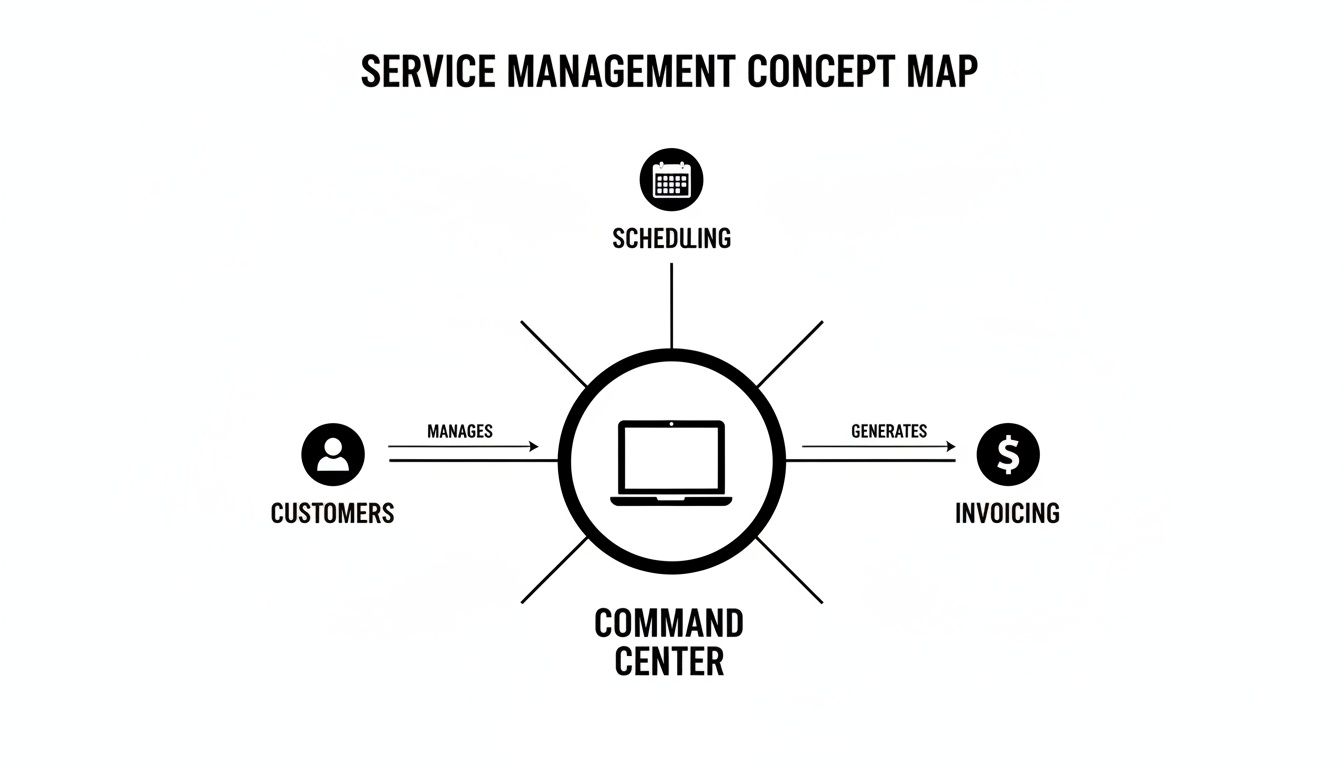
What this really shows is that every part of the service call—from the customer's first phone call to getting the final payment—is linked together. Nothing falls through the cracks.
Scheduling and Dispatching, Reimagined
Remember the old way of scheduling? It was a mess of whiteboards, frantic phone calls, and the constant fear of double-booking a tech. Modern scheduling and dispatching tools turn that chaos into a calm, organized command center.
Imagine a digital calendar where you can drag and drop jobs, seeing every tech's availability, location, and skills at a glance. Get an emergency call? You can instantly see who's closest and has the right parts on their truck, then push the job details straight to their phone with one click. This isn't just a calendar; it’s the end of overlapping appointments and panicked phone tag for good.
The Mobile Field App: Your Office in a Pocket
A technician's time is most valuable when they're fixing the problem, not shuffling paperwork or calling the office for basic info. A mobile field app puts the entire office right in their pocket.
With a good app, your techs can:
- See the full job history: They show up knowing exactly what work was done last time, what parts were used, and any special notes from the customer.
- Update job status instantly: The office knows when they’re en route, on the job, or finished. No more "where are you?" check-in calls.
- Snap photos and take notes: Documenting work with before-and-after pictures provides proof of service and protects your business from disputes.
- Take payments on the spot: Close out the job and get paid immediately, which does wonders for your cash flow.
This is a huge deal. Think about how many mistakes creep into handwritten notes or spreadsheets. Some studies suggest nearly 88% of business spreadsheets have errors. A mobile app replaces that mess with clean, reliable data flowing straight from the field.
Estimating and Invoicing for Faster Payments
Slow, sloppy invoicing is a silent killer of cash flow. Creating estimates and invoices by hand is tedious, it's easy to make mistakes, and it almost always leads to getting paid late. Small business service management software turns this chore into a straight line to your bank account.
You can build professional, itemized estimates in minutes using a pre-loaded price book of your parts and labor rates. Once the customer signs off on the quote digitally, the system converts it into a work order, and then an invoice, with a single click. No more re-typing everything or forgetting to bill for that one small part.
By generating and sending an invoice from the job site the moment work is complete, you can shrink the time between finishing a job and getting paid from weeks to mere hours. This one change can fundamentally improve the financial health of your business.
Intelligent Inventory and Parts Management
"I have to run to the supply house." Those are six words no business owner ever wants to hear. A last-minute trip for a common part wastes a tech’s time, burns fuel, and pushes the whole day's schedule back. It costs you money at every turn.
Proper inventory management software stops this from happening. It tracks every part, from your main warehouse right down to each tech's van. When a technician uses a part on a job, it's automatically deducted from their van's stock and added to the customer's invoice.
This gives you total visibility. You get alerts when stock is running low, so you can reorder before you run out. More importantly, it guarantees every single screw and valve used on a job gets billed to the customer, closing a huge loophole that silently eats away at your profits. Your inventory stops being a liability and becomes a well-managed, profitable asset.
What This Actually Means for Your Business
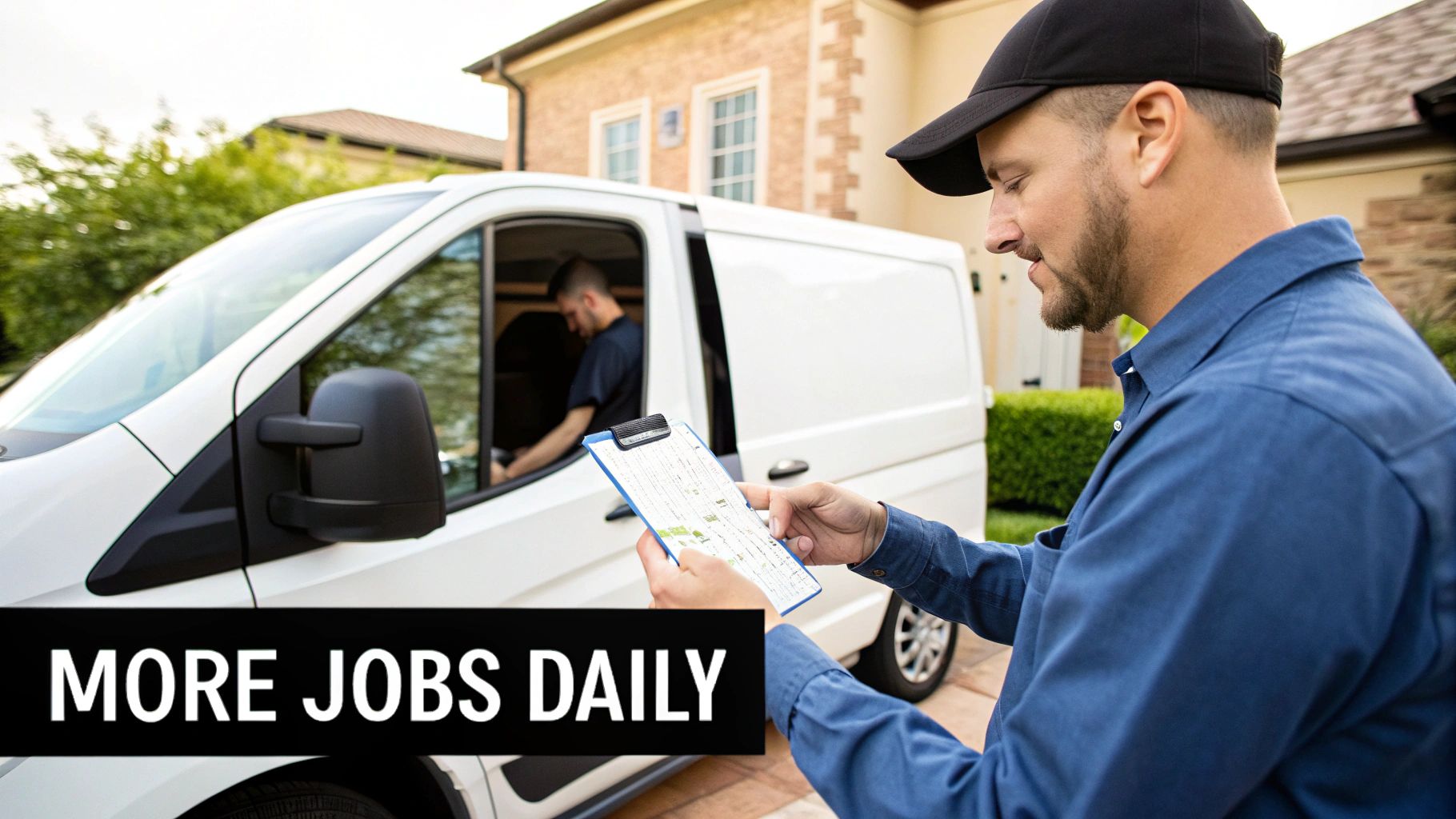
The features packed into small business service management software are impressive, but they're just tools. The real magic is what they do for your business—more money in the bank, happier customers, and a lot less chaos at the end of the day.
This is where the software stops being a line item on your expense sheet and becomes a growth engine. Smarter scheduling isn't just about a neat-looking calendar; it's about squeezing one more paying job into a tech's day, every single day.
Drive More Profit and Get Paid Faster
In the trades, every wasted minute is lost money. Service management software goes straight for the inefficiencies that slowly chip away at your profits. For example, optimized scheduling and dispatching slash drive time and fuel costs by creating the smartest routes.
That efficiency also means you get paid faster. When a tech can create and send a professional invoice the second a job is done—and even take payment right there—the cash flow cycle closes instantly. This simple change can be a game-changer, freeing up capital to buy that new van or invest back into the team.
By getting rid of manual data entry and making sure every single part is accounted for and billed, this software plugs the tiny, hidden leaks that drain your profitability over time. Suddenly, your margins are protected on every job.
Get More Done with the Same Crew
Your technicians are your most valuable asset, and the right software helps them operate at their peak. A mobile app puts a customer's entire history and all the job details right in their hands, helping them solve problems on the first visit and boosting your first-time fix rate.
The results are tangible. Businesses that adopt field service software consistently report major productivity gains, with many seeing 10–30% improvements in technician utilization. That means your crew is spending more of their day on billable work and less time on paperwork or running back to the shop for a forgotten part.
When you give your team modern tools that make their jobs easier, not harder, you also improve morale and reduce costly employee turnover.
Create a Customer Experience That People Talk About
In the service world, customer experience is your reputation. It’s what turns a one-time emergency call into a lifelong client who tells all their friends and neighbors about you. Software helps you build that loyalty by looking professional and being reliable.
Automated appointment reminders and "on-my-way" texts show customers you respect their time, and they drastically cut down on no-shows. Sending clear, digital estimates and invoices builds trust. When a customer feels like they're in the loop and valued, they’re far more likely to leave that glowing five-star review.
To see the biggest impact, it's crucial to have a deep focus on the client's journey, a concept explored in guides on mastering customer experience management. This focus builds the rock-solid reputation and steady repeat business that every successful service company is built on.
How to Choose the Right Software for Your Team
With so many options out there, picking the right small business service management software can feel like a huge task. Let’s be honest, this isn’t just about buying a subscription; it’s a major decision that will define how you run your business day-to-day for years to come. The trick is to look past the flashy sales pitches and focus on one thing: how will this tool actually solve my real-world problems?
Think of it like buying a new work truck. You wouldn’t get sold on the paint job alone, right? You’d be kicking the tires, checking the towing capacity, and making sure it has the payload to handle your equipment. Treat your software evaluation the same way—it's a practical test drive focused on performance and whether it's the right fit for your trade.
Define Your Must-Have Features First
Before you even book your first demo, grab a notepad and sit down with your team. Make a brutally honest list of your biggest headaches. Is scheduling a chaotic mess? Are you losing track of expensive parts on the truck? Is slow invoicing killing your cash flow?
This list is now your scorecard.
As you look at different platforms, you can literally check off which ones solve these specific issues. A software might boast a hundred features, but if it doesn't fix your top three problems, it's just noise. It’s not the right tool for the job.
Evaluating new tools can be tough, but solid frameworks exist to help. Even guides outside our industry, like this one on choosing the best AI receptionist for your small business, show how to effectively weigh software features against your core business needs.
Ask the Right Questions During Demos
A demo is your chance to get behind the wheel. Don't just sit there and watch a slick presentation. Show up with a list of questions that map directly to your daily grind.
- How easy is the mobile app? Make them show you, step-by-step, how a tech starts a job, adds a part from inventory, snaps a photo, and gets a customer signature—all on their phone. If it looks clunky, your team will fight you on it.
- Is it actually built for my trade? A generic, one-size-fits-all platform often means you’re stuck with awkward workarounds. Ask if they have pre-loaded price books or job templates for HVAC, plumbing, or electrical work.
- How do we get our data in? Moving your customer list, parts inventory, and job history is a big deal. You need to know exactly what their process is and how much help they’ll provide.
- What does "support" really mean? When something goes wrong on a Friday afternoon, are you talking to a chatbot, or can you get a real person on the phone who understands what a service business needs?
Your goal is to find a partner, not just a vendor. The right company will understand the unique pressures of running a trade business and have built their software to relieve them, not add to them.
Prioritize Scalability and Future Growth
The software you pick today needs to be able to keep up with you tomorrow. Think about where you want your business to be in three to five years. Are you planning to add more techs? Expand your service area? Maybe open a second location?
Make sure the platform can grow with you without forcing you into some ridiculously expensive or complicated upgrade. Look closely at their pricing tiers—do they make sense for a team that's expanding? A platform like TackonFSM is built for this, with clear plans that scale from a two-person operation to a full-blown fleet, so you only ever pay for what you’re using.
The good news is, you have options. The U.S. field-service-management software market is expected to hit around USD 2.8 billion in 2025, with tons of companies building tools specifically for businesses like yours. You're in a great position to find a solution that fits like a glove.
Making the Switch Without the Stress
Let's be honest, the thought of switching to new small business service management software can be intimidating. It feels like a massive project, and the fear of messing up your daily operations is real. But a smooth rollout isn't just possible—it's achievable with the right game plan. This is your roadmap for turning a potentially stressful overhaul into a calm, step-by-step upgrade that gets your business winning from day one.
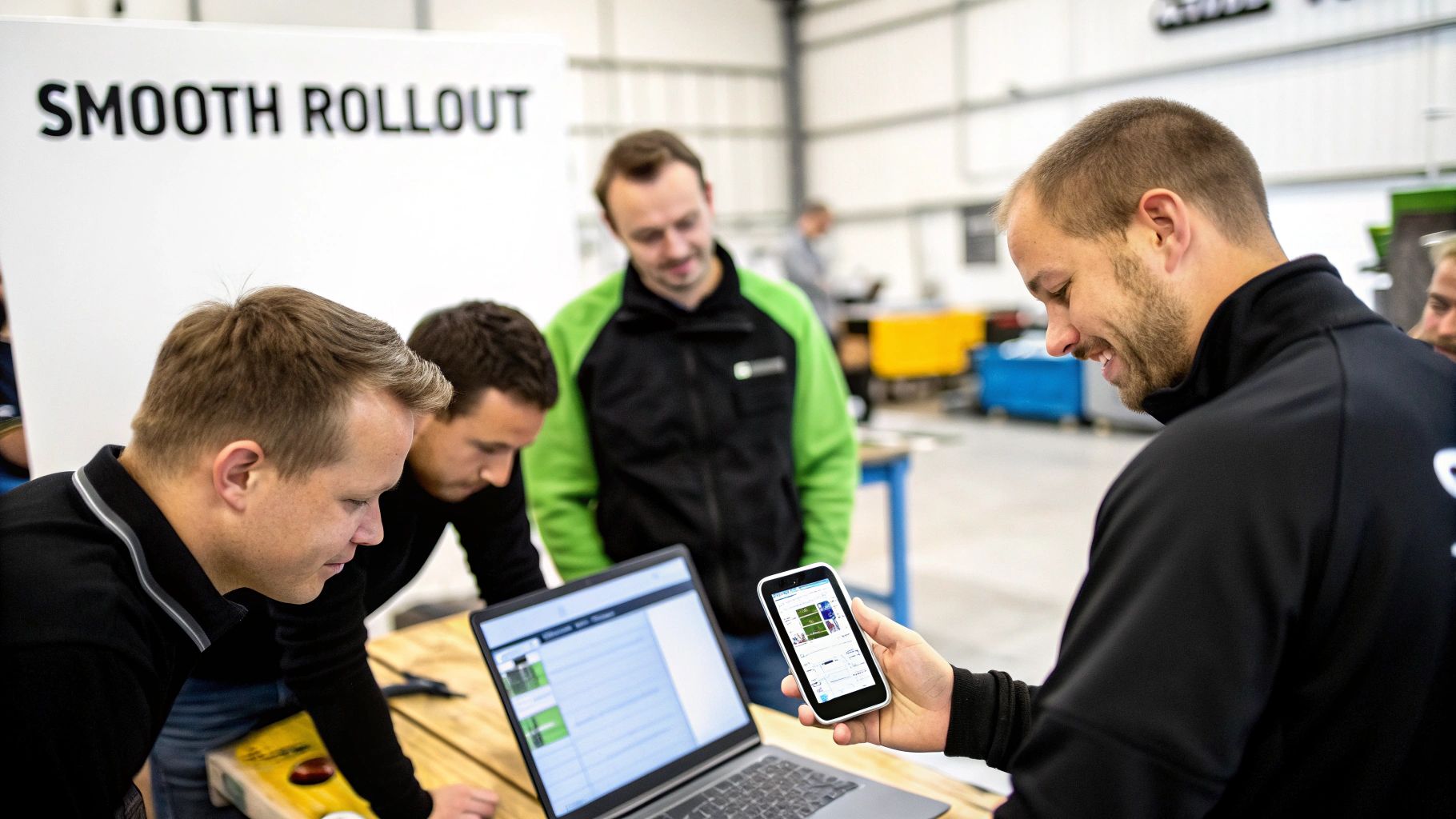
Think of it like prepping a room for paint. You wouldn't just throw color on the walls. You'd tape the edges, lay down drop cloths, and clean everything first. The same logic applies here. A little bit of prep work before you go live makes all the difference.
Prepare Your Data for a Clean Start
The new software is only as good as the information you put into it. It’s the classic "garbage in, garbage out" problem. Before you even think about migrating data, take the time to clean up your most important records. This isn't just a chore; it’s about starting fresh instead of carrying old baggage into a new system.
A few things to tackle first:
- Customer List Cleanup: Hunt down and merge duplicate customer profiles. Fix outdated phone numbers and addresses, and make sure names are spelled consistently. A clean list means your techs go to the right place and invoices get to the right person.
- Price Book Review: When was the last time you updated your parts and labor rates? This is the perfect time to make sure your pricing reflects your costs and protects your margins on every single job.
- Inventory Audit: Get a real, physical count of the parts in your shop and on each truck. This groundwork makes your new inventory management features useful from the moment you turn them on.
Getting your data organized beforehand isn't just a technical step—it’s a strategic move. A clean import means your team trusts the information in the new system, which is crucial for getting everyone on board and using the software confidently.
Get Your Team Excited About the Change
The biggest obstacle to new software is rarely the technology itself. It’s the people. Your team needs to see this new tool as something that makes their day better, not just another thing to learn. The trick is to frame the change around the benefits that matter to them.
Focus on the "what's in it for me" for each person. For your techs, talk about the mobile app that gets rid of sloppy paperwork and gives them a customer’s entire service history in their pocket. For your dispatcher, show them the drag-and-drop schedule that will finally end the headache of frantic phone calls and texts.
Run hands-on training sessions focused on the tasks they do every day. Let them experiment in a test version of the software so they can build confidence before it actually counts. When you show them how this small business service management software solves their biggest frustrations, you’ll turn resistance into genuine buy-in. You could even start with a phased rollout—letting one or two of your keenest techs use it first can create internal champions who help convince the rest of the crew.
How to Measure Your Return on Investment
So, you're thinking about investing in small business service management software. It feels like a big step, and a fair question pops into your head: "How do I know this is actually going to pay for itself?" It's a question every smart business owner should ask.
The good news is that calculating the real financial impact is easier than you might think. It’s not about fuzzy feelings; it’s about connecting the software’s features directly to hard numbers that improve your bottom line. Think of it less as a monthly bill and more as a high-performance tool you’re adding to your truck.
Key Performance Indicators to Track
Just like you’d measure the output of a new piece of equipment, you need to track the right metrics—or Key Performance Indicators (KPIs)—to see the software's true value. Before you can see improvement, though, you need a starting point.
Take a snapshot of your operations for a full month before you roll out the new system. This is your baseline. Then, once your team is trained up and using the software, track these exact same metrics again.
Here are the most important numbers to watch:
- Jobs Completed Per Technician Per Day: This is your raw efficiency metric. When scheduling and routing are dialed in, your techs spend less time driving and more time working. That means more billable jobs on the books each day.
- Time from Job Completion to Payment: How fast does cash actually hit your bank account? When a tech can create an invoice and swipe a card on-site, the wait time can shrink from weeks to minutes. This is a game-changer for cash flow.
- First-Time Fix Rate: How often do your techs solve the problem on the very first visit? Better access to job history and parts information means fewer expensive callbacks and happier customers.
- Average Invoice Value: Are you accidentally giving away parts or forgetting to bill for that extra 15 minutes of labor? Software that tracks every item and every minute ensures nothing gets missed, which often pushes your average invoice total higher.
Putting the Numbers to Work
Let's ground this in a quick, real-world example.
Imagine you run a plumbing company with two technicians. Before using any dedicated software, each tech averages four jobs per day. After you get them set up on a platform like TackonFSM, the smarter routing and instant invoicing help them consistently hit five jobs per day.
One extra job per tech, per day, might not sound like a huge leap. But if your average job brings in $300, that’s an extra $600 in revenue every single day. Over a month, that’s thousands of dollars in new income—easily covering the cost of the software and then some.
This simple math turns a vague benefit like "more efficiency" into a concrete dollar amount. It’s the kind of hard data that proves the software isn't just another business expense; it’s an asset that actively drives growth. When you track these numbers, you can see your return on investment in black and white, making it easier to make smart decisions for the future of your business.
Frequently Asked Questions
Switching to new software always brings up a few questions. Let's tackle the most common ones we hear from business owners who are thinking about making the move to a dedicated platform.
Is This Software Affordable for a One or Two-Person Business?
Absolutely. Gone are the days of massive, one-time software purchases. Modern platforms operate on a subscription model, which means you don't have a scary upfront investment.
Pricing is usually per user, so it scales perfectly with your business. A one or two-person crew can get started on an affordable plan, using the exact same powerful tools as the big guys. Honestly, the profit from landing just one or two extra jobs a month often covers the entire cost.
How Long Does It Take to Get Up and Running?
It’s quicker than you think. While every business is a little different, platforms designed specifically for small trade businesses are built for a fast and simple setup. If you have a reasonably organized customer list, you can be fully up and running in just a few days to a week.
The real key is picking an intuitive platform and having a clear plan. Many providers, including TackonFSM, offer free onboarding sessions and help with data migration to make sure the transition is smooth and doesn't interrupt your day-to-day work.
Will My Technicians Be Able to Use the Mobile App Easily?
Yes, and this is a non-negotiable feature. The best field service apps are designed to be incredibly user-friendly. They're built for the phone first, with big buttons, simple navigation, and a workflow that feels as natural as any app you already use.
The whole point is to make your tech's job easier, not add another layer of complexity. They should be able to see job details, update their status, snap photos, and take payments with just a few taps. Always take advantage of a free trial—it's the best way to let your team test drive the app before you commit.
Do I Need Separate Software for Accounting?
You will, but they should talk to each other. Your service management software is built to handle the operational side of your money—things like estimates, invoices, and getting paid. It's not a full-blown accounting system.
That's why a crucial feature to look for is an integration with accounting software like QuickBooks or Xero. This connection automatically pushes your invoices and payments over, saving you from mind-numbing double entry and keeping your books accurate. It bridges the gap between your field team and your finances.
Ready to see how a platform built specifically for the trades can solve your biggest operational headaches? TackonFSM gives you the tools to schedule smarter, get paid faster, and gain total control over your business. Start your free 14-day trial today.