Top 12 ServiceTitan Alternatives for HVAC, Plumbing & Electrical in 2026

ServiceTitan is a powerhouse in field service management, but its enterprise-level features and corresponding price tag are not the right fit for every HVAC, plumbing, or electrical business. Many growing contractors find themselves paying for complexity they don't use or struggling with a platform that feels too rigid for their agile teams. If you are looking for more flexibility, better value, or features designed specifically for small to mid-sized trade businesses, you're in the right place.
This guide dives deep into the best ServiceTitan alternatives, analyzing their core strengths, ideal use cases, and honest limitations. We move beyond generic feature lists to provide practical insights that help you find a tool to schedule smarter, manage inventory effectively, and get paid faster, all without the enterprise overhead. If you're wrestling with outdated systems and disconnected data, it might be time for an upgrade. In fact, if your business is experiencing any of the three key symptoms that your business needs the cloud, it's a strong sign to explore modern, scalable solutions.
Our goal is to give you a clear, side-by-side comparison to make an informed decision. For each of the 12 platforms covered, you will find:
- A detailed overview and key features.
- Ideal company size and target user.
- A transparent pricing snapshot.
- Direct pros and cons compared to ServiceTitan.
- Practical migration considerations.
We have included direct links and screenshots for every tool to simplify your evaluation process. Let’s find the perfect field service management fit for your shop.
1. TackonFSM
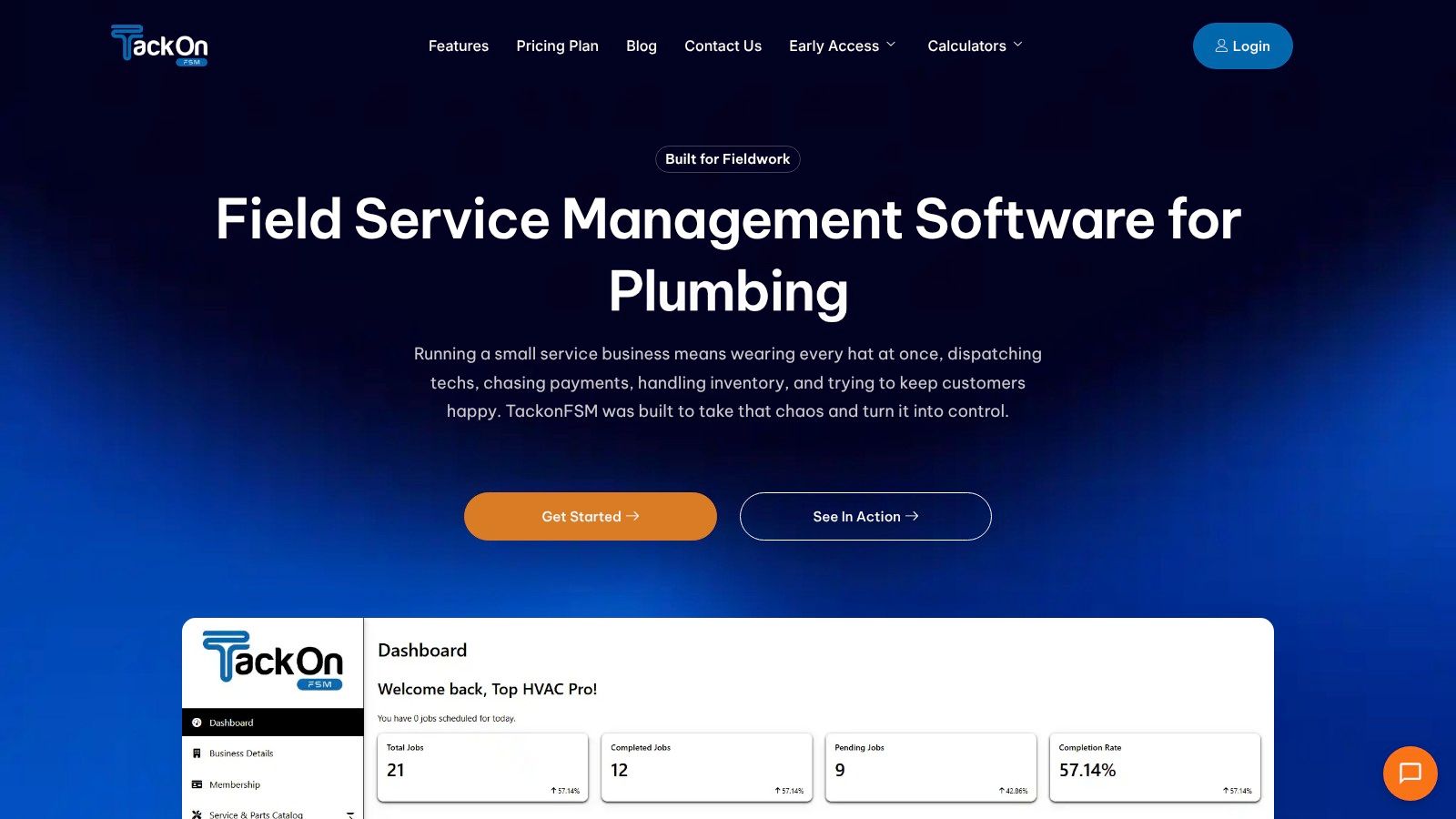
TackonFSM emerges as a premier choice among ServiceTitan alternatives, specifically engineered for the operational realities of small to mid-sized trade contractors. It provides an all-in-one platform that directly addresses the core pain points of juggling paper-based systems, spreadsheets, and disconnected apps. This solution is built from the ground up for HVAC, plumbing, and electrical businesses that need enterprise-grade functionality without the enterprise-level cost and complexity.
Why TackonFSM Stands Out
TackonFSM distinguishes itself with an intentional focus on inventory and parts management, a common afterthought in many other platforms. Its multi-location inventory tracking allows businesses to maintain real-time visibility of parts across service vans, shops, and mini-warehouses. This prevents costly over-ordering and ensures technicians have the right parts for the job, directly protecting profit margins on every ticket.
The platform's Elastic Parts Database is a significant advantage, preloaded with over 3,000 common HVAC, plumbing, and electrical items. This feature, combined with built-in markup logic, empowers contractors to generate accurate, profitable estimates in minutes, converting them to jobs and invoices with a single tap. This streamlined estimate-to-payment workflow significantly reduces administrative overhead and accelerates cash flow.
Key Feature Analysis & User Experience
TackonFSM's user experience is designed for simplicity and field efficiency. The drag-and-drop dispatch board provides office staff a clear, visual command center, while the technician’s mobile app delivers all necessary job information, including checklists and photo-capture capabilities. The platform also automates customer communications with text and email reminders, minimizing "where's my tech?" calls.
- Job Management: Centralizes scheduling, dispatch, job status updates, and digital approvals.
- Estimating & Invoicing: Fast estimate creation with the Elastic Parts Database and one-tap conversion to jobs or invoices.
- Inventory Control: Multi-location parts tracking, barcode scanning, and job-linked part allocation.
- Payments: Integrated payment processing allows for quick collection in the field.
Pricing and Onboarding
TackonFSM offers a refreshingly transparent and affordable pricing model tailored to smaller teams, starting with the Duo Team plan at $69/month for two users. Unlike many competitors, there are no mandatory contracts or setup fees, and every plan includes a 14-day free trial. The company provides free onboarding and data migration from platforms like ServiceTitan and QuickBooks, removing a major barrier to switching.
- Duo Team: $69/month (2 users). Inventory and Elastic DB are low-cost add-ons.
- Crew: $139/month (up to 7 users). Includes field inventory.
- Command: $179/month (up to 10 users).
- Fleet: Custom pricing for larger operations.
Final Assessment: Who is TackonFSM For?
TackonFSM is the ideal ServiceTitan alternative for trade businesses with 1 to 20 technicians seeking a powerful, cost-effective, and easy-to-use FSM solution. It is particularly well-suited for contractors who prioritize precise inventory control, rapid quoting, and a unified workflow to improve operational efficiency and profitability. While some advanced features are still on the roadmap (confirm availability for your plan), its current offering provides immense value and a clear path to scaling without the bloat of enterprise systems.
Website: https://www.tackonfsm.com
2. Jobber
Jobber is a highly popular, all-in-one field service management (FSM) platform designed for small to medium-sized home service businesses. If you're running a team of 1 to 20 technicians and find ServiceTitan's feature set and pricing to be overwhelming, Jobber presents a streamlined, more accessible solution. It excels at core operational tasks, including quoting, scheduling, dispatching, invoicing, and payment processing.
As one of the leading ServiceTitan alternatives, Jobber's main advantage is its simplicity and clear, predictable pricing structure. The user interface is clean and intuitive, making it easy for new team members to get up to speed quickly. It handles the fundamentals exceptionally well, offering a robust mobile app that empowers technicians in the field to manage jobs, create quotes, and collect payments.
Key Features & Ideal Use Case
Jobber is ideal for growing trade businesses that need a solid operational backbone without the enterprise-level complexity.
- Online Booking & Quoting: Allows customers to request work through your website, which can be instantly converted into a quote or job.
- Automated Communications: Send automated appointment reminders and follow-ups via email and SMS to reduce no-shows.
- Payment Processing: Integrates with Jobber Payments (powered by Stripe) for seamless credit card and ACH bank payments.
- QuickBooks Online Integration: Simplifies accounting by syncing invoices, payments, and customer data directly.
Pricing Snapshot
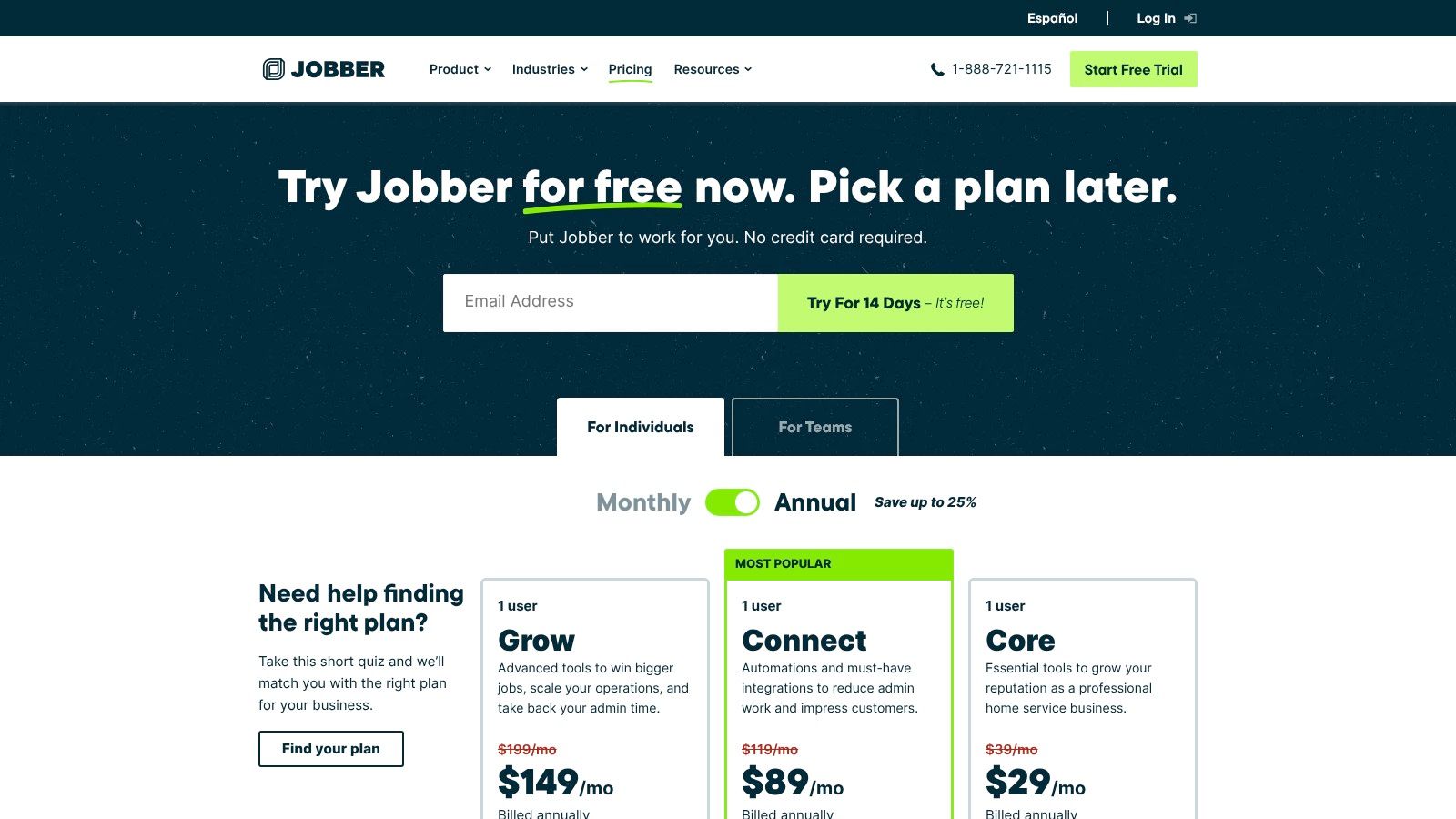
Jobber offers transparent, tiered pricing, making it easy to budget. They provide a 14-day free trial.
- Core Plan: Starts at $49/mo for 1 user.
- Connect Plan: $129/mo for up to 5 users.
- Grow Plan: $249/mo for up to 15 users, with options to add more.
Pros vs. ServiceTitan
- Cost-Effective: Significantly lower entry price and more predictable monthly costs.
- Ease of Use: A gentler learning curve and a more intuitive interface for both office staff and technicians.
- Strong Support Ecosystem: Offers extensive help documentation, webinars, and responsive customer support.
Cons vs. ServiceTitan
- Limited Advanced Features: Lacks the in-depth reporting, marketing automation, and multi-location management of ServiceTitan.
- Tiered Feature Access: Key features like two-way text messaging and advanced automations are reserved for higher-priced plans.
- Per-User Limits: Lower-tier plans have strict user limits, which can be restrictive for rapidly scaling teams.
3. Housecall Pro
Housecall Pro is a widely-used field service management tool aimed at small to mid-sized residential trade businesses. It has built a strong reputation around its robust mobile app and a suite of integrated marketing add-ons, making it a compelling choice for companies focused on customer acquisition and retention. If your business wants to consolidate its operational and marketing tools into one platform without being locked into a long-term contract, Housecall Pro is a powerful contender.
As an excellent ServiceTitan alternative, Housecall Pro's key differentiator is its emphasis on business growth tools. Beyond standard FSM features, it offers add-ons for website creation, online review management, local service ads, and even an AI-powered call answering service. This makes it an all-in-one hub for not just managing jobs but also for generating new leads and enhancing your online presence.
Key Features & Ideal Use Case
Housecall Pro is perfect for owner-operators and growing service businesses that prioritize marketing and a top-tier mobile experience for their technicians.
- Online Booking & Review Management: Enables booking directly from your website or Google Business Profile and helps automate review requests.
- Quotes, Invoicing, and Payments: Streamlines the entire sales cycle, from sending professional proposals to collecting payment in the field.
- GPS Tracking & Dispatching: Provides a live map view of your technicians' locations to optimize scheduling and dispatching.
- Integrated Add-On Suite: Offers optional services like financing, payroll, websites, and an AI phone system to expand capabilities.
Pricing Snapshot
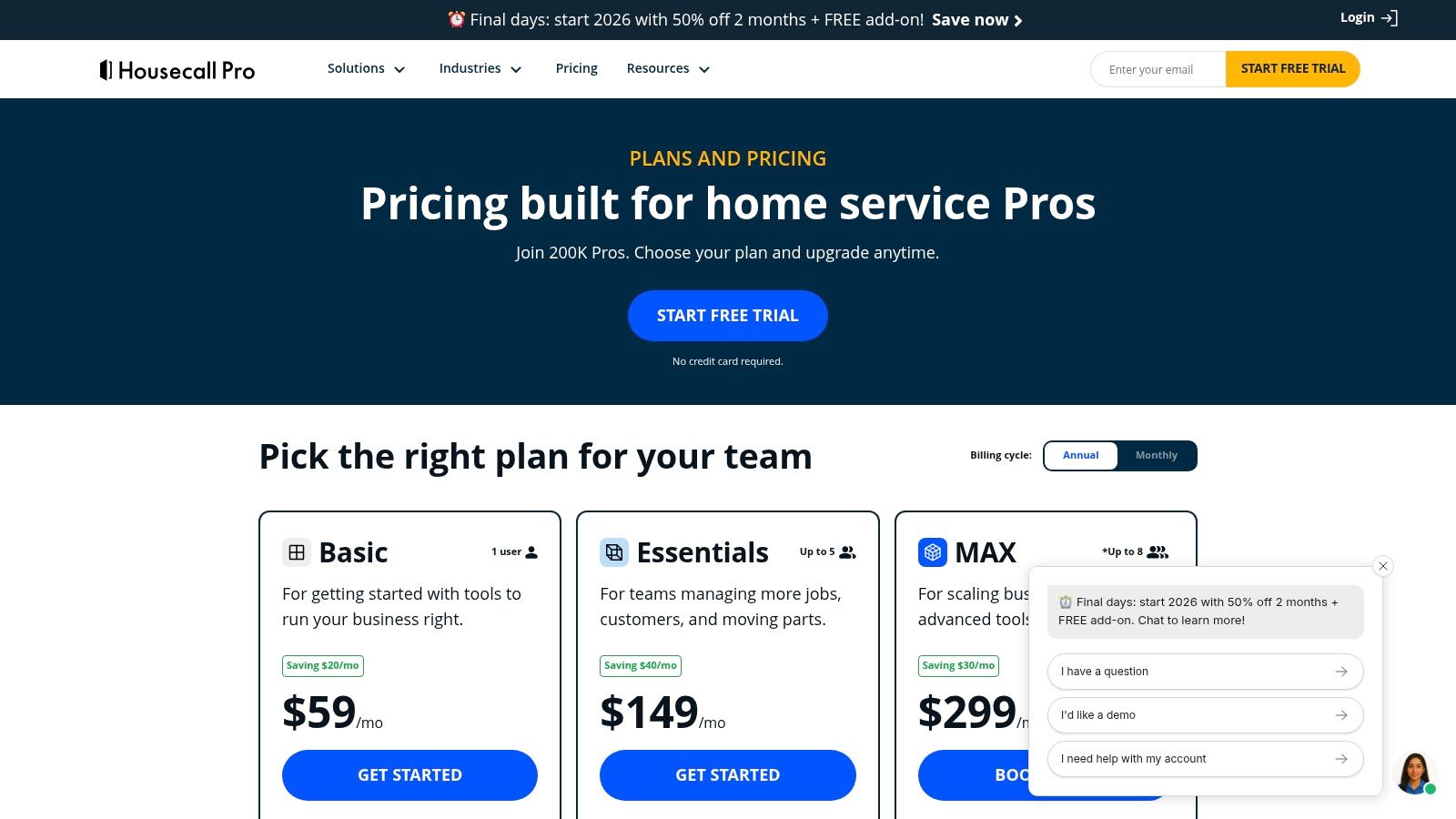
Housecall Pro offers tiered pricing with the flexibility of no long-term contracts and a 14-day free trial.
- Basic Plan: Starts at $49/mo (paid annually) for 1 user.
- Essentials Plan: $129/mo (paid annually) for up to 5 users.
- MAX Plan: Custom pricing for businesses needing advanced reporting, dedicated support, and more robust features.
Pros vs. ServiceTitan
- No Long-Term Contracts: Offers greater flexibility with monthly plans and a free trial period.
- Broad Add-On Suite: Provides a wide range of integrated marketing and operational services you can add as you grow.
- Strong Mobile Experience: Highly rated mobile app that is intuitive and powerful for technicians in the field.
Cons vs. ServiceTitan
- Gated Advanced Features: Some key reporting and support features are reserved for the premium MAX plan.
- Additional User Costs: Adding users on the Essentials and MAX plans comes at an extra monthly cost per user.
- Less Enterprise Focus: Lacks the deep multi-location management and advanced financial reporting required by larger, more complex organizations.
4. Service Fusion
Service Fusion is a powerful field service management platform aimed at small to mid-sized businesses that need robust core features without the enterprise-level price tag. It stands out by offering unlimited users on all its plans, making it an excellent, scalable choice for growing teams that want to avoid per-user fees. The platform provides strong scheduling, dispatching, invoicing, and QuickBooks integration, with flexible month-to-month contracts.
As a flexible ServiceTitan alternative, Service Fusion's key advantage is its "all-you-can-seat" pricing model. This allows businesses to add office staff, technicians, and managers without incurring additional costs per person, which is a major pain point with other systems. It’s a comprehensive solution that covers the entire job lifecycle, from initial customer call to final payment, with optional add-ons like GPS tracking and advanced communication tools.
Key Features & Ideal Use Case
Service Fusion is ideal for businesses with a growing team that need a predictable, fixed monthly cost for their FSM software.
- Unlimited Users: Add as many office staff and field technicians as you need on any plan without increasing your monthly bill.
- Estimates & Jobs: Create detailed estimates that can be converted into jobs and managed on a drag-and-drop dispatch board.
- Integrated Communications: Offers text alerts, with optional add-ons for a full voice and SMS suite called FusionVoice.
- QuickBooks Integration: Provides deep, two-way sync with both QuickBooks Desktop and QuickBooks Online for streamlined accounting.
Pricing Snapshot
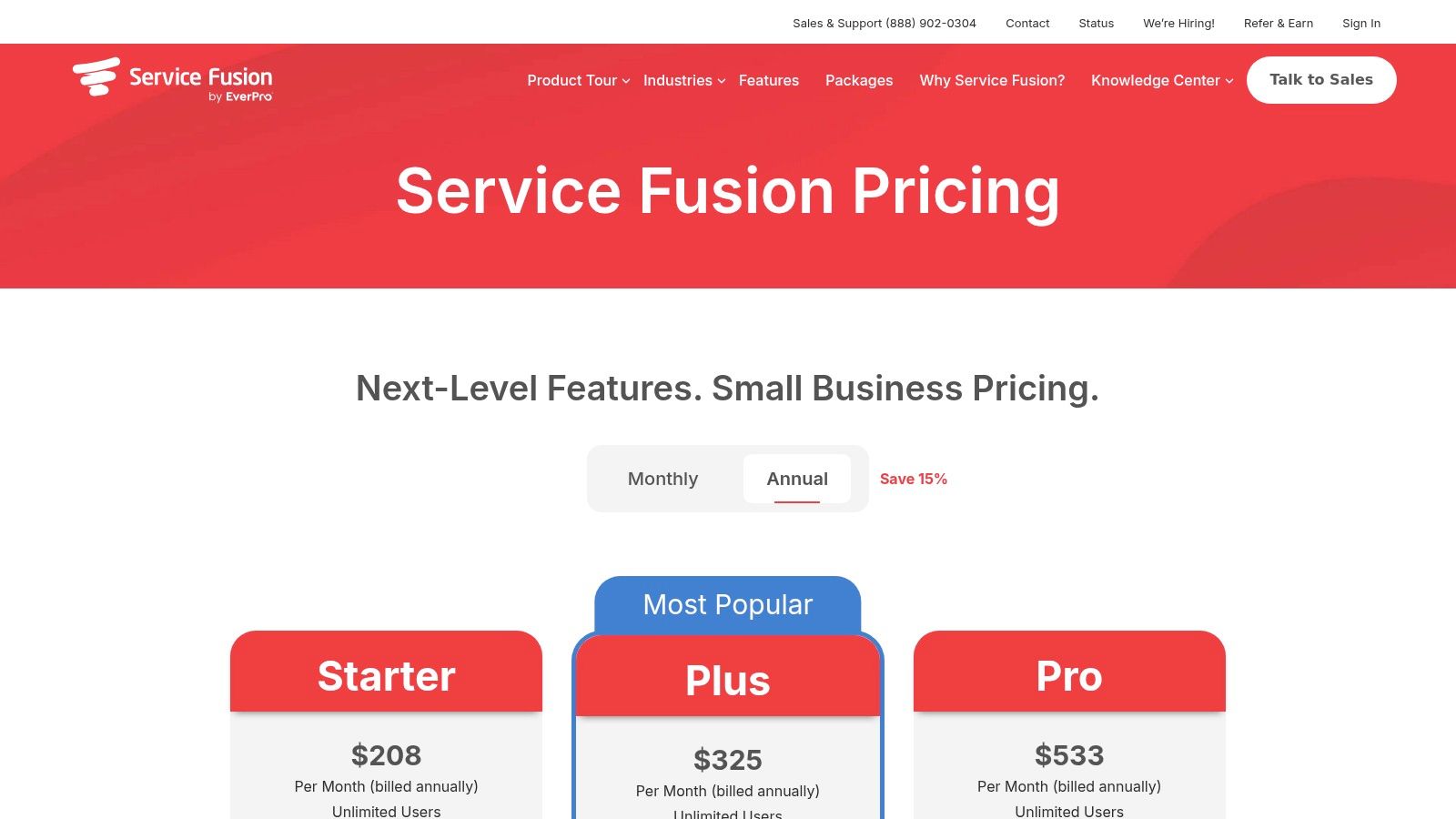
Service Fusion offers three tiers with no per-user fees and the option for a month-to-month plan. Annual plans provide a discount.
- Starter Plan: Starts at $149/mo.
- Plus Plan: $249/mo, adds a customer portal and more integrations.
- Pro Plan: $449/mo, includes job costing and advanced reporting.
Pros vs. ServiceTitan
- Unlimited Users: A significant cost advantage for companies with more than a handful of employees.
- Flexible Contracts: Offers both month-to-month and annual plans, providing more flexibility than ServiceTitan's long-term contracts.
- Simple Pricing: The flat-rate model is easy to understand and budget for, eliminating surprise per-user charges.
Cons vs. ServiceTitan
- Add-On Costs: Key functionalities like GPS tracking, job costing, and inventory management are either add-ons or limited to higher-priced tiers.
- Less Advanced Marketing: Lacks the sophisticated, built-in marketing and sales automation tools found in ServiceTitan.
- Higher Entry Price for Solos: The starting price can be high for solo operators or very small teams compared to more basic apps.
5. Simpro
Simpro is an end-to-end field service management platform built for established, growing, or complex trade businesses that require more than just basic scheduling. If your operations involve multi-stage projects, asset maintenance, or managing a large inventory, Simpro offers the enterprise-level depth needed to connect every part of your workflow, from the initial lead to the final invoice. It's a comprehensive system designed for serious scalability.
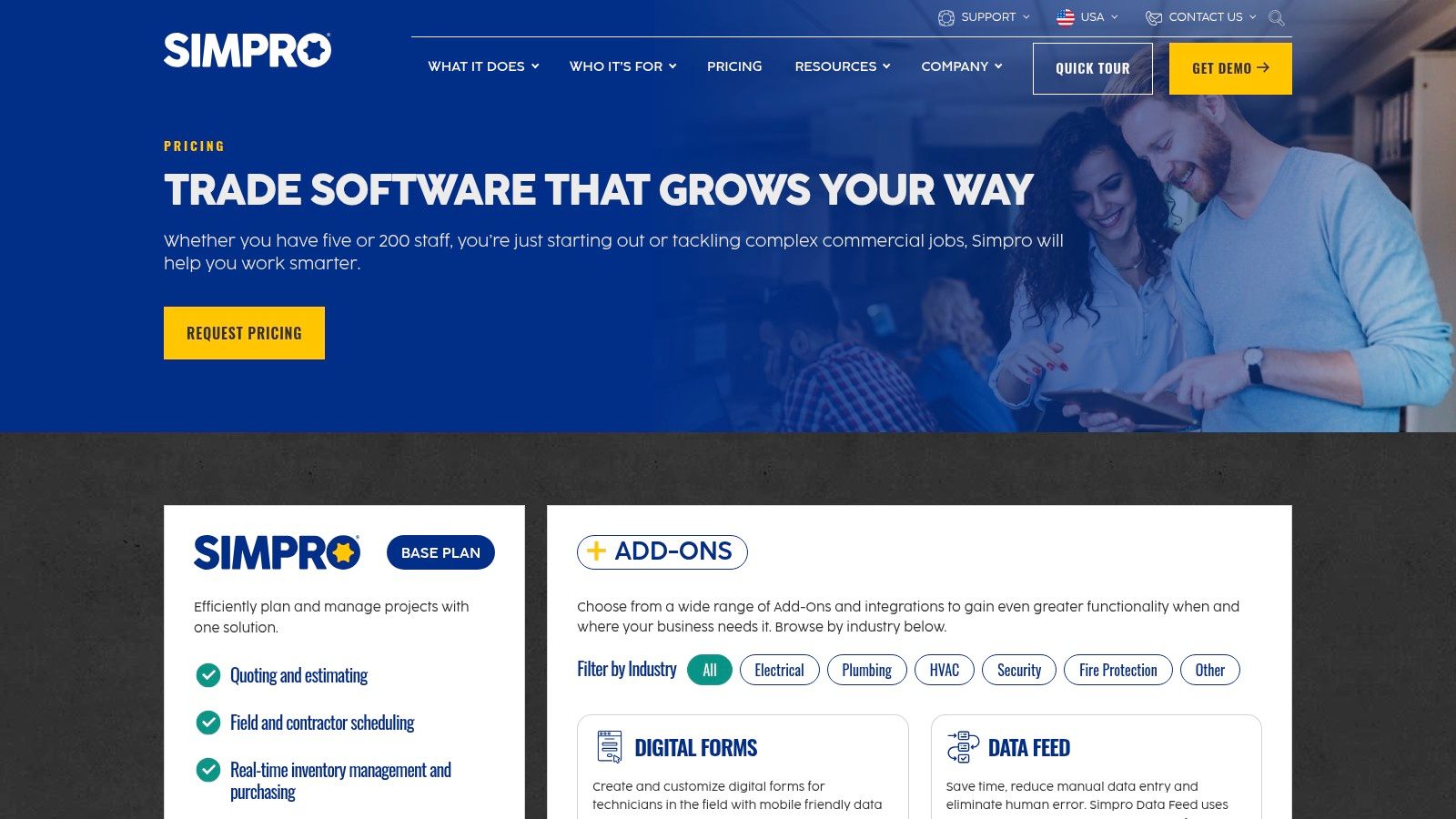
As one of the more robust ServiceTitan alternatives, Simpro shines in its ability to handle complexity. It offers powerful project management features that go beyond simple job tracking, making it ideal for contractors who manage long-term installations or service contracts. Its structured, methodical approach ensures that processes are standardized across the organization, providing clarity and control over even the most intricate operations.
Key Features & Ideal Use Case
Simpro is best suited for medium to large trade contractors managing complex projects, recurring maintenance schedules, and significant material or asset inventories.
- Comprehensive Job Management: Manages everything from simple service calls to multi-phase projects with detailed cost tracking and progress billing.
- Asset Maintenance: Track customer assets, schedule recurring preventative maintenance, and maintain detailed service histories.
- Inventory & Materials Management: Provides robust tools for tracking stock levels, creating purchase orders, and allocating materials to specific jobs.
- Advanced Reporting: Delivers deep business intelligence with over 60 pre-built reports to analyze profitability, team performance, and more.
Pricing Snapshot
Simpro’s pricing is customized based on your business needs, the number of users, and the specific modules you require. A custom quote is necessary.
- Quote-Based: You must contact their sales team for a personalized quote.
- Implementation Fees: Expect upfront setup and structured training costs as part of the onboarding process.
Pros vs. ServiceTitan
- Enterprise-Level Depth: Offers powerful project and asset management capabilities that can rival or exceed ServiceTitan’s for specific use cases.
- Structured Onboarding: Provides dedicated training and implementation support to ensure successful adoption across your team.
- Global Support: With 24/6 global support, help is available across different time zones.
Cons vs. ServiceTitan
- Complex Implementation: The setup process is more involved and typically includes mandatory, paid training.
- Opaque Pricing: Lack of public pricing makes it difficult to quickly compare costs without a formal sales consultation.
- Potentially Overwhelming: The extensive feature set may be overkill and too complex for smaller teams or simpler service businesses.
6. FieldPulse
FieldPulse is a flexible field service management platform designed for trade contractors who prioritize customization and a tailored setup experience. It's a strong choice for businesses that want to build their ideal software package by choosing from core functionalities and optional add-ons, rather than paying for a bundled, enterprise-level system. The platform is built to scale, serving everyone from small startups to multi-location operations with its configurable packages.
As a notable ServiceTitan alternative, FieldPulse's key differentiator is its emphasis on fast onboarding and workflow customization. It provides a solid foundation of CRM, scheduling, and invoicing, but allows businesses to enhance their system with features like an integrated VoIP phone system or an open API for custom integrations, ensuring the software adapts to your unique operational needs.
Key Features & Ideal Use Case
FieldPulse is ideal for trade businesses that need a configurable FSM solution that can be tailored with specific add-ons and supported by a hands-on implementation team.
- Customizable Workflows: Adapt the platform to your specific business processes for estimating, job management, and invoicing.
- Optional VoIP Add-On: Integrate your phone system directly into your FSM to track calls and improve customer communication.
- Multi-Location Management: Higher-tier plans support managing different branches or service areas from a single dashboard.
- Open API Access: Available on upper tiers, allowing for custom integrations with other business-critical software.
Pricing Snapshot
FieldPulse does not list public pricing and requires you to request a custom quote. This model allows them to tailor a package to your specific size and feature requirements.
- Pricing: Custom quote required.
- Free Trial: Offers a 7-day free trial.
Pros vs. ServiceTitan
- Flexible Packages: Pay for the features and add-ons you actually need, potentially avoiding the high cost of a bundled enterprise suite.
- Tailored Onboarding: The company emphasizes a hands-on setup process to ensure the software is configured correctly for your workflows.
- Scalable Add-Ons: Features like VoIP can be added as you grow, providing a clear path for expansion.
Cons vs. ServiceTitan
- No Public Pricing: The lack of transparent pricing makes it difficult to quickly compare costs without engaging their sales team.
- Extra Cost for Add-Ons: Critical features like the integrated phone system come at an additional cost, which can increase the total price.
- Less All-Inclusive: Lacks the deeply integrated, all-in-one marketing and reporting suite that ServiceTitan offers out of the box.
7. Workiz
Workiz is a modern field service management platform that stands out with its integrated phone system and strong automation capabilities, targeting small to medium-sized trade businesses. For companies that heavily rely on phone calls for new leads and job management, Workiz offers a compelling all-in-one package. It simplifies operations by combining core FSM functions like scheduling and invoicing with built-in telephony, reducing the need for separate software.
As a distinct ServiceTitan alternative, Workiz's main draw is its clean user interface and transparent pricing, which even includes a free plan for up to two team members. This makes it an excellent entry point for new businesses or small operations testing out FSM software. The platform's emphasis on call tracking and automation helps businesses capture more leads and streamline communication without the enterprise-level overhead.
Key Features & Ideal Use Case
Workiz is ideal for service businesses that want to manage calls, scheduling, and payments in a single, user-friendly system.
- Integrated Phone System: Provides a dedicated business line for tracking calls, recording conversations, and identifying existing customers automatically.
- Job Scheduling & Dispatching: Features a drag-and-drop calendar and a robust mobile app for technicians to manage jobs and update statuses from the field.
- Automated Reminders & Notifications: Sends automated SMS and email alerts to customers for appointment confirmations, reminders, and on-my-way notifications.
- Online Payments & Invoicing: Create professional estimates and invoices that clients can pay online via credit card or bank transfer through Workiz Pay.
Pricing Snapshot
Workiz offers clear, tiered plans with a free option, making it highly accessible. A free 14-day trial is available for paid plans.
- Lite Plan: Free for up to 2 team members.
- Kickstart Plan: $120/mo for up to 2 team members.
- Standard Plan: $225/mo for up to 5 team members.
- Pro Plan: $360/mo for up to 10 team members.
Pros vs. ServiceTitan
- Transparent Pricing: Offers clear monthly costs and a free tier, unlike ServiceTitan's opaque, quote-based model.
- Built-in Telephony: The integrated phone system is a core feature, providing call tracking and recording without third-party tools.
- Ease of Use: A more modern and intuitive interface results in a shorter learning curve for office staff and field technicians.
Cons vs. ServiceTitan
- Limited User Counts: Paid plans have strict user limits, requiring upgrades for growing teams.
- Fewer Advanced Features: Lacks the sophisticated marketing automation, advanced reporting, and multi-location tools found in ServiceTitan.
- Tiered Automations: The most powerful automation rules are reserved for the higher-priced Standard and Pro plans.
8. FieldEdge
FieldEdge is a longstanding field service management platform with deep roots in the HVAC industry. Its primary strength lies in its powerful QuickBooks integration (both Desktop and Online) and a specialized focus on HVAC-specific workflows, making it one of the more focused ServiceTitan alternatives for mechanical contractors. It provides robust tools for managing service agreements, dispatching, and creating professional, multi-option proposals in the field.
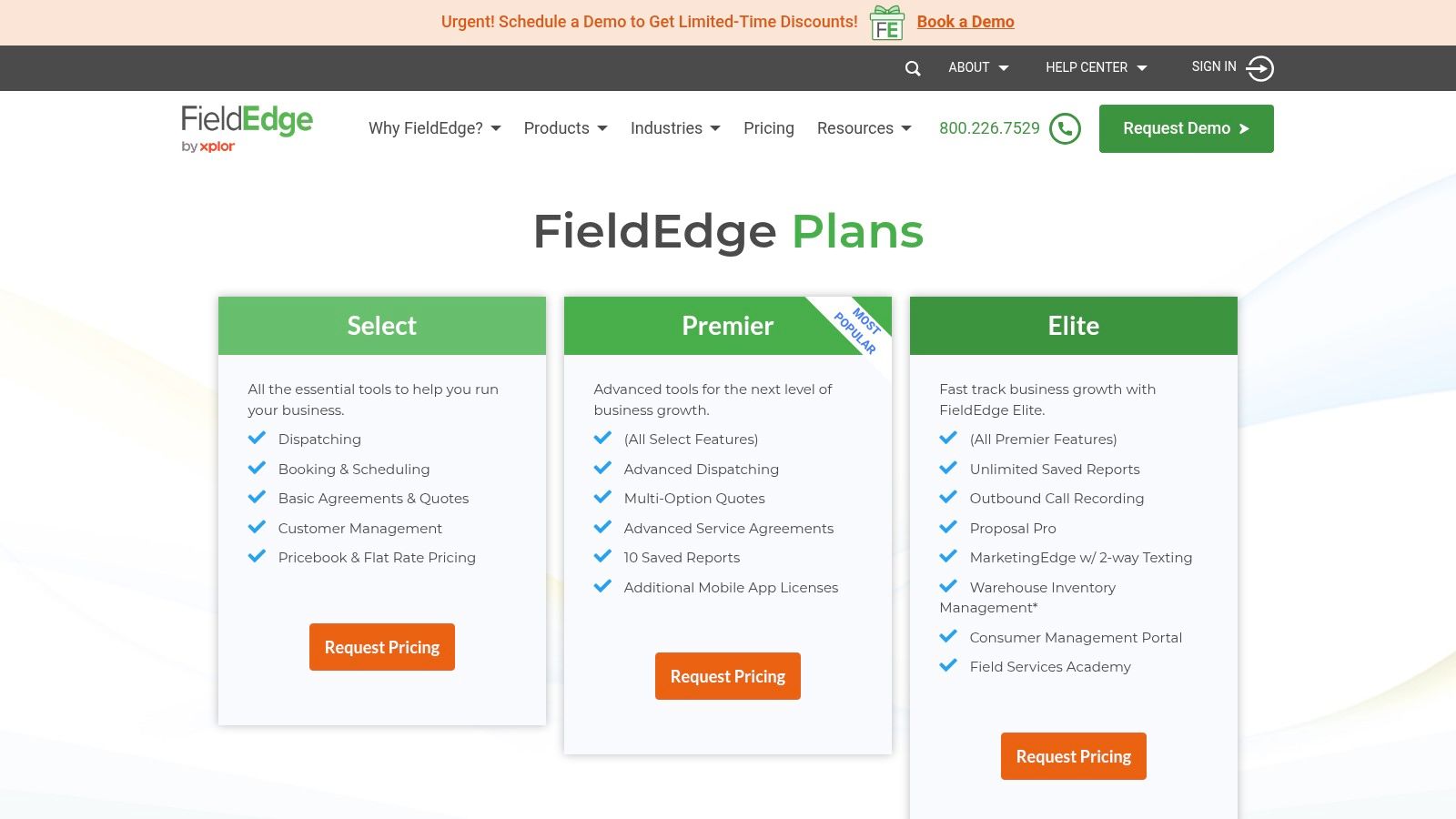
The platform is particularly well-suited for established HVAC businesses that rely on a comprehensive flat-rate pricebook to standardize pricing and maximize profitability. FieldEdge's price presentation tools are designed to help technicians upsell services effectively, which can be a significant revenue driver for residential service companies.
Key Features & Ideal Use Case
FieldEdge is ideal for established HVAC and mechanical contractors who prioritize deep QuickBooks integration and sophisticated flat-rate pricing tools.
- Advanced Dispatch Board: Offers a detailed view of technician availability, job status, and location for efficient scheduling.
- FieldEdge Flat Rate: Provides a pre-built, customizable pricebook to help technicians build professional, multi-option quotes on-site.
- Service Agreement Management: Tools to track, manage, and renew recurring maintenance contracts.
- QuickBooks Integration: Market-leading integration with both QuickBooks Desktop and Online versions for seamless accounting.
Pricing Snapshot
FieldEdge does not publish its pricing online. You must contact their sales team for a custom quote based on your company's size and needs.
- Premier: The core plan with essential FSM features.
- Enterprise: Adds advanced features and optional modules for inventory management and marketing.
Pros vs. ServiceTitan
- HVAC-Specific Focus: Tailored workflows and pricebook tools are designed specifically for the HVAC trade.
- Superior QuickBooks Integration: Widely regarded for its deep and reliable sync with both Desktop and Online versions.
- Modular Add-Ons: Allows businesses to add functionality like marketing and inventory management as they grow.
Cons vs. ServiceTitan
- Opaque Pricing: Lack of transparent pricing makes it difficult to compare costs without a sales call.
- Less Modern UI: The user interface can feel dated compared to newer, cloud-native platforms.
- Niche Focus: While excellent for HVAC, it may be less flexible for multi-trade businesses compared to ServiceTitan's broader capabilities.
9. BuildOps
BuildOps is a field service management platform engineered specifically for the commercial contracting sector. If your business primarily serves commercial clients in HVAC, plumbing, electrical, or mechanical trades, BuildOps provides a toolset that aligns directly with your complex workflows. It moves beyond standard residential job management to tackle the nuanced demands of asset management, preventative maintenance (PM) contracts, and multi-stage commercial projects.
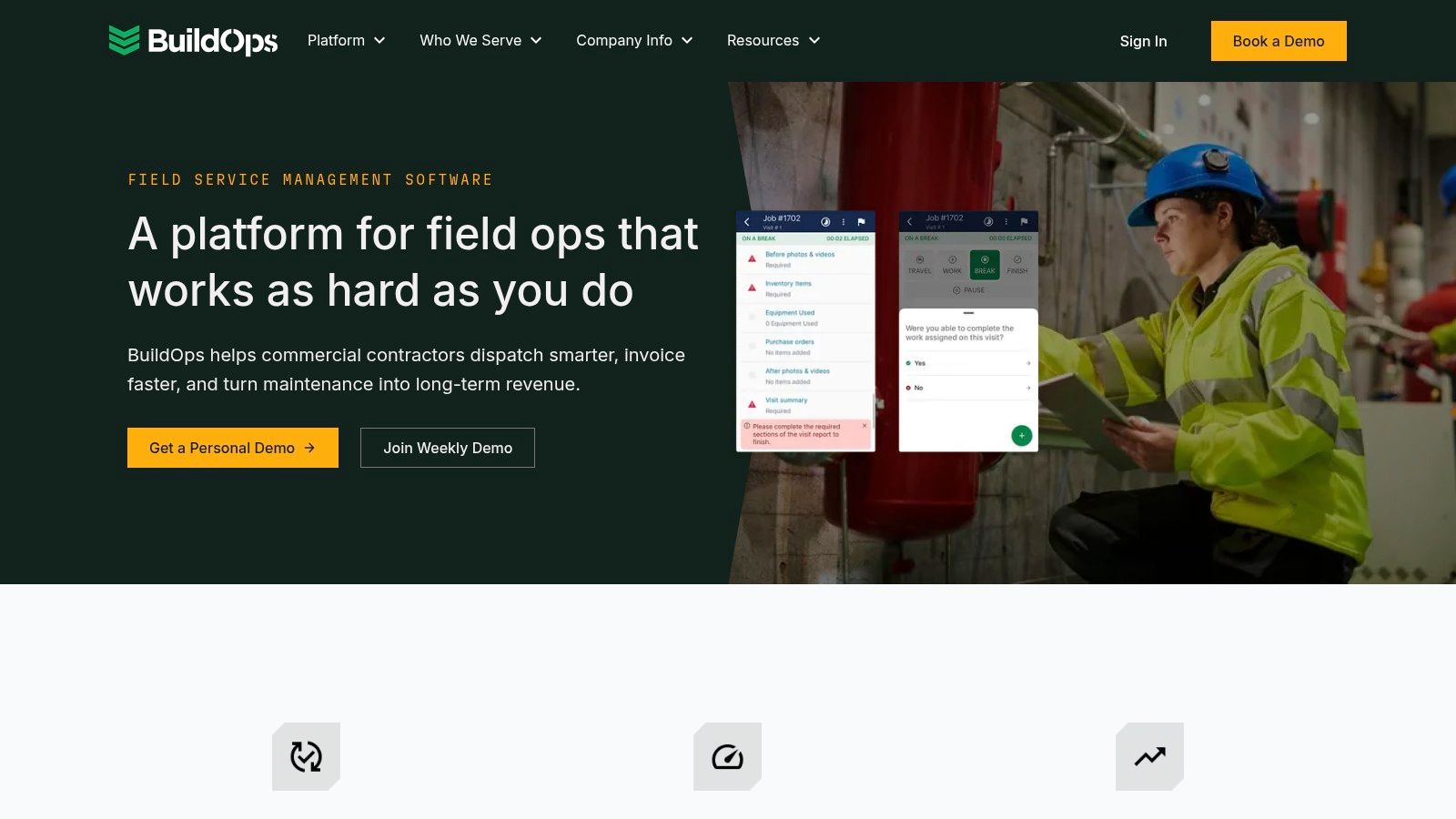
As one of the more specialized ServiceTitan alternatives, BuildOps’ core strength lies in its commercial-first approach. The platform is designed to track detailed equipment histories, manage intricate PM schedules across multiple properties, and streamline the quote-to-invoice process for large-scale jobs. This focus makes it an excellent fit for contractors managing extensive service agreements and a large portfolio of client assets.
Key Features & Ideal Use Case
BuildOps is ideal for medium to large commercial service contractors who need robust asset and maintenance contract management.
- Comprehensive Asset Histories: Track every piece of client equipment, including service history, manuals, and PM schedules.
- Smart Dispatch Board: Visual scheduling and dispatching optimized for complex commercial job requirements and technician skills.
- Quoting-to-Invoicing Workflow: Seamlessly manage the entire commercial job lifecycle from initial quote and submittals to progressive billing and final invoice.
- Data-Driven Reporting: Gain insights into profitability, technician performance, and contract value specific to commercial operations.
Pricing Snapshot
BuildOps does not publish its pricing publicly. Pricing is customized based on your business size, needs, and specific feature requirements, and is available through a direct sales consultation.
Pros vs. ServiceTitan
- Commercial-Specific Design: The entire platform is built around commercial service workflows, not adapted from a residential model.
- Superior Asset & PM Management: Offers deeper functionality for managing maintenance contracts and detailed equipment service histories.
- Project Management Capabilities: Better equipped to handle multi-day or multi-stage commercial projects.
Cons vs. ServiceTitan
- Lack of Price Transparency: The sales-led pricing model makes it difficult to quickly compare costs.
- Potentially Overkill for Residential: Its feature set may be too complex and expensive for businesses focused on residential service.
- Steeper Learning Curve: The commercial-centric features can introduce more complexity compared to more generalized FSM platforms.
10. Fergus
Fergus is a trade job management platform, originally from New Zealand, that offers a straightforward and accessible solution for U.S. contractors. It’s designed for small to medium-sized trade businesses that prioritize core functionalities like quoting, scheduling, job costing, and invoicing without the steep costs or long-term contracts associated with enterprise-level systems. If you need a practical tool with month-to-month flexibility, Fergus is a solid contender.
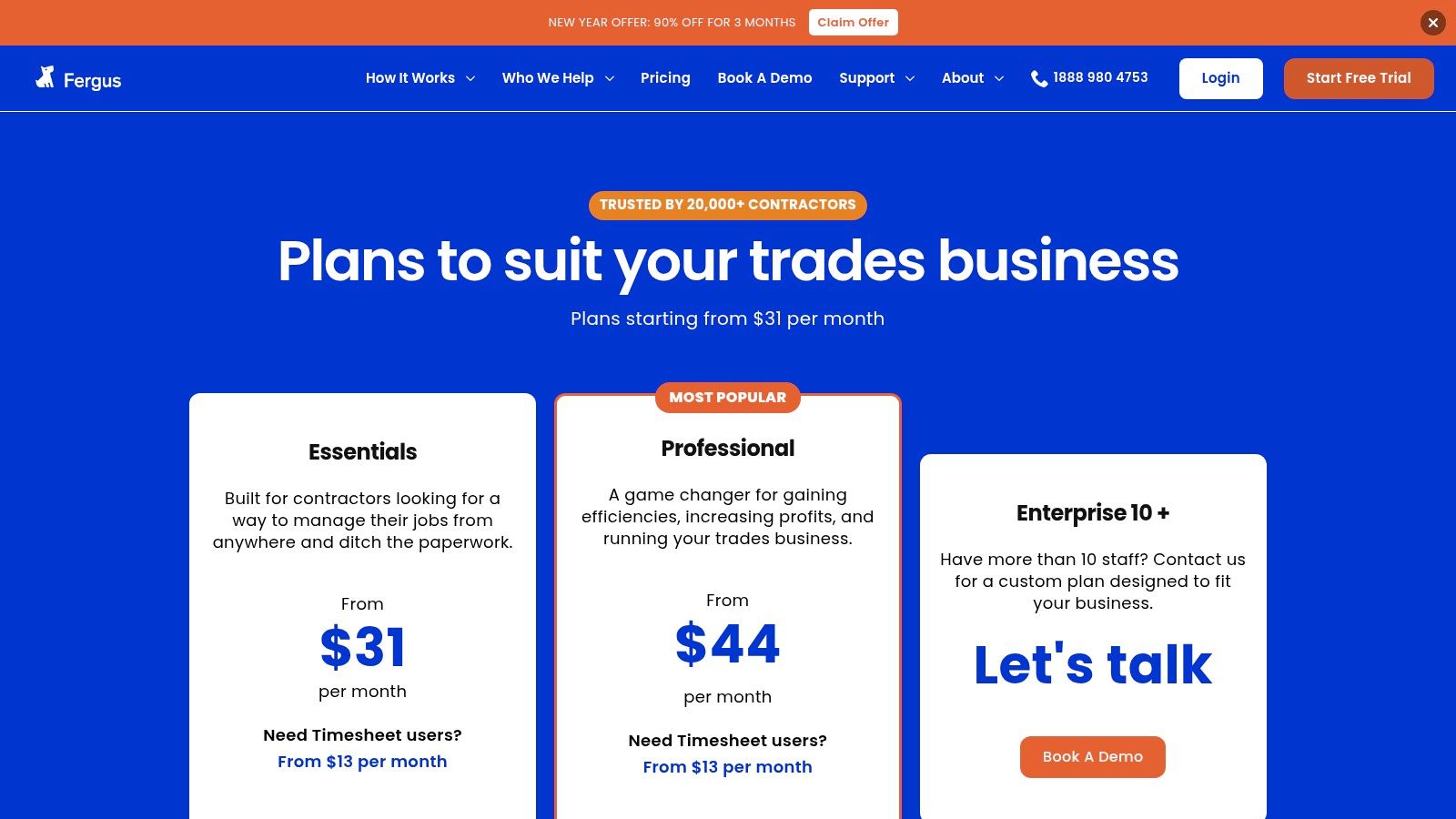
As a pragmatic ServiceTitan alternative, Fergus stands out with its low barrier to entry and transparent pricing. The platform focuses on getting the job done efficiently, providing clear job cards, simple dispatching, and tools to track profitability on each project. It’s built for business owners who want control over their operations and finances without being locked into a complex, expensive ecosystem.
Key Features & Ideal Use Case
Fergus is ideal for trade businesses seeking an affordable, no-nonsense job management system with flexible billing.
- Job Cards & Scheduling: Create detailed digital job cards that can be scheduled and dispatched to technicians in the field.
- Quoting & Invoicing: Build professional quotes and convert them into jobs and invoices seamlessly to streamline cash flow.
- Basic Job Costing: Track materials, labor, and other costs against a job to ensure you are maintaining profitability.
- Timesheets: Technicians can log their hours directly against jobs, simplifying payroll and improving labor tracking accuracy.
Pricing Snapshot
Fergus offers simple, user-based pricing with no lock-in contracts and a 14-day free trial (no credit card required).
- Basic Plan: Starts at $39/mo per full user.
- Standard Plan: $65/mo per full user, adds features like purchase orders.
- Professional Plan: $99/mo per full user, includes advanced reporting.
- Timesheet-Only Users: Available as a lower-cost add-on to any plan.
Pros vs. ServiceTitan
- No Lock-In Contracts: Offers month-to-month billing, providing much greater flexibility.
- Lower Entry Price: Significantly more affordable, making it accessible for smaller teams and startups.
- Simplicity: Focuses on core job management features, resulting in a less complex and easier-to-learn platform.
Cons vs. ServiceTitan
- Lighter Feature Set: Lacks the advanced marketing, reporting, and multi-location management capabilities of ServiceTitan.
- Add-On Costs: Timesheet-only users, while cheaper than full users, still represent an additional cost per person.
- Less U.S. Market Depth: As a newer entrant to the U.S. market, it may have fewer integrations with U.S.-specific suppliers or software.
11. RazorSync
RazorSync is a straightforward and budget-friendly field service management software designed for very small service teams and startups. If your business is just getting started or operates with a handful of technicians, RazorSync provides the essential tools for scheduling, dispatching, and mobile field access without the high cost and complexity of larger platforms. It focuses on core functionality to get your operations organized efficiently.

As an affordable ServiceTitan alternative, RazorSync's primary appeal is its low barrier to entry and a-la-carte feature model. Instead of paying for a bundled suite of advanced tools you may not need, you start with the basics and add on capabilities like route optimization or QuickBooks integration as your business requires them. This makes it a highly flexible option for companies that need to control costs tightly while digitalizing their workflow.
Key Features & Ideal Use Case
RazorSync is ideal for new or small trade businesses (1-5 technicians) that need a simple, no-frills system for job management and field communication.
- Service Dispatch & Job Tracking: A simple drag-and-drop schedule board helps dispatchers assign jobs and track their status in real-time.
- Recurring Scheduling & Mobile Apps: Technicians can manage their schedules, update job notes, and capture signatures from the field using iOS and Android apps.
- Credit Card Payments: Allows for payment collection directly on-site, improving cash flow and convenience.
- Optional Add-Ons: Key integrations like QuickBooks sync and features like route optimization can be added for an additional fee.
Pricing Snapshot
RazorSync offers a simple pricing structure with a 14-day free trial. Note that several key integrations are paid add-ons.
- Solo Plan: Starts at $55/mo for 1 user.
- Team Plan: $145/mo for up to 5 users.
- Pro Plan: $280/mo for up to 10 users.
Pros vs. ServiceTitan
- Cost-Effective: Significantly lower starting price, making it accessible for startups and very small businesses.
- Simplicity: A much simpler interface and feature set that is easy to learn and implement without extensive training.
- Modular Approach: Pay only for the advanced features you need, like routing or advanced reporting, as add-ons.
Cons vs. ServiceTitan
- Limited Feature Depth: Lacks the sophisticated marketing, reporting, and multi-location management of ServiceTitan.
- Add-On Costs: Many features considered standard in other platforms (like QuickBooks sync) are paid add-ons, which can increase the total cost.
- Scalability Concerns: The platform is not built for the complex needs of larger, rapidly growing service businesses.
12. Kickserv
Kickserv is a field service management software aimed at small to mid-sized businesses looking for a balance of robust features and straightforward, user-capped pricing. It provides a comprehensive suite of tools for scheduling, dispatching, job management, and invoicing. For companies feeling priced out by enterprise systems but needing more than basic scheduling, Kickserv offers a scalable and predictable solution.
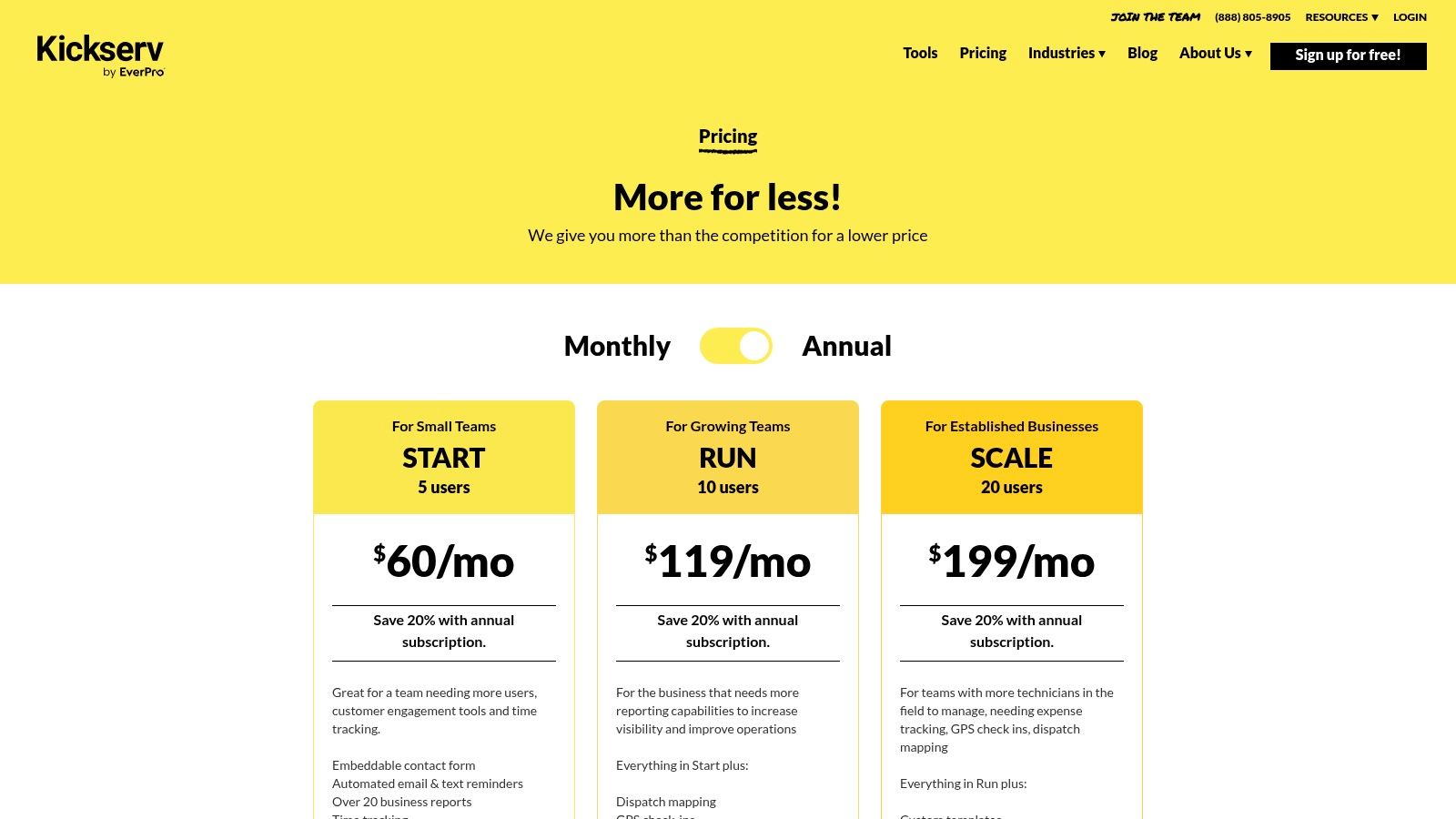
As an established ServiceTitan alternative, Kickserv’s main appeal is its transparent pricing with generous user limits, making it easy for growing teams to forecast costs without per-user fees. It capably handles core FSM needs while offering valuable features like GPS check-ins and custom fields on mid-tier plans, allowing businesses to tailor the software to their specific operational workflows.
Key Features & Ideal Use Case
Kickserv is ideal for service businesses that want predictable monthly costs and robust reporting capabilities without paying for enterprise-level complexity.
- Dispatch & GPS: Features a dispatch map for efficient routing and GPS check-ins to verify technician location and time on site.
- Customer Center: Provides customers with a portal to view their service history, approve estimates, and pay invoices online.
- QuickBooks Integration: Offers seamless sync with QuickBooks Online, with a QuickBooks Desktop integration available as an add-on.
- Custom Fields & Reporting: Allows for detailed job tracking and reporting by enabling businesses to add custom data fields to jobs and customers.
Pricing Snapshot
Kickserv offers clear, tier-based pricing with annual discounts and a 14-day free trial.
- Starter Plan: Starts at $59/mo for 1-5 users.
- Run Plan: $119/mo for 6-15 users.
- Scale Plan: $199/mo for 16-25+ users.
Pros vs. ServiceTitan
- Predictable Pricing: Generous user caps on each plan provide cost certainty as your team grows.
- Strong Mid-Tier Value: Offers advanced reporting and custom fields at a much lower price point than ServiceTitan.
- Ease of Implementation: A more straightforward setup and onboarding process suitable for smaller teams.
Cons vs. ServiceTitan
- Fewer Enterprise Features: Lacks the advanced marketing automation, call center management, and multi-location tools of ServiceTitan.
- Add-on Costs: Key integrations like QuickBooks Desktop require an additional monthly fee on certain plans.
- Tiered Feature Access: Some advanced templates and functionalities are locked behind the highest-priced plan.
Top 12 ServiceTitan Alternatives Comparison
| Product | Core features | UX / Quality ★ | Value / Pricing 💰 | Target audience 👥 | Unique selling points ✨ |
|---|---|---|---|---|---|
| TackonFSM 🏆 | Scheduling, drag-&-drop dispatch, estimating, inventory & parts, payments, Elastic Parts DB ✨ | ★★★★☆ — field-first mobile & visual board | 💰 Duo $69 / Crew $139 / Command $179 / Fleet custom; 14‑day trial | 👥 Small trades (HVAC, plumbing, electrical) 1–20 techs | ✨ Parts-first (multi-van/warehouse), Elastic DB 3,000+ parts, free migration |
| Jobber | Quotes, scheduling, invoicing, payments, automations | ★★★☆☆ — mature ecosystem, simple UI | 💰 Tiered plans; free trial | 👥 Home-service SMBs (1–20 techs) | ✨ Strong support resources; easy onboarding |
| Housecall Pro | Scheduling/dispatch, proposals, payments, GPS, marketing add-ons | ★★★★☆ — strong mobile experience | 💰 Tiered + add-ons; no long contracts | 👥 Residential trades wanting marketing/services add-ons | ✨ Built-in marketing suite, AI/voice add-ons |
| Service Fusion | Estimates/jobs, dispatch board, payments, QuickBooks sync, texting/voice | ★★★☆☆ — flexible with add-ons | 💰 Month-to-month availability; unlimited users | 👥 Growing SMBs needing unlimited users | ✨ Unlimited users; optional call/GPS tracking |
| Simpro | Job/project/maintenance, advanced reporting, integrations | ★★★★☆ — enterprise-grade workflows | 💰 Quote-based pricing; onboarding fees | 👥 Multi-trade / growing contractors | ✨ Deep project & asset management; structured training |
| FieldPulse | CRM, estimates, scheduling, workflow automations, API | ★★★☆☆ — configurable & fast onboarding | 💰 Flexible packages; quote required | 👥 Teams wanting tailored setup & per-tech pricing | ✨ Customizable workflows; optional VoIP |
| Workiz | Scheduling/dispatch, mobile work orders, invoices, built-in phone | ★★★★☆ — modern UI + telephony | 💰 Transparent plans; Free Lite (up to 2) | 👥 Small teams wanting included telephony | ✨ Built-in phone system & local numbers |
| FieldEdge | Dispatching, service agreements, flat-rate pricebook, QuickBooks | ★★★★☆ — HVAC-focused UX | 💰 Pricing by request; optional modules | 👥 HVAC contractors needing pricebook workflows | ✨ Flat-rate pricebook & HVAC-specific tools |
| BuildOps | Smart dispatch, asset histories, PM scheduling, quoting→invoicing | ★★★★☆ — commercial-grade UX | 💰 Sales-led pricing | 👥 Commercial contractors / PM-heavy ops | ✨ Strong asset & PM management for commercial work |
| Fergus | Job cards, quotes, invoices, basic job costing, timesheets | ★★★☆☆ — straightforward & affordable | 💰 Low entry price; month-to-month; 14‑day trial | 👥 Small teams seeking low-cost entry | ✨ Simple pricing, quick setup, no lock-in |
| RazorSync | Dispatch, job tracking, recurring scheduling, mobile apps | ★★★☆☆ — budget-friendly basics | 💰 Low starting price; 14‑day trial; add-ons | 👥 Very small teams needing essentials | ✨ Clear low-cost option; optional route optimization |
| Kickserv | Automated reminders, dispatch mapping, GPS check-ins, QuickBooks | ★★★☆☆ — predictable & reporting-focused | 💰 Transparent tiered pricing; generous user caps | 👥 SMBs wanting fixed pricing & reporting | ✨ Generous user caps; strong mid-tier reporting |
Making the Right Choice for Your Trade Business
Navigating the landscape of field service management software can feel overwhelming, especially when you're looking for viable ServiceTitan alternatives. As we've explored, the "best" platform is not a one-size-fits-all solution; it’s the one that aligns perfectly with your company's unique stage of growth, operational priorities, and budget. While ServiceTitan has set a benchmark for enterprise-level features, its complexity and cost are often overkill for small to mid-sized trade businesses.
The key takeaway from our deep dive into platforms like Jobber, Housecall Pro, and Simpro is the importance of a needs-first evaluation. Don't be swayed by an endless list of features you may never use. Instead, focus on the core operational challenges that are holding your business back right now. Is it chaotic scheduling? Inaccurate estimates? Or the constant struggle of not knowing what parts are in which van?
For many growing HVAC, plumbing, and electrical contractors, the most significant bottleneck is the disconnected system for managing parts, inventory, and job profitability. This is where a specialized tool like TackonFSM carves out its unique value, offering robust inventory control without the steep learning curve or prohibitive cost of an enterprise system. Your decision should be a strategic one, aimed at solving your most pressing problems efficiently.
Your Action Plan for Selecting the Right FSM
Choosing your next software partner is a significant commitment. To ensure you make a confident and informed decision, follow these actionable steps:
- Identify Your Top 3 Must-Have Features: Before you even look at another demo, list the three biggest operational headaches you need to solve. Is it real-time inventory tracking, streamlined dispatching, or simpler invoicing? This list will be your compass.
- Involve Your Team: Your technicians and office staff are the end-users. Involve them in the evaluation process. Ask for their feedback on usability during free trials. A platform that your team loves is a platform that will be adopted successfully.
- Map Out the Migration Path: Ask potential vendors detailed questions about data migration. How will your customer list, job history, and inventory data be imported? A smooth transition is critical to minimizing downtime and frustration. Understand the support they offer during this crucial phase.
- Consider Your Entire Tech Stack: Your FSM doesn't operate in a vacuum. Think about how it will integrate with your accounting software (like QuickBooks) and your marketing efforts. When considering your overall business technology stack, it's also important to review how different tools work together. For instance, your FSM can help you track job sources, which complements findings from the top lead generation software you might use to bring in new customers.
Final Thoughts on Finding Your Perfect Fit
The journey to find the right ServiceTitan alternative is an opportunity to redefine and streamline your operations for future growth. The goal isn't just to replace a tool; it's to implement a system that empowers your team, delights your customers, and boosts your bottom line.
Whether you need the all-in-one marketing power of Housecall Pro, the job costing depth of Simpro, or the focused inventory and workflow simplicity of TackonFSM, the right solution is out there. Use this guide as your roadmap, trust your gut, and choose the partner that feels like an extension of your team. The right software will feel less like an expense and more like your most valuable employee, working tirelessly behind the scenes to make your business run smoother and more profitably.
Ready to take control of your inventory and streamline your operations with a platform built for the trades? See why TackonFSM is the preferred ServiceTitan alternative for businesses prioritizing profitability and efficiency. Explore TackonFSM today and discover how a focused, affordable FSM can transform your business.