

Schedule and dispatch software: Transform Operations and Grow Profits
Let's be honest. Trying to run a field service business with a whiteboard, a stack of spreadsheets, and a phone that never stops ringing is a recipe for disaster. It feels like you're trying to land jumbo jets with nothing but hand signals. This is where schedule and dispatch software comes in—it’s the air traffic control your business desperately needs.
This software isn't just another tool; it becomes the command center for your entire operation, swapping out the daily chaos for a single, unified digital hub. It's built to connect your office staff, your techs in the field, and your customers, all in real time.
Your Business Command Center
Think about your day-to-day. Is it a constant firefighting exercise, or a smooth, well-oiled machine? Schedule and dispatch software is designed to be the operational brain for trades like HVAC, plumbing, and electrical. It’s built from the ground up to solve those persistent headaches: missed appointments, techs crisscrossing town on inefficient routes, and the endless communication gap between the field and the office.
This shift from manual mess to automated control is why so many businesses are making the switch. The market for this kind of technology is expected to hit a staggering $7.16 billion by 2028. Why? Because shops are seeing real-world productivity jumps of 20-30% in how well they use their technicians' time. You can learn more by reading about the growing field service management software market and its impact.
How It Centralizes Your Operations
Instead of juggling sticky notes, spreadsheets, and text messages, this software gives everyone a single source of truth. It puts everyone on the same page, instantly.
Here’s a quick look at how it works for each person on your team:
- For Dispatchers: They get a live, visual, drag-and-drop calendar. They can see every tech's schedule, job status, and location on a map. When that emergency call comes in, assigning it is a matter of a simple click—not a frantic ten-minute phone tree.
- For Technicians: Everything they need is on a mobile app on their phone or tablet. Job details, customer history, service notes, and even parts information are right at their fingertips. They can update their status, take photos, and process payments on the spot without ever needing to call back to the office.
- For Owners: You get a real-time dashboard. At a glance, you can see how the day is going, which jobs are most profitable, and how your team is performing. This isn't just data; it's the information you need to make smarter, faster business decisions.
Ultimately, this software is about turning the unpredictability of field service into a smooth, predictable, and profitable operation.

By bringing all your information into one place, it ensures everyone is working from the same playbook. That’s the first, most critical step to scaling your business without pulling your hair out.
Manual vs Automated Dispatching At a Glance
If you're still on the fence, seeing the old way versus the new way laid out side-by-side can be a real eye-opener. The difference isn't just about convenience; it's a fundamental change in how you manage your resources, time, and customer relationships.
| Operational Area | Manual Methods (Paper/Spreadsheets) | Schedule & Dispatch Software |
|---|---|---|
| Job Assignment | Relies on phone calls, texts, and memory. Prone to errors. | Visual drag-and-drop board with real-time tech availability. |
| Technician Routes | Guesswork. Leads to wasted fuel and drive time. | AI-optimized routes based on location, traffic, and job priority. |
| Communication | Constant back-and-forth calls between office and field. | Centralized job notes, status updates, and in-app messaging. |
| Customer Info | Buried in files, spreadsheets, or a dispatcher's head. | Instant access to full customer history on any device. |
| Reporting & Data | Painstaking manual data entry to track performance. | Automated dashboards showing job profitability, tech performance, etc. |
| Flexibility | Extremely difficult to adjust to last-minute changes. | Instantly reassign jobs and notify techs of schedule changes. |
The table makes it pretty clear. Moving to a dedicated software solution is about more than just going digital—it's about gaining control, efficiency, and the insight you need to grow your business intelligently.
How Core Features Directly Boost Your Bottom Line
Let's move past the idea of simple organization. At their core, the features packed into today's schedule and dispatch software are built to be profit-generating machines. Every function is designed to turn smoother operations directly into more revenue and better cash flow. It’s all about making more money on every single job you run.
Think about it. An emergency call comes in—a burst pipe is flooding a customer's basement. Instead of frantically calling technicians one by one, your dispatcher glances at a visual, drag-and-drop schedule. In seconds, they see who's closest, who has the right skills, and who's about to wrap up their current job. This clarity turns a potential catastrophe into a high-profit emergency call that’s handled in minutes.
From Wasted Time to Billable Hours
Real-time technician tracking is another feature that directly protects your bottom line. This isn't about micromanaging your team; it's about eliminating wasted fuel and drive time. You can dispatch the nearest tech to the next job, not just the next one on a list.
This simple change often allows technicians to fit one extra job into their day. It might not sound like much, but over the course of a year, that adds up to a serious amount of new revenue.
Automated customer notifications also play a huge role. Sending a quick text or email to confirm an appointment—and another when the tech is on the way—drastically cuts down on no-shows. Fewer missed appointments mean more completed jobs and less time wasted for your team.
This diagram shows how a central software hub connects every part of your operation, from the office to the field to the customer.
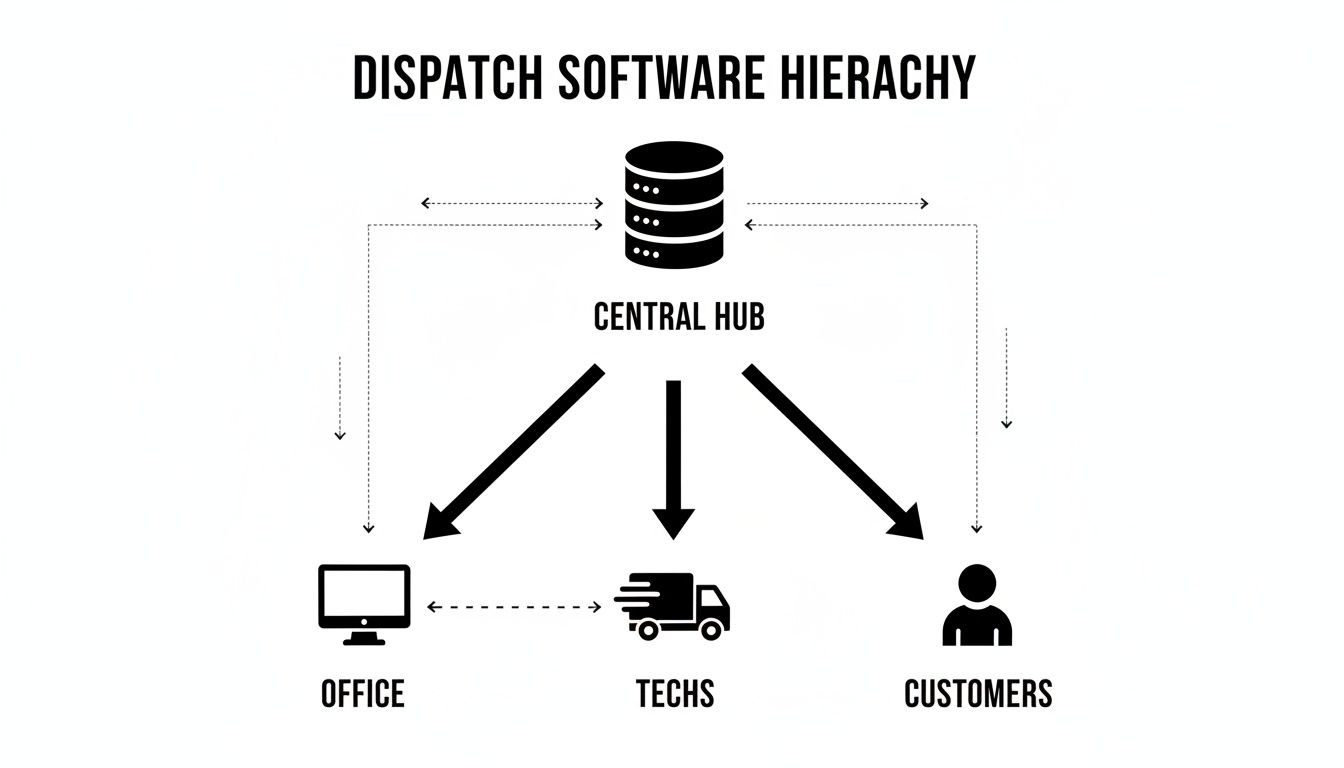
As you can see, the office, your technicians, and your customers are all looped into a single, unified system. Those frustrating communication gaps just disappear.
Shortening the Path to Payment
This is where the software really accelerates your cash flow: integrated estimating and invoicing. You can build accurate, professional-looking estimates in minutes using pre-loaded parts and labor rates, making sure your profit margins are baked into every quote you send.
By connecting estimates directly to work orders and invoices, you eliminate duplicate data entry and speed up the entire payment cycle. What used to take days of manual paperwork can now be accomplished before your technician even leaves the customer's driveway.
It's no surprise that the work order management segment of this software is growing at a 7.99% CAGR as more businesses realize the value of getting jobs done faster. In the real world, companies see 15-25% faster job completion and a massive drop in no-shows thanks to this kind of automation.
To truly grow, home service companies need to not only attract customers but also serve them with maximum efficiency. Nailing your operations is how you capitalize on the high-intent leads you get from smart marketing, like mastering Local SEO for Home Service Companies. Improving your internal processes with better https://tackonfsm.com/wp-content/uploads/2025/11/Field-Service-Scheduling-Software-That-Saves-Time-244×300.webp is a huge piece of that puzzle.
Uncovering the Hidden Operational Benefits
Sure, getting the right tech to the right job on time is a huge win. But that’s just the beginning. The real power of a solid schedule and dispatch software lies in the domino effect it has on everything else in your business, turning daily chaos into a serious competitive edge.
When you bring all your operations under one roof, you start seeing improvements you didn’t even expect. It all starts with getting a handle on your inventory. Think about it: how much time and money is wasted on frantic, last-minute runs to the supply house because a tech didn't have a specific part on their van? Good software stops those profit leaks in their tracks.
From Parts Management to Customer Perception
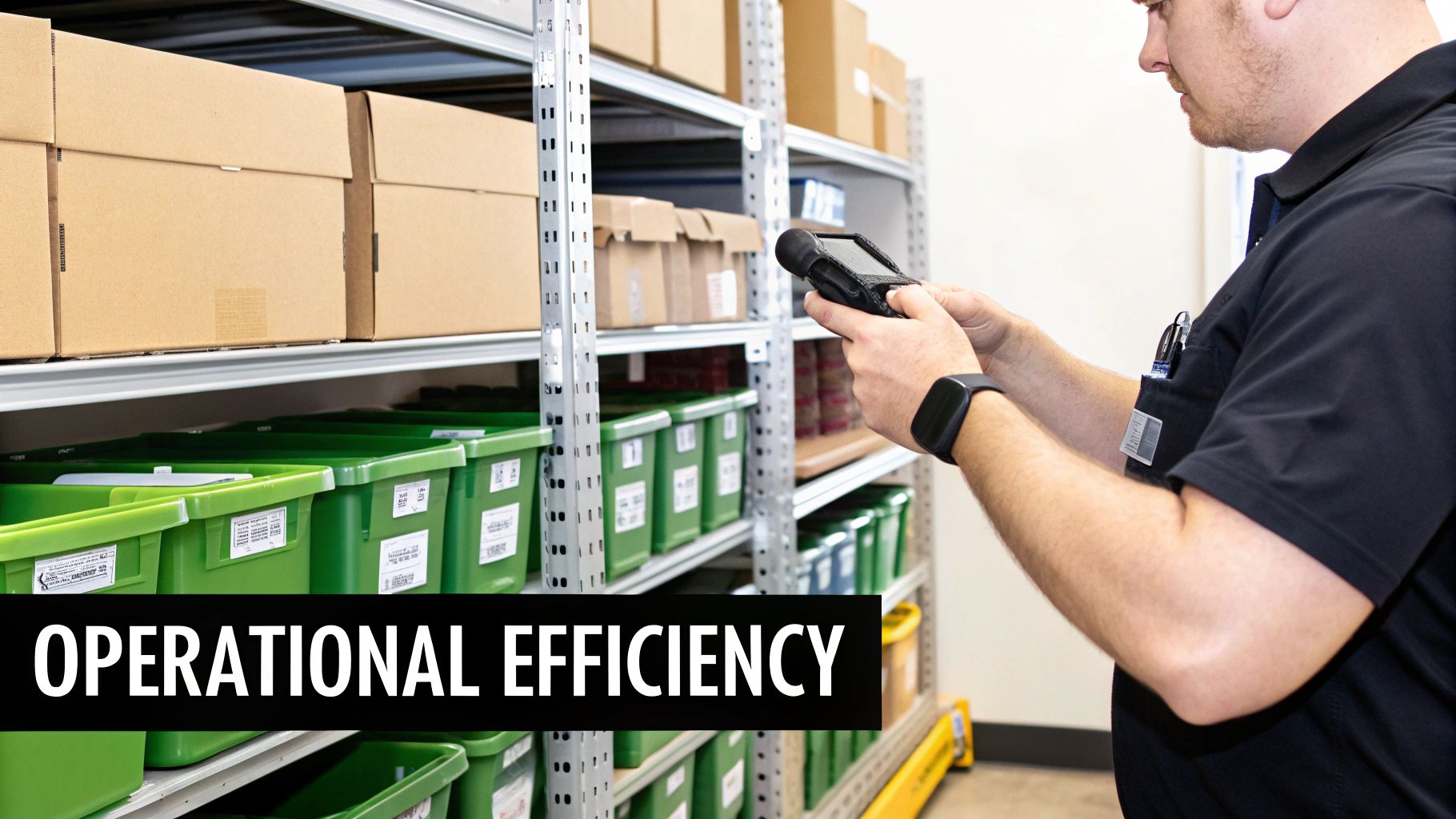
When your software ties specific parts to specific jobs, you gain complete visibility. It stops technicians from hoarding parts "just in case" and lets the office know exactly what’s on every truck and in the warehouse at all times.
But this level of control does more than just save you money on parts. It fundamentally changes how customers see you. Automated appointment reminders, on-the-way texts, and clean digital invoices project an image of a modern, well-run company. It shows you respect their time.
A business that has its internal processes locked down—from parts to payments—instills confidence. Customers feel they are in capable hands, which leads to better reviews, repeat business, and stronger referrals.
The numbers back this up. These systems solve major headaches for trade contractors, especially when it comes to lost inventory and slow payments. With the cloud-based portion of this market growing at a 14.9% CAGR, tools that automatically link parts to jobs are becoming the new standard. This integration is proven to cut inventory shrinkage by 20-30% and speed up payment collections by as much as 40%. You can dig into more of the data on the field service management market to see the full picture.
Making Decisions with Data, Not Guesses
Maybe the biggest hidden gem is moving away from guesswork. Running a business on gut feelings can only get you so far. A comprehensive schedule and dispatch software gives you clear, simple reports on the numbers that actually move the needle.
- Technician Productivity: Who are your rockstars? You can instantly see who's completing the most jobs per week and what their average time on-site is.
- Job Profitability: Finally get a clear answer on which services make you the most money. This helps you know where to focus your marketing and how to price jobs more intelligently.
- Callback Rates: Pinpoint which techs or job types are leading to return visits. This isn't about pointing fingers; it's about identifying opportunities for more training or process improvements before they become bigger problems.
This kind of insight is a game-changer. Instead of just reacting to fires, you start anticipating challenges and making smart, strategic moves that directly boost your bottom line. It’s how you build a business that’s set up for real, sustainable growth.
Choosing the Right Software for Your Business
Picking the right schedule and dispatch software is a huge decision, but it doesn't have to be a headache. The best way to think about it is not like buying another tool for the truck, but like hiring a new operations manager. You want a partner that solves today's scheduling chaos and is still the right fit when you're running twice as many crews ten years from now.
So, start with the big picture. Ask yourself: can this platform grow with me? Will it work just as well when I have twenty trucks on the road as it does with two, or will I be forced into some messy, expensive upgrade? Scalability isn't just about adding more users; it's about whether the software can handle the complexity that comes with a bigger operation.
Evaluate Core Functionality and Usability
Next, get practical. How will your team actually use this thing every day? A system loaded with a million features is worthless if your techs in the field find it clunky and confusing. In fact, one study pointed to dispatching mix-ups as a major source of project delays and on-the-job stress, which tells you just how important a simple, mobile-friendly design really is.
Your checklist should nail these absolute must-haves:
- All-in-One Capability: Does it just handle scheduling, or does it manage the entire job from start to finish? You want a single system for estimates, invoicing, and even inventory. A platform that connects all the dots is key, because good software should simplify estimates, quotes, and invoicing to keep your cash flow healthy.
- Ease of Adoption: Could a brand-new tech figure out the mobile app in less than an hour? When you get a demo, picture your least tech-savvy employee trying to use it. If it’s not intuitive, getting your team on board will be a constant uphill battle.
- Mobile-First Design: Let's face it, the real work doesn't happen behind a desk. Make sure the mobile app is a powerhouse, not an afterthought. Your techs should be able to pull up job histories, update work orders, and take payments on-site without ever needing to call back to the office.
As you look at different options, it helps to see what else is out there. You can explore other top apps and tools for your home improvement business to get a feel for how various solutions stack up.
Understand the True Cost and Partnership
Finally, look past the monthly sticker price. You need to understand the total cost of ownership and the kind of support you’ll get when things go wrong. A cheap platform with terrible support will cost you far more in lost time and frustration than a slightly more expensive one that has your back.
The right software provider acts as an extension of your team. They should offer robust onboarding, accessible customer support, and a clear, transparent pricing model without hidden fees or long-term contracts.
Before you sign anything, get straight answers to these final questions:
- Pricing Transparency: Is the pricing straightforward, or are there sneaky fees for things like data storage, support calls, or unlocking certain features?
- Onboarding and Support: Will they help you move your customer lists and parts inventory over? What does their training actually look like?
- Contract Terms: Are you getting locked into a long-term contract, or do you have the flexibility to change your plan as your business grows or seasons change?
Choosing the right schedule and dispatch software is a strategic move. If you focus on growth potential, real-world usability, and finding a true partner, you'll land on a solution that actually helps your team—and your bottom line—succeed.
Making the Switch Without the Headaches
Let’s be honest, the idea of ripping out your entire scheduling system and starting fresh can feel overwhelming. It’s why so many contractors just stick with what they know—even if it’s a mess of spreadsheets and sticky notes—to avoid the chaos of a big change. But moving to a modern schedule and dispatch software doesn't have to be a nightmare.

A good transition isn't about flipping a switch and hoping for the best. It's a series of small, manageable steps designed to get your team comfortable without grinding your daily work to a halt.
Preparing for a Smooth Rollout
Before you can move into the new house, you have to pack the boxes. The same logic applies here. It all starts with getting your current data organized and cleaned up. While any good software provider will do the heavy lifting of the actual data import, they need clean information from you to work with.
Focus on getting these three things ready:
- Customer Lists: Make sure all your customer info is accurate and complete. We’re talking correct phone numbers, addresses, and service histories.
- Price Books: Get your parts and labor rates into a simple, organized format. This is actually a great time to review your pricing and make sure it’s still on the mark.
- Existing Jobs: You'll need a clear list of all open and upcoming jobs to transfer into the new system so nothing gets dropped.
Starting with clean data is the secret to a fast and accurate migration. It ensures your business history comes with you, right from day one.
The best transitions happen when you treat it like a partnership. Lean on your software provider's onboarding team. They’ve done this hundreds of times for businesses just like yours and know exactly which potholes to steer you around.
Getting Your Team Onboard
A new tool is only as good as the people using it. To get your techs on board, you need to show them how this new app makes their day easier, not more complicated. This isn't about adding another task; it's about getting rid of the annoying paperwork and the endless back-and-forth calls to the office.
Consider a phased rollout instead of an all-at-once approach. Pick one or two of your most tech-friendly technicians and let them test drive the system first. They’ll quickly become your internal champions, showing the rest of the crew how much better things can be. This builds momentum from the ground up and ensures the change sticks for good.
Why TackonFSM Is the Right Tool for the Job
We've spent this guide breaking down the real-world headaches of running a trade business—from chaotic scheduling to chasing down payments. Now, let’s talk about the solution. TackonFSM wasn't just designed for contractors; it was built from the ground up to solve the exact problems you face every single day.
This is more than just a digital calendar. Think of TackonFSM as the central nervous system for your entire operation. Our drag-and-drop schedule board gives your dispatcher a bird's-eye view of the entire day, making it simple to make smart decisions on the fly. We're not just talking about assigning jobs; we're talking about optimizing routes, squeezing in emergency calls, and getting more done without the chaos.
A Workflow That Actually Works in the Field
We all know the job isn't done until the invoice is paid. That’s why our platform connects the dots with a seamless estimate-to-invoice workflow. Your techs can build detailed, professional quotes right on their tablet using pre-loaded parts, get a digital sign-off from the customer, and flip that approved estimate into an invoice with one tap. No more double-entry back at the office, and you get paid faster. It’s that simple.
And what about inventory? Our integrated management system finally gives you a clear picture of what’s on every truck and what’s in the warehouse. This puts an end to last-minute, profit-killing runs to the supply house and helps ensure your team has the right part to finish the job on the first trip.
Built for the Business Owner, Not Just the Business
Beyond the tech, we believe in a partnership that makes sense. As a business owner, you need predictability and support, not a bunch of surprises and hidden fees. We built our entire model around helping you grow without the typical software headaches.
Choosing a software partner shouldn’t feel like a gamble. It should be a clear, confident step toward better operations, stronger profits, and less daily stress for you and your team.
Here’s how we do things differently at TackonFSM:
- Simple, Predictable Pricing: No smoke and mirrors. The price you see is the price you pay, so you can actually budget with confidence.
- No Long-Term Contracts: We’re confident you’ll want to stick around, so we don’t need to lock you in. We earn your business every single month.
- A True 14-Day Free Trial: This isn't a watered-down demo. You get the full, unrestricted platform to see exactly how it will work for your business.
- Free, Hands-On Data Migration: We don't just send you a "how-to" guide and wish you luck. Our team gets in the trenches with you to move your customer and parts lists over, making the switch painless.
TackonFSM is more than just software. It’s a straightforward, powerful platform built to help you take back control and scale your business on your own terms.
Frequently Asked Questions
Let's cut right to the chase. Here are the real, practical questions we hear from contractors every single day when they're thinking about moving to a dedicated scheduling and dispatch system.
Will My Techs Actually Use It?
Honestly? They will if it makes their lives easier. If the mobile app is clunky, confusing, or feels like just another piece of paperwork, forget it. They'll fight you on it.
But a good app puts everything they need right in their pocket—customer history, job notes, even what parts are on the truck. It means fewer calls back to the office asking for an address or what was done on the last visit.
When the software feels like a powerful tool designed for the field, not just another chore from management, adoption is a non-issue. If it helps them get done and head home sooner, they'll be all over it.
Is This Software Affordable for a Small Business?
Absolutely. In fact, small and growing shops often see the biggest bang for their buck. Think about it: if the software helps you squeeze in just one extra job a month, it has likely paid for itself.
The key is to find a provider with simple, per-user pricing and no scary long-term contracts. That way, the cost scales with your business as you bring on more techs and trucks, and you aren't locked into something that doesn't fit your budget.
How Much Time Will I Really Save?
The time savings are real, and they show up in two main places. Back in the office, most owners and dispatchers tell us they get back 5-10 hours every week. That's time previously spent juggling schedules, creating invoices by hand, and chasing down payments.
Out in the field, optimized routes and having all the job info upfront means less wasted time. For many teams, that efficiency boost is enough to fit in at least one more job per tech, per week. That's a direct hit to your bottom line.
What's Involved in Switching from My Current System?
It’s nowhere near the headache you’re probably imagining. Any software provider worth their salt will handle the heavy lifting of data migration for you. This means they’ll help you pull over your customer lists, parts inventory, and price books from whatever you're using now, whether it's QuickBooks or another system.
A true partner will walk you through the entire setup and training process. The goal should always be a smooth switch with as little disruption to your day-to-day work as possible.
Ready to see how an all-in-one platform can pull your operations together? TackonFSM gives you the tools to schedule smarter, get a handle on your inventory, and get paid faster. Start your free 14-day trial and see the difference for yourself.



