

Managing Purchase Orders: A Practical Guide (managing purchase orders)
Managing your purchase orders effectively all starts with one thing: a clear, written policy. This isn't just bureaucratic paperwork; it’s the rulebook that gets rid of guesswork and puts a stop to uncontrolled spending. This document is your blueprint for financial control, defining exactly who can buy, what they can buy, and how much they can spend before needing a sign-off.
Laying the Groundwork for Purchase Order Control
Uncontrolled spending is a silent profit killer for a lot of HVAC, plumbing, and electrical shops. When your techs can grab materials from the supply house without a formal process, it's a nightmare to track job costs, manage what's in the vans, or prevent those surprise invoices from popping up. This is where you start reining things in—not with fancy software, but with a simple set of rules.

Think of your purchase order policy as your company’s constitution for buying stuff. It’s a straightforward document that lays out the non-negotiables for every purchase, making sure every dollar is accounted for and justified. Without it, you're basically managing your finances with your fingers crossed.
Defining Your Purchase Approval Hierarchy
First things first, you need a clear chain of command for approvals. This is what keeps small, everyday purchases moving quickly while making sure the big-ticket items get a second look from the right people.
Your approval structure should spell out a few key levels:
- Technician-Level Spending: Give your techs some autonomy. Set a practical limit, like $250, for routine parts they can order on the fly without a sign-off. This keeps jobs moving.
- Manager-Level Approval: For bigger orders, you’ll want a manager's eyes on it. Set a higher threshold—maybe up to $1,500—for more expensive components or when stocking up on materials.
- Owner-Level Sign-Off: The big stuff should always come across your desk. Reserve the highest approval level for major capital expenses over $1,500, like a new service van or a big piece of equipment.
A well-defined approval hierarchy does more than just control costs; it empowers your team. Technicians feel trusted to make small, necessary purchases, while leadership maintains a firm grip on the expenses that truly impact the bottom line.
Standardizing Your Purchase Order Format
Consistency is everything if you want this system to work. Every single purchase order needs to look the same and contain the same crucial bits of information. This simple step prevents a world of confusion and makes matching invoices to POs a breeze later on.
To really nail this down, it’s worth looking at internal procurement validation solutions to make sure every order automatically sticks to your policy.
You can see how important this is just by looking at the market. The global purchase order management outsourcing market was valued at USD 5.52 billion in 2024 and is expected to hit USD 9.29 billion by 2030. That tells you that businesses everywhere are realizing they need to get serious about their purchasing systems. A standardized PO is the perfect place for any trade business, big or small, to start.
Core Components of a Contractor's PO Policy
To get you started, here’s a quick-reference table breaking down the absolute must-haves for your new PO policy. These are the core elements that will bring clarity and control to your spending.
| Policy Component | Why It Matters for Contractors | Example Rule |
|---|---|---|
| Clear Approval Thresholds | Prevents techs from buying expensive equipment without oversight but allows for small, urgent part runs. | "All purchases under $250 can be made by lead technicians; purchases between $251 and $1,500 require manager approval." |
| Designated Approvers | Eliminates confusion about who to ask. Everyone knows the chain of command. | "Jim (Service Manager) approves all field purchases. Sarah (Office Manager) approves all office supply orders." |
| Mandatory PO for All Purchases | Creates a paper trail for every single dollar spent, stopping "mystery" invoices dead in their tracks. | "No vendor payment will be processed without a corresponding and approved PO number referenced on the invoice." |
| Preferred Vendor List | Helps you leverage buying power, secure better pricing, and ensure consistent material quality. | "All copper fittings and PVC pipe must be ordered from one of our three approved suppliers: ABC Supply, XYZ Wholesale, or 123 PlumbCo." |
| Job/Project Number Requirement | Makes job costing accurate. You know exactly what was spent on which job, protecting your profit margins. | "Every PO must include a valid job number. For non-job-related stock, use the 'WAREHOUSE' or 'VAN STOCK' code." |
Having these components locked in transforms your purchasing from a chaotic free-for-all into a disciplined, trackable process. It’s a foundational step toward better financial health for your business.
Putting Your PO Creation and Approval Workflows into Motion
With your purchase order policies defined, it’s time to bring them to life. This is where the rubber meets the road—turning rules on a page into a living, breathing process that ties every single purchase directly to a job and protects your bottom line. The secret to making it stick is to make it simple and fast for your team.
This is exactly what modern field service management (FSM) platforms are designed to do. Think about this common scenario: a technician is on-site and realizes they need a specific capacitor to wrap up a repair. The old way involved a frantic phone call back to the office, scribbled notes, and a lot of room for error.
Now, that same tech can just pull out their phone or tablet, open their FSM app, and submit a purchase request right there in the customer's home. The request instantly pops up in the office system as a draft PO, already filled out with the tech's name, the part they need, and—this is the critical part—the job number it belongs to. You've just created a direct, unbreakable link between that cost and the revenue it’s generating.
Setting Up Smart Approval Triggers
Once the PO is drafted, it needs approval. This is where your policy rules really start to shine. A smart system knows that a $50 part isn’t the same as a $3,000 furnace and routes them differently.
You can set up automated logic that works like this:
- Small, Everyday Parts: A PO for a common part under your $100 threshold? The system can be set to auto-approve it. No human touch needed. It recognizes the request fits the criteria and moves it along.
- Mid-Range Orders: Let’s say a tech needs a few hundred dollars in materials. That request can be automatically flagged for the office manager. They get a simple notification, see all the job details, and can approve it with a single click.
- Big-Ticket Items: That new $3,000 furnace? The system immediately sends that PO straight to a manager or owner. This ensures major expenses always get a second look before any cash leaves your account.
This kind of automated routing is the sweet spot between speed and control. It gets rid of the bottlenecks for routine purchases while making sure the big spends get the attention they deserve—all without a ton of phone tag or back-and-forth emails.
This digital trail gives you a clean, clear audit for every single purchase. You can instantly see who requested the part, for which job, who signed off on it, and when. Good luck getting that level of transparency from a pile of paper invoices or a messy spreadsheet.
From a Field Request to a Supplier Order
As soon as a PO gets the green light, the next steps are a breeze. The office team can bundle approved POs, fire them off to your preferred suppliers directly from the system, and start tracking the order status immediately. What used to take hours of manual work can now happen in just a few minutes.
Using the right software isn't just about making the office more efficient; it's about helping your field team stay on schedule. When parts are ordered quickly and accurately, jobs get done faster. You can see how the right field service scheduling software saves time and keeps projects from getting stalled.
Ultimately, the goal is to make the right process the easiest process. When your system is this smooth, your team will actually want to use it, which is the key to mastering your purchase orders and protecting your profit on every job.
Tracking Parts From Supplier to Service Van
Firing off a purchase order is just the beginning. The real work starts after you hit send—making sure the right part gets into the right tech’s hands at the right time. This is where you close the loop between your supplier's warehouse and your technician's van, and it's where a lot of businesses drop the ball.
This is where a good field service management (FSM) system proves its worth. Forget the frantic phone calls and guesswork. A solid FSM platform gives you a live, bird's-eye view of every single part you've ordered. You can see when it’s been confirmed, when it’s shipped, and when it’s due to land on your doorstep. This kind of real-time visibility turns inventory management from a reactive headache into a proactive, well-oiled machine.
From the Loading Dock to the Tech's Van
When a shipment finally arrives, the magic really happens. Instead of scribbling on a packing slip that’s destined to get lost, your office manager can digitally "receive" the items right inside the FSM software. In just a few clicks, your main warehouse inventory is updated instantly.
But it doesn't stop there. The next move is getting that part where it needs to go. The software lets you immediately transfer the component from the main warehouse stock directly to a specific tech's van inventory. The second you do that, the part shows up in the tech's mobile app, confirming it's on board and ready for the next job. It’s a seamless digital handshake that ensures complete accountability from start to finish.
Think of it like a decision tree. Different purchase values can trigger their own unique, streamlined workflows, which helps get things processed much faster.
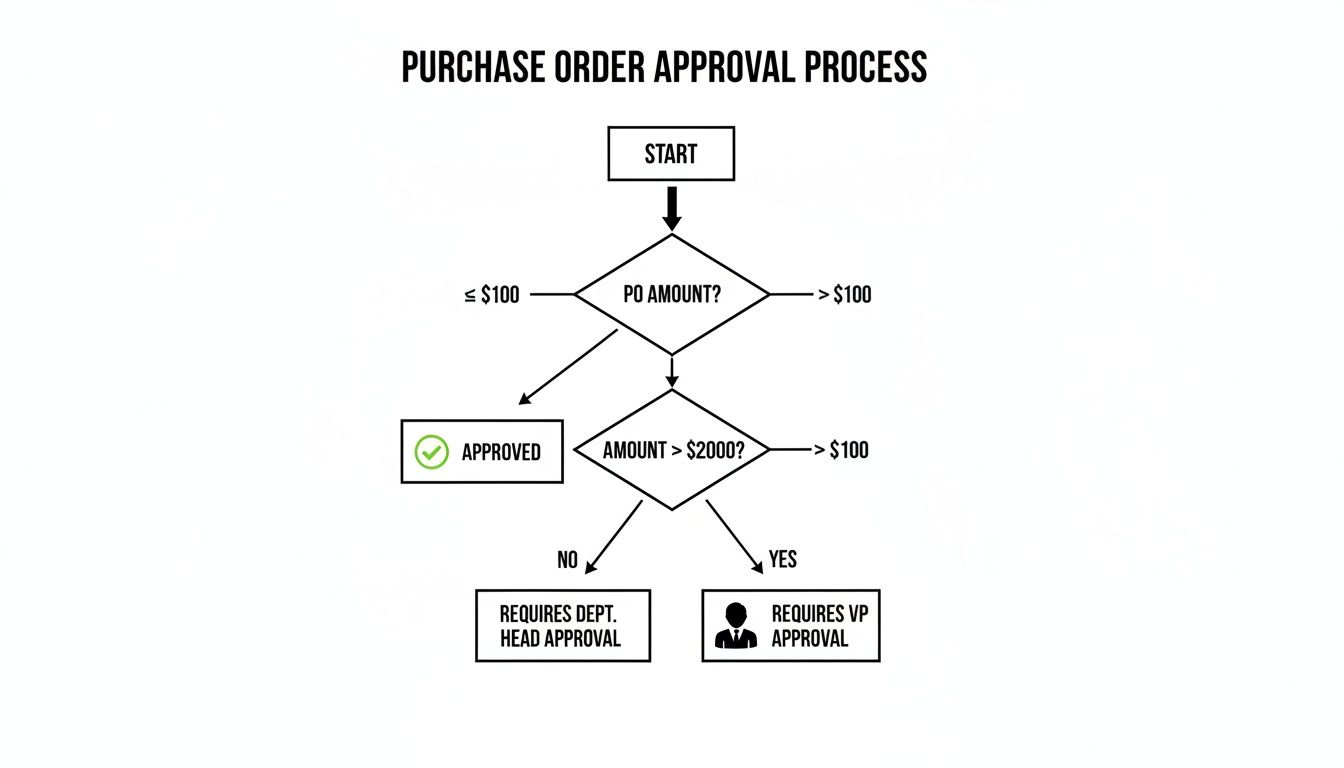
This kind of system sets up automated rules for small, everyday purchases while making sure the big-ticket items get the oversight they need. It’s all about creating an efficient and controlled purchasing environment.
A Practical Checklist for Receiving Goods
A rock-solid receiving process is your best defense against the small errors that slowly eat away at your profits. If you check every delivery with the same detailed approach, you’ll keep your inventory counts clean and catch supplier mistakes before they become your problem. A simple but strict checklist can be a total game-changer.
Don't treat receiving as just an administrative task. It's a critical financial control point. Every box you sign for represents cash, and verifying its contents protects your investment and ensures job profitability.
To lock down your accuracy, make sure your team follows these steps for every single shipment:
- Verify Quantities: Don't just trust the packing slip. Physically count the items and check them against what you actually ordered.
- Inspect for Damage: Look for any dings, dents, or tears in the packaging or on the parts themselves. If you see anything, snap a photo before the delivery driver even thinks about leaving.
- Confirm Part Numbers: A single wrong digit can bring a job to a screeching halt. Make sure the part numbers on the items are an exact match for your PO.
- Update Inventory Instantly: This is the final, crucial step. As soon as you've verified everything, mark the items as received in your FSM system to keep your stock levels live.
The need for this kind of control is only getting bigger. The order management software market is exploding and is on track to hit USD 11.02 billion by 2032. For trade businesses, this just goes to show that integrated systems aren't a luxury anymore; they’re essential for staying in the game. You can dig deeper into why field service management software matters for modern contractors to understand the full impact.
The Three-Way Match: Your Final Check Before Paying an Invoice
Think of the three-way match as the final, critical checkpoint before money leaves your bank account. It’s a simple but powerful process: you compare the original purchase order, the packing slip or receiving report from the delivery, and the supplier's final invoice.
If all three documents line up perfectly—item, quantity, and price—you can pay with absolute confidence. If they don't? You’ve just caught a potentially expensive mistake before it ever impacts your bottom line.
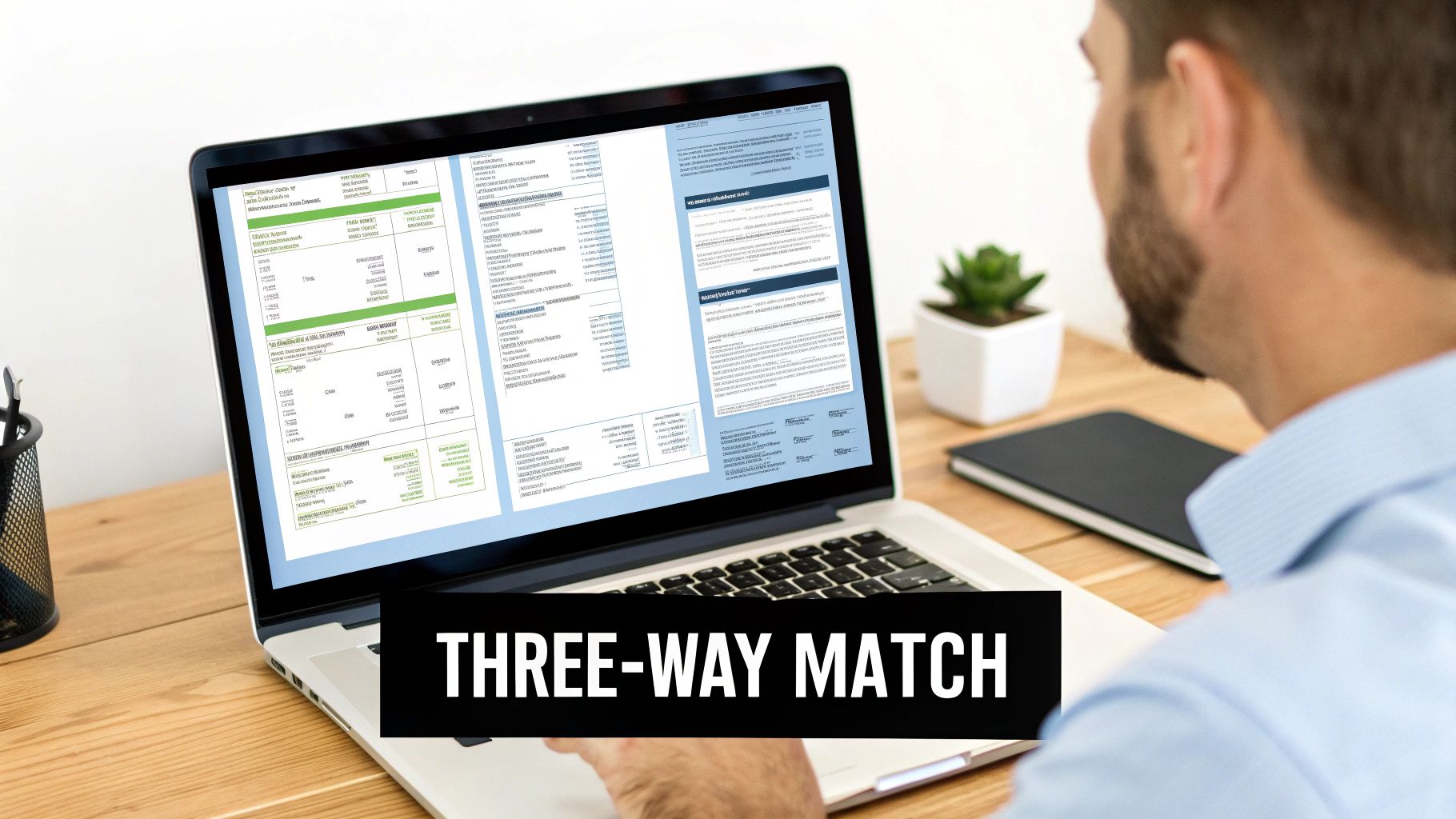
Let's be honest, doing this manually is a pain. It involves stacks of paper, squinting at spreadsheets, and hours of cross-checking. It's the kind of back-office task that’s easy to skip when you’re swamped, but that’s exactly when errors creep in.
Catching Discrepancies Before They Cost You
This is where modern software really shines. It turns the three-way match from a tedious chore into an automatic safety net. A good system already has your digital PO and the goods receipt note. When the supplier’s invoice arrives (often electronically), the platform does the heavy lifting, comparing all three in an instant.
Here’s a real-world example we see all the time:
- Your PO: You ordered five compressors at $800 each.
- The Invoice: The supplier bills you for six compressors at $825 each.
A manual check might miss that, especially on a busy Friday afternoon. That’s a $1,225 overcharge waiting to be paid. An automated system, however, flags the mismatch instantly. It puts a hold on the payment and sends an alert to your office manager to sort it out with the vendor. It’s like having a vigilant bookkeeper guarding every single transaction.
The table below breaks down just how much of a difference this makes.
Manual vs Automated Three-Way Matching
This comparison shows how modern software streamlines the invoice reconciliation process, saving time and preventing errors.
| Process Step | Manual Method (Paper/Spreadsheets) | Automated Method (FSM Software) |
|---|---|---|
| Document Collection | Physically gather the PO, receiving slip, and invoice from different files or emails. | All documents are linked digitally within the system, accessible in one click. |
| Data Comparison | Manually compare line items, quantities, and prices across all three documents. | The software instantly compares all data points and highlights any discrepancies. |
| Discrepancy Alert | Relies on a person noticing the error. High potential for human error. | The system automatically flags any mismatch and triggers an alert. |
| Approval & Payment | The approved invoice is manually entered into accounting software for payment. | Once matched, the invoice is automatically queued for approval and payment. |
| Time Investment | Can take 10-20 minutes per invoice, often much longer if issues arise. | Takes seconds. The only human touch needed is for resolving exceptions. |
Switching to an automated system frees up your team from mind-numbing data entry and transforms them into strategic problem-solvers who only focus on the exceptions.
The goal of the three-way match isn't to create more work; it's to create certainty. It ensures you only ever pay for what you ordered, at the price you agreed upon, and for the quantity you actually received.
This level of control is fundamental for any trade business looking to grow. In fact, you can see how modern tools simplify estimates, quotes, and invoicing across the entire job lifecycle.
Protect Your Job Margins and Cash Flow
Ultimately, an automated three-way match directly defends your profitability. Every dollar you save from a billing error goes straight back to that job's margin. It stops those small, silent cash flow leaks that can add up to thousands of dollars in lost profit over the course of a year.
By catching these issues before you pay, you move from putting out financial fires to preventing them entirely. It’s a systematic approach that keeps your job costing accurate and your business financially healthy.
Use Your Data to Sharpen Your Purchasing Game
A solid purchase order system is more than just a way to track what you're spending. It's a goldmine of data. And if you're not measuring your procurement process, you can't possibly make it better. It’s time to look past basic cost tracking and start digging into the numbers that really show you what’s going on.
We're talking about metrics that tell a story. How long does it actually take for a PO to get approved? How often do your suppliers really deliver on time? Analyzing these details helps you spot the hidden bottlenecks and time-wasting habits that are quietly costing you money every single day.
Key Numbers Every Contractor Should Be Watching
To get a real handle on your performance, you don't need a thousand different reports. Just focus on a few high-impact KPIs that give you insights you can actually act on.
PO Cycle Time: This is the clock-watcher's metric. It measures the time from the moment someone requests a part until the PO is officially in the supplier's hands. A long cycle time is a job delayer, plain and simple.
Supplier Lead Time Accuracy: How reliable are your vendors? This KPI compares their promised delivery date to the day the truck actually shows up. Consistently late deliveries throw a wrench in your entire schedule, so you need to know who you can count on.
Invoice Accuracy Rate: This one’s a big deal for your back office. It’s the percentage of invoices that come in matching your PO perfectly—no price gaps, no quantity mistakes. A low number here means your team is wasting precious time chasing down and fixing billing errors.
Tracking these specific KPIs is the first step. It turns your purchasing process from a necessary expense into a real strategic advantage. The data doesn't lie—it points you directly to where you need to focus your efforts for the biggest payoff.
Digging into this data often uncovers some major opportunities to save money, a core idea behind many procurement cost reduction strategies. By seeing which suppliers perform best and what your true buying patterns are, you gain the upper hand in negotiating better deals.
Put Practical Automation to Work
Once you have good data showing you where the problems are, automation is your best friend. The goal isn't to replace people, but to free them from the tedious, repetitive tasks that don’t make you any money. Let them focus on what matters.
Think about setting up automatic reorder points for your most-used parts. For example, you could create a rule that says whenever the stock of a specific air filter in the main warehouse drops below 20 units, the system automatically creates a draft PO for the office manager to review. It’s a simple, proactive way to stop stockouts before they happen.
This kind of smart automation isn't just a gimmick; it delivers real results. Recent studies show businesses that automate their order management process orders 30% faster and see 20% fewer errors. Even better, 72% of companies that embrace automation report better efficiency and lower operational costs. This is a direct path to a more profitable and resilient business.
Got Questions About Managing Purchase Orders? We've Got Answers
Even the most buttoned-up system will run into real-world snags. When you're managing purchase orders, questions and pushback are part of the process. Anticipating these common hurdles is the key to making your new workflow stick and actually delivering the financial control you’re after.
Let's dive into the most common questions we hear from contractors just like you.
What’s the Single Biggest Mistake Contractors Make with Purchase Orders?
Hands down, the most damaging mistake is failing to tie every single purchase order to a specific job number. It sounds simple, but this is where profits bleed out.
When POs float around without a job attached, it’s practically impossible to know if you're making or losing money on a project. This one oversight leads directly to under-billed work, profit reports that are pure fiction, and shelves full of parts that were never charged to a customer. This isn't just a minor bookkeeping error; it's a direct shot to your bottom line.
The fix? Use a system that makes the job number a required field on every PO. No exceptions.
How Do I Actually Get My Techs to Follow the PO Process?
This is the million-dollar question. The secret isn't more training or stricter rules. It’s about making the official process easier than their current workaround.
Think about it: if creating a PO means your tech has to stop work, call the office, wait on hold, and read off part numbers, they'll just drive to the supply house and use the company card. Wouldn't you? Real adoption happens when you remove that friction.
Give them a mobile app where they can find the part and request a PO right from their phone in a few taps. When the right way is also the fastest and most convenient way, compliance happens naturally.
Team adoption isn't about enforcing rules; it's about providing better tools. If your new PO system saves your technicians time and hassle, they will use it.
Of course, you still need to communicate the why. Explain how this process helps them get the right parts faster, ensures the company stays profitable, and ultimately, makes sure everyone gets paid correctly.
When Is the Right Time to Set Up a Formal PO System?
Yesterday. But seriously, the right time is the moment you have more than one person buying things for the business.
Too many companies wait until they have five, ten, or even more technicians in the field. By that point, thousands of dollars have likely vanished into a black hole of untracked materials, rogue spending, and last-minute, overpriced purchases.
Even with a tiny two-person team, a PO system instills financial discipline from day one. Starting early with a scalable software platform builds a rock-solid foundation for growth and prevents massive operational headaches later. It’s all about building good habits before the bad ones have a chance to take root.
Ready to stop uncontrolled spending and get a real-time view of your inventory and job costs? TackonFSM provides a complete system for managing purchase orders, from mobile field requests to automated three-way matching. See how TackonFSM can protect your profits and streamline your operations.





