

Job Scheduling Software for Contractors The Ultimate Guide to Efficiency
Ever found yourself staring at a whiteboard covered in scribbles, trying to figure out how to squeeze one more emergency call into an already packed day? If you're running an HVAC, plumbing, or electrical business, that scene is probably all too familiar.
Job scheduling software is essentially your digital command center. It takes the chaos of sticky notes, crowded spreadsheets, and endless phone tag and replaces it with a single, organized system for assigning jobs, managing your technicians' schedules, and keeping customers in the loop.
Why Manual Scheduling No Longer Works for Modern Contractors
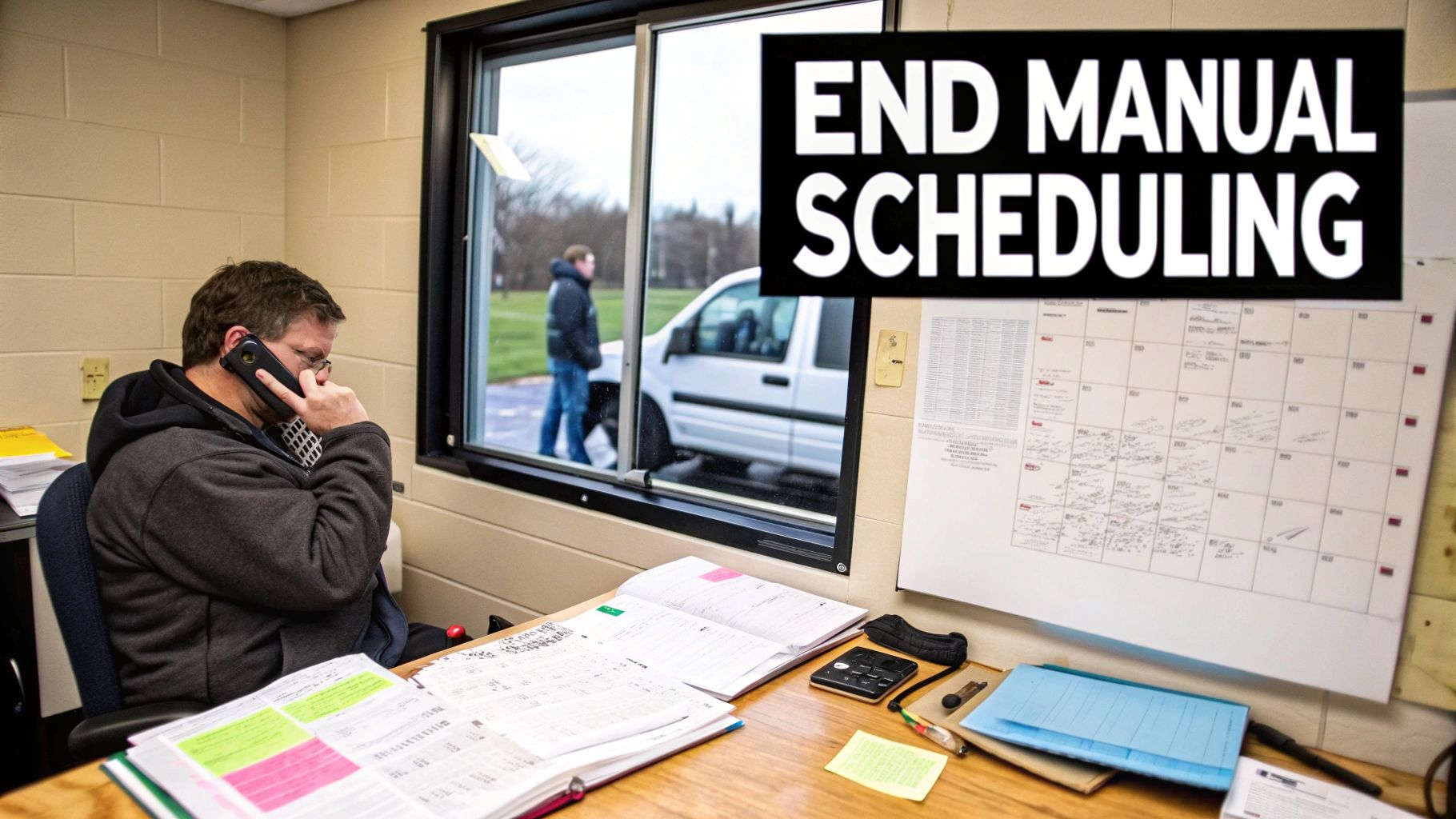
If you're still running your business with a wall calendar and a constantly ringing phone, you know the daily grind. A single urgent call from a homeowner with a busted AC unit can send you into a frantic game of "schedule Tetris," trying to shuffle appointments without upsetting everyone. This old-school approach feels simple on the surface, but its hidden costs are eating away at your bottom line.
Think about the last time a job ran long. That one delay created a domino effect, pushing back every other appointment and leaving a trail of frustrated customers. These aren't just minor hiccups; they mean wasted gas, technicians sitting idle, and real damage to your reputation. In fact, poor planning is a key reason for project delays for nearly 30% of contractors, turning what should be a productive day into a logistical mess.
The True Cost of Old-School Methods
Relying on manual scheduling puts you in a constant state of reaction. Instead of proactively managing your day, you're always firefighting. Every unexpected change—a parts delay, a sick tech, a surprise traffic jam—requires a flurry of phone calls and text messages. Did the tech get the new address? Did you remember to tell the office the job took an extra hour?
This constant information gap between your office and your team in the field is where profit goes to die.
These operational cracks lead to very real financial hits:
- Wasted Time: Hours are burned every week just building schedules, then re-building them when things change, and then communicating those changes one by one.
- Lost Revenue: A missed appointment or a late start means less time billing customers and fewer jobs you can complete in a day.
- Poor Customer Experience: When you can't give a customer a reliable arrival window, they get frustrated. That leads to bad reviews and makes it unlikely they'll call you back.
To see the difference in black and white, let's break down the time spent on common tasks.
Manual vs Automated Scheduling: The True Cost
| Task | Manual Method (The Old Way) | Automated Software (The New Way) |
|---|---|---|
| Creating Daily Schedules | 1-2 hours of piecing together jobs, tech availability, and locations like a puzzle. | 10-15 minutes using a drag-and-drop board with automated suggestions. |
| Dispatching a New Job | 10-15 minutes per job finding the right tech, calling them, and relaying job details. | Under 1 minute to assign the job, which instantly sends all details to the tech's phone. |
| Handling a Schedule Change | 20-30 minutes of phone calls to the tech and the customer to coordinate a new time. | 2 minutes to drag the job to a new slot, which automatically notifies both parties. |
| Updating Job Status | Relies on the tech remembering to call or text the office when they're done. Delays are common. | Real-time status updates from the field via the mobile app. The office always knows what's happening. |
It's clear that the time savings alone are massive. Those hours saved aren't just a convenience; they represent more jobs you can book and more revenue for your business.
Manual scheduling isn't just inefficient; it's a direct threat to your profitability and growth. The "free" tools like spreadsheets and whiteboards come at the steep price of lost opportunities, wasted resources, and constant operational stress.
Shifting from Chaos to Control
Here's the bottom line: manual systems just can't keep up with the fast-paced, unpredictable nature of a field service business. They can't optimize a route to save you fuel, they can't give you real-time visibility into where your techs are, and they certainly can't automate communication to keep everyone on the same page. You're trying to conduct a complex orchestra with a handful of handwritten notes.
This is exactly why job scheduling software for contractors has become a must-have tool. It’s no longer a luxury for big companies; it’s a fundamental need for any contracting business that wants to compete and grow. By ditching the whiteboard, you reclaim control over your day, arm your team with the information they need to succeed, and deliver the kind of professional service that earns five-star reviews.
Understanding Your New Operational Command Center
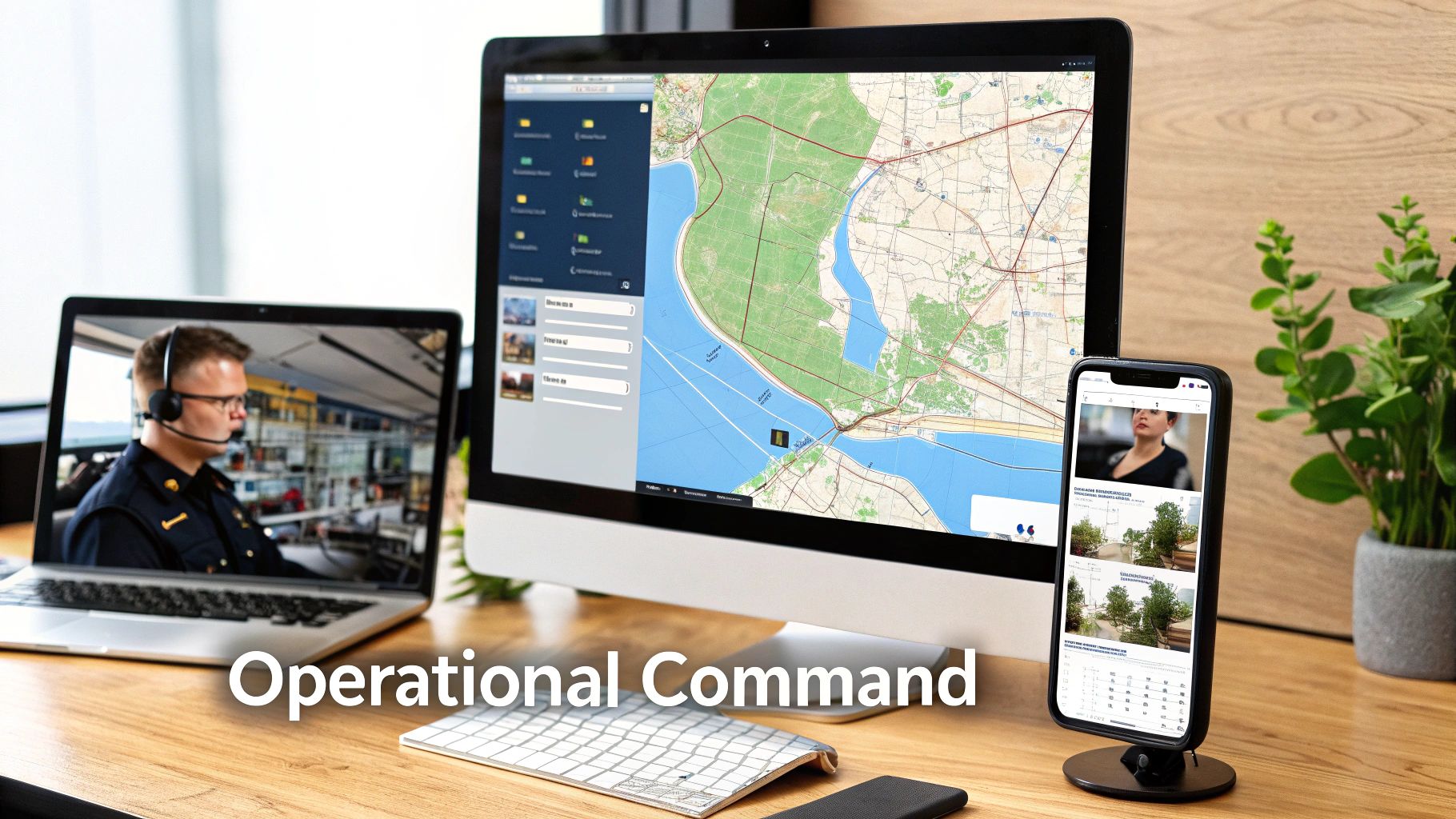
Forget the dry, technical definitions for a minute. Think of job scheduling software for contractors as the central nervous system for your entire business. It's what connects the "brain" in your office to the "hands" of your technicians in the field, creating a smooth, real-time flow of information.
This connection takes a chaotic puzzle of customer calls, technician skills, and job locations and turns it into an elegant, optimized schedule. Your messy whiteboard and frantic phone calls? They get replaced by a dynamic operational command center.
Beyond a Digital Calendar
At its core, this software is so much more than a shared calendar. It’s a powerful hub that manages the entire life of a job, from the moment a customer calls to the second you send the final invoice. It becomes your single source of truth, wiping out the guesswork, conflicting sticky notes, and costly miscommunications that come with running things manually.
Every critical piece of information lives in one place, accessible to anyone who needs it:
- Customer History: What was the issue last time? What specific equipment are we working with?
- Job Details: Are there special instructions, required parts, or photos of the problem area?
- Technician Status: Is the tech on-site, driving to the next job, or wrapping things up?
Having this centralized knowledge makes every single step more efficient. It ensures everyone—from the office manager to the new apprentice—is working from the same playbook. As you move away from manual methods, it helps to understand the broader concept of workflow automation, which is really the engine driving modern business efficiency.
Powering Growth and Precision
The impact of making this switch is huge, and the numbers back it up. The market for this kind of software, essential for contractors, was valued at USD 1.44 billion and is expected to hit USD 2.09 billion by 2029. This growth is fueled by intense pressure to cut down on project delays, which plague 77% of projects around the world and lead to average cost overruns of 28%.
This technology isn’t just about making your day less stressful; it’s about building a more resilient, more profitable business. It lets you squeeze more billable hours into each day, slash costly mistakes, and give your customers an experience that makes them call you back next time.
Job scheduling software moves your business from a reactive state of putting out fires to a proactive state of strategic control. It answers the question, "What's the smartest way to run our day?" not just "How do we get through today?"
By bringing scheduling, dispatch, communication, and job tracking into one cohesive system, you’re not just buying a tool. You’re installing a whole new operational engine—one designed for growth. It gives you the clarity and control you need to scale your operations without everything falling apart.
The Features That Actually Matter
When you start shopping for job scheduling software for contractors, it’s easy to get lost in a fog of marketing buzzwords. To find a tool that will genuinely help your business, you need to ignore the fluff and focus on the core features that solve real-world problems.
These aren't just fancy add-ons. They're the workhorses that save you time, eliminate daily frustrations, and put more money back in your pocket. Let's break down the essential components that separate a decent platform from a game-changing one.
A Drag-and-Drop Dispatch Board
Think of your old whiteboard or a cluttered spreadsheet, but make it smart, interactive, and live. A drag-and-drop dispatch board is your visual command center, showing you every job, every tech, and the entire day's schedule on a single screen—often right on a map.
This isn’t just about assigning jobs in the morning. It’s about being able to react to the chaos that inevitably unfolds during the day.
Here’s a real-world example: Your top HVAC tech gets stuck in a massive traffic jam. He's going to be an hour late. The old way? A flurry of phone calls, apologies, and manual rescheduling. The new way? The dispatcher sees his truck icon stuck on the map, spots another tech finishing a job early just a few blocks away, and simply drags the appointment over to the available tech's timeline. The system instantly pings the new tech with the job details and sends the customer an automatic notification. Problem solved in under a minute.
A Mobile App That Empowers Your Techs
The mobile app is the lifeline connecting your office to your team in the field. It’s what turns your technicians' phones into powerful tools, giving them everything they need to do the job right and look professional while doing it. A solid mobile app is far more than just a digital calendar.
Your techs should be able to:
- See the Full Picture: Pull up customer history, site-specific notes, photos of previous work, and a list of required parts for the current job.
- Follow Digital Forms & Checklists: Ensure nothing gets missed by using standardized forms for things like safety checks or system diagnostics.
- Take Payments On-Site: Close out the job and process a credit card payment right on the spot, which is a game-changer for your cash flow.
This direct connection cuts out the endless back-and-forth calls and misunderstood instructions that can derail a workday.
From Quoting to Getting Paid—All in One Place
This is all about connecting the dots between your sales process and your bank account. A "quote to cash" workflow takes you from creating an initial estimate all the way to collecting the final payment, without the soul-crushing manual data entry in between.
It works just like it sounds:
- Build a Quote On-Site: Your tech creates a professional estimate right on their tablet, pulling from your approved pricebook.
- Get Instant Approval: The customer can review and sign off on the estimate with a digital signature.
- Convert to a Job: With one click, that approved quote becomes a scheduled job on the dispatch board.
- Auto-Generate an Invoice: As soon as the work is done, the system creates the invoice based on the job details.
- Collect Payment: The tech takes a card payment in the field or sends a secure payment link directly to the customer's phone.
This seamless process dramatically shrinks the time it takes to get paid for the work you’ve already completed.
By tying your estimating, invoicing, and payments together, you finally close the loop on your revenue cycle. It ensures every job is billed correctly and every dollar is collected, preventing revenue from slipping through administrative cracks.
Smart Inventory and Parts Management
We’ve all been there. A tech gets to a job site only to realize they’re missing a critical part. That return trip to the shop doesn't just waste gas and kill an hour of billable time—it leaves the customer stewing. Smart inventory management gives you a real-time view of every part you own, where it is, and which jobs need it.
This feature ends the guesswork. It tracks stock levels in the warehouse and in every single van. When a tech uses a part, it’s automatically deducted from their van’s inventory and added to the customer’s invoice. No more forgetting to bill for materials.
Integrations with the Tools You Already Use
Your scheduling software can’t be an island. To be truly effective, it needs to talk to the other critical tools you rely on, especially your accounting software.
The most important connection is with platforms like QuickBooks or Xero. This integration automates your financial data entry. When an invoice is created or paid in your field service software, it automatically syncs to your accounting ledger. This alone can save hours of manual reconciliation work and virtually eliminates the human errors that can throw your books out of whack.
The global market for this kind of software, valued at USD 2.5 billion in 2023, is projected to more than double by 2032, driven by powerful features that create real efficiency. In fact, some advanced platforms are using AI for predictive scheduling, which has helped contractors avoid up to 15% of typical project overruns. You can explore these trends in the full report on the construction scheduling software market.
Choosing the Right Software for Your Business
Picking the right job scheduling software for your contracting business is a big deal. Let’s be honest, it’s a high-stakes decision. If you choose a system that doesn’t actually fit how you work, it’s more than just an annoyance—it’s a costly mistake that can throw your entire operation into chaos for months. To get it right, you need a practical way to decide, one based on the real DNA of your company.
Forget the flashy features and sales pitches for a minute. The best place to start is with a simple, honest look at your own business. Your goal is to find a platform that fixes your headaches today but is also flexible enough to handle your growth tomorrow. That means digging into four key areas: your team size, how you handle parts, the pricing, and how much help you'll get setting it all up.
Assess Your Team Size and Structure
The software needs of a one-man show are worlds apart from a company running a fifty-person crew. A small two-person team might get by just fine with a shared calendar and a simple invoicing tool. But the moment you have multiple crews out in the field, you’ve crossed a line. You need a more serious system.
A growing business needs features like user permissions to control who sees what, a dedicated mobile app for every technician, and a central dispatch board to keep everyone’s schedule straight. Don’t pay for a system built for a massive fleet if you’re a team of three, but don’t handicap yourself with a tool you’ll outgrow in six months either. You're looking for software that can grow with you.
This decision tree can help you visualize which core feature—dispatch, mobile access, or payments—is most critical based on your biggest business need.
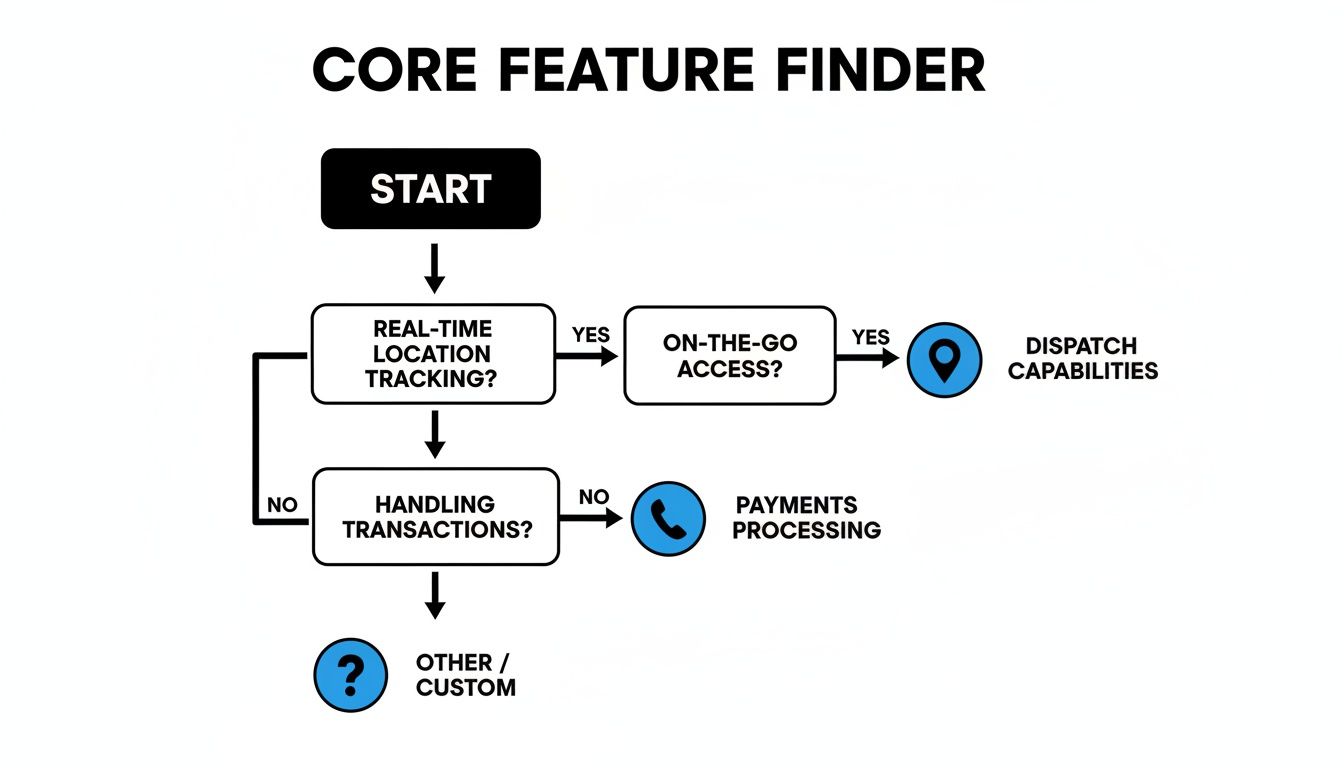
As the flowchart shows, different operational pain points point toward different software priorities. It’s a great way to clarify what you should be looking for first.
Evaluate Your Inventory Complexity
How you manage inventory is another huge fork in the road. Do your techs just need to track a handful of common parts on their trucks? Or are you trying to manage a complex web of materials spread across multiple vans and a central warehouse?
If your needs are simple, basic parts tracking tied directly to your invoices might be all you need. But if you’re constantly losing money on untracked parts or your guys are making extra trips to the supply house, you need a system with real inventory management. This means seeing real-time stock levels, creating purchase orders, and knowing exactly which parts are on which truck at any given moment.
Choosing the right software isn't about finding the one with the most features; it's about finding the one with the right features for your specific operational reality. A mismatch leads to paying for complexity you don't need or struggling with a tool that can't keep up.
Understand the Pricing Models
Software pricing can be confusing, but it usually boils down to two main types: per-user fees or tiered packages.
- Per-User Pricing: You pay a monthly fee for each person using the software. This can be a good deal for small teams, but the cost can climb quickly as you add people.
- Tiered Packages: These offer a set number of users and specific features for a flat monthly rate. This model gives you more predictable costs as your team grows within a certain tier.
Make sure to look closely at what’s actually included in each plan. Some companies will nickel-and-dime you for essential features like accounting integrations or priority support. When you’re weighing your options, it’s a good idea to check out the top contractor management software platforms to get a feel for what standard pricing and features look like.
Prioritize Onboarding and Support
Finally, whatever you do, don't underestimate how important implementation support is. A powerful tool is completely useless if your team doesn't know how to use it. Moving away from your old system—even if it was just a mess of spreadsheets and paper—is a delicate process.
Look for a software partner that offers dedicated onboarding assistance. This is non-negotiable. A good provider will help you move your customer lists, parts data, and job history over. They’ll also train your office staff and field techs so everyone feels comfortable from day one. This support is the single biggest factor in whether your team actually adopts the new system or fights it every step of the way.
Calculating the True Return on Your Investment

Let's get down to brass tacks. Beyond the slick features and neat workflows, the real question is always the same: what does this mean for my bottom line? A software subscription is an expense, no doubt. But the right job scheduling software for contractors isn't a cost—it's a revenue-generating engine.
Let’s translate those benefits into cold, hard cash.
Moving away from whiteboards and spreadsheets is a game-changer. While studies show 75% of construction pros rely on schedules for big decisions, a whopping 88% of those schedules fail to hit their targets. That gap is where profits go to die. The good news? Contractors who make the switch often report productivity boosts of 30-40%. You can dig into more of the data on how software impacts construction project targets.
Quantifying Your Daily Savings
The quickest wins come from plugging the small leaks in your day-to-day operations. Think about all the little ways you lose time and money. Smart scheduling and route optimization turn those drips into a steady stream of savings.
Let’s run the numbers on a classic scenario:
- Eliminating One Unnecessary Trip: Route optimization helps a tech avoid one 30-minute round trip back to the shop. Maybe it was for a forgotten part or just bad routing. At a loaded labor rate of $75/hour, plus fuel, you’ve just saved over $40. If you have a team of five techs and this happens just once a week, you're looking at over $10,000 back in your pocket annually.
Reclaiming Administrative Hours
Your office staff’s time is just as precious. When you automate tasks like invoicing, payment reminders, and customer follow-ups, your team can finally stop chasing paperwork and start focusing on growing the business.
This software doesn't just make you faster; it creates new capacity. Every hour saved on administrative tasks is an hour that can be spent on booking more jobs, improving customer service, or marketing your business.
Let’s say automation shaves just 15 minutes of admin work off each invoice. If your team closes 10 jobs a day, you’ve just freed up 2.5 hours of productive time. That’s 600+ hours over a year—a massive amount of capacity you can now point toward activities that actually build the business.
Boosting Revenue with More Billable Work
Ultimately, the biggest financial kick comes from getting more jobs done. When schedules are tighter, travel time is down, and communication is clear, your team can fit more billable work into every single week.
So, what does that look like in terms of revenue?
If smarter scheduling helps each of your five technicians complete just one extra job per week, and your average ticket is $400, that’s an extra $2,000 in weekly revenue. That one small improvement generates over $100,000 in new, high-margin revenue every year.
When you add it all up—the savings from optimized routes, the reclaimed admin hours, and the direct revenue from more completed jobs—the software often pays for itself within the first couple of months.
Your Step-by-Step Implementation Plan
A powerful new tool is only as good as its rollout. Adopting new job scheduling software can feel like a massive undertaking, but breaking it down into a clear plan turns a stressful overhaul into a smooth, manageable transition. This roadmap is all about getting value from day one.
The goal here is to move deliberately. You want to build a solid foundation before you officially flip the switch. This simple approach helps you avoid the chaos of a rushed implementation and ensures your team sees the new software as a helpful ally, not another frustrating hurdle.
Prepare Your Data for a Clean Start
Before you even think about importing anything, you need to clean up your existing data. Think of it like organizing your van before a big job—a little prep work now prevents major headaches later. Honestly, this is the most critical first step for a seamless transition.
Here’s where to focus your attention:
- Customer Lists: Go through and standardize names, merge any duplicate entries, and make sure every phone number and address is accurate.
- Parts Inventory: This is your chance to get rid of obsolete parts, verify your current stock counts, and clean up inconsistent naming. A tidy parts list makes a tool like TackonFSM's Elastic Parts Database infinitely more powerful.
When your team logs in for the first time to find reliable, accurate information, it builds immediate trust in the new system. That initial effort pays for itself by stamping out data-related errors before they can even start.
"Your new software will only be as accurate as the data you feed it. Taking a week to scrub your customer and parts lists before migration can save you months of troubleshooting down the road."
Onboard Your Team by Focusing on Their Wins
Your team’s buy-in is everything. The trick to getting them on board isn't just showing them a new tool; it's framing it around how it makes their specific jobs easier.
For your office staff, highlight the end of double-entry and chasing down technicians for timesheets. Show them the simple drag-and-drop dispatch board and how it takes the pain out of rescheduling. For your techs in the field, it’s all about the mobile app. Emphasize that they’ll have the entire job history, customer details, and digital forms right on their phone—no more messy paperwork or calling the office for information they forgot.
Configure the System and Launch with Confidence
With clean data and an engaged team, it’s time to dial in the software to match your workflow. This is where you’ll set up your job templates, customize invoice layouts to look just right, and configure automated reminders and follow-ups for your customers.
But don’t try to go live all at once. A phased approach is always best:
- Run Parallel Systems: For the first week, keep your old system running alongside the new one. It’s a great way to catch any discrepancies and build confidence.
- Go Live with a Small Group: Have one or two of your most tech-savvy technicians use the new system exclusively for a few days. They'll be great at finding any little kinks.
- Full Launch and Refine: Once you feel good about it, roll it out to the whole crew. Make sure to schedule a check-in after the first 30 days to get feedback and make any necessary tweaks.
By following this plan, you set your business up for a successful and low-stress switch to your new job scheduling software.
Got Questions? We’ve Got Answers.
It’s completely normal to have questions before making a big change to how you run your business. When you're thinking about new job scheduling software, you want to be sure it's the right move. Let's tackle some of the most common concerns we hear from contractors just like you.
"Is this software really worth it for a small shop like mine?"
Absolutely. For a small contracting business, efficiency isn't just a buzzword—it's what keeps the lights on. This kind of software takes over the exact tasks that drag you away from the tools and billable hours, like piecing together a schedule, calling to confirm appointments, or chasing down late payments.
Think of it this way: if the software helps you squeeze in just one extra job a month, it often pays for itself right there. The best platforms offer plans that scale with you, so you're not paying for features you don't need. It's an investment in getting your time back.
"Will my techs actually use a new mobile app?"
Yes, and here's why: the good apps are designed for them. They aren't clunky, confusing pieces of tech. A solid mobile app makes a technician's day easier, not harder. No more calling the office for an address or trying to read your handwriting on a work order.
Everything they need is right on their phone:
- Complete job details and notes like "watch out for the dog."
- The customer's full service history, so they know what they’re walking into.
- Digital forms and safety checklists they can tap through in seconds.
Plus, a good software partner won't just hand you the keys and walk away. They’ll provide real training to get your whole team comfortable. When techs see that an app genuinely helps them get the job done faster and with fewer headaches, they get on board quickly.
A mobile app isn't meant to be another chore for your technicians. It's designed to lift the administrative weight off their shoulders, freeing them up to focus on the expert work they were hired to do.
"How painful is it to switch from our current system?"
It’s much easier than you probably imagine, but only if you pick a software partner that has your back. The idea of moving years of customer data, service histories, and parts lists can feel overwhelming. The key is that you shouldn’t have to do it alone.
This is where you separate the good from the great. Look for a provider with a dedicated implementation team. These are the experts who will walk you through everything, step-by-step, from getting your data out of the old system to making sure it lands correctly in the new one. A hands-on, guided setup is the single biggest factor in making the switch smooth instead of stressful.
"Can this connect to my accounting software, like QuickBooks?"
Yes, and this should be a deal-breaker. Any scheduling software worth its salt is built to integrate with major accounting platforms like QuickBooks and Xero.
This link is a game-changer. It means you can stop wasting time with double data entry. When a tech creates an invoice in the field and the customer pays, that financial info zips right over to your accounting software—no manual input needed. It keeps your books clean, your accountant happy, and saves your office staff hours of tedious reconciliation work every week.
Ready to see how a tool built specifically for contractors can change your business? TackonFSM gives you drag-and-drop scheduling, an elastic parts database, and the dedicated support you need to make the switch a success. Find out for yourself with a 14-day free trial.


