Boost Efficiency with hvac inventory management software
At its core, HVAC inventory management software is a purpose-built tool that helps you get a grip on your parts, equipment, and materials. Think of it as a central command center that replaces those chaotic spreadsheets and frantic phone calls to see who has what on their truck. It's designed to give you a real-time view of your entire stock, from the main warehouse right down to the specific shelf in each van.
Why Disorganized Inventory Is Draining Your Profits

For an HVAC shop, a messy inventory is like a slow, silent refrigerant leak. You might not notice it at first, but it’s constantly draining the pressure—and profitability—from your operation. It’s a subtle problem that quickly snowballs into a major financial headache, one failed capacitor or missing filter at a time.
This isn't just about cluttered shelves in the back. We're talking about real, hard costs that pile up with every part you can't find.
The Hidden Costs of Poor Inventory Control
The most obvious pain point? The dreaded mid-job supply house run. When a tech shows up to a call only to realize they're missing a common contactor, the whole job grinds to a halt. That trip costs you way more than the part itself; you're bleeding billable hours, burning fuel, and shaking the customer's confidence. A simple one-hour fix can easily turn into a three-hour ordeal, completely blowing your profit margin.
But the financial drain runs deeper than just that. It shows up in several critical ways:
- Technician Productivity Loss: Every minute a tech spends digging through a disorganized van or driving to a supplier is a minute they aren't working on a paying job. It's that simple.
- Job Profitability Errors: Without an easy way to track parts, it’s all too common to forget to bill for the small stuff. A handful of wire nuts here, a roll of tape there—it feels insignificant, but it adds up to thousands in lost revenue every year.
- Shrinkage and Waste: Parts get lost, damaged, or even hoarded by well-meaning techs "just in case." Without a system to account for every single item, your valuable stock can vanish from the balance sheet.
"Until they’re used or installed at the job site, all parts are costs against your HVAC business. Without a reliable system in place, your operations and revenue will suffer."
This isn’t just an organizational problem. It’s a direct threat to your bottom line.
Plugging the Leaks with Software
This is exactly where dedicated HVAC inventory management software becomes a game-changer. It acts as the sealant for these financial leaks, turning chaos into predictable control. The U.S. HVAC Service Management Software Market is projected to surge from USD 0.68 billion in 2025 to USD 1.92 billion by 2035. Companies that adopt these platforms have reported a 32% jump in operational efficiency, much of which comes from having the right parts on hand and preventing jobs from stalling. You can dive deeper into the HVAC service software market trends on snsinsider.com.
By giving you a single source of truth for every part you own—whether it’s in the warehouse or on a truck—this software provides the visibility you need to reclaim lost profits and build a much more resilient business.
The Core Features of Powerful HVAC Inventory Software
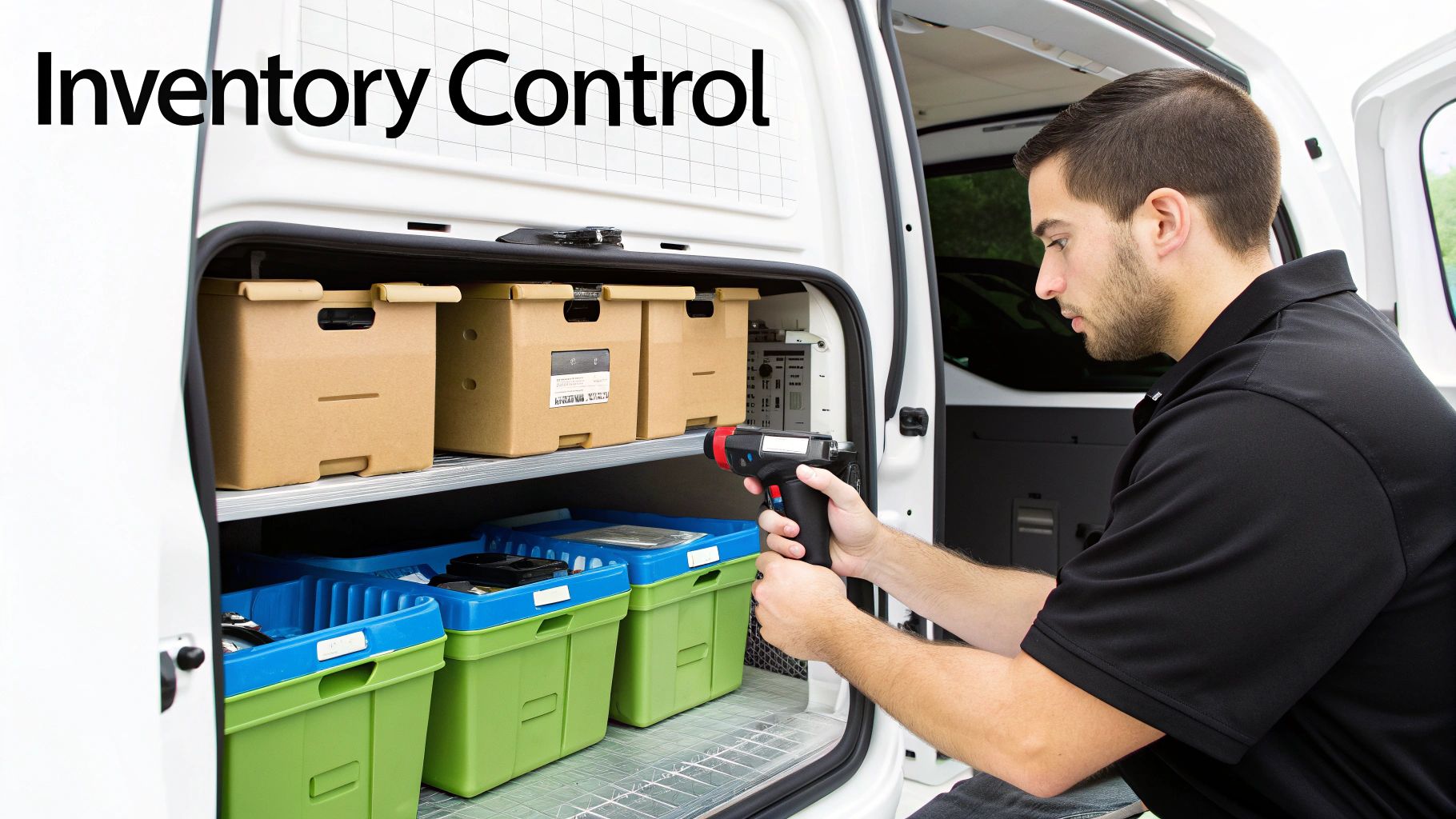
Good HVAC inventory management software does way more than just count parts. Think of it as the central nervous system for all your materials, connecting your main warehouse, every technician's van, and the office into one cohesive operation.
Let's cut through the noise and talk about the core capabilities that actually make a difference in your day-to-day grind and, more importantly, your bottom line. These aren't just flashy add-ons; they are essential tools designed to fix the specific, costly headaches that every growing HVAC business faces.
Multi-Location Tracking for Vans and Warehouses
If you wouldn't manage your techs without knowing where they are, why would you manage your parts that way? That’s the problem multi-location tracking solves. It gives you a complete, bird's-eye view of every single part you own, whether it’s sitting on a shelf in the shop or rolling around in a service van two counties over.
Instead of interrupting a tech with a phone call to ask if they have a spare capacitor, you can just look it up. This creates a single source of truth, ending the guesswork and stopping you from ordering a part you already had, but just couldn't find.
Automated Parts-to-Job Linking
One of the sneakiest ways HVAC shops bleed money is by not billing for every little part used on a job. A handful of screws, a small valve, a bit of refrigerant—it’s easy to overlook these things in the rush of paperwork, but they add up to thousands in lost profit every year.
This is where automated parts-to-job linking comes in. When a tech uses a part, they scan it or select it on their work order. The system instantly does three things: deducts it from their van's stock, adds the part and its correct price to the customer’s invoice, and logs its usage for future job costing.
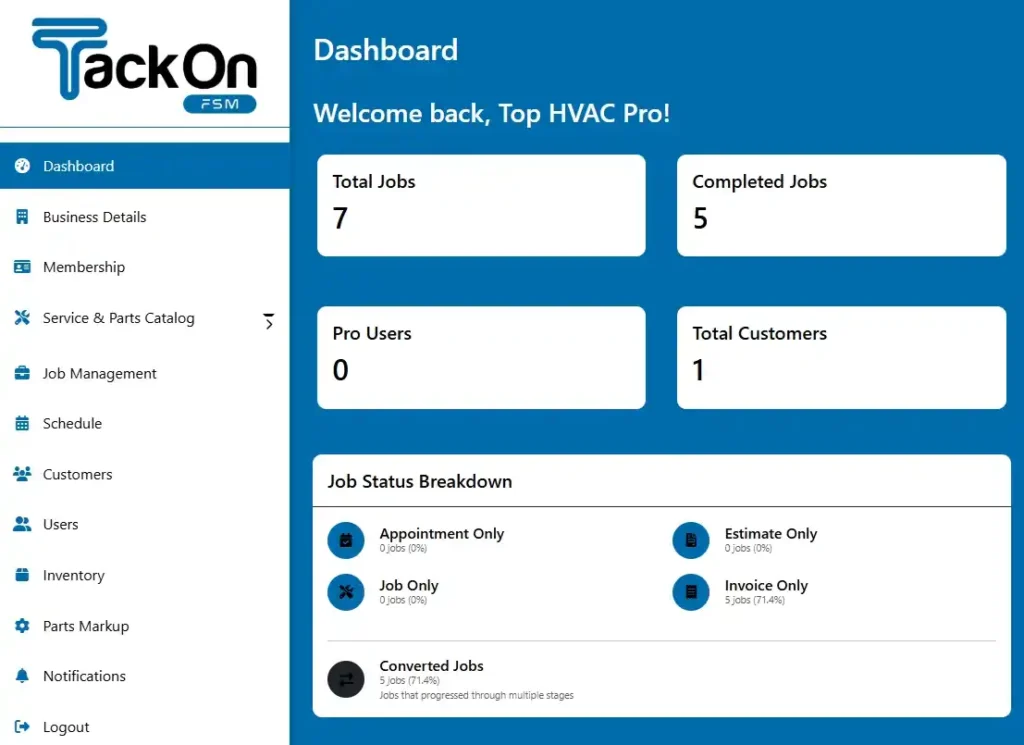
This simple step ensures 100% of materials are accounted for and billed, directly protecting your margins on every single call. You can see how this all comes together on a modern system dashboard: https://tackonfsm.com/wp-content/uploads/2025/10/tackon-fsm-dashborad-2-1024×745.webp.
Integrated Pricebook Management
Let's be real: supplier prices are always on the move. That compressor that cost you $400 last month might be $430 this month. If your team is quoting jobs from an outdated price list, you could easily be selling parts at a loss without even realizing it.
A dynamic pricebook lets you update supplier costs in one place, and those changes instantly ripple through your entire system—updating quotes, invoices, and job costing reports. It’s your financial shield, making sure your markups are always based on what you actually paid for the part.
An integrated system means that when a part is used, the data flows everywhere it needs to—from inventory counts to the final customer invoice. This connectivity eliminates the manual double-entry that creates errors and wastes valuable administrative time.
Mobile Barcode and QR Code Scanning
Typing things in by hand is slow and full of potential mistakes. A tech can easily fat-finger a part number or miscount how many fittings they used. Mobile barcode scanning lets your field team manage inventory with speed and laser accuracy, right from their phone or tablet.
With a quick scan, a tech can add parts to a work order, check items out of the warehouse, or receive a new shipment. It's also a game-changer for doing quick van inventory counts. This simple tech drastically cuts down on paperwork and boosts data accuracy, letting your technicians get back to what they do best: fixing things.
Seamless FSM and Accounting Integrations
Your inventory doesn't live on an island. It’s tied to everything—scheduling, dispatching, billing, and accounting. The best HVAC inventory management software isn’t a standalone tool; it’s baked into a complete Field Service Management (FSM) platform.
This creates a seamless flow of information. A job is scheduled, the tech uses parts from their truck, those parts are automatically added to the invoice, and the final payment data syncs right over to your accounting software like QuickBooks. No more entering the same data three different times.
When looking at software, it pays to see what intuitive software for smart inventory can do. These connected systems are changing the game. Think about it: automated invoicing can slash billing errors by 32%, and better parts data can boost first-time fix rates by 29%. For HVAC contractors, that translates to 32% productivity gains for techs who no longer have to hunt for parts or run to the supply house. That’s the difference between a basic tracking tool and a true business management solution.
To help you evaluate your options, we've put together a quick checklist of the must-have features.
Essential HVAC Inventory Software Features Checklist
| Feature | What It Does | Problem It Solves for Your Business |
|---|---|---|
| Multi-Location Tracking | Provides real-time visibility of parts in the warehouse and all service vans. | Eliminates "ghost inventory" and prevents buying parts you already own. |
| Parts-to-Job Linking | Automatically assigns parts used in the field to a specific work order and invoice. | Stops profit loss from unbilled materials and ensures accurate job costing. |
| Integrated Pricebook | Centralizes supplier pricing and automatically updates costs across the system. | Protects margins by ensuring quotes and invoices always reflect current part costs. |
| Barcode/QR Scanning | Allows techs to use their mobile devices to scan parts for fast and accurate data entry. | Reduces human error, speeds up administrative tasks, and improves inventory accuracy. |
| FSM & Accounting Sync | Connects inventory data seamlessly with scheduling, invoicing, and accounting platforms. | Ends manual double-entry, reduces errors, and gives you a complete financial picture. |
This table boils it down to the essentials. When you're looking at different software, make sure it ticks these five boxes. They are the foundation for taking control of your inventory and boosting your profitability.
Putting a Price on Chaos: How to Calculate Your Real ROI
Investing in HVAC inventory management software isn't just another line item on your expense report. It’s a strategic move to plug the hidden leaks in your cash flow. But to really see the value, you have to connect the dots between better organization and your bottom line. How does knowing where every filter and capacitor is translate into real dollars?
The trick is to look at the four key areas where disorganized inventory is quietly costing you a fortune. By putting a number on the savings in each of these spots, you can build a rock-solid case for the software. It stops being an expense and starts becoming a profit-generating tool.
Calculate Savings from Reduced Parts Shrinkage
Parts shrinkage—that slow, steady disappearance of inventory from theft, damage, or just plain getting lost—is a bigger deal than most owners think. Without a system keeping an eye on every part, it’s shockingly easy to lose thousands of dollars a year. It's like a constant, quiet drip, draining your revenue.
To figure out what you're losing, start with a conservative industry estimate for shrinkage, which is typically between 1% and 2% of your total inventory value.
- Let's Run the Numbers:
- Total annual parts purchases: $250,000
- Estimated shrinkage rate: 1.5%
- Annual loss from shrinkage: $3,750
With software tracking every move, you can clamp down on this loss. Cutting that shrinkage by just 75% puts nearly $2,800 back into your pocket every year. That alone often covers a big chunk of the software's cost.
Measure Gains from Increased Technician Productivity
Unplanned trips to the supply house are absolute profit killers. Every single time a technician has to drop what they're doing to fetch a part they swore was on the truck, your business is hemorrhaging money. You're paying for drive time, gas, and—the real kicker—billable hours that just vanished.
This is where the ROI gets massive. Let's break it down.
Figure Out the Cost of One Supply House Run:
- Lost billable time (e.g., 1.5 hours at a $120/hour rate): $180
- Technician's wage for that time (e.g., 1.5 hours at $35/hour): $52.50
- Fuel and vehicle wear: ~$10
- Total Cost Per Trip: $242.50
Estimate Your Total Annual Cost:
- If you have 5 technicians and each makes just one extra trip per week, you’re looking at 260 trips a year.
- Total Annual Loss: 260 trips x $242.50 = $63,050
Think about that. If new software helps you eliminate even half of those unnecessary trips by making sure vans are properly stocked, you’ve just clawed back over $30,000.
Investing in a system that ensures the right part is on the right truck at the right time isn't an operational luxury; it's a direct investment in billable efficiency and job profitability.
Factor in Higher First-Time Fix Rates
Homeowners want two things: speed and competence. A high first-time fix rate—getting the job done right on the very first visit—is one of the most powerful ways to earn a customer's loyalty. When your tech has the right part on hand, they're a hero. When they don't, it's just a frustrating delay.
This one is a little harder to put a precise number on, but the ROI is undeniable. Getting it right the first time leads to:
- Fewer Non-Billable Callbacks: You stop wasting payroll and fuel going back to fix something that should have been done already.
- Increased Customer Retention: Happy customers don’t shop around. They sign maintenance agreements and tell their friends about you.
- A Stronger Reputation: Being known as the company that "gets it done" means you can command better pricing and attract the best customers.
This boost in service quality is what fuels your long-term growth and makes your business more valuable.
Protect Your Profit Margins with Accurate Job Costing
Finally, you have to make sure you're actually charging for every part you use. Without an integrated system, it's way too easy for small, inexpensive components to get left off the invoice. It might not seem like much, but it erodes your profit margin on every single job.
Software that links parts directly from inventory to a work order ensures nothing gets missed. Every screw, wire nut, and capacitor is accounted for and billed at the correct price. If this stops you from losing just $15 in unbilled parts on two jobs per day, you’ve just recovered over $7,800 in a year. Suddenly, your inventory system isn't just tracking parts—it's actively guarding your profits.
A Practical Playbook for Switching to a New System
Making the jump from spreadsheets and handwritten notes to a real HVAC inventory management software can feel like a huge project. I get it. But the truth is, it's way more manageable than most people think. A successful switch isn't about flipping a switch and hoping for the best; it's a calm, step-by-step process that brings your whole team along.
This playbook breaks it all down into five clear stages. If you follow this map, you'll dodge the common headaches and have a smooth, low-stress transition that sets your business up to win for years to come.
1. Prepare Your Data for a Clean Start
The first, and most important, step has nothing to do with software. It's all about your existing data. You wouldn't build a house on a shaky foundation, right? The same goes for your inventory system. Before you even think about migrating, you have to get your current parts data in order.
This means finally standardizing all those part names—no more "Capacitor 45/5," "45/5 Cap," and "Capacitor, 45+5." Get rid of duplicate entries and double-check that your supplier info is actually correct. Starting with a clean, organized spreadsheet will make the actual move into the new software a thousand times easier.
Putting in this work upfront is non-negotiable. It prevents a "garbage in, garbage out" disaster and makes sure your new system is built on accurate, trustworthy information from day one.
2. Choose a Partner, Not Just a Platform
When you're looking at different software options, remember you’re not just buying a tool. You're picking a partner who will be key to getting this right. Look past the slick feature lists and really dig into what their support and data migration help looks like. A great software company will have a dedicated team ready to walk you through it.
Here are the questions you absolutely need to ask:
- Do you offer hands-on help with data migration? Will they actually help you get your clean parts list into the new system?
- What does your training actually look like? Do they offer live training for the office and for the techs in the field?
- What happens when we need help? Is it easy to get a real person on the phone when we’re stuck?
The right partner turns this into a team effort instead of just leaving you to figure it all out on your own.
3. Get Your Whole Team Onboard and Trained
For any new tool to actually work, you need buy-in from every single person who will touch it. That means your office manager, your dispatchers, and especially your technicians out in the field. Most of the time, pushback comes from a fear of change or the assumption that a new system will just be more complicated.
The trick is to show them how this software makes their specific job easier, not harder.
Your team has to see the "what's in it for me." For a tech, it means no more late-night paperwork and no more calling around to find out who has a part. For the office, it means fewer mistakes and getting invoices out the door faster.
Set aside real time for training and point out the direct benefits for each role. Once your team understands how the system helps them personally, they’ll be much more likely to actually use it. You can see how modern tools help with tasks like simplifying estimates and quotes.
4. Roll It Out with a Smart "Go-Live" Plan
When it’s finally time to launch, don't just pull the plug on the old way. For the first week or two, run your old system (like your trusted spreadsheets) right alongside the new software. I know it sounds like double the work, but it’s a critical safety net.
This "parallel" approach lets your team get comfortable with the new way of doing things without the pressure of a hard cutover. It also gives you a chance to spot and fix any little issues in your process before you ditch your old methods for good.
The broader HVAC software market is on a rocket ship, projected to grow from USD 1.973 billion in 2025 to USD 18.85 billion by 2035. That explosive growth is being driven by platforms that deliver proven 32% efficiency gains. With 41% of that coming from workflow automation, the implementation process itself is smoother than it's ever been.
This simple flowchart shows how those efficiency gains turn into real-world results for your business.
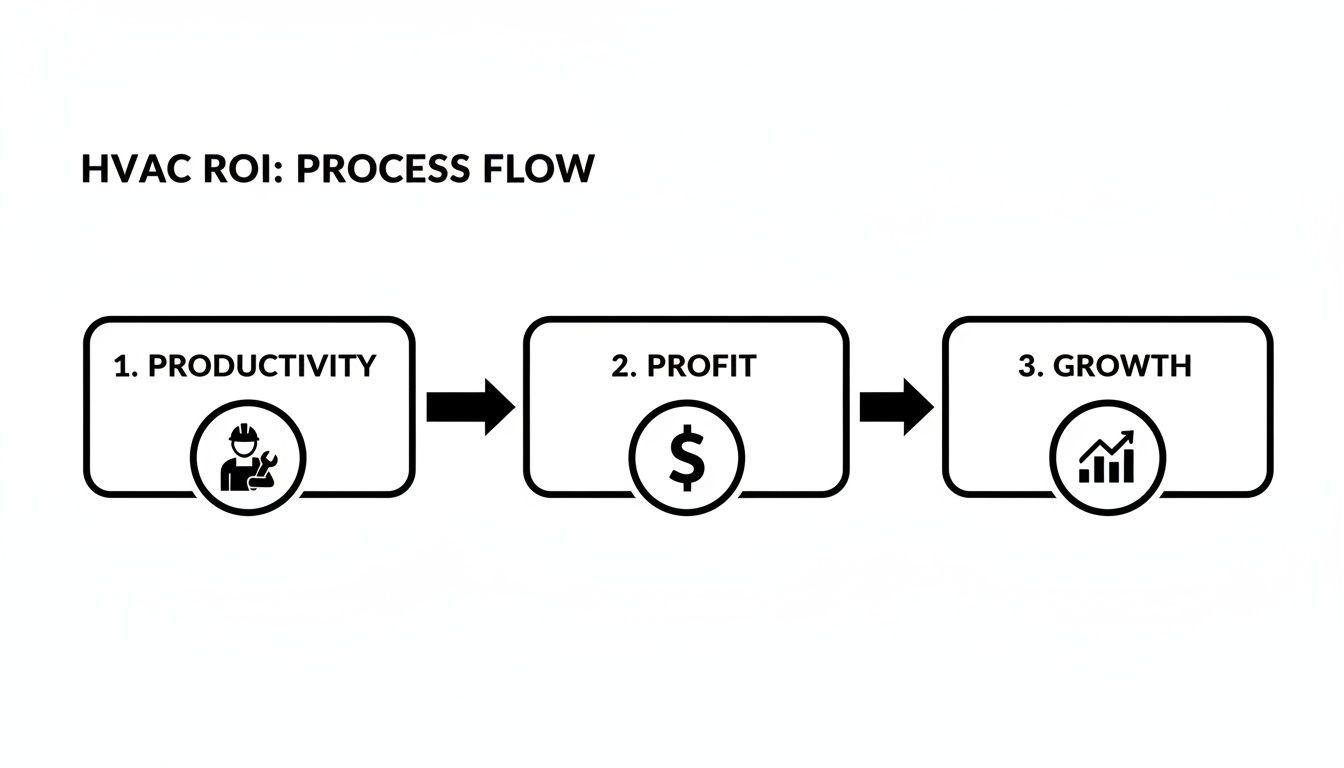
As you can see, making your techs more productive on the job directly leads to more profitable work, which is the fuel you need for sustainable growth.
5. Fine-Tune and Improve After Launch
Flipping the switch isn't the finish line—it's just the starting line. Once your new system is humming along, you can finally start using its reports to sharpen your operations. The data will show you which parts are flying off the shelves, helping you identify your most critical components.
From there, you can set smart reorder points to prevent stockouts before they happen. This is how you turn your inventory from a necessary evil into a strategic advantage.
How Top Software Solves Everyday Inventory Headaches

Let's get real for a moment and talk about a growing HVAC company. We’ll call it "Reliable Temp Control," run by an owner named Sarah. Business is booming, but her inventory is a complete mess and a constant source of stress. Her best tech, Mike, has a habit of hoarding popular parts in his van "just in case," which leaves the new guy showing up to a job without a needed capacitor. Back at the office, her manager is pulling her hair out trying to match scribbled parts lists to invoices, missing small but costly items along the way.
Sound familiar? This scene plays out in shops all over the country. When you're scaling up, it can feel like you're trying to conduct an orchestra where every musician has the wrong sheet music. This is exactly where modern HVAC inventory management software comes in. It’s the conductor that gets everyone—and every part—playing in perfect harmony.
From Van Chaos to Total Visibility
The very first problem this kind of software tackles is the mystery of "who has what." In Sarah's old paper-based world, finding a specific part meant calling every tech, interrupting their work, and burning through time. It's a massive productivity killer.
With a proper system in place, every van and the main warehouse become distinct, trackable locations. Sarah can glance at a single dashboard and see that Mike has three specific compressors on his truck, another van has two, and the shop is running low.
This real-time visibility makes a huge difference, almost immediately:
- No More Parts Hoarding: When Mike knows the office can see his stock and easily transfer parts if needed, he doesn't feel the need to keep his own private stockpile.
- Smarter Dispatching: A call comes in for a specific furnace control board. The dispatcher can see which technician is closest and already has the part, turning a potential two-trip headache into a one-and-done fix.
- Reduced Over-Ordering: Sarah finally stops buying parts she already owns but just couldn't find, freeing up cash that was stuck on the shelf.
The Power of a Pre-Loaded Parts Database
Another massive headache for Sarah was just the thought of getting started. Manually entering thousands of parts, descriptions, and prices into a new system felt like an impossible task. It’s a common roadblock that keeps so many contractors chained to their spreadsheets.
Top-tier platforms like TackonFSM get this. They solve the problem with a pre-loaded, elastic parts database. This gives you a massive head start by including thousands of common HVAC, plumbing, and electrical components right out of the box. Instead of building a pricebook from scratch, Sarah’s team can just search for parts and add them to their inventory in seconds. We're talking about saving dozens of hours in setup time and making sure all the data is clean and standardized from day one.
A shared, intelligent parts database is a game-changer. It transforms a daunting data-entry project into a simple search-and-add process, making a professional system accessible even for the busiest contractors.
Connecting Parts Directly to Profit
The final piece of the puzzle is tying your inventory directly to job costing and invoicing. In Sarah's old workflow, parts were almost an afterthought. They were jotted down on a work order and, with any luck, transferred to the final bill. This manual process was practically begging for errors and lost revenue.
Modern software weaves these functions together seamlessly. When a technician uses a part on a job, the process becomes dead simple and fully automated:
- Select the Part: The tech pulls up the digital work order on their tablet and adds the part they used.
- Inventory is Updated: The system instantly deducts that part from that technician's van inventory. No guesswork.
- Invoice is Populated: The part, along with its correct price and markup, is automatically added to the customer's invoice.
This closed-loop system makes it almost impossible to forget to bill for materials. It protects your profit margins on every single job. For Sarah, it means she gets crystal-clear data on which jobs are her most profitable, allowing her to fine-tune her pricing strategy for future growth. It's easy to see how this level of detail also helps with efficient field service scheduling, because you can make sure the right tech with the right parts gets to every job.
By solving these everyday headaches, the right software gives you powerful, enterprise-level control in a package built for a growing contractor. It turns inventory from a source of chaos into a strategic asset that fuels both efficiency and profitability.
Your Top Questions About HVAC Inventory Software, Answered
Jumping into new technology can feel like a big leap, especially when you're already juggling the daily chaos of running an HVAC business. It's totally normal to have questions and maybe a few reservations. Let's walk through some of the most common concerns we hear from owners who are thinking about making the switch. My goal here is to give you straight, honest answers to help you decide what's right for your company.
Making a good call comes down to having the right information. This section is all about clearing up any doubts so you can move forward with confidence.
Is My HVAC Business Too Small for Inventory Software?
This is probably the number one question we get, and the answer is a hard no. In fact, it's often the smaller, growing shops that see the biggest and fastest payoff. When you're watching every dollar, the cost of one lost compressor or a couple of wasted runs to the supply house can wipe out the profit from an entire day's work.
Modern HVAC inventory management software isn't the clunky, outrageously expensive enterprise software from a decade ago. It's built and priced for small-to-mid-sized contractors. It gives you surgical control over your cash flow by stopping you from over-ordering and makes sure you bill for every single part used on a job—which is absolutely critical when your margins are tight. It helps you build good, profitable habits from the ground up.
How Long Does It Take to Get Our Parts Data into the System?
The thought of manually typing in thousands of parts is enough to make any owner's head spin. That's a real concern. The good news is that modern systems are designed to make this as painless as possible. The initial setup time really depends on how organized your current records are, but if you have a parts list in a spreadsheet, the move can be surprisingly quick.
The secret is to look for a software partner, not just a product. A good provider will offer hands-on help with onboarding and data migration so you're not left to figure it all out on your own.
Their team will work with you to import your parts lists, supplier info, and current stock counts. This kind of support means you can get up and running in a few dedicated sessions, not a few weeks of soul-crushing data entry.
Will My Techs Actually Use a Mobile Inventory App?
Getting your technicians on board is everything. And yes, they will absolutely use a mobile app—but only if it's dead simple and actually makes their job easier. The last thing they need is another clunky tool that slows them down on-site. The key is finding a system that was clearly designed for someone in the field, with a clean, easy-to-navigate mobile interface.
Techs are quick to adopt anything that cuts out the annoying parts of their day.
- Instant Answers: They can see what’s on their truck without digging through bins.
- Faster and Right: Scanning a barcode to add a part to a job is way faster and more accurate than scribbling it on a notepad.
- No More Homework: It gets rid of the manual, end-of-day paperwork that nobody wants to do.
Once they see the app as a tool that helps them get jobs done faster and more accurately, they won't just use it—they'll wonder how they ever got by without it.
Why Not Just Use a Standalone Inventory Tool?
On the surface, a standalone inventory app seems like a simple fix. But it only solves a tiny piece of a much bigger puzzle. The real issue is that it creates information dead-ends. You'll still be stuck manually moving part numbers from your inventory tool into your schedule, and then again into your invoice. Every one of those manual steps is a chance for a typo or a forgotten part, which costs you time and money.
An integrated Field Service Management (FSM) platform weaves inventory into your entire operation. It creates a smooth flow of information that unlocks real efficiency.
- A tech adds a part to a job, and it’s automatically deducted from their van’s stock.
- That same part is automatically added to the customer’s invoice with the right price.
- The part’s cost is automatically factored into the job’s profitability report.
This seamless connection is what separates basic tracking from a true business management solution.
Ready to finally get a handle on your parts, protect your profits, and give your team the right tools for the job? TackonFSM builds powerful HVAC inventory management directly into a complete field service platform designed for growing contractors. See how you can plug the leaks and build a more profitable business by visiting https://www.tackonfsm.com to start your free trial.