

Choosing Your HVAC Business Management Software

Think of HVAC business management software as the central nervous system for your entire company. It’s a single, powerful platform built to handle everything from the first customer call to the final payment, connecting every moving part of your operation.
If you’re still juggling paper schedules, endless spreadsheets, and a chaotic whiteboard to run your business, you know how easily things can fall through the cracks. This software replaces that disconnected mess with one integrated system.
What Is HVAC Business Management Software
Ever feel like you're playing air traffic controller with nothing but sticky notes and a flip phone? Your technicians are the planes, customers are the passengers, and your office staff is trying desperately to prevent a collision. Without a central system, chaos is practically guaranteed. Phones ring off the hook, schedules get double-booked, and critical job details vanish into thin air.
For too many HVAC businesses, that's not an exaggeration—it's just a normal Tuesday.
This is exactly the problem HVAC business management software solves. It acts as your digital control tower, bringing every part of your business together into a seamless workflow. It creates a single source of truth that your entire team—from the office to the field—can rely on.
Instead of jumping between a dozen different apps and paper-based systems, you get one unified platform where:
- A customer’s call is logged and instantly becomes a new work order.
- Dispatchers can see a live map of their techs and assign the nearest, most qualified person for the job.
- Techs in the field get every detail they need—customer history, required parts, and service checklists—right on their phone or tablet.
- Estimates and invoices are built, sent, and approved on the spot, often before your tech even leaves the driveway.
Moving From Manual Chaos to Automated Control
At its heart, this software is about getting rid of the tedious, manual tasks that eat up your time and open the door for costly mistakes. Let's look at the real-world difference between the old way of doing things and the modern, software-driven approach.
This table breaks down the upgrade pretty clearly:
Manual Methods vs HVAC Software
| Operational Task | Manual Method (The Old Way) | HVAC Software (The New Way) |
|---|---|---|
| Scheduling | A physical whiteboard or a clunky spreadsheet that's always out of date. | A drag-and-drop digital calendar that syncs instantly with your technicians' mobile apps. |
| Dispatching | A frantic series of phone calls and text messages to coordinate routes and job details. | Automated dispatch alerts with optimized routes sent directly to a technician's device. |
| Invoicing | Technicians scribbling on paper invoices, which someone in the office has to decipher and manually enter. | Digital invoices generated from the work order and emailed to the customer for easy online payment. |
| Parts Tracking | A whole lot of guesswork. Techs just hope the right part is on the truck, often leading to multiple trips. | Real-time inventory levels for each van, so techs know they're prepared before they even arrive. |
This isn't just about making life a little easier. It’s a fundamental upgrade to how your HVAC business runs, boosting both your efficiency and your professional image.
It's no surprise that the industry is leaning heavily into this technology. The HVAC service management software market was valued at USD 1.49 billion in 2025 and is on track to hit USD 2.08 billion by 2030. You can get a deeper look at this trend in a report from Research and Markets.
By bringing all your operations under one digital roof, this software gives you the solid foundation you need to grow your business, increase your profits, and deliver the kind of experience that keeps customers coming back.
The Core Features Every HVAC Business Needs
Picking the right HVAC business management software is a lot like outfitting a new service van. You wouldn't send a tech out with just a single wrench, right? You give them a complete toolkit to handle whatever the day throws at them. The best software isn't about one flashy feature; it’s about a core set of tools that work together seamlessly, from the first call to the final payment.
Think of these features as the engine, transmission, and drivetrain of your business's operations. Get them right, and you’ll have the power to pull ahead of the competition, boost your bottom line, and keep your customers happy. Let's dig into the non-negotiables every HVAC company should be looking for.
Intelligent Scheduling and Dispatching
Your dispatch board is the command center for your entire field team. If you're still using a whiteboard or a clunky spreadsheet, you know the pain—it’s slow, full of mistakes, and you have zero idea what’s happening once a tech pulls out of the driveway. Modern software flips that chaos into a clean, drag-and-drop command post.
Dispatchers get a live map showing where every tech is, their current job status, and even their specific skills. A new call comes in? They can find the closest, most qualified technician and assign the job in seconds. This isn't just about speed; it means tighter service windows, more jobs per day, and a serious drop in fuel costs.
This diagram shows how a central system connects all the moving parts of your business, from dispatch and invoicing to customer management.
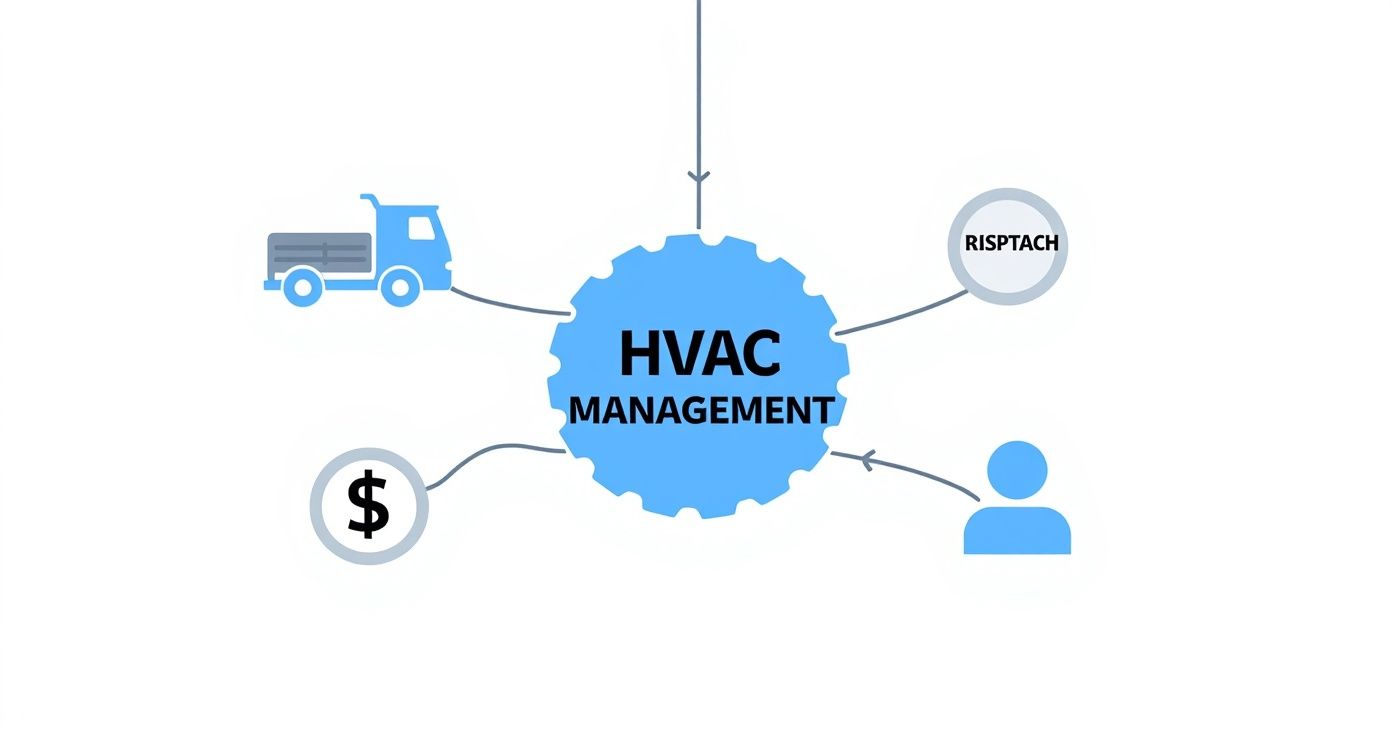
The big takeaway here is that nothing happens in a vacuum. Every part of your operation is a gear in a larger machine, and the software is what makes them all turn together smoothly.
A Powerful Mobile App for Technicians
The biggest communication breakdown in any trade business happens between the office and the field. A solid mobile app closes that gap for good, turning your tech’s smartphone or tablet into a mobile command center.
With a great app, your team in the field can:
- Access Full Job Histories: Techs walk onto a job site already knowing the equipment history, past repairs, and any notes. This means they're diagnosing problems faster instead of starting from scratch.
- Use Digital Checklists and Forms: Standardize your tune-ups and safety checks. This ensures every job meets your quality standards, with digital sign-offs for total accountability.
- Capture Photos and Videos: A picture of a cracked heat exchanger tells a much clearer story than a written note. It helps you document your work and show customers exactly why a repair is needed.
- Update Job Status in Real-Time: The office knows the second a tech is on their way, on the job, or finished. This visibility helps your dispatcher make smarter scheduling decisions all day long.
Honestly, a powerful mobile app is the single most important tool you can give your team for improving field efficiency. It empowers your techs to be true problem-solvers, not just order-takers, which directly improves first-time fix rates and customer satisfaction.
Real-Time Inventory and Parts Management
"I've got to run back to the shop for a part." We've all been there, and no customer ever wants to hear those words. Juggling inventory by hand leads to wasted time, extra trips, and unhappy clients. Software with built-in inventory control gives you a bird's-eye view of every part you own.
You can track stock levels in the warehouse and on every single truck. When a tech uses a capacitor on a job, they mark it in the app, and the system automatically deducts it from their van's inventory. This simple step makes sure you never run out of critical parts and, just as importantly, ensures every part used gets billed for.
Streamlined Estimating and Invoicing
Being able to build a professional, accurate estimate on the spot can be the difference between winning and losing a job. The right software lets you create a digital pricebook with all your parts, labor rates, and equipment. Your techs can then use it to build multi-option "good, better, best" quotes for the customer in just a few minutes.
Once the customer gives the green light with a digital signature, the software turns that quote into a work order and then into an invoice with one click. No more trying to decipher handwritten notes back at the office or manually re-typing everything. This speeds up the entire process and helps you get paid a whole lot faster.
Integrated Payment Processing
The job isn't done until the money is in the bank. Still chasing down paper checks or fumbling with an old-school credit card swiper? That's slow and inconvenient for everyone. Integrated payments let you take payment right on the spot through the mobile app or by texting the customer a secure payment link.
This isn't just about improving your cash flow by cutting down collection times. It’s about meeting your customers where they are. A report from Statista showed that mobile devices accounted for nearly 60% of global website traffic in 2022. People are used to doing everything on their phones, and offering them that same convenience for your services is a simple way to build trust and keep them coming back.
What's the Real ROI on This Software, Anyway?
Forget the flashy features and slick demos for a second. Every business owner, when it comes down to it, asks the same question: "What’s my return?" Buying HVAC business management software isn't just another line item on your expense report; it's an investment in a tool designed to make you money.
The real ROI isn’t just one number. It’s a mix of hard cash, smoother operations, and happier customers who stick around.
When you start looking at the software this way, you see its fingerprints everywhere. It’s the extra job your best tech squeezes in because the routing was smarter. It’s the steady, predictable cash flow from service agreements that renew automatically. You stop seeing software as a cost and start seeing it as the engine that drives your growth.
Turning Smarter Operations into More Cash
Many of the day-to-day improvements you'll see have a direct line to your bank account. The trick is connecting the dots from a software feature to the dollars it puts back in your pocket. Think of it like a perfectly tuned system—every part works together for a powerful, efficient outcome.
Here’s how that actually looks in the real world:
- Smarter Scheduling and Dispatch: Using a live map to send the closest tech doesn’t just feel modern; it cuts down on fuel costs and wasted drive time. Saving a few grand a year on gas is great, but the real win is fitting just one more high-ticket job into each tech's week. That alone can add tens of thousands to your annual revenue.
- Cutting Down on Office Busywork: Think about how many hours your office manager spends typing up handwritten notes, chasing down payments, or making reminder calls. Automating that grunt work frees them up to focus on things that actually grow the business, like following up with customers or helping with marketing.
- Nailing the First-Time Fix: When your tech shows up with the complete service history on their tablet and knows exactly which parts are on the truck, they solve problems faster. Fewer callbacks and second trips mean happier customers and a reputation for being the crew that gets it right the first time.
Investing in this kind of efficiency isn’t just a nice-to-have anymore. Your competitors are doing it. In fact, the Americas HVAC software market is expected to balloon from USD 2.4 billion in 2025 to USD 4.9 billion by 2031. Why? Because shops are using field service platforms to get more done with less waste. You can dig into the numbers yourself over at Mobility Foresights.
Finding the Money You're Leaving on the Table
Good HVAC software does more than just trim expenses—it actively helps you find and capture revenue you’re probably missing right now. It systematically makes your business stronger and more profitable.
Take a digital pricebook, for example. It lets your techs instantly show customers "good, better, best" options right on their tablet. This simple change often boosts the average ticket size because homeowners feel informed and in control of their decision.
Then there are the automated follow-ups for estimates that never got approved. A friendly, automatic email or text can be just the nudge a customer needs to say "yes" to a job they were on the fence about. We're talking about recovering thousands in potential revenue each month—wins that are nearly impossible to chase down consistently by hand.
When you add it all up, the ROI becomes clear. Better cash flow because you get paid on the spot, higher profit margins because you costed the job correctly, and loyal customers who love the professional experience—it all snowballs into a serious financial return.
How to Choose the Right HVAC Software
Picking the right HVAC management software can feel a lot like buying a new work truck. The options seem endless, and if you make the wrong choice, you’re stuck with a costly mistake for years. But if you follow a clear process, you can find a platform that fits your business perfectly—not just for today, but for where you want to be down the road.
The secret is to tune out the sales pitches and shiny feature lists, at least for a little while. Instead, start by taking a hard look at your own operation. Where are the real bottlenecks? What’s costing you time, money, or even customers right now?
This honest self-assessment is your true starting point. It shifts your search from a vague hunt for “good software” into a focused mission to solve your specific, day-to-day problems.
Start With Your Biggest Headaches
Before you even think about booking a demo, grab a notepad and list the top three to five issues that cause you the most grief. Is it the daily chaos of your scheduling whiteboard? Technicians arriving at a job site without the right parts? Or maybe it’s the black hole of chasing down unpaid invoices.
Get specific here. Don’t just write down “scheduling.” Instead, write “We keep double-booking jobs, and I spend an hour every morning rerouting techs.” This kind of clarity becomes your compass, pointing you directly toward a solution that’s actually built to fix your problems.
Once you have that list, you can start looking at software with a real purpose.
Separate Must-Haves From Nice-to-Haves
Now, it’s time to turn those pain points into a feature checklist. This is where you need to draw a hard line between your “Must-Haves” and your “Nice-to-Haves.”
- Must-Haves are the absolute deal-breakers. If a platform doesn’t have these, you cross it off the list, no exceptions. For most HVAC shops, this includes core functions like scheduling and dispatching, a reliable mobile app for your techs, and invoicing that’s tied directly to the job.
- Nice-to-Haves are the bonus features that would be great but aren't essential to running your business tomorrow. This might be an advanced reporting dashboard or an integration with a marketing tool you’re not even using yet.
This simple exercise is your guardrail. It keeps you focused on the features that actually move the needle for your business. It's way too easy to get wowed by a platform with a dozen flashy add-ons you’ll never use, all while it’s missing a basic function you can’t operate without.
The software industry is quickly moving to the cloud, with this type of deployment expected to capture 65% of the market by 2025. This shift provides powerful tools like remote job monitoring and real-time data, which should probably be high on your must-have list. You can dig into these trends in a detailed analysis from Future Market Insights.
The Critical Questions for Any Demo
When you finally sit down for a software demo, remember that you’re in the driver’s seat. Don’t just let the salesperson click through a canned presentation. You need to come armed with targeted questions that force them to show you exactly how their software solves your specific problems.
Here are a few essential questions you should always ask:
- Onboarding and Support: "Walk me through your onboarding process. Who will be my go-to person for help? More importantly, if my tech has an issue in the field at 7 AM, what does your support actually look like?"
- True Cost of Ownership: "Your pricing is X per month. Great. Now tell me about the hidden fees. Are there extra charges for data storage, premium support, payment processing, or certain integrations? What’s my total out-the-door cost going to be?"
- Integration Capabilities: "You say you integrate with QuickBooks. Show me. I want to see exactly how that sync works. What information moves back and forth, and how often does it happen?"
Asking tough, direct questions like these cuts right through the marketing fluff. It helps you understand not just what the software can do, but how it will actually function as part of your daily grind. Confidence in your final decision comes from this deeper level of understanding.
HVAC Software Buyer's Evaluation Checklist
To make this process even easier, we've put together a checklist. Use this table as you evaluate different software options to make a direct, apples-to-apples comparison. It will help you stay organized and ensure you don’t overlook any critical details.
| Evaluation Criteria | Questions to Ask | Your Notes |
|---|---|---|
| Core Functionality | Does it handle scheduling, dispatching, and mobile access seamlessly? Does the invoicing system fit our workflow? | |
| Ease of Use | Is the interface intuitive for both office staff and field techs? Can we get started without extensive training? | |
| Onboarding & Support | What is the setup process like? Who do we call for help? What are their support hours and typical response times? | |
| Cost and Scalability | What is the total monthly/annual cost, including all fees? Can the software grow with our business (add more users)? | |
| Mobile App | Is the mobile app reliable and fast? Does it work offline? Does it have all the features my techs actually need? | |
| Integrations | Does it integrate smoothly with our accounting software (e.g., QuickBooks)? What about other tools we use? | |
| Customer Reviews | What are other HVAC companies saying about this software on sites like Capterra or G2? |
This checklist isn't just a list of features; it's a framework for making a smart business decision. By filling it out for each platform you consider, you'll have a clear, documented reason for choosing the one that's truly the best fit for your team.
Solving Everyday HVAC Business Challenges
Let's be honest—a long list of software features doesn't mean much on its own. What really counts is how those features solve the daily headaches that keep you up at night. The best HVAC software isn't about fancy bells and whistles; it's about fixing the real-world problems your team runs into day in and day out.
We're going to connect the dots between those common operational snags and the practical solutions a good platform delivers.
Too many owners feel like they're just putting out fires all day instead of actually building their business. Whether it's a scheduling mess or revenue that seems to vanish into thin air, these little friction points bleed time and money.
The Problem of Disconnected Teams
One of the biggest hurdles for any service business is the communication gap between the office and the field. Your dispatcher is playing a stressful game of Tetris with the schedule, while your techs are out on the road, often blind to crucial customer history or last-minute job changes. This disconnect is a direct path to wasted time and unhappy customers.
The Challenge: A customer calls, annoyed, about the same issue your crew supposedly fixed last month. The technician driving to the job has no clue. Why would they? The notes from the last visit are sitting in a manila folder back at the shop.
The Solution: A unified software platform with a solid mobile app puts the entire customer history right on your tech's tablet. Before they even knock on the door, they can see past invoices, notes from the previous technician, and exactly what equipment is on site. This empowers them to get to the root of the problem faster, turning a potential complaint into a display of pure professionalism.
When you arm your field team with information, they stop being simple order-takers and become true service advisors. This has a massive impact on your first-time fix rate—a critical metric for both profitability and customer loyalty.
The Pain of Lost Parts and Revenue
Inventory is another massive headache. When parts aren't tracked meticulously, they have a funny way of disappearing from the van or getting used on a job without ever showing up on the final bill. Every time that happens, it's a direct hit to your profit margin.
The Challenge: Your tech arrives for a routine AC tune-up but doesn't have the right filter on their truck. Now they have to make a second trip, burning fuel and billable hours, all while making the homeowner wait.
The Solution: Real-time inventory management, like the system built into TackonFSM, gives you a live look at the stock on every single van. Before dispatch, the office can assign the required parts to the work order, making sure the tech shows up ready to go. When a part is used, the tech logs it in the app, which does two critical things automatically:
- The part is instantly added to the customer's invoice—no more forgotten charges.
- Your main inventory is updated, triggering an alert to reorder when stock gets low.
This simple, connected workflow plugs one of the most common leaks in an HVAC business's profitability. It replaces guesswork with a predictable, automated process that makes every job more efficient and ensures you get paid for every part you use.
Frequently Asked Questions About HVAC Software

Jumping into a new software platform is a major step, so it's completely normal to have questions. Getting straight answers is the only way to feel confident you're making the right move.
Here, we're cutting through the sales pitches to tackle the real questions we hear from HVAC owners every day. Think of it as a cheat sheet for your software search.
What Is the Typical Cost for HVAC Business Management Software?
The price tag on HVAC software is all over the map, but most platforms today work on a monthly subscription. You're likely looking at a range from $50 to over $400 per month.
What drives that cost? It usually comes down to three things:
- Number of Users: The more techs and office staff you have, the higher the monthly fee.
- Feature Set: A basic package with scheduling and invoicing will be on the lower end. If you need advanced inventory tracking, deep reporting, and marketing tools, you'll be looking at a premium plan.
- Business Size: Some platforms structure their pricing to grow with you, offering enterprise-level features for larger, more complex operations.
A pro tip: Always ask about the "total cost of ownership." Hidden fees for setup, data migration, or priority support can sneak up on you. Make sure you see the full picture before signing anything.
How Long Does Implementation Actually Take?
This really depends on your company's size and the state of your data. For a smaller shop with organized customer lists, you could be up and running in a week or two. Easy.
But if you're a larger company migrating years of job histories and customer data from an old system, it's more realistic to plan for four to six weeks.
The secret to a painless switch is having a dedicated person from the software company walking you through it. Good onboarding support for data import, team training, and setup makes all the difference between a smooth launch and a massive headache.
Ready to see how an all-in-one platform can get rid of your biggest operational headaches? TackonFSM was built to give HVAC owners the exact tools they need to schedule smarter, get a handle on inventory, and get paid faster. Start your 14-day free trial and see the difference for yourself.


