How to Track Inventory for Contractors and Boost Profits

Lost parts, surprise stockouts, and disorganized work vans aren't just minor headaches. For a contractor, they are silent profit killers. Getting a handle on your inventory isn't just a back-office chore; it's a core driver of profitability. Honestly, mastering your materials is just as crucial as winning your next big contract.
The True Cost of Unmanaged Contractor Inventory
For too many HVAC, plumbing, and electrical shops, inventory feels like a necessary evil. It's that mountain of copper fittings rattling around in the back of a van, the pile of capacitors collecting dust on a warehouse shelf, or the box of circuit breakers that "should be here somewhere." This casual approach, however, quietly drains your business of its most valuable resources: time, cash, and customer trust.

When you don't know exactly what you have and where it is, every part of your operation suffers. The financial hit goes way beyond the cost of the parts themselves. It shows up in a dozen hidden ways that relentlessly chip away at your margins.
The Real-World Financial Damage
Think about this all-too-common scenario for an HVAC company. A tech arrives at a service call for a dead AC unit, diagnoses a bad capacitor, and then realizes they don't have the right one on their truck. What happens next is a cascade of inefficiency we've all seen before:
- Wasted Labor: The technician now has to drive to a supply house. That trip can easily burn an hour or more, and you're paying for that non-billable windshield time.
- Delayed Jobs: That first "quick" job suddenly takes twice as long, pushing back the rest of the day's schedule. This can mean paying overtime or, even worse, having to cancel the last appointment of the day.
- Lost Revenue: A simple, profitable repair just became a low-margin hassle. The customer is frustrated, and you've lost the chance to fit in another paying job that day.
The real impact of poor inventory control isn't about losing a $10 part. It's about losing a $300 service call, wasting $50 in labor, and damaging a customer relationship you worked hard to build.
The Problem of Shrinkage and Tied-Up Cash
This lack of control also opens the door to inventory shrinkage—the industry term for lost, stolen, or damaged stock. When parts aren't tracked, they have a funny way of just disappearing from vans or the warehouse. This is a direct shot to your bottom line.
It's not a small problem, either. Industry trends show that by 2026, global retail shrinkage is projected to reach staggering new heights, with inventory discrepancies making up nearly 29% of all losses. For contractors, this highlights the very real risk of misplaced parts causing job delays and unhappy customers.
On top of that, poor tracking almost always leads to over-ordering. Without a clear view of your stock levels, you might order expensive components you already have sitting in a corner, tying up thousands of dollars in cash. That's money that could be used for marketing, payroll, or new equipment. This is where understanding your inventory becomes a critical financial strategy. Before we dive into the how, it’s essential to see why this matters so much to your business's health and to understand why having the right field service management software matters for your operations.
Setting Up Your Digital Warehouse and Van Stock
Alright, this is where you start turning the chaos of loose parts and paper lists into a system you can actually control. The goal isn't just to type everything into a computer; it's to create a digital mirror of your real-world stock—from the main warehouse shelves right down to the bins in every single van. When you're done, you'll be able to see exactly what you have and where it is, in real-time.
It all begins with a simple but crucial step: mapping out your storage locations. Instead of thinking of your inventory as one giant pile of parts, you're going to break it down into distinct, trackable spots. This bit of organization is the bedrock of the entire system.
Define Your Inventory Locations
First things first, make a list of every single place you store parts. And I mean every place. Get specific. "The back room" isn't good enough when a tech is stuck on a job and needs to know if a part is in the shop or on another van.
Your location list should be clear and logical. Think of it like this:
- Main Warehouse: The central hub where all new stock lands.
- Shop Overstock: That secondary area for bulk items or less-used parts.
- Van 1 – Chris R.: Tying the vehicle directly to its primary technician makes them the owner of that inventory.
- Van 2 – Maria S.: Now Maria is accountable for her mobile stockroom.
- Van 3 – Floating: Perfect for a shared van used by part-timers or different crews.
Structuring it this way immediately clears up who has what. In a system like TackonFSM, setting up these locations takes just a few minutes. You're basically creating the digital "bins" that you'll fill with your parts data.
Conduct the First Full Inventory Count
With your locations mapped out, it's time for the part everyone dreads but absolutely cannot skip: the initial, full physical count. I've seen shops try to shortcut this, and it always ends in disaster. This count is your baseline, your source of truth. Accuracy here will save you months of headaches.
My Advice? Don't try to tackle this alone. Make it a team effort. Block off a Friday afternoon or a slow morning, order some pizza, and get everyone involved. Hand out clear count sheets (or tablets) for each specific location to keep the process consistent.
As you start digitizing, you’ll need the right software. While a comprehensive field service management (FSM) platform is the end goal for most, it can be helpful to start with some free inventory tracking software just to get a feel for the basic principles.
Once the dust settles from your big count, you'll have all the data you need. Now you face a big decision: enter it all by hand, or use a smarter approach?
The Power of a Pre-Populated Parts Database
Let's be honest, manually typing in every capacitor, contactor, and copper fitting you stock is a nightmare. It’s slow, tedious, and practically guarantees mistakes. One person might enter "3/4 Copper Fitting," while someone else types "Fitting, Copper, .75in." Right away, you have duplicate items, and your inventory data is already a mess.
This is where having a system with a built-in, industry-specific parts list is a game-changer. For example, TackonFSM comes with an Elastic Parts Database pre-loaded with over 3,000 common HVAC, plumbing, and electrical items.
A clean, organized parts database in a modern FSM looks something like this:
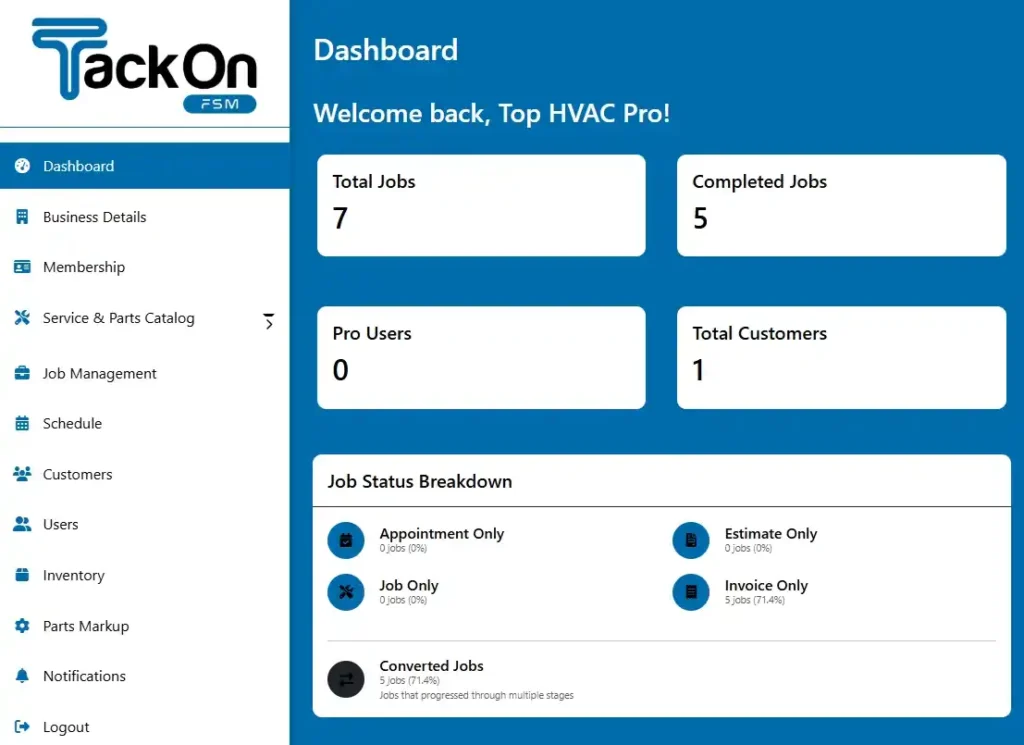
Instead of typing everything from scratch, your team can just search for the part, punch in the quantity you counted, and assign it to a location (like "Van 2 – Maria S."). This doesn't just save dozens of hours of mind-numbing data entry; it standardizes your entire parts list from day one. That consistency is absolutely critical for accurate job costing and setting up automatic reordering down the road. You can see a great example of how TackonFSM dashboards display this data for a clear, at-a-glance view.
By mapping your locations, doing a thorough first count, and using a pre-loaded database, you've just built a rock-solid foundation. Yes, this initial setup is the most labor-intensive part of the whole process. But it’s an investment that starts paying you back almost immediately in efficiency and profit. With your digital warehouse built, you're ready to master the daily workflows that will keep it perfectly in sync with reality.
Mastering Your Daily Inventory Workflows
Once you've mapped out your inventory locations and have initial counts, the real test begins. A perfect setup is just a starting point; the key to actually tracking your inventory lies in your team's daily habits. Your success depends entirely on building simple, repeatable workflows that keep your digital stock levels perfectly aligned with what's actually on the shelves and in the vans.
The goal isn't to add more busywork for your team. I’ve seen that fail time and time again. If a process feels like a chore, people will find a way around it. The trick is to embed these tracking tasks directly into the work your crew is already doing. We'll focus on three core daily routines: using parts on a job, restocking vans, and performing quick cycle counts.
Using Parts Directly from the Job Ticket
This is where the rubber meets the road. Every single time a technician uses a part, it has to be logged. Relying on scribbled notes or trying to remember everything at the end of a long day is a recipe for disaster. This process needs to be immediate and tied directly to the job ticket.
Think about your electrician, Sarah, on a panel upgrade. She pulls three 20-amp breakers and 50 feet of Romex from her van. Using her phone or tablet, she opens the current job, finds those parts in her inventory list, and marks them as used. Done. The system instantly deducts those parts from her van's specific stock.
This simple action is incredibly powerful. It ensures the parts are billed to the customer, updates her van's stock in real-time, and gives the office total visibility. No more phone calls trying to figure out what was used. No more forgotten parts eating into your profit margins.
This workflow completely eliminates the mystery of where parts go. Back at the office, the manager can see exactly which job consumed which materials, creating a perfect audit trail for accurate job costing. You’re connecting the action in the field directly to the financial pulse of your business. For a deeper look at these efficiency gains, check out our insights on how field service scheduling software saves time.
The foundation for these daily habits starts with a solid setup, as shown below.

Defining your locations, getting an accurate initial count, and loading that data into the system are the essential first steps that make accurate daily tracking possible.
The Van Restock Check-In and Check-Out Process
A technician's van is a rolling warehouse. Keeping it properly stocked is non-negotiable if you want to avoid extra trips and delayed jobs. A good check-in/check-out process transforms restocking from a chaotic scramble into a smooth, proactive routine.
Let's go back to Sarah. After she used those 20-amp breakers, the system flagged her van's stock as low. The office dispatcher, Tom, gets an alert without ever having to call or text her.
From there, the workflow is straightforward:
- Create a Transfer: Tom initiates a transfer in the system, moving 10 new breakers from the "Main Warehouse" to "Van 2 – Sarah."
- Pick and Pack: The warehouse manager sees the request, pulls the breakers, and marks the transfer as "In Transit." Now, everyone can see those parts are in limbo—no longer in the warehouse, but not yet on the van.
- Confirm Receipt: The next morning, Sarah sees the pending transfer on her device. Once she has the parts in hand, she confirms receipt, and the 10 breakers are officially added to her van's inventory count.
This structured process prevents stock from vanishing between the shop and the field—a frustratingly common problem. It creates a clear chain of custody for every part that moves.
Performing Quick and Painless Cycle Counts
Let’s be honest, nobody looks forward to the annual, all-hands-on-deck physical inventory count. It's a huge disruption, and the data is often out-of-date by the time you're finished. The smarter approach is cycle counting: performing small, frequent counts of specific items to catch errors before they spiral out of control.
Instead of counting everything in a van, you might ask a tech to just count their copper fittings on a Friday morning. It takes five minutes. They count 47 fittings, but the system says they should have 50. Now you have something to investigate. A quick look at their job history might show they forgot to log three fittings on a job two days ago. Problem solved.
This habit of frequent, small-scale checks is a game-changer.
- It keeps your data clean and trustworthy day in and day out.
- It tightens accountability and reduces shrinkage because techs know counts are regular.
- It shines a spotlight on broken processes, like a technician who consistently forgets to log materials.
To see the difference this makes, here’s a quick comparison of the old way versus the new.
Manual vs. Automated Inventory Workflows
| Workflow Task | Manual Method (Paper/Spreadsheets) | Automated Method (Integrated FSM) | Impact |
|---|---|---|---|
| Using Parts on Job | Tech writes parts on paper; office staff manually enters later. | Tech selects parts from a list on their mobile device in real-time. | Real-time accuracy, zero data entry for the office, parts are never missed on invoices. |
| Restocking Vans | Tech calls or texts a list; parts are handed off with no formal tracking. | Low-stock alerts trigger a digital transfer request; tech confirms receipt. | Proactive restocking, eliminates "lost" parts between locations, 20-30% reduction in emergency supply runs. |
| Stock Counts | Annual, weekend-long physical count of all inventory. | Quick, weekly counts of specific item categories (e.g., "fittings"). | Catches discrepancies within days instead of months, maintains over 98% inventory accuracy. |
By weaving these three workflows into your team’s daily routine, you shift from passively guessing about inventory to actively managing it. Your system stays accurate, stockouts become a rarity, and the communication gap between the office and the field finally starts to close.
Automating Reordering to Prevent Costly Stockouts
Just knowing what parts you have is a good start, but it won't stop a tech from making a last-minute, expensive run to the supply house because the one part they needed wasn't on their van. The real win comes when your inventory system starts working for you, automatically ensuring you have what you need, right where you need it.
This is all about getting proactive. Instead of waiting for a technician to remember to tell the office they're low on a part, you let the system do the heavy lifting. This shifts your inventory from a constant, reactive headache into a predictable, well-oiled machine. It all starts by setting clear reorder points for every part in every location.
Setting Minimum and Maximum Stock Levels
For every critical part—whether it's a specific furnace ignitor or a type of PEX fitting—you need to establish two key numbers for each van and for the main shop.
- Minimum Level (Min): This is your red flag. It’s the lowest quantity you’re comfortable having on hand before you need to order more. When stock dips below this number, the system automatically triggers an alert.
- Maximum Level (Max): This is your "fully stocked" number. It’s crucial for preventing you from over-ordering and tying up cash in parts that just sit on a shelf gathering dust.
Let’s say you decide every service van should carry at least three universal contactors (your min) but no more than eight (your max). As soon as a tech uses a contactor on a job and their van's inventory drops to two, the system immediately flags that part for reordering.
This simple min/max setup is the bedrock of automated replenishment. It takes the guesswork and human error out of the equation, which is where most stockouts happen. Your techs show up to jobs prepared.
By doing this, you're creating a direct link between what happens in the field and what happens in the office. It closes a common—and very costly—gap in how most contracting businesses operate.
From Reorder Alerts to Automated Purchase Orders
Once a part hits its minimum level, your system can spring into action. How this looks depends on your setup. A simple approach might generate a daily or weekly "to-order" list for your office manager, rolling up all the low-stock items from every van and the warehouse into one easy-to-read report.
But systems like TackonFSM can go a step further. You can configure them to automatically draft a purchase order (PO) for your preferred supplier. The PO will contain the exact quantity needed to bring your stock back up to the "max" level you set. All your office manager has to do is give it a quick review and click "approve."
This is a huge time-saver. It practically eliminates the administrative busywork and ensures orders are placed long before a part becomes critically low, saving you from those painful job delays and unhappy customers.
The Future is Predictive Ordering
This level of automation is only getting smarter. The next step is to use your own historical data to predict what you'll need before you need it. AI and machine learning are already making this a reality.
In fact, it's estimated that by 2026, over 75% of enterprise organizations will use AI in their inventory operations. Why? Because machine learning has been shown to slash forecast errors by up to 50%. For an electrical contractor trying to keep multiple crews stocked, predictive tools can prevent stockouts—much like how AI has already been shown to reduce lost sales by 65% compared to just using spreadsheets. You can get more details on these emerging inventory management trends and see how they are reshaping the industry.
Modern FSM software is already putting these ideas to work. The system can analyze your job history and spot seasonal trends—like the spike in capacitor usage you see every May, or the demand for specific heating elements that pops up in October. Using that data, it can recommend you adjust your min/max levels ahead of time, helping you lead the demand instead of just reacting to it.
Measuring What Matters: The KPIs That Drive Inventory Performance

A good inventory system isn't just about counting parts. It’s about understanding the financial health of your business. If you can't measure your inventory's performance, you can't improve it. This is what separates shops that just get by from the ones built for serious growth—moving beyond simple counts to tracking a few key performance indicators (KPIs).
These numbers translate all that raw data into a clear story, showing you exactly where you're making money and where it's leaking away. With a system like TackonFSM, pulling these reports isn't some manual chore you dread every month. It becomes an automatic part of your weekly review, giving you the hard data needed to make smart decisions that directly boost your bottom line.
Inventory Turnover Rate
Of all the metrics, inventory turnover rate is arguably the most powerful. It tells you how many times you sell through and replace your stock in a given period. A high turnover is a fantastic sign—it means parts are moving quickly out of the shop and off the vans, and your cash isn't just sitting on a shelf collecting dust.
The formula is straightforward:
Turnover Rate = Cost of Goods Sold (COGS) / Average Inventory Value
Think about it in real terms. A high turnover on a common furnace control board confirms it’s a bestseller. That tells you to keep those well-stocked on every truck. On the flip side, a really low turnover for an expensive compressor might be a sign you’re over-ordering. Maybe that part should be a just-in-time purchase instead.
Tracking turnover by individual item, not just for the whole business, is the real game-changer. It helps you fine-tune the stock levels on every single van for maximum efficiency.
This push toward smarter, data-backed inventory control is happening everywhere. The global market for inventory management software was valued at $2.7 billion in 2026 and is expected to explode to $9.4 billion by 2036. This massive growth shows a clear industry-wide shift away from clunky spreadsheets toward unified platforms that give contractors real-time control.
Shrinkage Rate
Shrinkage is the gap between the inventory your software says you have and what's physically there. It’s the stuff that gets lost, damaged, or stolen—and every bit of it is a direct hit to your profits. Calculating your shrinkage rate puts a hard dollar amount on those losses.
Here’s the calculation:
Shrinkage Rate = (Value of Lost Stock / Total Inventory Value) x 100
A consistently low shrinkage rate, typically under 1%, tells you your processes are tight. But if you suddenly see a spike, especially from a specific van or warehouse location, that’s a major red flag. It could be something simple, like a tech forgetting to log parts used on a job, or it could point to a bigger problem like theft. Without tracking this KPI, these losses would just silently eat away at your margins.
Stock-to-Sales Ratio
The stock-to-sales ratio is all about balance. It helps you keep enough inventory to meet customer demand without tying up all your cash in parts that aren't moving. This metric compares the value of inventory you have on hand against your actual sales.
You can figure it out with this formula:
Stock-to-Sales Ratio = Inventory Value / Net Sales
This ratio quickly tells you if your stock levels are in sync with reality. For example, if your sales are climbing but your stock-to-sales ratio is dropping, that’s a warning you’re heading for stockouts. On the other hand, if that ratio is climbing but sales are flat, you’re just accumulating dead stock and wasting money.
To truly get a handle on your inventory, it's worth learning from established methods. For a deeper look at optimizing your entire system, check out these essential asset tracking best practices.
By keeping a close eye on these three KPIs, you get an honest, clear picture of your inventory's health. This isn't just about how to track parts; it's about listening to what your inventory is telling you about your business, so you can improve cash flow, cut losses, and drive real profitability.
Answering Your Questions About Inventory Tracking
Making the jump to a real inventory system always brings up a few questions. That's a good thing. It means you're thinking through the details. Here are some honest answers to the questions we hear most often from contractors looking to get a handle on their parts.
How Long Does It Really Take to Get a Small Team Set Up?
For a shop with two to five technicians, you can be up and running in a matter of days. The heaviest lift is always that first physical count of everything in the shop and on each van. There's just no way around it.
But once you have those numbers, the software side is surprisingly fast, especially if you use a platform with a pre-loaded parts database and good import tools.
A realistic timeline looks something like this: Day 1 is your all-hands-on-deck physical count. On Day 2, you're plugging that data into the system and setting up your digital locations—think "Van 1," "Van 2," "Main Shop." By Day 3, you're walking your techs through the mobile app.
My Best Advice: Don't try to track every single wire nut and screw from the get-go. You'll drive yourself crazy. Focus on the 80/20 rule: track your high-value parts and your most-used items first. You'll solve most of your inventory headaches right there.
My Techs Hate New Technology. How Do I Get Them on Board?
This is probably the number one concern we hear, and it’s completely valid. No one likes being forced to change how they work. The key is to sell them on what’s in it for them.
This isn't about adding another administrative task to their day. It’s about making their job less frustrating. Frame it this way: no more calling the office to ask if a part is in stock. No more wasted trips to the supply house because the van wasn't stocked correctly. No more clunky paper forms.
When you choose your software, make sure the mobile app is dead simple. During training, only show them the one or two things they'll actually do every day, like adding a part to a job. A great trick is to find your "tech champion"—the person who's a little more comfortable with new tools—and get them to help their peers. When they see one of their own using it successfully, the resistance melts away.
Do I Have to Use Barcodes to Track Inventory?
Not at all. While barcode scanning is fantastic for speeding things up—especially for big restocking jobs or quick cycle counts—it's definitely not a day-one requirement.
Any decent inventory software will let your techs find parts just by searching for a name, number, or even a category right on their phone. For most small and mid-sized contractors, a searchable database is more than enough to get massive gains in accuracy.
You can always add barcodes down the road as you grow. The most important thing is to get a single, real-time source of truth for your stock levels.
What’s the Difference Between Using QuickBooks and a Dedicated FSM for Inventory?
This is a crucial question. Thinking they're the same is a common—and costly—misconception.
QuickBooks is accounting software. Its inventory module is built to tell you the financial value of your stock for your balance sheet. A Field Service Management (FSM) platform is built for the operational reality of your business. It tracks the physical movement and location of parts.
Here’s the practical difference:
- QuickBooks knows you own 10 universal capacitors worth $150.
- An FSM knows you have 3 on Van 1, 2 on Van 2, 5 in the main shop, and that you need to reorder because your minimum stock level for Van 1 is set to 5.
It’s that connection to the live field operations—the vans, the jobs, the technicians—that makes all the difference. An FSM gives you true operational control, not just a number for your accountant.
Ready to stop guessing and start tracking? TackonFSM gives you the tools to manage parts across your vans and warehouse, prevent stockouts, and protect your profits. See how our all-in-one platform can bring order to your inventory by starting your free trial today.