

How to Scale a Service Business From 2 to 20 Trucks
The biggest hurdle in scaling your trade business isn't finding more customers—it's changing your own mindset. You have to consciously move from being the best tech in the van to being the CEO in the office. It's a fundamental shift. The goal is no longer to work in the business, but to build a business that works without you.
Transitioning from Technician to Business Leader

Making that leap from owner-operator to a genuine business leader is the first real test of your commitment to growth. Right now, your value is probably measured by the tools in your hands and the jobs you personally complete. But to scale, your value has to come from building a team and designing systems that can handle dozens of jobs a day, whether you're there or not.
This means you have to stop being the hero who swoops in to fix every crisis. Instead, you need to become the architect who designs a company where those crises rarely happen in the first place. It's time to put down the wrenches and pick up the blueprints.
Chart Your Path to Scalability
Your first real move is to map out a vision that goes beyond just making it through the next payroll. Seriously, what does this business look like with 5 trucks on the road? What about 10? Or 20? This isn't just wishful thinking; it’s the strategic exercise that gives you a destination to aim for.
Next, draft an organizational chart for that future, scaled-up company. It might feel a little ridiculous when you're the only name you can write down, but trust me, this is a powerful step. It forces you to define every crucial role the business will need, creating "empty seats" that you'll gradually fill.
- Service Manager: The person who will eventually oversee all field operations and keep the techs on track.
- Dispatcher/Office Manager: The hub of your operation, managing the schedule, talking to customers, and handling daily logistics.
- Lead Technician: Your go-to senior tech for the tough jobs, who also mentors the newer guys.
- Inventory Manager: The person who finally gets your parts, ordering, and van stock under control.
By mapping these roles out now, you get a crystal-clear picture of all the hats you're currently wearing. This exercise is the key to separating the day-to-day tactical work from the high-level strategic thinking your business needs from you to actually grow.
The single biggest obstacle to scaling a service business is the owner's inability to let go and delegate. Creating a future-state org chart is the first step in identifying which hats you need to give away, allowing you to focus on high-value leadership activities instead of low-value administrative tasks.
Documenting Your Core Processes
Once you have a vision for the team, you need to document how you do things. Before you can hand a job off to someone else, you have to write down your "secret sauce." This doesn’t mean writing a 300-page manual no one will ever read. It's about creating simple, clear, repeatable checklists for your most important operations.
Start with the basics. What's the exact process for handling an incoming service call? How do you build a quote? What are the non-negotiable steps for closing out a job and getting paid?
These documents become the bedrock of your training program and the key to delivering a consistent customer experience. They are the building blocks that allow you to hand off responsibility with confidence, knowing the job will be done right, every single time. This is how you turn your personal expertise into a company asset—and it's the only real way to scale a service business from the ground up.
Building Systems That Run Without You
Let's be honest. Real growth isn't about you working 80-hour weeks or trying to be in three places at once. It's about building a business that delivers top-notch service even when you're not there. You have to get the "way you do things" out of your head and into a system your whole team can follow. This is the only way to scale without everything falling apart.
If you’re the only person who can quote a complex install, troubleshoot a tricky diagnostic, or smooth things over with an upset customer, you haven't built a business—you've built a prison for yourself. The goal is to create an operation that runs just as well whether you’re on-site or on vacation.
From Your Brain to a Playbook
The bedrock of any scalable service business is its collection of Standard Operating Procedures (SOPs). That sounds corporate and stuffy, but it’s really just a simple guide on how to do a specific task the right way, every single time.
Don't boil the ocean and try to write a 300-page manual overnight. Start small. Zero in on the most critical, repetitive tasks that happen daily. What questions are you tired of answering?
- Answering the Phone: What are the five pieces of information we absolutely must get from every caller?
- Building an Estimate: How do we mark up parts? What's our standard labor rate? Do we charge a diagnostic fee, and how is that presented?
- Performing a Tune-Up: What are the 21 non-negotiable checks on our official HVAC maintenance checklist?
- Closing Out a Job: How do we take payment? What paperwork or warranty info do we leave with the customer?
For each one, create a simple checklist or a quick guide with pictures. A "Job Completion Checklist" for your techs could be a laminated card in every van, but a checklist built right into their mobile app is even better.
A business without documented systems isn't a business at all—it's just a high-stress job you can't quit. Good SOPs are what turn you from a frantic owner into a strategic CEO.
This whole process is about eliminating guesswork. It empowers your team to act confidently and ensures every customer gets the same professional experience, no matter which tech knocks on their door.
Making Systems Stick
Creating systems is the easy part. Getting your team to actually use them is where the real work begins. Your seasoned techs have their own way of doing things, and they'll resist anything that feels like bureaucratic nonsense or clunky software.
The secret? The new way has to be easier than the old way.
Here’s how you get your team on board without starting a rebellion:
- Go Digital, Go Mobile: Nobody wants to flip through a dusty binder in the truck. Modern field service management (FSM) software lets you build custom checklists right into a phone or tablet. Techs can tap through steps, snap photos of their work, and get a customer’s signature on the spot.
- Show, Don't Just Tell: Instead of writing a wall of text on how to flush a tankless water heater, embed a link to a 2-minute video showing the exact process. Visuals are infinitely faster to understand when you're in a customer's basement.
- Get Your Team Involved: Don't create these SOPs in a vacuum. Pull in your best techs and ask for their input. They know what works and what doesn't in the real world. When they help build the process, they'll be the first to champion it.
Imagine a plumbing tech using their FSM app for a water heater install. The app prompts them to take a "before" photo, scan the new unit's serial number, run through a digital safety checklist, and take a final "after" photo. This isn't just about quality control—it's a bulletproof record of the job that protects your business from any "he said, she said" disputes down the road.
At the end of the day, standardizing your operations is how you scale quality right alongside quantity. It's the framework that lets you add more trucks and more people without sacrificing the very service that made you successful in the first place.
Turning Inventory Control Into a Profit Center
Poor inventory management is a silent killer of profitability. It's the hidden cost behind every last-minute supply house run, every lost part that never gets billed to a job, and every time a technician has to make a second trip because the right component wasn't on their van.
When you’re trying to scale, this chaos doesn't just slow you down—it actively eats into your margins and frustrates both your team and your customers.
The solution is to stop seeing inventory as a necessary evil and start treating it as a profit center. This mindset shift starts with gaining total visibility. You need a single source of truth that tells you exactly what parts you have, where they are (van #3, shelf B in the shop), and which jobs they’re assigned to. Anything less is just organized guessing.
From Van Chaos to Total Control
Most service businesses start with a decentralized system—each tech manages their own van stock, and the office has a vague idea of what's on the shelves. This breaks down the minute you add a third truck. Suddenly, you're double-ordering parts, techs are hoarding popular items, and nobody knows who has that specific capacitor needed for an emergency call.
Implementing a centralized inventory system is the first step toward sanity. This doesn't mean you have to store everything in one place. It means using a system, like the one in TackonFSM, where every single part is tracked digitally, no matter its physical location.
- Real-Time Van Stock: Your technicians see what's in their van directly from their mobile app. When they use a part on a job, they mark it as used, and the system automatically deducts it from their van's inventory.
- Central Warehouse Tracking: The same system manages your main shop or warehouse inventory, giving your office manager a complete picture of all assets.
- Automated Reorder Points: Set minimum quantity levels for your most-used parts. When stock drops below that threshold, the system automatically flags it for reordering, preventing stockouts before they happen.
This interconnected approach eliminates the frantic "Does anyone have a…?" texts that derail a busy day. It effectively turns your fleet of vans into a network of mobile warehouses, all managed from a single dashboard.
The data below shows that core operational functions are often the first targets for systemization, with inventory control becoming a critical priority as those initial systems reveal inefficiencies in parts management.
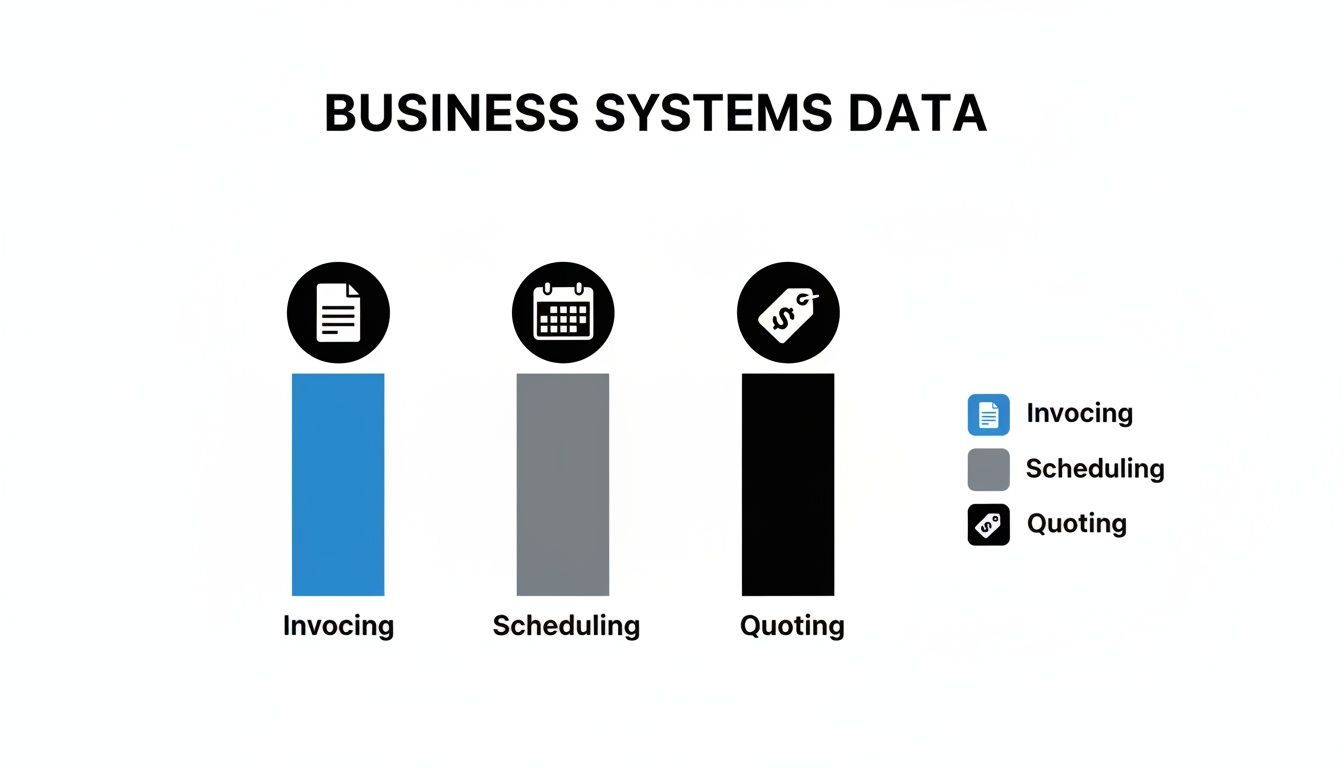
As you can see, quoting, scheduling, and invoicing are top priorities. Once you dial those in, you quickly realize how much profit is leaking out through poor parts control.
The Power of a Shared Digital Pricebook
Once you have control over your physical inventory, the next step is to standardize your pricing. A shared, digital pricebook is one of the most powerful tools for protecting your margins as you grow.
It ensures every technician, from your seasoned veteran to your newest hire, is quoting jobs accurately and profitably. A digital pricebook links directly to your inventory, so when a tech builds an estimate in the field, they are pulling from a pre-approved list of parts with correct pricing and markups already applied. This kills the "guesstimates" that bleed you dry.
Tying every part to a job is non-negotiable for scale. If a part leaves the van or the shop, it must be assigned to an invoice. This single discipline closes the loop on lost revenue and turns your inventory from a cost center into a direct contributor to your bottom line.
The financial upside here is massive and measurable. The following table breaks down the real-world impact of getting your inventory under control.
Financial Impact of Controlled vs Uncontrolled Inventory
| Metric | Uncontrolled Inventory (Spreadsheets/Paper) | Controlled Inventory (Using an FSM) | Annual Financial Impact (Example) |
|---|---|---|---|
| Parts Cost | Frequent emergency supply house runs with 10-20% markup; duplicate orders. | Bulk purchasing based on usage data; minimized rush orders. | $120,000 – $240,000 savings on $1.2M parts spend. |
| Lost/Unbilled Parts | 5-10% of inventory "vanishes" or is used without being billed. | All parts are tied to a job and invoice; near-zero unbilled parts. | Recaptured revenue of $60,000 – $120,000. |
| Technician Efficiency | Time wasted on second trips, searching for parts, calling office/other techs. | Techs know what's on their truck; can get parts from others easily. | Increased billable hours; improved job completion rates. |
| Customer Experience | Delayed repairs due to missing parts; inconsistent pricing creates distrust. | Faster first-time fixes; professional, consistent quotes and invoices. | Higher customer satisfaction and more repeat business. |
As the numbers show, companies that centralize inventory visibility can slash the emergency purchases that commonly add 10–20% to parts costs. For a contractor spending $1.2 million a year on parts, that translates to $120,000 to $240,000 in annual savings. You can find more data on the impact of these systems by reviewing these customer service statistics and benchmarks.
Ultimately, mastering inventory is about creating a predictable, repeatable, and profitable operation. It’s about ensuring your team has the right parts, at the right time, and that you get paid for every single one of them. That's how you build a business that's ready for real growth.
Putting Technology to Work in Your Field Operations
When you're serious about scaling your service business, technology stops being a nice-to-have and becomes the central nervous system of your entire operation. Without it, adding more trucks and technicians just means adding more chaos. Modern Field Service Management (FSM) software is the engine that actually makes growth manageable, connecting your office, your techs, and your customers on a single, unified platform.
This is about so much more than just getting rid of paper invoices. It’s a fundamental change in how you run your business. The right software drastically cuts down on administrative busywork, clears up the lines of communication between the field and the office, and ultimately lets you squeeze more billable hours out of every single day.
A Day in the Life With a Real FSM
Let's get practical and walk through how a typical day changes once you have an FSM system in place. The difference is night and day.
Picture your dispatcher’s screen. The messy whiteboard or confusing spreadsheet is gone, replaced by a clean, drag-and-drop scheduling board. Every technician's day is clearly laid out, with jobs color-coded by status—in progress, travel, completed.
When an emergency call comes in, the dispatcher can instantly see who is closest to the job, who has the right skills, and who has an opening in their schedule. With a few clicks, they can optimize the route, slotting in that extra job without adding hours of drive time. This isn’t just about getting organized; it’s about turning windshield time into revenue.
For your technicians, the change is just as big. They get a notification on their phone or tablet: new job assigned. They tap it and get everything they need right there:
- Customer Info: Name, address with one-tap navigation, and phone number.
- Job Details: The customer's exact description of the problem.
- Service History: A complete record of every past visit, including notes and photos.
- Needed Parts: A list of parts that are likely needed for the repair.
This kind of preparation means your tech shows up ready to solve the problem on the first visit, which does wonders for your first-time fix rate.
From First Call to Final Payment: A Seamless Workflow
Once on-site, the FSM app on the tech's tablet becomes their mobile command center. They can follow a digital checklist to make sure every step of a diagnostic or tune-up is done to your company's standards. Need to show the customer the problem? They can take photos and videos of the issue, which instantly upload to the job file for everyone back at the office to see.
When it's time to build a quote, the tech pulls parts directly from your company's digital pricebook. The pricing is already set, the markup is applied, and your margins are protected. They present a professional, itemized estimate to the customer right on their tablet, and the customer can approve it with a digital signature right then and there.
An FSM platform transforms your technicians from just skilled labor into efficient business operators. By putting quoting, invoicing, and payment tools in their hands, you empower them to close out jobs completely, freeing up your office staff from endless administrative follow-up.
As soon as the work is done, that approved estimate converts into an invoice with a single tap. The technician can take a credit card payment on the spot or send a secure payment link directly to the customer's phone. The job is closed, the payment is processed, and the system is updated—all before the tech’s truck even leaves the driveway.
This seamless process is the key to improving your cash flow and shrinking your Days Sales Outstanding (DSO).
Unlocking Your Team's True Productivity
At the end of the day, scaling a service business is all about getting more productive output from your team. Even small gains in the field have a huge compounding effect. For instance, if a company gets its techs to complete an average of 3.0 jobs per day instead of 2.5, that 20% jump in efficiency means 20% more billable jobs are getting done—without hiring a single new person.
Modern FSM platforms are what make this kind of leap possible. By bringing every part of the field workflow into one place, you give your technicians more time to do what they do best: solve customer problems and bring in revenue.
And if you want a glimpse into the future of on-site work, it's worth understanding how new tools are changing the game. Learning how Augmented Reality Field Service Explained works can show you the next step in optimizing how your team gets things done.
7. Build a Customer Experience That Sells Itself

In a market where every company promises quality work, your most powerful differentiator isn't your price tag—it's the experience you deliver. As you scale, you’ll quickly realize a standout customer experience is your best growth engine. It's what turns a one-time fix into a lifetime customer and a happy client into your best salesperson.
The goal is to make your customers feel informed, respected, and in control from start to finish. This doesn’t mean hiring more office staff to answer phones. It means using smart automation to provide a modern, professional experience every single time, letting you scale that personal touch without breaking a sweat.
Use Automation to Build Trust and Transparency
Let's be honest, the biggest source of customer frustration is almost always poor communication. We've all been there. The dreaded "Where's my technician?" call is a classic example. It infuriates the customer and ties up your team with a problem that is 100% preventable.
By modernizing your communication with simple, automated touchpoints, you can wipe out these friction points and build trust from the very first click.
- Automated Appointment Reminders: A simple text or email reminder sent 24 hours before a job works wonders. It drastically cuts down on no-shows and confirms you're on their schedule.
- "On-the-Way" Alerts: This is a huge one. When a tech marks themselves as en route in their FSM app, the system should instantly fire off a text to the customer. Include the tech’s name, their photo, and a link to a map where they can track the truck's ETA in real-time.
This kind of transparency isn't just a "nice-to-have" feature; it's a game-changer. It shows you respect their time and immediately positions you as a professional, reliable company they can count on.
Your customer's experience begins long before your technician rings the doorbell. It starts with the first phone call and is shaped by every text, email, and notification they receive. Automating these communications ensures a seamless, professional journey that sets you apart from the competition.
Go Digital, From Estimate to Invoice
Beyond scheduling, every interaction is a chance to impress your customer and make their life easier. This is where getting rid of paper and clunky old processes pays off big time.
Put yourself in your customer's shoes for the entire job cycle. Are you actually easy to do business with?
- Clean, Digital Estimates: Send professional, itemized estimates directly to your customer's phone or email. They should be able to review the details and approve the work with a quick digital signature—no printing, scanning, or hassle involved.
- Convenient and Secure Payments: Once the job is done, let them pay right away. A secure payment link sent via text is infinitely more convenient than fumbling with a credit card over the phone or waiting for a check to show up in the mail.
- Automated Review Requests: The perfect time to ask for a review is right after a successful job. You can set up an automation that sends a follow-up text or email a few hours after the invoice is paid, linking directly to your Google or Yelp profile.
Let's look at how technology can transform these key moments. Without it, you're leaving too much to chance, creating bottlenecks for your staff and a clunky experience for the customer.
Key Customer Experience Touchpoints and Automation Solutions
| Customer Touchpoint | Manual Process Problem | Automated Solution (with FSM) | Benefit |
|---|---|---|---|
| Appointment Booking | Phone tag, double-booking, delays in confirmation. | Customer self-books online through an integrated web portal. | Customer convenience, 24/7 booking, reduced admin work. |
| Pre-Job Communication | Customer uncertainty, no-shows, "where are you?" calls. | Automated 24-hour reminders and real-time tech tracking texts. | Builds trust, reduces wasted trips, frees up office staff. |
| Estimate Approval | Printing, scanning, lost paperwork, slow approval times. | Digital estimates sent via email/text with e-signature capability. | Faster approvals, professional image, secure record-keeping. |
| Payment Collection | Chasing checks, manual credit card entry, processing delays. | Techs collect payment on-site via tablet; secure payment links sent to customer. | Improved cash flow, customer convenience, reduced accounts receivable. |
| Post-Job Follow-Up | Forgetting to ask for reviews, inconsistent feedback requests. | Automated texts/emails sent post-payment asking for a review. | Boosts online reputation, gathers valuable feedback effortlessly. |
These automated systems do more than save time. They create a modern, frictionless experience that today's customers expect. And a great experience is the foundation for getting people to talk about you. You can dive deeper into specific strategies for generating customer referrals to keep your pipeline full.
The numbers back this up. Research shows 75% of customers will spend more with brands that provide excellent service. This is how you build a rock-solid reputation that fuels real, sustainable growth.
Answering the Tough Questions About Scaling
When you decide it’s time to grow your service business, a lot of questions start swirling around. These are the real-world, practical problems that keep owners up at night. Let's break down some of the most common questions I hear from HVAC, plumbing, and electrical contractors who are making the leap from a one-man show to a full-fledged company.
When Is the Right Time for Field Service Management Software?
Honestly, the best time to get FSM software is before you think you need it. So many owners wait until they're drowning in paperwork, sticky notes are falling off the dispatch board, and they’re losing money because of scheduling mix-ups. That’s reactive. Be proactive.
The sweet spot is right around when you hire your first or second technician.
By putting a system in place early, you’re building your business on a solid foundation. You bake efficiency into your company's DNA from the get-go. As you hire new people, you just plug them into a system that already works. This makes training a breeze and avoids the headache of trying to break bad habits down the road.
If you’re already juggling spreadsheets for scheduling, a whiteboard for dispatch, and a shoebox of paper invoices, you’re feeling the pain. The money you’re losing from missed appointments, unbilled parts, and wasted drive time is almost always more than what you'd invest in the right software.
How Can I Get My Techs to Actually Use New Technology?
This is a big one, and it all comes down to a simple truth: the new tech has to make their job easier, not harder. Your technicians are out in the field solving problems for customers; the last thing they want is another administrative task that slows them down.
Start by picking software with a clean, simple mobile app. Then, when you introduce it, frame it as the solution to their biggest headaches.
- Show them what’s in it for them. In your next team meeting, don't just talk about features. Show them how the app completely eliminates the messy paperwork they hate. Demonstrate how they can pull up a customer’s entire service history on the spot or check parts pricing without ever having to call the office.
- Run a small pilot program. Don't force it on everyone at once. Pick one or two of your most tech-friendly technicians and let them run with it for a couple of weeks. Their success stories will do more to convince the rest of the crew than anything you could say.
- Train them properly and listen. Set aside real time for training—don't just hand them a login and hope for the best. And just as importantly, listen to their feedback. When your team sees the software as a tool to help them work smarter, not a big-brother tool for the office, they'll get on board fast.
The goal is to show them this isn’t just another thing to do; it’s a tool that helps them get jobs done faster, look more professional, and get paid without the usual hassle.
What Are the Most Important KPIs to Watch When We're Growing?
As you get bigger, just looking at your bank account balance isn't going to cut it. You need to know the numbers that tell the real story of your business's health. These Key Performance Indicators (KPIs) are your dashboard, telling you where you're winning and where you're bleeding money.
A good FSM system with solid reporting makes this easy. Instead of spending hours digging through spreadsheets, you get a live look at how things are going.
Here are the KPIs you absolutely have to keep an eye on:
- Gross Profit Margin Per Job: This is the big one. It tells you if you're actually making money on each job. High revenue means nothing if your margins are razor-thin.
- Average Jobs Per Technician Per Day: This is a straightforward measure of productivity. Bumping this number up, even by a little, can have a huge impact on your bottom line.
- First-Time Fix Rate: Are your techs closing out jobs on the first visit? This KPI tells you if they have the right parts on the truck and the right info before they arrive. A high rate means happier customers and a more efficient team.
- Revenue Per Technician: This helps you see who your top performers are and who might need a bit more training or support.
- Days Sales Outstanding (DSO): How fast are you getting paid? This tracks the time between finishing a job and having cash in the bank. Keeping your DSO low is absolutely critical for managing cash flow when you're growing fast.
Ready to stop guessing and start knowing? TackonFSM gives you the tools to manage your schedule, inventory, and finances from a single, easy-to-use platform. See how it can streamline your operations and give you the clarity you need to scale with confidence.


