Free Field Service Management Software: Your Quick Guide to the Right Solution
Let's get right to it: when you see the words "free" field service management software, it's almost never a full-featured, no-strings-attached solution. It's usually a freemium plan, which is more like a starter toolkit—enough to handle a handful of simple jobs before you realize you need the complete professional set.
What Free Field Service Management Software Really Means

It’s smart to be a little skeptical when powerful business software is advertised as "free." In reality, this almost always refers to a freemium model, which serves as an entry point to the provider's paid plans.
This is a common and perfectly legitimate business strategy. Software companies give you a taste of their platform with a basic, often heavily restricted, version at no cost. The idea is to let you get a feel for the interface and a few core functions, banking on the fact that as your business grows, you'll need to upgrade to unlock the features required to run your operation efficiently.
The bottom line is that any free FSM plan involves a trade-off: you save money upfront but give up the powerful tools that actually boost your bottom line, like real-time inventory tracking, a fully functional mobile app for techs, and smooth accounting integrations.
Understanding the Freemium Model
Think of it like getting a new service van. A free FSM plan is like getting that van with just a driver's seat and a steering wheel. There are no ladder racks, no shelving for parts, and the gas tank is tiny. Sure, it can get you on the road, but you can’t run a professional trade business out of it for long.
A typical free plan will probably corner you with:
- Limited Users: Most are restricted to a single user, which is a non-starter if you have an office admin and even one technician in the field.
- Job or Work Order Caps: You might be limited to creating just 10 or 20 jobs per month. Once you hit that ceiling, you’re forced right back to using clunky spreadsheets.
- Basic Features Only: You'll likely get a simple calendar and customer list but miss out on the must-have tools for trades, like professional estimating, invoicing, and inventory control.
The best way to see the gap is to put them side-by-side. Let's compare what you'll find in a typical free plan versus a standard paid subscription built for a growing trade business.
Free vs Paid FSM Feature Comparison
The table below breaks down what you can realistically expect from a free FSM plan compared to a standard paid tier. This is especially helpful for understanding the capability gap when you’re looking at options for your HVAC, plumbing, or electrical business.
| Feature Category | Typical Free Plan | Typical Paid Plan |
|---|---|---|
| User & Tech Licenses | 1 user only | Multiple users for office staff and technicians |
| Job Scheduling | Basic calendar; 10-20 jobs per month limit | Unlimited jobs; drag-and-drop dispatch board |
| Estimates & Invoicing | Limited or non-existent; no customization | Full-featured estimating, invoicing, and digital approvals |
| Mobile App | Read-only access or very limited functionality | Fully functional app for technicians to manage jobs |
| Inventory Management | Not included | Real-time inventory tracking across multiple vans/warehouses |
| Accounting Integration | No integration with QuickBooks, Xero, etc. | Seamless, two-way sync with accounting software |
| Customer Support | Email or community forum support only | Phone, chat, and dedicated onboarding support |
As you can see, the free plan is designed to be outgrown quickly. Once you need to manage a real team, handle a steady flow of jobs, or connect with your accounting software, you’ll hit a wall.
The Hidden Costs of Sticking with a Free FSM Plan

The idea of a free field service management software plan sounds great on the surface. Who doesn't love free? The trouble is, these plans often end up costing you far more than you think in the long run. These aren't costs you’ll see on an invoice; they’re the subtle, frustrating drains on your time, efficiency, and growth potential that can slowly bring your business to a halt.
The first wall you'll hit is usually a hard limit, put there specifically to nudge you into a paid plan. Imagine your HVAC business is finally picking up steam. It's the middle of the month, and you suddenly hit your plan's 10-job limit. Just like that, you can't create another work order. Your dispatcher is thrown back into the chaos of spreadsheets and sticky notes.
Now, an emergency call comes in for a busted AC unit. Without your system, you can’t quickly see which tech is nearby or has the right parts. That delay doesn't just frustrate a customer in need—it can cost you the job and any future business from them. Suddenly, that "free" software has a very real price tag attached.
The True Price of Operational Inefficiency
Beyond those hard limits, the real costs start to pile up in the little things you do every day. A free plan is often full of gaps, and you're the one left trying to patch them together with manual workarounds. This eats away at your most valuable asset: time.
Here’s how that inefficiency plays out:
- Wasted Admin Hours: If your software lacks decent invoicing features, your office manager could be spending hours every week manually creating invoices, double-checking notes, and chasing down payments. That’s time they could have spent on marketing or calling past customers to book new jobs.
- A Lack of Professional Polish: Sending a plain, unbranded invoice from a free tool doesn't exactly scream professionalism. A polished, branded invoice reinforces the quality of your work and gives customers confidence they hired the right team.
- Clunky Field-to-Office Communication: When your technicians can't update a job's status, upload photos of their work, or pull up customer history on a mobile app, what do they do? They call the office. All those back-and-forth calls and texts disrupt everyone's day and create a ton of unnecessary noise.
A free FSM plan is like trying to build a deck with just a hammer and a handsaw. You might get it done eventually, but it’s going to be slow, frustrating, and nowhere near as good as what you could build with the right power tools.
Stagnation in a Growing Market
The daily headaches are one thing, but the limitations of free software can actually stop your business from growing. As other service companies modernize their operations, sticking with manual processes or a bare-bones tool puts you at a serious competitive disadvantage.
The U.S. field service management market hit $2.6 billion in 2024 and is expected to reach $3.09 billion by 2026. This isn't just a random statistic; it shows that your competitors are investing in tools to get faster, smarter, and more responsive. You can learn more about the FSM software market growth on ibisworld.com. Staying put on a free plan while everyone else moves forward is a surefire way to get left behind.
In the end, the biggest hidden cost is stagnation. The free tool that helped you get started becomes a ceiling that holds you back, making it nearly impossible to add more techs, take on more work, and build the profitable, scalable business you're capable of.
Core FSM Features Your Trade Business Cannot Afford to Ignore
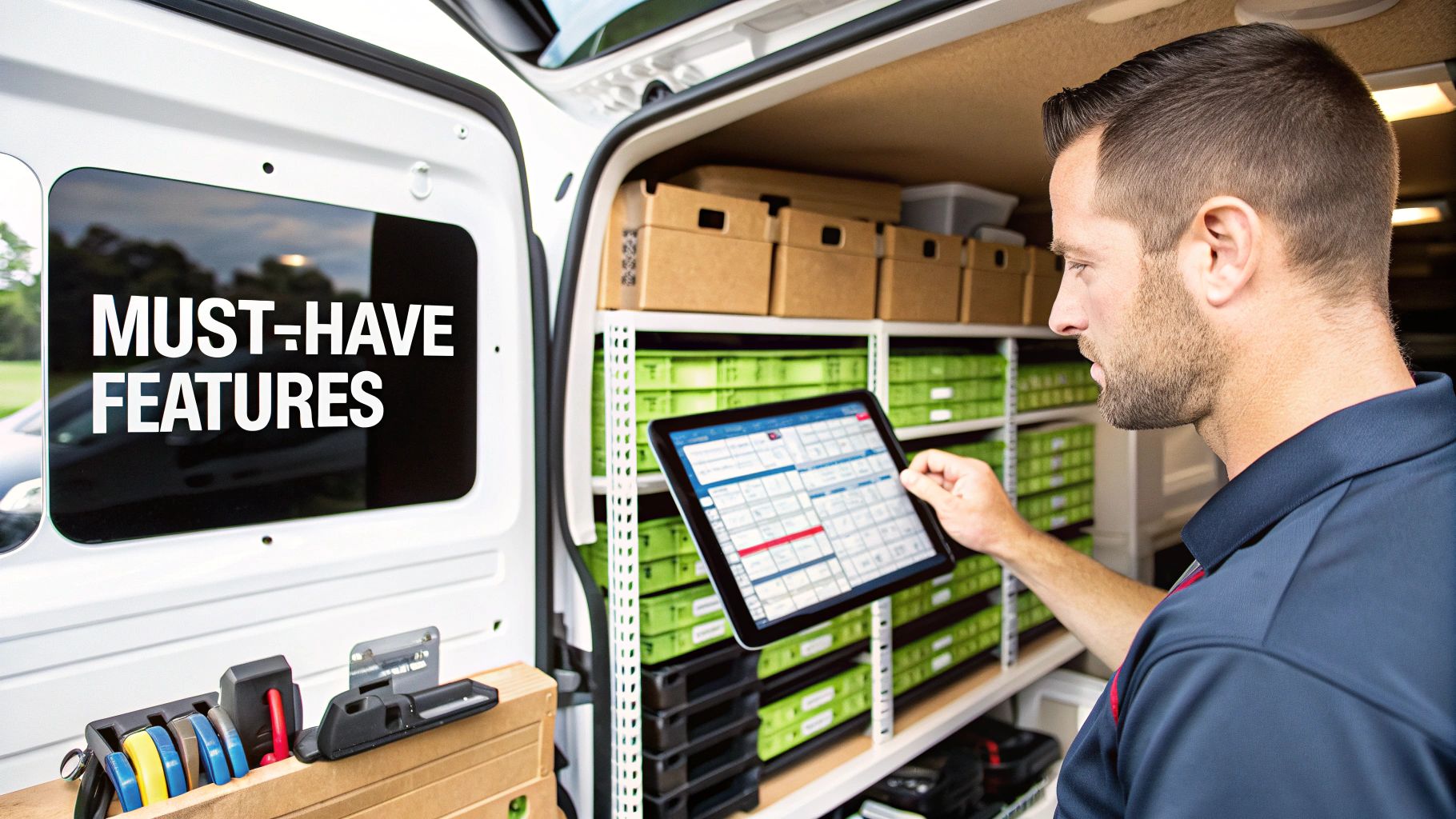
When you're ready to move past the limits of a free plan, the focus shifts to tools that don't just organize your business—they actively make you money and slash wasted time. For any hands-on trade like HVAC, plumbing, or electrical work, certain features are the absolute bedrock of a profitable operation. They’re the non-negotiables that solve those daily headaches and put more cash in your pocket.
As you look at paid software, think about how each feature would specifically help different tradie businesses tackle their unique day-to-day challenges. The right system should feel like it was built just for you, not some generic, one-size-fits-all program.
The good news is that you're not alone. While on-premise setups held 54% of the market back in 2025, cloud-based systems are catching up fast, growing at a rate of over 15.1% a year. This trend is putting powerful, enterprise-level tools into the hands of smaller contractors without the massive upfront investment.
The Power Trio: Scheduling, Mobile, and Invoicing
Let’s start with the heart of your operation: the dispatch board. Forget clunky spreadsheets or a whiteboard full of scribbles. A proper FSM gives you a dynamic, drag-and-drop schedule. Your dispatcher can see where every tech is in real-time and who’s available, turning a last-minute cancellation from a crisis into an opportunity to squeeze in another job.
Next up, your techs need a rock-solid mobile app. This is their office on the road. It lets them:
- Pull up a customer's entire job history and notes before they even ring the doorbell.
- Update a job's status with a tap, so the office knows what's happening without a single phone call.
- Snap photos of the finished work for your records and the customer's peace of mind.
- Take payments on the spot, which means you get paid today, not next month.
Finally, integrated estimating and invoicing ties it all together. You can build a professional-looking estimate from your digital price book, get it approved, and turn it into a work order with one click. When the job’s done, the invoice is ready to go just as fast. No more late-night data entry, and way fewer delays in getting paid. Mastering this can be a game-changer, which is why having the right field service scheduling software that saves time is so crucial.
The Game-Changer: Real-Time Inventory Management
For any business that stocks parts, real-time inventory management is probably the single most valuable feature you won't find in any free field service management software. It solves the frustrating and expensive problem of not knowing which parts are on which truck.
With a solid FSM, your inventory is tracked across every van and your main warehouse. When a tech uses a part, the system automatically subtracts it from their van's stock and adds it to the customer's invoice. No more lost revenue from parts that were used but never billed for.
This one feature puts an end to techs driving all over town for a part they thought was out of stock. It stops you from ordering duplicates of parts you already have. Most importantly, it lets you tell a customer, "Yes, we have that part right here on the truck and can fix it for you now." It’s a straight line from better organization to a healthier bottom line.
Your Ultimate Checklist for Evaluating Any FSM Software
Picking the right FSM platform—whether you're testing the waters with a free field service management software plan or going all-in on a paid subscription—is a big decision. It’s easy to get bogged down by a long list of shiny features, but what really matters is how the software will perform in the real world for your trade business. This checklist will help you cut through the marketing fluff and focus on what counts.
Think of it like inspecting a new work van before you buy it. You wouldn't just kick the tires and call it a day, right? You’d look under the hood, check the cargo space, and ask about its service history. This guide is your pre-purchase inspection for software, making sure you don't get stuck with a lemon that stalls when you need it most.
This visual gives a great high-level overview of the core areas to concentrate on.
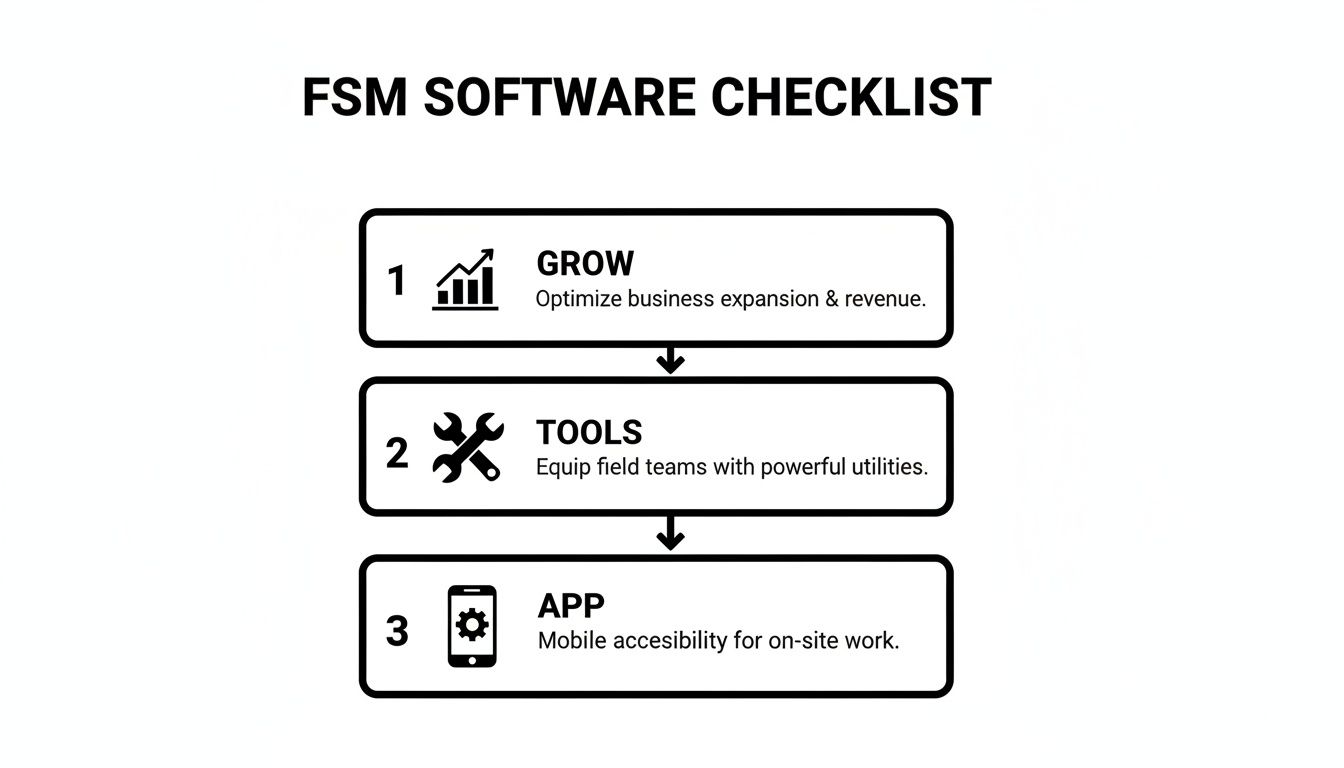
The image breaks it down into three critical pillars: can the software actually help you grow, does it give your crew the right tools for the job, and is the mobile app solid?
Before you commit any time (or money), it’s crucial to ask some tough questions. The answers will tell you everything you need to know about whether a platform is truly a good fit for your day-to-day operations.
We’ve put together a quick-reference table to guide you. Use these questions to grill any software provider you're considering.
FSM Software Evaluation Checklist
| Evaluation Area | Key Question to Ask | Why It Matters for Your Business |
|---|---|---|
| Growth Potential | Can the software grow with my business, or will I be forced into a massive price jump? | You need a clear, affordable upgrade path for adding more techs and jobs. Don't get stuck in a plan that punishes your success. |
| Trade-Specific Tools | Does it have features built for my trade, like flat-rate books or multi-option quotes? | Generic tools won't cut it. Your FSM needs to solve the unique challenges you face every day in the field. |
| Mobile App Usability | Is the mobile app actually fast, intuitive, and reliable—even with bad service? | If your techs hate using the app, they won't. A clunky mobile experience makes the entire system worthless. |
| Accounting Integration | Does it offer a deep, two-way sync with my accounting software (like QuickBooks)? | Manual data entry is a recipe for errors and wasted hours. A solid integration keeps your books accurate automatically. |
| Customer Support | Can I talk to a real, knowledgeable human when I have a problem? | When a job is on the line, you can't afford to wait for an email reply. Fast, expert support is non-negotiable. |
| Pricing Transparency | Are there hidden fees for extra users, data storage, or customer support? | Your bill should be predictable. Avoid platforms that nickel-and-dime you with surprise charges. |
This checklist isn't just about ticking boxes; it's about making sure the software works for you, not the other way around. A great FSM should feel like your most reliable tool, not another headache to manage.
How to Smoothly Transition to a New FSM System
Jumping from spreadsheets or an old, clunky system to a modern FSM platform can feel like a monumental task. I get it. But it doesn't have to be a nightmare. The secret is to start small and treat a free trial like a true test drive, not just a quick peek at the features. This is how you make sure the software actually works for your business before you put any money down.
Before you even sign up for a trial, you need to assemble your evaluation crew. Don't go it alone. You need buy-in and honest feedback from the people who will live in this software every single day.
- Your Office Manager or Dispatcher: They're on the front lines of scheduling and billing. They need to feel confident that the new system makes their life easier, not more complicated.
- Your Lead Technician: This is your person in the field. They need to vet the mobile app. Is it fast? Is it simple? Does it work when cell service is spotty? Their approval is non-negotiable.
Putting the Software to the Test
Okay, team's ready. Now it's time to run a real-world simulation of your daily operations. A successful trial isn't about aimlessly clicking buttons. It's about taking your actual workflow and running it through the new system from start to finish. This is how you spot the little annoyances that can turn into massive headaches down the road.
Make sure your trial covers these three critical steps:
- Prepare a Small Data Sample: Don't even think about importing your entire customer database. Just grab 10-15 recent customers and a few of your most common inventory items or services. This is just to test how the import works.
- Run Real Jobs Through the System: Create a few test jobs (or use actual, low-priority calls). Follow them from the very first quote, through scheduling and dispatch, all the way to the final invoice and payment. See where it feels smooth and where it gets clunky.
- Stress-Test the Mobile App: Have your lead tech commit to using only the mobile app for a full day. They should be updating job statuses, adding notes, snapping photos of their work, and even building an invoice on-site. This is the only way to know if it holds up under pressure.
What About All My Old Data?
One of the biggest fears that keeps contractors stuck with outdated software is data migration. The thought of manually moving years of customer info, job histories, and parts lists is enough to make anyone want to stick with their messy spreadsheets.
Here's the good news: this is basically a solved problem now. Any FSM provider worth their salt knows this is a huge pain point. Most now offer assisted data migration as part of their setup process, often for free. They have people who do this all day, every day.
These specialists will help you pull your data out of your old system and make sure it lands in the right place in the new one. This support tears down one of the biggest walls standing between you and a more efficient business. Instead of being trapped in data-entry hell, you can focus on getting your team comfortable with a tool that will actually make you more money.
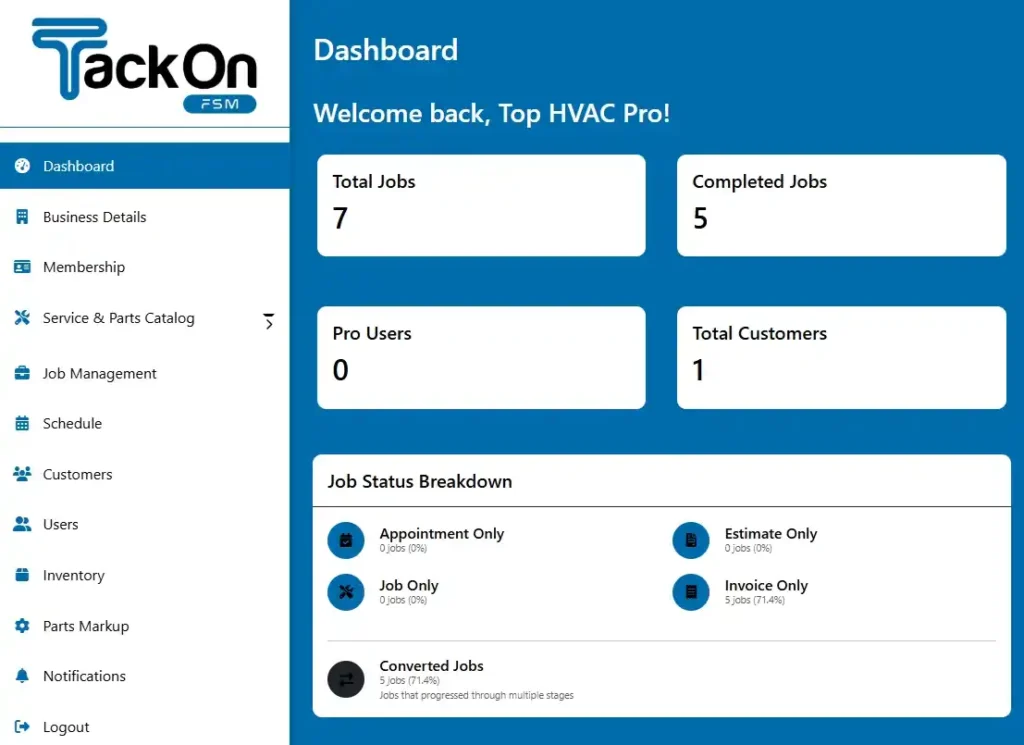
You can see an example of what a clean, organized system looks like by checking out this sample TackonFSM dashboard.
Moving Beyond Free: Why a Paid FSM Is a Smart Investment in Your Growth
A free field service management software plan seems like a no-brainer when you're just starting out, especially if you're a one-person crew. It helps you get organized without denting your wallet. But as we've covered, any trade business with real ambition is going to hit the ceiling of a free tool, fast. Before you know it, you're right back in the same administrative chaos you were trying to escape.
Stepping up to a paid, purpose-built FSM isn't just another line item on your expense report. It’s a direct investment in your company's future—one that unlocks efficiency, boosts profits, and helps you build the kind of professional reputation that lands you bigger, better jobs. You aren't just buying software; you're buying back your time and building a framework that can actually handle growth.
Think of it this way: a professional tool pays for itself. It stops you from losing money on unbilled parts, cuts down on fuel costs with smarter routing, and frees up countless hours you can then spend on tasks that actually make you money.
Paving a Clear Path to Scalability
Your competitors are already making this move. The global FSM market is expected to explode to over $9.17 billion by 2030, which tells you one thing: serious service businesses are ditching spreadsheets for real systems. You can read the full research about FSM market growth to see just how big this trend is. Investing in a proper system isn't about just keeping up—it's about getting ahead of the curve.
As you think about this shift, remember that this is a core part of modernizing how you operate. A good FSM provides you with powerful automated workflows for business efficiency, making everything from dispatch to invoicing run smoothly in the background.
So, what's the most logical next step? See the difference for yourself, without any risk. Starting a free trial of a full-featured, paid-tier platform lets you test-drive the professional tools that top contractors depend on every day. It’s the smartest, most informed choice for any business owner who is truly serious about growth.
Got Questions? We’ve Got Answers.
Jumping into the world of free field service management software can feel a bit confusing. Let's clear up a few of the most common questions trade contractors have.
Can a New Contractor Get By With a Free FSM?
For a brand-new, one-person shop just getting the hang of digital tools, a free plan can work—for a little while. Think of it as training wheels. But the second you hire your first tech or your job calendar starts filling up, you'll slam right into the limits on users, jobs, or features you suddenly can't live without.
Honestly, it’s often a smarter move to start with a free trial of a more robust, paid platform. That way, you build solid, professional habits from the very beginning.
What’s the Biggest Thing Missing From Most Free FSMs?
If you're in a trade like HVAC, plumbing, or electrical, the one feature you'll miss the most is almost always solid inventory management.
Free plans just don't offer the power to track parts across multiple trucks and a main warehouse. That’s a huge problem. Knowing what you have and where it is is the key to managing costs and making sure your techs can finish a job on the first visit, avoiding those profit-killing return trips.
So, how hard is it to switch from a free FSM to a paid one later? It can be a major headache. You're looking at exporting all your customer lists, job histories, and price books, then painstakingly re-importing everything into the new system.
This migration is often a manual, time-sucking process where one little data entry mistake can cause big problems. Choosing a provider that offers free, guided data migration right from the start can save you a world of frustration down the road.
Ready to see what a professional-grade FSM can actually do for your business? Start a no-risk, 14-day free trial with TackonFSM and experience the difference yourself. Learn more about TackonFSM.