What Is a Field Service Management Solution
If you run a field service business, you know the feeling. It’s the constant juggling act—a chaotic mix of phone calls, paperwork, and scheduling puzzles. A field service management (FSM) solution is designed to end that chaos. Think of it as the central command center for your entire operation, connecting your office, your technicians, and your customers into one cohesive system. It’s not just another piece of software; it’s a fundamentally better way to run your business.
How a Field Service Management Solution Ends Business Chaos
For many HVAC, plumbing, and electrical contractors, the day-to-day feels like a constant battle against inefficiency. You're swimming in paper work orders, playing phone tag to get job updates, losing track of parts, and chasing down late payments. This disorganization isn't just stressful—it's a direct drain on your profits and a major roadblock to growth.
Sound familiar? A dispatcher is staring at a messy whiteboard, phone pressed to their ear, trying to give a customer an ETA. At the same time, a technician across town realizes he's missing a crucial part, meaning a second trip, an unhappy customer, and wasted time. These aren't isolated incidents; they're symptoms of a broken, manual process.

The True Cost of Disorganization
Relying on old-school methods creates friction at every turn. These daily headaches are more than just minor annoyances. They add up to serious operational drag and lost revenue.
Without a central system, you're constantly dealing with problems like:
- Endless Phone Tag: Office staff burn hours calling techs for status updates, then relaying that information to anxious customers.
- Lost Revenue: Paper invoices get misplaced, handwritten notes are impossible to read, and parts used on a job are never billed for. This is real money slipping through the cracks.
- Poor Customer Experience: When you miss appointments, give vague service windows, and fail to communicate, your reputation suffers. Good service is the foundation of repeat business.
- Inventory Blind Spots: You have no real-time visibility into which parts are on which truck. This leads to stockouts, emergency supply runs, or wasted money on over-ordering.
Switching to an FSM isn't just about fixing internal problems. It's a critical step toward mastering your overall client experience management. You shift from being reactive to proactive, which customers notice and appreciate.
The table below paints a clear picture of how much changes when you move from manual methods to a dedicated FSM platform.
Manual Operations vs. An FSM Solution
| Business Area | The Old Way (Manual Methods) | The New Way (With An FSM Solution) |
|---|---|---|
| Scheduling & Dispatch | Whiteboards, spreadsheets, and constant phone calls. Hard to adjust to last-minute changes. | Drag-and-drop digital calendars. AI-powered dispatch suggests the best tech for the job. |
| Job Management | Paper work orders, clipboards, and illegible handwriting. | Digital work orders on a mobile app. Techs have full job history and customer info. |
| Invoicing & Payments | Manual invoice creation after the job. Chasing checks and processing payments by hand. | Instant invoice generation from the field. Customers can pay on the spot via credit card. |
| Customer Communication | Vague arrival windows. Customers call the office for updates. | Automated ETA notifications. Customers can track their tech’s arrival in real-time. |
| Inventory Tracking | Guesswork. Techs call the office to check stock. Manual counts at the warehouse. | Real-time truck and warehouse inventory. Parts used are automatically deducted and billed. |
As you can see, the contrast is stark. One path is filled with friction and guesswork, while the other is built on clarity and efficiency.
A Central Hub for Total Control
A modern FSM solution replaces this fragmented mess with a single source of truth. It’s a digital platform that automates and connects every step of your service workflow, from the first customer call to the final payment. The industry’s rapid expansion tells the story—reports show the global FSM market is projected to grow from $5.12 billion in 2025 to $5.88 billion in 2026, on its way to hitting $10.09 billion by 2030. This growth is driven by businesses like yours leaving chaos behind for control.
A field service management solution acts as your business's central nervous system. It sends clear signals from the brain (your office) to the limbs (your technicians) and gets instant feedback, ensuring every part of your company works together perfectly.
The Core Features That Power Your Business
Think of a field service management solution as the central nervous system for your contracting business. It's much more than a digital calendar or a billing app; it’s a unified platform where every feature works together to turn a day of potential chaos into a smooth, profitable operation.
Let's walk through how these core components solve the real-world problems you face every day.

Intelligent Scheduling and Dispatching
It's 9 AM on a Tuesday when an emergency call comes in. One of your long-time commercial clients has a major AC failure, and they need help now. Before, this would have kicked off a storm of phone calls, trying to figure out which tech was closest and could actually take the job.
With an FSM solution like TackonFSM, the scene is completely different. Your dispatcher sees a live map, with color-coded icons showing every technician's real-time location and job status. There's no guesswork. They can instantly spot who's finishing up a job nearby and assign the emergency call with a simple drag-and-drop on the digital calendar.
What used to take twenty minutes of frantic coordination now takes seconds. This isn't just about speed; it's about making the smartest choice. The software can even suggest the best technician based on their specific skills, availability, and location, ensuring you always send the right person for the job. You can see how powerful tools optimize your team's day by exploring these insights on field service scheduling software that saves time.
A digital dispatch board is like air traffic control for your business. It provides a single, real-time view of your entire fleet, allowing you to navigate daily challenges with precision and avoid operational collisions.
The Technician Mobile App
The moment that job is assigned, your technician gets a push notification on their phone or tablet. Tapping it opens the full work order, giving them everything they need to walk in prepared: customer name, address, contact details, and a complete service history. They can see notes from past visits, so they never show up blind.
Once on site, the tech uses the app to follow a digital checklist, ensuring every step is completed and your quality standards are met. They can diagnose the issue, snap a few photos of the faulty part, and attach them directly to the work order. This creates a permanent, visual record that protects your business and gives the customer total transparency.
A great mobile app gives your techs the power to:
- Update their status in real time: They can mark themselves as "en route," "on-site," or "job complete," which gives the office total visibility without needing to call and ask.
- Access the full job history: Knowing what was done before helps technicians troubleshoot faster and provide a more knowledgeable, confident service.
- Use digital forms and checklists: This is how you standardize high-quality work and ensure compliance across your entire team.
Beyond scheduling and dispatch, a strong Customer Relationship Management (CRM) system is the foundation of many FSM platforms. To better understand how this fits in, check out these Best CRM for Service Based Business Options for managing customer data effectively.
Seamless Estimates and Invoicing
After the repair is done, the days of scribbling on a carbon-copy invoice or calling the office for pricing are over. Your technician builds a professional, itemized invoice right on their tablet using the mobile app. They can pull parts and labor rates directly from your pre-loaded digital pricebook, guaranteeing pricing is always accurate and your margins are protected.
The customer sees the final invoice on the tablet, signs off with their finger, and pays with a credit card right then and there. The payment is processed instantly, and a receipt is automatically sent to their email.
This seamless process—from work order to final payment—completely transforms your cash flow. No more lost invoices, no more waiting for checks in the mail, and no more office staff chasing down payments. The job is done, documented, and paid for before the truck even leaves the driveway.
How Automation Drives Profitability and Efficiency
The features inside a field service management solution aren't just bells and whistles; they’re genuine engines for your profitability. Automating all the repetitive, low-value tasks your team gets bogged down with frees them up to focus on what actually makes you money—delivering top-notch service and building strong customer relationships. It’s the difference between just staying afloat and actually moving your business forward.

Think about the time your office staff spends on the phone answering the same question over and over: "Where's my technician?" Automated customer notifications with real-time ETAs can practically eliminate those calls. It’s a simple change that gives customers peace of mind while freeing up your office team for work that grows the business, like scheduling new jobs or following up on outstanding quotes.
Stop Bleeding Profits from Manual Errors
Manual processes are breeding grounds for human error, and every little mistake quietly kills your profit. A forgotten part on an invoice, a slightly miscalculated labor cost, or a lost paper estimate—each one chips away at your margins on that job.
The fix is an automated workflow that connects everything from the initial estimate to the final invoice. When a customer approves a quote, it instantly becomes a work order. As your tech adds parts and logs their time on a mobile app, the final invoice builds itself in the background. This smooth flow of information gets rid of double-entry and makes sure every single part and minute of labor gets billed correctly. You can get more details on how to simplify estimates and invoicing to protect your bottom line.
Automation in a field service management solution acts like a safety net for your profits. It catches the small, costly errors that, over time, can add up to tens of thousands of dollars in lost revenue.
This isn’t some niche trend, either. It’s a major shift happening across every industry. By September 2023, over 80% of corporate executives had fast-tracked automation to cut costs and make their teams more effective. This is a huge reason the global FSM software market is expected to grow by $2.50 billion between 2026 and 2030, with North America at the forefront. You can find more data on the growing FSM market at Technavio.com.
Turn Inventory Control into a Competitive Advantage
For any contractor, your inventory is just cash sitting on a shelf or rolling around in a truck. Without a real-time way to track it, that cash is vulnerable to shrinkage, stockouts, or just buying too much of the wrong thing. Automated inventory management turns that liability into a real strength.
With a platform like TackonFSM, every part is tracked from the moment it hits your warehouse to when it’s installed at a customer's home. When a tech uses a part, it’s automatically taken out of their van’s stock and added to the job’s invoice. What this means for you is:
- Real-Time Visibility: You know exactly what parts are on every truck, at any given moment.
- Smart Reordering: Set low-stock alerts that automatically trigger purchase orders, which means no more last-minute, expensive trips to the supply house.
- Reduced Shrinkage: When every part is tied to a specific job, accountability goes way up, and those unexplained losses drop dramatically.
This level of control ensures your techs show up with the right parts to finish the job on the first try. More first-time fixes lead to happier customers and give you the capacity to fit more profitable jobs into every day. In the end, every piece of automation—from customer texts to inventory counts—directly contributes to a healthier bottom line and a stronger, more competitive business.
Picking the right field service management solution is a huge step for any contractor. It’s less about buying software and more about finding a partner that will run the engine of your business. With so many options out there, all making big promises, it's easy to feel lost. The real trick is to ignore the flashy sales pitches and zero in on what your HVAC, plumbing, or electrical shop actually needs.
This guide is here to give you the right questions to ask. You'll learn how to spot a platform that's truly built to make your days smoother and your business more profitable, instead of getting distracted by features you’ll never even touch.
Can Your Team Actually Use It?
The fanciest software on the market is completely worthless if your team can't figure it out. Think about it: your techs are out in the field, under a sink or in a hot attic. They need a tool that helps them, not one that makes them want to throw their phone. The learning curve is a massive factor.
When you're looking at a new system, ask the tough questions:
- Could my dispatcher get the hang of the scheduling board in a single afternoon?
- Is the mobile app simple enough for a new tech to use without a week of training?
- When you look at the screen, does it feel clean and organized, or is it a jumbled mess?
You're aiming for your team to pick it up and run with it. A complicated system just creates pushback, which leads to a failed rollout and a big pile of wasted money. The right tool should make your crew feel like they have superpowers, not weigh them down.
The Mobile App Is Everything
Let's be honest—your technicians are the heart of your business. How efficiently they work in the field is what makes or breaks your bottom line. That's why the mobile app isn't just some side feature; it's the single most important piece of any modern FSM solution. A weak mobile experience will cripple your entire operation.
A great mobile app lets your techs run their whole day from their phone or tablet. We're talking about getting job details, pulling up customer history, building detailed invoices, and taking payments right on the spot. If your technician still has to call the office to ask, "What's the gate code again?", your system is broken.
An FSM’s mobile app should be your technician’s digital toolkit—giving them everything they need to do their job confidently and efficiently, right at their fingertips. A clunky app is like giving them a broken wrench.
Insist on Clear Pricing with No Surprises
The pricing for FSM software can feel like a minefield. Some companies will rope you in with a low monthly price, then slam you with extra charges for setup, training, support, or even for unlocking basic features. Don't fall for that game.
Look for a provider who is upfront and honest about their pricing. You should know exactly what you're paying for and what's included. A partner like TackonFSM, for instance, offers simple plans with no contracts, no setup fees, and free onboarding. You know your total cost from day one. That kind of transparency builds trust and makes sure you don't get stuck in a bad relationship.
FSM Buyer's Checklist for 2026
Choosing the right FSM isn't just about features; it's about finding the right fit for your unique business. This checklist is designed to help you dig deeper during your evaluation process. Use it to compare potential partners and ensure you're making a decision that will pay off for years to come.
| Evaluation Criteria | Key Questions to Ask | How TackonFSM Delivers |
|---|---|---|
| User-Friendliness | Can my team learn this quickly? Is the mobile app intuitive for field use? | We prioritize a clean, simple interface. Most teams are up and running in a single day with our free, hands-on onboarding. |
| Mobile Capability | Can techs manage their full workflow—from dispatch to payment—in the app? Does it work offline? | Our mobile app is a complete toolkit: job management, invoicing, payments, customer history, and offline functionality are all standard. |
| Pricing & Value | Is the pricing transparent? Are there hidden fees for setup, support, or core features? | We offer simple, all-inclusive pricing with no contracts, no setup fees, and no hidden costs. Unlimited support is always free. |
| Data Migration | Will you help me move my existing customer data, price books, and job history? Is there a cost? | Yes, we offer free, assisted data migration from platforms like QuickBooks, Jobber, and ServiceTitan. |
| Customer Support | Can I talk to a real person when I need help? Is support included or an extra charge? | Our support is 100% free and unlimited. You get access to real people who understand the trades and are dedicated to your success. |
| Scalability | Will this software grow with my business, or will I be forced to switch again in 3 years? | TackonFSM is built to scale. From solo operators to teams of 50+, our platform grows with you without surprise price hikes or feature gates. |
Going through these questions will give you a much clearer picture of who you're partnering with. Remember, the goal is to find a tool that solves today's problems and is ready for tomorrow's growth.
Don't Overlook the Switch Itself
Finally, think about the actual process of switching over. Moving years of customer lists, price books, and job histories from an old system can feel like a nightmare. Whether you're moving from QuickBooks, Jobber, or ServiceTitan, your new FSM provider should be a true partner in this, not just a salesperson.
Before you sign anything, get clear answers on their onboarding:
- Is setup assistance free and hands-on? You want a dedicated person guiding you, not a link to a help article.
- Do they handle data migration? Having an expert manage the transfer of your precious data is a massive stress-reducer.
- What does customer support actually look like? Can you pick up the phone and get a human on the line when things go wrong?
How a company treats you during setup is a preview of how they'll treat you for the life of your partnership. Choosing someone who is invested in your success right from the start means you can make the change with confidence and start seeing the benefits right away.
Calculating the Real-World ROI of an FSM
When you're thinking about investing in field service management solution, it’s easy to see the organizational perks. But let's be honest, you're running a business. The real question is: what’s the actual return on investment? This isn't about fuzzy feelings of being more organized; it's about hard numbers—more money coming in and less money going out.
So, let's get practical. How much is just one extra job per week really worth to your company? You might be surprised.
The Financial Impact of One Extra Job
Right now, you're likely losing productive hours every single day. Between inefficient travel routes, back-and-forth calls to the office for job details, and manual paperwork, a technician can easily lose an hour or two. An FSM platform gives you that time back by optimizing schedules and putting all the information your team needs right in their hands.
Think about it this way: what could you do with that reclaimed time? More work, of course.
Let's run the numbers for a small HVAC shop with five technicians:
- Average Job Value: We'll say a typical invoice runs about $400.
- Extra Jobs per Week: If better efficiency lets each tech handle just one extra job a week, that's five new jobs for the team.
- Weekly Revenue Gain: 5 jobs x $400/job = $2,000 in new weekly revenue.
- Annual Revenue Gain: $2,000/week x 52 weeks = $104,000 in added annual revenue.
That's over $100,000 in fresh revenue pumped directly into your business, and you didn't have to hire a single new person to get it. When you look at it like that, the cost of the software is tiny compared to the income it unlocks. Many businesses find it pays for itself in the very first month.
This isn't just a local trend. North America is a major driver of this shift, accounting for 31.70% of the global market, which was valued at $1.73 billion in 2025. With the U.S. FSM market alone expected to reach $3.1 billion by the end of the year, getting on board is less of a choice and more of a necessity to stay competitive. You can dig deeper into these field service industry findings on fortunebusinessinsights.com.
Beyond the Hard Numbers: The 'Soft' ROI
But the story doesn't end with a bigger bank account. The "soft" returns—the benefits you can't always put a dollar sign on—are just as powerful for building a business that lasts.
The most successful service businesses understand that ROI isn't just about dollars and cents. It's also measured in reduced stress, happier customers, and a loyal team that is proud of the work they do.
These aren't just buzzwords; they have a real impact on your day-to-day operations.
- Reduced Administrative Stress: What if your office manager wasn't stuck playing phone tag with technicians or manually typing up invoices for hours? That time could be spent on customer follow-ups, marketing, or other activities that actually grow the business.
- Higher Customer Satisfaction: Customers remember a smooth experience. Automated appointment reminders, accurate arrival times, and clean digital invoices make you look professional. That level of service earns you five-star reviews, word-of-mouth referrals, and customers who call you back every time.
- Improved Technician Morale: No one likes chaos. When you give your techs a tool that lays out their day, provides all the job history they need, and makes paperwork disappear, their jobs become less frustrating. A happy technician is far less likely to leave, which saves you the massive headache and cost of turnover.
When you add it all up, the true ROI of an FSM is the whole package. It’s the powerful combination of more revenue, less waste, and a stronger, more resilient business from top to bottom.
How to Make Switching to a New FSM Painless
The very idea of swapping out the software you use to run your entire operation can be nerve-wracking. I've seen countless contractors stick with slow, frustrating systems just because the thought of making a change feels like too big of a project. But moving to a modern field service management solution doesn't have to be a nightmare.
With a solid game plan, it can actually be a really smooth transition. The trick is to stop thinking of it as one massive, all-or-nothing event. Instead, see it as a series of manageable steps that you control. It all comes down to good preparation, getting your team on board, and sticking the landing.
Prepping Your Data for the Big Move
Think of this part like packing before you move houses. You wouldn't just throw everything from your old house into boxes randomly. You'd sort, label, and get rid of junk first. The same goes for your business data—it's one of your most important assets, and it needs to be organized before you move it into a new system.
Before you go live, take some time to get these key data sets in order:
- Customer Lists: Go through and make sure all the names, addresses, and phone numbers are up-to-date and formatted the same way. This is your chance to merge duplicate accounts and clean things up.
- Price Books: This is the perfect opportunity to review your pricing. Are your parts and labor rates still profitable? Make sure you update everything to reflect today's costs before you import the data.
- Inventory Records: Get a real, physical count of the parts on your trucks and in the shop. Starting with an accurate inventory count is crucial for making the new tracking features work right from day one.
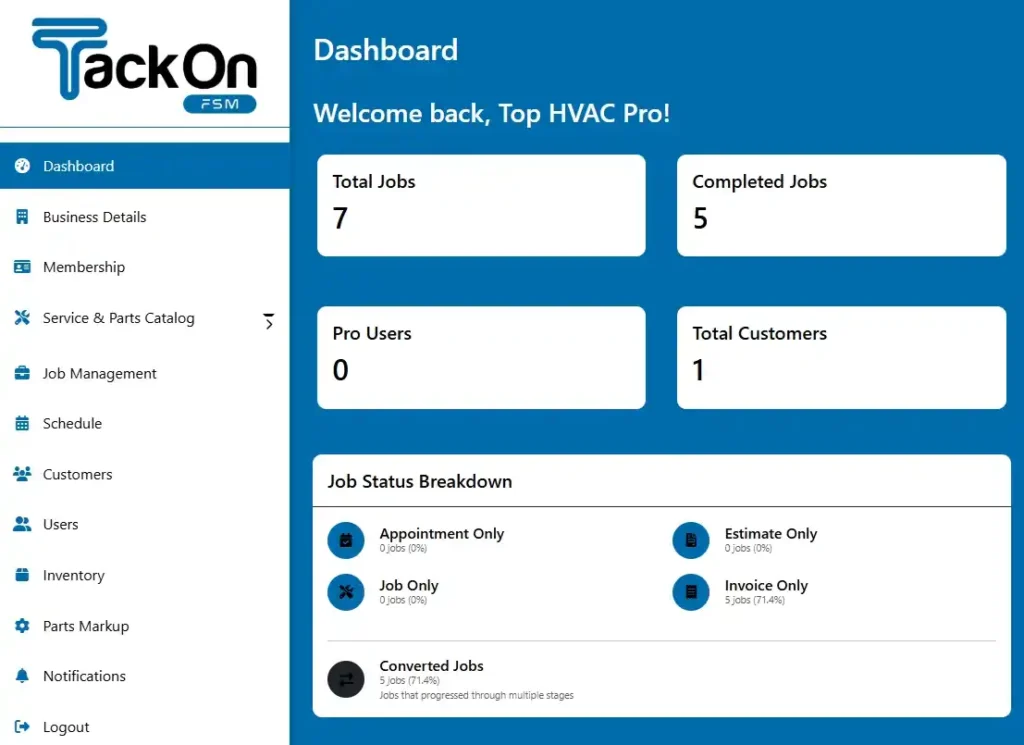
Getting this done upfront makes a world of difference. When your data is clean from the start, your team can trust the new field service management solution and use it effectively immediately. You can get a better sense of how this clean data comes to life by checking out this overview of the TackonFSM dashboard.
Getting Your Team Excited and Trained
Here’s a critical truth: your technicians and office staff will make or break this transition. They’re the ones using the software every single day. The worst thing you can do is just spring a new tool on them without any warning or proper training.
Start by explaining why you're making the change. Show them how it will make their jobs better—less paperwork to chase down, fewer "where are you?" calls to the office, and schedules that actually make sense. Once they see what's in it for them, they'll become your biggest supporters.
A smooth software switch has less to do with the technology itself and more to do with your people. When your team feels included and understands the benefits, they’ll be the ones who make sure the new system is a success.
Just look at the financial impact of a more efficient team.

This simple model shows how enabling a team of five technicians to complete just one extra job per week can boost annual revenue by over $100,000. That’s a powerful "why" to share with your crew.
Choose a Partner, Not Just a Provider
You shouldn't have to navigate this journey alone. The FSM company you choose should be more than just a software vendor; they should be a partner invested in your success. This is where you see a company’s true colors.
At TackonFSM, for instance, we include free, hands-on onboarding and assisted data migration for every single customer. We’ve seen what happens when contractors are left to figure it out themselves, and we don’t let that happen.
Whether you're currently using QuickBooks, Jobber, or even ServiceTitan, our team does the heavy lifting to get your data moved over. We don't just point you to a help doc—we get on calls, walk you through the setup, train your staff, and make sure you're 100% ready for launch day. That level of support turns a stressful project into an exciting upgrade for your business.
Frequently Asked Questions About FSM Solutions
Even after you’re sold on the idea of a new field service management solution, some very real questions always pop up. You understand the potential, but now you need to know about the practical stuff—the cost, the setup, and whether it will genuinely work for your crew. Let's get into the details that every contractor wants to know.
How Much Does FSM Software Usually Cost?
The first question on everyone's mind is always the cost. Most FSM software uses a subscription model, typically priced per user, per month. You can expect to see prices anywhere from $30 to $70 per user per month, which varies based on the features you need.
A word of caution, though: always dig into the pricing structure. Some providers tack on extra charges for things like initial setup, training for your team, or even ongoing support. The best partners are transparent, so you know exactly what your total investment will be from day one.
What Is The Difference Between FSM and CRM?
This is another thing that often trips people up. It's actually pretty simple when you think about their core jobs. A CRM (Customer Relationship Management) tool is all about the front-end of your business—managing leads, nurturing customer relationships, and getting a quote accepted. An FSM platform kicks in the moment that quote becomes a signed job.
A CRM helps you win the job. An FSM solution helps you execute that job profitably and efficiently.
While some FSM platforms include CRM-like features, their true power lies in operations. They are built for the messy reality of dispatching techs, managing inventory, and closing out work orders in the field.
Can Technicians Use the Software Without an Internet Connection?
The short answer is yes, and this is non-negotiable. Any field service management solution worth considering must have a robust offline mode for its mobile app. Your techs are constantly in basements, new construction sites, or rural areas where a reliable signal is a luxury, not a guarantee.
With a good offline mode, they can pull up job notes, fill out safety checklists, and even generate an invoice without a connection. As soon as their phone finds a signal again, the app automatically syncs everything back to the office. No lost data, no waiting around.
How Long Does It Take to Get Started?
This really depends on the platform you choose. Some straightforward, user-friendly systems can have your team fully onboarded and running jobs in just a week or two. On the other end of the spectrum, massive enterprise-level systems can take months to implement because they require deep customization and complex data integrations.
The secret is to find a provider who offers real, hands-on support for onboarding and migrating your data. A great partner will handle the heavy lifting, making sure your switch is as smooth and fast as possible.
Ready to bring order, efficiency, and profitability to your service business? TackonFSM provides everything you need in one simple, powerful platform. Start your 14-day free trial today and see the difference.