A Guide to Field Service Inventory Management
At its core, field service inventory management is all about a simple, yet powerful, idea: making sure every technician has the right part, for the right job, at the right time. It's the whole process of tracking your parts from the moment you buy them to the second they're installed at a customer's property.
What Is Field Service Inventory Management

Let's use an analogy. Think of your HVAC, plumbing, or electrical business as a busy, high-end restaurant. You wouldn't be able to serve incredible food if your kitchen kept running out of basic ingredients during dinner service. For a trade contractor, your warehouse and service vans are your kitchen, and your parts are the essential ingredients you need to get the job done right.
That’s where effective field service inventory management comes in. It’s the system that keeps your "kitchen" stocked and ready for any customer request. This goes way beyond just counting boxes on a shelf; it's a dynamic system for tracking and managing your entire stock of parts across every location, from the main warehouse right down to each tech’s truck.
Beyond the Clipboard and Spreadsheet
For a long time, contractors got by with manual methods—clipboards, paper logs, and clunky spreadsheets. That might work when you're a one-person show, but it breaks down fast as your business scales. Imagine a tech grabs the last furnace ignitor from the shop but forgets to log it. The next tech heads out to a no-heat call completely unprepared.
This old-school approach creates blind spots. The office has no clue what's actually available in the field. This gap is a massive source of inefficiency, leading to expensive return trips, wasted fuel, and frustrated customers waiting for a simple fix. For a deeper look into the fundamentals of mastering stock control, you'll see these challenges aren't unique to the trades.
The goal of modern inventory management is to create a single source of truth. Everyone, from the dispatcher in the office to the technician at the job site, should be able to see exactly what parts are available and where they are located in real-time.
A System for Profitability and Growth
A solid inventory system isn't just about operations—it's a critical financial tool. It directly links your parts to your bottom line by making sure every component used on a job gets accounted for and billed correctly. Without it, parts can easily get lost, used without being invoiced, and quietly drain your profit margins.
Ultimately, great field service inventory management is about gaining control. It’s about taking a messy, reactive process and turning it into a well-oiled machine that fuels your business.
This kind of control leads to real, tangible benefits:
- Higher First-Time Fix Rates: Techs show up with everything they need to finish the job on the first visit.
- Reduced Waste: You stop over-ordering parts that just sit on a shelf, and you lose less to "shrinkage."
- Improved Cash Flow: You’re not tying up precious capital in a warehouse full of excess, slow-moving stock.
- Enhanced Customer Satisfaction: Quick, efficient service means happier customers and better online reviews.
By getting this process right, you turn your inventory from a headache into a major business asset. You can explore more on this topic to see why field service management software matters in tying all these pieces together.
The Hidden Costs of Disorganized Inventory
If you're in the trades, you know that uncontrolled inventory is a silent killer of profit. It’s not about one big, disastrous loss. It’s the slow, steady bleed of small, everyday problems that quietly siphons money from your business. These costs hide in plain sight as wasted fuel, lost time, and frustrated customers.
For most contractors, the most painful and familiar example is the return trip. Picture this: an HVAC tech drives 45 minutes to a no-cool call. He quickly diagnoses a bad capacitor, but the one he swore was in his van is gone. Now he’s forced to drive all the way back to the shop or a supply house, completely torching the job's profit margin with non-billable drive time and extra fuel.
This exact scenario plays out every single day in businesses without a real field service inventory management system. What feels like a small annoyance is actually a direct hit to your bottom line, often turning a profitable service call into a break-even job or even a loss.
The Problem of "Phantom Stock"
One of the most maddening inventory issues is what we call "phantom stock." This is when your spreadsheet or logbook says you have a part on hand, but it’s absolutely nowhere to be found. Maybe it was used on a job last week and never logged, maybe it got moved to another truck, or maybe it’s just lost in the chaos of the warehouse.
Whatever the reason, the result is always the same: a frantic, last-minute run to the supplier. This doesn't just waste your technician's valuable time; it often means paying a premium price for a part you could have bought at your negotiated rate. You end up losing on both labor efficiency and material margin, all on the same job.
These problems have a real, measurable impact. Industry research shows that 48% of field service organizations report shrinking profit margins because of these very inefficiencies. On top of that, 38% struggle with scheduling and dispatching—a problem made much worse when you can't be sure who has the right parts. Every repeat visit for a forgotten component means paying for labor and fuel that could have been spent on the next paying customer. You can dig deeper into how these operational gaps affect the industry by exploring recent field service trend reports.
The Financial Drain of Overstocking and Understocking
Poor inventory control isn't just about missing parts; it creates two expensive problems at opposite ends of the spectrum.
Overstocking: This is when your cash is tied up in parts that are just sitting on a shelf collecting dust. That money could be funding a marketing campaign, buying new tools, or hiring another tech. Excess stock also eats up precious space in your shop and on your trucks.
Understocking: This is just as bad, if not worse. Not having common parts on hand means you can't respond quickly to emergency calls, potentially losing that high-margin work to a competitor who was ready to go. It slowly chips away at your reputation for being fast and reliable.
Finding that sweet spot between too much and too little is impossible without real-time data. A good system helps you stock exactly what you need based on actual job history, freeing up cash while making sure your team is prepared for anything.
To put this in perspective, let’s look at the actual cost of just one return trip for a part that should have been on the truck.
Real-World Costs of a Single Missed Part
This table breaks down the tangible financial losses associated with a single return trip to the warehouse for a forgotten part, illustrating the direct impact on job profitability.
| Cost Category | Description | Estimated Cost per Incident |
|---|---|---|
| Lost Labor | 1.5 hours of non-billable technician time (travel + supply house wait). | $120 (at $80/hr) |
| Vehicle Expenses | Extra fuel, plus wear and tear for a 20-mile round trip. | $15 |
| Opportunity Cost | The profit from another service call the tech could have completed. | $200+ |
| Total Immediate Loss | The direct, measurable financial impact of one missing part. | $335+ |
As you can see, the costs add up shockingly fast. Just a few of these "minor" trips a week can easily cost your business thousands of dollars every month. This is the hidden financial drain that a proper field service inventory management system is built to stop.
Core Components of an Effective Inventory System
A proper field service inventory system is so much more than a digital parts list. It's the central nervous system for your entire materials operation. To finally ditch the chaotic spreadsheets and get a real grip on your business, any system you choose needs a few non-negotiable components. These aren't just flashy features—they are direct solutions to the most common, and most expensive, problems that plague trade contractors every single day.
Think of it like this: running your business without these tools is like trying to fly a plane without an instrument panel. You're just guessing at your fuel levels (stock), your location (parts), and your final destination (profit). With the right components, you can navigate with total precision, avoid costly turbulence, and land every job smoothly.
Each piece of the puzzle works together to create one single source of truth, killing the guesswork and freeing up your team to do their best work. Let's break down what those core components really are.
Real-Time Multi-Location Tracking
First thing's first: you need to see everything, everywhere, all at once. Multi-location tracking isn't just knowing you own ten of a specific filter. It's knowing that five are in the main warehouse, two are in Van #3, one is in Van #5, and the last two are currently on order.
This level of real-time visibility completely changes the game for dispatching. Instead of just sending the closest tech, you can now send the closest tech who actually has the part on their truck. This simple shift turns a potential two-trip headache into a one-visit success story, saving you hours of wasted drive time and giving the customer an experience they'll remember.
An inventory system without multi-location tracking is like a GPS that only shows city names but no street addresses. You know the general area, but you have no clue where anything actually is when you need it most.
Automated Parts Usage and Job Costing
How many times has a part been pulled from a van, installed on a job, and then completely forgotten on the invoice? When you track things by hand, this kind of mistake is not only common—it’s inevitable. A modern system solves this by tying your inventory directly to your work orders.
Here’s how it should work: when a tech adds a part to a job ticket in the field, the system instantly does two critical things:
- It deducts that part from the van's specific inventory count, keeping your stock levels perfectly accurate.
- It adds the part and its cost to the final invoice, making sure you get paid for every single thing you use.
This automation finally closes the gap between doing the work and getting paid for it. It stops revenue from slipping through the cracks and gives you surgically precise job costing, so you know exactly how much you made on every call.
Low-Stock Alerts and Simplified Reordering
Running out of a common part isn't just an annoyance; it’s a failure in your process. A good inventory system acts as your vigilant, 24/7 stock manager, preventing stockouts before they can ever derail a job.
You should be able to set minimum and maximum stock levels for every single part, in every location—whether it's a warehouse shelf or a bin in a van. The moment a technician uses a part and the quantity dips below your preset minimum, the system automatically fires off a low-stock alert.
This turns reordering from a reactive, panicked scramble into a proactive, organized routine. The best systems will even compile a draft purchase order for you, saving your office staff a ton of administrative work.
Centralized and Digital Pricebook
Finally, a centralized pricebook is your best defense for protecting your margins and ensuring consistency. Forget about techs relying on outdated price sheets or just their memory. A digital pricebook keeps all your parts, descriptions, costs, and selling prices locked down in one place.
This guarantees that every estimate and invoice uses the correct, up-to-date pricing, no matter who's creating it. When a supplier raises their costs, you update the price in one spot, and it's instantly live across the entire company. It’s a simple concept, but it's absolutely vital for maintaining consistent profitability.
The adoption of these integrated platforms is surging because they offer a clear path to running a smarter business. With the field service management market projected to hit over $14 billion by 2030, the ability to connect inventory directly to work orders is becoming table stakes for successful contractors. You can learn more about how FSM software minimizes repeat visits and see why this kind of intelligent parts management is no longer optional.
Key Metrics to Track for Inventory Performance
You can't fix what you can't see. If you’re still running your inventory based on guesswork, you're leaving money on the table. The single best way to get a handle on your field service inventory management is to start tracking the right numbers. These Key Performance Indicators (KPIs) aren't just data points; they're the vital signs of your business, showing you exactly where you're making money and where you're bleeding it.
Think of these metrics as your roadmap. They tell you precisely where your operations are strong and what adjustments you need to make to boost profits. Let's dig into the handful of KPIs that every HVAC, plumbing, and electrical contractor needs to have on their dashboard.
First-Time Fix Rate
If you only track one thing, make it this one. Your First-Time Fix Rate (FTFR) measures the percentage of jobs your technicians nail on the very first visit, without having to run back to the shop for a part.
A high FTFR is the ultimate sign of a well-run operation. It tells you that your technicians have the right parts on their trucks for the jobs they're assigned. A low FTFR, on the other hand, is a huge red flag. It’s a direct hit to your customer satisfaction, technician productivity, and fuel budget.
A dropping First-Time Fix Rate is your cue to rethink what goes into your standard van loadout. Look at the parts needed for those return trips—that's your shopping list for optimizing what technicians carry every single day.
Inventory Turnover Ratio
Every part sitting on your warehouse shelf is basically a stack of cash you can't spend. The Inventory Turnover Ratio tells you how fast you're turning those parts back into actual revenue. It calculates how many times you sell and replace your entire stock over a set period, usually a year.
A healthy turnover ratio is a sign of good cash flow—parts come in, and they go out quickly. But a really low number means you’re sitting on a pile of slow-moving or obsolete components, tying up capital that could be used elsewhere. Understanding this metric is also tied to your finances; you can explore different inventory valuation techniques to see the true cost of the stock you're holding.
Parts Cost Per Job
This one is simple but powerful. Parts Cost Per Job is exactly what it sounds like: the average cost of all the materials used on a service call. Tracking this is absolutely essential for protecting your profit margins.
When you can see this number for every job, you can instantly spot when a project is going over budget or if a specific technician is using parts inefficiently. Having a clear dashboard view lets you drill down and see if certain types of jobs are consistently less profitable because of high material costs. That insight is gold—it tells you when to adjust your pricing, tighten up your estimates, or maybe provide a bit more training for the team.
How to Implement a Modern Inventory System
Switching from old-school paper logs or clunky spreadsheets to a modern inventory system can feel like a massive project. But it doesn't have to be. The secret is breaking it down into a handful of manageable steps.
Think of it less like flipping a switch and more like building a solid foundation, brick by brick. A methodical approach gets your whole team on board and avoids disrupting your day-to-day work. The end goal is a reliable system that gives you total control over your parts without the chaos.
Step 1: Start With a Complete Physical Audit
Before you can build a digital system, you have to know what you actually have. That means rolling up your sleeves and doing a full physical count of every single part—in the warehouse, on the shelves, and inside every service van.
This is the most crucial first step. It’s tedious, but it’s the only way to get a true baseline. This audit uncovers all the "phantom stock" you thought you had and reveals the real state of your inventory, giving you a clean slate to build from. You can't afford to import old mistakes into your shiny new system.
Step 2: Standardize and Create Your Digital Pricebook
With an accurate count, it's time to get organized. This is where you standardize everything. No more having three different descriptions for the same capacitor. You need to create one official entry for each part—a single source of truth.
This involves a few key actions:
- Consistent Naming: Agree on a standard naming format. For example, "Capacitor, 45/5 MFD, 370V" is clear and searchable; "cap 45/5" or "dual run cap" is not.
- Adding Part Numbers: Log both the manufacturer and your supplier part numbers. This makes reordering foolproof.
- Setting Costs and Prices: Input what you pay for each item and set your sale price or markup rules. This is how you protect your profit margins on every single job.
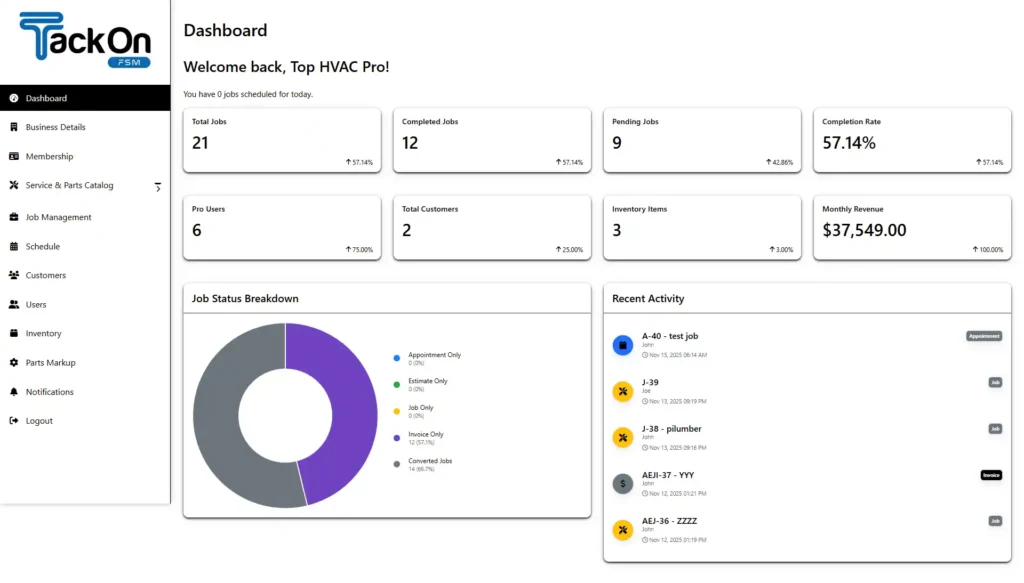
Pulling all this together creates your digital pricebook. To give you a huge head start, a platform like TackonFSM includes an Elastic Parts Database with thousands of common HVAC, plumbing, and electrical parts already loaded with standardized information.
Step 3: Define Your Digital Locations
Now you can make your software mirror reality. Create a digital "location" for every physical place you store parts. That means your main warehouse, any secondary stock rooms, and—most critically—each individual service truck.
Why is this so important? Because assigning parts to specific vans is the key to intelligent dispatching. When a customer calls, you can instantly see which technician is not only closest but also has the right parts on their truck to fix the problem. This one feature is a game-changer for your first-time fix rate.
As the flowchart shows, this process creates a powerful feedback loop for continuous improvement.
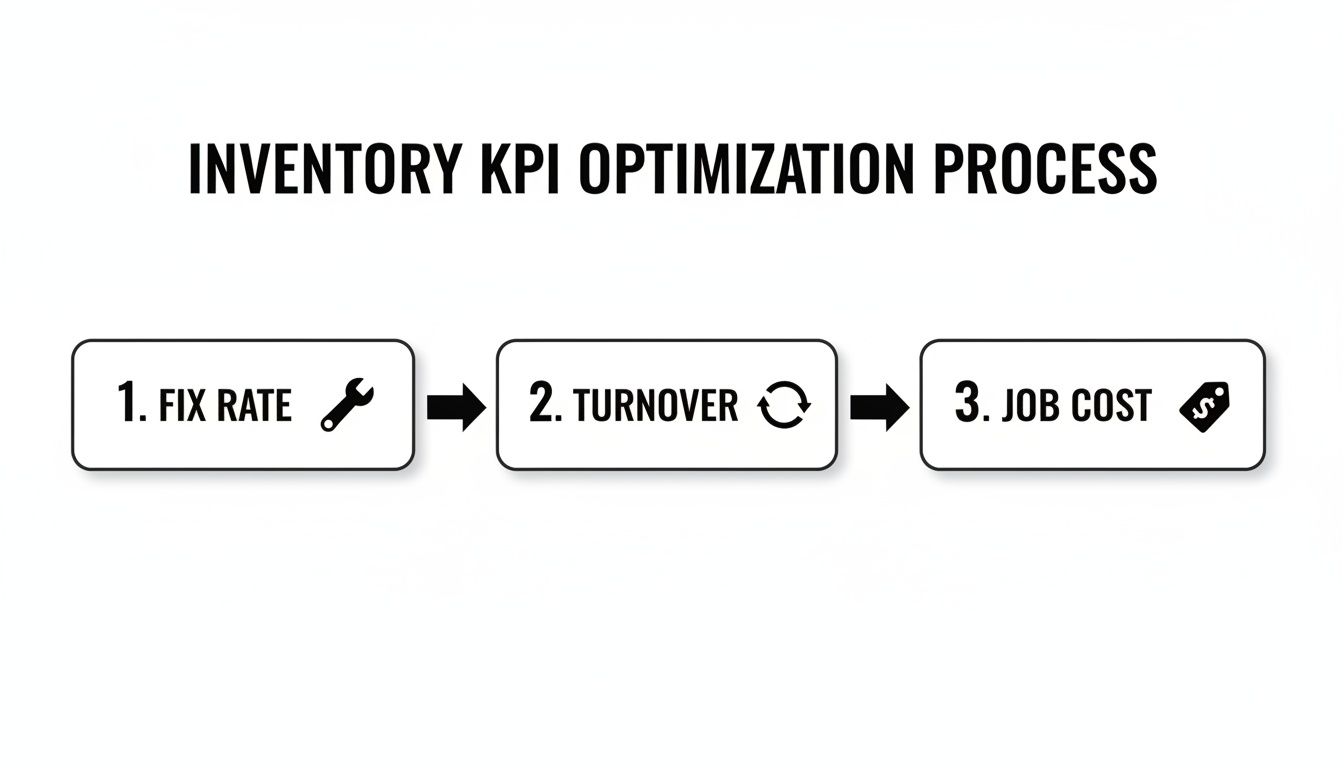
Better inventory tracking directly boosts your fix rate, which in turn helps you manage turnover and get a crystal-clear picture of your true job costs.
Step 4: Set Reorder Points and Train Your Team
The last step is to put the system on autopilot. For your most-used parts, set minimum and maximum stock levels for each location (especially the vans). When a technician uses a part and its count drops below the minimum you set, the system automatically flags it for reorder. This turns restocking from a frantic, last-minute chore into a calm, proactive process.
The best software in the world is useless if no one uses it. Your technicians are on the front lines, and their buy-in is everything. Frame the training around how the mobile app makes their life easier: less paperwork, accurate pricing at their fingertips, and fewer trips back to the shop.
Once your team sees the system as a tool that helps them do their job better and faster, they'll become its biggest champions. That’s when your new software stops being just a back-office program and starts driving real efficiency and profit in the field.
Manual vs. Automated Field Service Inventory Management
The difference between wrestling with spreadsheets and using an integrated system is night and day. It’s not just about saving time on one task; it's about how every part of your operation connects and improves.
Here's a quick look at how daily tasks and long-term outcomes stack up:
| Task | Manual Method (Spreadsheets/Paper) | Automated System (TackonFSM) |
|---|---|---|
| Checking Stock | Call a tech or drive to the shop to physically check. | View real-time stock levels on any truck or warehouse from a phone. |
| Updating Counts | Relies on technicians remembering to write down used parts. | Parts are automatically deducted from inventory when added to an invoice. |
| Ordering Parts | Manual lists, forgotten items, and last-minute emergency supply runs. | Automated alerts are triggered when stock hits a pre-set reorder point. |
| Job Costing | Guesswork. Manually adding up parts after the fact, often with errors. | Accurate, real-time job costing as parts are used, ensuring proper margins. |
| First-Time Fix Rate | Low. Technicians often arrive without the necessary parts. | High. Dispatchers can see truck inventory and send the right tech. |
| Business Impact | High carrying costs, lost sales, frustrated techs, and unhappy customers. | Lower costs, increased profit, empowered techs, and satisfied customers. |
Ultimately, moving to an automated system isn't just an upgrade—it's a fundamental shift in how you manage the financial health and operational efficiency of your business.
How Field Service Software Solves Inventory Challenges

Trying to track your inventory manually is like trying to catch rain in a leaky bucket—no matter how hard you work, you're always losing something. A modern Field Service Management (FSM) platform is the fix, plugging the holes by connecting all the moving parts of your business into one smart, cohesive system. It’s designed to tackle the everyday frustrations that slowly chip away at your profits.
Think about this scenario: a dispatcher gets an urgent call about a busted furnace pressure switch. Instead of playing phone tag or just guessing which technician might have the part, they can see real-time stock levels for every single van. That’s the magic of multi-location tracking. They can immediately send the nearest tech who definitely has the right component, wiping out a wasted trip and boosting your first-time fix rate on the spot.
From Usage to Invoice Automatically
One of the sneakiest ways contractors lose money is when parts get installed but are never billed to the customer. It happens more often than anyone likes to admit. An FSM platform solves this by tying your inventory directly into your job workflow.
The moment a tech adds a part to a work order from their phone or tablet, the system does two crucial things simultaneously. First, it automatically subtracts that part from their van's inventory, keeping your stock counts razor-sharp. Second, it adds the item and its correct price right onto the customer's invoice.
This simple, automated step completely closes the gap between using a part and getting paid for it. You can be confident you’re billing for 100% of the materials used on a job, turning a major profit leak into a secure revenue stream.
This integration is also a game-changer for creating fast, accurate quotes. Your team is always pulling from an up-to-date pricebook, ensuring your estimates protect your margins. To get a better sense of how this works, see how software can streamline estimates and invoicing.
Proactive Reordering and Smarter Job Costing
FSM software also transforms restocking from a chaotic, last-minute scramble into a smooth, proactive process. You can set minimum stock levels for your most-used parts on each truck. The second a part is used and the count drops below that threshold, the system automatically flags it for reordering. This simple alert prevents stockouts and eliminates those emergency, full-price runs to the supply house.
In the end, a purpose-built field service inventory management platform gives you total visibility. It delivers the clear, accurate data you need to understand your true job costs, protect your profit margins, and make much smarter purchasing decisions. It’s the tool that finally puts you back in control of your parts—and your profitability.
Frequently Asked Questions
Switching to a new system always brings up questions. It's a big move. Here are some straightforward answers to the things we hear most from contractors about adopting a modern field service inventory management system.
How Long Does It Take to Set Up?
This really comes down to the quality of your current inventory records. If you already have a well-organized spreadsheet with all your parts, we can get that imported and running in as little as a day or two. It's surprisingly fast.
The part that takes the most effort is that first physical count of everything in your shop and on your trucks. It’s a bit of work, but it’s absolutely essential. You don’t want to drag old inventory mistakes into a brand-new system. Most contractors are shocked to find they have thousands of dollars in "phantom stock"—parts they thought they had but don't. Getting that accurate baseline is step one.
Will My Technicians Actually Use It?
This is the million-dollar question for any shop owner, and it's a fair one. Tech adoption comes down to one simple thing: make their job easier, not harder. If the mobile app is clunky or complicated, they'll fight it. But if it’s intuitive, they’ll embrace it.
The secret to getting buy-in is to show them what's in it for them. It's not about big brother watching over their shoulder; it's about eliminating their biggest headaches. When you show them how it gets rid of paperwork, gives them real-time pricing for customers, and prevents pointless trips back to the warehouse, they get on board.
Think about it. Instead of calling three different people to see who has a specific capacitor, they can just check their phone. That’s an immediate win that saves them time and frustration, and that’s what truly drives adoption.
Is It Expensive to Get Started?
The cost of this kind of software has dropped significantly, putting it well within reach for small and mid-sized trade businesses. Most modern systems, like our own TackonFSM, use a simple subscription model. This means you avoid massive upfront fees, long-term contracts, and surprise implementation charges.
Let's flip the question: what's the cost of not having a system?
- Wasted Labor: How much do you lose every time a tech drives back to the shop for a part they should have had?
- Lost Parts: Every part that gets installed but not billed is pure lost profit.
- Excess Stock: All that cash tied up in parts sitting on a shelf for a year could be fueling your growth.
The reality is, the monthly subscription often costs less than what you lose from just a few of these common problems. A good system doesn't just cost money; it makes you money.
Ready to stop guessing and get a real handle on your parts and profitability? See how TackonFSM gives you the visibility and control you need to manage inventory with confidence. Explore TackonFSM today!