Field Service Dispatch Software for Modern Trade Businesses
For any HVAC, plumbing, or electrical business, field service dispatch software is your operational command center. It's what replaces the chaos of whiteboards, spreadsheets, and sticky notes with a single, smart platform that handles everything from scheduling and tracking techs to managing jobs from the first call to the final payment.
Simply put, this technology is built to solve the disorganization that bleeds time and money from contractors every single day.
What Is Field Service Dispatch Software?
Think of field service dispatch software as a digital co-pilot for your dispatcher. Instead of juggling a constant stream of phone calls, cryptic notes, and pure guesswork, the system becomes the one source of truth for your entire operation. It gives you a real-time, bird's-eye view of your technicians, job statuses, and customer details, finally closing that frustrating communication gap between the office and the field.
The whole point of this software is to bring order to the natural chaos of a service business. In trades like HVAC, plumbing, and electrical, last-minute emergencies and shifting priorities are just part of the job. Having real control is non-negotiable. In fact, nearly half (47%) of all service appointments hit a snag—whether it's a scheduling conflict, a customer mix-up, or a missing part. Dispatch software is designed to attack those problems head-on.
The Digital Command Center for Your Business
A modern dispatch platform is so much more than a digital calendar. It’s a living system that helps you make smarter, more profitable decisions on the fly. It does this by pulling together critical functions that used to be siloed and disconnected.
Here’s what that looks like in practice:
- Intelligent Scheduling: Instead of just guessing who to send, the software can recommend the best tech for the job based on their skills, current location, and availability.
- Real-Time Technician Tracking: Live GPS tracking shows you exactly where every truck is. This makes it easy to dispatch the closest tech for an emergency call and give customers an ETA they can actually count on.
- Automated Communication: The system can automatically send job confirmations, appointment reminders, and "on-the-way" alerts to customers via text or email. This drastically cuts down on those "Where's my tech?" calls that tie up your phone lines.
- Unified Job Management: All the details for a job—customer history, special notes, parts needed, photos from the site—are stored in one place, accessible to everyone who needs it.
This technology lets your dispatcher stop putting out fires all day and start proactively managing the entire workflow. It sets every job up for success, from the initial call to the moment you get paid.
Why Adoption Is Growing Rapidly
The move away from pen-and-paper or clunky spreadsheets is happening fast. The global field service management (FSM) market, which is built around this software, hit USD 4.15 billion in 2023 and is expected to climb to USD 11.87 billion by 2032. This explosive growth shows just how many contractors are turning to modern platforms like TackonFSM to get their operations in order. You can dive deeper into the market analysis over on Fortune Business Insights.
To get a bigger picture of how software can completely change a field service business, check out this excellent HVAC service business software guide. It’s a great resource for figuring out which tools actually match up with your business goals.
Comparing Manual Dispatching with Modern Software
To really see the night-and-day difference field service dispatch software makes, let's walk through a scenario every trade business owner knows well. Imagine a high-value commercial client calls in a panic—a burst pipe is flooding their server room. The clock is ticking, and every second counts.
The Old Way: A Story of Manual Chaos
In an office running on paper, spreadsheets, and phone calls, this one emergency triggers a cascade of chaos. The dispatcher grabs a sticky note, scribbles down the address, and starts frantically dialing technicians. Who's closest? Who's free? Who has the right skills and parts for a complex commercial plumbing job? There’s just no way to know for sure.
The dispatcher is now stuck playing phone tag, leaving voicemails, and hoping for a quick callback. After precious minutes are wasted, they finally reach a technician who thinks they can get there, but they aren’t sure what parts are on the truck. All the while, the customer is left waiting, getting more frustrated by the minute, with no clear ETA. This reactive, guesswork-based process isn’t just inefficient; it’s a direct threat to your reputation and your bottom line.
This daily struggle is defined by a few core pain points:
- No Real-Time Visibility: The office is flying blind, with no idea where technicians are. This makes it impossible to dispatch the closest person to an emergency.
- Communication Bottlenecks: Every update, question, or change requires a phone call, interrupting both the dispatcher and the technician on-site.
- Costly Inefficiency: Technicians are often sent clear across town, burning fuel and billable hours, because the dispatcher couldn’t see a closer, equally qualified tech was available just a few blocks away.
- Poor Customer Experience: Without solid information, your team can't provide accurate arrival times, leading to frustrated customers and the perception of a disorganized business.
The New Way: A Story of Digital Control
Now, let's hit rewind and play that same emergency call again, but this time with a modern platform like TackonFSM running the show. The call comes in, and the dispatcher instantly pulls up the customer's complete service history. They create a new high-priority job ticket in seconds.
Instead of picking up the phone, the dispatcher glances at a live map on their screen, showing the real-time GPS location of every technician. They see that one of their senior plumbers just finished a job only two miles away. The system also confirms this tech has the right certifications for commercial work.
With a simple drag-and-drop, the job is assigned. Instantly, the technician receives a notification on their mobile app with all the job details: the customer's address, contact info, service history, and even site-specific notes. At the same time, the customer gets an automated text message confirming the job is scheduled, complete with a link to track the technician’s arrival in real-time.
The entire dispatch process—from a panicked customer call to an informed technician heading to the site—is done in under a minute. No frantic phone calls, no guesswork, and no delays.
This simple, connected workflow closes the communication loop between the office, the dispatcher, and your team in the field, as you can see below.
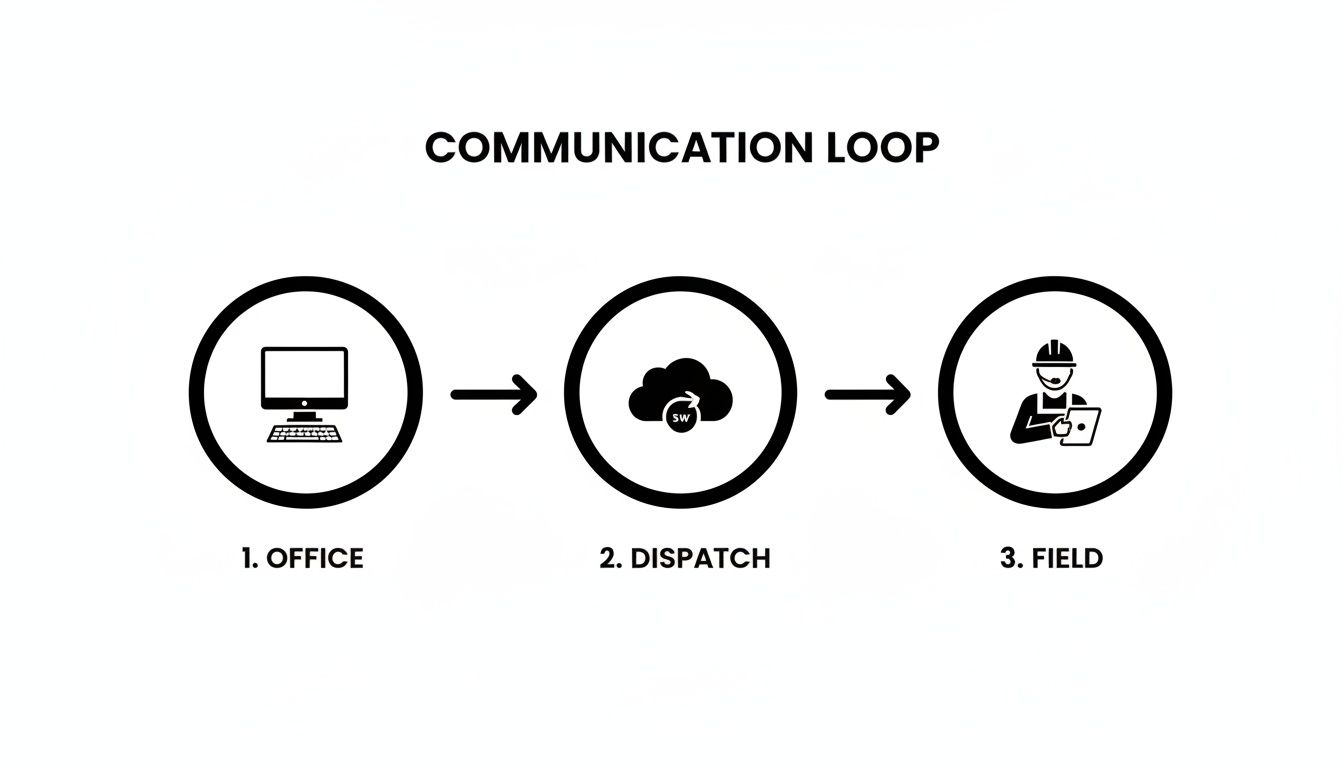
With a central platform, crucial information moves seamlessly, keeping everyone on the same page without anyone having to stop what they're doing to make a call.
Manual Dispatching vs Modern Software: A Day in the Life
The difference between these two scenarios isn't just about speed; it's about control. One is defined by stress and guesswork, while the other is built on clarity and precision. What used to take 15-20 minutes of frantic coordination now takes just a few clicks.
This table breaks down how a typical day looks with and without a proper dispatching system.
| Task | The Old Way (Paper, Phone Calls, Spreadsheets) | The New Way (With TackonFSM) |
|---|---|---|
| Emergency Dispatch | Frantic calls to find the nearest tech, relying on memory and pure guesswork. | Instantly view all technicians on a live map and assign the job to the closest, best-qualified person in seconds. |
| Customer Updates | The office has to call the tech for an ETA, then call the customer back, creating delays and frustration. | Automated SMS/email notifications with real-time technician tracking links are sent to the customer instantly. |
| Job Information | Technicians get vague details over the phone and often have to call back for clarification. | Complete job details, customer history, and site photos are sent directly to the technician's mobile app. |
| Route Planning | Routes are planned based on a gut feeling, often leading to wasted drive time and fuel. | Software automatically optimizes routes to minimize travel and fit more profitable jobs into the day. |
| End-of-Day Reporting | The dispatcher spends hours manually reconciling paper job tickets and timesheets. | All job data, timesheets, and invoices are synced in real-time, generating reports automatically. |
As you can see, it’s not just about doing the same tasks faster. It's about completely changing how your business operates, eliminating the bottlenecks that hold you back from growing.
Okay, let's move beyond the buzzwords and get into what actually matters—the tools that solve the real-world headaches you face every single day. The true value of field service dispatch software isn't in some high-level concept; it's in the specific features that stop the bleeding of time, money, and customer patience.
These features aren't just bells and whistles. They’re built to fix the frustrating, chaotic parts of running an HVAC, plumbing, or electrical business. Think of them as individual gears that, when working together, create a smooth, efficient, and much more profitable machine.
Let’s dig into the non-negotiable features you should be looking for.
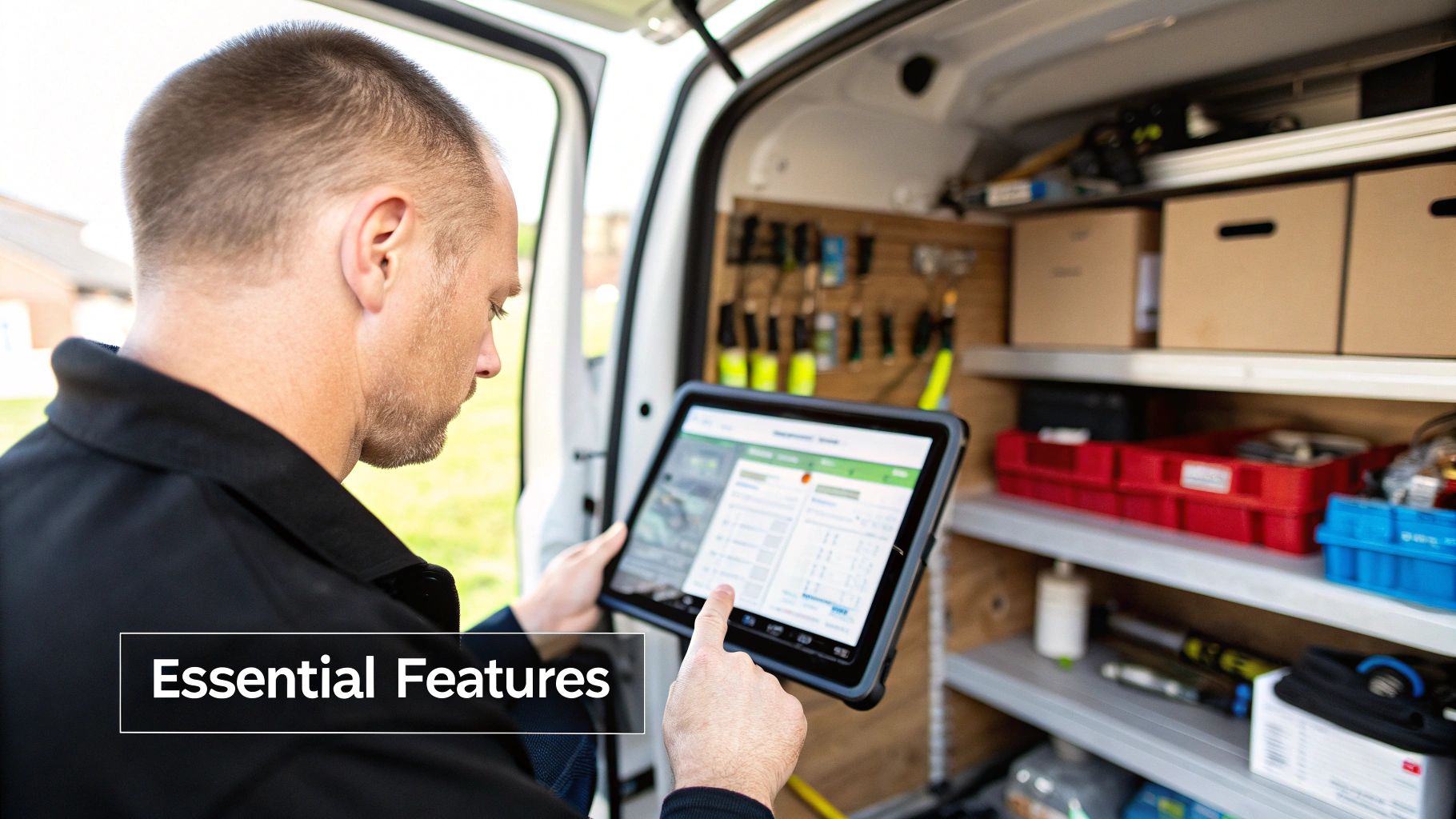
Visual Drag-and-Drop Scheduling
Your dispatch board is mission control. For too long, this has meant messy whiteboards or clunky spreadsheets that are outdated the second you finish updating them. A modern, visual drag-and-drop calendar completely changes the game. It turns scheduling from a frustrating game of Tetris into a flexible, strategic advantage.
With a clear view of the entire day, week, or month, your dispatcher can finally breathe.
- Instantly reassign jobs when a tech gets held up or a customer has to reschedule. No more frantic phone calls and crossed-out notes.
- Spot open gaps in the schedule and slot in an emergency call or a high-profit installation.
- Evenly distribute the workload across your team, preventing burnout for your best techs and keeping everyone productive.
This is about more than just booking appointments. It’s about gaining the agility to handle a day full of curveballs without letting the whole operation descend into chaos. If you're looking to refine your own process, our guide on field service scheduling software that saves time has some great pointers.
Real-Time GPS Tracking and Route Optimization
"Where are you now?" It’s a question that wastes everyone’s time. Real-time GPS tracking makes those calls obsolete. Your dispatcher gets a live map view of your entire fleet, empowering them to make smarter, faster decisions.
When that panicked "my basement is flooding" call comes in, they can instantly identify and dispatch the absolute closest technician. This saves critical minutes, cuts down on fuel costs, and creates a seriously impressed customer.
But it goes beyond emergencies. GPS is the engine for route optimization. Good software will automatically map out the most efficient route for each tech's daily schedule, slashing drive time and fuel consumption. That’s less time sitting in traffic and more time on-site, doing billable work. It’s a direct boost to your bottom line.
A dispatcher without real-time GPS is like an air traffic controller without radar. They're making critical decisions based on outdated information, which is a recipe for inefficiency and customer dissatisfaction.
A Purpose-Built Mobile App for Technicians
Your techs in the field are the face of your company. The last thing they need is a clunky, confusing app that makes their job harder. If it’s not intuitive, they simply won’t use it. A great mobile app becomes a technician’s most trusted tool, putting everything they need right on their phone or tablet.
Key functions should include:
- Viewing complete job details: No more calling the office for an address or to ask about the customer's history. It's all there—notes, equipment records, and required parts.
- Updating job status with a tap: Let the office know they're en route, on-site, or finished without interrupting their workflow.
- Capturing photos on-site: Before-and-after pictures provide undeniable proof of work, heading off potential disputes before they start.
- Taking payment on the spot: Collect credit card payments the moment the job is done. This single feature can dramatically improve your cash flow.
This constant, seamless flow of information between the office and the field gets everyone on the same page, wiping out the miscommunication and errors that cost you money.
Integrated Estimating and Invoicing
Keeping your dispatch, estimating, and invoicing in separate systems is an open invitation for mistakes and lost revenue. Every time information is manually re-entered, there's a risk of typos, forgotten parts, or incorrect labor hours. An integrated system connects the dots seamlessly.
Picture this: your tech builds a good-better-best quote right on their tablet, gets the customer’s digital signature, and converts the approved option into a work order. Once the job is finished, that work order flips into a detailed invoice with a single click. Every part used and every minute of labor is automatically and accurately accounted for.
This isn't just about saving your admin a few hours. It's about plugging the financial leaks that silently drain your profitability.
The proof is in the numbers. The global field service management market, powered by these exact features, was valued at USD 5.10 billion in 2025 and is on track to hit USD 9.17 billion by 2030. It's shops just like yours—small and medium-sized contractors with 2 to 20 trucks—that are fueling this growth. They're using these tools to get the most out of their teams and deliver a better customer experience. For a deeper dive, you can explore the full market report.
How Integrated Tools Drive Greater Profitability
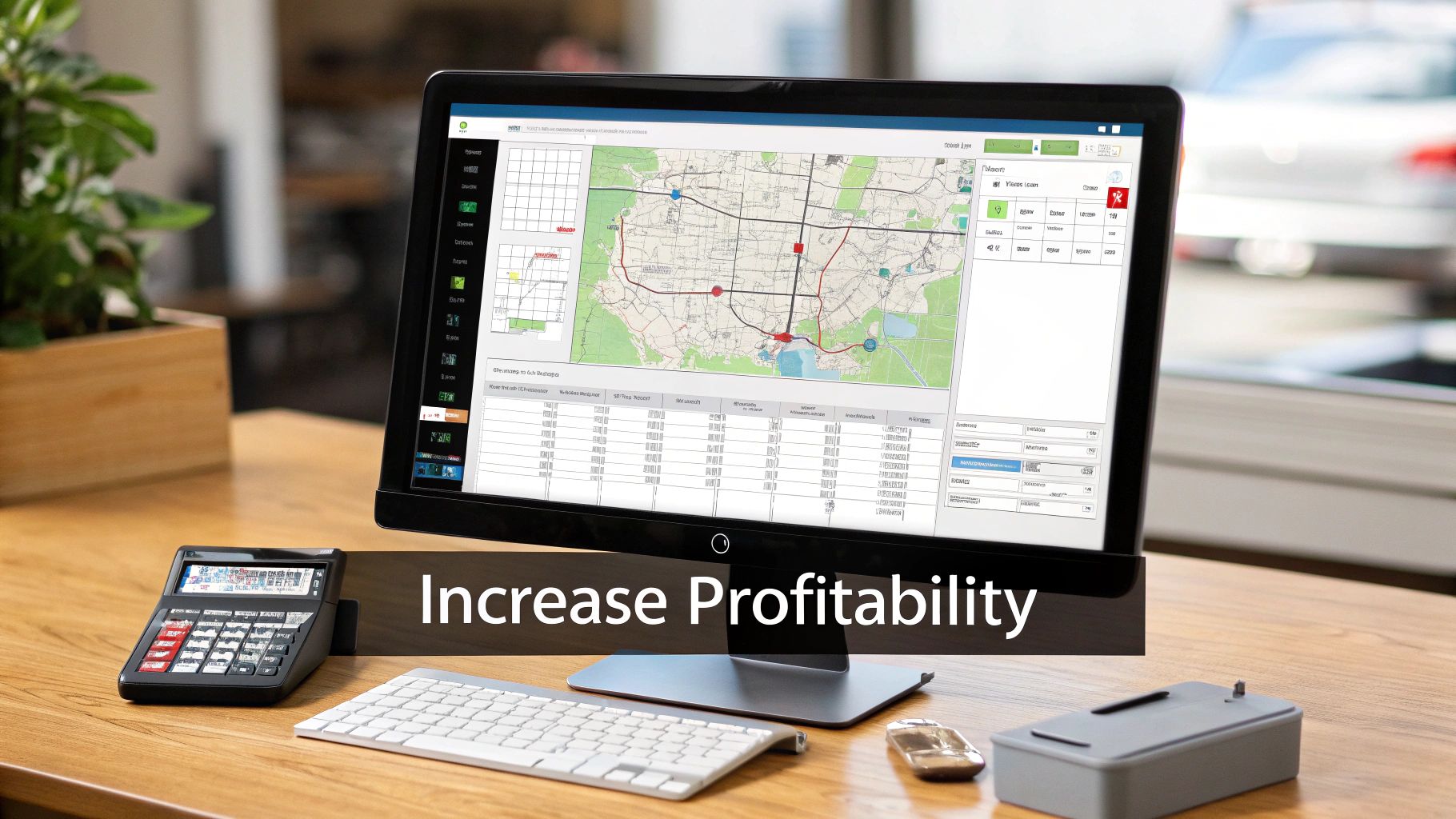
Smart dispatching is the engine of your operation, but its real power—the kind that shows up on your bottom line—is unlocked when it's hooked into your entire workflow. Standalone scheduling tools can only do so much. When your field service dispatch software talks to every other part of your business, from the first quote to the final payment, you build a system that actively grows your profitability instead of just managing tasks.
This kind of connection closes all the tiny, costly cracks that appear when you're juggling disconnected systems. Think about it: every time your team has to manually copy details from an estimate to a work order, or from a job ticket to an invoice, you're opening the door to mistakes and wasted payroll hours. A truly unified platform makes the whole process one seamless, unbroken chain of information.
From Dispatch to Dollars: The Integrated Workflow
Picture your business operations like a relay race. With manual systems, the handoff between each runner—from the dispatcher to the technician to the person handling billing—is often clumsy. Details get dropped, time is lost, and the chance of a critical error is sky-high. An integrated platform makes that handoff perfectly smooth and automatic at every single stage.
This seamless flow has a direct and immediate impact on your cash flow cycle.
- Quote to Job: A customer hits "approve" on an estimate from their phone, and that proposal instantly becomes a scheduled job in your system. No double-entry, no lag time.
- Job to Invoice: The second a technician marks a job as complete, a perfectly accurate invoice is automatically generated, pulling in all the parts used and labor logged.
- Invoice to Payment: That invoice is immediately sent to the customer with a secure link to pay online. Even better, your tech can take payment on the spot before leaving the driveway.
This kind of speed is a game-changer. Instead of waiting days or even weeks for paperwork to shuffle back to the office, you can get paid the same day the work is finished. That dramatically improves your financial health and gives you the capital to invest back into the business.
When your systems are connected, your cash conversion cycle shrinks from weeks to hours. You stop chasing paperwork and start stacking profits.
Protecting Margins with Smart Inventory Management
For any contractor in the trades, parts and materials are a huge expense—and a massive source of potential profit loss. Without a connected system, trying to track inventory is a nightmare of pure guesswork. You’re left wondering what’s on each truck, what was actually used on a job, and, most importantly, whether you even remembered to bill for it.
This is where trade-specific field service dispatch software completely changes the financial equation. It pulls inventory management directly into the dispatch and invoicing workflow, ensuring you never miss billing for a single part again.
When a technician uses a component on a job, they log it right there in their mobile app. That part is instantly deducted from the van's stock and automatically added to the final invoice. This one simple step plugs a massive leak that drains profits from countless service businesses every single year.
The Power of a Shared Parts Database
An integrated platform takes this a step further by giving your team a shared parts database. This isn't just a simple list; it's a central pricebook for your entire company, accessible to everyone from the office staff building a quote to the tech standing in a customer's basement.
This tool becomes your best defense against the inaccurate estimates that can absolutely kill your margins.
- Consistent Pricing: It guarantees every quote uses the correct, up-to-date pricing for every part and material. No more guesswork.
- Accurate Estimates: It lets technicians build detailed, profitable quotes right on-site, confident they're using the right numbers.
- Margin Protection: You can even set minimum margins within the system, preventing anyone from accidentally under-bidding on a job.
This connected approach turns every estimate into a predictable, profitable engagement. You can learn more about how to simplify your estimates, quotes, and invoicing to better protect your bottom line.
The entire field service market is growing for a reason: these powerful integrations work. The FSM market is projected to hit USD 9.87 billion by 2031, with North American contractors leading the charge in adopting AI-driven dispatch and integrated features. If you want to dive deeper into the numbers, check out these market trends on mordorintelligence.com. And for those looking to get even more advanced, understanding how a strong CRM with VoIP integration can automate workflows and sync customer data is key to hitting peak efficiency.
At the end of the day, integrated tools don’t just make you more efficient—they make your business more resilient and financially sound.
Choosing the Right Field Service Dispatch Software
Deciding to invest in new field service dispatch software can feel like a massive undertaking. The market is packed with options, but here’s the problem: most fall into two camps. They're either too basic to make a real difference or so complicated and expensive they only make sense for giant corporations. The trick is finding that sweet spot—a system that solves your problems today but has the horsepower to keep up as you grow.
Think of it like buying a new work truck. You wouldn’t get a semi-trailer for residential service calls, but you also wouldn’t try to haul an AC unit in a sedan. You need the right tool for the job. It has to be powerful enough for your busiest days yet simple enough that your whole team can actually use it without a manual.
Your Actionable Buyer's Checklist
To cut through the marketing fluff, you need to zero in on what actually affects your daily work and your bottom line. It's easy to get wowed by a long list of features you'll never touch. Instead, use this checklist to stay focused on what truly matters for a trade business.
An Intuitive Interface for Everyone
Remember, your dispatcher and your techs have completely different jobs, and the software has to work for both of them. A cluttered screen will bog down your office staff, while a confusing mobile app will just get ignored by your crew in the field. Look for a clean, visual drag-and-drop calendar for the office and a dead-simple app for the techs. If it’s not easy, they won’t use it. Period.Scalability to Support Growth
The software you pick today needs to work for you when you add that next truck, and the one after that. Dig into the pricing tiers. Does the cost suddenly skyrocket when you hire your fourth technician? You want flexible plans that grow with your business, not ones that punish you for success by shoving you into an expensive enterprise contract.Transparent and Predictable Pricing
Nothing kills trust faster than hidden fees. Be skeptical of any provider that nickel-and-dimes you for setup, training, or basic support. The best partners lay it all out with clear, predictable pricing and no scary long-term contracts. You should know exactly what you’re paying every month, with no surprises.
Beyond the Features: Support and Onboarding
Even the greatest software on earth is worthless if your team can’t figure out how to use it. This is where support and onboarding separate the good from the great. A provider that’s truly invested in your success will make the transition feel less like a headache and more like a helping hand.
A real software partner doesn’t just sell you a license and disappear. They should be in the trenches with you during implementation, seeing things like onboarding and data migration as a core service, not a pricey add-on.
Here are the non-negotiables to look for when it comes to support:
- Guided Onboarding: Do they offer live training to walk your office team and your techs through the system?
- Free Data Migration: This one is huge. Will they help you move your customer lists, parts inventory, and job history from old spreadsheets or another system? This can save you days of tedious, manual data entry.
- Responsive Customer Support: When you’re stuck, can you get a real human on the phone who actually understands the trades?
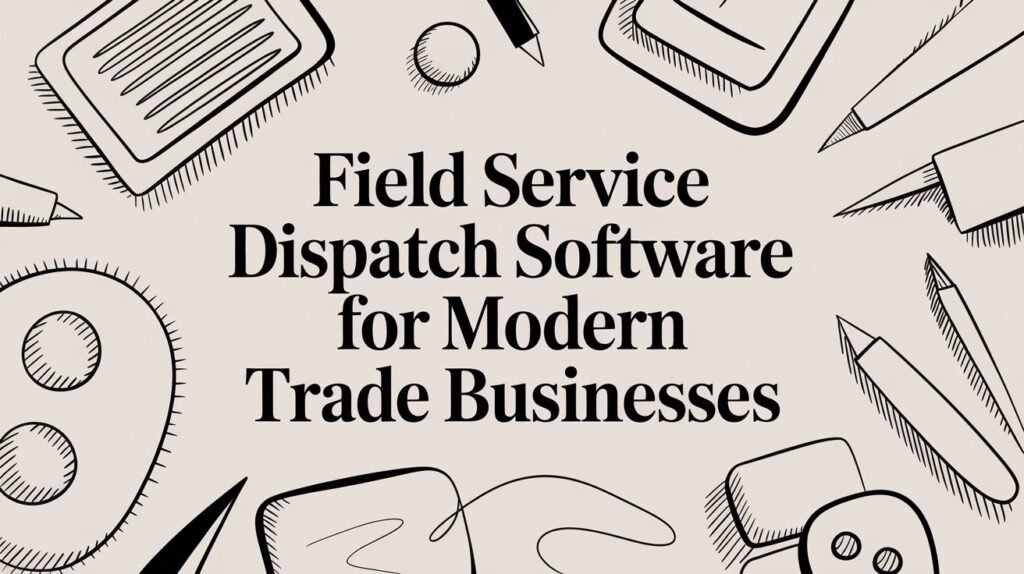
Picking the right field service dispatch software is less about buying a product and more about finding a partner who is committed to making your business run better. By focusing on usability, fair pricing, and real support, you can find a solution that empowers your team from the get-go. When you're ready to see what's possible, taking a look at a modern field service management dashboard can paint a clear picture.
Frequently Asked Questions
Jumping into new technology is a big step. It’s totally normal to wonder how it will really affect your day-to-day work, your crew, and your profits. Here are some of the most common questions we hear from HVAC, plumbing, and electrical contractors when they're looking at field service dispatch software. We want to give you straight, practical answers to help you feel confident about the move.
How Hard Is It to Switch to a New System?
This is probably the number one fear that keeps business owners from making a change. The good news is that modern software is built from the ground up to make this transition as painless as possible. The trick is to find a provider that sees onboarding as a partnership, not just another line item on an invoice.
A great partner will handle the heavy lifting, like data migration, as part of their standard service. They should be able to pull in your customer lists, parts database, and even old job history from whatever you're using now—whether it's QuickBooks, another FSM tool, or just a bunch of spreadsheets. This means your team can get started without losing years of valuable info or dealing with major downtime. The best platforms also include live training to get both your office staff and field techs comfortable right from day one.
The switch to a new system should feel like you're gaining a support team, not just a new login. Look for providers that offer a 14-day free trial so you can see how it works with your own data and team before you commit.
Will My Techs Actually Use a Mobile App?
They will, but only if it’s built for them. Techs have a healthy skepticism for new tech, especially if it complicates their job or slows them down. If an app is clunky, confusing, or takes ten taps to do something simple, they'll find every reason not to use it.
The secret to getting your team on board is a simple, intuitive mobile app that actually makes their day easier. A well-designed app becomes a technician's digital sidekick, putting everything they need in the palm of their hand.
- Instant Job Details: No more calling the office for an address or customer history. All the notes, equipment records, and site info are right there.
- Simple Status Updates: Tapping a button to say "On my way" or "Job done" is a lot faster than making a phone call.
- On-Site Proof: Snapping photos of their work is a game-changer for documenting jobs and heading off potential customer disputes.
- Get Paid on the Spot: Collecting payment in the field the second a job is finished is the fastest way to improve your cash flow.
When the app helps them work faster and look more professional, technicians don't just use it—they start to rely on it.
Is This Software Affordable for a Small Business?
Absolutely. The days of needing a massive budget and a dedicated IT department are long gone. Today, the best field service dispatch software providers offer flexible, transparent pricing designed specifically for small and mid-sized trade businesses.
Modern cloud-based software means you don't have to buy or maintain expensive servers. This makes powerful tools for dispatching, scheduling, and invoicing accessible even if you're a one-truck operation.
Look for a provider with clear monthly or annual pricing without locking you into long-term contracts or hitting you with hidden setup fees. The cost should scale with your team, whether you have one technician or twenty. This predictable model lets you invest in growing your business without breaking the bank.
How Does This Software Help Me Control Inventory?
For any trade contractor, this is where the money is made or lost. Instead of guessing what parts are on which truck, integrated inventory management gives you a live look at your stock across every van, the shop, and the warehouse.
When a technician uses a part on a job, they log it right in the mobile app. That part is automatically subtracted from the truck's inventory and, more importantly, added directly to the customer's invoice. This simple, connected workflow ensures you bill for every single part, every single time.
This level of control helps you:
- Prevent parts from "walking away" or getting lost in the shuffle.
- Stop accidentally double-ordering expensive components.
- Know exactly when it's time to reorder supplies.
Some platforms even include a shared parts database, making it easy for your entire team to build accurate estimates that protect your profit margins from the get-go.
Ready to see how a modern platform can change the way you work? TackonFSM provides an all-in-one solution built for the trades, helping you schedule smarter, control your inventory, and get paid faster. Start your free 14-day trial today.