The Ultimate Guide to Electrical Contractor Scheduling Software

The morning scramble. It’s a scene every electrical contractor knows by heart. Whiteboards are a mess of scribbles, phones are ringing with techs asking for job details, and customers are calling to ask, "Where's my electrician?" It feels like controlled chaos, but that daily friction is more than just stressful—it’s quietly bleeding your business dry.
How Your Electrical Business Springs a Leak
Every minute a technician wastes trying to figure out a messy work order or driving a roundabout route is a minute you can't bill. These aren't just minor hiccups; they're the small, constant drips that add up to a major leak in your company's bottom line. In most cases, the culprit is an old-school scheduling method that just can't keep up.
Imagine trying to run a city's power grid with nothing but a notepad and a pen. You might keep the lights on for a while, but you’d be constantly battling overloads, blackouts, and emergencies. Your business is that grid. Jobs, technicians, and customer calls are the electrical load, and without a smart system to manage the flow, you're always one double-booked job away from a meltdown.
The True Price of Disorganization
The damage goes way beyond just lost time. The real cost of a disorganized schedule shows up in the places that matter most:
- Lost Revenue from Wasted Motion: When your techs are crisscrossing town for jobs that could have been logically grouped by neighborhood, you're literally burning money on fuel and non-billable drive time. Think about it: adding just one extra job per technician each week simply by optimizing routes could boost your annual revenue by tens of thousands.
- Unhappy Customers: Nothing erodes trust faster than a technician showing up late or, worse, having to reschedule at the last minute because of a booking conflict. In a market this competitive, a reputation for being unreliable is the fastest way to lose both new and repeat customers.
- Swamped Office Staff: How many hours does your team spend on the phone, juggling schedules, and playing telephone with technicians in the field? This administrative overload keeps them from focusing on what really grows the business—things like customer follow-ups, marketing, and strategic planning.
This is exactly where electrical contractor scheduling software stops being an expense and starts becoming your most valuable tool. It’s the modern command center for your entire operation.
By bringing scheduling, dispatch, communication, and invoicing together in one place, you turn that daily chaos into a smooth, predictable, and much more profitable workflow. This software is built to find and plug the leaks, making sure every single resource—from your technicians' time to the fuel in your vans—is put to its best possible use.
Decoding Electrical Contractor Scheduling Software: What It Is and How It Works
At its heart, electrical contractor scheduling software is the command center for your entire business. A good way to think about it is like an air traffic control system for your operations. The control tower has to coordinate planes, pilots, and ground crews to keep things moving safely and on time. This software does the same for your jobs, technicians, and equipment.
Without a system like this, you're basically asking your techs to guess their routes for the day while your office staff tries to wrangle everything with sticky notes and spreadsheets. It's a recipe for chaos: crossed wires, missed appointments, and unhappy customers. The right software replaces that mess with a single, reliable source of information that everyone on your team can access from anywhere.
The Control Tower: Your Central Dashboard
The core of any solid electrical scheduling platform is its central dashboard. This is your "control tower," giving you a real-time, bird's-eye view of everything that's happening. From one screen, your dispatcher or office manager can see every job on the board, check the status of each project, and know the current location of every technician.
This is so much more than a digital calendar. A simple calendar tells you when a job is scheduled, but this kind of dashboard tells you everything else about it. Dispatchers can instantly see which tech has the right skills for a tricky job, figure out who is closest to an emergency call, and even check if they have the necessary parts in their van—all without making a single phone call.
The Cockpit Instruments: Your Technician's Mobile App
If the dashboard is your control tower, then the mobile app is the high-tech instrument panel inside your technician's "cockpit." It puts all the critical job information they need right on their smartphone or tablet.
- Job Details: They can pull up complete work orders, customer contact information, and a full service history with just a tap.
- Real-Time Updates: Technicians update their job status as they go—en route, started, paused, completed—which keeps the office in the loop without constant check-in calls.
- Navigation: Integrated GPS gives them the best route to the next site, which cuts down on wasted drive time and fuel costs.
This immediate access to information helps your field team work smarter and more independently. They spend less time on the phone with the office asking for details and more time doing the actual, billable work. It’s no surprise that a stunning 53% of electrical contractors now see scheduling and logistics software as their top technology investment, specifically because they need features like GPS routing and instant dispatching. You can dig deeper into these critical electrical contractor trends to see how technology is reshaping the entire industry.
When you're stuck with manual processes, the operational chaos creates all sorts of profit leaks, from missed calls and bad routes to unhappy clients who won't call you back.
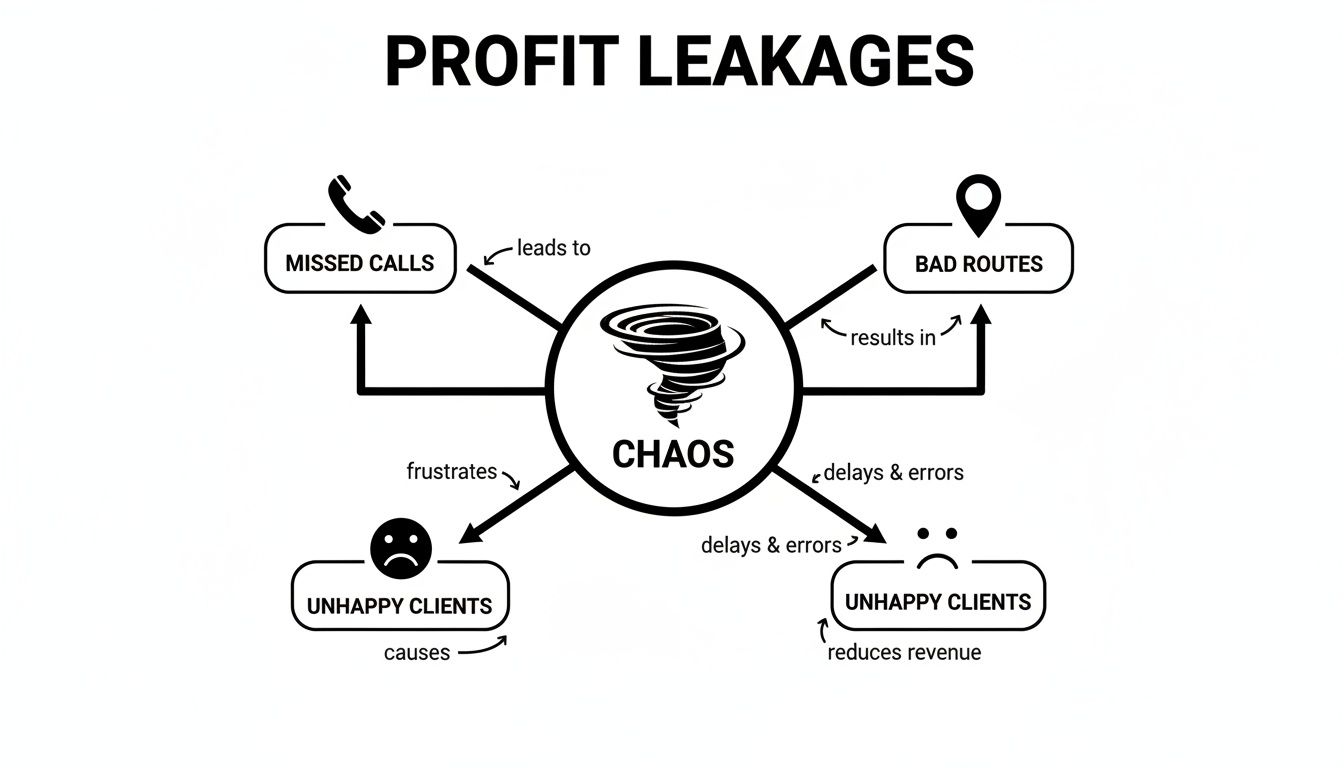
As you can see, these aren't just one-off problems. They’re interconnected issues that snowball into serious financial losses and can do real damage to your company's reputation.
The Radio Chatter: Automated Communication
Finally, great software acts like the clear, constant radio chatter that keeps your whole team synchronized. It automates all the back-and-forth communication that currently eats up hours of your day.
This isn't just about sending out texts; it's about getting the right information to the right person at exactly the right time, without anyone having to lift a finger. It’s the invisible engine that boosts customer satisfaction and slashes administrative work at the same time.
Automated reminders go out to customers to confirm appointments, which drastically reduces no-shows. Instant notifications alert your technicians to new jobs or schedule changes the moment they happen. This steady stream of information makes sure everyone—your team and your customers—is on the same page, creating a professional and reliable experience from start to finish.
The 6 Must-Have Features That Define Elite Scheduling Software
Alright, let's cut through the noise. You know you need scheduling software, but figuring out which one isn't a "nice-to-have" versus a "can't-live-without" is where it gets tricky. Moving from a basic understanding to knowing what to demand from a platform is the most important part of your search.
Think of it this way: you wouldn't buy a service truck without checking the engine, transmission, and payload capacity. The same logic applies here. The right features solve real-world problems and pay for themselves, while the wrong ones just create more headaches.
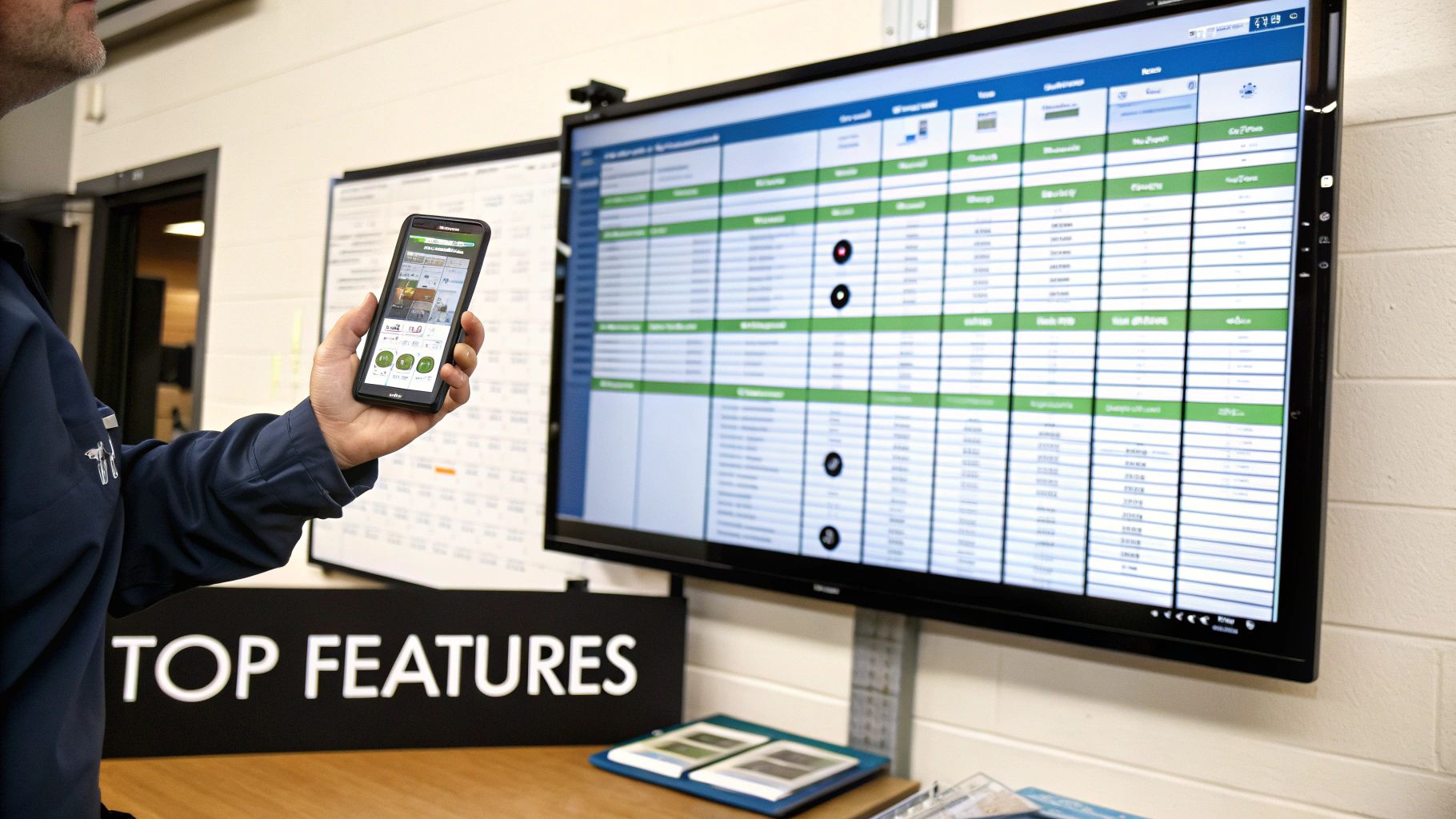
These six features are the non-negotiables. They form the foundation of any system that's truly built to help an electrical contractor grow. Let's dig into what they are and why they matter so much to your bottom line.
1. A Visual Drag-and-Drop Dispatch Board
If your dispatching still relies on a whiteboard or a clunky spreadsheet, it's time for an upgrade. A modern dispatch board is your command center—a live, color-coded map of your entire field operation. Your dispatcher should be able to see who's where, what they're doing, and who's free, all in one glance.
The magic is in the drag-and-drop functionality. When that emergency "power out" call comes in, you can't afford to waste 15 minutes playing phone tag. A great board lets your dispatcher spot the nearest available tech, confirm they have the right skills, and drag the job right onto their timeline. Instantly, the tech gets a notification on their phone. This one simple action prevents double-bookings, slashes drive time, and squeezes more billable hours out of every single day.
2. A Powerful Mobile App for Technicians
Your techs are your boots on the ground, and their time is your most valuable asset. Arming them with a powerful mobile app means they spend less time calling the office for information and more time getting the job done right. It's about empowering them to be self-sufficient.
A solid field app has to deliver:
- Complete Job Details: Full customer history, detailed work orders, site photos, and any specific notes from the office—all accessible in seconds.
- Real-Time Status Updates: A simple tap to mark themselves as "en route," "on-site," or "job complete," keeping the office perfectly in sync.
- On-the-Spot Quoting and Invoicing: The ability to build a professional estimate, capture a customer's signature, and fire off an invoice right from their phone.
This isn't just about efficiency. It makes your techs look more professional, improves their job satisfaction, and gives your customers a far better experience.
3. Integrated Inventory and Parts Management
How many times have you heard, "I have to run back to the shop for a part"? Those words are absolute profit killers. One of the biggest blind spots in basic scheduling tools is the disconnect between the job and the parts used. Elite software bridges that gap.
Here’s how it works: a tech uses a part on a job and marks it as "used" in the app. That one action triggers two critical things: the part is automatically added to the customer's invoice (so you get paid for it), and it simultaneously updates your master inventory count. This stops revenue from slipping through the cracks and prevents frustrating delays because a part you thought you had is out of stock.
Effective inventory management isn't just about counting what's on the shelf; it's about making sure every single part used in the field translates directly into revenue on an invoice.
4. A Seamless Estimate-to-Invoice Workflow
Getting from a quote to a paid invoice should be a straight line, not a winding road with potholes. The best platforms create a single, unbroken workflow that saves hours of administrative work and gets cash in the bank faster.
The ideal process is simple: your tech creates a quote on-site. The customer approves it with a digital signature, and with a single click, that quote instantly becomes a live work order. Once the job is done, another click converts it into a final invoice, ready for payment. This tight integration practically eliminates duplicate data entry and dramatically shrinks the gap between finishing a job and getting paid for it.
5. Automated Customer and Technician Reminders
Good communication makes you look like a pro, but it's also incredibly time-consuming. This is where automation becomes your best friend. Automated reminders do the heavy lifting for you, cutting down on no-shows and keeping customers happy.
Look for a system that automatically sends:
- Appointment Confirmations the moment a job is booked.
- Service Reminders a day or two before the scheduled work.
- "On-My-Way" Texts the second a tech marks themselves as en route.
These small, automated touchpoints build trust and drastically reduce the number of calls your office gets asking, "Where's my electrician?"
6. Critical Software Integrations
Your scheduling software can't operate on an island. To be the true hub of your business, it has to talk to the other tools you depend on—especially your accounting software, like QuickBooks.
A rock-solid integration means that when an invoice is created or paid in your field service software, that data flows automatically into your accounting system. No more manual entry. This not only saves a ton of time but also virtually eliminates human error, giving you a crystal-clear picture of your company's financial health. Without it, you're paying your team to do the same work twice.
To help you connect these features to real-world results, here’s a quick breakdown of how each one directly impacts your day-to-day operations.
Essential Software Features vs. Operational Impact
| Must-Have Feature | Core Function | Direct Impact on Your Business |
|---|---|---|
| Visual Dispatch Board | Centralized, drag-and-drop scheduling | Reduces drive time, increases jobs per day, and improves emergency response. |
| Mobile App | Puts job info and tools in the tech's hands | Minimizes calls to the office, speeds up on-site work, and boosts professionalism. |
| Inventory Linking | Connects parts used to work orders and invoices | Prevents lost revenue from unbilled materials and avoids stockout delays. |
| Estimate-to-Invoice Flow | Creates a single, connected job lifecycle | Reduces administrative overhead and accelerates your cash flow cycle. |
| Automated Reminders | Sends automatic updates to customers | Lowers no-show rates, improves customer satisfaction, and frees up office staff. |
| Software Integrations | Syncs data with other essential tools (e.g., QuickBooks) | Eliminates double data entry, reduces costly errors, and ensures accurate financials. |
Focusing on these six core functionalities ensures you're investing in a tool that will actively grow your business, not just manage your calendar.
So, What's the Real Payback? A Practical Guide to Your ROI
Thinking about new electrical contractor scheduling software? It’s easy to get sticker shock and see it as just another expense. That’s a mistake I see a lot of owners make. The right way to look at this is as an investment—a machine you're buying to generate more revenue. But don't just take my word for it. Let's run the numbers so you can prove it to yourself and your team.
Calculating the return on investment (ROI) doesn't have to be complicated. It really boils down to three things: making more money, spending less money, and getting paid faster. We're not talking about fuzzy, abstract benefits here; we're talking about real dollars hitting your bank account.
Boosting Your Top-Line Revenue
The first and most obvious win is efficiency. When your scheduling is tight and routes are smart, your techs can simply get more done in a day. The math on this is surprisingly simple, yet powerful.
Let's imagine a conservative scenario. Say the software helps just one of your electricians fit in one extra service call each week. At an average of $350 per job, that’s an extra $18,200 a year from that one person.
- For a team of five technicians: Suddenly, you're talking about over $91,000 in new annual revenue.
- For a team of ten technicians: That number jumps to a staggering $182,000 more per year.
And this isn't magic. It comes from slashing windshield time, closing up those awkward gaps between appointments, and making sure the right parts are on the truck for the first visit.
Slashing Your Operational Costs
On the other side of the coin, this software starts plugging the "profit leaks" that quietly drain your business every day. These little savings might not seem like much on their own, but they add up fast.
Think about that all-too-common trip back to the shop for a forgotten part. It’s a classic profit killer. You're paying for fuel, the technician's time (which is now non-billable), and you're likely pushing back the next job, causing a ripple effect of delays.
Here’s where you’ll see the savings pile up:
- Fuel Savings: Good routing isn't just about speed; it's about efficiency. You can realistically cut mileage by 15-20%, which could mean thousands of dollars in fuel savings over a year.
- Reduced Administrative Overhead: Imagine your office staff not having to manually confirm appointments or chase down paperwork for invoices. Automating these tasks frees them up for work that actually grows the business, not just maintains it.
- Eliminating Billing Errors: When a tech uses a part in the field and it's instantly added to the invoice, you stop losing money on forgotten materials. Every screw, every connector gets billed for.
Accelerating Your Cash Flow
Finally, let's talk about getting paid. How fast cash comes in the door determines the health of your business. A slow invoicing process can starve a company, making it tough to cover payroll or invest in new equipment. This is where scheduling software can be a game-changer.
When a technician finishes a job, generates an invoice on their tablet, and takes a payment on the spot, you’ve just compressed a cycle that used to take days—or even weeks—into a matter of minutes. This has a massive impact on your cash flow. It gives you the working capital you need to run and grow your business. This push for efficiency is why the Electrical Contractor Software market hit $12.28 billion in 2023 and is on track to double by 2031. To learn more, check out the full report on the Electrical Contractor Software market growth. Getting paid faster is a huge piece of that puzzle.
Your Step-By-Step Guide to Choosing and Implementing New Software
Choosing the right scheduling software for your electrical business can feel like a massive undertaking, but it doesn't have to be. The trick is to break it down into two manageable projects: first, picking the right software partner, and second, rolling it out to your team. A methodical approach here is your best defense against making a costly mistake.
The whole point is to move from chaos to control with a clear head. By carefully vetting vendors and planning your launch, you can sidestep the classic blunders that come from a rushed decision. Let’s walk through how to do this right.
The Vendor Evaluation Checklist
Before you get lost in software demos, you need a way to filter the good from the bad. Not all platforms are built the same, and trying to shoehorn a generic tool into an electrical contractor’s workflow is a recipe for frustration. Use this checklist to find a solution that fits your business like a glove.
- Do they actually know the trades? A generic project management tool won't cut it. It simply doesn't understand the day-to-day reality of mobile technicians, truck stock, and on-the-spot invoicing. Look for a company that speaks your language.
- Is the pricing clear and fair? Watch out for vendors with confusing pricing and a mountain of hidden fees. The best partners have straightforward plans (like a simple per-user fee) that can grow as you do. Don't be shy—ask them directly: "What will training, support, and getting my data moved over really cost?"
- What happens when I need help at 7 AM on a Monday? You can't afford to wait two days for an email reply when a job is on the line. Dig into their support hours and how you can reach them (phone, chat, etc.). Also, find out if they offer hands-on help with onboarding and data migration. Trust me, it's a lifesaver.
A vendor’s attitude toward support during the sales process tells you everything you need to know about the help you’ll get after you’ve signed the contract. If they understand the urgency of a service business, they'll have the support to back it up.
Your Step-by-Step Implementation Plan
Once you’ve picked your software, the real work begins: weaving it into your daily operations. A lot of owners worry about the transition being a huge disruption or their team pushing back against the change. A phased rollout is the best way to handle this, ensuring everyone gets comfortable without feeling overwhelmed.
1. Get Your Data and Settings Dialed In
This is the foundation for everything. Work with your new software partner to get all your existing data imported—customer lists, job histories, parts inventory, you name it. A clean transfer is non-negotiable. This is also when you'll configure your company settings, customize invoice and estimate templates, and create accounts for your team.
2. Train Your Team for Confidence
Don't just throw logins at your crew and hope for the best. That never works. Schedule dedicated training time for your office staff and your field techs. The office needs to master the dispatch board and billing process, while your electricians need to be completely comfortable using the mobile app to run their jobs. Frame the training around how the software makes their specific tasks easier.
3. Run a Small-Scale Pilot Program
Instead of flipping the switch for everyone at once, start small. Pick one or two of your most reliable techs and have them run all their jobs through the new system for a week or two. This acts as a real-world test run, letting you find and smooth out any kinks in the process before the entire company is using it.
4. Go Live with the Whole Company
Armed with feedback from your pilot group, you’re ready for the full launch. Kick things off with a company-wide meeting to get everyone on the same page, show them the benefits, and answer any last-minute questions. Make it crystal clear that this is the new way of doing things and that you're there to support them. Following these steps turns a daunting project into a series of simple, manageable wins.
How TackonFSM Solves Your Biggest Scheduling Headaches

It’s one thing to read a list of software features, but it’s another to see exactly how they fix the things that drive you crazy every day. Most electrical contractors I talk to are stuck in a cycle, wrestling with the same operational problems over and over again.
Let's get practical. I want to show you how a platform built specifically for electricians, like TackonFSM, directly targets and eliminates these common headaches. This isn't just about a shared calendar; it's about putting a system in place that turns chaos into predictable, profitable work.
The industry is catching on fast. The global Electrical Contractor Software market was valued at around USD 1.5 billion in 2023 and is on track to hit USD 3.6 billion by 2032. That explosion in growth tells a clear story: contractors are tired of the old way and are demanding better tools. You can dig into the numbers and see the electrical software market's growth trajectory for yourself.
The Constant Back-and-Forth Across Town
I hear this one all the time: "My techs spend half the day in their trucks." That's "windshield time," and it's a silent killer of your profit margins. You're paying highly skilled electricians to drive, not to complete billable work, all because of inefficient routing.
TackonFSM hits this problem head-on with its visual dispatch board and live GPS tracking. Your dispatcher sees every technician on a map in real-time. When an emergency call comes in, they don't have to guess who's closest—they know. They can assign the right tech in seconds, slashing drive time, cutting fuel costs, and making it possible to squeeze more paying jobs into the day.
Lost Parts and Delayed Invoices
Here's another huge profit leak: the gap between what happens in the field and what the office knows. A tech pulls a breaker from the van, installs it, and forgets to write it down. It’s a small thing, but those "small things" add up to thousands of dollars in lost revenue by the end of the year.
TackonFSM closes this gap completely. When a technician uses a part, they select it right in the mobile app. That single action does two things instantly: adds the part and its cost to the customer's invoice and deducts it from your live inventory. It’s a foolproof system that ensures you get paid for 100% of the materials used on every single job.
No more chasing down paperwork or sending out corrected invoices. Everything is accurate from the moment the job is done, which means you can get paid faster.
Fear of a Difficult and Disruptive Switch
Maybe the biggest headache isn't a daily operational issue, but the fear of change itself. You know your current system of spreadsheets and whiteboards is broken, but the thought of moving everything and retraining your entire team is overwhelming. What if your guys in the field hate it and refuse to use it?
This is a legitimate concern, and TackonFSM was built to address it. They offer free onboarding and data migration to move all your customer history and job data over from your old system. You're not left on your own to figure it out.
Plus, the mobile app is designed for people who work with their hands, not a keyboard. It’s clean, simple, and intuitive, so technicians can pick it up with almost no training. The goal is to get your team to actually want to use it, so you can see the benefits right away instead of fighting an uphill battle.
Common Questions from Contractors
Even with all the features laid out, you’re probably wondering about the practical, day-to-day realities of making a switch. That’s smart. These are the questions that come up time and again when I talk to electrical contractors who are on the fence about new software.
Let's get into the details that truly matter for a smooth transition.
How Long Does It Take to Get My Team Up and Running?
This is the big one, and the answer is usually much faster than you’d think. For most small to mid-sized electrical shops, you can go from signing on the dotted line to having your entire team actively using the system in about one to three weeks.
We're not talking about flipping a switch and causing chaos. A good rollout happens in stages:
- Getting Your Data In (1-3 days): This is where we import your customer lists, job histories, and maybe your parts inventory from those old spreadsheets.
- Team Training (A couple of focused sessions): We'll get your office staff comfortable with the dispatch board and show your techs how easy the mobile app is to use.
- A "Soft" Launch (About a week): I always recommend running the new software with just one or two of your most trusted techs first. It's the perfect way to iron out any wrinkles before the full crew jumps in.
The idea is to ease into it, not to disrupt your entire operation overnight.
Will This Work With My Accounting Software?
It absolutely should, and I'd consider this non-negotiable. Any scheduling software worth its salt is built to connect directly with accounting platforms like QuickBooks. This integration is the key to a truly streamlined financial workflow.
Think about it this way: without that connection, you're paying someone to do double data entry. They create an invoice in the scheduling app, then turn around and type the exact same information into your accounting system. It’s a waste of payroll and a huge source of preventable errors that can mess up your books.
When the two systems talk to each other, an invoice created or paid in the field automatically updates your accounting records. No extra work, no mistakes—just accurate, up-to-the-minute financials.
Can a Small Shop Actually Afford This?
Yes, without a doubt. The days when this kind of technology was only for massive commercial contractors are long gone. Modern field service software is built on a subscription model, often called Software-as-a-Service (SaaS), which makes it incredibly affordable for smaller businesses.
Instead of a huge upfront cost, you pay a predictable monthly fee, usually priced per user. This means your costs grow as your team grows. For a small crew, the monthly investment is often less than the profit you’d make on a single extra service call—a call that the software makes it easy to squeeze into a busy day. You'll likely see the return on your investment right away.
Ready to stop juggling spreadsheets and start running a more profitable business? See how TackonFSM gives your electrical company the tools it needs to get organized and grow. Explore TackonFSM and start your free trial today.