

A Guide to Electrical Contractor Job Management Software
If you're running an electrical contracting business, you know the daily grind. It can feel like you're constantly juggling schedules, trying to track down technicians, chasing down lost invoices, and fielding non-stop calls from customers. It's a formula for burnout, and it directly hits your bottom line. This is where electrical contractor job management software steps in—it’s the command center that finally brings some much-needed order to the chaos.
How Job Management Software Can Change Your Electrical Business
Trying to manage your operations without dedicated software is like attempting a complex commercial wiring job with nothing but a jumbled mess of tools in the back of your truck. You might eventually get it done, but it’s going to be inefficient, incredibly stressful, and full of expensive mistakes.
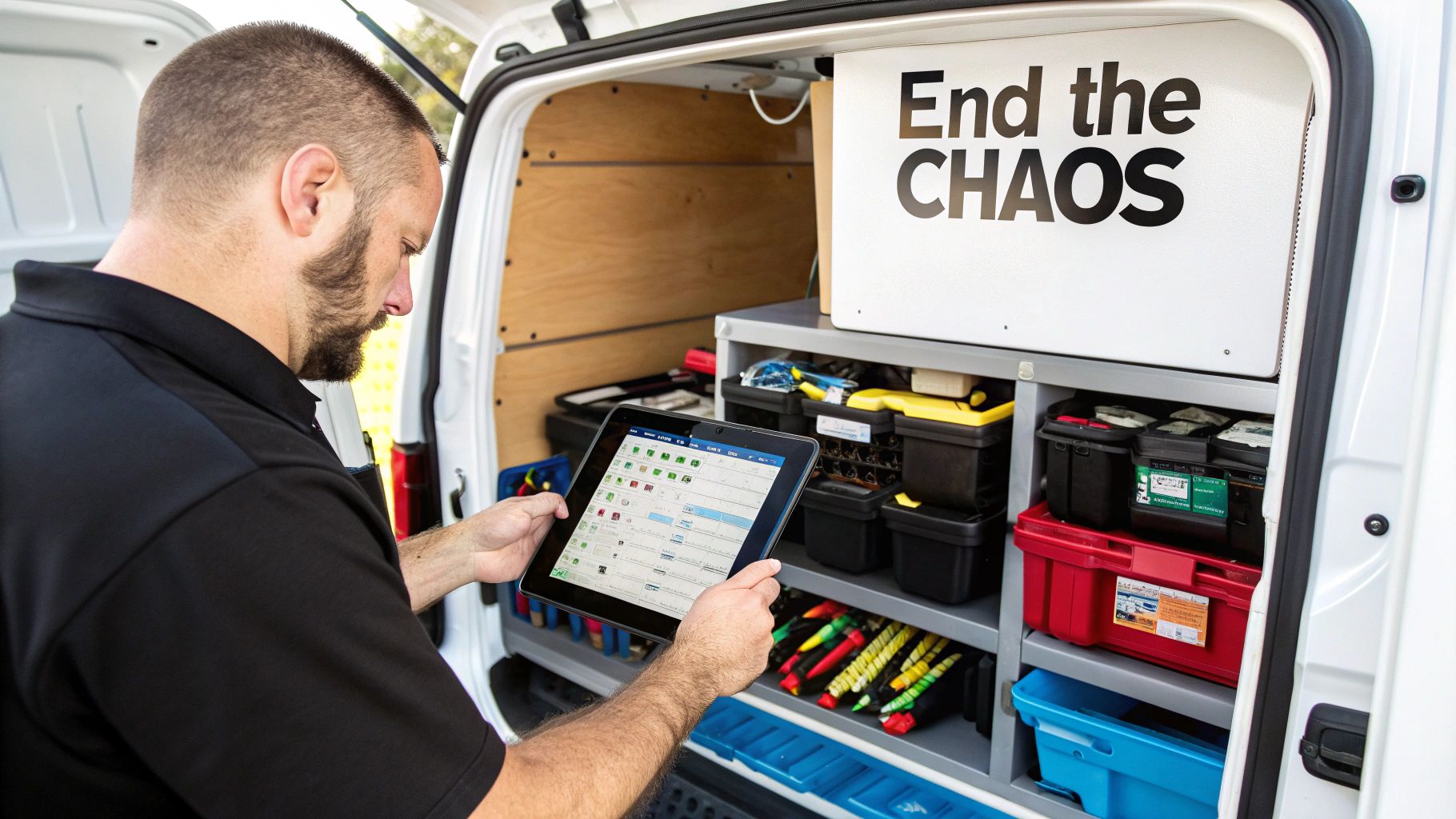
Now, picture a perfectly organized work van where every tool, every part, and every blueprint is exactly where it needs to be. That’s the kind of change this software brings to your entire business. It acts as a single platform, connecting your office team with your techs in the field, all in real time. Forget the whiteboards, messy spreadsheets, and sticky notes; this gives you one reliable source for everything.
From Manual Mayhem to Automated Efficiency
At its heart, this software is built to automate all the time-sucking, repetitive tasks that drain your day. It takes the entire lifecycle of a job—from the moment a customer calls to the final invoice payment—and puts it into a smooth, digital workflow. It’s the safety net that makes sure nothing gets missed.
Think about how a new job request flows through the system. The details are entered just once and then move seamlessly from one stage to the next:
- Scheduling: Your dispatcher can look at a visual calendar, see who's available, and match the right electrician to the job without playing phone tag.
- Dispatch: The technician gets a notification on their phone or tablet with all the crucial info: customer address, contact details, site history, and even a list of required parts.
- On the Job: Your tech can log their hours, upload photos of the completed work, and update the job status on the spot, keeping the office in the loop.
- Invoicing: As soon as the work is done, a professional, accurate invoice can be created and sent to the customer in a matter of seconds.
By bringing every part of your operation under one digital roof, electrical contractor job management software gives you the visibility needed to make smarter decisions, clear out bottlenecks, and grow your business with confidence.
Finally Get a Clear View of Your Business
Ultimately, what this software gives you is a complete, 360-degree view of your business. You can instantly see which jobs are actually making you money, which technicians are your top performers, and where every single piece of inventory is—whether it's in the shop or on a specific van.
Getting that kind of insight with paper-based or manual methods is next to impossible. It lets you stop putting out fires all day and start proactively managing your business for real, sustainable growth.
What Is Electrical Contractor Job Management Software
At its heart, electrical contractor job management software is a single command center built specifically for the high-stakes, fast-moving world you work in. It’s designed to replace that chaotic mess of spreadsheets, paper invoices, whiteboards, and the constant back-and-forth phone calls with one reliable system for your entire business.
Think of it less like a simple app and more like a smart, digital toolbox for your whole operation. This isn't just a place to store information; it's a system that tells you which job your equipment is on, flags when maintenance is due, and most importantly, shows you which projects are actually making you money. It’s built from the ground up to understand the unique workflow of an electrical contractor.
The software ties everything together. It creates a smooth pipeline for information, connecting every part of the job from the first customer call to the final payment. This kills the double-data entry that always seems to lead to expensive mistakes.
Moving Beyond Disconnected Tools
Lots of electrical contractors start out by piecing together different tools for different jobs. You might have one app for scheduling, another for your books, and a clipboard in each van for tracking parts. They might work fine on their own, but they don't talk to each other. That’s how you end up with information silos, where crucial details get lost in translation.
This is where the real headaches begin:
- The office schedules a job, not realizing the technician doesn't have the right parts on the van.
- A tech works a late-night emergency call, but those overtime hours never make it onto the final invoice.
- A customer rings for an update, and nobody in the office has a clue what’s happening on-site in real-time.
Job management software fixes this by pulling every function into one system. When a tech uses a part, inventory is updated instantly. When a job is marked complete, the invoice is ready to go.
A Central Hub for Every Job
This all-in-one approach means the software becomes the central hub for the entire lifecycle of every service call and project. This isn't just about convenience; it’s a total shift in how you run your business. The market is catching on, too, especially as the construction industry continues to expand.
With the total value of construction work in the U.S. hitting over USD 1.5 trillion in 2023, the demand for skilled electrical services—and the software to manage them efficiently—is only growing. As jobs get bigger and more complicated, having a single source of truth is what separates the thriving businesses from the ones that get left behind. You can dive deeper into these market trends to see how they're shaping software needs.
In plain English, this software acts like your business's nervous system. It connects the brain (the office) to the hands (your techs in the field) in real time. Everyone is finally working off the same playbook.
It’s about more than just ditching paper. It's about building a smarter, more responsive operation that can handle more jobs with less chaos. It frees you up from the daily grind so you can focus on growing your business, training your team, and delivering the quality work that built your reputation in the first place.
Diving Into the Must-Have Features of Top-Tier Software
Picking the right electrical contractor job management software is a lot like choosing the perfect toolkit for your business. Not all platforms are created equal, and the best ones have specific, powerful features designed to solve the real-world problems you face every single day. These aren't just flashy add-ons; they're the core components that drive efficiency, boost profits, and keep your customers happy.
Think of these features as the specialized tools in your digital arsenal. Just as you wouldn't use a voltmeter to hammer a nail, you need software with dedicated functions for scheduling, field communication, and inventory. Let's break down the non-negotiable features that turn a decent platform into an indispensable part of your operation.
H3: Smart Scheduling and Dispatching
Chaos almost always starts with the schedule. A messy calendar means technicians show up late, jobs get double-booked, and emergency calls slip through the cracks. The best software replaces that dusty old whiteboard with an intelligent, drag-and-drop scheduling board.
This visual command center lets your dispatcher see every technician's availability, current job status, and location at a glance. Even better, some systems can automatically suggest the best tech for a job based on their skills, certifications, and even live traffic data. What could have been a scheduling nightmare becomes a seamless customer experience.
H3: A Powerful Mobile App for Your Techs
Your technicians are the face of your company. Their efficiency—or inefficiency—in the field directly hits your bottom line. A solid mobile app turns their smartphone or tablet into a direct line to the office, cutting out the guesswork and endless phone calls.
With a quality app in hand, technicians can:
- Pull up detailed job information, including customer history and site-specific notes.
- Work through digital checklists and safety forms to ensure every job is done right.
- Snap photos and videos of completed work for your records and the customer's peace of mind.
- Update job statuses instantly, so the office always knows what's going on.
This real-time link between the field and the office ensures everyone is working from the same playbook.
When you arm your techs with a powerful mobile tool, you're doing more than just improving their workflow. You're empowering them to deliver better service, capture accurate job data, and look more professional on every single call.
This diagram shows how a central software hub ties together critical functions like customer calls, scheduling, and invoicing into one smooth system.
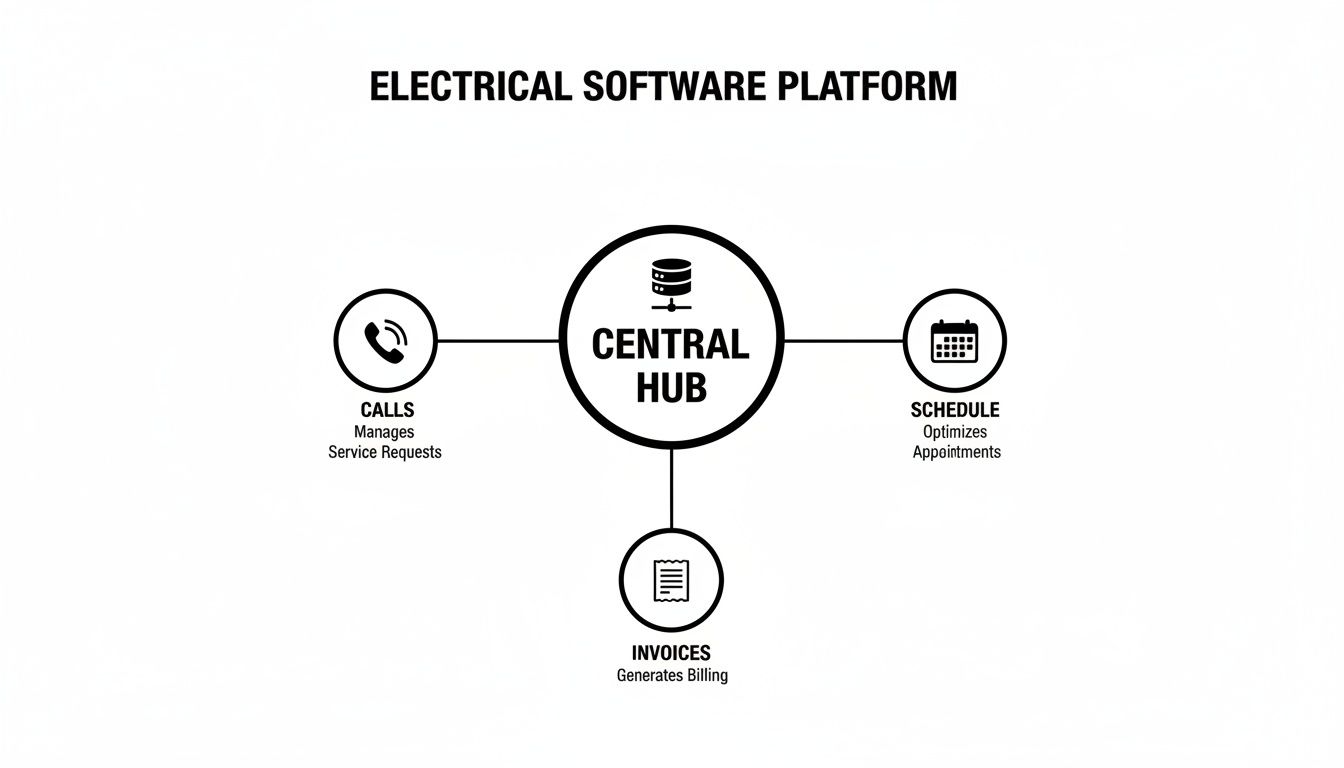
It makes a simple point: when these pieces operate separately, information gets lost. When they're connected, everything flows exactly as it should.
H3: Real-Time Inventory and Parts Tracking
"Hey, do we have that breaker in the van?" It’s a question that can bring a profitable job to a dead stop. Managing inventory is absolutely critical, yet it's a massive headache for most contractors. Modern job management software tackles this problem head-on with built-in inventory tracking.
Now, you can see stock levels across the warehouse and in every technician's van. When a part is used on a job, it's automatically subtracted from inventory and added to the invoice. No more forgotten parts or missed billing. You can even set up low-stock alerts to trigger reorders, preventing frustrating delays caused by a missing part.
To help you see the bigger picture, here’s a quick breakdown of how these core features translate into tangible business results.
Core Features and Their Impact on Your Business
| Feature | Primary Function | Key Business Benefit |
|---|---|---|
| Smart Scheduling & Dispatching | Visually organize and assign jobs to technicians in real-time. | Reduces travel time, minimizes downtime, and improves response to emergency calls. |
| Mobile Tech App | Connects field technicians with the office for seamless job management. | Increases first-time fix rates, ensures accurate data capture, and enhances professionalism. |
| Inventory Tracking | Monitors stock levels in the warehouse and on service vehicles. | Prevents part shortages, reduces inventory carrying costs, and ensures accurate job costing. |
| Integrated Quoting & Invoicing | Creates professional quotes and converts them to invoices instantly. | Speeds up the billing cycle, improves cash flow, and reduces administrative errors. |
| Customer Management (CRM) | Centralizes all customer information, history, and communication. | Boosts customer satisfaction, builds loyalty, and creates opportunities for repeat business. |
As you can see, each feature is designed not just to automate a task, but to solve a specific, costly problem that electrical contractors face every day.
H3: Integrated Quoting and Invoicing
Getting paid quickly is the lifeblood of any business. Software that combines quoting and invoicing dramatically shrinks the gap between finishing a job and having money in the bank. You can build professional, accurate quotes in minutes using a digital price book with your parts and labor rates already loaded in.
Once the customer gives the green light (often with a quick digital signature), that quote becomes a job and then an invoice with a single click. This completely eliminates manual data entry, cuts down on billing mistakes, and lets you send invoices from the field the moment the work is done. It’s this kind of financial efficiency that is driving massive growth in this software market. The global Electrical Contractor Software market, valued at USD 1.5 billion in 2023, is expected to reach USD 3.6 billion by 2032, largely because of features that directly improve the bottom line. You can check out a detailed analysis of these market growth and trends.
H3: Customer Management and Communication
Finally, great software helps you turn one-time customers into lifelong clients. A central customer database keeps a record of every interaction, past job, and piece of equipment you've ever worked on at their property. So, when a customer calls, your team has their entire history right in front of them.
Automated communication is another game-changer. Sending out appointment reminders, "your tech is on the way" alerts, and follow-up surveys makes for a much better customer experience. It also drastically reduces no-shows, building the kind of trust and loyalty that leads to repeat business and glowing five-star reviews.
Unlock Real Business Growth and Higher Profits
Features are great, but let's be honest—the only thing that really matters is the impact on your bottom line. Investing in electrical contractor job management software isn't about getting fancy new tech for the sake of it. It's a straight-up business strategy for pumping up your profits, smoothing out your workflow, and building a company that can handle whatever comes its way.
So, let's get past the buzzwords and talk about the real return on investment (ROI) you should expect. These aren't just small tweaks. We're talking about a fundamental change in how you handle your people, your time, and your customers. The gains really fall into three main buckets, and you'll feel the difference in each one almost immediately.
Direct Financial Wins
The first place you'll see a change is your bank account. This kind of software is built to find and plug the little leaks that quietly drain your profits while making sure you're capturing every dollar you've earned. It’s not just about getting more work done; it's about making every single job more profitable.
- Capture More Billable Hours: Your techs can log time right from their phones in the field. This means every minute of overtime on that late-night emergency call or the extra half-hour spent on a tricky panel upgrade gets recorded and, more importantly, billed. No more money lost to forgotten timesheets.
- Slash Fuel and Travel Costs: Smart scheduling is a game-changer. It automatically figures out the best routes and sends the closest available electrician to the next job. That one simple change cuts down on fuel costs and wasted drive time, which can easily save you thousands of dollars a year.
- Eliminate Missed Invoicing: When a tech uses a part from their van, the software can tie it directly to the work order and the final invoice. This puts a stop to the all-too-common problem of parts "vanishing" from inventory without ever showing up on a customer's bill.
Next-Level Operational Excellence
Beyond the immediate cash benefits, the right software completely overhauls how your business actually runs. It gets rid of the tedious administrative work that ties up your office staff and your techs, freeing them up to focus on the things that actually make you money.
Think about turning a full day of invoicing chaos into a 30-minute task. Or what if you could boost your first-time fix rate by 20% just by making sure your electricians always show up with the right parts and the full job history? This is where running a tight ship translates directly into getting more done with less stress.
The goal is simple: complete more jobs every week without having to hire more people or buy more trucks. By clearing out the bottlenecks and automating the repetitive stuff, you create more capacity for your existing team to shine.
Superior Customer Service and Reputation
Finally, this software becomes your secret weapon for creating a customer experience that your competitors can't match. In a crowded market, fantastic service is what turns a one-time fix into a lifelong customer who leaves you glowing reviews and tells their friends.
This is where having strong client management tools built-in makes a huge difference. The market for CRM software designed for electrical contractors is growing fast because it merges job management with powerful tools for keeping clients happy. It helps you handle everything from the first quote to the final payment in one place, which cuts down on administrative headaches.
Simple things like automated appointment reminders and "your tech is on the way" texts keep customers in the loop and cut down on missed appointments. And when your team can pull up a complete customer history in seconds, they can provide personalized, informed service every time. That level of professionalism builds trust and cements your reputation as the best in town, which is the real key to long-term growth.
How to Choose the Right Software for Your Business
Picking the right electrical contractor job management software is a big decision, but it doesn't have to be overwhelming. The secret is to ignore the flashy feature lists, at least at first, and start by taking a good, hard look at your own business. A clear, honest assessment of how you operate day-to-day will be your best guide.
Think of it like buying a new truck. You wouldn't even step onto the lot without knowing what you need to haul, right? The same idea applies here. Before you watch a single demo, identify your biggest operational headaches. Is scheduling a constant mess? Are you bleeding money on parts that never make it onto an invoice? Do you spend half of Friday chasing down late payments? Your real-world problems are your starting point.
Define Your Must-Have Criteria
Once you know what you’re trying to fix, you can build a checklist to size up potential software options. Remember, you're not just buying a product; you're choosing a partner that will play a big role in your company's future.
Your evaluation should really boil down to a few critical questions:
- Scalability: Will this software grow with us? A system that’s great for a two-person shop might completely fall apart when you hit ten technicians. Make sure the platform can easily scale as you add more people and trucks to your fleet.
- Technician Adoption: Is the mobile app actually easy to use? If your electricians in the field find the app clunky or confusing, they just won't use it. If they don't use it, you lose all the benefits of having real-time information from the job site.
- Key Integrations: Does it play nice with the other tools we already rely on? A smooth connection to your accounting software, like QuickBooks or Xero, is an absolute must-have. That link is what stops the soul-crushing double-entry and keeps your financial records straight.
Choosing the right software isn't about finding the one with the most bells and whistles. It's about finding the one with the right features for your business. The goal is to find a system that fits how you already work, not one that forces you to change everything.
Understand the True Cost of Ownership
Software pricing can feel intentionally confusing, but most vendors use one of a few common models. Getting a handle on these helps you figure out the total cost and avoid any nasty surprises down the road.
This quick comparison should help you understand the most common pricing structures and budget accordingly.
Software Pricing Model Comparison
| Pricing Model | How It Works | Best For |
|---|---|---|
| Per-User Per-Month | You pay a fixed monthly fee for each person using the software. | Businesses that want predictable costs and the flexibility to add or remove users as their team size changes. |
| Tiered Plans | Packages are offered with different feature sets and user limits at various price points. | Companies that want to start with essential features and upgrade to more advanced functionality as they grow. |
| Flat-Rate Subscription | A single monthly or annual fee provides access to all features for an unlimited number of users. | Larger, more established businesses with stable teams who need full access without worrying about per-user costs. |
Always look for transparent pricing. You don't want to get hit with hidden setup fees or locked into long-term contracts you can't get out of. A good partner like TackonFSM will offer clear, upfront pricing and a free trial so you can see the value for yourself before you commit. Taking this measured, step-by-step approach ensures you’ll find a solution that lines up perfectly with both your operational goals and your budget.
A Smooth Implementation and Onboarding Plan
The thought of moving your entire operation to a new system can be intimidating. Let's be honest, it's the fear of a chaotic, disruptive transition that keeps so many electrical contractors clinging to paper-based systems or clunky spreadsheets way past their expiration date. But a good software provider isn't just selling you a tool; they're acting as a partner to make sure your switch to a modern electrical contractor job management software is a well-planned step up, not a leap of faith.
A successful launch doesn't happen by just flipping a switch and hoping for the best. It's a structured process, a roadmap designed to get your team comfortable and running with confidence from the very first day. Let's break down what that looks like.

Prepare Your Data for Migration
The groundwork starts before you even see the login screen. All that existing data—your customer lists, job histories, and parts inventory—is the lifeblood of your business, and it needs a clean home in the new system. Taking the time to tidy this up beforehand is one of the most important things you can do.
Think of it as cleaning out the garage before you install new shelves. You’ll want to merge duplicate customer records, make sure your part names are consistent, and update all your pricing. While a quality partner like TackonFSM will offer free data migration, starting with clean information means you'll have accurate, trustworthy data from the moment you go live.
Train Your Team for Success
User adoption is everything. If your team can't use the new tools, the investment is wasted. A generic, one-size-fits-all training demo just won't work here. Your office staff and your field techs have very different jobs and need training that speaks directly to their daily tasks.
- Office Staff: Their training should zero in on the command center—scheduling, dispatching, creating invoices, and pulling reports.
- Field Technicians: The focus here is all about the mobile app. They need to master updating job statuses, snapping and uploading site photos, and taking payments right on their device.
When people see exactly how a new tool makes their specific job less of a headache, they’re not just willing to use it; they're excited to.
A successful software launch is less about the technology itself and more about the people using it. Proper onboarding isn't an expense; it's an investment in getting the maximum return from your new system.
Go Live with a Phased Rollout
Instead of a big-bang launch where everyone starts at once, consider rolling it out in phases. You could, for instance, have just one of your service teams use the system for the first week, or maybe start with only maintenance jobs. This creates a controlled environment to iron out any wrinkles and build some positive momentum.
This gradual approach lets your team learn the new workflows without feeling like they're drinking from a firehose. It also makes it far easier to collect real-world feedback and tweak the process before the full, company-wide launch. The result is a much smoother ride for everyone involved.
Leverage Post-Launch Support
The journey doesn't end when you go live. The best software partners provide solid, ongoing support to help you tackle any issues and, just as importantly, find new ways to get more value out of the platform. Don't be shy about using their support channels, whether you have a technical glitch or just want some advice on setting up a new workflow.
Remember, this is more than just a software switch. It’s a strategic move to build a more efficient, resilient, and profitable electrical contracting business. With a clear plan, the transition becomes a powerful catalyst for growth.
Frequently Asked Questions
Jumping into electrical contractor job management software always brings up a few key questions. We've gathered the most common ones we hear from contractors just like you and answered them straight up, no fluff.
How Long Does It Take to Get Set Up?
This is probably the number one question, and the answer is: it’s much faster than you’d expect. For most small to mid-sized electrical shops, we're talking about a transition period of just a few days to maybe a couple of weeks.
The whole process involves a few key steps: moving your customer lists and parts data over, tweaking the software to match how you actually work, and getting your team comfortable using it. The biggest shortcut to a smooth launch? Pick a provider with a dedicated onboarding team that will walk you through it all.
Does This Software Play Nicely with QuickBooks?
Yes, and this is a non-negotiable feature. Any quality system will integrate seamlessly with major accounting software like QuickBooks, Xero, and Sage. This connection is the backbone of a well-run business.
Here’s how it works: invoices, payments, and customer details automatically flow from your job management app straight into your accounting books. This completely gets rid of double-entry, slashes billing mistakes, and means your financial reports are always spot-on. Just make sure to double-check which specific accounting platforms a vendor supports before you sign on the dotted line.
The real magic of accounting integration is creating one source of truth for your money. When what happens in the field instantly matches what's in your books, you get a crystal-clear view of your profit on every single job.
Is This Kind of Software Overkill for a Small Business?
Not at all. In fact, it’s often the smaller guys who benefit the most. Modern job management software is built to scale, and many platforms have plans specifically designed for small teams or even one-man operations. It’s the ultimate tool for punching above your weight.
By automating all the tedious admin work that bogs you down, the software lets a small crew run with the efficiency of a much larger company. You can take on more work without having to hire more office staff.
To make sure it's a good fit, look for flexible pricing that helps you grow:
- Per-user plans so you can add techs as you hire them.
- Tiered packages that let you start with the basics and unlock more features later.
- No long-term contracts that lock you in if your needs change.
This approach means you only pay for what you need right now, with a clear runway to expand when the time is right.
Ready to stop wrestling with spreadsheets and start running a more profitable shop? TackonFSM puts your scheduling, dispatching, invoicing, and inventory all in one place. Start your free 14-day trial and see for yourself how simple it is to get your operations in order.


