

A Modern Contractor’s Guide to Dispatch HVAC Software
Think of your dispatch board—is it a whiteboard covered in scribbles and sticky notes? Or maybe a spreadsheet that’s already outdated the minute you update it? If so, you know the daily chaos of running an HVAC business.
Dispatch HVAC software is the answer to that chaos. It's a digital command center built specifically for your field service operations, designed to replace the messy, manual systems that hold your business back. It’s less like a messy whiteboard and more like an air traffic control system for your entire team.
What Is HVAC Dispatch Software and Why It Matters
Let's paint a picture. It’s 8 AM on a Monday. You’ve got three emergency no-heat calls, four scheduled maintenance visits, and one of your senior techs just called in sick. With a manual system, your dispatcher is already underwater, juggling frantic phone calls, texts, and trying to reshuffle the whole day. It's a recipe for mistakes. A customer gets forgotten, a tech drives 45 minutes across town for a job that could have been handled by someone five minutes away, and you burn through fuel and time.
This is the frustrating reality for too many HVAC shops. Dispatch HVAC software completely flips the script. Instead of juggling a dozen different things, all your operational data—schedules, tech locations, job histories, customer notes—lives in one place. It’s not just about putting jobs on a calendar; it’s about making smarter, faster, and more profitable decisions in the moment.
The real power of dispatch software is that it kills the guesswork. It gives you a crystal-clear, live view of where your techs are, what they’re doing, and who is the perfect fit for the next call. It turns reactive firefighting into proactive management.
The Shift From Manual Chaos To Digital Control
Moving from paper and spreadsheets to dedicated software is a massive operational leap. It’s the difference between trying to find your way with a folded paper map versus using a live GPS that automatically reroutes you around a traffic jam. One might get you there eventually, but the other gets you there faster, with way less stress, and with results you can count on.
This digital shift delivers some immediate, game-changing wins:
- Real-Time Visibility: See your entire team's location and job status on a single, interactive map or board. No more "Where's Bob?" phone calls.
- Optimized Assignments: The system can automatically suggest—or assign—the closest and most qualified technician for any job.
- Seamless Communication: Instantly push all job details, customer history, and specific notes right to a tech's phone or tablet. Nothing gets lost in translation.
- A Better Customer Experience: Keep homeowners in the loop with automated appointment reminders and "on-my-way" alerts with technician tracking.
The HVAC field service software market is booming for a reason, with projections showing it will climb to USD 2101.56 million by 2035. The features driving this growth are the ones that deliver tangible results. For example, studies show that simple tools like a visual drag-and-drop schedule can slash job completion times by 27% and boost technician productivity by 22%.
For more industry-specific trends and insights, this general HVAC industry blog is a great resource that often covers the growing importance of technology in the trades.
Manual Dispatch vs HVAC Dispatch Software
To really see the difference, it helps to put the old way and the new way side-by-side. The contrast is stark.
| Operational Area | Manual Method (Paper/Spreadsheets) | With Dispatch HVAC Software (like TackonFSM) |
|---|---|---|
| Job Assignment | Based on memory or guesswork; slow and inefficient. | Automated or drag-and-drop assignment to the best tech. |
| Communication | Multiple calls and texts; prone to missed details. | Centralized job notes and real-time updates in one app. |
| Customer Updates | Manual phone calls to provide ETAs; reactive. | Automated text and email notifications; proactive. |
| Technician Info | Relies on paper work orders; often incomplete. | Full job history and equipment details on a mobile device. |
| Profitability | Wasted fuel, lost time, and missed opportunities. | Optimized routes, more jobs per day, and higher revenue. |
Ultimately, the choice is between continuing with a system that creates friction, and adopting one that removes it. For a growing HVAC business, that choice can make all the difference.
The Core Features That Power Your Field Operations
Alright, let's get past the sales pitch and look under the hood. What exactly are the tools inside a modern dispatch HVAC software that make all the difference? These aren't just bullet points on a feature list; they are the gears and levers that turn a chaotic day into a smooth, profitable operation.
If you've ever dealt with confusing schedules, missed calls, or techs making repeat trips for a forgotten part, you know the friction that costs you real money. Each of these features is built to solve one of those expensive, frustrating problems.
The Visual Dispatch Board: Your Business at a Glance
Ditch the messy whiteboard and the clunky spreadsheet. The visual dispatch board is your command center, giving you a live, bird's-eye view of your entire operation on one screen. Think of it like air traffic control for your HVAC business.
You can see who’s free, who’s driving to a job, who’s working, and who’s about to wrap up. An emergency call comes in? No more guessing games. You can instantly spot the closest, most qualified tech for the job, drag their icon to the new ticket, and send all the details straight to their phone. It’s that fast.
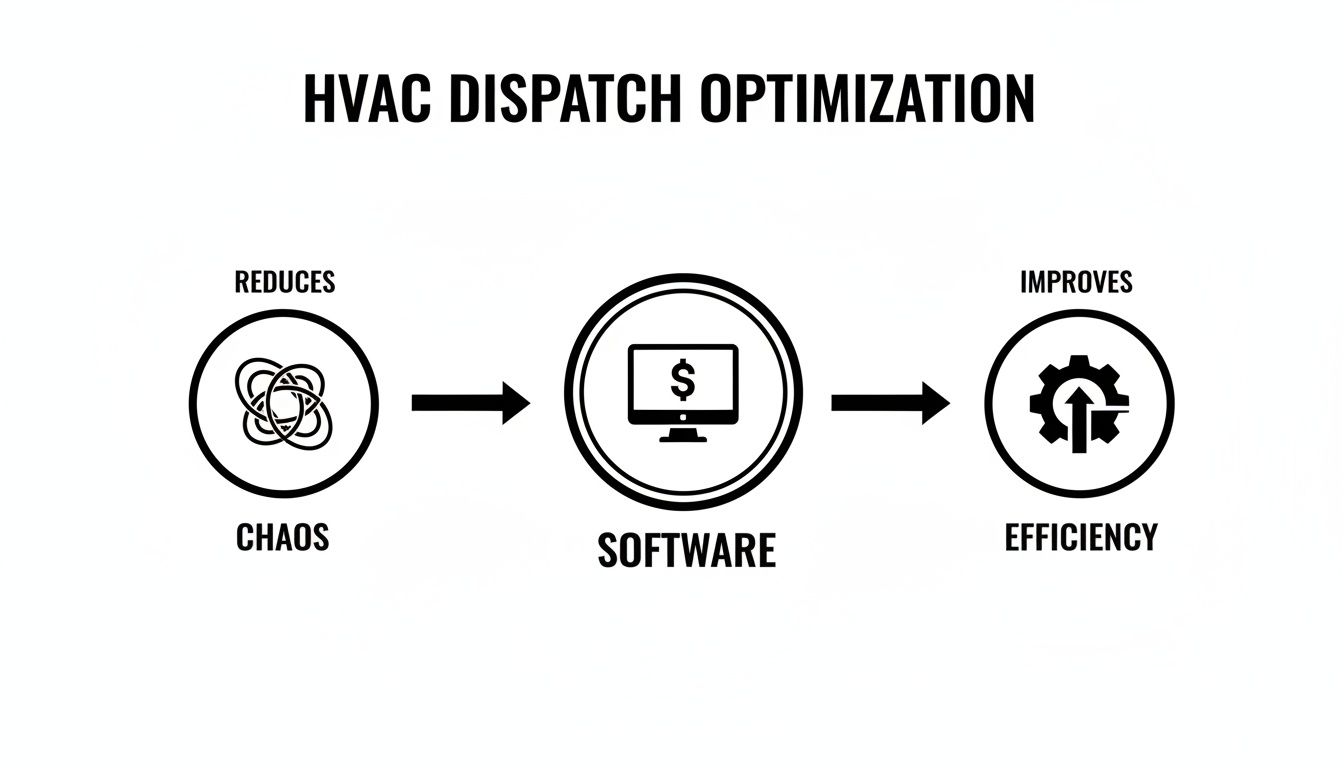
This level of clarity means your dispatcher can make smarter decisions on the fly, optimizing routes and squeezing more paying jobs into every single day.
The Technician Mobile App: An Office in Their Pocket
The gap between the office and the field is where things usually fall apart. A solid mobile app closes that gap completely. It puts everything your techs need to do the job right—the first time—directly in their hands. This is way more than a digital work order; it’s a direct line to your business’s brain.
A great mobile app delivers:
- Complete Job Details: No more garbled voicemails or scribbled notes. Techs get the customer's name, address, contact info, and a clear description of the problem.
- Full Service History: Your tech can see every repair, every piece of equipment installed, and every note ever made for that customer. They walk in looking like a genius, not a stranger.
- In-Field Quoting and Invoicing: With access to your parts list and pricing, techs can build accurate quotes on the spot, get a digital signature for approval, and fire off an invoice the moment the work is done. You can see how to simplify estimates and invoicing with the right setup.
- Photo and Note Capture: Techs can snap pictures of their work, attach them to the job, and add notes for the next person. This creates a bulletproof record of every service call.
This immediate access to information turns your technicians from simple tool-carriers into genuine problem-solvers, which boosts your first-time fix rate and skyrockets customer confidence.
Automated Customer Notifications: No More "Where's My Tech?" Calls
How many times a day does your phone ring with that same question? Those calls kill your dispatcher’s focus and leave customers feeling anxious. Automated notifications are the simple, powerful fix.
Good dispatch HVAC software becomes a personal concierge for your customers. It automatically sends appointment reminders, booking confirmations, and "on-my-way" alerts with a real-time ETA and a tracking link.
This kind of proactive communication makes homeowners feel like you truly value their time. It drastically cuts down on inbound "status check" calls, freeing up your office staff to focus on tasks that actually make money.
Inventory and Parts Integration: The Secret to First-Time Fixes
Nothing burns a hole in your profits like a second trip. When a tech shows up without the right part, you waste fuel, lose labor hours, and annoy the customer. The cure is integrating your parts inventory directly with your dispatch system.
When your system connects all the dots, you ensure the right parts are in the right truck for the right job, every time.
With inventory integration, you can:
- Assign specific parts to a job right from the office, so the tech knows exactly what to grab.
- Get real-time visibility into stock levels on every truck and in the warehouse.
- Automatically deduct parts from inventory as they’re used, keeping your counts accurate without anyone lifting a finger.
This seamless connection means your team shows up prepared, turning those frustrating second trips into efficient, profitable first-time fixes.
Measuring the Tangible Benefits for Your Business
Dropping money on new software can feel like a leap of faith. But the right dispatch HVAC software isn't just another line item on your expense report—it's a direct investment in your company’s health and profitability. All the features we've talked about translate into real-world returns you’ll see every day, both in the field and on your balance sheet. It’s all about turning those small operational wins into serious financial gains.
Think of it this way: every minute a tech isn't stuck in traffic, every gallon of gas saved, and every happy customer who leaves a five-star review directly boosts your bottom line. This software is built to fix those tiny inefficiencies that, when added up, make a massive difference over time. Let's break down exactly what that looks like.

Increase Technician Productivity
Wasted time is the biggest resource drain for any HVAC company. Period. When your technicians are stuck on the highway, driving back to the shop for a part they didn't know they needed, or just waiting for the office to call with the next address, you're losing billable hours. Dispatch software tackles this problem head-on.
Smart routing finds the quickest path between jobs, slashing drive time and fuel costs. Instant job updates pushed to a mobile app mean no more techs sitting idle in their trucks. Just think—if each tech can complete just one extra job per week, you could be looking at tens of thousands of dollars in new revenue by the end of the year. For a small crew, that kind of impact is huge.
Enhance Customer Satisfaction
Happy customers are everything. They become repeat clients and leave the glowing online reviews that bring in new business. Dispatch software helps you build that trust by delivering a professional, transparent experience from the moment a customer calls.
Automated appointment reminders and "on-my-way" texts with a live tracking link show customers you value their time. And when your tech walks in the door already knowing the unit's full service history, it proves your expertise and builds immediate confidence.
This kind of proactive communication does more than just keep customers happy—it drastically cuts down on those "Where's my tech?" calls. That frees up your office staff to focus on what really matters: booking more jobs.
This push for a better customer experience is a big reason the HVAC service management software market is projected to hit USD 7.03 billion by 2035. Cloud-based systems are leading the charge because they give even the smallest teams powerful tools to manage everything from estimates to inventory. You can read more about these market trends and how automation is changing the industry.
Improve Your Cash Flow
The lag between finishing a job and getting paid can put a serious strain on any small business. Paper invoices get lost, manual data entry leads to mistakes, and your office team ends up spending half their day chasing down payments. Good dispatch software closes that gap completely.
Here’s how it gets you paid faster:
- In-Field Invoicing: Techs create and send a perfect invoice right from their phone or tablet the second the job is done.
- Digital Payments: Customers can pay on the spot with a credit card, a secure payment link, or other digital options. No more "the check is in the mail."
- Reduced Administrative Work: Payments are automatically recorded and synced with your accounting, cutting out the double-entry and clerical errors.
By collecting payment at the time of service, you can kill the old 30-day billing cycle. Getting paid the same day you do the work puts cash back into your business right away. We cover this in more detail in our guide to field service scheduling software.
Enable Data-Driven Decision Making
Are you running your business on gut feelings or actual facts? Dispatch software is a goldmine of data, collecting valuable information on every job and turning it into simple reports and dashboards. This gives you the clarity you need to make smart, strategic moves.
Suddenly, you can answer the big questions with confidence:
- Which of our services are the most profitable?
- Who are my most efficient technicians?
- What's the real reason behind most of our callbacks?
By tracking key metrics like first-time fix rates, average time on-site, and revenue per tech, you can finally see what's working and what isn't. This data-driven approach lets you fine-tune your operations, invest in the right places, and build a foundation for real, sustainable growth.
How to Choose the Right Software for Your Company
Picking the right dispatch HVAC software can feel like a make-or-break decision, but it doesn't have to be so daunting. The trick is to tune out the marketing noise and get laser-focused on what your business actually needs to run better and grow.
Think of it like buying a new work truck. You wouldn’t get a giant semi for residential service calls, right? You need a tool that’s the right size for the job, with the features you’ll use today and room to grow into tomorrow. This is all about finding a platform that fits your operations like a glove, not trying to force your team into software that’s clunky or way too complicated.
Let's walk through a few key things to look for.
Evaluate True Scalability and Ease of Use
The very first question you should ask is simple: will this software grow with me? A system that’s perfect for a two-truck operation needs to scale smoothly to ten or twenty trucks without falling apart or costing a fortune. Look for a platform that can handle more users, more jobs, and more data without slowing down or hitting you with surprise price hikes.
Just as important is ease of use. I've seen it a hundred times—the most powerful software on the market is totally useless if your techs and office staff can't stand using it. The dashboard should be intuitive for your dispatcher, and the mobile app needs to be dead simple for the tech in the field. A complicated system just creates resistance and drags everyone down.
Here's a pro tip: Get a free trial and see if your team can create a job, dispatch a tech, and close out an invoice with little to no training. If they can, you've probably found a good fit.
Prioritize Critical Integration Capabilities
Your dispatch software can't be an island. To really get your money's worth, it has to play nice with the other tools you already use to run your business. For almost every HVAC shop out there, the single most important connection is with your accounting software.
A rock-solid integration with a platform like QuickBooks is a game-changer. When a tech finalizes an invoice on their tablet, it should automatically sync up, wiping out hours of double-entry and preventing costly mistakes. It keeps your books clean and your cash flow clear. Beyond accounting, look at integrations for payment processors, payroll, and any marketing tools you might be using.
To help you sort through the options, here’s a quick breakdown of what you can expect from different types of software.
Dispatch Software Feature Comparison for Small HVAC Shops
It’s easy to get overwhelmed by feature lists. This table cuts through the clutter and compares what you'll typically find in basic tools versus more specialized platforms, helping you see where the real value is for a growing shop.
| Feature | Basic/Free Tools | Mid-Market (e.g., TackonFSM) | Enterprise (e.g., ServiceTitan) |
|---|---|---|---|
| Visual Dispatch Board | Simple calendar view | Drag-and-drop scheduling, real-time tech tracking, job status color-coding | Advanced multi-board views, AI-powered route optimization, multi-day project scheduling |
| Mobile App for Techs | Limited functionality (e.g., viewing jobs) | Full-featured: job details, invoicing, payments, customer history, parts lookup, offline mode | Comprehensive: includes service options, sales tools, custom forms, and integrated training modules |
| Customer Notifications | Manual texts or emails | Automated SMS/email for reminders, "on-the-way" alerts with tech photo, and follow-up requests | Highly customizable communication workflows, integrated marketing campaigns, and review management |
| Parts & Inventory | None or manual entry | Real-time inventory tracking from the office and truck, purchase order management, parts catalogs | Multi-warehouse management, barcode scanning, automated reordering, and supplier integrations |
| Accounting Integration | Manual export/import (CSV) | Deep, two-way sync with QuickBooks (Online & Desktop), Xero, etc., pushing invoices and payments | Full ERP integration, connecting accounting, payroll, and financial reporting across the business |
| Reporting & Analytics | Basic job count reports | Dashboards for job profitability, technician performance, revenue trends, and marketing ROI | Advanced business intelligence, predictive analytics, and custom report builders |
This table makes it clear: while free tools can get you started, they create operational ceilings pretty quickly. Enterprise systems, on the other hand, are often overkill. The sweet spot for most growing HVAC businesses lies right in the middle, with a purpose-built tool that gives you the professional features you need without the enterprise-level complexity or cost.
Understand the Real Pricing Structure
Software pricing can be a minefield of hidden fees and confusing tiers designed to squeeze more money out of you as your business grows. You have to look past the shiny monthly price and figure out the total cost of ownership. Some companies hit you with steep per-technician fees that become a massive burden as you hire more people.
Look for a transparent, straightforward pricing model without long-term contracts or huge setup fees. Solutions like TackonFSM are designed specifically for contractors on the rise, offering clear plans that don’t punish you for adding another truck to your fleet. This helps you avoid the financial trap of bloated enterprise systems that are often loaded with features you'll never touch.
The numbers back this up. The HVAC software market is expected to hit USD 10.55 billion by 2034, and it's the cloud-based tools leading the charge. While the big enterprise platforms are built for massive corporations, most small and mid-sized teams find far more value in simpler, more affordable solutions. And with a 41% jump in daily mobile app usage by technicians, a powerful, user-friendly field app is no longer a "nice-to-have"—it's an absolute must. You can dive deeper into these market dynamics and software trends if you want to see the data for yourself.
By zeroing in on these four things—scalability, usability, integrations, and honest pricing—you can confidently cut through the hype and find the dispatch software that’s the perfect partner for your company's growth.
Making the Switch: A Smooth Guide to Implementation
Let's be honest—adopting new dispatch HVAC software can feel like trying to change a tire on a moving truck. The fear of disrupting daily operations, losing precious data, or just plain confusing your team is a real concern. It’s the reason so many contractors stick with what they know, even when it’s holding them back.
But making the switch doesn't have to be a nightmare. A successful transition isn't about flipping a switch and hoping for the best. It's about following a clear, step-by-step roadmap that minimizes downtime and builds team confidence along the way. Whether you're moving off messy spreadsheets or ditching an overly complicated system that no longer fits, the right plan makes all the difference.

Stage 1: Get Your Data Ready for the Move
Your existing data—customer lists, job histories, inventory—is the bedrock of your business. Getting it ready for the new system is the most critical first step. Think of it like packing up your house before a move; the more organized you are beforehand, the smoother and faster unpacking will be.
Start by cleaning up your current records:
- Standardize Customer Info: Make sure all names, addresses, and phone numbers follow a consistent format. Hunt down and merge any duplicate entries to prevent future headaches.
- Organize Your Parts List: Tidy up your list of common parts and equipment. If you can, include SKUs and up-to-date pricing.
- Compile Job Histories: Pull together the service records for your key customers. This history is gold for your technicians out in the field.
A good software partner will never leave you to do this alone. For instance, TackonFSM provides free, assisted data migration. Their team actually helps you format and import your files correctly, saving you countless hours of tedious work and preventing costly mistakes.
Stage 2: Train Your Team for Day-One Confidence
New software is only as good as the people using it. That’s why training isn't just a "nice-to-have"—it's a must. And it shouldn't be a one-size-fits-all session. Your dispatchers need to become experts on the scheduling board, while your techs need to be completely comfortable with the mobile app.
The best onboarding doesn’t just show you what buttons to click. It explains why the new way is better, connecting each feature directly to the real-world problems your team solves every single day.
This approach builds genuine buy-in. It helps your crew see the software as a powerful tool that makes their jobs easier, not another frustrating hoop to jump through. Look for a provider that offers dedicated training and has a support team ready to answer questions as they pop up. When your team is confident, the shift to a more efficient workflow feels natural.
Stage 3: Go Live with a Phased Rollout
"Going live" doesn't have to be a sudden, high-stakes event. A phased rollout is a much smarter way to go, dramatically cutting down the stress of implementation. You could start by running your new dispatch HVAC software parallel to your old system for a week or two. This gives your team a safety net while they get their bearings.
Another great strategy is to start small. Roll out the new software with just one technician or for a specific job type, like routine maintenance calls. This allows you to iron out any wrinkles on a small scale before bringing your entire operation on board. By the time you make the full switch, your process is solid, your team is ready, and you can start seeing a return on your investment from day one.
Why TackonFSM Is the Right Call for Your Dispatching Needs
We’ve walked through the must-have features, the benefits, and what to look for when choosing your software. So, what’s the final verdict? When it comes to dispatch HVAC software that actually works for growing contractors, TackonFSM was built from the ground up to be the answer.
We specifically designed it for teams managing anywhere from one to twenty technicians. Forget the overwhelming complexity of enterprise systems or the frustrating limits of basic scheduling apps—this is the sweet spot.
A lot of other platforms bolt on inventory as an afterthought, but we put it right at the heart of our system. This isn't just a minor detail; it’s our secret sauce. That focus on parts management is what helps you protect your margins and stops profit from leaking out due to disorganized stock or last-minute supply runs.
Built for Growth, Not to Penalize It
Our philosophy is pretty straightforward: give you powerful, all-in-one tools with honest, transparent pricing. You get everything you need, from a simple drag-and-drop dispatch board to mobile payments and serious inventory control, without the suffocating long-term contracts or crazy per-user fees that make you second-guess hiring another tech.
This model gives you a clear runway for growth. As you add more trucks and expand your team, your software costs stay predictable and under control, freeing you up to reinvest in what really matters—your business.
Here’s a quick look at the TackonFSM dashboard, which becomes your mission control for the entire operation.
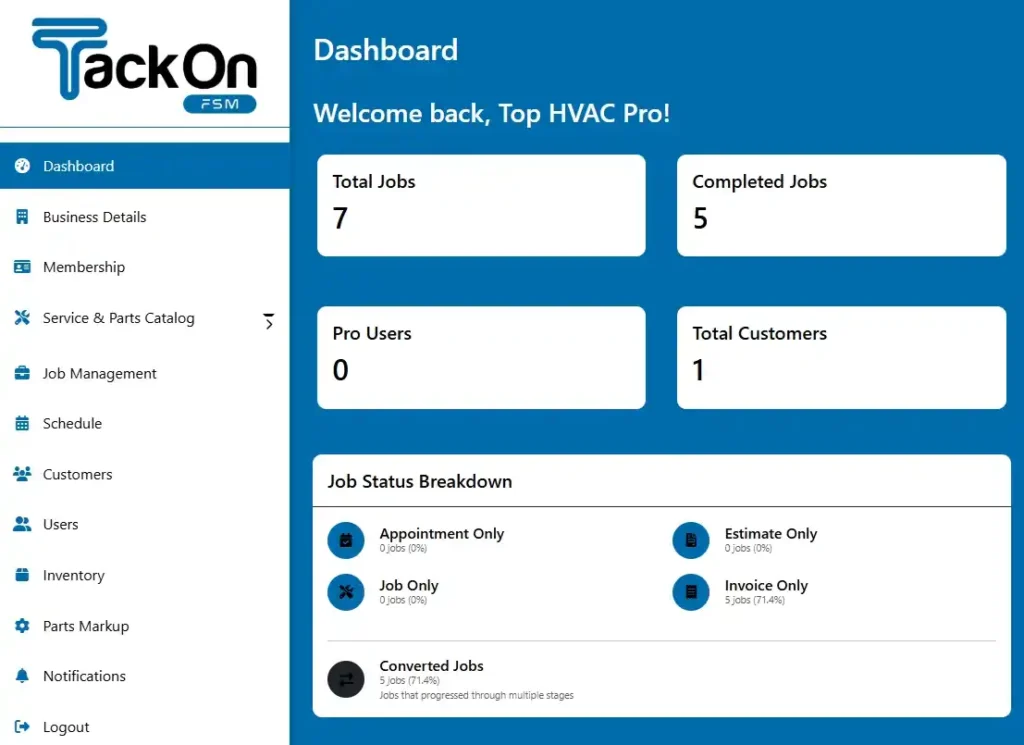
The clean layout gives you an instant, at-a-glance view of your daily schedule, active jobs, and estimates that need your attention. No more digging through multiple screens. You can get a closer look at the TackonFSM dashboard to see just how much simpler your workflow can be.
TackonFSM is engineered to help you close out more jobs, protect your hard-earned margins, finally get a grip on your inventory, and get paid faster. It’s the operational backbone for any contractor serious about building a more profitable company.
By blending a genuinely intuitive interface with features that solve the real-world headaches HVAC shops face every day, TackonFSM stands out as the practical, common-sense choice. The best way to see it is to try it. Start a free trial and experience for yourself how a purpose-built platform can completely change your day-to-day operations.
Frequently Asked Questions
Switching up the software you use to run your business is a big decision, and it’s natural to have a few questions. When you're looking at dispatch HVAC software, it's always smart to get the common concerns out of the way first. Here are some straightforward answers to help you feel confident about choosing the right path for your company.
How Much Does Dispatch HVAC Software Typically Cost?
The price tags on these systems can be all over the place, which is why you have to read the fine print. Some of the big, enterprise-level platforms can run you hundreds of dollars per technician, per month. On top of that, they often demand multi-year contracts and slap you with hefty setup fees. For a growing shop, that kind of financial commitment can be a real killer.
Thankfully, there's a new breed of software built specifically for small and mid-sized businesses. Platforms like TackonFSM take a much simpler approach with clear, affordable monthly plans. You won't find any long-term contracts or surprise setup costs, making powerful dispatch technology genuinely accessible without penalizing you every time you add a new truck to the road.
Is It Difficult to Switch From My Current System?
It really doesn't have to be a nightmare. The single biggest factor for a smooth switch isn't the software itself—it's the partner you choose. You want a team that offers hands-on support, not one that just gives you a login and wishes you luck.
A successful software migration is less about the technology and more about the people guiding you through it. Look for a team that treats implementation as a partnership, not just a transaction.
A great provider, for instance, will offer things like free, assisted data migration. This is huge. It means their team gets in the trenches with you to move your customer lists, parts inventory, and job history from whatever you're using now—spreadsheets, QuickBooks, or another field service app—into the new system. They'll make sure your crew is trained and ready to hit the ground running on day one.
Will My Technicians Be Able to Use a Mobile App?
Absolutely. The best mobile apps today are built from the ground up for use in the field. They aren't just clunky desktop programs squished onto a tiny screen. Instead, they have clean, simple interfaces designed to make a tech's life easier, not more complicated.
With a well-designed app, your team can:
- Pull up all job details and customer history in just a few taps.
- Work through digital checklists to keep service quality consistent.
- Snap photos of their work and upload them right to the job file.
- Update job statuses in real-time, so the office always knows what's going on.
Honestly, most technicians pick it up incredibly fast. They quickly realize it's way better than shuffling through messy paper work orders because it puts every bit of information they need right in their pocket.
Does This Software Also Handle Invoicing and Payments?
Yes, and this is where you’ll see a massive improvement in your cash flow. A truly integrated dispatch HVAC software should connect the dots for the entire job, from the first phone call straight through to the final payment. The top systems let technicians build a professional invoice on-site, take payment right then and there with a card reader or a secure link, and have it all sync back to the office instantly. This kills double-entry and drastically cuts down the time between finishing a job and having the money in your bank account.
Ready to see how an all-in-one platform can completely change how you operate? TackonFSM was built from the ground up to help HVAC contractors schedule smarter, get a handle on their inventory, and get paid faster. Start your free 14-day trial today.




