Cleaning Service Scheduling Software: Boost Efficiency and Win More Jobs in 2026
If your day is a chaotic whirlwind of spreadsheets, text messages, and sticky notes, you know the pain of manual scheduling all too well. Cleaning service scheduling software is designed to cut through that clutter, replacing the disorganization with a single, automated hub. Think of it as your business's command center, handling everything from booking and dispatching to invoicing and payments.
Escaping the Chaos of Manual Scheduling
For so many cleaning business owners, the workday feels like a frantic game of Tetris. You're constantly shuffling appointments, dealing with last-minute client changes, and trying to plug the gaps left by a sick team member. This constant fire-fighting isn't just stressful—it's a massive time sink.
This manual, reactive approach creates a cycle of inefficiency that costs you more than just your peace of mind. The hidden costs start to pile up quickly. Just think about the hours you spend every single week piecing together routes, texting job details to your crews, and chasing down confirmations. Every minute spent on these admin tasks is a minute you're not spending on growing your business.
The True Cost of Inefficiency
The financial drain of sticking with manual methods goes way beyond lost time. It directly eats into your profitability in a few key ways:
- Wasted Fuel and Travel Time: Without optimized routing, your teams end up crisscrossing town, burning extra fuel and putting unnecessary wear and tear on your vehicles. Those extra miles come straight out of your profit margin on every job.
- Missed Job Opportunities: When your schedule is a jumbled mess, it’s nearly impossible to see where you can squeeze in a lucrative last-minute job. You end up turning away good money simply because you can't see the opening.
- Reduced Team Productivity: Technicians get frustrated when they have to constantly call the office for their next address or deal with scheduling mix-ups. A disorganized system means your crews complete fewer jobs per day, which directly caps your earning potential.
Think of it like this: running your business with paper and spreadsheets is like using an old paper map to navigate a bustling city. Sure, you might get where you're going, but you have no idea about traffic jams, road closures, or faster routes. Scheduling software is your live-traffic GPS, giving you real-time data to navigate your day with confidence and speed.
Instead of looking into how to hire a virtual assistant just to manage the scheduling puzzle, it's worth seeing how software can automate the whole process. It frees you and your team to focus on what you actually do best—providing fantastic cleaning services. This change helps you shift from being a full-time administrator back to being a strategic business owner.
How Scheduling Software Actually Works
So, how does this software really work under the hood? It’s not magic, but it can feel like it.
Think of cleaning service scheduling software as the central nervous system for your business. It takes all the separate pieces you’re probably juggling right now—your calendar, customer list, employee phone numbers, and maybe even a whiteboard—and pulls them into one smart, organized hub.
Instead of bouncing between a spreadsheet, a calendar app, and text messages, you have a single platform where every part of a job is managed. This is where you trade the daily chaos for a smooth, automated workflow that just works.
The Lifecycle of a Job
Let's walk through how a typical job flows through the system, from the first customer click to the final cleanup. This simple path cuts out the manual work and guesswork you're used to.
-
A Customer Books Online: A new client finds your website. They use your booking form to request a deep clean for next Friday afternoon, entering their address and service needs right then and there.
-
The System Checks Availability: Instantly, the software scans your entire schedule. It knows where your teams are, how long their current jobs will take, and can even factor in travel time to find the most efficient opening.
-
You Make the Smart Assignment: The new job pops up on your main dashboard. You can see who’s available, who’s closest, and who has the right skills. With just a click, you assign the job to the best team.
-
Your Team Gets the Details: The moment you assign the job, the technician’s phone buzzes. They get a notification on their mobile app with everything they need: the customer's name and address, entry instructions, service notes, and a digital checklist of tasks.
The whole thing takes a few minutes, not a few hours of phone tag and frantic texting. The software handles the tedious back-and-forth, letting you focus on growing your business instead of just managing it.
This flowchart paints a clear picture of how you move from operational mess to streamlined success.

As you can see, the software is the engine that turns tangled, inefficient processes into a clear path toward growth.
The Cloud vs. On-Premise Divide
One of the most important things to understand is the difference between modern cloud software and older, on-premise systems. On-premise software is the old way of doing things—you install it on one specific computer in your office. It’s like a physical filing cabinet; if you’re not in the office, you can’t get to it.
Cloud-based software, on the other hand, lives on the internet. You, your office manager, and your cleaning crews can access it from anywhere, on any device with an internet connection—a desktop at the office, a laptop at home, or a smartphone on the road. For a business like yours where everyone is constantly moving, this kind of access is essential.
The industry has already picked a clear winner here. The cloud-based model dominates the cleaning service scheduling software market, which is already worth an estimated $1.6 billion globally. There's a good reason for this. Business owners need the flexibility, top-notch security, and automatic software updates that only cloud platforms can deliver. You can dig deeper into these trends in this detailed industry report.
For cleaning teams out in the field, the cloud means real-time job updates and flawless communication with the office. It’s the technology that truly supports how field service businesses operate, a topic we explore in our guide on field service scheduling software that saves you time. This is why choosing a cloud-based solution is the first real step toward modernizing your cleaning business.
The True Return on Your Software Investment
When you're running a cleaning business, every dollar counts. So, it’s fair to ask: is investing in cleaning service scheduling software just another expense, or is it a genuine investment that pays you back? While the features are nice, the real story is how this technology directly impacts your bottom line.
Let's stop thinking of the monthly fee as a cost. Instead, see it as an engine for growth—one that works around the clock to streamline your daily operations, improve your cash flow, and keep your customers happy. The return on investment (ROI) isn't some fuzzy concept; it’s a real, measurable result you’ll see across three core areas of your business. Here’s a breakdown of how this investment can pay for itself many times over.
Pillar 1: Boosting Operational Efficiency
The first and fastest return you’ll see is a huge jump in day-to-day efficiency. If you’re still scheduling manually, you’re dealing with a ton of hidden time-wasters and expenses that quietly eat away at your profits.
-
Optimized Routing: Smart routing isn't just about finding the shortest route; it's about finding the smartest one. The software looks at traffic patterns, how long each job takes, and where your teams are to slash travel time. This directly cuts down on fuel costs—often by 20-30%—and means less wear and tear on your vehicles.
-
Increased Job Capacity: When your crews aren't stuck in traffic, they can spend more time cleaning. Think about it: fitting just one extra job into each team's schedule per week can generate enough new profit to more than cover your software subscription. You're boosting revenue without having to hire more people.
Getting efficient is non-negotiable, especially now. The global cleaning services market is expected to surge from around $442.09 billion in 2025 to a massive $770.76 billion by 2033, with North America leading the way. To get your slice of that pie, your operations have to be rock-solid. You can see more on this growth in the comprehensive industry report from Grand View Research.
Pillar 2: Strengthening Your Financial Health
Next up, scheduling software acts like a financial guardian for your business. It plugs the common leaks in your revenue cycle—like slow invoicing and chasing payments—so cash flows into your bank account faster and more predictably.
For many cleaning businesses, one of the biggest headaches is the long gap between finishing a job and actually getting paid. Automated systems completely fix this by connecting what happens in the field directly to your finances.
When a technician marks a job as complete on their mobile app, an invoice can be generated and sent to the customer automatically. No more forgotten invoices or end-of-week paperwork pile-ups.
This simple change speeds up your entire cash flow cycle. By including secure links for instant digital payment via text or email, you make it incredibly easy for customers to pay you right away. This alone drastically reduces the time you waste chasing down late payments and gives your financial health an immediate boost.
Pillar 3: Driving Customer Retention
Finally, this software delivers a powerful return by creating a stellar customer experience, which is the absolute key to retention. In a competitive service business, how you communicate is just as important as how well you clean.
Automated reminders are a fantastic example of this in action. They work to:
- Drastically Reduce No-Shows: Automated appointment confirmations and reminders sent via text and email make sure clients are ready for your team's arrival. This simple step virtually eliminates the costly problem of showing up to a locked door.
- Professionalize Communication: Instead of getting random texts from your crew's personal phones, clients receive branded, timely updates from a single, professional source. This builds trust and reinforces that they're dealing with a serious, organized company.
Happy, well-informed customers are loyal customers. They’re far more likely to book recurring services, leave you glowing online reviews, and—most importantly—refer their friends and family. That kind of word-of-mouth marketing is priceless, and it all starts with the seamless, professional experience your software helps you create.
What Features Should Cleaning Service Software Actually Have?
When you start looking for cleaning service scheduling software, it's easy to get lost. Every platform seems to shout about dozens of flashy features. But how do you know which ones will actually make a difference for your business?
Let’s cut through the marketing fluff. We're going to focus on the core tools that truly move the needle on efficiency and profitability. Think of it as separating the must-have engine from the nice-to-have chrome rims.

We'll break down the non-negotiables using simple before-and-after scenarios, so you can see exactly how these features solve real-world problems.
A Smart Drag-And-Drop Calendar
Your schedule is the command center of your entire operation. If your calendar is static or clunky, it’s not much better than a paper planner and a messy whiteboard. You need a living, breathing hub.
- Before: Your schedule is a chaotic mess of spreadsheets, sticky notes, and a whiteboard covered in scribbles. A client calls to reschedule, and you spend the next 20 minutes erasing, rewriting, and firing off texts to update your crew.
- After: Your schedule is a clean, color-coded dashboard. Need to move a job? Just drag it from Tuesday to Thursday. The assigned cleaner gets an instant notification on their phone, and the system automatically updates everyone's availability. This one feature alone can give you back hours every week.
A Dedicated Mobile App for Your Team
Your cleaners are out in the field, not chained to a desk. They need critical job information in their pocket, not buried in a text thread or scribbled on a notepad in the van. A solid mobile app is the bridge between your office and your crew.
A great mobile app turns your cleaners into self-sufficient professionals. It gives them everything they need—job notes, client addresses with GPS navigation, and in-app messaging—so they can focus on their work instead of calling you for basic information.
This empowers them to represent your brand with confidence. They show up prepared, informed, and ready to deliver the top-notch service your clients expect.
Automated Customer Notifications
Keeping clients in the loop is the secret to amazing customer service, but manually sending reminders and updates is a huge time suck. This is where automation becomes your best friend.
Look for software that can automatically handle these key communications for you:
- Booking Confirmations: An instant "we've got you scheduled!" message as soon as a job is booked.
- Appointment Reminders: An email or text sent 24-48 hours beforehand to drastically reduce no-shows.
- "On-My-Way" Alerts: A quick notification triggered when your tech is heading to the job.
- Follow-Up & Review Requests: A message sent after the job is done to gather feedback and encourage online reviews.
These automated touchpoints create a polished, professional experience that makes customers feel cared for without you having to lift a finger.
Integrated Quoting and Invoicing
If your scheduling is disconnected from your finances, you're leaving money on the table and creating cash flow headaches. The goal is a seamless "job-to-cash" cycle, and that starts with integrating your quoting and invoicing.
- Before: You type up a quote in Microsoft Word, email it, and cross your fingers. After the job, you manually create an invoice in a separate program, email it, and then waste time chasing down the payment a week later.
- After: You build a professional quote right in the software and text it to the client for instant approval. With one click, that approved quote becomes a scheduled job. Once the work is done, the invoice is automatically generated and sent with a link for easy online payment.
This closes the loop, streamlines your workflow, and ensures you get paid faster. You can get a better idea of how to simplify your estimates and invoicing process by having everything in one system.
A Central Customer Database (CRM)
With all this activity, you need a single source of truth. A built-in Customer Relationship Management (CRM) tool acts as your business's brain, remembering every important detail about your clients.
Instead of hunting through old emails or notes, a good CRM gives you a customer's entire history at a glance: past appointments, specific instructions ("don't let the cat out!"), contact info, and previous feedback. This context is gold. When a repeat client calls, you can pull up their file and sound like a hero because you already know exactly who they are and what they need.
Choosing the Right Software for Your Business
Picking the right cleaning service scheduling software isn't just about getting a new tool. It’s about finding a long-term partner for your business. The market is exploding, expected to grow from a global value of about $500 million in 2025 to a whopping $1.8 billion by 2033. You can read more about these industry trends in this market research report. This growth means more options for you, which makes a solid evaluation plan more important than ever.
Think of it like buying a new work van. You wouldn't just grab the first one you lay eyes on. You’d check the mileage, make sure it has enough cargo space, and look into its maintenance history to see if it truly fits your needs. The same careful approach is required to find software that solves today’s headaches and grows with you tomorrow.
Making a confident decision starts with a clear plan. By breaking the process down into simple steps, you can go from feeling overwhelmed by all the choices to feeling empowered to pick the perfect fit.
Start with a Business Self-Audit
Before you even glance at a vendor’s website, you need to look in the mirror. The best software for your business is entirely based on its unique operational DNA. A solo cleaner has completely different needs than a company juggling ten different crews.
Start by asking yourself a few key questions to get a clear picture of what you actually need:
- Team Size: How many cleaners are on your team right now? How many do you see yourself having in the next two years?
- Biggest Bottlenecks: Where is most of your time getting wasted? Is it manually building schedules, dispatching teams to the right jobs, or chasing down late payments?
- Current Tools: What are you already using? Do you rely on QuickBooks for your books or a specific CRM to manage customer info?
- Growth Goals: Are you trying to land more residential clients, or are you pushing to expand into larger commercial contracts?
Doing this audit gives you a personalized checklist to measure every potential software against. It’s the best way to avoid getting distracted by flashy features you’ll never actually use.
Research and Vet Your Options
Once you know what you're looking for, it’s time to start the research. User reviews are your best friend at this stage. Specifically, look for reviews from cleaning businesses that are about the same size as yours—they’ll give you an honest look at the day-to-day reality of using the platform.
As you weigh your options, a side-by-side comparison is critical. For instance, a good software comparison guide can help you systematically break down features and pricing, a smart method no matter what industry you're in. After you’ve narrowed it down to your top two or three contenders, it’s time to book some live demos.
Don’t just sit back and watch the salesperson’s canned presentation. Come prepared with a list of specific questions from your self-audit. Ask them to show you exactly how their software would solve your single biggest problem.
Understand the True Cost and Support
Finally, it’s time to dig into the pricing and support details. Software pricing can be tricky, so it’s vital to understand exactly what you’re paying for before you sign on the dotted line.
Here’s what you need to clarify:
- Pricing Models: Is it a flat monthly fee or a per-user charge? A per-user model can get expensive fast as your team grows.
- Hidden Fees: Are there extra costs for setup, migrating your data, or going over a certain number of jobs per month?
- Contract Terms: Are you locked into a year-long contract, or can you go month-to-month?
- Onboarding and Support: What kind of help is included? Do they offer hands-on data import, training for your team, and real phone support when you need it?
Choosing a company with great onboarding and responsive customer support is just as important as the software's features. This is the team you'll lean on to get started and to help you when things go wrong. The goal isn’t just to buy a product; it’s to find a true partner.
Your Step-By-Step Implementation Plan
Let's be honest: switching to a new system can feel like a huge job. But you can turn this seemingly overwhelming project into a series of simple, manageable steps with a clear plan. Implementing your new cleaning service scheduling software isn’t like flipping a switch overnight. It's a gradual process that ensures a smooth transition for you, your office team, and your cleaners out in the field.

Think of it as a four-phase journey. This roadmap will guide you from your old way of doing things to a much more efficient, organized operation.
Phase 1: Initial Data Setup
First things first, you need to build the foundation inside your new software. This just means getting all your critical business information loaded into the system so it has something to work with. Don't worry, this isn't nearly as tedious as it sounds. Most software providers have tools or teams to help you migrate your data and get up and running fast.
During this phase, you'll focus on getting these key pieces of information into the system:
- Your Customer List: All your client names, addresses, phone numbers, and any special notes or instructions.
- Your Service Offerings: Your complete list of cleaning services, along with how long each one takes and what you charge.
- Your Team Details: Setting up profiles for all your employees, including their roles and contact info, so they’re ready for scheduling.
Phase 2: Focused Team Training
With the basic setup complete, it's time to get your team comfortable and confident using the new tool. The secret to getting everyone on board is to show them what's in it for them. Your training should look different depending on who you're talking to.
For your office staff, show them how it ends the nightmare of manual data entry and makes dispatching a breeze. For your cleaners, focus on the mobile app. No more phone calls for job details, instant access to checklists, and one-tap GPS directions to the next job. When you make their day easier, they'll be eager to use it.
A great training session is less about teaching clicks and more about showing them how this new tool solves their biggest daily headaches. When your team sees the value, adoption becomes natural.
Phase 3: Go-Live and Transition
This is the exciting part—officially launching your new software. A fantastic strategy for a smooth switch is to run the new system alongside your old method for a short time, maybe a week or so. This "soft launch" acts as a safety net, letting you iron out any wrinkles without disrupting your daily business.
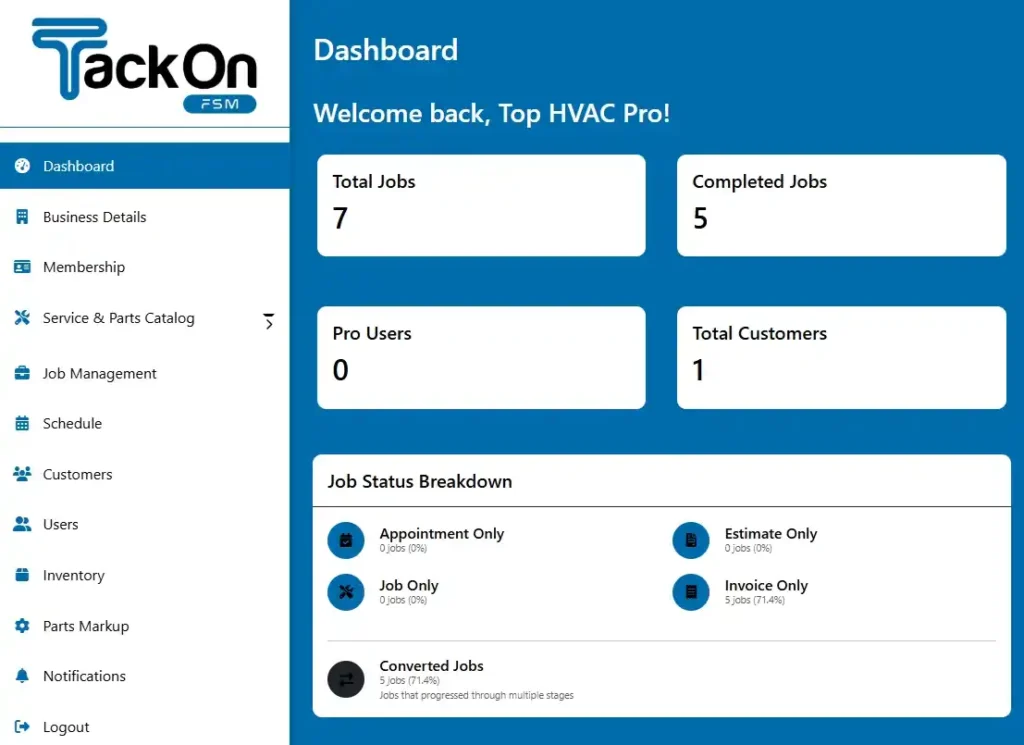
Once that trial period is over and everyone feels comfortable, you can confidently turn off the old spreadsheets and say goodbye to the whiteboard for good. This gradual approach takes the pressure off and builds your team's confidence before the software becomes the core of your operation. It’s powerful to see a live software dashboard and know everything is running smoothly.
Phase 4: Monitor and Optimize
Getting the software up and running isn't the final step. After a few weeks of using your cleaning service scheduling software, you'll have collected a goldmine of performance data. Now's the time to put on your analyst hat and dive into the reports.
Use the analytics tools to look at job completion times, how much time your teams spend traveling, and what the customer feedback says. These insights are invaluable. They'll show you what's working well and pinpoint areas where you can improve, allowing you to tweak workflows, adjust service times, or rebalance routes to make your business even more profitable.
Answering Your Top Questions About Scheduling Software
Even when you see all the potential benefits, making the jump to a new software system is a big decision. It’s only natural to have a few questions. Let's dig into some of the most common things we hear from cleaning business owners who are thinking about making a change.
How Much Should I Expect to Pay?
The price tag for scheduling software can swing quite a bit, but most companies charge in one of two ways. You'll often find a per-user/per-technician fee, which can get expensive as you add more people to your team. The other common model is tiered plans, where you pay more for access to more advanced features.
For a small but growing cleaning business, it's realistic to budget somewhere between $40 and $200 per month. My best advice is to find vendors who are completely transparent with their pricing. If a company is cagey about extra costs for setup, moving your data over, or getting support, that's a red flag.
Look for a provider with simple, predictable pricing that doesn't lock you into a long-term contract. That way, you have the freedom to make sure the software is truly a good fit for your business before you're fully committed.
Will My Cleaning Technicians Actually Use It?
This is a huge, and totally valid, concern. The last thing you want is to spend money on a new tool only to have your team ignore it. Thankfully, modern software is built with the end-user in mind—especially the person out in the field.
Think about it: today’s mobile apps are incredibly easy to use. If your techs can use their smartphone to get directions or send a text, they have all the skills they need. The trick is to show them how it makes their lives easier.
- No more shuffling through papers. All the job details—address, special notes, checklists—are right there in the app.
- Getting to the next job is as simple as tapping a button for directions.
- They won't have to call the office constantly for updates or clarifications.
Once they realize the app helps them get through their day with less friction, you'll find they adopt it pretty quickly on their own.
How Long Does The Setup Process Really Take?
Switching systems doesn't have to mean weeks of downtime and frustration. With a good software partner, the transition can be surprisingly fast. Just getting your basic information loaded in—things like your customer list and service details—can often be handled in just a couple of business days.
Getting the whole team comfortable and using the system for their daily work usually takes about two to three weeks. A lot of this comes down to the quality of the onboarding support you get from the vendor. A provider who actively helps you migrate your data and offers real, hands-on training is worth their weight in gold for a quick and smooth rollout.
Ready to see how one platform can bring your entire operation together? TackonFSM offers a powerful, all-in-one solution to schedule jobs, manage crews, handle invoicing, and control inventory. Start your free 14-day trial today!