

Best software for small plumbing business: Top picks and practical tips

You know that pile of tickets on your desk? What if each one updated your parts list, scheduling, and invoicing automatically?
Tools like TackonFSM routinely carve out five hours per week—or more—for small plumbing teams. Automatic reminders keep customers in the loop, while intelligent routing trims downtime.
Understanding Key Benefits Of Plumbing Software
Cutting drive time is just the tip of the iceberg. In real-world tests, a two-tech crew shaved 20% off travel by lining up parts availability with each job ticket. The result: more first-time fixes and fewer return trips.
When your mobile tools sync up stock levels and quotes, you give accurate estimates on the spot. That’s a game changer for customer trust. Throw in invoicing automation and you’ll slip past paper errors, speeding up payments by 30%. Seamless connections to QuickBooks or Salesforce keep your financials clean—no double entries, no headaches.
Core Software Features Overview
Below is a quick look at the must-have features in top plumbing software. This isn’t fluff; it’s what your business sees every day.
| Feature | Benefit | Why It Matters |
|---|---|---|
| Automated Dispatch | 20% less drive time | Techs spend more hours on billable jobs |
| Mobile Quoting | Real-time, accurate estimates | Cuts callbacks and re-visits |
| Inventory Control | 30% fewer stock errors | Saves on wasted parts and emergency orders |
| Invoicing Automation | 30% faster payment cycles | Improves cash flow |
Above these numbers lies the story: fewer wasted miles, tighter margins, happier customers.
Adoption is climbing. The plumbing estimating software market hit USD 1.38 billion in 2023 and is on track for USD 2.20 billion by 2031, growing at a CAGR of 8.5%. If you want the full breakdown, check out the study on Verified Market Research.
Key Takeaway: Choose a suite that merges dispatch, quoting and inventory. You’ll usually see your investment pay off in weeks.

On that dashboard, active jobs, tech locations and parts counts appear at a glance. Dispatchers spot schedule gaps instantly, then confirm stock before assigning the next task.
What To Look For On Day One
- A drag-and-drop calendar that mirrors your service areas.
- Mobile quotes with barcode scanning to eliminate guesswork.
- Auto-reminders and flexible rescheduling rules.
- Seamless import of historical invoices from your accounting system.
Nail these checks and you can anticipate a 15% drop in drive time and invoices processed 5× faster within days.
Anticipated Savings Breakdown
- 30% less admin work since data flows automatically.
- 15% boost in technician productivity through optimized routes.
- 20% reduction in parts waste with live inventory alerts.
Matching these percentages to real workflows gives you a clear roadmap. Implement the right software, and every feature turns into measurable ROI.
Streamlining Scheduling And Dispatch For Efficiency
Nothing drains productivity like wrestling with a crowded dispatch board. TackonFSM’s drag-and-drop calendar makes juggling last-minute service calls and technician expertise a breeze. You’ll spend far less time reassigning jobs and more time on billable work.
Grouping jobs by zone can shrink travel time dramatically. One small plumbing shop used skill-based tags to match plumbers with the right tasks, cutting follow-up admin by 50%. At the same time, automated appointment confirmations freed up office staff to focus on customer support.
- Set up service zones to cluster nearby calls and cut travel distances.
- Tag technicians by skill level so each job lands with the right expert.
- Create auto-confirmation rules to eliminate manual reminder calls.
For instance, you could configure the system to route emergency calls directly to your on-call team—no more hunting through schedules. That tweak alone saved some businesses several hours of call handling every week.
Fine-Tuning Your Dispatch Rules
Mobile alerts keep your field crews up to speed when things change on the fly. If an urgent job pops up, you simply drag it onto the most suitable technician’s slot and dispatch instantly. That adaptability boosts utilization rates and keeps customers happy.
Digital scheduling and dispatch can drive technician utilization up by 10–20% and slash administrative time by 30–50%. These figures come from ServiceTitan’s plumbing industry statistics, which track gains achieved by shops using modern service management platforms.
“Seeing jobs and tech locations on one screen changed how we work. We cut drive time by 15% within weeks.”
– A satisfied plumbing shop owner

This view clearly shows which technician is free in each zone and highlights open slots begging to be filled. A quick daily check helps dispatchers spot gaps and refine assignments for ongoing improvement.
Measuring Utilization Gains
To see real progress, track metrics like drive time and billable hours. A simple calculation is (billable hours ÷ total hours) × 100. Aim for a 15–20% jump in utilization—just like the team that reduced drive time by 15% and squeezed in five extra jobs each week.
Optimizing Mobile Tools And Invoicing Accuracy
Field technicians equipped with a capable mobile app transform into roaming billers and parts managers. On one afternoon call, a plumber scanned replacement parts, snapped proof photos and finalized the invoice right on the customer’s porch. This simple shift slashed return trips and sped up payments by days.

Here’s what this screen illustrates:
- Barcode Scanning feeding live inventory updates
- Custom Fields for notes like warranty codes
- Photo Attachments tied directly to parts
- Signature Capture to lock in client approval
Reliable offline sync is the unsung hero in basements and rural jobs. Let’s dive into how to pick the right mode and build error-proof invoices.
Choose Reliable Offline Mode
Not every app handles a dropped signal the same way. Put it in airplane mode and watch if your entries queue locally, then push up once you’re back online.
Pick a solution that:
- Logs every change on the device
- Retries uploads until they succeed
- Flags sync errors for quick resolution
For example, TackonFSM uses an end-to-end queue system, so you never lose an invoice or parts scan—even when the Wi-Fi is gone.
Design Error-Proof Invoice Templates
A well-crafted template guides your techs step by step, without spelling everything out. Make key fields mandatory—work order IDs, warranty notes—and require at least one photo for any high-risk repair. This approach cuts 40% of billing errors and accelerates approval cycles.
Next, embed a default pay link so clients can settle invoices the moment they sign. Connected to QuickBooks, it posts payments instantly, eliminating manual exports and freeing up your bookkeeper for higher-value tasks.
A clean mobile workflow with photo proof and signature capture reduces return visits by up to 25%
Keep these best practices close at hand:
- Scan each part and verify quantities on the spot
- Attach at least one photo for safety or warranty checks
- Enforce custom-field completion before invoice generation
- Embed a payment link for same-day settlement
- Check sync status from the office dashboard
Before rolling out to the whole crew, pilot with two technicians on non-critical jobs. Collect feedback on any confusing prompts or missing fields, then refine templates and training.
• Validate that offline entries survive a full sync test
• Confirm empty custom fields trigger clear warnings
• Test payment-gateway fees and receipt formatting
Finally, lock down your app settings with a single device profile and role-based permissions. This guarantees uniform workflows for everyone, from dispatch to the field.
Adoption rates vary by region, with North America leading at over 30% market share in MEP solutions thanks to its mature cloud infrastructure and healthy SaaS budgets. Learn more about regional trends in plumbing software adoption on 360iResearch.com.
Managing Inventory And Streamlining Payments
Untracked parts and slow invoicing can bleed cash and hide your real expenses. Tying inventory control directly to purchase orders and billing can seal those leaks in minutes.
Miller Plumbing, for example, slashed waste by 20% in just three months by setting up low-stock alerts. They also matched part usage to project codes, uncovering hidden labor costs. When a fitting—say a $0.50 valve—gets billed automatically, nothing slips through the cracks.
This seamless link doesn’t just stop leaks; it also speeds up month-end reporting in an instant.
Configure Supplier Connections
Automating your supplier integrations keeps orders accurate, even during peak demand. Every time a vendor updates prices or availability, your parts database reflects it instantly. That means no more overpays or frantic last-minute buys.
• Automate purchase orders when stock falls below minimum thresholds
• Link each order to its specific job for precise cost tracking
“Negotiate 2% discounts for 10-day payments—small savings add up over hundreds of transactions.”
One shop saved $1,200 in a single quarter just by taking advantage of early-payment deals. Those discounts can fund next month’s supplies at lower cost, boosting margins and strengthening supplier relationships.
Build A Simple Tracking Dashboard
A live dashboard gives you a bird’s-eye view of stock across vans, shops, and satellite warehouses. You’ll catch imbalances before they halt a job. Custom filters let you sort parts by project code or location in seconds.
• Count of items below reorder point
• Parts usage by job and cost center
Within weeks, one team cut emergency orders by 15%, freeing a technician for billable work instead of last-minute supply runs.
Accelerate Invoice Payments
Slow payments can choke your cash flow. Offering financing options keeps money moving without the back-and-forth of endless reminders. Integrate a third-party lender for same-day approvals on larger jobs.
• Connect your payment gateway to the software
• Enable automatic reminders for overdue invoices
• Present installment plans or financing links at checkout
• Monitor payment trends on your dashboard
Automated billing reminders alone cut follow-up calls by 40%, reducing overdue balances and lightening your bookkeeping load.
Review Supplier Performance
Pairing tight inventory control with fast invoice turnaround builds healthier margins. Implement these steps over a few weeks, not months, and watch your cash flow clear up. You’ll spend far less time chasing parts and payments.
Periodically audit each vendor’s delivery speed and price consistency. Replace underperformers to keep projects on track. Track supplier ratings right in your dashboard to guide future negotiations.
Use these insights to:
• Refine reorder points
• Negotiate bulk-purchase discounts
• Forecast parts demand with greater accuracy
Enjoy better margins and a smoother operation every month.
Evaluating Integrations, Pricing, And Support
Picking the right field service software isn’t just about features—it’s about cost efficiency and reliable help when you need it. For instance, shops that sync QuickBooks in under 2 days often shave off 5 hours of month-end accounting work. That kind of payoff shows why integrations and support matter as much as core functionality.
Comparing Pricing Models
Different plans fit different crews. A flat-fee option lets you predict costs, while per-user tiers flex with team size—though they can spike if you add more techs.
• Flat-Fee Tiers come with all features unlocked at $69, $139, or $179 per month. Budgets stay clean and simple.
• Per-User Pricing scales automatically as you hire, but watch out for unexpected bumps when licenses climb.
Unpacking Support SLAs
Downtime in the field can cost you a job. You’ll want an SLA that pledges quick replies for critical issues—ideally under four hours.
- Standard plans often guarantee a 24-hour response.
- Priority tiers aim for 4-hour replies.
- Premium channels can even deliver 1-hour support around the clock.
TackonFSM throws in 24/7 support, free onboarding, plus direct Slack or email access to engineers—help that slashes migration hiccups by nearly half.
Integration Bundles Comparison
Most FSM suites package together CRM, payment gateways, and expense tracking. Verify your shortlist covers the essentials without sneaky add-ons.
- CRM connectors for customer records
- Integrated payment links to speed transactions
- Expense-tracking tools that sync with your ledger
Below is a quick glance at how popular plans line up.
Pricing Plans and Integration Matrix
Here’s a side-by-side look at entry-level and advanced tiers, so you can match features, integrations, and support response times to your needs.
| Plan Tier | Monthly Cost | Core Features | Available Integrations | Support SLA |
|---|---|---|---|---|
| Duo Team | $69 | Scheduling, dispatch, quoting | QuickBooks, payment links | Standard (24h) |
| Crew | $139 | Core features, inventory | QuickBooks, CRM, payments | Priority (4h) |
| Command | $179 | Warehouse tools, calendar sync | QuickBooks, CRM, expenses | Premium (1h) |
| Fleet | Custom | Enterprise features | All integrations | 24/7 |
Use these tiers to compare immediate needs—like dispatch and quoting—against future growth drivers, such as advanced inventory or expense modules.
Predictable pricing paired with clear SLAs helps you avoid surprise bills and negotiate volume discounts.
This dashboard highlights active connections and status updates in hours, so you can spot bottlenecks and ensure your uptime targets are met.
Planning Onboarding And Migration
Migrating data and training your crew shouldn’t drag on for weeks. In most small setups, you’ll be live in under a week; larger operations may take up to four weeks.
• Data export mapping and validation: 1–2 days with automated scripts.
• Test import phase: up to 3 days, checking fields and invoice accuracy.
• Full go-live and training: 1 week of live sessions and on-demand guides.
Free migration from QuickBooks or ServiceTitan can cut those timeframes in half, so you stay focused on customers, not CSV files.
Verifying Security Standards
Your software should protect customer data as fiercely as you protect your tools. Look for certifications and encryption practices that match industry benchmarks.
- SOC 2 and ISO 27001 compliance reports
- SSAE 18 audit statements on request
- Encryption at rest and in transit
- Options for data residency to meet local regulations
By lining up clear pricing, robust support, streamlined onboarding, and rock-solid security, you’ll pick a partner that scales with your business—rather than a pricey headache down the road.
Building Your Decision Checklist With Real Workflows
Cutting through marketing hype starts with turning each feature into a clear pass/fail experiment. In our two-week TackonFSM trial, technicians put mobile quoting, drag-and-drop dispatch, inventory sync, and end-to-end invoicing through their paces. Every task came with a measurable goal—whether that was verifying data import integrity or stress-testing API links under real-world loads.
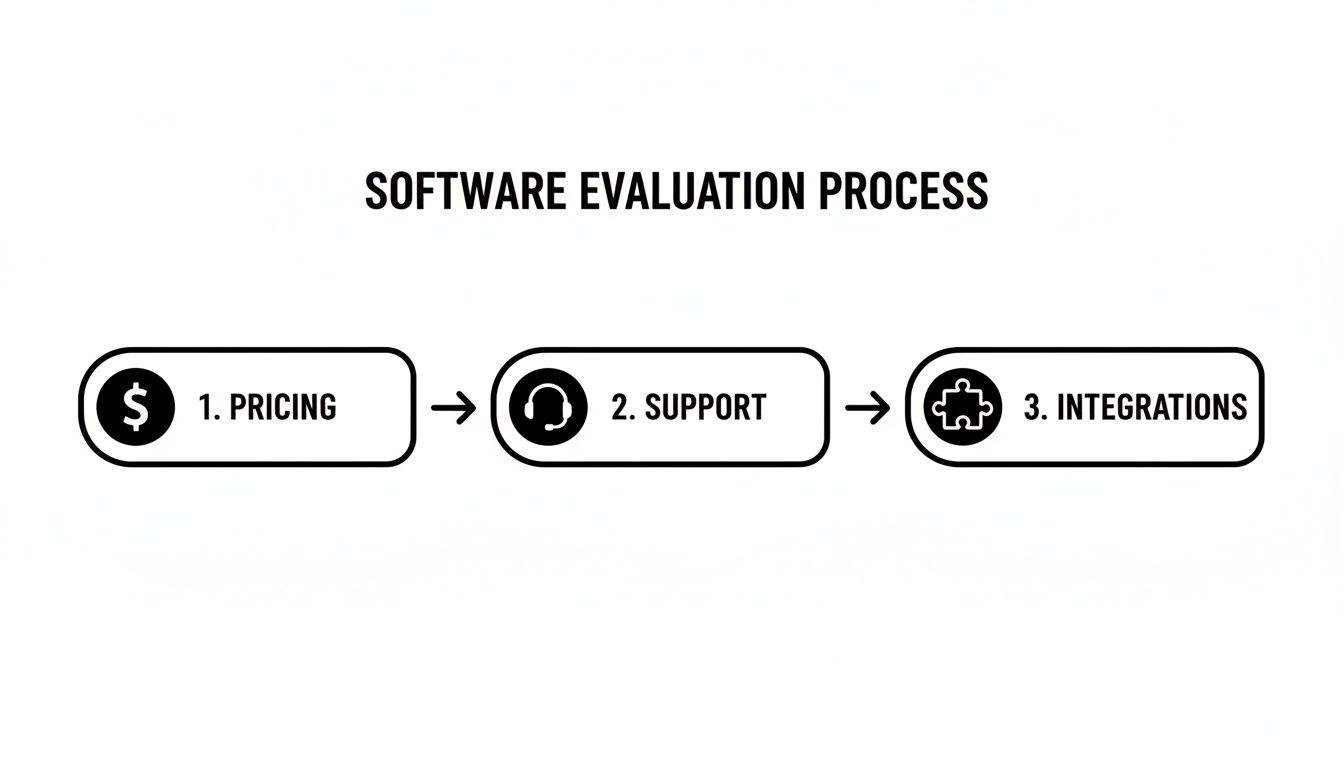
This infographic breaks down cost, customer support, and API connectivity side by side. You’ll see pricing transparency score highest, followed closely by rapid-response SLAs and plug-and-play integrations.
Customizable Scoring Templates
We built a living spreadsheet that maps your priorities into weighted scores. Tweak it for usability, feature set, performance under stress—or anything else your team cares about.
- Feature Evaluation assigns up to 20 points per core function, reflecting mission-critical needs.
- User Feedback captures field-team impressions on ease and speed.
- Support Responsiveness tracks ticket-closure times and live-chat interactions.
- Integration Reliability measures API-call success rates during bulk imports.
- Final Score averages across categories, giving you a clear front-runner.
This format slashed our review meetings in half and helped us crown TackonFSM as our top pick in days, not weeks.
Running Your Own Two-Week Trial
Block a dedicated two-week window on everyone’s calendar. Spread feature tests across days instead of cramming them into one sprint.
Share the scoring template with dispatchers, techs, and finance staff so everyone’s on the same page. Mark each item pass or fail as you go, and jot down notes on glitches, delays, or missing functions.
- Test scheduling by creating an emergency job and reassigning it in under one minute.
- Sync part usage by scanning three items and confirming stock updates across all devices.
- Send a quote via text and verify approval lands in under 60 seconds.
Objective scoring and real tests saved our team two meetings and prevented a costly software misstep.
With a clear checklist in hand, you’ll sidestep endless debates and pick the solution that performs when the pressure’s on.
Frequently Asked Questions About Plumbing Software
Choosing software for a small plumbing business can feel like navigating a maze. This FAQ tackles your most pressing concerns around day-one features, data migration, key integrations, and support so you can move forward with confidence.
What Features Matter On Day One?
How Do I Migrate Data Without Losing History?
Which Integrations Save The Most Time?
What Support And Training Should I Expect?
Day-one essentials include scheduling, dispatch, mobile quoting, basic inventory control, and invoicing. These tools let you assign jobs, track parts in real time, and generate invoices the moment a job wraps up.
Migrating from spreadsheets works best when you rely on CSV templates and precise field mapping. Before flipping the switch, load a test account and preview every import to catch mismatches early.
Use test imports and mapping guides to keep your history intact.
When you’re lining up integrations, start with your accounting package, CRM, and payment gateway. A one-click sync can save 30 minutes of manual entry each day.
Support And Training Options
Vendors often bundle live chat, email, and phone support into their premium plans. Many also include guided onboarding sessions to help your team climb the learning curve faster.
• Negotiate a trial period that lets you push real data through the core features.
• Designate a staff member to gather feedback and log any issues.
• Confirm SLA response times by reviewing actual support tickets, not just promises.
| Action | Tip |
|---|---|
| Data Import | Use CSV templates for clean mapping |
| Integration Testing | Sync in a sandbox first |
Keep this FAQ handy during demos and trials. It’ll steer you clear of common pitfalls and remind you what to look for in every vendor pitch.
Common Mistakes To Avoid
Skipping a small-scale pilot often leads to hidden errors once you go live. Ignoring early feedback can tank adoption rates and stall your ROI.
- Failing to test offline sync creates frustrating data gaps.
- Overlooking integrations forces hours of manual updates.
- Neglecting hands-on training undermines your investment.
Ready to streamline your plumbing operations? Try TackonFSM Free for 14 Days


