12 Best Invoice Software for Contractors in 2025: A Detailed Guide

For any trade contractor, getting paid is the goal, but the process is often a mess of lost paper, late payments, and manual data entry. Juggling estimates, change orders, and final invoices while managing a crew in the field eats into billable hours and hurts cash flow. The solution isn't just any invoicing tool; it's finding software built for the unique demands of contracting, from progress billing and parts tracking to mobile payments.
This guide cuts through the noise. We are not just listing apps; we are analyzing the 12 best invoice software for contractors, focusing on the features that matter most to HVAC, plumbing, and electrical businesses. We will compare trade-specific capabilities, pricing for small to mid-sized teams (1–20 techs), and real-world use cases. This analysis will help you choose a platform that streamlines your workflow from estimate to payment, ensuring you get paid accurately and on time, every time.
Inside this comprehensive resource, you will find:
- Detailed breakdowns of each platform, including pros, cons, and ideal user profiles.
- Direct comparisons on key features like estimating, dispatching, inventory control, and payment processing.
- Practical guidance on implementation, potential return on investment, and how each tool addresses common pain points for trades.
Each option includes screenshots and direct links to help you evaluate the software for yourself. Our goal is to provide a clear, honest assessment so you can stop chasing payments and focus on growing your business. We will show you how the right software can transform your operations, simplify your billing, and improve your bottom line.
1. TackonFSM
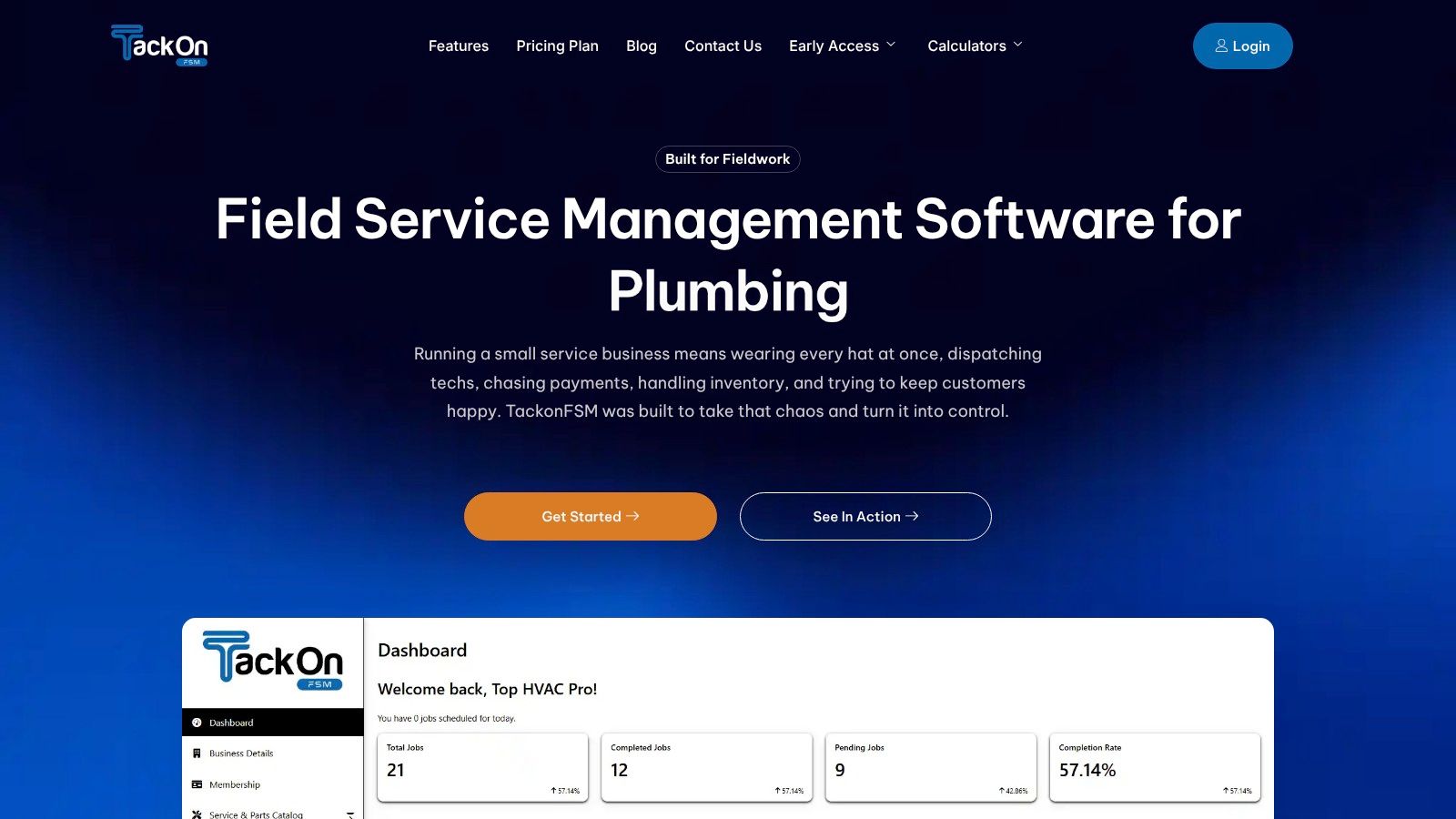
TackonFSM earns its top spot as a comprehensive, all-in-one field service management (FSM) platform designed specifically for the needs of small to mid-sized HVAC, plumbing, and electrical contractors. While it offers robust invoicing capabilities, its real strength lies in how seamlessly it integrates invoicing with every other facet of a contractor's workflow, from scheduling and dispatch to inventory management. This integrated approach makes it one of the best invoice software for contractors who want to eliminate disconnected tools and streamline their entire operation.
Instead of juggling separate apps for estimates, scheduling, and payments, TackonFSM provides a single source of truth for your office and field teams. The platform excels at converting an approved estimate into an active job and then into a final invoice with just a few clicks, automatically pulling in labor rates, parts used, and any other job-related costs. This ensures accuracy and dramatically speeds up the billing cycle, helping you get paid faster.
Why It Stands Out
What truly distinguishes TackonFSM is its inventory-first design. For contractors, lost or unbilled parts are a major source of profit loss. TackonFSM addresses this head-on with its Elastic Parts Database, preloaded with over 3,000 common trade items. Technicians can easily add parts to a job from their van's stock via the mobile app, and the system automatically deducts the part from inventory and adds it to the final invoice. This ensures every single component is accounted for and billed correctly.
Another key advantage is its transparent and affordable pricing structure. Plans start at just $69/month for the "Duo Team" plan, with a clear path to scale up. Unlike many enterprise competitors, TackonFSM offers a 14-day free trial, no contracts, no setup fees, and even includes free data migration from platforms like Jobber or ServiceTitan, making the switch remarkably low-risk.
Key Features:
- All-in-One Platform: Manage scheduling, dispatch, estimates, invoices, payments, and inventory in one place.
- Inventory-First Design: Features the Elastic Parts Database and multi-location (van and warehouse) stock tracking to prevent profit loss.
- Field-Ready Mobile App: Techs can create estimates, update job status, add photos, process payments, and access checklists from the field.
- Automated Customer Communication: Sends automatic text and email notifications for appointments, reminders, and "on-the-way" alerts.
- Built-in Markup Logic: Protect your profit margins by applying consistent markups to parts and materials.
Pros:
- True all-in-one system reduces admin overhead.
- Exceptional inventory management prevents lost revenue.
- Affordable, transparent pricing with no hidden fees.
- Free data migration and 24/7 support simplify onboarding.
Cons:
- Some advanced features (Gmail sync, full warehouse tools) are scheduled for a Q1 2026 rollout.
- Lower-tier plans may require paid add-ons for full inventory or Elastic DB access.
Website: https://www.tackonfsm.com
2. Intuit QuickBooks Online
As the U.S. small business accounting standard, Intuit QuickBooks Online offers a powerful, integrated solution that extends far beyond basic invoicing. It's a foundational tool for contractors who need robust financial tracking alongside their billing processes. The platform excels at converting detailed estimates directly into invoices, a critical workflow for trades like electrical and plumbing where initial quotes are standard practice. Its project profitability tracking gives you a clear view of your margins on every job.
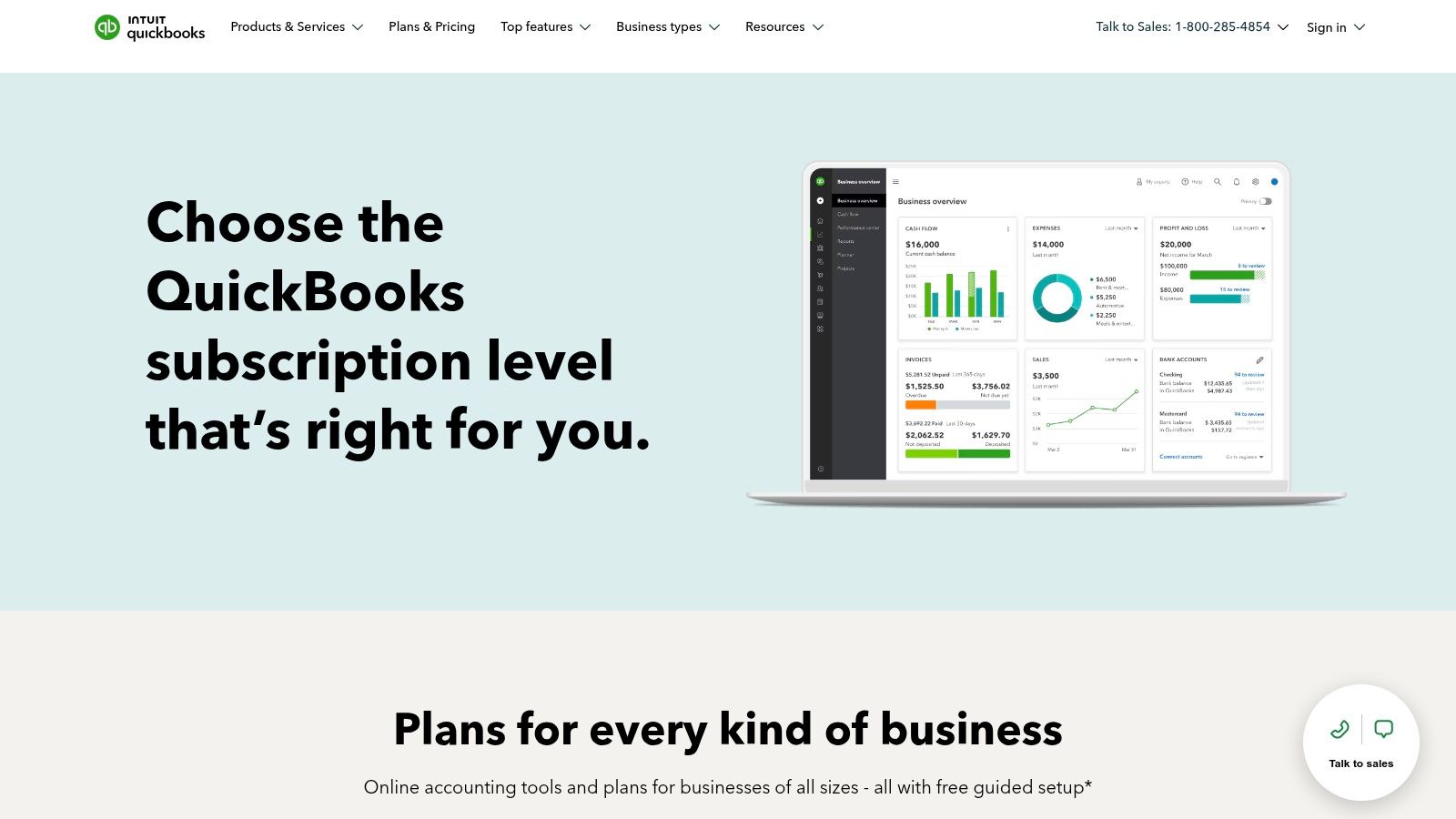
The real strength of QuickBooks for contractors is its specialized invoicing features and ecosystem. You can manage complex billing cycles with progress invoicing, set milestones for payment, and even handle retainage. This makes it ideal for larger, multi-stage projects common in HVAC installations or remodeling jobs. The mobile app allows technicians to create estimates, send invoices, and accept payments directly from the field, accelerating cash flow.
While not a full-fledged Field Service Management (FSM) tool on its own, its vast library of partner integrations allows it to become the central hub for your business operations. It connects seamlessly with specialized scheduling, dispatch, and inventory apps, making it a scalable choice as your team grows from a solo operation to a crew of 20.
Key Features & Considerations
| Feature | Details |
|---|---|
| Invoicing & Billing | Progress invoicing, milestone billing, and retainage options. Direct estimate-to-invoice conversion. |
| Project Management | Detailed project profitability reports to track labor, materials, and overhead costs per job. |
| Mobile Functionality | A robust mobile app for on-site estimates, invoicing, and payment processing. |
| Ecosystem | Massive two-way integration marketplace with leading FSM and contractor-specific software. |
| Pricing | Plans range from $30 to $200 per month, with higher tiers needed for project profitability and advanced features. |
- Pros: Deep accounting features, widely used by accountants, extensive integration capabilities, and scalable for growing businesses.
- Cons: Higher tiers can be expensive, and the full accounting suite has a steeper learning curve than simple invoicing apps.
Best for: Contractors who need a true accounting system at the core of their operations and plan to integrate other specialized software as they grow.
Website: https://quickbooks.intuit.com/subscription/
3. FreshBooks
FreshBooks has carved out a niche as one of the most user-friendly invoicing and accounting platforms, making it an excellent starting point for solo contractors or small trade businesses. It excels at creating professional-looking estimates and invoices in minutes, helping electricians or painters project a polished image. The platform is built around simplifying the billing cycle, from tracking time and expenses on a specific job to converting that data directly into a client invoice.

For contractors who manage retainers or deposits, FreshBooks handles these workflows smoothly, allowing you to secure upfront payment before work begins. Its client portal provides a dedicated space for customers to view invoices, approve estimates, and make payments online, which significantly speeds up the payment process. This focus on the client experience makes it ideal for residential service providers like plumbers or handymen who need simple, clear communication with homeowners.
While it lacks the deep job costing or inventory management of more specialized contractor software, its strength lies in its simplicity and accessibility. The mobile app is particularly strong, allowing you to manage your billing from anywhere, a crucial feature for contractors who spend their days on various job sites. It's a solid piece of invoice software for contractors who prioritize ease of use and professional client interactions over complex project management features.
Key Features & Considerations
| Feature | Details |
|---|---|
| Invoicing & Billing | Easy estimate-to-invoice conversion, recurring invoices, automated payment reminders, and deposit requests. |
| Time & Expenses | Track billable hours and capture receipt expenses per project, ensuring all costs are invoiced. |
| Client Portal | Provides clients a central hub to view history, pay invoices, and approve estimates online. |
| Mobile Functionality | Robust mobile app for creating invoices, tracking time, and logging expenses from the field. |
| Pricing | Plans start around $19 per month, but lower tiers limit the number of billable clients. |
- Pros: Extremely user-friendly interface, excellent U.S.-based customer support, and strong mobile app for on-the-go invoicing.
- Cons: Base plans limit the number of active clients you can bill, and add-ons like advanced payments can increase the overall cost.
Best for: Solo operators, freelancers, and small contracting businesses who need a simple, fast, and professional way to handle invoicing and expense tracking.
Website: https://www.freshbooks.com/pricing/
4. Joist (for Trade Contractors)
Joist is a mobile-first platform built from the ground up for trade contractors who live and work in the field. Its primary strength is speed and simplicity, enabling general contractors, electricians, and painters to create professional-looking estimates and invoices in minutes from a smartphone or tablet. The app is laser-focused on the core documents that drive a contracting business: estimates, invoices, change orders, and work orders. This makes it an excellent tool for on-site quoting and billing.
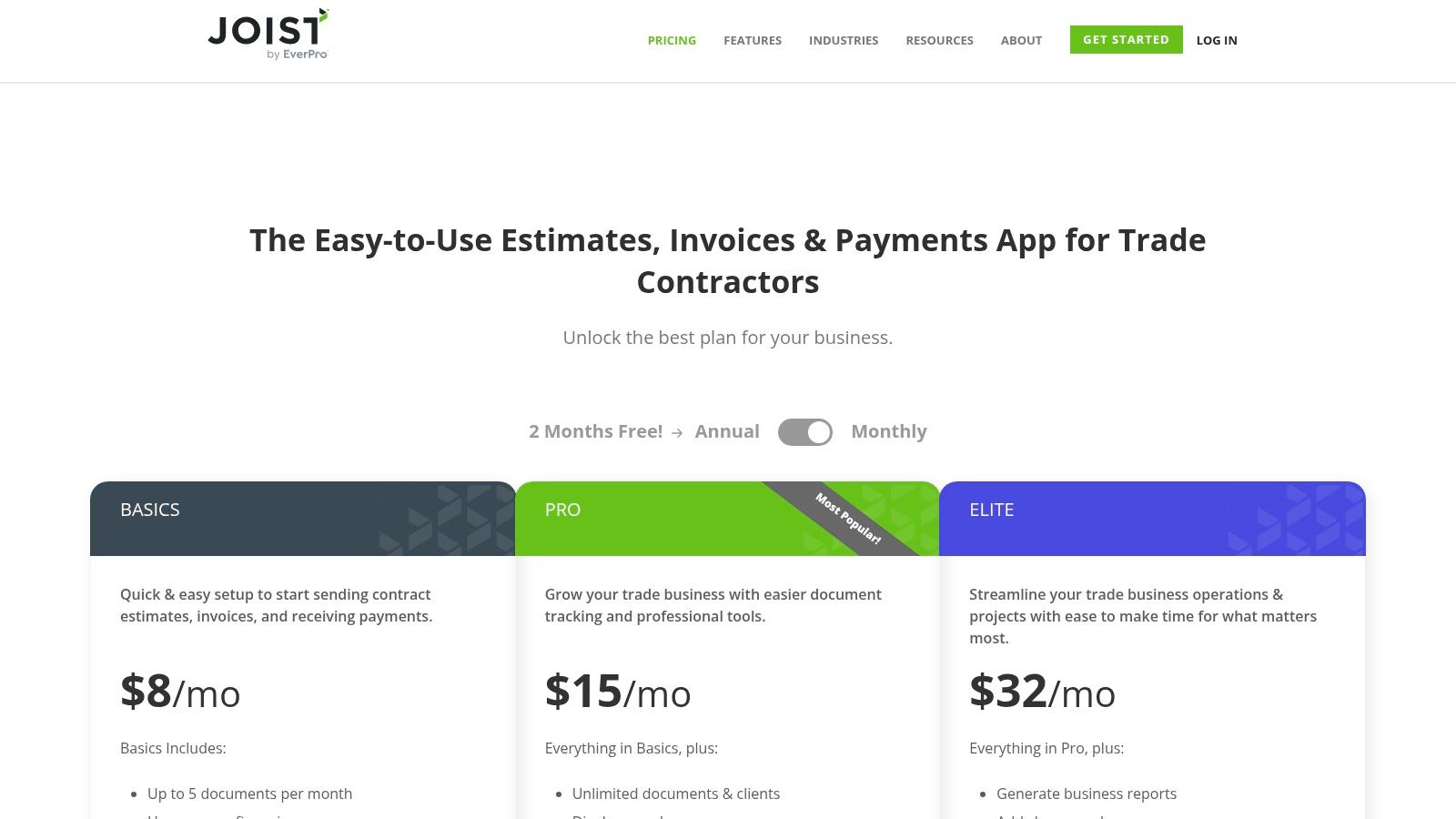
The platform streamlines the client interaction process from start to finish. You can send documents via text or email, track when a client has viewed an estimate, and capture e-signatures directly on your device to get approvals faster. For contractors who want to improve their sales process and close rates, this immediate feedback loop is invaluable. Joist also integrates payment processing, allowing clients to pay directly from the invoice with a credit card.
While Joist excels at front-end document creation and client management, it is not a full accounting system. Most users pair it with software like QuickBooks or Wave for comprehensive bookkeeping, expense tracking, and tax preparation. This specialized approach makes it a powerful addition to a contractor's toolkit, handling the field operations while a dedicated accounting platform manages the back-office financials. It’s one of the best invoice software for contractors who prioritize mobile efficiency.
Key Features & Considerations
| Feature | Details |
|---|---|
| Document Creation | Rapidly build and customize estimates, invoices, and change orders with your logo and photos. |
| Client Management | Track client activity (e.g., when an estimate is viewed) and capture on-site e-signatures. |
| Mobile Functionality | Mobile-first design for creating, sending, and managing all documents entirely from the field. |
| Payments | Integrated online payment processing allows clients to pay directly from the invoice. |
| Pricing | Offers a free plan for basic use, with paid tiers from $19 to $69 per month for advanced features. |
- Pros: Extremely easy to use on mobile devices, fast document creation for on-the-spot quoting, and affordable pricing tiers.
- Cons: Lacks deep accounting features, requiring integration with another platform for full financial management. Advanced reporting is limited to higher-priced plans.
Best for: Sole proprietors and small contracting teams who need a fast, simple, and professional way to create estimates and invoices from the job site.
Website: https://www.joist.com/pricing/
5. Jobber
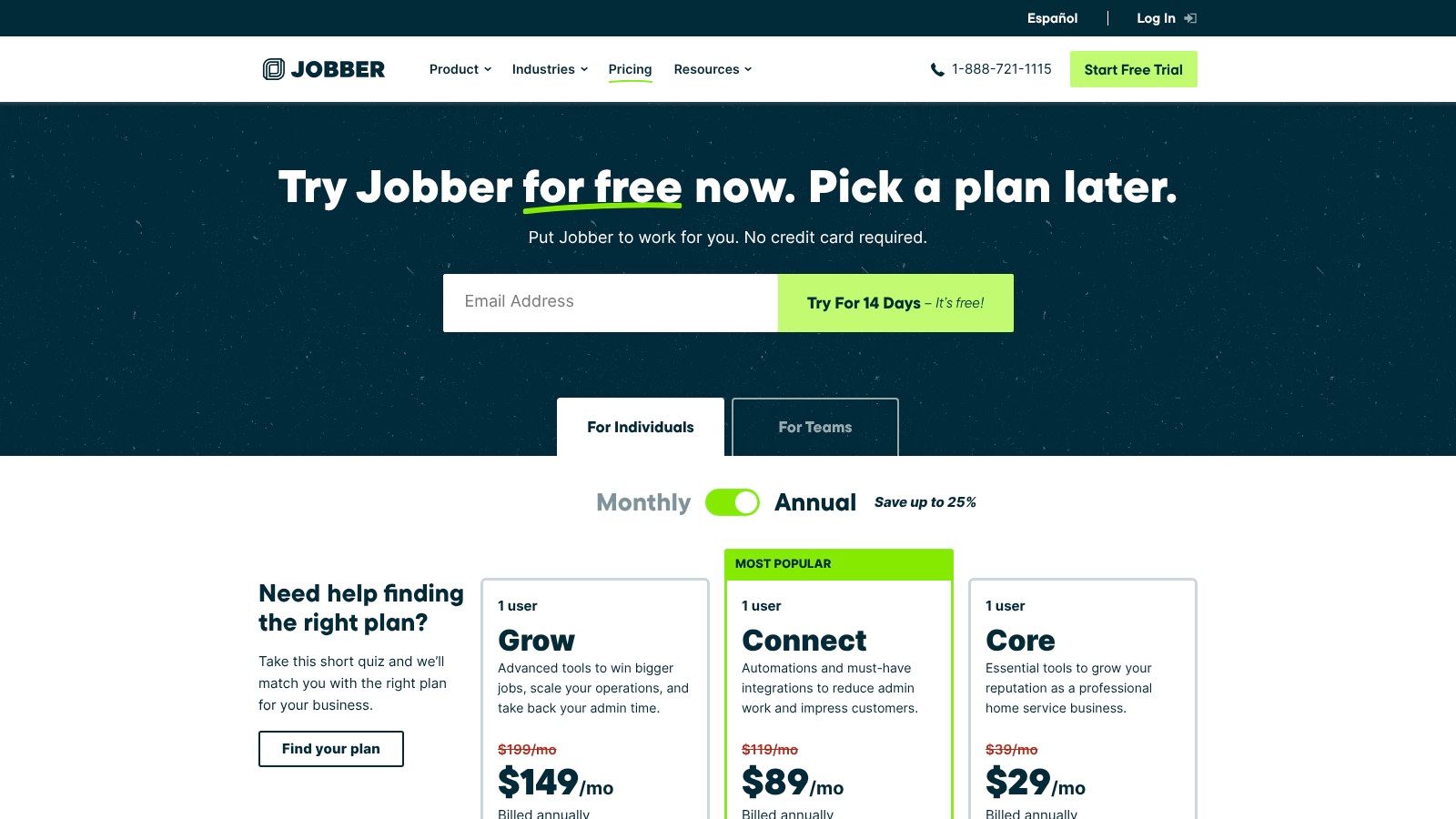
Jobber is an end-to-end field service management platform designed specifically for home service trades like HVAC, plumbing, and landscaping. It moves beyond simple invoicing to provide a unified system for quoting, scheduling, dispatching, and collecting payments. The platform's strength lies in its ability to automate the workflow from the initial customer quote directly through to the final invoice and payment, which is crucial for contractors managing multiple jobs and technicians.
The platform is built with mobile-first field crews in mind. Technicians can view their schedules, optimize routes, and communicate with customers via automated two-way SMS directly from the app. For businesses focused on customer experience, Jobber’s communication tools are a major advantage, sending automated reminders and "on my way" texts. This level of coordination helps reduce missed appointments and improves client satisfaction.
While Jobber serves as a powerful all-in-one solution, its pricing structure is user-based, which can become costly as teams grow. Advanced features like job costing are also reserved for higher-tier plans. However, for small-to-mid-sized crews needing a robust, field-ready system that connects every part of the job, Jobber is a leading contender in the market for contractor software.
Key Features & Considerations
| Feature | Details |
|---|---|
| Invoicing & Billing | Automated quote-to-invoice conversion with integrated payment processing and follow-up reminders. |
| Scheduling & Dispatch | Drag-and-drop calendar, route optimization, and real-time job status updates from the field. |
| Customer Communication | Two-way SMS, automated appointment reminders, and a self-serve online client hub. |
| Integrations | Strong native integration with QuickBooks Online for seamless accounting sync. |
| Pricing | Plans scale by user count, ranging from $69 to $349 per month, with key features tied to specific tiers. |
- Pros: Excellent for field crews, strong customer communication tools, and powerful workflow automation from quote to cash.
- Cons: Pricing can become expensive for larger teams, and essential features like job costing are locked in higher-priced plans.
Best for: Home service contractors with small-to-mid-sized crews who prioritize customer communication and need an all-in-one field management tool.
Website: https://www.getjobber.com/pricing/
6. Housecall Pro
Housecall Pro is a widely recognized all-in-one platform built specifically for home service professionals, including HVAC, plumbing, and electrical trades. It moves beyond simple invoicing to provide an integrated system for managing the entire customer lifecycle, from online booking and dispatching to payment collection. Its key strength lies in its built-in pricing tools, which help contractors standardize and streamline their quoting process for greater consistency and profitability.

The platform empowers technicians in the field with a mature mobile app that handles everything from job status updates to creating invoices on the spot. Features like the digital Price Book and flat-rate pricing forms allow businesses to load pre-set services, parts, and labor rates. This ensures that every tech provides accurate, consistent pricing on every job, minimizing errors and maximizing revenue.
With integrated scheduling, dispatching, and customer notifications, Housecall Pro serves as a central operational hub. It helps office staff efficiently manage job assignments and gives customers a professional experience with automated reminders and "on-my-way" texts. This focus on the complete service workflow makes it more than just an invoicing tool; it's a comprehensive business management solution for contractors looking to organize and scale their operations.
Key Features & Considerations
| Feature | Details |
|---|---|
| Invoicing & Billing | Paperless invoicing with instant click-to-pay links. Accepts credit card and ACH payments. |
| Pricing Tools | Digital Price Book and flat-rate pricing forms help standardize quotes and improve profitability. |
| Mobile Functionality | A well-developed mobile app for technicians to manage jobs, create invoices, and process payments. |
| Operations | Integrated scheduling, dispatching, and automated job status tracking with customer notifications. |
| Pricing | Plans vary, with pricing not always publicly listed. Payment processing fees apply, and an extra fee is charged for the Instapay feature. |
- Pros: Strong focus on service trades with excellent pricing tools, a mature mobile app for field use, and extensive help-center resources.
- Cons: Pricing can be opaque and vary by business size, and payment processing fees (plus extra for Instapay) can add up.
Best for: Home service contractors who need to standardize their pricing across technicians and want an all-in-one platform for managing jobs from booking to payment.
Website: https://www.housecallpro.com
7. Buildertrend
Buildertrend is a comprehensive construction management platform designed specifically for home builders, remodelers, and specialty contractors. It moves far beyond simple invoicing to cover the entire project lifecycle, from pre-sale and estimating to financial management and client communication. This all-in-one approach is ideal for contractors managing complex, long-term jobs where tracking change orders, client selections, and draw schedules is critical for maintaining profitability and cash flow.

The platform’s strength lies in its ability to generate invoices directly from various project elements, such as estimates, change orders, or material selections. This integration drastically reduces manual data entry and minimizes billing errors. Features like draw schedules and retainage handling are built-in, addressing the specific financial workflows of the construction industry. The dedicated client portal enhances transparency, allowing homeowners to see progress, approve changes, and make payments online via credit card or ACH.
While it is one of the more powerful tools on the market, its extensive feature set means there is a steeper learning curve and implementation process compared to a basic invoicing app. It's a significant investment in both time and money, best suited for established firms looking to streamline every aspect of their project management, not just their billing.
Key Features & Considerations
| Feature | Details |
|---|---|
| Invoicing & Billing | Generate invoices from estimates, change orders, and bills. Manages complex draw schedules and retainage. |
| Project Management | An all-in-one system covering scheduling, document management, and daily logs. |
| Client Communication | A robust client portal for selections, communication, and online payments (Buildertrend Payments). |
| Mobile Functionality | A comprehensive mobile app allows for on-site project management and communication. |
| Pricing | Quote-based plans, generally starting at a higher price point than simple invoicing software. |
- Pros: Deep construction-specific workflows, unlimited users and projects on most plans, and excellent client communication features.
- Cons: Pricing is higher and requires a quote, and the implementation effort can be significant for smaller contractors.
Best for: Residential builders and remodelers who need a unified platform to manage the entire construction process, including complex invoicing and client interactions.
Website: https://buildertrend.com/find-your-plan/
8. Knowify
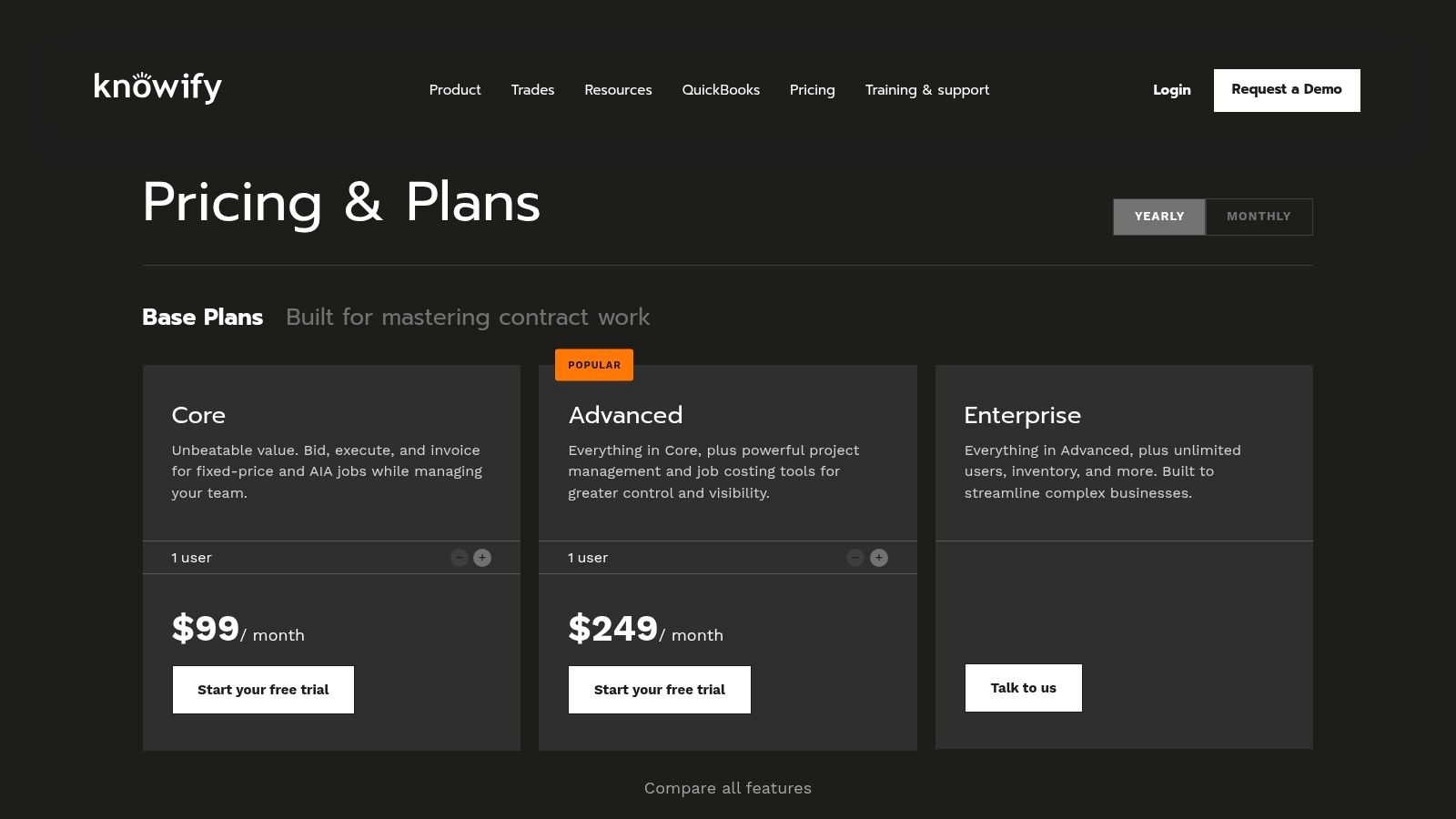
Designed for construction and trade contractors, Knowify excels at managing complex, multi-stage projects where billing is tied directly to job progress. Its invoicing capabilities are purpose-built for the trades, handling everything from AIA/SOV (Schedule of Values) progress billing to simple Time & Materials (T&M) invoices. This makes it a powerful tool for contractors who need to bill against detailed proposals and track costs meticulously. The platform’s standout feature is its seamless, two-way sync with QuickBooks Online, which combines specialized construction billing with robust accounting.
Knowify bridges the gap between simple invoicing apps and full-scale construction ERPs. It allows contractors to generate invoices directly from tracked time and materials, eliminating manual data entry and ensuring every billable item is captured. For service-oriented businesses, the optional "Service Pro" add-on equips technicians with mobile tools to create service tickets and invoices in the field. This flexibility allows a single platform to manage both large-scale installation projects and smaller, day-to-day service calls.
The platform provides a clear Accounts Receivable dashboard, giving you a real-time view of outstanding invoices by job or across the entire company. Automated payment reminders help accelerate cash flow without constant follow-up. While its most advanced features are reserved for higher-tier plans, Knowify offers a scalable solution for contractors graduating from basic accounting software who need superior job costing and project-based billing. It is some of the best invoice software for contractors managing diverse project types.
Key Features & Considerations
| Feature | Details |
|---|---|
| Invoicing & Billing | Specialized options including AIA progress billing, retainage controls, T&M, fixed-price, and unit-based. |
| QuickBooks Sync | Deep, two-way integration with QuickBooks Online for powerful job costing and financial management. |
| Mobile Functionality | The Service Pro add-on enables mobile invoicing and service ticket management for field technicians. |
| Job Costing | One-click invoicing directly from tracked costs and time entries, with automated payment reminders. |
| Pricing | Plans start around $149 per month, with add-ons for service work and other features increasing the total cost. |
- Pros: Purpose-built for construction billing (AIA/SOV), excellent QuickBooks Online integration, and a clear AR dashboard by job.
- Cons: Advanced features like AIA billing are on higher tiers, and add-ons like Service Pro increase the overall subscription price.
Best for: Construction and trade businesses that need advanced, project-based invoicing and deep job costing capabilities that sync perfectly with QuickBooks Online.
Website: https://www.knowify.com/
9. Square Invoices
Built on Square’s ubiquitous payment processing network, Square Invoices provides a streamlined, get-paid-now solution for contractors. Its free-to-start model is a major draw for solo operators or small crews who need professional invoicing without a monthly subscription. The platform allows you to send unlimited invoices and estimates right from the start, making it one of the most accessible options for launching or formalizing your billing process.

Square excels at simplifying the payment workflow for both you and your clients. Contractors can request deposits, set up milestone-based payment schedules for larger jobs, and send automated reminders to reduce late payments. For customers, the ability to pay via card, ACH bank transfer, or digital wallets like Apple Pay provides convenience that speeds up cash flow. If you also take payments in person, the invoice system integrates seamlessly with Square’s POS hardware.
While it lacks the deep project management or inventory features of a full FSM suite, its strength lies in its simplicity and powerful payment integration. It serves as an excellent, low-risk entry point into digital invoicing for electricians, plumbers, or handymen who primarily need a reliable way to bill for completed work and get paid quickly. The optional Plus plan adds features like custom invoice templates and automated workflows for those who outgrow the free tier.
Key Features & Considerations
| Feature | Details |
|---|---|
| Invoicing & Billing | Unlimited invoices and estimates on the Free plan. Supports milestone schedules and automated reminders. |
| Payment Processing | Integrated payments via credit/debit card, ACH bank transfer, and digital wallets. Client-saved card options. |
| Mobile Functionality | A simple mobile app for sending invoices and accepting payments directly from the job site. |
| Ecosystem | Natively integrates with the full Square ecosystem, including POS for in-person payments. |
| Pricing | A Free plan with standard processing fees. The Plus plan is $20 per month for advanced features and lower ACH fees. |
- Pros: No monthly fee to start, very easy to set up and use, and supports low-cost ACH payments with fee caps on the Plus plan.
- Cons: You must use Square for payment processing, and advanced automations and custom fields require a paid plan.
Best for: New or small contractors who want a simple, fast, and free way to send professional invoices and accept digital payments without a monthly subscription.
Website: https://squareup.com/us/en/invoices
10. Wave
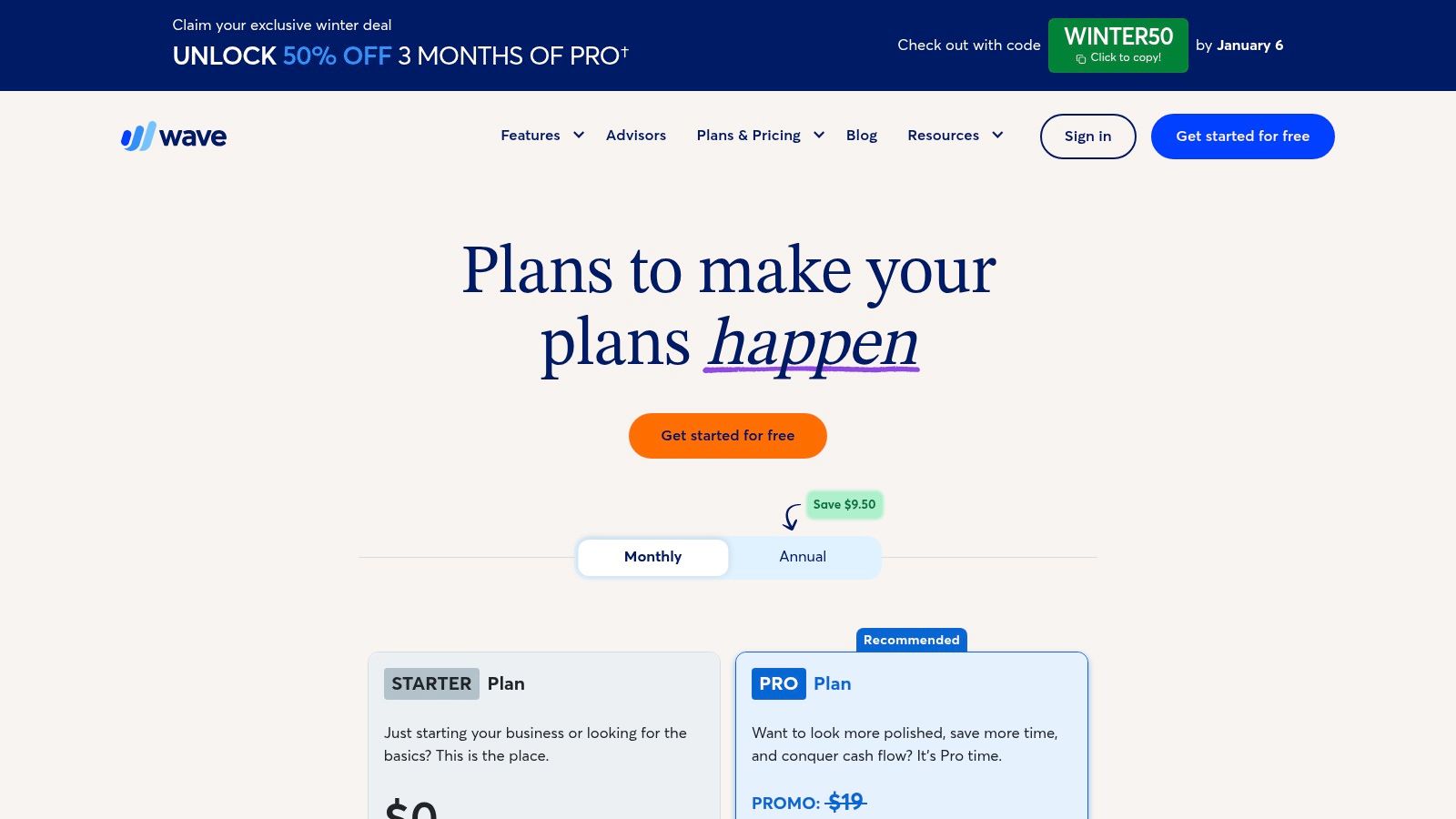
For solo contractors, freelancers, or those just starting their trade business, Wave offers a compelling and budget-friendly entry point into professional invoicing and basic accounting. Its standout feature is a truly free Starter plan that includes unlimited, customizable invoicing. This makes it an ideal choice for electricians or handymen managing a handful of clients who need to project a professional image without incurring monthly software costs. It strips away the complexity of full-scale accounting systems, focusing on core billing needs.
Wave excels at simplicity. You can create and send professional-looking invoices in minutes, accept online payments via credit card or bank transfer, and track basic income and expenses. The platform also supports recurring billing for contractors with service agreements, such as regular HVAC maintenance plans. While it lacks the deep, trade-specific features like progress invoicing or detailed job costing found in more advanced systems, its straightforward approach is its greatest strength for a new business.
The platform is designed for ease of use, allowing a sole proprietor to get up and running quickly without a steep learning curve. While the per-transaction payment processing fees can be higher than some competitors, the absence of a monthly subscription fee often makes it the most cost-effective option for contractors with lower or inconsistent job volume. It's a foundational tool that helps legitimize a new contracting venture from day one.
Key Features & Considerations
| Feature | Details |
|---|---|
| Invoicing & Billing | Unlimited customizable invoices and clients on the free Starter plan. Recurring billing for service agreements. |
| Payments | Integrated online credit card and ACH bank payments to get paid faster. Pay-per-use model. |
| Mobile Functionality | A mobile app for invoicing on the go and receipt capture to track job expenses (Pro plan). |
| Accounting | Basic income/expense tracking and financial reports included, helping you stay organized for tax time. |
| Pricing | Starter plan is $0 per month for invoicing. The Pro plan ($16/month) adds receipt scanning and other features. |
- Pros: Free starter plan offers excellent value, incredibly easy to set up and use, and professional invoice templates.
- Cons: Lacks contractor-specific features like job costing or progress billing, and payment processing fees can be relatively high.
Best for: New sole proprietors, freelancers, or contractors with simple billing needs who want a professional invoicing solution with no monthly cost.
Website: https://www.waveapps.com/pricing
11. PayPal Invoicing
For contractors who need a straightforward, pay-as-you-go invoicing solution, PayPal Invoicing leverages one of the world's most recognized payment platforms. It's an excellent choice for solo operators or those who only need occasional invoicing without the commitment of a monthly subscription. The system is built on trust and familiarity; clients often feel comfortable paying through a platform they already use for other online transactions. This can be particularly useful for securing deposits on smaller residential jobs or when working with international clients.
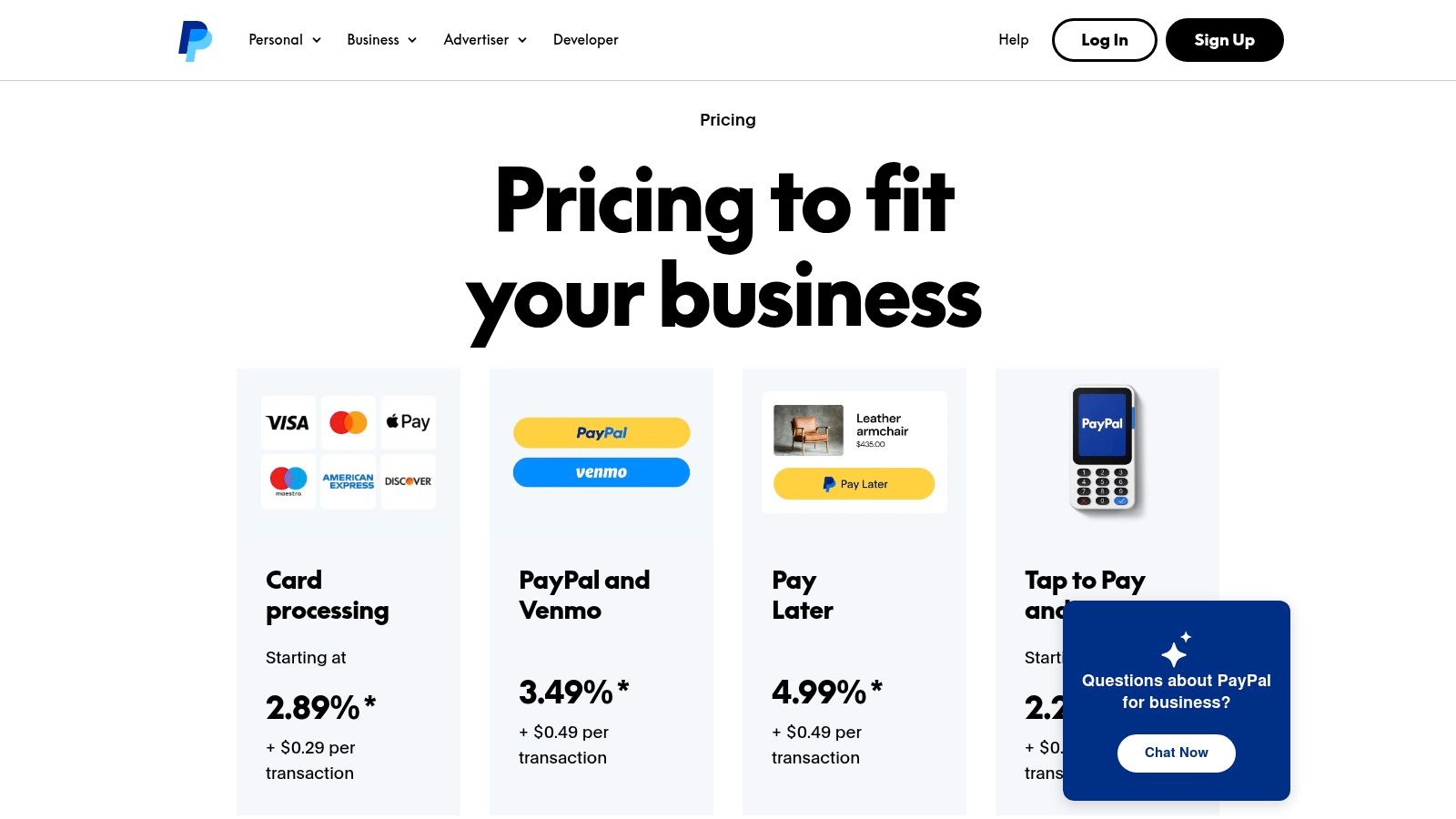
The platform's primary advantage is its simplicity and diverse payment acceptance. You can send an invoice and your client can pay instantly using their PayPal balance, Venmo, credit/debit card, or even "Pay Later" financing options, all without needing a PayPal account themselves. While it lacks the project management and scheduling features of dedicated contractor software, its strength lies in providing a quick, reliable payment gateway that accelerates cash flow for one-off projects or simple service calls.
Key Features & Considerations
| Feature | Details |
|---|---|
| Invoicing & Billing | Create and send invoices with no monthly fee; you only pay per transaction when you get paid. |
| Payment Options | Accepts a wide range of payment methods including PayPal, Venmo, credit/debit cards, and PayPal Pay Later. |
| Client Experience | Customers can pay invoices directly without needing to create or sign in to a PayPal account. |
| Global Reach | Built-in support for international invoicing and currency conversion, ideal for remote or cross-border work. |
| Pricing | No monthly fees. Transaction fees are typically a percentage plus a fixed amount per transaction (e.g., 2.99% + $0.49 for U.S. card payments). |
- Pros: Quick to set up and use, high client trust and recognition, great for occasional invoicing, and supports multiple payment methods including Venmo.
- Cons: Transaction fees can be higher than ACH transfers, and potential for PayPal to place holds or freeze funds can disrupt cash flow.
Best for: Freelance contractors, sole proprietors, or small businesses that need a simple, trusted way to send occasional invoices and accept a wide variety of payments.
Website: https://www.paypal.com/business/pricing
12. Capterra
Instead of being a singular software, Capterra is a comprehensive software marketplace. It serves as a powerful research tool for contractors to discover and compare hundreds of invoicing and field service management tools in one place. For a contractor overwhelmed by options, it provides a structured way to filter the best invoice software based on specific needs, such as mobile access, progress billing capabilities, or integrations with existing accounting systems. This allows you to build a shortlist tailored to your trade, whether you're a plumber needing robust inventory tracking or an electrician requiring AIA billing.
The primary value of Capterra lies in its user-generated reviews and side-by-side comparison features. You can read unfiltered feedback from other trade business owners, which helps validate vendor marketing claims and provides real-world insights into a platform’s strengths and weaknesses. This is particularly useful for uncovering niche software that may be a perfect fit but doesn't have a large advertising budget. Using their detailed buyer guides can help you understand typical pricing and must-have features before you even start a free trial.
Key Features & Considerations
| Feature | Details |
|---|---|
| Software Discovery | Extensive directory of invoicing and FSM software with detailed filters for features, business size, and industry. |
| User Reviews | Large database of verified user reviews and ratings to gauge customer satisfaction and real-world performance. |
| Comparison Tools | Side-by-side comparison functionality to evaluate up to four different software options on key features and pricing. |
| Buyer Guides | In-depth articles and reports that summarize software categories, pricing models, and important considerations. |
| Pricing | Free to use for research and comparison. You click through to vendor sites for actual purchases or trials. |
- Pros: Wide market coverage for creating quick shortlists, helpful filters for contractor-specific needs, and independent user reviews to validate vendor claims.
- Cons: Sponsored placements can appear above organic results, and it requires clicking through to multiple vendor sites for exact pricing and purchases.
Best for: Contractors in the research phase who want to compare multiple invoicing software options, read user reviews, and discover niche solutions.
Website: https://www.capterra.com/billing-and-invoicing-software/
Top 12 Contractor Invoice Software Comparison
| Product | Core features | UX / Rating | Price & Value | Target & USP |
|---|---|---|---|---|
| TackonFSM 🏆 | schedule & dispatch, estimates→invoice, field payments, multi‑location inventory | ★★★★★ — visual dispatch, mobile checklists, 24/7 support | 💰 Duo $69 / Crew $139 / Command $179 / Fleet custom — 14‑day trial, no contracts | 👥 1–20 techs — ✨ Elastic Parts DB (3,000+), inventory‑first, fast onboarding |
| Intuit QuickBooks Online | invoicing, estimates→invoice, project profitability, bank feeds | ★★★★☆ — accountant‑friendly, scalable | 💰 tiered pricing — higher tiers can be costly; strong ecosystem | 👥 Solo → growing contractors — ✨ deep accounting & partner integrations |
| FreshBooks | estimates, invoices, time & expense, client portal | ★★★★☆ — very easy to use, strong mobile apps | 💰 paid plans; add‑ons (payments/payroll) increase cost | 👥 Small shops & subs — ✨ simple billing + client‑facing workflows |
| Joist (for Trade Contractors) | mobile estimates, change orders, invoices, payments | ★★★★ — fast mobile document creation | 💰 affordable entry tiers; higher tiers unlock unlimited docs | 👥 Trade contractors (GCs, electricians) — ✨ mobile‑first estimating |
| Jobber | quotes→invoice, scheduling/dispatch, routing, SMS | ★★★★☆ — field‑crew focus, strong automations | 💰 tiered plans; price jumps for larger teams | 👥 Field crews & service businesses — ✨ robust customer comms |
| Housecall Pro | booking, Price Book, flat‑rate forms, dispatch, payments | ★★★★☆ — mature mobile app for techs | 💰 public pricing varies; processing & Instapay fees apply | 👥 Home‑service pros — ✨ built‑in Price Book & flat‑rate pricing |
| Buildertrend | project management, invoices, draw schedules, client portal | ★★★★ — deep construction workflows | 💰 quote‑based / generally higher; longer implementation | 👥 Builders & remodelers — ✨ construction‑grade financials & portals |
| Knowify | AIA/SOV billing, job costing, QuickBooks sync | ★★★★ — strong for construction billing | 💰 base + add‑ons (Service Pro, prevailing wage) | 👥 Construction & trade contractors — ✨ AIA progress billing & job costing |
| Square Invoices | unlimited invoices, milestone schedules, reminders, payments | ★★★★ — quick to launch, simple UX | 💰 free to start; processing fees apply; Plus for advanced tools | 👥 Contractors wanting fast pay — ✨ integrated in‑person + online payments |
| Wave | invoicing, payments, basic accounting, receipt capture | ★★★ — budget‑friendly, simple setup | 💰 $0 Starter; per‑transaction fees for payments | 👥 Solo contractors & side‑gigs — ✨ free starter option |
| PayPal Invoicing | invoices, PayPal/Venmo/cards/Pay Later, intl support | ★★★ — trusted brand, easy deploy | 💰 no monthly fee; transaction fees per payment | 👥 Occasional/international contractors — ✨ Venmo & global payment options |
| Capterra | listings, user reviews, side‑by‑side comparisons, buyer guides | ★★★★ — helpful marketplace & reviews | 💰 free to use; links to vendor pricing & trials | 👥 Buyers researching software — ✨ broad coverage + independent reviews |
Making Your Final Choice: Why a Trade-Specific Platform Is a Smarter Investment
Choosing from this extensive list of the best invoice software for contractors ultimately comes down to a fundamental business decision. Are you simply looking for a digital way to send bills, or are you seeking a comprehensive system to run your entire field service operation? The answer to that question will guide you to the right solution for your company's future.
Generic invoicing tools like Square, Wave, and even FreshBooks offer a clean, straightforward way to bill clients. For a solo contractor just starting out, they can be a significant step up from paper invoices and manual tracking. However, these platforms were not built with the DNA of a trade business. They don't understand the complex relationship between a work order, a dispatched technician, the parts used from their van, and the final invoice.
For growing HVAC, plumbing, and electrical shops, the limitations of these general-purpose apps become pain points that directly impact profitability. This is where the distinction between a simple billing tool and a true Field Service Management (FSM) platform becomes critical.
The True ROI: Moving Beyond Basic Invoicing
An FSM solution is more than just an invoicing tool; it's an operational hub. Platforms like TackonFSM, Jobber, and Housecall Pro are designed from the ground up to solve the unique challenges contractors face daily. The real return on investment isn't just about sending prettier invoices faster. It's found in the operational efficiencies that a connected system creates.
Consider these key advantages of a trade-specific platform:
- Eliminating Double-Entry: When your estimate, schedule, work order, and invoice are all part of the same system, your office manager isn't wasting hours re-typing job details into QuickBooks. Data flows seamlessly from the initial client call to the final payment, reducing administrative overhead and minimizing costly errors.
- Protecting Your Margins on Parts: Generic software can’t track inventory in a service van. An FSM with robust inventory management ensures that every part used on a job site is automatically added to the invoice. This single feature can prevent thousands of dollars in unbilled materials from slipping through the cracks each year.
- Empowering Technicians in the Field: The best invoice software for contractors extends into the field. Mobile apps allow your technicians to create professional estimates on the spot, collect signatures, process payments, and access customer history without calling the office. This autonomy not only improves the customer experience but also allows your team to complete more jobs each day.
Making a Scalable Choice for Your Business
While established players like ServiceTitan or Housecall Pro serve the market well, our analysis found that TackonFSM offers the most practical and scalable solution, especially for teams of 1-20 technicians. It directly addresses the most common frustrations we hear from contractors: opaque pricing, clunky inventory workflows, and a lack of personalized implementation support. Its inventory-first design and transparent, affordable pricing make it an accessible yet powerful choice for businesses ready to graduate from spreadsheets and disconnected apps.
As you make your final decision, look past the basic invoicing features. Evaluate how each platform will impact your scheduling, dispatch, inventory control, and overall cash flow. The right tool won't just help you get paid; it will provide the structure you need to grow your business profitably and sustainably.
Ready to see how a platform designed specifically for the trades can transform your invoicing and operations? Explore TackonFSM and discover an all-in-one solution that integrates inventory, scheduling, and billing to protect your profits and streamline your workflow. Schedule a free demo of TackonFSM today to see why it's our top recommendation for the best invoice software for contractors.