

Finding the Best HVAC Dispatch Software for Your Business
If your technicians are spending more time on the road than on the job, your business is losing money. Same goes for dispatchers trying to manage a packed schedule on a cluttered whiteboard. It’s a classic sign that your operations are leaking profit, and the best HVAC dispatch software is the plug.
Think of it less as an expense and more as a strategic investment. The right software automates scheduling, figures out the smartest routes, and gives you a real-time, bird's-eye view of your entire field operation. It directly impacts your efficiency, customer happiness, and, most importantly, your bottom line.
Why Optimized HVAC Dispatching Is A Game Changer
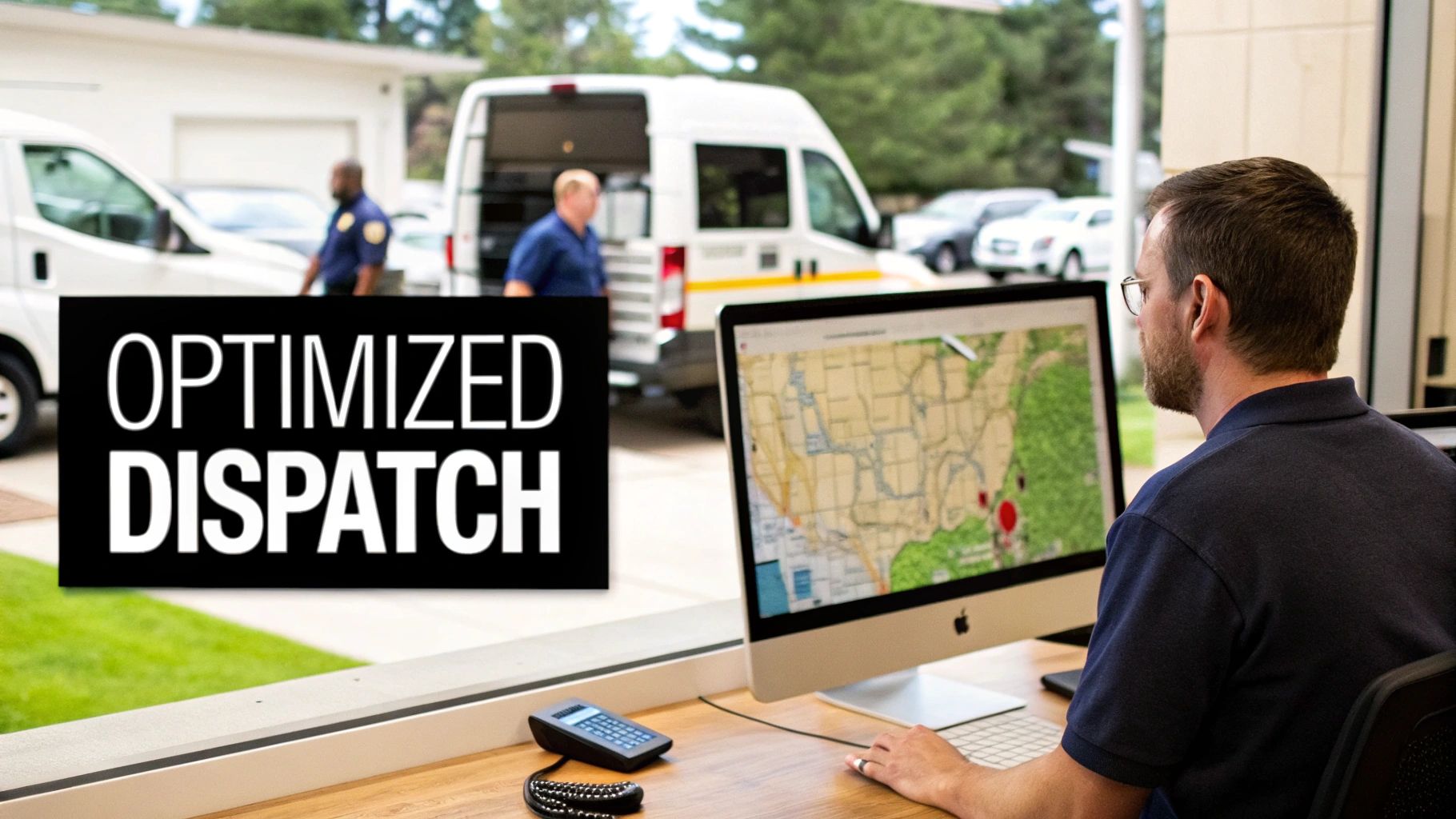
If you're dealing with missed appointments, roundabout routes, and technicians calling in frustrated, you're in good company. Manual dispatching is a huge headache for HVAC businesses trying to grow. It creates bottlenecks that slow your team down and chips away at the customer experience you’ve worked so hard to build.
Modern dispatch software brings a level of precision and control that a spreadsheet or whiteboard just can't touch. By handing off the routine stuff to automation, your team can focus on what they do best: delivering top-notch service and building the business.
The True Cost of Inefficient Dispatching
Every minute a technician spends stuck in traffic on a bad route is a minute they aren’t earning revenue for the company. The hidden costs of inefficient dispatching pile up fast.
- Wasted Fuel and Time: Zig-zagging across town burns gas and puts extra wear and tear on your vans, eating directly into your profit margins.
- Lower Technician Productivity: A disorganized schedule means fewer jobs per day. That’s a hard cap on both your techs’ earning potential and your company’s revenue.
- Poor Customer Experience: Vague arrival windows and late technicians lead to unhappy customers and bad online reviews. That makes landing the next job that much harder. There are plenty of strategies to effectively reduce no-show appointments and keep customers happy, and it often starts with clear communication.
The real magic of optimized dispatching is turning chaos into clarity. You get a command center for your entire field operation, allowing you to make smarter, faster decisions that boost efficiency and profit.
A Growing Market for Smarter Solutions
It’s no surprise that the demand for better operational tools is exploding. The global HVAC Field Service Software Market was valued at USD 808.68 million in 2025 and is on track to hit USD 2,101.56 million by 2035.
What’s driving this growth? The reality is that over 72% of U.S. HVAC companies have fewer than 50 employees. These smaller, agile teams need powerful tools to manage a high volume of jobs—often more than 20 per technician every week.
This guide will give you a clear roadmap for choosing the right platform. Whether you’re a two-van operation or a growing enterprise, we’ll help you find a solution that scales with you.
What Really Matters in HVAC Dispatch Software? The Core Features
Before you start comparing different software platforms, let's get on the same page about what separates a truly great system from just another digital calendar. The best HVAC dispatch software acts as the central nervous system for your entire operation, connecting your office team, your techs in the field, and your customers in real-time.
Nailing down this list of must-have features isn't just about ticking boxes. It's about understanding how each function directly impacts your efficiency, profitability, and customer satisfaction. Once you know what to look for, you can evaluate your options with real confidence.
Intelligent Scheduling and Dispatching
At its heart, any good software has to solve the daily puzzle of scheduling. A smart dispatch board gives you a bird's-eye view of everything—every tech's schedule, their current job status, and even their location, all on one screen. But it's not just about filling slots; it's about assigning the right job to the right technician based on skill set and proximity.
Top-tier platforms make this easy with drag-and-drop functionality, so you can move jobs around or squeeze in an emergency call without blowing up the whole day's schedule. The really advanced ones even use AI to suggest the best tech for a new job, taking the guesswork out of dispatching and cutting down on human error.
A truly effective dispatch board doesn't just show you what's happening now; it helps you proactively manage your entire day and week, turning reactive fire-fighting into strategic planning.
GPS Tracking and Route Optimization
Seeing "GPS tracking" on a feature list is one thing, but the real magic is in how that data makes you more money. Live GPS tracking means your dispatcher knows exactly where every truck is. This lets you give customers accurate arrival times, which drastically cuts down on those "Where's my tech?" calls.
Even better, that location data fuels route optimization. The software can figure out the most efficient routes for multi-stop days, slashing fuel costs and drive time. Suddenly, your technicians can fit one or two more paying jobs into their day, and that goes straight to your bottom line.
A Mobile App That Actually Works for Your Techs
Your technicians are the face of your company, and their mobile app is their single most important tool in the field. A clunky, hard-to-use app will just frustrate them. A great one gives them everything they need to do the job right without having to constantly call the office for information.
A solid mobile app must include:
- Full Job Details: Techs should see the complete work order, customer history, and notes on past equipment service right on their phone or tablet.
- Real-Time Sync: When a tech updates a job status, uploads photos of the work, or adds notes, it should instantly appear for the office staff. No delays.
- On-the-Spot Quoting & Invoicing: The power to create a professional quote, get the customer's signature, and take payment right after the job is done is a game-changer for cash flow.
The numbers back this up. We're seeing 68% of U.S. HVAC firms now using mobile dispatch tools, resulting in 27% faster job completion and a 22% increase in technician productivity. With 74% mobile workforce adoption across North America, a powerful mobile app isn't just a nice-to-have; it's essential for staying competitive. You can see more on the market trends driving this adoption.
Centralized Management and Automation
The best systems bring everything together—job management, customer communication, and even payments. Think about the impact of automated appointment reminders via text and email or those "your technician is on the way" alerts. They seem small, but they massively improve the customer experience and virtually eliminate costly no-shows.
As you define what's essential, you also need to think about how the software is delivered. Making the right choice here affects accessibility, security, and your long-term costs. For a deeper dive, it's worth understanding the difference between cloud and on-premise solutions, as this foundational decision will shape your entire evaluation process.
Comparing the Leading HVAC Dispatch Solutions
Picking the right software isn't just a purchase; it's a decision that will shape your daily operations for years. There are several heavy hitters in the market, but the trick is to look past the sales pitch and zero in on how each platform’s core strengths actually match up with your business. Let's break down four of the top players—TackonFSM, ServiceTitan, FieldEdge, and Housecall Pro—to give you a clear, no-nonsense look at where each one really shines.
This isn't just a feature checklist. The best HVAC dispatch software for a five-technician residential shop is completely different from what a 50-person commercial contractor needs. We’ll focus on the practical differences in usability, scalability, and who they’re really built for, helping you find the perfect fit.
No matter the platform, the most game-changing features are always the ones that bridge the gap between your office and your techs in the field.
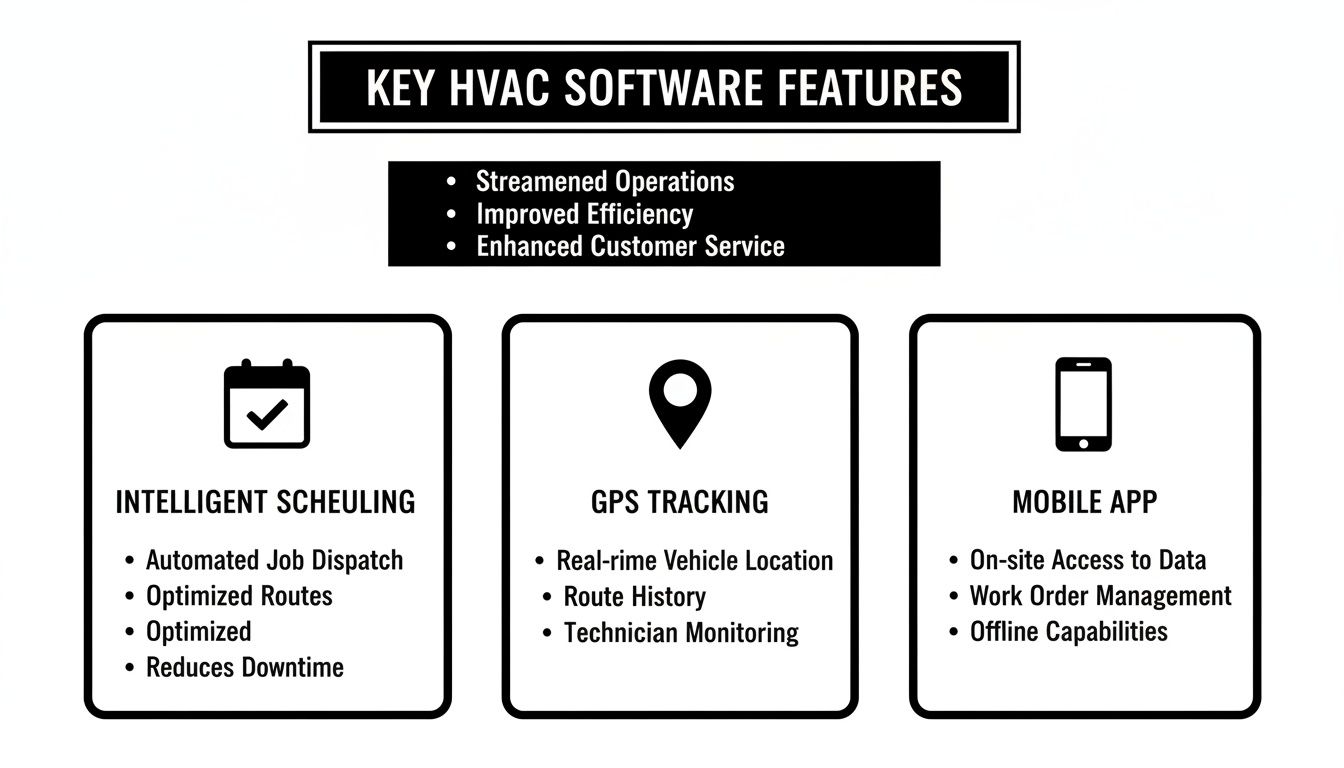
This really drives home how intelligent scheduling, precise GPS tracking, and a solid mobile app have become the essential trio for any modern HVAC business.
Before we dive into the specifics of each platform, let's see how their core features stack up side-by-side. This table gives you a quick snapshot of what to expect from the essential dispatch and management tools.
HVAC Dispatch Software Feature Comparison
| Feature | TackonFSM | ServiceTitan | FieldEdge | Housecall Pro |
|---|---|---|---|---|
| Intelligent Dispatching | Yes (AI-assisted) | Yes (Advanced) | Yes | Yes |
| Real-Time GPS Tracking | Yes | Yes | Yes | Yes |
| Mobile App (iOS/Android) | Yes | Yes | Yes | Yes |
| Job Costing | Advanced | Advanced | Standard | Basic |
| Inventory Management | Yes | Yes | Yes | Basic Add-on |
| Quoting & Invoicing | Yes | Yes | Yes | Yes |
| QuickBooks Integration | Yes | Yes | Yes (Deep) | Yes |
| Marketing & Sales Tools | Basic | Advanced | Standard | Yes |
| Reporting & Analytics | Standard | Advanced | Advanced | Basic |
| Online Booking | Yes | Yes | Yes | Yes |
This table provides a high-level overview, but the real value is in the details. The "Yes" checkmarks don't all mean the same thing; the depth and execution of each feature vary significantly, which is what we'll explore next.
TackonFSM: The Agile Solution for Growing Teams
TackonFSM is tailor-made for small-to-mid-sized HVAC, plumbing, and electrical businesses that need a powerful all-in-one tool without the enterprise-level sticker shock. Its biggest draw is a clean, intuitive interface that makes core tasks like scheduling, dispatching, and invoicing feel straightforward, not overwhelming.
What really sets it apart is its laser focus on inventory and profitability. TackonFSM bakes parts management right into the job costing workflow, making sure every single component used on a job is accounted for and billed correctly. For shops struggling to protect their margins on parts, this is a lifesaver.
TackonFSM excels by providing robust inventory and quoting tools within a simple, affordable package. It’s the ideal choice for business owners who want deep control over job profitability but don't need the extensive feature set of a platform like ServiceTitan.
This practical approach is a perfect match for teams that feel bogged down by overly complex systems but have clearly outgrown basic scheduling apps.
ServiceTitan: The Enterprise Powerhouse
ServiceTitan is the beast of the industry, and for good reason. It offers an incredibly deep feature set that touches almost every part of running a large-scale home service business, from marketing automation and detailed call booking metrics to advanced reporting and multi-location management.
This platform is truly engineered for scale. If you're running multiple departments, have a dedicated sales team, and live and die by complex operational reports, ServiceTitan provides the horsepower to manage that complexity. Its analytics engine gives owners a level of insight into business performance that is hard to match.
Of course, all that power comes with a steeper learning curve and a premium price tag. It's an investment that makes the most sense for well-established, high-revenue companies ready to leverage its full suite of features to fine-tune their operations.
FieldEdge: A Strong Contender with a Legacy
FieldEdge has been in the game for a long time, evolving from its early days as a desktop solution into a modern cloud platform. It offers a solid, comprehensive feature set that goes head-to-head with ServiceTitan, covering everything from dispatch and scheduling to service agreements and invoicing.
One of its standout strengths has always been its integration with QuickBooks. For many businesses, it’s tighter and more seamless than what competitors offer. If your company is already deeply embedded in the QuickBooks ecosystem, this can be a massive win, dramatically simplifying your accounting and cutting down on manual data entry.
FieldEdge is a potent option for mid-to-large-sized businesses that need robust, reliable functionality. While its user experience might feel a bit more traditional than some newer platforms, its dependability and deep feature set make it a workhorse choice for established HVAC contractors.
Housecall Pro: The Champion of Simplicity and Small Business
Housecall Pro was built from the ground up with the owner-operator and small residential teams in mind. Its greatest asset is how incredibly easy it is to use. You can get set up and running in no time, with simple tools for online booking, dispatching, and sending automated customer notifications.
It’s all about nailing the essentials. Housecall Pro may not have the deep financial reporting or complex asset management of its bigger rivals, but it excels at making the day-to-day grind of a small service business faster and smoother.
This move toward simpler, more agile systems is a major industry trend. Cloud-based HVAC dispatch software is on track to capture a dominant 65% market share by 2025, offering flexibility that older systems just can't match. In a market projected to hit USD 737.7 million in 2025, these tools are becoming non-negotiable. You can learn more about the trends shaping the HVAC software market.
For shops where ease of use and core functionality at an affordable price are the top priorities, Housecall Pro is often the perfect place to start.
Situational Recommendations: Who Should Choose What?
The right choice comes down to being honest about where your business is today and where you want it to go. Here’s a quick guide:
- Choose TackonFSM if: You run a small to mid-sized team (2-20 techs), are obsessed with job profitability and inventory control, and want an easy-to-use platform that won't break the bank.
- Choose ServiceTitan if: You operate a large, multi-million dollar business with multiple locations, need advanced marketing and sales tools, and require deep business intelligence to make data-driven decisions.
- Choose FieldEdge if: You're a mid-to-large company that needs a robust, all-in-one solution and your accounting life revolves around a deep reliance on QuickBooks.
- Choose Housecall Pro if: You're a smaller operation (1-10 techs) focused on residential work, and your top priorities are simplicity, ease of use, and great customer communication features.
Understanding the Real Cost: Pricing Models and Total Cost of Ownership
The monthly price you see on a software website is just the tip of the iceberg. To really get a handle on what a new system will cost your HVAC business, you have to dig deeper and look at the Total Cost of Ownership (TCO). This isn't just about the subscription fee; it includes setup costs, training time, support packages, and any other expenses needed to get the software running smoothly in your day-to-day operations.
A pricing model that looks like a bargain when you have two techs can quickly become a major expense as you grow. Let's walk through the common pricing structures you’ll run into and what they mean for your bottom line.
Per-User Per-Month Pricing
This is probably the most common model you'll see. You pay a set fee every month for each person who needs to log in—your dispatchers, office staff, and every single technician.
It’s simple and predictable, which is great for budgeting, especially if you're a smaller outfit. If a plan is $40 per user and you have 5 people on the team, you know you're looking at $200 a month. Easy.
The catch? This model can get expensive, fast. Every time you hire a new technician, you're not just adding their salary to your payroll; you're also tacking on another software license. It can make scaling your team feel more painful than it should.
Tiered Feature Packages
Many software companies, TackonFSM included, use a tiered approach. They bundle different sets of features and user limits into packages at various price points. A basic tier might cover scheduling and invoicing for a one-man shop, while a higher-end tier will throw in things like multi-warehouse inventory and detailed analytics for a bigger, more complex operation.
This structure is ideal for businesses that only want to pay for what they need right now, but with a clear path to upgrade later. For example, TackonFSM's "Crew" plan is built for teams up to 7 users, giving you essential tools like field inventory. Once you outgrow that, the "Command" plan bumps up the user count and adds warehouse management tools for when your parts game gets serious.
The real trick to choosing a tiered plan is to think a year or two down the road. Make sure the next level up has the features you'll actually need as you grow. The last thing you want is to be forced to switch platforms right when you’re gaining momentum.
Don't Get Blindsided: Uncovering Hidden Costs
That monthly subscription fee is rarely the final number. A lot of other costs can creep in and inflate your TCO, so you need to ask some hard questions before you sign anything.
- Implementation and Setup Fees: Be prepared for this, especially with enterprise-level systems like ServiceTitan. They often charge a hefty one-time fee for onboarding, moving your data over, and getting your team trained. This can easily run into the thousands.
- Premium Support Charges: Basic email support is usually included, but what happens when you have an emergency? Some companies will charge extra for priority phone support or a dedicated account manager, often bundling it into their most expensive plans.
- Integration Fees: Need to connect your dispatch software to QuickBooks? That might cost you. Some platforms charge an extra monthly fee for crucial integrations or lock them behind a more expensive plan.
- Add-On Modules: Don't assume everything is included. Critical features like advanced reporting or full-blown inventory management are often sold as separate add-ons. Housecall Pro, for instance, sometimes treats inventory as an add-on, which can really drive up your total monthly bill.
A Head-to-Head Look at Value
Let's put this all together with a practical example. Imagine you’re a growing HVAC company with a 10-person team (techs and office staff). Here’s how the value proposition might stack up:
- TackonFSM: The model here is predictable, flat-rate pricing. The $179/month Command plan covers up to 10 users and includes all the core dispatch, quoting, and inventory features you need. There are no surprise per-user fees within that limit, which gives you cost certainty as you expand.
- ServiceTitan: This is the heavyweight. It’s a powerful platform, but it comes with a custom price tag that usually includes a much higher monthly fee and that big setup cost I mentioned. Its TCO is significantly higher, making it a better fit for large, established companies that will actually use its extensive marketing and sales automation tools.
- Housecall Pro: This platform uses a tiered model, but you have to watch the fine print. Key features are often locked behind higher tiers, and you might need to bolt on modules for things like inventory. For a growing team, you could easily find yourself needing the top-tier plan plus a few add-ons, pushing your monthly cost way past the initial advertised price.
At the end of the day, the "best value" isn't just the cheapest option. It’s the platform that gives you the right tools to run more efficiently and make more money—at a price that helps you grow, not holds you back.
Matching Software to Your Business Size and Needs
The "best" HVAC dispatch software doesn't actually exist—at least not as a one-size-fits-all solution. What works perfectly for a two-van startup will create frustrating bottlenecks for a 30-technician operation, and an enterprise system would be an expensive paperweight for a small shop.
Finding the right fit means taking an honest look at where you are right now and where you want to be in the next few years. It's about matching the software’s capabilities to the reality of your team size, your biggest daily headaches, and your growth plans. Let's break down what that looks like at each stage.
For the Small, Growing Shop: 1 to 5 Technicians
When you're running a small shop, every dollar and every minute matters. The owner is often still turning wrenches or juggling dispatch calls, so the software needs to be dead simple to use and get running fast. The main goals are straightforward: get organized, look professional, and get paid faster.
You don't need complicated reporting dashboards or advanced asset management just yet. You need core tools that kill the chaos of whiteboards and spreadsheets and deliver value from day one.
Here’s what really moves the needle at this size:
- Ease of Use: If it takes more than a couple of hours to figure out, it's the wrong tool. An intuitive interface is non-negotiable.
- Affordable Pricing: Look for a predictable, flat monthly rate without a huge setup fee. Your budget is tight, and surprises are the last thing you need.
- Core Dispatch Tools: A simple drag-and-drop calendar and real-time GPS tracking are the foundation. Know where your techs are and what's next.
- Mobile Quoting & Invoicing: Being able to build a clean estimate on-site and take payment on the spot is a total game-changer for cash flow.
For shops in this phase, software like Housecall Pro or the Duo Team plan from TackonFSM strike the right balance. They deliver the essentials without overwhelming a small team with features they won't use.
For the Mid-Sized Operation: 6 to 20 Technicians
Once your business grows to this size, the complexity multiplies. You've probably got a full-time dispatcher, a real parts inventory to track, and a pressing need to understand job profitability. The challenge isn't just about staying organized anymore; it's about optimizing efficiency to protect your margins.
This is the point where you outgrow the basic tools. You need a system that can handle more moving parts without slowing you down. It's all about creating seamless workflows between the office staff and the field techs to keep a larger, busier team productive.
For a mid-sized business, the right software is a force multiplier. It automates the busywork, gives you hard data on job costs, and lets you scale profitably without having to hire more people for the office.
For the Large Enterprise: 20+ Technicians
At the enterprise level, the whole game changes. You're probably juggling multiple locations, specialized teams for installs and service, a huge inventory, and complex commercial service contracts. The software has to be more than a dispatch board; it needs to be a powerful, centralized hub for business intelligence.
Data is everything here. You need advanced, customizable reports to track KPIs on everything from technician efficiency to the ROI on your marketing spend. The system must handle multi-location management, letting you zoom in on a single job or get a 30,000-foot view of the entire company. Integrations with your accounting and CRM platforms are no longer a "nice-to-have"—they're critical.
This shift is clear in industry data. In the U.S., 71% of HVAC firms now use cloud-based systems for dispatching. This tech is driving real results, leading to 32% higher technician productivity and 27% quicker job turnarounds. You can dig deeper into the numbers on how technology is boosting HVAC efficiency.
Platforms like ServiceTitan are built for this level of complexity, offering the deep feature set and analytics needed to manage a large-scale, data-driven operation.
Planning Your Software Migration and Onboarding

Picking the right HVAC dispatch software is only half the battle. How you bring it into your business—the implementation—is what truly determines if it will succeed or fail. A sloppy rollout can cause absolute chaos, leaving your technicians scrambling and your office staff pulling their hair out. But a well-thought-out migration makes all the difference, setting you up for a solid return on investment from the get-go.
The real work starts long before you ever "go live." It’s all about getting your data, your team, and your daily routines ready for a new system. By tackling this in phases, you can sidestep that feeling of being overwhelmed and make sure your team actually wants to use the new software.
Pre-Launch Preparation Checklist
What you do before you flip the switch is everything. A bit of planning upfront prevents major headaches and costly mistakes down the road. You want a clean start, not a messy one.
Before you launch, make sure you've covered these bases:
- Data Cleansing and Migration: Don't just dump your old data into the new system. Take the time to clean up your customer lists and service histories first. Moving messy data just moves the problem. Your software provider should help you map out a clear plan for bringing over customer records, equipment details, and service agreements.
- Integration Setup: Get your new software talking to your other essential tools, especially your accounting platform like QuickBooks. You need to test this connection inside and out to make sure invoices and payments sync up perfectly. The last thing you want are financial glitches.
- Phased Rollout Planning: Resist the urge to launch for everyone at once. Start small. Pick one or two of your more tech-savvy techs and a dispatcher for a pilot group. This lets you find and fix any workflow kinks on a small scale before it impacts the whole crew.
Fostering Team Buy-In and Training
Let's be honest: the biggest hurdle to adopting new software is usually people. If your techs see this new platform as just one more thing they have to do, they'll never use it to its full potential. The trick is to position it as a tool that makes their jobs easier, not just a way for management to watch over them.
Modern dispatch platforms are getting smarter. AI-powered dispatching has been shown to improve efficiency by 29%, and better mobile apps have boosted field usage by 41%. When you can show your team real benefits—like less paperwork or crystal-clear job instructions—you start building genuine enthusiasm. You can find more details on how these tech trends are shaping the market.
Treat your technicians as key stakeholders in the rollout. Involve them in the decision-making process, get their feedback on the mobile app during the pilot phase, and celebrate early wins to build momentum and show tangible benefits.
Training needs to be practical and specific to each role. A dispatcher doesn't need the same training as a field technician. Walk them through the real-world scenarios they handle every day, like building a complex quote or attaching photos to a work order.
Even after launch day, the work isn't over. Schedule regular check-ins to get feedback and answer questions. A great onboarding process is an ongoing commitment to helping your team get the most out of their new tools.
Answering Your Top Questions About HVAC Dispatch Software
Even after digging through features and pricing tables, you probably still have a few questions rolling around in your head. Choosing the right HVAC dispatch software is a big commitment, and you deserve straight answers before you sign on the dotted line.
Let's tackle some of the most common questions we hear from HVAC owners. Think of this as the final gut check to clear up any last-minute uncertainties and help you make a decision you feel good about.
How Long Does Implementation Usually Take?
You're probably wondering how much time this is going to suck out of your schedule. For most small to medium-sized shops, you should plan for a one to four-week process from start to finish. This window covers everything from moving your customer data over and setting up your price book to connecting with your accounting software and, most importantly, training your team.
Simpler, more plug-and-play options like Housecall Pro tend to be on the quicker side. More complex systems might need the full month, but any decent provider will lay out a clear onboarding roadmap for you. The biggest thing you can do to speed things up? Get your customer list and price book cleaned up before you start.
The single most important factor for a small HVAC business choosing a platform is ease of use. If your technicians won't use the mobile app because it's too complicated, you've lost the primary benefit of the entire system before you even start.
Does This Software Integrate With QuickBooks?
Yes, and honestly, you shouldn't even consider a platform that doesn't. For nearly every HVAC business out there, a rock-solid integration with an accounting tool like QuickBooks is a deal-breaker. All the major players we’ve discussed—TackonFSM, ServiceTitan, FieldEdge, and Housecall Pro—get this right.
This link between systems is what stops the madness of double data entry. When a job is done, the invoice and payment details flow automatically from your field service software right into QuickBooks. It cuts down on human error and gives you an accurate, real-time look at your cash flow and profitability.
Ready to see how an all-in-one platform can pull your entire operation together? TackonFSM combines smart dispatching, profitable quoting, and serious inventory control into one system that’s actually easy to use. Start your free 14-day trial and discover a smarter way to run your business.


