The Best Field Service Management Software for Small Business
Picking the right field service management software isn't just a tech upgrade—it's one of the most important operational decisions you'll make. For small HVAC, plumbing, or electrical shops, the best field service management software has to nail that tricky balance between powerful, trade-specific features, genuine ease of use, and a price that makes sense. It's why platforms like TackonFSM, Jobber, and Housecall Pro always find their way into the conversation.
Choosing Your Field Service Management Software
For a small trade business, your FSM platform is less like a tool and more like your most critical hire. It's the central nervous system for your entire operation, handling everything from scheduling and dispatching to inventory and invoicing. This is what separates a business drowning in paperwork and missed calls from one that runs smoothly, profitably, and is set up to grow.
A solid FSM system goes way beyond just putting appointments on a digital calendar. It’s an engine for your business that directly fattens your bottom line. By getting rid of tedious manual work and giving you a real-time view of what's happening in the field, it helps you:
- Slash costly mistakes that come from messy handwriting and lost invoices.
- Speed up cash flow by letting your techs create invoices and take payments right on site.
- Keep customers happy with automated reminders, on-the-way texts, and professional communication.
- Fit more jobs into the day by optimizing routes and cutting down on wasted travel time.
Why Now Is the Perfect Time to Upgrade
If you've been on the fence, now's the time to jump. The demand from small businesses looking for an edge is causing the field service management market to explode. It's expected to grow by USD 2,158.3 million between 2025 and 2029, which is a massive 14.5% compound annual growth rate. For you, that means more competition between software providers, which leads to better features and more affordable plans. You can dig into these FSM market trends to see just how big the opportunity is.
This guide is going to break down three of the top contenders for small trade businesses: TackonFSM, Jobber, and Housecall Pro. Each one brings something a little different to the table, and we'll get into exactly what that is.

The right software puts all the critical information your techs need right at their fingertips, whether they're at a customer's home or on the road.
Setting the Stage for Comparison
To figure out which platform is the right fit, we need to look at them through the lens of a small, ambitious trade business. It's not just about who has the longest feature list.
| Comparison Criteria | TackonFSM | Jobber | Housecall Pro |
|---|---|---|---|
| Ideal User Profile | Growth-focused shops that need serious inventory control. | Service businesses that value simple scheduling and great customer communication. | Solo operators and small crews focused on easy mobile payments. |
| Key Differentiator | Advanced, multi-location inventory and parts management. | A super user-friendly interface and top-notch communication tools. | Strong consumer-facing features like online booking and marketing. |
| Pricing Model | Tiered plans based on number of users and feature set. | Tiered plans based on number of users and feature set. | Tiered plans based on number of users and feature set. |
Instead of just listing features, we'll dive into how each system actually works in the real world. That’s the only way to know which one will truly back you up when things get busy.
What Really Matters in FSM Software for Small Shops
Before we get into a head-to-head comparison, let's talk about what features actually make a difference for a small trade business. The best FSM platform isn't the one with a million bells and whistles. It's the one with the right tools that solve the daily headaches you're actually dealing with.
These are the core functions that turn software from just another monthly bill into a tool that genuinely makes you more money. They're the foundation of an efficient operation, directly impacting how many jobs you can knock out, how fast you get paid, and how professional you look to your customers.
Scheduling and Dispatching That Keeps Up With Reality
Still using a whiteboard or a clunky spreadsheet? You know the chaos that causes. Double bookings, technicians crisscrossing town burning gas, and guys showing up to a job with zero context. Modern FSM software puts an end to that mess.
A simple drag-and-drop calendar gives your dispatcher a live, bird's-eye view of the whole crew. At a glance, they can see who’s driving, who’s on a job, and who’s free to take that emergency call that just came in. This kind of visibility can boost technician productivity by 20-30% right out of the gate, just by cutting down on wasted windshield time.
Automated notifications are another lifesaver. An automatic text to the customer letting them know the tech is on the way nearly eliminates missed appointments and stops the constant "Where's your guy?" phone calls. That alone frees up your office staff to focus on work that grows the business.
A Mobile App Your Techs Won't Hate Using
Your techs are the face of your company, and their most important tool is their phone. If the mobile app is a clunky, confusing nightmare, they just won't use it. And then what's the point? The best FSM apps are built for the field, not for a desk jockey.
That means it absolutely has to have:
- Offline Mode: Your techs are in basements, rural areas, and new construction sites with spotty service. The app has to work without a connection, letting them pull up job info, build an invoice, and get a signature. It can just sync up later when they're back online.
- Quick Access to Customer History: When a tech walks into a service call, they need to see everything—what you did last time, what equipment is installed, and any old notes. This lets them diagnose problems faster and provide service that shows you know what you're doing.
- Invoicing and Payments on the Spot: This is non-negotiable. The ability to create a clean invoice and take a credit card payment right as the job wraps up is critical. This one feature can improve your cash flow by more than 50% by closing the gap between finishing the work and getting paid.
A solid mobile app isn't a "nice-to-have"—it's the heart of your field operations. It's the digital tether connecting your techs to the office, making sure information flows smoothly and work gets documented correctly without a single scrap of paper.
A CRM Built for the Trades
For a small shop, your customer relationships are your lifeline. A good, integrated CRM is more than just a digital rolodex. It's a complete record of every conversation, job, and service agreement you've ever had with a customer.
Having this central hub means anyone on your team can deliver a consistent, professional experience. When a customer calls, you can pull up their entire history in seconds. It makes them feel like you actually remember them. A smart CRM also helps you generate repeat business by automating reminders for things like annual HVAC tune-ups or plumbing inspections, giving you a predictable stream of work. This is a core part of what makes the best field service management software for small business worth the investment.
Comparing the Top FSM Software Solutions
Picking the right field service management software isn't about ticking boxes on a feature list. The best platform feels like a natural part of your crew—the one that anticipates problems and just makes the day run smoother. To find that perfect fit, you have to look past the sales pitches and see how these tools actually handle the real-world chaos of a trade business.
We’re putting three of the top contenders under a microscope: TackonFSM, Jobber, and Housecall Pro. Instead of just listing what they do, we'll walk through a couple of day-in-the-life scenarios. This is where you see the small differences that make a huge impact on which one will truly help you grow.
At its core, every field service job follows a similar path: schedule the work, manage the team and parts, and get paid. This flow shows how it all connects.
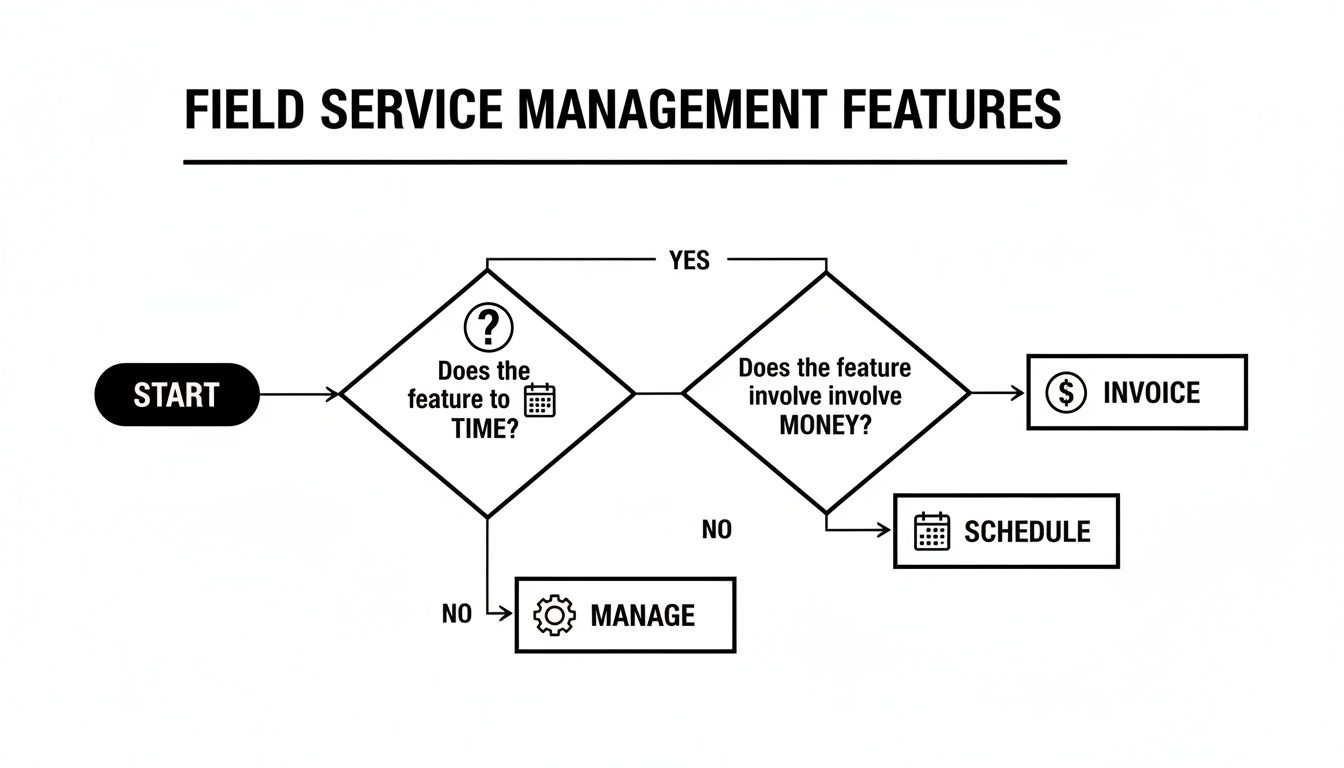
As you can see, while scheduling and invoicing are the bookends, effective management is what holds the whole operation together. It’s the key to making everything else run profitably.
Scenario 1: The Frantic Same-Day Repair Call
Picture this: It's the hottest day of the year, and a regular customer's AC unit just died. They're desperate, and they need you now. This is a true test of your software’s speed and communication.
This is where Jobber really comes to life. Its entire system feels built for this kind of rapid-response work. Your dispatcher can glance at the live map, see who's closest, and assign the job in a couple of clicks. What really sets Jobber apart, though, are its automated customer notifications. A text goes out instantly to confirm the job, and another one follows when the tech is on the way. That simple communication turns a customer's stressful day into a fantastic experience. For the tech, the mobile app is a breeze—they can see the customer's history, write up a quick invoice, and take payment right there.
Housecall Pro also handles this situation like a pro, especially with its slick mobile app and customer-friendly features. A customer might even book the emergency slot themselves through its online portal. Like Jobber, it sends out "on-the-way" alerts. Housecall Pro’s edge is its built-in marketing tools, which can automatically send a review request right after the job is done, turning that great service call into a five-star review for your business.
TackonFSM gets the job done without a hitch, but for a simple fix-it call, it's like using a sledgehammer to hang a picture. The scheduling and dispatching are solid, but you can feel that the platform has much more power waiting in the wings for a bigger, more complex job.
If your business runs on a high volume of quick service calls, Jobber is tough to beat. Its client communication is best-in-class, and the workflow is designed to make fast jobs feel effortless for everyone involved.
Scenario 2: The Sprawling Multi-Day Installation
Now for a completely different animal: a full HVAC system install on a new construction project. We're talking multiple techs, a detailed quote with a long list of parts, work scheduled over several days, and materials coming from both the warehouse and multiple service vans. This is where the platforms really show their true colors.
This scenario is exactly why TackonFSM was built. Its greatest strength lies in its sophisticated, multi-location inventory management. You start by building a highly detailed quote using the Elastic Parts Database, making sure every single fitting and component is priced correctly to protect your profit margin.
Once the job starts, TackonFSM lets you track every part assigned to the project, automatically deducting items from van or warehouse stock as they're used. If you're running low on something, you can generate a purchase order right from the platform. This granular control is what prevents those costly delays from a missing part and stops the profit leaks that happen when materials aren't billed properly.
By contrast, Jobber’s inventory features are much simpler. You can track basic products, but it doesn't have the muscle for multi-location tracking or setting automated reorder points. For a company that mostly does repairs, that's fine. But for a business that lives and breathes installations, this can quickly become a major headache.
Housecall Pro lands in the middle. Its inventory tools have gotten better, but they still don't offer the deep, granular control that TackonFSM does. It’s a good fit for shops that do occasional installations but don't need to manage a massive or complex parts inventory across an entire fleet.
FSM Software At-a-Glance Comparison
The data shows that small and medium-sized businesses are jumping on FSM tools for a reason—they deliver real results. The global FSM market is expected to surge from $5.10 billion in 2025 to $9.17 billion by 2030, which is a massive 12.5% compound annual growth rate. For a small HVAC or plumbing shop, that translates into things like a 15-25% drop in drive time thanks to smarter dispatching. You can dig into the numbers yourself by checking out the full FSM market research.
To help you decide, here’s a straightforward breakdown of how these three platforms stack up on the features that matter most.
| Feature | TackonFSM | Jobber | Housecall Pro | Best For… |
|---|---|---|---|---|
| Inventory Control | Advanced. Multi-location tracking (van/warehouse), automated reordering. | Basic. Simple product list, not built for managing complex parts. | Moderate. Good for tracking basic stock but lacks deep warehouse features. | TackonFSM: Installation-heavy trades needing tight control over parts and job profitability. |
| Client Communication | Good. Automated reminders and status updates keep customers in the loop. | Excellent. Best-in-class automated texts, emails, and a polished client hub. | Very Good. Strong alerts plus integrated marketing and review tools. | Jobber: Service-call businesses where top-tier customer experience is a major selling point. |
| Ideal Business Profile | Shops focused on installation, project work, and complex jobs with parts. | Businesses running high volumes of quick service calls (lawn care, cleaning, etc.). | Solo operators and small crews focused on residential services and online booking. | Housecall Pro: Growing small businesses that want a simple, all-in-one residential service tool. |
| Scalability | High. Built to grow with your team, fleet, and job complexity. | Moderate. Great for small to medium teams, but complex operations might outgrow it. | Moderate. Strong for smaller teams, but may lack depth for larger businesses. | All: Consider your 3-5 year growth plan when making a choice. |
At the end of the day, the "best" software is simply the one that solves your biggest headaches. By thinking through how each platform handles the situations you face every week, you can choose a partner that will help you run your business today and scale it for tomorrow.
Don't Just Look at the Sticker Price: What's Your Real ROI?
It's easy to get fixated on the monthly subscription fee when you're shopping for field service software. But that number is just the tip of the iceberg. To really get a handle on the investment, you need to dig deeper into the total cost and, more importantly, what you're getting back in return. This is where the right software stops being an expense and starts becoming a profit-driver for your business.
Most FSM platforms use some form of tiered pricing. You’ll typically run into a few common structures as you compare options.
- Per-User Fees: This is the most popular model. The more technicians you have, the more you pay each month.
- Tiered Plans: Platforms like TackonFSM, Jobber, and Housecall Pro package their offerings into different levels (think Basic, Pro, or whatever they call their top-tier plan), each with more features and a higher user count.
- Hidden Add-On Costs: Keep an eye out for the extras. Things like payment processing fees, special integrations, or even priority customer support can sneak up on you and inflate that monthly bill.
You have to weigh these costs against the money the software will actually make you.
How to Calculate Your Potential Return on Investment
ROI isn't just about saving a few bucks; it's about getting more out of the team and resources you already have. A good FSM platform plugs the small, silent leaks that drain your profits day after day.
Here's where you'll see the real gains:
- Cutting Down on Admin Time: Think about it—how many hours does your office manager (or you!) spend manually building invoices, juggling the schedule, and chasing down payments? Automating that drudgery can easily free up 5-10 hours every week. That’s time you can now spend on customer follow-ups or bidding on bigger jobs.
- Slashing Fuel and Vehicle Costs: Smart routing isn't just a cool feature; it’s a direct hit to one of your biggest expenses. Sending the nearest tech to the right job can cut your fuel consumption by 15-20%. That’s real money that stays in your pocket.
- Fitting in More Jobs: When you can knock 30 minutes of drive time off a tech's route and save them another 15 minutes on paperwork at the site, you've just created a slot for one more job in their day. Even one extra job per tech, per week, adds up to a massive revenue boost over the year.
- Getting Paid Faster: Invoicing on the spot and taking credit card payments right then and there changes everything. You can shrink your payment cycle from weeks down to just a couple of days. Improving your cash flow by more than 50% gives you the capital you need to buy new equipment or hire another tech.
Let's Run the Numbers: A Real-World Example
Imagine a five-person HVAC company. They decide to go with a mid-tier FSM plan that runs them about $200 per month.
At first, that $2,400 annual cost might feel like a big pill to swallow for a small crew. But once you start looking at the returns, you realize the software doesn't just pay for itself—it quickly becomes one of your most valuable assets.
Here’s a conservative look at what their annual gains could be:
- Time Savings: They get back eight hours of admin work a week. Figuring a modest $20/hour for that time, that’s $8,320 saved over a year.
- Fuel Savings: Optimized routes trim their monthly fuel bill by 15%. Across their fleet, that adds up to a $2,250 annual savings.
- More Jobs: Each of their three field technicians now fits in just one extra service call per week. At an average of $150 per call, that’s an extra $23,400 in revenue.
In this scenario, that $2,400 investment brought in over $33,970 in savings and new business. That’s a massive return, and it shows exactly how the right software goes from being a line item on your budget to a core part of your growth strategy.
Why TackonFSM Is the Smart Choice for Businesses Ready to Scale
When a small trade business starts looking beyond just the next job and begins planning for real growth, its software needs a serious upgrade. Lots of platforms are great for keeping track of daily service calls, but TackonFSM is built differently. It's designed for the electrical, plumbing, or HVAC business that has a five-year plan, not just a five-day schedule. Its real power is in the features that tackle the headaches of a growing operation—especially when it comes to managing parts and knowing if your jobs are actually making money.
Once you start adding more trucks and techs, parts management turns from a simple list into a full-blown logistical challenge. Basic software just can’t keep up when you need to know which van has which parts. This is exactly where TackonFSM’s thoughtful design makes a difference.
Designed for Real-World Inventory Chaos
Let's get practical. Picture an electrical contractor running three vans and a small shop. You land a big residential rewiring project, but the specific breakers and wiring you need are scattered everywhere.
- Van 1: Has a handful of the right breakers.
- Van 2: Has the exact gauge of wire you need for the job.
- The Shop: Has the rest of the components sitting on a shelf.
With simpler software, figuring this out is a mess of phone calls, texts, and pure guesswork. It almost always leads to delays or an emergency run to the supply house, killing your profit. TackonFSM’s multi-location inventory tracking fixes this. It gives your dispatcher a single screen with a live view of every single part, across every truck and the shop. They can see exactly where everything is, allocate the right materials to the job, and do it without derailing another tech’s schedule.
For a growing trade business, parts aren't just inventory; they're cash tied up on shelves and in trucks. TackonFSM gets this. It gives you the tight control needed to protect your margins and stop the profit leaks that come from materials getting lost in the shuffle between a purchase order and the final invoice.
This kind of control is becoming essential. The global market for this type of software was valued at $4.43 billion in 2022 and is expected to explode to $11.78 billion by 2030. That growth is fueled by small businesses like yours adopting tools to get more efficient. As the field gets more crowded, managing your parts well to hit a 90% first-time fix rate becomes a massive competitive edge. You can dig into the numbers in this recent market analysis.
A Platform That Grows With You, Not Against You
Growth brings more than just inventory problems. Job costing gets way more complicated. You have to track every part and every hour perfectly to make sure you’re profitable. TackonFSM was built for this. Its quoting tools let you build incredibly detailed estimates that account for everything, protecting your bottom line on those bigger, more complex jobs.
As you bring on more technicians, the platform doesn't buckle. The system is designed from the ground up to handle tougher scheduling, multi-day projects, and a bigger fleet. This is what makes it the obvious choice for any business owner who isn’t just looking at their company today, but is planning for what it will be in a few years. While other tools might be the best field service management software for small business operations right now, TackonFSM is built for your tomorrow.
Making the Switch: Your Implementation Checklist
Switching to a new field service management software can feel like a massive undertaking, but with a solid plan, it's more of a step-by-step project than a chaotic overhaul. A smooth transition really boils down to good preparation and clear communication. The aim is to get your crew comfortable with the new system fast, so you can start reaping the benefits and see that investment pay off.

Think of this checklist as your roadmap. Following these stages will help you sidestep the common pitfalls and get your team on board right from the start.
Phase 1: Prepare Your Foundation
Before you even think about importing a single customer file, you need to lay the groundwork. Clean data is everything; remember the old saying, "garbage in, garbage out."
- Clean Your Data: Sift through your existing customer lists, job histories, and parts inventory. This is the time to fix typos, merge duplicate clients, and archive old, inactive accounts. A little grunt work here saves you from a world of hurt down the line.
- Map Your Workflows: How does a job move through your business right now? Jot down every step, from the moment the phone rings to when the final payment hits your bank account. This map is crucial for setting up the new software to fit your business, not the other way around.
- Configure Key Integrations: Get your FSM software talking to your other essential tools, especially accounting software like QuickBooks. Making sure these systems are synced up from day one is non-negotiable for smooth invoicing and accurate books.
Phase 2: Train and Test
You can have the best software in the world, but if your team doesn't buy in, it’s worthless. If your techs and office staff don't trust or understand the new platform, adoption will stall out completely. Make training a priority, not an afterthought.
A phased rollout is your best friend. Instead of flipping the switch for everyone at once, run a small pilot program. Have one or two of your most tech-savvy technicians use the system on real jobs for a week. Their feedback is invaluable for catching issues before they affect the entire company.
Try to schedule training sessions during slower periods to avoid pulling techs off active jobs. Focus on mastering one core task at a time—like getting everyone comfortable creating invoices on the mobile app before you dive into complex quoting features. This builds confidence and keeps your team from getting overwhelmed. Finding the best field service management software for small business success really depends on how well your team can actually use it day-to-day.
Frequently Asked Questions
Even after a detailed comparison, you're bound to have some practical questions. Let's tackle some of the most common things small business owners ask when they're on the verge of picking an FSM platform.
How Long Does Implementation Take?
Getting a cloud-based FSM up and running is faster than you might think. For most small shops, the initial setup—importing customers, adding your techs, and outlining basic job types—can be done in just a few days.
A full rollout, however, is a different story. Factoring in team training on the mobile app and syncing with your accounting software, you're looking at anywhere from one to four weeks. The trick is to not flip the switch on everything at once. Start with the essentials, like dispatching and invoicing, and then layer in the more advanced features once your crew has found its rhythm.
Will My Technicians Actually Use the Mobile App?
Yes, if you pick the right one. The best FSM apps are built from the ground up for use in the field, not in an office. Top providers pour a ton of resources into making their mobile interfaces simple and intuitive, allowing techs to see their schedule, pull up customer history, create an invoice, and take payment with a few quick taps.
The biggest mistake you can make is just throwing a new app at your team and expecting them to figure it out. Get a free trial and have your technicians run a few real-world jobs with it. Their feedback is the ultimate litmus test—if they hate using it, it’s not the right fit, no matter how great the features look on paper.
Can FSM Software Connect to My Accounting Tools?
Absolutely. Any of the best field service management software for small business will integrate seamlessly with accounting tools like QuickBooks. This isn't just a "nice-to-have" feature; it's a must.
This connection kills double-entry for good. When a tech closes out a job and collects payment in the field, the invoice and payment data can automatically sync to your books. This saves a massive amount of admin time, cuts down on costly human errors, and gives you a real-time, accurate picture of your cash flow.
What Is the Biggest Mistake to Avoid?
The most common pitfall is picking software that doesn't solve your single biggest headache. If your number one problem is tracking parts across five different vans, a platform with a clunky inventory module will only make things worse, even if its scheduling board is fantastic.
Before you even book a demo, sit down and pinpoint the one or two core bottlenecks crippling your business. Make sure solving those specific problems is your non-negotiable requirement. This laser focus is the only way to guarantee you invest in a solution that actually delivers a return.
Ready to see how a platform built for growth can transform your operations? TackonFSM provides the advanced inventory control and scalable features that ambitious trade businesses need to protect their profits and expand their service areas. Start your free 14-day trial today and discover a smarter way to manage your field service business.