

Mastering the Automatic Reply Text Message for Your Trade Business
Think of an automatic reply text message as your digital receptionist. It's a pre-written SMS that fires off instantly when someone texts you, whether it's a new lead or a customer asking a question. For any trade business, this isn't just a nice-to-have; it's your first line of defense against losing a job to the next company on Google.
It acknowledges the customer immediately, even if you're knee-deep in a job or it's 10 PM. That first touchpoint sets a professional tone and lets the customer know they haven't been ignored.
Why Automatic Replies Are a Must-Have for Trades
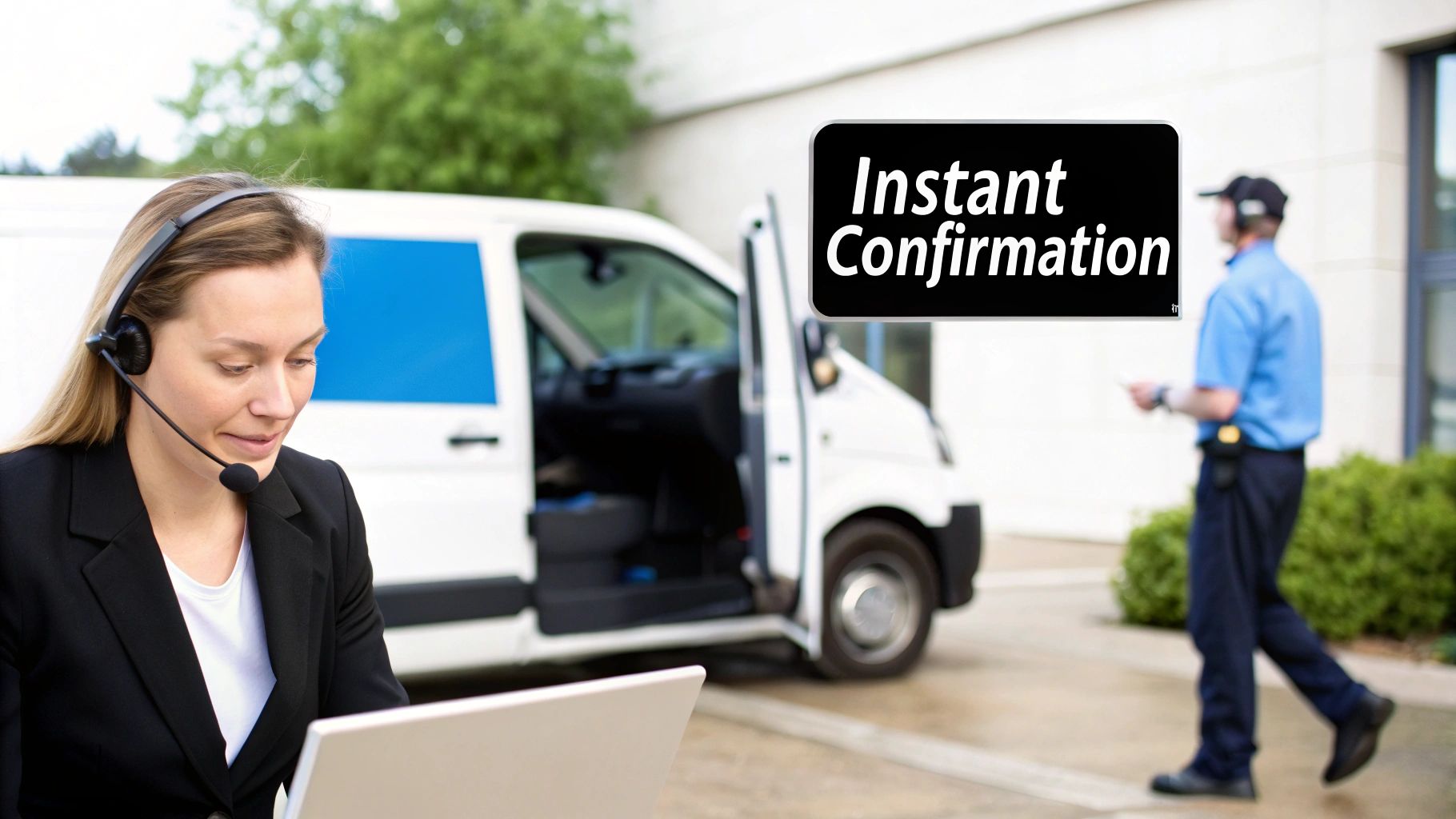
In the world of HVAC, plumbing, or electrical work, a missed call is a missed opportunity. Voicemail is a black hole. When a potential customer has a burst pipe, they aren't going to wait around for you to check your messages. They're going to call the next number on their list.
An automatic reply text completely changes this dynamic. It turns a potential lost lead into a professional, reassuring interaction.
Let's picture a typical day for a busy electrical contractor. An emergency call comes in while you and your crew are in the middle of a complex rewiring job. That call goes straight to voicemail, which you won't check for hours. The customer, dealing with a flickering power outage, has already moved on.
Now, let's replay that with an auto-reply. The second their message hits your phone, they get one back: "Thanks for contacting Sparky Electric! We've received your message and will get back to you within 15 minutes."
That simple text changes everything. The customer feels heard, knows what to expect, and is much more likely to wait for your call back. You just bought yourself crucial time and saved a valuable lead.
From Good Manners to Smart Business
This goes way beyond just being polite. It's about making your entire operation run smoother. Automated texts solve some of the most frustrating headaches in the trades:
- Slash No-Shows: Automated appointment reminders are incredibly effective at making sure someone is actually home when your tech arrives. That saves a ton on gas, wasted time, and lost revenue.
- Stop the "Where Are You?" Calls: A quick, automatic "Your tech is on the way!" text keeps the customer in the loop and frees up your phone line from constant status checks.
- Look Like a Pro: Instant replies make your business, no matter the size, feel as organized and on-the-ball as a major corporation. That builds trust right from the jump.
The numbers don't lie. SMS messages have an incredible 98% open rate, and 90% of texts are read within just three minutes of being sent. When you're juggling multiple job sites, that kind of immediate connection is a massive advantage. You can manage customer expectations without ever having to stop what you're doing.
For any trade business running on tight margins, automatic replies offer a huge return. They take a load off your office staff (or you, if you're a one-person show), freeing them up for bigger-picture tasks like scheduling, dispatching, and invoicing.
Putting an automatic reply system in place is a smart, strategic decision. It's the first step in using technology to your advantage. Understanding how tools like AI text bots can improve your workflow shows just how critical this is for any modern trade business looking to grow. It empowers you to deliver standout service from the very first text, turning a simple inquiry into a loyal, repeat customer.
5 Ready-to-Use Templates for Key Customer Moments
Knowing what to say in your automated texts is half the battle. A good message is clear, professional, and sets the right expectations from the get-go. Generic templates often feel cold and impersonal, so I've put together some field-tested examples specifically for the typical workflow of an HVAC, plumbing, or electrical business.
Feel free to grab these and tweak them with your own company details. The magic is in the personalization—filling in placeholders like [Customer Name] and [Company Name] builds immediate trust and cuts down on confusion.
Let's walk through some of the most critical touchpoints in any service job and the exact messages you can use to nail the customer experience.
The First Impression: Booking and Appointment Confirmations
The moment a customer books a job, your first automated message should lock in the details. This simple step is your first chance to show you're on top of things and helps prevent any frustrating mix-ups down the line.
General Confirmation:Hi [Customer Name], this is [Company Name]. We’ve confirmed your appointment for [Date] at [Time]. We'll send another text when our technician is on the way. Thanks for choosing us!
Service-Specific Confirmation (HVAC Example):Hi [Customer Name], your AC tune-up with [Company Name] is officially booked for [Date] between [Time Window]. Our technician will text you when they are en route. Stay cool!
Cutting Down on No-Shows with Appointment Reminders
We've all been there. No-shows are a massive drain on time, fuel, and payroll. A simple, automated reminder sent 24 hours in advance can make a huge difference. In fact, studies have shown that appointment reminders can slash no-show rates by as much as 38%.
- 24-Hour Reminder:
Hi [Customer Name], just a friendly reminder from [Company Name] about your service appointment tomorrow, [Date], at [Time]. Please reply YES to confirm or call us at [Phone Number] to reschedule. - Day-Of Reminder:
Good morning, [Customer Name]! This is a reminder from [Company Name] that your appointment is scheduled for today between [Time Window]. We look forward to seeing you!
A Quick Tip from the Field: Always give customers an easy way to reschedule. Making them call during business hours can be a hassle. Just including your phone number shows you're flexible and makes for a much better customer experience.
On-the-Way Updates and Handling Delays
These messages are all about managing expectations on the day of the job. They proactively answer the customer's biggest question—"Where is my technician?"—before they even have to pick up the phone.
Technician Is En Route:Hi [Customer Name], this is [Technician Name] from [Company Name]. I’m on my way to your home for your appointment and should arrive in approximately [ETA in minutes]. You can track my arrival here: [Live Tracking Link]
Handling a Delay (Because It Happens):Hi [Customer Name], this is [Company Name]. We apologize, but our technician is running slightly behind schedule due to an unforeseen issue on a previous job. Your new estimated arrival time is [New Time]. We appreciate your patience!
After the Job: Follow-Ups that Build Relationships
Once the tools are packed up, the communication shouldn't stop. A well-timed follow-up text is your chance to make sure the customer is happy, ask for that all-important review, and make getting paid a breeze. This is how you turn a one-time job into a lifelong customer.
- Feedback & Review Request:
Thanks for choosing [Company Name], [Customer Name]! We hope you were happy with the service provided by [Technician Name]. If you have a moment, we'd love for you to leave us a review here: [Review Link] - Payment Reminder:
Hi [Customer Name], this is a reminder from [Company Name] that invoice #[Invoice Number] is now due. You can pay securely online here: [Payment Link]. Thank you for your business!
Choosing and Implementing Your Automated Text System
Picking the right system for your automatic reply texts is a bigger decision than it seems. It’s not just about firing off messages; it's about finding a tool that actually fits how you work, what you can afford, and how big your team is.
Let's walk through the options, starting with the simplest and working our way up to the real game-changers.
If you're a one-person show just getting your feet wet, the features already on your smartphone can work as a stopgap. Both iPhones and Androids have "driving" or "focus" modes that can send a generic auto-reply. It's free, and you can turn it on in seconds. But let's be honest, it’s a blunt instrument. It sends the same message to a hot new lead as it does to your spouse or your parts supplier. It’s more of a digital "do not disturb" sign than a professional tool.
Scaling Up Your Communication Tools
Once you hire even one or two technicians, you’ll outgrow your phone's basic features fast. The next logical step for many is Google Voice. It gives you a dedicated business number and some simple auto-response options. It’s a decent choice for small crews trying to separate business from personal calls without spending much.
The catch? The automation is still pretty basic. You have to manually set things up, and it has no idea what your job schedule looks like. It can't automatically text a customer that "Joe is on his way" because it isn't connected to your dispatch board. This is where you really feel the gap between a simple auto-reply and a true, automated communication workflow.
The goal isn't just to send an automatic reply text message. It's about automating your communication based on what's actually happening with a job, giving the customer a killer experience without you lifting a finger.
This is the kind of automated workflow we're aiming for—moving a customer seamlessly from confirmation to job completion.
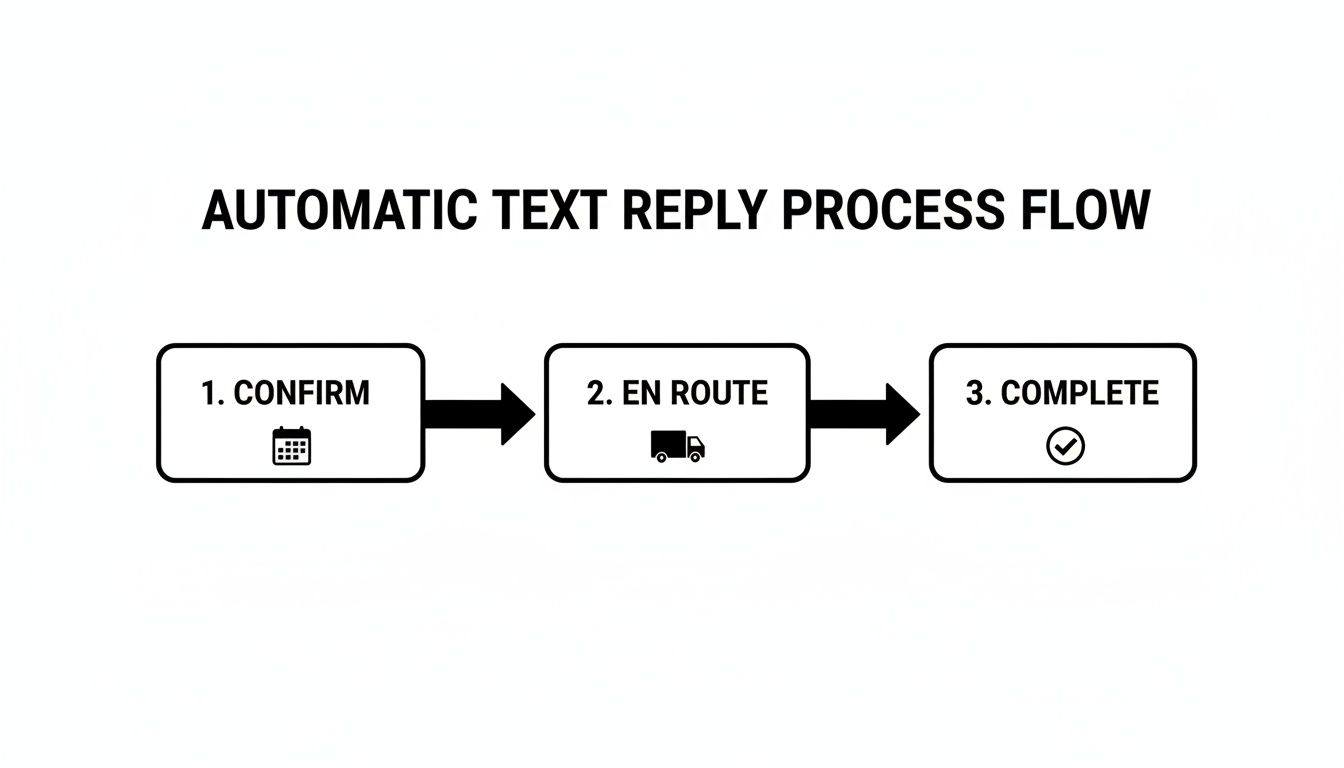
Each of these steps is a trigger point where a perfectly timed, automated text keeps your customer in the loop and feeling confident they made the right call.
The Power of Integrated FSM Platforms
For a truly hands-off system that grows with you, nothing beats a Field Service Management (FSM) platform like TackonFSM. This is where you graduate from basic functions to making automation a core part of your entire operation. An FSM doesn't just send a canned response; it sends specific, relevant texts based on real-time status updates from your team in the field.
Think about how this works in the real world:
- Your dispatcher drags and drops a job onto a technician's schedule. BAM. The system automatically texts the customer an "Appointment Confirmed" message with the tech's name and arrival window.
- The technician taps "en route" on their mobile app as they pull away from the last job. BAM. A second text goes out instantly: "Your technician is on the way!"
- Once the work is done and the tech marks the job "complete," another text can go out with a link to the invoice and a polite ask for a five-star review.
This kind of deep integration eliminates human error. Nobody has to remember to send anything. The system just does it, triggered by the normal workflow your team is already following. To really get this right, digging into resources like the bookedin.ai tutorials for automated messaging can help you nail the setup from day one.
Writing Automatic Replies That Actually Build Customer Trust
There's a fine line between an auto-reply that makes a customer feel valued and one that just feels like a robotic brush-off. When you get it right, these little messages do more than just confirm you got a text. They start building a relationship and show you’re a pro from the very first contact.
A great automated message answers two questions before the customer even has to ask: "Who is this?" and "What's next?" If you miss these, you leave people confused and wondering if you're disorganized before you've even had a chance to speak.
Nail the Basics First
Every single automatic reply should kick off by stating your company name. It's so simple, but so many businesses forget it. A new customer doesn't have your number saved—without your name, they just got a random text from a stranger. That's not the first impression you want to make.
Once you've said who you are, get straight to the point. Nobody wants to read a novel. The message needs to set a clear, firm expectation for when they'll hear from a real person. Forget vague promises like "we'll get back to you soon." That means nothing.
Be specific. Something like this makes all the difference: "Thanks for texting Apex HVAC! We got your message and will reply within one business hour. Our office is open M-F, 8am-5pm." In one sentence, you've provided your identity, confirmed receipt, and given a solid timeline. That simple text instantly puts a customer at ease.
This kind of clarity is gold. It shows you respect their time and have a solid process in place, which is exactly what people want from a service business.
Keep It Clear and Guide Them to the Next Step
When it comes to texting, clarity is everything. Ditch the industry jargon your customers won't understand. A homeowner with a busted water heater doesn't care about the technical terms; they just need to know you can fix it. Simple, direct language always wins.
Your automatic reply text message can also do some of the work for you by including a gentle nudge for what to do next. This helps the customer and can make your own workflow a lot smoother.
- Got an appointment request? Pop in a link to your online booking calendar so they can grab a spot that works for them right away.
- Just a general question? You could link to your website's FAQ page. They might find their answer immediately without having to wait.
- Message came in after hours? Make sure you provide an emergency number for truly urgent problems. It shows you're there for them when it really counts.
Staying Compliant and Respectful
Finally, you have to play by the rules. Make sure you have a customer's permission (an "opt-in") before you text them for anything other than a direct response to their message. This is non-negotiable.
Just as important, every automated message—especially if it's part of a larger campaign—needs to give them an easy way out. A simple "Reply STOP to unsubscribe" is standard practice and shows respect for their inbox.
Getting these details right turns a simple automation tool into a powerhouse for building a great reputation and keeping customers loyal for the long haul.
How to Know if Your Automated Texts Are Working
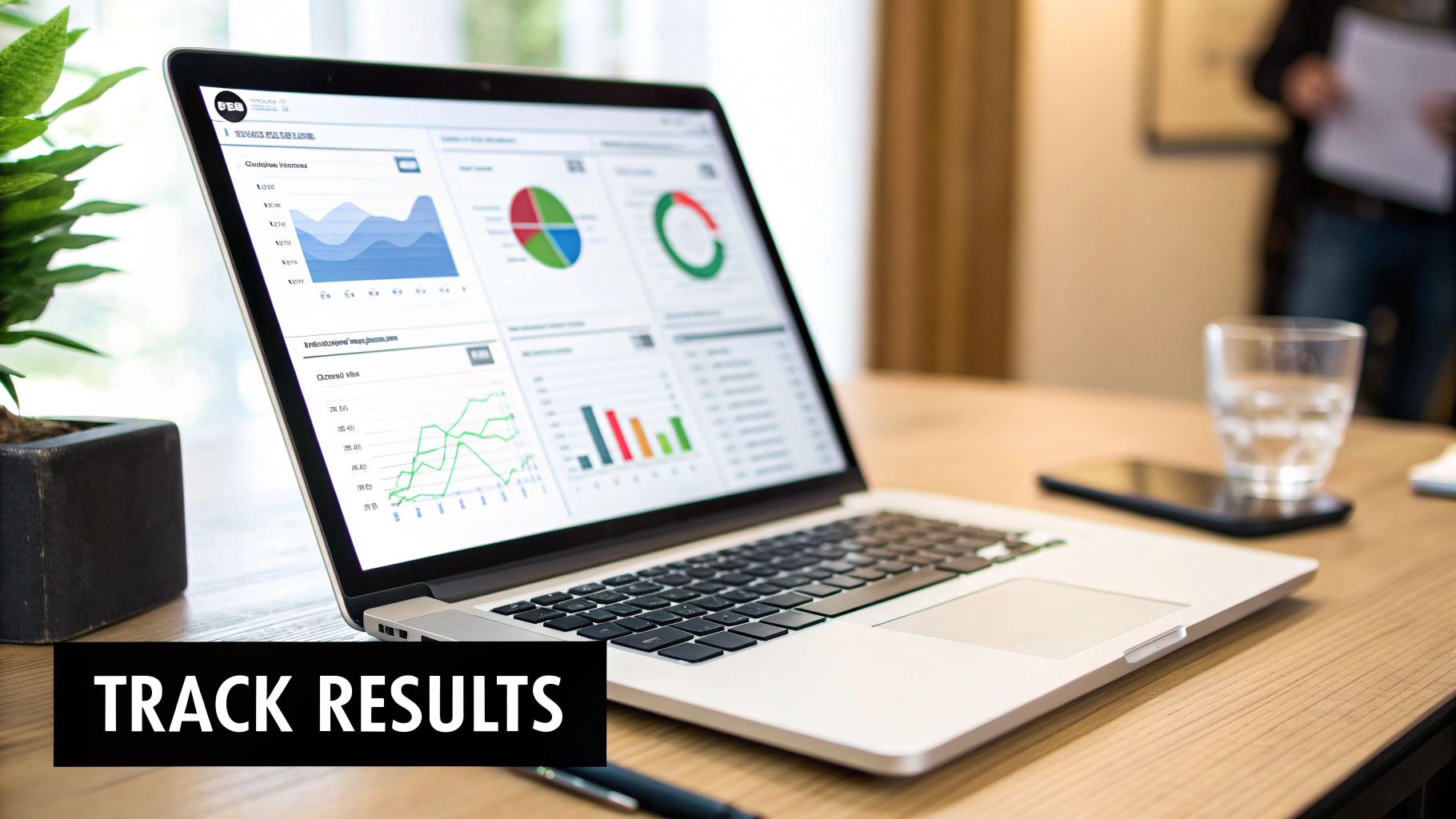
Flipping the switch on an automatic reply text message system feels good, but how do you really know if it’s pulling its weight? You don’t need a degree in data science. You just need to connect the dots between your texts and what’s actually happening in your business.
The real goal here is to see a clear return on the effort—measured in time saved and money earned.
Forget about vanity metrics like open rates. For a contractor, plumber, or electrician, the proof is in fewer no-shows, a less frantic office, and a healthier bottom line. The best way to track this is by looking at specific, tangible improvements in your day-to-day operations.
For instance, pull your appointment data from the month before you started sending reminders. Then look at the data a month after. If you see a measurable drop in no-shows, those automated texts are directly putting money back into your pocket by cutting down on wasted fuel and drive time.
Measuring What Truly Matters
The most important metrics aren't always on a fancy dashboard. Sometimes, you can just feel them in the office. A calmer, more organized front desk is one of the best signs that your automated messages are taking a real load off your team.
You can put a number on this. Just track the number of inbound calls you get asking for a status update. If your staff is spending less time answering, "Where is my technician?" then you know your automated "on-the-way" messages are doing their job. This isn't just about making things easier; it frees up your dispatcher or office manager to focus on higher-value work, like juggling complex jobs and maximizing profitability.
The ultimate goal is to link every automated message to a specific business function. When you can draw a straight line from an appointment reminder text to a successful job completion, you've turned a simple tool into a strategic asset.
Another huge win? Your online reputation. By simply adding a review link to your "job complete" automatic reply, you make it incredibly easy for happy customers to leave a 5-star review while the great service is still fresh in their minds.
Key Performance Indicators for Your Texts
To get a clear, no-fluff picture of your success, focus on tracking these specific outcomes:
- Reduced No-Show Rate: Calculate your percentage of no-shows per week before you started sending reminders. Compare that to the rate a month after you turned them on. Even a 5% improvement adds up to a lot of billable hours over a year.
- Fewer Status Update Calls: Ask your office staff to keep a simple tally of "Where are you?" calls for one week. Check that number again after your "technician en route" messages have been running for a few weeks. That drop represents pure, recovered productivity.
- Increased Online Reviews: See how many new reviews you got on Google or Yelp in the month before you added a review link to your texts. Compare it to the month after. More positive reviews are one of the fastest ways to attract new business.
- Faster Invoice Payments: If you’re sending texts with payment links, take a look at your average time-to-payment. If that window is shrinking, your cash flow is getting a direct boost from your automated system.
A Few Common Questions About Automated Texts
Diving into automated messaging usually brings up a few practical questions. I get it. Most business owners want to know what the real-world impact will be before they commit. Let's tackle the most common concerns I hear from contractors, plumbers, and electricians.
Will My Customers Get Annoyed By Automated Texts?
The short answer is no, not if the messages are actually helpful. Your customers don't see an automatic reply text message confirming their appointment or letting them know a tech is on the way as spam. They see it as great service.
Think about it from their perspective. These aren't random marketing texts; they're valuable, timely updates that answer questions before they even have to ask. The trick is to keep it professional, brief, and always give them an easy way to opt out. That approach shows you respect their time and are on top of their service call.
Can I Just Use My Personal Phone For Auto-Replies?
Technically, you can use your phone’s built-in driving mode for a basic "out of office" style reply, but it's far from a professional or scalable solution. It just ends up blurring the lines between your personal and business communications, which can get messy fast.
The biggest mistake I see is sending a vague, unhelpful message like "We got your text." A great automatic reply provides immediate value and sets expectations. Something like, "Thanks for contacting Bob's Plumbing! We'll reply within one business hour. Our office is open M-F, 8am-5pm." That simple change instantly elevates the entire customer experience.
Using a dedicated system keeps everything organized and professional. More importantly, it connects your messaging directly to your job schedule, which your personal phone simply can't do.
Ready to stop missing leads and start impressing customers from the very first text? TackonFSM builds intelligent, automated messaging right into your scheduling and dispatch workflow. See how our platform can save you time and help you win more jobs. Explore the features at https://www.tackonfsm.com.


