Your Guide to a Purchase Ordering System for Contractors
Let’s be honest, the old way of buying parts is pure chaos. A technician calls from a job site needing a part, you phone it into the supply house, and just cross your fingers that the invoice matches what you discussed. This handshake-and-a-hope method is a quiet profit killer. It’s like trying to build a house without a blueprint—costs spiral, things get missed, and you’re left wondering where the money went.
A purchase ordering system brings some much-needed order to that chaos. It's a digital process that puts a formal structure around how your business buys parts and materials, replacing those frantic phone calls and scribbled notes with a clear, trackable workflow. For a contractor, this system becomes your financial control center, making sure every single purchase is approved, tied to a specific job, and accounted for before a dollar ever leaves your bank account.
Moving Beyond the Old Way of Buying
Switching to a formal purchase ordering system isn't about adding red tape; it’s about getting a clear view of your spending. Instead of relying on memory and trust, you’re creating a digital paper trail for every bolt, filter, and coil your company buys.
This simple shift creates an auditable record that finally answers the critical questions: Who asked for the part? Which job is it for? Did a manager approve it? And what price did we agree on? Without solid answers, you're just guessing where your money is going.
From Job Site Shopping List to Financial Control
Think of a purchase order (PO) as a supercharged shopping list. It’s a formal, legally binding document you send to a vendor that spells out exactly what you need, the quantity, and the price you’ve agreed to pay. For any HVAC, plumbing, or electrical contractor, this one document is a game-changer.
When that PO process is built into a bigger tool, like a Field Service Management (FSM) platform like TackonFSM, it becomes even more powerful. You’re not just creating documents anymore; you’re managing the entire lifecycle of a part, from the moment a tech requests it to the final invoice payment.
This gives you a command center for all your purchasing, helping you:
- Prevent Surprise Invoices: A PO locks in the price. No more getting an invoice from a vendor for more than you expected. The terms are set from the start.
- Stop Unauthorized Spending: Techs can’t go rogue and buy things on the company account. Every request has to go through a formal approval workflow, so a manager signs off before an order is placed.
- Improve Job Costing Accuracy: You can link every part directly to a specific job or work order. This is huge. It ensures materials are billed correctly to the customer and gives you a true picture of how profitable each job really is.
- Free Up Trapped Cash: It puts an end to over-ordering parts "just in case." With better tracking, you buy only what you need, so your cash isn't tied up in stock sitting on a van or collecting dust in the warehouse.
Whether you're running a two-truck operation or a twenty-truck fleet, this level of control isn’t a nice-to-have. It’s absolutely essential for protecting your margins and building a business that lasts.
How The Purchase Order Workflow Actually Works
The real magic of a purchase ordering system isn't just about creating a piece of paper. It's about the clean, predictable workflow that completely changes how you buy and manage materials for jobs. Forget the days of frantic phone calls, misplaced sticky notes, and wondering if a part was ever ordered.
What you get instead is a clear, step-by-step process that puts a protective barrier around your profits, from the technician in the field all the way back to the office. Let's walk through a real-world scenario to see how this digital assembly line actually functions.
Imagine your best HVAC tech, Sarah, is on a repair call. She finds a busted compressor that needs to be replaced—and fast. The old way meant a call back to the office, a scramble to find the right part number, and then another call to the supply house. With a proper system in place, the whole game changes.
The flowchart below shows just how different the old, manual way of doing things is from a modern, digital workflow.
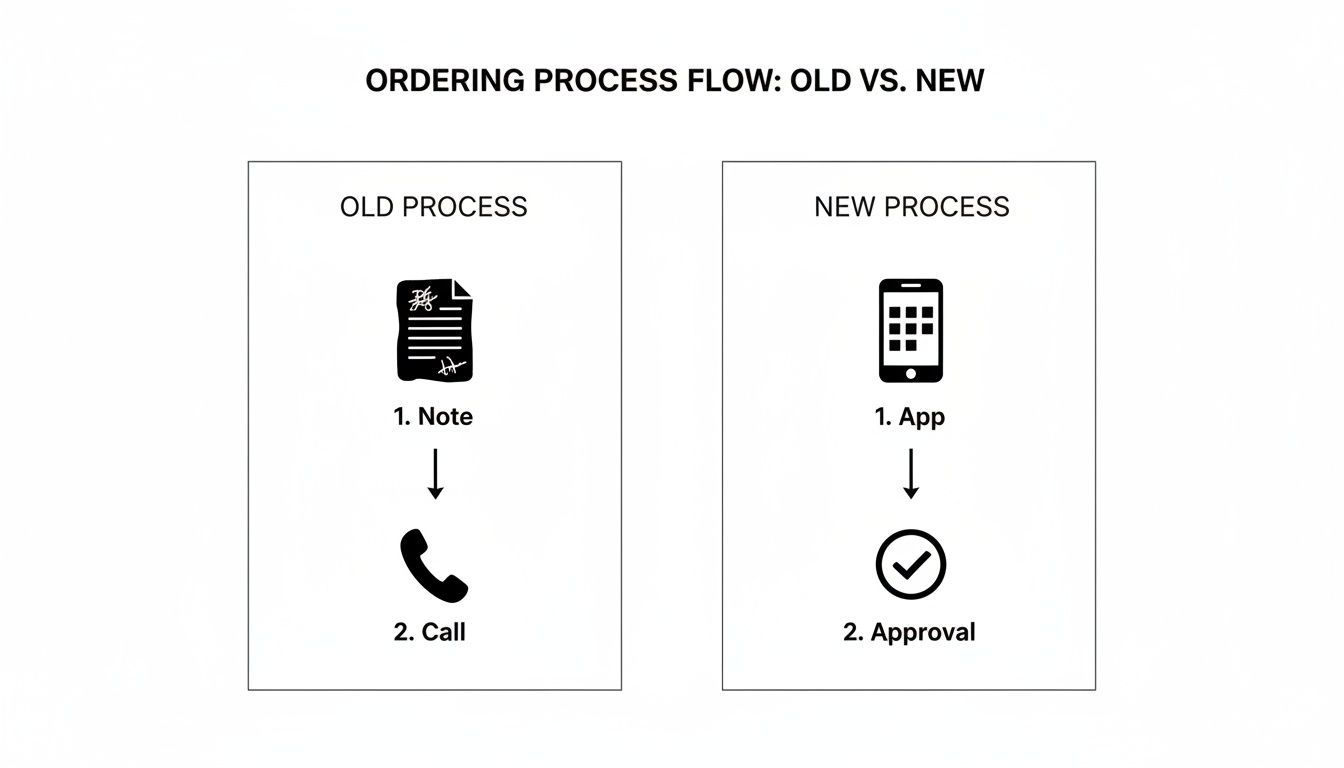
This shift from a notepad to an app isn't just about convenience. It creates a reliable, bulletproof trail for every single dollar you spend on parts.
Step 1: PO Creation From The Field
The whole process kicks off right where the work is happening. Instead of picking up the phone to call the shop, Sarah just opens an app on her phone.
She quickly finds the exact compressor in the system's parts database, adds it to a request, and—this is key—links it directly to the work order she's on. That simple action is a huge deal for accurate job costing because the part's cost is tied to the right job from the very beginning. The system then automatically drafts a purchase order with all the details filled in.
Step 2: Instant Approval Workflows
That PO request doesn’t just get lost in an inbox. It immediately sends a notification to your phone or computer. Right away, you can see everything you need to know:
- Who needs the part (Sarah).
- What part they need (the specific compressor model).
- Which job it’s for (the customer’s HVAC repair).
- How much it costs from your go-to vendor.
You can approve or deny it with a single tap. Even better, you can set up rules. For example, if a part costs more than $500, the system can automatically send the request to a senior manager for a second look. This keeps spending in check without creating a bottleneck for your team.
Step 3: Automated Vendor Dispatch
The moment you hit 'Approve,' the system takes over. The finalized, professional-looking purchase order is automatically emailed directly to your chosen supplier.
No more reading long part numbers over the phone or worrying about typos in a manually written email. The PO has everything: your account number, delivery details, and the agreed-upon price, which slashes the risk of getting the wrong part.
This one step can easily save your office staff hours every single week, letting them focus on more important things. Defining these automated steps is a core part of building a great Standard Operating Procedure (SOP) for your business.
Step 4: Receiving and Job Assignment
When the new compressor shows up, your warehouse manager simply scans a barcode on the box or looks up the PO number. They check that it's the right part and mark the PO as "Received" in the system.
This isn't just about checking a box. Hitting that button instantly updates your inventory levels in real-time. The system now knows that one compressor has arrived and is reserved specifically for Sarah's job, so another tech can't grab it by mistake. If you want to explore more ways to tighten up your operations, our guide on how https://tackonfsm.com/wp-content/uploads/2025/11/Field-Service-Scheduling-Software-That-Saves-Time-244×300.webp is a great place to start.
Step 5: Three-Way Matching and Invoicing
This is where you close the financial loop and protect your profit. When the vendor's invoice comes in, your accounting team performs a three-way match. The system pulls up the original purchase order, the receiving report, and the vendor's invoice and compares them side-by-side.
If the part, the quantity, and the price all match up, the invoice is cleared for payment. If anything is off—maybe they billed you for two compressors or charged the wrong price—the system flags it immediately. This automated check catches costly billing mistakes before you pay them, locking in the profit margin you quoted for the job.
Manual vs Automated Purchase Order Workflow
To truly appreciate the difference, it helps to see the old and new ways laid out side-by-side. The manual process is riddled with hidden time sinks and opportunities for error, while an automated system handles the heavy lifting with precision.
| Stage | Manual Process (Paper and Phone Calls) | Automated System (like TackonFSM) |
|---|---|---|
| PO Creation | Tech calls office. Admin writes info on a pad, looks up part numbers, and manually fills out a PO form. | Tech selects part from a digital catalog in-app, linked directly to the work order. PO is auto-generated. |
| Approval | Admin walks the PO to a manager's desk or tries to catch them by phone. Delays are common. | Manager receives an instant notification on their phone/computer and approves or denies with one click. |
| Vendor Order | Admin calls the vendor, reads the PO details, and hopes for no miscommunication. Follows up with a fax or email. | Approved PO is automatically emailed to the vendor, containing all necessary data. No manual entry needed. |
| Receiving | Parts arrive with a packing slip. Staff manually checks it against a paper PO copy and updates a spreadsheet (maybe). | Warehouse staff scans the part or PO number. Inventory is updated in real-time and the part is allocated to the job. |
| Invoicing | Accounting manually compares the vendor invoice against the paper PO and receiving slip. Prone to human error. | System performs an automatic three-way match. Discrepancies are flagged instantly for review before payment. |
This comparison makes it clear: moving to an automated system isn't just a minor upgrade. It’s a fundamental shift that brings control, visibility, and efficiency to one of the most critical parts of a field service business.
The Business Benefits of an Integrated PO System
Putting a formal purchase ordering system in place does a lot more than just get your paperwork in order. It's a fundamental move that strengthens your business's financial health and operational stability. Honestly, it’s the difference between driving with a GPS and driving with a blindfold, hoping you end up somewhere profitable. For contractors, the benefits hit home immediately, impacting everything from cash flow to how smoothly a job site runs.
These aren't just fuzzy, nice-to-have improvements. They translate into real-world peace of mind and a healthier bottom line, creating a powerful ripple effect across your entire operation.
Gain Total Cost Control
Without a formal system, spending can feel like a leaky faucet. Small, unapproved purchases here and there add up, slowly draining your profits. An integrated purchase ordering system is the valve that shuts off that leak, giving you precise control over every single dollar that goes out.
When a technician needs a part, they can't just grab the company card and go. Instead, they submit a request that gets routed for approval, making sure a manager signs off on the expense before it even happens. This one step kills unauthorized spending and puts a stop to those surprise invoices from suppliers. It also means you lock in pricing with vendors upfront on the purchase order, so you're never billed more than what you agreed to.
Achieve Real-Time Inventory Accuracy
For any field service business, just knowing what you have and where it is can be a massive headache. Parts could be in the warehouse, tucked away in a van, or already installed at a customer's site. A PO system that’s tied directly into your inventory management solves this puzzle once and for all.
When a part is ordered on a PO and received at the shop, the system instantly updates your stock levels. When that part is assigned to a job, the count is adjusted again. This creates a clear, real-time picture of every component you own.
You finally know, with certainty, that the specific compressor needed for tomorrow's big install is on Tech B's truck, not sitting unaccounted for back in the warehouse. This kind of visibility prevents those costly, frustrating delays caused by hunting for parts you thought you had.
This level of accuracy is absolutely critical. According to a 2026 Demand Report from SPS Commerce, only 40% of companies feel their inventory levels are optimal, while a staggering 45% admit their stock levels are too high. An integrated system helps you find that sweet spot, preventing the cash-flow drain of overstocking.
Eliminate Double Orders and Part Shrinkage
Ever ordered an expensive part, only to discover another tech already bought the exact same one? These redundant purchases are a common and infuriating waste of money. A centralized purchase ordering system gives you a single source of truth for all procurement, making double-ordering a thing of the past.
Here’s how it stops the bleeding:
- Centralized Visibility: Before placing an order, anyone can check the system to see if a PO for that part already exists. Simple.
- Clear Audit Trail: Every single part is tracked from the initial request to the final installation, creating a digital paper trail. This accountability drastically reduces "part shrinkage"—that mysterious disappearance of components that were purchased but never billed out.
- Job-Specific Allocation: Since every PO is tied to a specific work order, parts are reserved for their intended job. This stops them from being accidentally grabbed and used on another call.
An efficient purchase ordering system is a critical first step if you want to automate accounts payable and the rest of your financial workflow. By tightening control over your purchasing, you build a more resilient and profitable business. Tackling these operational details is a key component of what makes

so crucial for growing contractors.
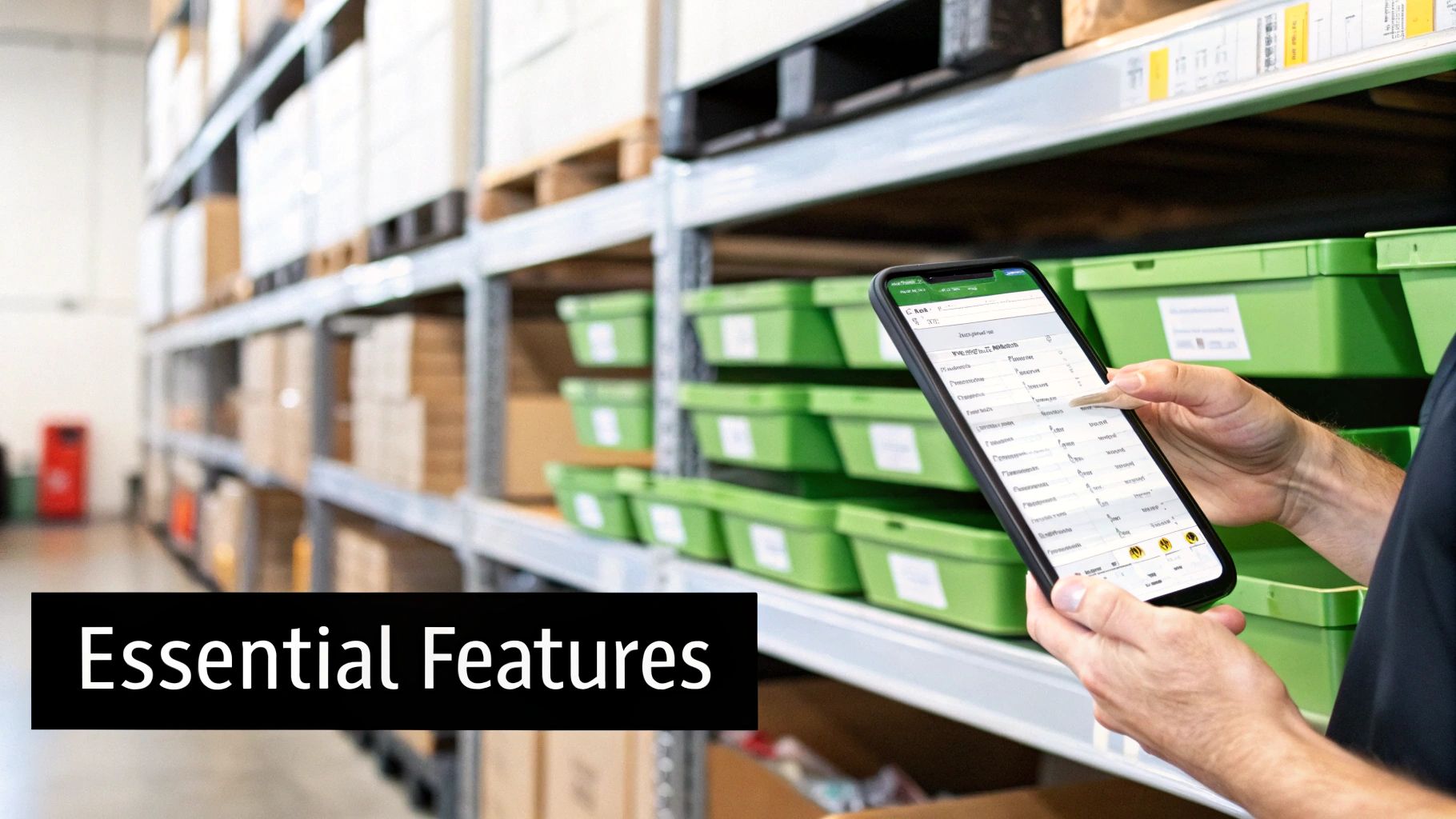
Must-Have Features in Your Purchase Ordering System
Picking the right purchase ordering system isn't about finding software with the longest feature list. It’s about finding one with the right features for a field service business like yours. After all, not every system is built to handle the chaos of managing parts across a warehouse, a fleet of vans, and active job sites.
If you want to stop the purchasing madness and turn it into a well-oiled, profitable part of your operation, a few features are simply non-negotiable.
Think about it like stocking a service van. You don't cram every tool imaginable in there. You stock the specific tools that let your techs get the job done right on the first try. Your software needs that same focus—a core set of tools designed for the mobile, fast-paced world you work in.
Centralized Vendor Management
Most contractors are juggling multiple suppliers. You’ve got one vendor with the best price on coils, another with the specific filters you need, and a third who offers the best warranty on compressors. A solid purchase ordering system takes all that scattered information and puts it in one clean, organized place.
And I don't just mean a glorified contact list. A truly useful vendor management feature should store:
- Negotiated Pricing: It remembers the special pricing you’ve worked out with each supplier, so you always get your discount without having to dig up an old email.
- Part Numbers and SKUs: It saves vendor-specific part numbers. Reordering becomes a quick, accurate click, killing the risk of the wrong component showing up.
- Contact Information: All your supplier details—phone numbers, emails, account managers—are right there for anyone on your team to access.
This simple hub stops the frantic search for a crumpled price sheet in the truck. It brings consistency to your ordering, no matter who’s placing it.
Multi-Location Inventory Tracking
For a contractor, "inventory" isn't just what's on the shelves back at the shop. It's spread across every service van and maybe even a secondary storage unit. If you can’t see all of it at once, you’re flying blind. You end up reordering a part that a tech already has in their van just a few miles away—a classic, costly mistake.
A system with multi-location tracking gives you a real-time map of your entire stock. You can see exactly how many widgets are in the warehouse versus on Truck #5. This is the key to stopping unnecessary purchases and making sure your techs head out to a job with the right parts already on board.
Automated Approval Workflows
Uncontrolled spending is a silent killer for small businesses. A critical feature is the ability to set up automated approval workflows that fit your company's rules. This lets you set spending limits and automatically send purchase requests to the right person for a sign-off.
For instance, you could set a rule that any purchase under $200 gets approved instantly, but anything over that needs a manager's okay. This empowers your team to get what they need for small jobs without delay while keeping a firm grip on major expenses.
This isn’t about micromanagement. It's about putting smart, financial guardrails in place that protect your cash flow without creating bottlenecks for your team.
Direct Job Costing Integration
A purchase order shouldn't just be a floating piece of paper. To know if you're actually making money on a job, you have to tie every single part and material directly to the work order it was for. This is where an integrated purchase ordering system becomes a game-changer.
When a tech requests a part from the field, they link it directly to their current job. From that point on, the cost of that part is tracked as a job expense. This gives you laser-focused accuracy in your job costing, showing you the true profit margin on every project you complete. No more guessing.
Complete Mobile Accessibility
Your technicians are your boots on the ground, and they don’t work behind a desk. A system that isn’t fully usable on a phone or tablet is a non-starter for a field service business. Your techs need to be able to request parts, check van stock, and see an order's status right from the job site.
This mobile-first capability is what’s driving the huge growth in the purchase order software market. Demand for cloud-based solutions with easy mobile access is exploding, and as you can see in this detailed industry report, it's because this is what businesses with field teams critically need. It’s the bridge that finally connects the field and the office, making the whole process faster and way more accurate.
How to Implement a Purchase Ordering System
Switching to a formal purchase ordering system can feel like a major overhaul, but it's really just a series of practical, manageable steps. Think about it like organizing a service van for a big job. You wouldn't just toss tools in at random; you'd create a system so your tech can find exactly what they need, right when they need it.
Applying that same logic to your purchasing will help you move from scattered, chaotic buying to a controlled process that actually protects your profits.
1. Centralize and Clean Up Your Vendor List
First things first: get all your supplier information into one place. Right now, it's probably scattered across old invoices, random spreadsheets, and maybe even a few contacts saved in your phone. It’s time for a digital clean-up.
Pull together all your vendor contacts, account numbers, and any special pricing you’ve negotiated over the years. Getting this all loaded into your new system is job number one. A clean, central vendor list is the bedrock of an efficient purchase ordering system, making sure anyone on your team can order the right part from the right supplier at the right price.
2. Get an Accurate Inventory Count
You can’t manage what you don’t measure. Before flipping the switch on your new system, you absolutely need a clear picture of your current inventory. That means doing a full physical count of every part and all materials—in the warehouse and on every single truck.
This step is non-negotiable for two reasons:
- It sets your baseline: Your system’s inventory levels will match reality from the very beginning, preventing immediate confusion.
- It uncovers hidden problems: You’ll likely discover you're sitting on a mountain of one part while being completely out of another. This instantly highlights where your old process was failing.
3. Define Simple Approval Workflows
Approval rules are your financial guardrails, but they don't need to be complex. The key is to start with simple, common-sense rules that fit how your team already operates.
A great starting point is tiered spending limits. For example, any purchase under $150 gets automatically approved to keep jobs moving. Anything over that amount requires a quick sign-off from a manager. This keeps your team empowered but puts a brake on major spending.
The goal here is to prevent bottlenecks, not create them. You can always add more detailed rules as your business grows.
4. Train Your Team—In the Office and the Field
A new system is only as good as the people who use it. Getting buy-in from both your office staff and your field technicians is crucial, and the best way to do that is to show them what's in it for them.
- For your office team: Talk about the time saved. No more hunting down receipts or chasing technicians to find out what was ordered.
- For your technicians: Show them how easy it is to request parts directly from their phone or tablet on a job site. That means less hassle and getting what they need to finish the job faster.
5. Start Small, Then Scale Up
Don't try to change everything all at once. A phased rollout is much less disruptive and far more likely to succeed. Pick one or two of your most frequent vendors, or maybe just one specific type of job, and use the new purchase ordering system exclusively for that.
This pilot phase gives you a low-risk environment to work out the kinks and build confidence. Once your team gets the hang of it, you can start expanding the system to cover all your purchasing. This gradual approach ensures a much smoother transition for your entire operation.
Connecting Purchase Orders to Higher Profitability
A modern purchase ordering system isn't just another piece of software to juggle. When it's built directly into a field service platform like TackonFSM, it stops being a simple admin tool and becomes a powerful engine for profitability. The purchase order transforms from a standalone document into the glue that holds a seamless, money-making workflow together.
This integrated approach links every single stage of a job. It kicks off the moment you build an estimate, carries through to the scheduled work, automatically triggers a PO for a needed part, updates inventory in real time, and finishes with a precise, profitable final invoice. Nothing gets lost in the shuffle.

From Chaos to Control
Without that connection, your business is operating in silos. Your estimates might not reflect what a part actually costs today. Your techs might order materials without linking them to a specific job, and your final invoices could easily miss billable items. Each one of these disconnects is a small leak in your financial boat, and those leaks can absolutely sink your profit margins over time.
An integrated system plugs those leaks. It makes sure the price you quoted is based on the real cost you’ll pay for a part. It guarantees every single component purchased is billed back to the right customer. This brings a whole new level of order and financial clarity to your operation, turning chaos into predictable control.
A purchase order isn’t just about buying a part. It’s a commitment to a specific cost for a specific job. When your system enforces this link from start to finish, you are actively protecting your profit on every single work order.
Completing More Jobs and Getting Paid Faster
This kind of efficiency directly boosts your capacity and your cash flow. When parts are ordered, received, and allocated correctly, jobs move forward without a hitch. Technicians aren't stuck waiting around for a missing component or scrambling to find something that was supposed to be on their van.
That operational smoothness means you can complete more jobs each week. And because every part is automatically logged against the work order, invoicing becomes faster and way more accurate. You can fire off a detailed, correct invoice the moment the work is done, which drastically shortens your payment cycle. If you're looking to tighten up your financial process, you can learn more about how to simplify estimates and invoicing with the right setup.
At the end of the day, a purchase ordering system that’s part of your core software does more than just track what you buy. It builds a reliable, repeatable process that lets you scale your business profitably. It ensures you protect your hard-earned margins, get work done more efficiently, and get paid faster for every job you do.
Got Questions? Let's Talk Purchase Ordering Systems
Even when you see the potential, bringing a new system into your business can feel daunting. If you're used to doing things a certain way—maybe with texts, phone calls, and a well-worn notebook—it's fair to wonder how a purchase ordering system actually works in the real world.
Let's dig into some of the questions we hear all the time from contractors just like you.
"My Company Is Small. Do I Really Need a Formal PO System?"
Yes, you do. I'd argue small companies feel the benefits faster and harder than anyone else. When you’re running lean, a handful of unapproved trips to the supply house or a few untracked parts can completely wipe out the profit on a job. It's that simple.
Think of it less as "formal paperwork" and more as a financial guardrail. A good purchase ordering system isn't about adding bureaucracy; it's about establishing smart habits that let you grow profitably. It gives you the control you need from day one, without bogging you down with features built for massive corporations.
"How Do I Get My Technicians to Actually Use It?"
This is the big one, isn't it? The secret is to make the new way easier than the old way. If your techs have to fire up a laptop or navigate a clunky interface, they'll just text you instead. It has to be dead simple and built for the field.
Success comes down to a great mobile app. A technician on-site should be able to pull out their phone and request a part in a few taps. When you train them, focus on what's in it for them: no more playing phone tag, quicker access to the right parts, and an end to arguments over who ordered what. If it’s faster than sending a text message, they'll use it.
The goal isn't to force compliance with more rules; it's to provide a tool so useful that it becomes the path of least resistance for everyone on the team.
"Can a Purchase Ordering System Connect to My Accounting Software?"
Absolutely, and it must. A modern field service platform with a built-in purchase ordering system, like TackonFSM, is designed to talk directly to accounting software like QuickBooks. This isn't just a perk; it's the entire point. You need one source of truth for your finances.
When this connection is active, every purchase order and every vendor bill flows right into your accounting system. This means no more mind-numbing double-entry, which slashes the risk of human error. More importantly, it gives you a crystal-clear, up-to-the-minute picture of your job costs and the financial health of your business.
Ready to bring order to your purchasing and protect your profits on every job? TackonFSM integrates a powerful, easy-to-use purchase ordering system directly into your daily workflow. See how it works by visiting TackonFSM's website and starting your free trial today.