Choosing Software For HVAC Business A Practical Guide
The right software for an HVAC business is about more than just going digital. It's about swapping out those clunky spreadsheets and stacks of paper invoices for a single, unified system that handles everything—scheduling, dispatching, inventory, and payments.
This move takes you from a state of constant, chaotic reaction to a smooth, predictable workflow. It finally connects your office staff with your technicians in the field, in real-time. You stop putting out fires all day and start proactively managing your growth.
Moving Beyond Spreadsheets and Paper Chaos
If you're running an HVAC shop with even a few technicians, you know the daily grind all too well. You’re juggling scheduling conflicts on a messy whiteboard, hounding techs for their handwritten invoices, and taking wild guesses at which parts are actually stocked in each van. It’s a surefire recipe for inefficiency and lost profit.
You're stuck in a reactive loop, where a single emergency call can derail the entire day's schedule.
This friction isn't just a headache; it’s a direct hit to your bottom line. A misplaced invoice stalls your cash flow. A technician showing up to a job without the right filter means a second trip—wasting fuel, time, and leaving you with a frustrated customer. These small leaks add up, creating a major drain on your finances and putting a hard ceiling on how much you can grow. You're working harder, not smarter.

From Costly Expense to Critical Investment
This is where dedicated software for an HVAC business completely changes the game. It’s not just about turning paper into PDFs; it’s about creating one central hub that connects every single part of your operation.
- Real-Time Visibility: Your dispatcher can see an accurate, color-coded schedule at a glance, knowing precisely where each tech is and their current job status.
- Empowered Technicians: Your crew in the field gets all the job details, customer history, and equipment service records sent directly to their phone or tablet. No more frantic calls back to the office.
- Accurate Invoicing: When a tech uses a part on a job, it's automatically pulled from inventory and added to the invoice. Nothing gets missed, and you get paid for every item, every time.
This jump from manual chaos to an integrated system is exactly why the HVAC service management software market is exploding. What was a USD 2.00 billion global market in 2025 is on track to hit USD 7.03 billion by 2035. That growth is being driven by real results—contractors are reporting an average 32% improvement in operational efficiency after making the switch. You can see more insights about this market growth on SNS Insider.
The True Cost of Inaction
Sticking with the old way feels safe because it's what you know. But the hidden costs are bleeding you dry. Every hour your office manager spends trying to read a tech's handwriting or manually keying in invoice data is an hour they could have spent on customer follow-ups or marketing. Every dollar you lose to untracked parts or unbilled labor is a dollar that can't be reinvested into a new van or another technician.
The decision to adopt software isn't just about adding a new tool. It’s a strategic choice to build a more resilient, profitable, and scalable business where technology handles the tedious work, freeing your team to focus on what they do best—delivering excellent service.
At the end of the day, modern software closes the gap between the field and the office. It turns a jumble of individual tasks into a cohesive, efficient machine. This integration is why understanding why field service management software matters is the first step toward getting your time—and your sanity—back.
It’s easy to get bogged down in a massive list of software features that all sound great on paper. But to really see a return on your investment, you need to focus on the core functions that solve the daily headaches holding your business back.
Let's cut through the noise and look at what actually moves the needle.
Think about this all-too-common scenario: It’s a blistering July afternoon, and an elderly customer’s AC just died. Your dispatcher gets the panicked call. Without the right software, this scene is pure chaos—shuffling through spreadsheets, making a dozen calls to see which tech is free, and basically just guessing who can get there the fastest.
Now, picture that same call with a modern system. Your dispatcher glances at a dynamic, color-coded scheduling board. In seconds, they see who's closest, who has the right skills for that specific unit, and who's about to wrap up their current job. A quick drag-and-drop, and the emergency call is on its way to the best-positioned technician.
This isn’t just about making life easier in the office; it's about transforming a customer crisis into a moment where your company looks like a hero.
The Right Tools in Your Techs' Hands
The real magic happens the second that job is assigned. Your tech’s phone or tablet pings with a notification, giving them everything they need to nail the job on the first visit.
- Complete Job Details: They get the address, customer info, and detailed notes about the problem. No more relying on scribbled directions or garbled voicemails.
- Full Customer History: The tech can pull up the home's entire service history—past repairs, equipment models, even a note from the last visit about a tricky crawl space entrance.
- Digital Checklists: For tune-ups or complex diagnostics, custom checklists walk them through every step, ensuring consistent, high-quality service from every member of your team.
While on-site, the tech can snap a photo of the burnt-out capacitor and attach it right to the work order. This creates an undeniable visual record for the customer and protects you from any "he said, she said" disputes down the line. When the repair is done, they can take payment and capture a signature on their tablet, closing out the job instantly.
The point of a mobile app isn’t to add more administrative work for your techs. It’s to get rid of the friction by putting every piece of crucial information—from service history to your pricebook—right in their hands. That frees them up to do what they do best: fix things.
This seamless link between the office and the field is why so many contractors are ditching their old methods. In fact, cloud-based systems made up 68% of the HVAC software market in 2025 because they deliver this kind of efficiency. With the global field service market projected to hit USD 8.06 billion by 2028, it’s clear that integrated tools are no longer a luxury—they’re a necessity for growth.
Finally Get Control Over Your Parts and Inventory
One of the biggest, quietest profit killers in any HVAC business is messy parts management. How many times has a simple repair turned into a two-trip nightmare because a standard part wasn't on the truck? It’s a waste of fuel, a waste of paid labor hours, and it makes you look disorganized to the customer.
The right software solves this with real-time inventory tracking that syncs your main warehouse with every single service van.
When a tech uses that new capacitor, they log it in their app. The system immediately does two critical things: it adds the part to the customer’s invoice (so you get paid for it) and subtracts it from that van's inventory count. This gives your office a live, accurate view of stock levels everywhere. You’ll stop buying parts you already own and finally get a handle on shrinkage.
Go from Estimate to Paid Invoice Without the Headaches
Winning the job is half the battle; getting paid quickly is the other half. Your financial workflow has to be smooth. With good software, your techs can build a professional quote right at the customer’s kitchen table, pulling from your pre-loaded pricebook. They can even present "good, better, best" options and get a digital signature on the spot.
Once the customer approves, that estimate becomes a work order with one click. When the job's done, another click turns it into a final invoice. All that painful double data entry that leads to mistakes? Gone.
You can text or email the invoice right from the field and get paid faster, which does wonders for your cash flow. This is why digging into the benefits of

is a smart move for any owner looking to grow.
By bringing these operational pillars together, you also build a stronger foundation for attracting new business. Streamlining your backend makes it much easier to implement proven HVAC marketing strategies because you have the capacity to handle the new leads.
These core features—scheduling, mobile workflows, inventory, and billing—are the true engines of growth. They cut waste, boost professionalism, and free up your time to work on your business, not just in it.
To figure out where your biggest needs lie, use this simple checklist. It's a great way to put a score to your pain points and clarify what's truly a "must-have" feature for your team.
HVAC Software Feature Self-Assessment Checklist
| Operational Challenge | Related Software Feature | Priority Level for My Business (Low/Medium/High) |
|---|---|---|
| Technicians have to call the office for job details or customer history. | Mobile App with Job & Customer History | |
| We frequently have to make a second trip for a part we thought was on the van. | Real-Time Van & Warehouse Inventory | |
| Dispatching emergency calls is a chaotic, manual process. | Drag-and-Drop Scheduling & Dispatch Board | |
| Creating quotes takes too long and they sometimes have pricing errors. | Digital Quoting & Pricebook Management | |
| We lose track of which invoices are paid, and cash flow is inconsistent. | Integrated Invoicing & Payment Processing | |
| Our service quality varies a lot from one technician to another. | Customizable Digital Checklists & Forms | |
| It's hard to track technician performance and overall job profitability. | Reporting & Analytics Dashboards | |
| We spend too much time on manual data entry between different systems (e.g., QuickBooks). | Accounting & CRM Integrations |
After filling this out, you'll have a much clearer picture of which features will deliver the biggest and fastest impact on your daily operations and your bottom line.
How to Choose the Right HVAC Software
Picking the right software for an HVAC business can feel like a massive task, but I've found it really just comes down to a few key decisions. Once you get past the slick sales pitches, you need a no-nonsense way to evaluate your options. Let's start with two of the most critical factors: clear, honest pricing and a realistic look at your potential return on investment (ROI).
You absolutely need to know how you’ll be charged. So many platforms hook you with a per-user or per-tech model, which sounds fine until you hire a few more people and your software bill suddenly skyrockets. I always tell owners to look for providers with predictable, tiered pricing that doesn't try to lock you into a long-term contract. You need that financial flexibility to handle the normal ups and downs of a service business.
Calculating Your Potential ROI
To make the investment worthwhile, you've got to figure out what you'll get back. Don't get bogged down in complicated formulas. Just focus on the simple, tangible wins: time saved on admin work and the clear potential for more revenue.
Think about it this way: if your office manager is currently spending five hours a week manually wrestling with invoices and chasing down payments, and a new system cuts that time by 80%, you’ve just bought back four hours of their paid time. Multiply that by their hourly rate over a year, and that number alone can justify the cost.
Then there's the revenue side. If smarter scheduling lets each of your five technicians squeeze in just one extra job per week, that’s 20 more jobs a month. That new revenue quickly pays for the software and then becomes pure profit. It’s that straightforward.
Making the Most of a Free Trial
A free trial isn’t for watching a polished demo; it’s your chance to put the software through its paces in your actual work environment. This is where the rubber meets the road. Don't waste it.
Your goal should be to simulate a typical, chaotic day. Get your team involved and have them run through a checklist of their most common tasks.
- Dispatch Board Test: Can your dispatcher create a job, assign it, and then drag it to a new time slot when a customer inevitably calls to reschedule? It needs to feel effortless, not clunky.
- Mobile Tech Workflow: Put the app in a tech's hands. See how quickly they can pull up job notes, run through a digital maintenance checklist, and whip up an estimate for a new part right on their tablet.
- Estimate to Invoice Speed: Time the whole process. How long does it take to build a good-better-best quote, get the customer’s signature on the spot, and instantly convert that approved work into an invoice?
The best software feels like it was built by someone who's actually worked in our industry. If your team is fumbling around trying to do basic things during the trial, that’s a huge red flag. It means you’re in for a long, painful battle to get them to actually use it.
This decision path below is a great way to visualize the process, starting with the core of your operations—scheduling—and branching out into what your techs need in the field and how you manage parts.
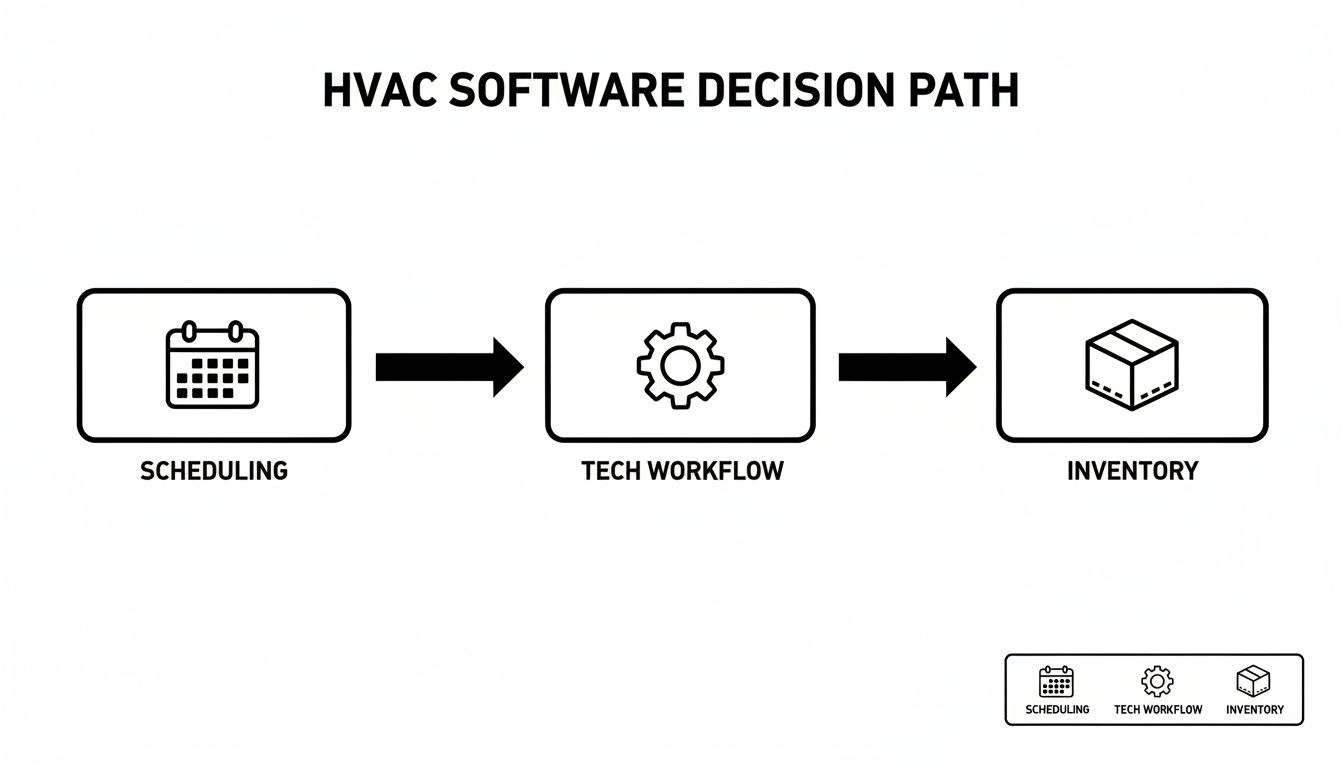
What this shows is that you need a logical flow for your evaluation. Start with your biggest pain points and make sure any solution you consider actually solves them, from the office to the job site.
Look for Transparent Pricing and Flexible Contracts
Nothing kills cash flow faster than hidden fees and restrictive contracts. Some companies will rope you in with a low monthly rate, then hit you with surprise setup fees, data migration costs, or pricey support packages you didn't know you needed.
Always demand a complete breakdown of all potential costs. A partner worth your time will be upfront about their pricing and won't strong-arm you into a three-year commitment. Frankly, if a company is confident enough to offer a month-to-month plan, it tells you they believe their product delivers enough value to earn your business every single month.
A huge part of this is improving your financial operations, so it’s worth understanding how the right platform can streamline estimates and invoicing to get you paid faster.
As you compare options, insights from articles about Choosing AR Automation Software for Professional Services Firms can be surprisingly helpful, even if they aren't HVAC-specific. The core principles of getting paid efficiently are universal. By taking these practical steps, you can confidently find a software partner that will actually help you grow.
Making the Switch Without the Headaches
Choosing a new software for an HVAC business is a huge decision, but let’s be honest—the real work begins when you have to actually implement it. This is where the rubber meets the road, and it’s the point where I’ve seen countless owners get completely overwhelmed.
The very thought of moving years of customer data, job histories, and parts lists can be paralyzing. Whether you're coming from a massive platform like ServiceTitan, a simpler tool like Jobber, or a tangled web of QuickBooks and spreadsheets, the task feels monumental.
But it doesn't have to be a nightmare. With a solid plan, the transition can be surprisingly smooth and even get your team excited about the change. The trick is to break it down into manageable steps and lean on your new software partner for genuine, hands-on support.

Preparing for a Smooth Data Migration
Your business data is gold. Protecting it during the move should be your top priority. Before you even think about exporting anything, take the time to clean up your current records. This is your chance to do some spring cleaning.
Archive those ancient, inactive customer accounts. Standardize your parts naming conventions (no more "cappasitter," "capasitor," and "capacitor" for the same item). Make sure every customer address is complete and accurate. A few hours of housekeeping now will save you days of headaches down the road.
As you vet potential software partners, dig deep into what "assisted data migration" actually means. It should be a lot more than them just emailing you an import template and saying, "Good luck!"
A real partner will roll up their sleeves and:
- Actually Review Your Data: They’ll look at the files you export from your old system and flag problems before the import starts.
- Handle the Field Mapping: They’ll help you match the fields from your old software (like "Client Name") to the right places in the new system (like "Customer Name").
- Run a Test Import: A good provider will always run a small batch of your data first to make sure everything lands where it’s supposed to. Only then will they move your entire database.
This kind of hands-on support is a deal-breaker. Companies like TackonFSM build this service into their process because they know a botched data migration can sink a software rollout before it even gets going.
A Phased Rollout and User Setup
Whatever you do, don't try to flip the switch for the entire company all at once. That's a recipe for chaos. A phased approach is safer, less stressful, and makes training much more effective.
Start by setting up user roles and permissions in the new system. Your dispatcher doesn’t need access to payroll, and your techs shouldn’t be able to edit the master pricebook. Defining these roles from day one keeps things clean and secure.
Next, find your "champions"—maybe one of your more tech-savvy techs and an office admin who catches on quickly. Get them trained first. Let them run a few real jobs through the new software for a couple of days. They’ll quickly become your go-to experts, helping their colleagues and building positive momentum from within.
Getting buy-in from your technicians is everything. You have to frame the new software as a tool that makes their day easier, not more complicated. Show them how the mobile app gets rid of paperwork, gives them instant access to a customer's history, and helps them clock out on time. Resistance melts away when they see what's in it for them.
Winning Over the Team
Change is tough, especially for seasoned techs who have their own way of doing things. Your most experienced technician might be your most resistant, seeing a new app as just another frustrating thing to learn. The key to winning them over is to get them involved early and focus relentlessly on the "what's in it for me" factor.
When you're running training sessions, don't just show them how to use a feature; explain why it matters.
For example, don't just say, "Here's how you add a part to an invoice."
Instead, try: "When you add a part this way, it guarantees you never forget to bill for it. That helps us stay profitable and ensures your commission is always accurate."
Connecting their actions directly to a positive outcome—for them and the company—is an incredibly powerful motivator. If you manage the human side of this change as carefully as you manage the technical side, you’ll set your team up for success from day one.
Measuring Success and Maximizing Your ROI
So, you’ve pulled the trigger. The new software for an HVAC business is up and running, and your team is finally starting to get the hang of it. That’s a huge win. But after the initial sigh of relief from ditching those ancient spreadsheets, the real question hits: is this thing actually making you more money?
It’s time to move beyond feelings and get into the facts. To truly know if this investment is paying off, you need to stop guessing and start tracking. The trick is to focus on a few key performance indicators (KPIs) that directly tie back to your efficiency and, most importantly, your bank account.

Key Metrics That Tell the Real Story
Forget about vanity metrics that look nice but don't mean much. We need to drill down into the numbers that directly impact your cash flow and how much work you can get done in a day. These are the KPIs that prove whether your software is an expensive toy or a revenue-generating machine.
Here’s what I always tell HVAC owners to keep a close eye on:
- Jobs Completed Per Tech Per Day: This is your bread and butter. If smarter scheduling and instant access to job details let a tech squeeze in even one extra half-job a day, think about how that multiplies across your team over a whole year. It’s massive.
- Average Invoice Age: How fast are you getting paid? Software with on-the-spot invoicing and mobile payments should slash this number. Getting cash in the door faster is everything in this business.
- First-Time Fix Rate: Are your techs solving the problem on the first visit? When they can pull up customer history and know exactly what parts are on their truck, this rate should climb. That means happier customers and more profitable calls.
These aren't just abstract numbers on a screen; they are the pulse of your business. The impact of good field service software on these metrics is well-documented. Industry data shows that this kind of software can boost technician productivity by up to 32%, all while cutting down on paperwork and speeding up your billing. For a busy HVAC shop, those improvements are the key to growth. You can dive deeper into these stats and learn about the best HVAC field service software on FieldBoss.com.
Digging Deeper into Your Data
Once you’re tracking the basics, you can start using the goldmine of data your software is collecting to find hidden opportunities. Your job history isn't just a record anymore; it’s business intelligence.
Start looking for patterns. Are your techs constantly replacing the same capacitor on a certain brand of 10-year-old AC unit? Perfect. Now you can build a targeted email campaign to every customer in your system with that exact unit, offering a proactive replacement service. You book more work, and they avoid a miserable breakdown in the middle of July.
Your parts reports are just as valuable. See what you’re using most often. This isn't rocket science—it helps you stock your vans smarter and gives you leverage to negotiate better bulk pricing with your suppliers. This data-driven thinking stops you from sinking cash into parts that just sit on a shelf.
The goal is to move from simply using the software to learning from it. Every work order, every invoice, and every part used is a data point that can help you make smarter, more profitable decisions for your business.
Setting Up a Continuous Improvement Loop
Measuring your success isn't a one-and-done task. It’s something you need to build into your routine. I recommend scheduling a quick monthly huddle with your office manager and lead tech to go over the KPI dashboard.
Keep the conversation focused with a few simple but powerful questions:
- What Went Right? Did one tech’s first-time fix rate shoot up? Figure out what they did differently and see if you can roll that out to the whole team.
- Where Are the Bottlenecks? Is the average invoice age creeping back up? Maybe it’s time for a 10-minute refresher on how to take payments in the field.
- What Are We Learning? Did you spot a new upsell opportunity in the data? Make a quick plan to act on it this month.
This simple feedback loop gets everyone involved in moving the business forward. It ensures your software for an HVAC business keeps delivering a solid return long after you’ve finished the initial setup.
Common Questions About HVAC Business Software
Even with all the benefits laid out, it's smart to have a few last questions before you pull the trigger on a big decision for your company. Let's walk through some of the most common things HVAC owners ask when they're this close to choosing new software. Getting these final details ironed out is what lets you move forward with real confidence.
How Much Does Software For An HVAC Business Typically Cost?
This is a tricky one because pricing models are all over the map. A lot of platforms charge a high monthly fee for every single technician you have—sometimes $300 or more per tech. That model gets incredibly expensive, fast, and it essentially penalizes you for growing your team.
A much better approach, and the one we built at TackonFSM, is predictable, tiered pricing based on your company's overall size. This way, you get a stable, manageable cost without getting locked into a long-term contract or hit with surprise setup fees.
The single most important thing is finding a provider that offers a completely free, no-strings-attached trial. You absolutely have to see the value with your own eyes before you ever open your wallet. The right software pays for itself in efficiency, so the cost should always be measured against that potential return.
Will My Technicians Actually Use A Mobile App In The Field?
This is the big one, isn't it? It’s probably the number one fear I hear from owners, and it's a completely valid concern. The short answer is yes—but only if the app is dead simple and actually makes their life easier. Nobody wants to wrestle with a clunky, confusing app when they’re on their back trying to diagnose a compressor.
The best software for an HVAC business is designed from the technician's point of view. Think about it: if your tech can glance at their phone and instantly see their schedule, pull up a customer's entire service history, follow a clear checklist, and process a payment right there on the spot instead of fumbling with a paper invoice, they'll use it. In fact, they'll love it. When you're running a trial, get one of your techs involved and see how fast they pick it up. Their feedback is gold.
Is It Difficult To Switch From Software Like ServiceTitan Or Jobber?
Switching systems can feel like a massive undertaking, but it’s often much smoother than people think—as long as you have the right partner. The magic phrase you’re looking for is "free, assisted data migration."
This means the new software company’s team will personally help you pull your crucial data—customer lists, price books, job histories—out of your old system (like ServiceTitan, Jobber, Housecall Pro, or even QuickBooks) and map it correctly into their platform. A good partner guides you through the whole process, minimizing downtime and ensuring your team is ready to hit the ground running without losing a single piece of customer information.
Can HVAC Software Really Help Manage My Parts Inventory?
Absolutely. In fact, this is often where businesses see the fastest and biggest return on their investment. Modern HVAC software gives you a live, real-time look at what parts you have, not just in the main shop but on every single truck in your fleet.
When a technician uses a part on a job, it's automatically subtracted from that van's stock and simultaneously added to the customer's invoice. That one simple action closes two of the biggest profit leaks in our industry: forgetting to bill for materials and techs showing up to a job without the part they need. It slashes parts shrinkage and drastically improves your first-time fix rate.
Ready to see how a single platform can solve these challenges for your business? The team at TackonFSM offers a no-obligation, 14-day free trial with full access to our scheduling, inventory, and invoicing tools. Discover how our straightforward software can help you complete more jobs and boost your profitability. Learn more at TackonFSM.com.