

HVAC Software for Small Business A Guide to Streamlining Operations
If you’re running a small HVAC business, you know the daily chaos all too well. It’s a constant juggle of scheduling phone calls, chasing down lost invoices, and trying to figure out where your technicians are. Sticking with spreadsheets, sticky notes, and a mess of different apps isn’t just disorganized—it’s actively holding your business back and costing you money.
Moving Beyond Spreadsheets and Paper Chaos

Does your office look like a paper factory exploded? Are your techs constantly calling in for job details they should already have? This is the reality for so many small HVAC shops trying to manage a complex field operation with tools that just weren't built for it.
Think about this scenario: a frantic customer calls with a broken AC unit on the hottest day of the year. You scramble to find an available tech, but your color-coded spreadsheet is already out of date. You text a technician who takes 20 minutes to reply, only to tell you they’re on the other side of the county. By the time you get it sorted, that desperate customer has already found a competitor.
The Hidden Costs of Manual Operations
That daily scramble isn't just stressful; it hits your wallet hard. Manual processes are full of tiny leaks that drain your profits and kill your potential for growth. The real cost of "sticking with what you know" is almost always higher than you realize.
Here are a few of the most common pain points we see:
- Lost Revenue: Every missed appointment, forgotten follow-up, or inaccurately priced quote is cash you'll never see.
- Wasted Time: Your office staff are buried in administrative work—manual data entry, scheduling calls, and hunting down paperwork—instead of focusing on tasks that actually grow the business.
- Poor Technician Utilization: Inefficient routing means more windshield time and less wrench time. Every hour a tech spends driving is an hour they aren't billing.
- Delayed Cash Flow: Paper invoices get lost in the mail or under a car seat. Without an automated way to send reminders, you're left waiting weeks or even months to get paid for work you’ve already done.
This kind of reactive, chaotic operation makes it nearly impossible to scale. You can't add more trucks or take on bigger contracts because your administrative backbone is too brittle to handle the weight.
This is where dedicated HVAC software for small business changes the game. It acts as a central command center, replacing the disorganized mess with a single source of truth. It’s built to turn your operations from reactive to proactive. Instead of just putting out fires, you get the tools to prevent them from starting in the first place. This shift gives you the professional edge to compete with the big guys by delivering a smooth, reliable customer experience.
If you want to dig deeper into the specifics, you might find our guide on field service scheduling software that saves time helpful.
What Exactly Is HVAC Software and How Does It Work?
Let's cut through the jargon. At its heart, HVAC software for a small business is your operational command center. It’s a single platform that links your office staff, your field technicians, and your customers together, so everyone is working from the same playbook. This isn't just another app on your phone; it's the digital glue holding your entire business together.
Think of it as the air traffic control for your HVAC company. Your dispatcher is the controller, viewing every technician on a live map like planes on a radar. Instead of juggling frantic phone calls, texts, and a cluttered whiteboard, they can instantly see who’s free, who’s closest to an emergency call, and the live status of every single job.
This is a world away from the old-school methods of running a business. No more separate spreadsheets for scheduling, paper work orders for techs, and a mountain of invoices for the billing team. Those disconnected systems are where mistakes happen and time gets wasted.
The Real-Time Information Bridge
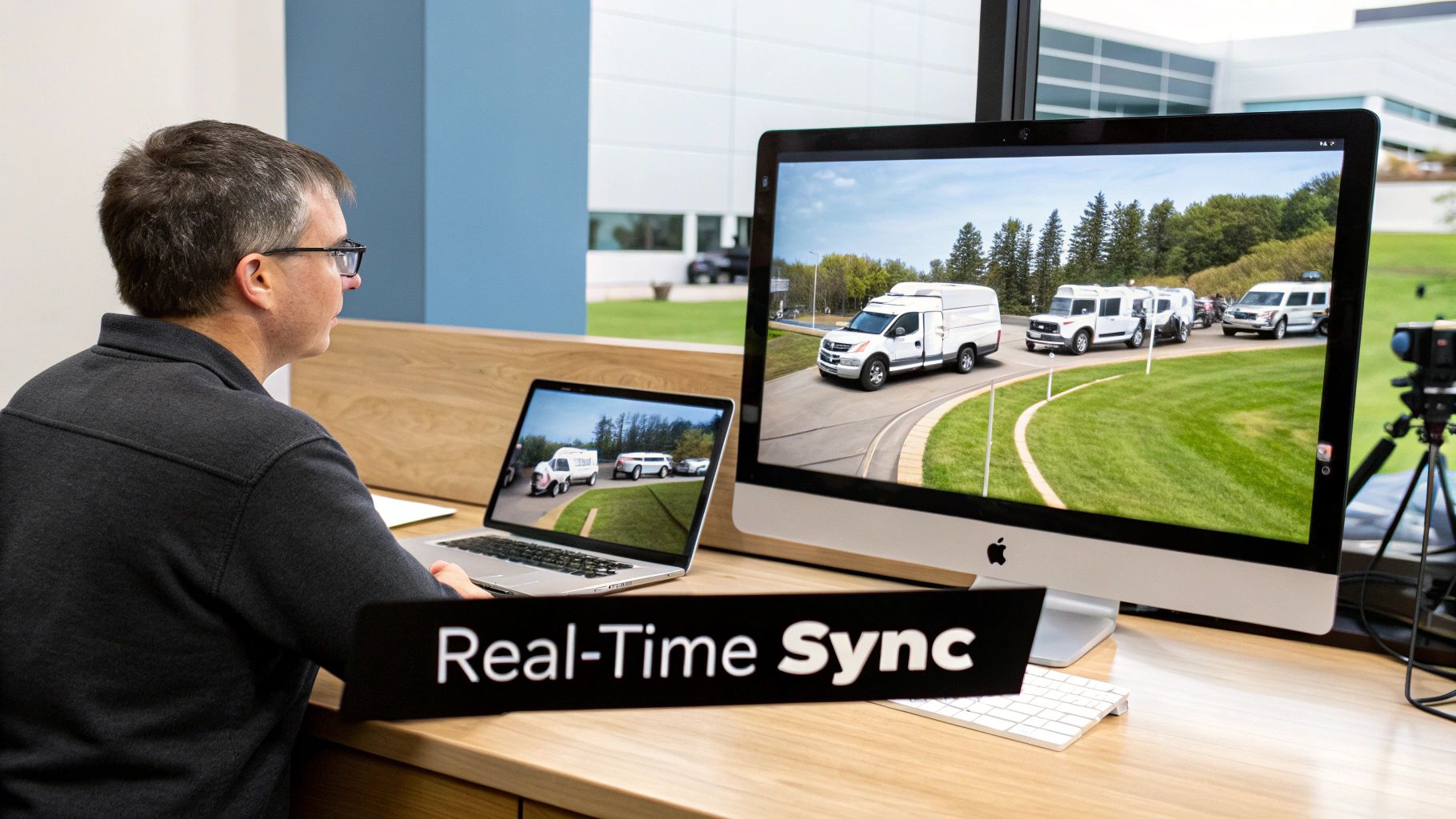
The real power of modern HVAC software is how it syncs information between the office and the field instantly. When your dispatcher assigns a job, it doesn't just block out a time slot on a calendar. It sends a complete digital work order straight to the technician’s tablet or phone.
This work order is packed with everything they need to get the job done right on the first visit:
- Customer Name and Address: With one-tap directions built right in.
- Complete Job Description: So they know exactly what they’re walking into.
- Full Customer History: Including past repairs, equipment details, and maintenance notes.
- Digital Checklists: To make sure every step of a tune-up or install is followed perfectly.
As your tech works, they can update the job status, snap photos of a faulty part, or add notes—and all of it appears back at the office in real-time. This simple feature alone kills the need for those "just checking in" phone calls that interrupt everyone's day.
A centralized platform creates a single source of truth for your entire operation. Everyone—from the owner to the apprentice—is on the same page, which cuts down on costly mistakes and helps your team make smarter decisions on the fly.
This kind of connectivity is why so many shops are making the switch. In fact, projections show the global HVAC Software Market is on track to hit USD 3.79 billion by 2032, driven by small businesses like yours looking to get organized and grow.
From Dispatch to Payment: A Seamless Workflow
The loop doesn't end when the work is done. Your technician can build a professional estimate right there on their tablet, capture the customer's signature digitally, and take payment on the spot.
That payment and invoice information syncs directly back to your office system, instantly closing out the job. No more waiting for paperwork to come back to the shop or chasing down payments.
This smooth, automated workflow is what makes dedicated HVAC software for small business such a game-changer. It takes a dozen manual steps and condenses them into one fluid process. By connecting your team in real-time, you eliminate the administrative headaches that slow you down, freeing up everyone to focus on what actually makes you money: providing great service. To dig deeper into how this impacts day-to-day work, check out our piece on why field service management software matters.
Essential Features Every Small HVAC Business Needs
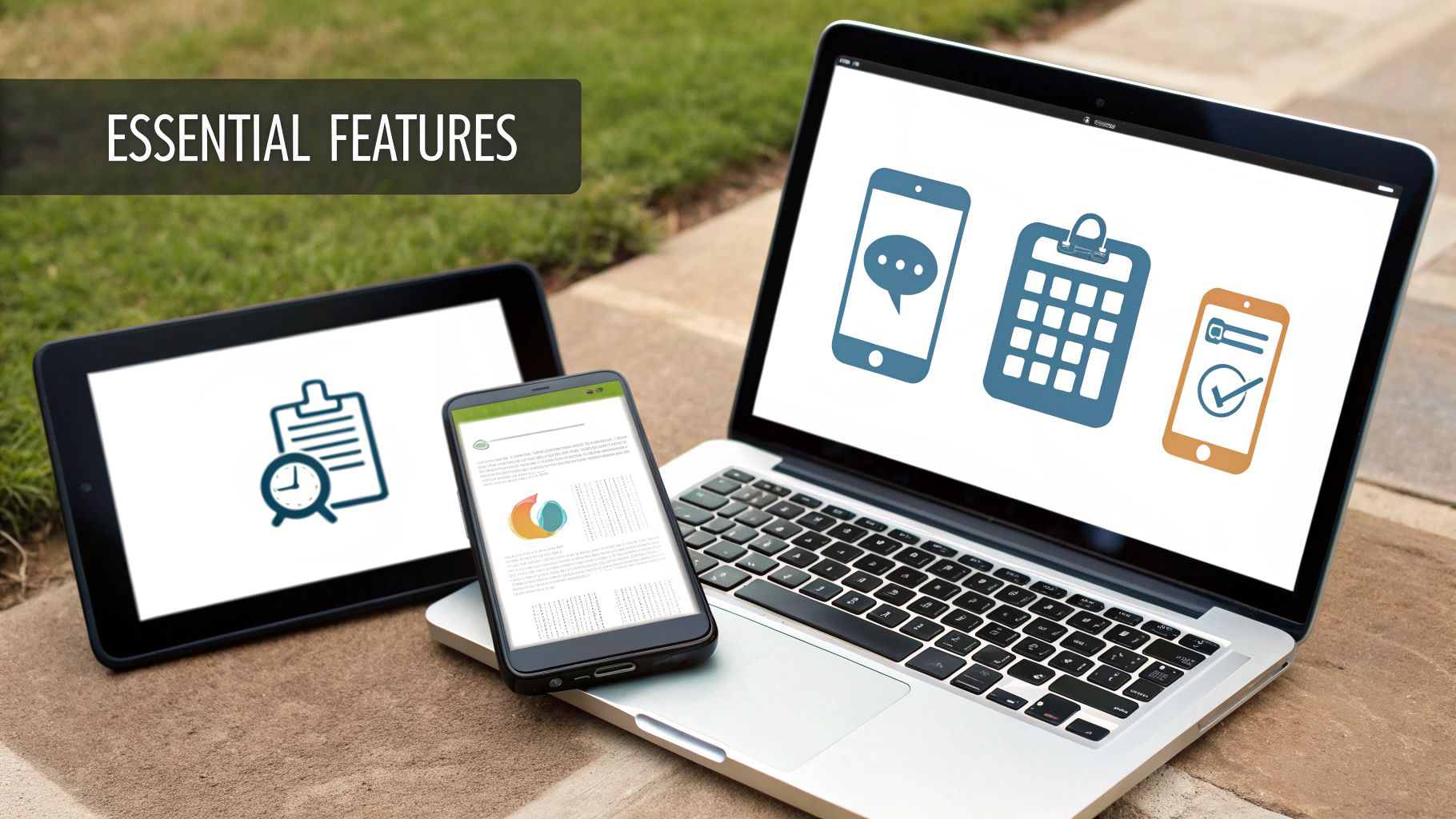
When you start shopping for HVAC software for your small business, it’s easy to get lost in a sea of options. Every platform promises the world. The trick is to ignore the flashy bells and whistles and lock in on the core tools that will actually solve your biggest day-to-day problems.
Think of it this way: the right software is more than just a digital filing cabinet. It’s an engine for your business. The features are the pistons, and each one is designed to fix a real-world headache, from a chaotic dispatch board to invoices that take weeks to get paid.
Let's walk through the absolute must-haves—the features that will genuinely make a difference for your team and your bottom line.
Core HVAC Software Features and Their Impact
To cut through the jargon, it helps to see exactly what a feature does and how it translates into a real benefit for your business. Here’s a quick breakdown of the essentials.
| Feature | What It Does | Key Business Benefit |
|---|---|---|
| Scheduling & Dispatch | Provides a visual, drag-and-drop calendar to assign jobs and optimize technician routes. | Reduces drive time, fits more jobs into the day, and allows for quick responses to emergency calls. |
| Mobile App for Techs | Gives technicians access to job history, customer info, and digital work orders on their phone. | Increases first-time fix rates by ensuring techs arrive prepared. Eliminates paperwork and messy handwriting. |
| Estimating & Invoicing | Allows techs to create professional estimates on-site and convert them to invoices instantly. | Speeds up the payment cycle dramatically. Ensures consistent pricing and eliminates billing errors. |
| Customer Communications | Sends automated appointment reminders, "on-my-way" texts, and follow-up messages. | Reduces no-shows and cuts down on "where's my tech?" calls. Delivers a professional, trustworthy customer experience. |
These aren't just "nice-to-haves." For a growing HVAC shop, they are the foundation of an efficient, scalable operation that keeps customers happy and cash flowing.
Drag and Drop Scheduling and Dispatching
Is your dispatch board a whiteboard covered in scribbles or a spreadsheet that gives you a headache? That chaos leads to real-world problems: double bookings, missed appointments, and techs crisscrossing town, burning fuel and wasting time.
Modern software throws that mess out the window. Instead, you get a clean, visual, drag-and-drop calendar.
Your dispatcher can see the entire day or week at a glance—who’s available, who’s on a job, and where everyone is. An emergency call comes in? No panic. They can spot the nearest available tech and slide the job right onto their schedule.
The real power here is optimization. The software doesn't just show you who is free; it helps you build the smartest schedule possible. By grouping jobs geographically, you minimize drive time and maximize the number of billable hours each technician can complete in a day.
This feature is your best weapon against "windshield time." Every hour a tech spends driving between poorly planned jobs is an hour you can't bill for. Better scheduling turns that lost time directly into revenue.
A Robust Mobile App for Technicians
Your techs are the face of your company. But if they show up to a job blind, they can’t deliver the five-star service you promise. A solid mobile app puts the entire office right in their pocket.
When a job pops up on their phone or tablet, it’s not just an address. It's a full mission briefing:
- Complete Customer History: They can see every past repair and piece of equipment on site before they ring the doorbell.
- Detailed Job Notes: No more "call the office for details." Specific instructions are right there.
- Digital Checklists: You can standardize your tune-ups and installations, ensuring nothing gets missed.
- Photo and Video Uploads: A tech can snap a picture of a cracked heat exchanger to show the homeowner, providing clear proof.
This preparation is what drives up your First-Time Fix Rate. When a tech solves the problem on the first visit, the customer is thrilled, and you avoid the cost and hassle of a callback.
Integrated Estimating and Invoicing
Let’s be honest: how long does it take you to get paid? If you’re waiting for techs to turn in paper invoices at the end of the week, you’re slowing down your cash flow.
With integrated tools, the "quote-to-cash" cycle shrinks from weeks to minutes. Your tech can build a professional, itemized estimate on their tablet, pulling from your company’s price book to ensure accuracy. The customer sees the options and can approve the work with a quick signature. You can learn more about how to simplify estimates, quotes, and invoicing with the right system.
The moment the job is done, that estimate becomes an invoice with one tap. No re-typing numbers, no risk of errors. The tech can then take a credit card payment on the spot or send a secure payment link right to the customer's phone.
This trend is why cloud-based platforms are taking over. Cloud-based HVAC software is expected to grab a 68% market share in 2025. It’s also why the global market is set to explode from USD 2.00 billion in 2025 to USD 7.03 billion by 2035, with small businesses like yours making up the majority at 52%.
Automated Customer Communications
Nothing drains your office staff’s time like constantly answering the phone to say, "He's on his way." Automated communications handle this for you, making your small business seem as buttoned-up as a national chain.
This feature works behind the scenes, sending timely texts or emails for key events:
- Appointment Confirmations the moment a job is booked.
- Service Reminders the day before to prevent no-shows.
- "Technician En Route" Alerts, often with a map link so the customer can see their tech's progress.
- Job Completion Follow-ups to ask for a review and send a digital invoice.
These simple, automatic touchpoints free up your team to focus on growing the business instead of playing phone tag, all while giving your customers the peace of mind they deserve.
Getting a Handle on Software Pricing and What's Really Included
Trying to figure out the real price of HVAC software for small business can feel like you're staring at a tangled mess of wires. You see terms like "per user," "tiered plans," and a bunch of potential add-on fees, and it’s easy to feel lost. But getting a clear picture of how these models work is the only way to keep from overpaying for stuff you don't need or getting blindsided by surprise bills.
Most companies you'll look at use a per-user, per-month model. This is pretty much the industry standard. You pay a set fee every month for each person on your team who needs to use the software—whether that’s a tech in the field or your dispatcher back at the office. It’s simple and makes it easy to predict costs as you bring on more people.
For a small crew of two to five technicians, a realistic budget is somewhere in the $100 to $400 per month range. That price tag usually gets you all the core tools we've been talking about: scheduling, a mobile app for the techs, and the ability to create and send invoices.
Breaking Down the Tiered Plans
You'll quickly notice that most platforms offer their services in tiers—you’ll see names like "Basic," "Pro," and "Enterprise." These are just packages built for businesses at different stages. A guy running his own truck doesn't need the same powerful reporting tools as a shop with 15 techs, and the prices are set up to reflect that.
Starter/Basic Tier: This is the perfect starting point for crews of 1-3 technicians. It gives you the essentials—scheduling, dispatching, and mobile work orders—to finally ditch the spreadsheets and get organized.
Growth/Pro Tier: Aimed at shops with 4-10 technicians, this is where you start seeing more powerful tools. Think better reporting, inventory management to track parts, and connections to your accounting software like QuickBooks. For a lot of growing HVAC businesses, this is the sweet spot.
Premium/Enterprise Tier: This is for the big players. These plans throw in everything, including features for managing multiple locations, custom integrations, and your own dedicated support contact.
The trick is to pick a plan that solves your problems today but has room for you to grow. You want software that can scale with you, not something you'll be replacing in a year. Don't get sold on enterprise-level features when you're a two-truck operation.
Watch Out for Hidden Fees and Contract Traps
That monthly subscription fee? That's just the starting point. Some providers have a knack for hiding extra costs that aren't splashed across their homepage. Knowing what to look for can save you a world of financial headaches later on.
You want a software partner who is upfront about everything. For a deeper dive into how different business software is priced, including what to look for in transparent pricing versus hidden fees, check out this comprehensive software pricing guide and cost breakdown.
Here are the most common "gotchas" to ask about before you sign anything:
Onboarding and Setup Fees: Some companies will hit you with a one-time fee, sometimes for thousands of dollars, just to get you started and move your customer list over. Look for platforms like TackonFSM that handle all the onboarding and data migration for free.
Long-Term Contracts: Be very wary of anyone trying to lock you into a one, two, or even three-year contract. A flexible month-to-month plan means you can walk away if it’s not working out. It keeps them honest and removes all the risk from your shoulders.
Support Charges: Is help included, or do you have to pay every time you need to ask a question? When something goes wrong on a busy Friday afternoon, the last thing you want is to be fumbling for a credit card just to talk to a support agent.
Add-On Modules: Be careful with this one. Sometimes, features you’d assume are standard, like inventory tracking or advanced reporting, are sold as separate "modules" that tack on another monthly fee. Get a crystal-clear list of what's actually included in the base plan.
By asking these direct questions, you can figure out the true cost of the software and make a smart decision based on real value, not just a flashy introductory price.
How to Successfully Switch to New HVAC Software
Making the jump to new HVAC software for your small business can feel a lot like pulling a rooftop unit in the middle of July. It’s a big job, but absolutely necessary for better performance. A solid plan is the key to making the switch smooth instead of disruptive.
Whether you're moving on from another software that just isn't cutting it or finally ditching the old paper-and-spreadsheet system, taking it step by step makes all the difference. The real goal here isn’t just to install some new program—it’s to weave a new, smarter operational system into the very fabric of your business. That process starts way before you ever flip the "on" switch, beginning with your most valuable asset: your data.
Preparing for a Smooth Migration
Your customer lists, part numbers, and job histories are the lifeblood of your company. Before you can move all that gold into a new system, it needs a good cleaning. You want to start fresh, not bring old mistakes and messy data along for the ride.
Getting your data right from the start means your team will trust the new software and you'll avoid countless headaches down the road.
A good migration really comes down to a few key actions:
- Clean Up Your Customer Data: Go through every customer. Standardize how addresses are written, merge any duplicate accounts you find, and get rid of old, inactive clients. This is mission-critical for accurate dispatching and billing.
- Organize Your Parts Inventory: It’s time for a proper inventory count. Create one master list with consistent names for parts, updated pricing, and correct quantities. This simple step is a game-changer for getting your job costing and ordering right.
- Gather Service Histories: Pull together the job histories for your most important customers. Having this info ready to go in the new software gives your techs the power to walk onto a job site already knowing what they’re up against.
Think of this as prepping a job site before a big install. You wouldn't try to set a new condenser on a crumbling, uneven pad. A clean, organized foundation ensures the new system works perfectly from day one and saves you from costly rework later.
To help you stay on track, we've put together a simple checklist. Follow these steps, and you'll be in great shape for a smooth transition.
Your HVAC Software Migration Checklist
This checklist breaks down the migration process into manageable phases, from initial planning to post-launch success.
| Phase | Action Item | Pro Tip |
|---|---|---|
| 1. Preparation | Audit and clean all customer, inventory, and historical job data. | Don't try to import everything. Focus on active customers from the last 2-3 years and your most commonly used parts. |
| 2. Planning | Involve your lead tech and office manager in the decision-making process. | Getting their buy-in early makes them champions for the change, which helps get the rest of the team on board. |
| 3. Training | Schedule dedicated, hands-on training sessions for both office staff and techs. | Run a "mock day" where your team practices scheduling, dispatching, and completing a fake job from start to finish. |
| 4. Go-Live | Choose a historically slow day or week to make the official switch. | Announce the go-live date well in advance and have a clear point person for any questions or issues that pop up on day one. |
| 5. Post-Launch | Hold a review meeting after the first 30 days to gather feedback and adjust. | Celebrate the wins! Highlight how the new software has already saved time or made a specific job easier to build positive momentum. |
Taking the time to work through this list methodically will pay off big time, preventing the kind of chaos that can derail even the best-laid plans.
Onboarding Your Team and Setting Expectations
New software is only as good as the people using it. You can't just throw it at your team and hope for the best. Good training and clear communication are absolutely essential if you want your techs and office staff to actually use the new tool.
It's not enough to show them how to click the buttons. You need to explain why this change is going to make their day-to-day work easier.
Frame the switch in terms of benefits they'll feel immediately: less paperwork to fill out in the truck, fewer "where are you now?" calls from the office, and getting invoices sent before they even leave the customer's driveway. Many software providers, including TackonFSM, offer free, guided onboarding that includes training your team and helping you move your data. That takes a huge weight off your shoulders.
Once everyone is trained and the data is ready, it's time to pick your "go-live" date. Be smart about it—choose a slower day or week to give everyone a little breathing room to get comfortable without the pressure of a heatwave.
Measuring Your Return on Investment
Let's be clear: HVAC software isn't just another bill to pay. It's an investment in your company's profitability. But you can't manage what you don't measure. Instead of just going with a gut feeling, you need to track specific Key Performance Indicators (KPIs) to see exactly how the software is impacting your bottom line.
This flow chart gives you a sense of the real costs involved, reminding you to look beyond that shiny monthly subscription price.
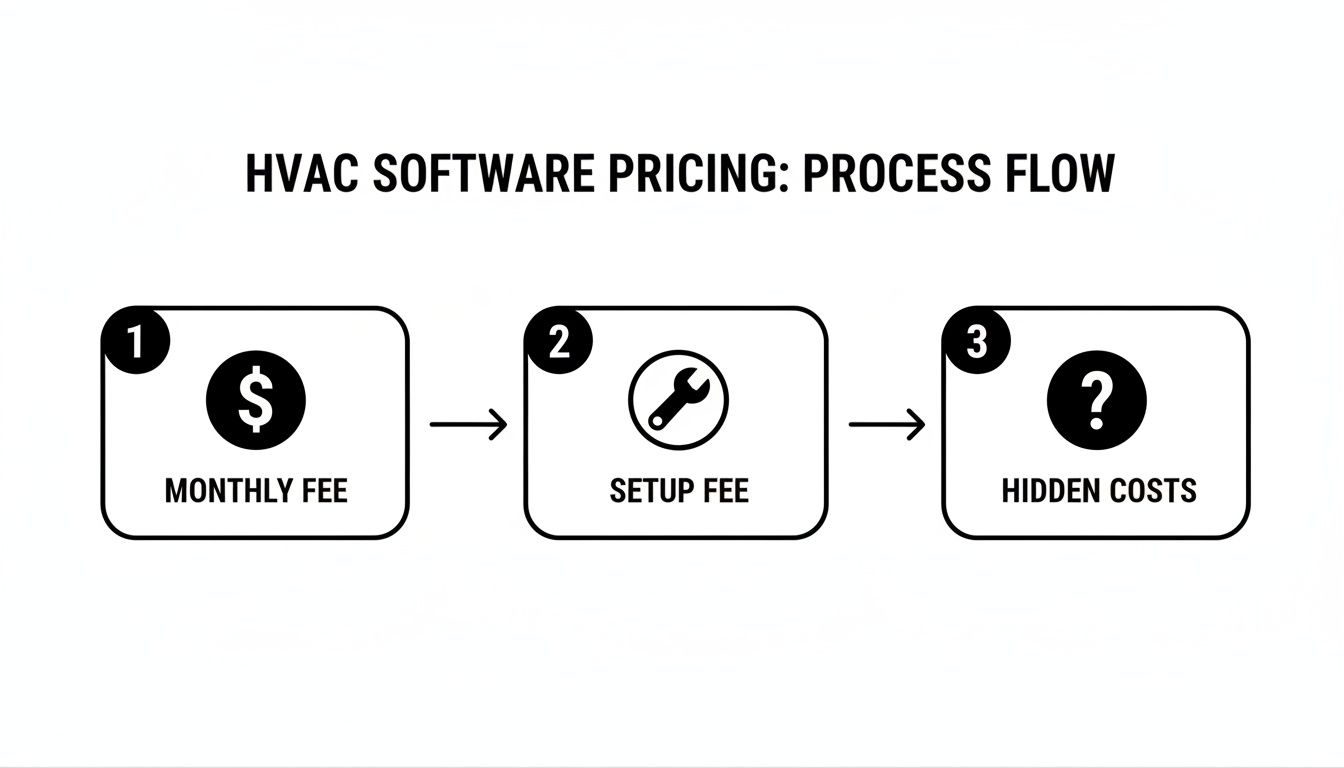
As you can see, the true cost can include more than just the monthly fee, which makes it critical to find a partner who is upfront about setup costs and won't hit you with hidden charges.
The best way to see your ROI is to benchmark your performance before you make the switch. Then, track these same numbers for at least three months after you go live:
- First-Time Fix Rate (FTFR): What percentage of jobs do you complete on the very first visit? With techs having customer history and parts info in their hands, this number should climb, which means fewer expensive callbacks.
- Average Time to Payment: How long does it take you to get paid after a job is finished? With techs creating and sending invoices on the spot—and taking payment right there—this should shrink from weeks down to just a few days. That’s a massive boost for your cash flow.
- Technician Utilization Rate: This is the percent of a tech’s day spent on actual billable work versus driving or doing paperwork. Tighter, smarter scheduling should push this number way up, meaning you're generating more revenue from each tech, every single day.
- Admin Hours Spent on Invoicing/Scheduling: Keep a rough log of how much time your office staff spends on these manual tasks. Automation should give them that time back to focus on things that actually grow the business, like customer follow-ups or marketing.
By tracking these hard numbers, you’ll be able to prove that the software isn't a cost center—it's one of the most powerful revenue-generating tools in your arsenal.
Frequently Asked Questions About HVAC Software
Making the jump to dedicated HVAC software for your small business is a big decision, and it’s totally normal to have questions. This isn’t just about adding another tool to your belt; it’s about fundamentally changing how you run your business. We’ve pulled together the most common questions and worries we hear from HVAC owners to give you straight-up, honest answers.
Our goal here is to cut through the marketing fluff and show you how a platform like this actually works in the real world, how it solves the headaches you’re facing right now, and how it paves the way for smart, sustainable growth. Let’s tackle those lingering doubts head-on.
Is My Business Too Small for This Software?
This is, without a doubt, the number one question we get from owners running crews of two to five technicians. The short answer? No. In fact, it’s often the smallest businesses that feel the biggest positive impact. Why? Because the software directly fixes the very issues that keep small shops from growing: disorganized scheduling, invoicing delays, and a general lack of professional polish that bigger competitors have.
Think of it this way: the right software doesn’t just help you manage the work you have now. It creates the bandwidth to take on more work without immediately needing to hire another person for the office. It’s the tool that helps you punch way above your weight class.
The best time to get organized is when you have one truck on the road, not when you're trying to wrangle ten with a chaotic system of sticky notes and spreadsheets. Building that solid foundation early on prevents a world of growing pains and lets you scale without the wheels falling off.
Instead of waiting until your operations are bursting at the seams, putting a solid system in place now establishes professional, repeatable processes from the get-go. This proactive mindset is often what separates the shops that thrive from the ones that just get by.
Will My Technicians Actually Use It?
Getting your field team on board is everything, so this is a completely valid concern. Let's face it, most techs are skeptical of new technology, especially if they think it’s just going to add more steps to their already busy day. The trick is to choose software with a dead-simple, easy-to-use mobile app that genuinely makes their job easier, not harder.
Modern HVAC software is built for the person in the truck. It’s not about adding more work; it’s about taking it away:
- No More Paperwork: They can knock out work orders, take payments, and send invoices right from their phone or tablet on-site.
- Fewer Calls Back to the Office: All the job details, customer history, and specific notes are right there in the app. No more "Hey, what's the gate code again?" calls.
- Clearer Instructions: Digital checklists for maintenance or install jobs mean nothing gets missed, ensuring quality work every time.
The best way to get them to buy in is to show them how it helps them. Frame it as a tool that lets them finish jobs faster and with fewer interruptions. When they realize it means less hassle and more time doing the actual work they’re good at, they’ll get on board pretty quickly.
How Long Does It Take to Get Set Up?
The very thought of a long, painful setup process is enough to make any busy owner put this on the back burner. But thankfully, modern cloud-based software has made getting started a whole lot simpler than it used to be. You shouldn’t have to grind your business to a halt for weeks just to get a new system up and running.
For most small HVAC companies, the entire process—from signing up to having your team actively using it—can be done in a few days, not weeks or months.
A good software partner will do the heavy lifting with you. For instance, at TackonFSM, we include free onboarding that covers everything:
- Guided Data Migration: We'll help you pull your customer lists and parts inventory from your old spreadsheets and get them into the new system cleanly.
- Team Training: We’ll personally walk your office staff and technicians through the platform so they feel comfortable and confident from day one.
- System Configuration: We work with you to set up your price book, customize invoice templates, and tweak the software to match how you already do business.
With that kind of hands-on support, you can start seeing the benefits almost immediately, without the headache of a massive IT project. The right partner makes the switch feel seamless, not scary.
Ready to stop juggling spreadsheets and start running a more profitable, organized HVAC business? The team at TackonFSM is here to help. Our platform gives you all the tools you need to schedule jobs, manage your team, and get paid faster—all in one easy-to-use system.
Start your free 14-day trial today and see how TackonFSM can transform your operations.





