Choosing Contractor Software For Small Business
If you're still running your contracting business on a patchwork of paper, whiteboards, and spreadsheets, you know the daily grind all too well. It’s a constant scramble of frantic phone calls, misplaced work orders, and chasing down payments. That feeling of barely keeping your head above water isn't a sign you're failing—it's a sign your tools are failing you.
Why Spreadsheets Are Costing Your Business

Let’s get real for a minute. That system of disconnected spreadsheets and paper forms isn't just clunky; it's a silent profit killer. Every minute your office manager spends trying to read a tech's handwriting, manually typing invoice details into QuickBooks, or calling a customer back because the original request got lost is a minute you can't bill for.
This administrative drag adds up. In fact, you can see a breakdown of the financial drain of manual scheduling methods like spreadsheets and realize how much it's hurting your bottom line. You're stuck in a loop of putting out fires instead of proactively building your business.
The Shift To A Central Hub
This is exactly where contractor software for small business comes in. Don't think of it as another complicated piece of tech you have to master. Instead, see it as a modern toolkit designed to bring order to the chaos. The entire point is to pull every part of your job—from that first customer call to the final payment—into one organized, easy-to-use system.
Instead of having information scattered everywhere, you finally get one place where everything lives.
The real magic is how it connects your office team to your techs in the field, instantly. Everyone is on the same page, all the time. That alone cuts out the miscommunication and guesswork that eats away at your profits.
To see the difference clearly, let's compare the old way with the new way.
Manual Methods vs Contractor Software
| Operational Task | Manual Method (Paper/Spreadsheets) | Contractor Software Solution |
|---|---|---|
| Scheduling Jobs | Whiteboard or shared calendar; prone to double-booking and errors. | Drag-and-drop digital dispatch board with real-time tech availability. |
| Dispatching Techs | Phone calls and texts with job details; easy to miss information. | Automated job notifications sent to a tech's phone with all details. |
| Creating Estimates | Manually writing or typing up quotes, often guesstimating prices. | Professional, branded estimates created from a digital price book. |
| Invoicing & Payments | Paper invoices mailed out; chasing checks and manual data entry. | Instant invoicing from the field; online payment options for customers. |
| Customer History | Sifting through old files or spreadsheets to find past work. | Complete customer and job history available in a few clicks on a phone. |
This table just scratches the surface. The goal isn't just to do the same things digitally; it's to fundamentally change how you get work done, making every step smoother and more profitable.
A Growing Market Driven By Need
The entire industry is moving away from manual methods, and the numbers prove it. The field service management (FSM) software market, valued at around $5.64 billion in 2025, is expected to surge to $9.68 billion by 2030. This isn't just a trend; it's a clear signal that contractors need better tools to stay competitive.
For small business owners, this growth is fantastic news. It’s created more competition between software companies, which means more powerful and affordable options are now within reach for shops of any size.
Ultimately, using dedicated software is no longer a "nice-to-have" for a growing trade business. It’s a core tool for survival and growth. It helps you:
- Slash Administrative Time: Automate things you hate doing, like scheduling, sending invoices, and reminding customers about appointments.
- Make Your Techs More Efficient: Give your crew a mobile app with all the job details, service history, and parts info they need to get the job done right the first time.
- Give Customers a Better Experience: Send professional-looking estimates, communicate clearly, and let them pay easily online.
- Finally Understand Your Numbers: Track how profitable each job is, manage your inventory costs, and get a real-time picture of your cash flow.
Essential Features Your Business Needs To Grow
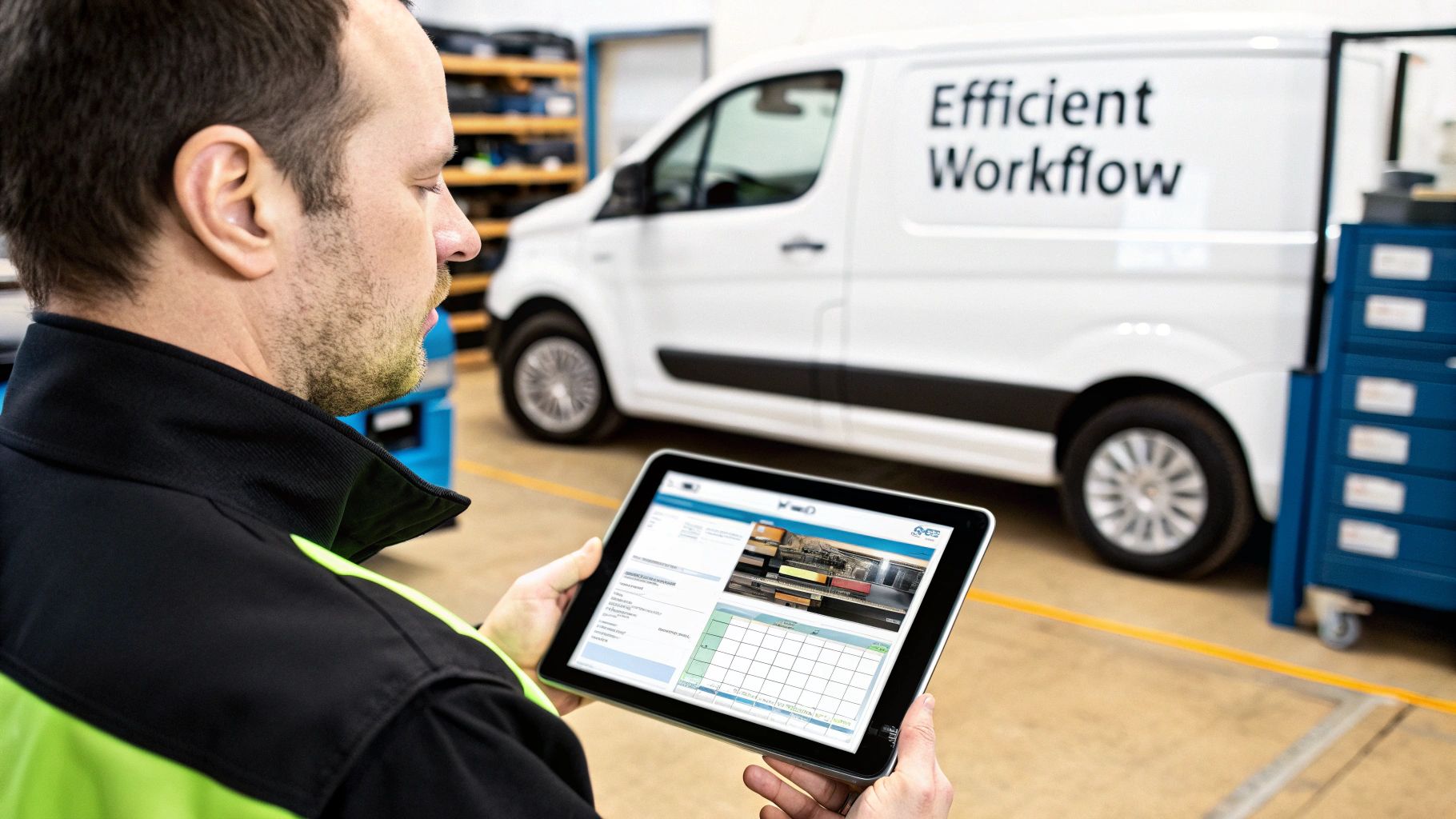
Alright, enough about the headaches of doing things the old way. Let's talk about the cure. The right contractor software for small business isn't just a digital version of your paper-and-pen system—it’s a brand-new engine for your entire operation. To really get your business moving, that engine needs a few core components that all work together.
Think of it like a master technician’s truck. You wouldn't send a plumber out with just a single wrench; they need a full kit to handle whatever a job throws at them. Your software is no different. It needs a complete set of tools to manage everything from the first customer call to the final payment.
Visual Scheduling and Dispatching
The Problem: Your schedule is a mess. It’s either a whiteboard covered in scribbles and eraser marks or a spreadsheet that’s impossible to read on a phone. Moving a job means a frantic scramble of phone calls and texts, often leading to double-bookings or, worse, completely missed appointments. Your techs are constantly calling in, asking, "Where am I headed next?"
The Solution: Modern software gives you a clean, visual, drag-and-drop dispatch board. In one glance, you can see every tech's entire day, week, or month. Need to bump a job from Tuesday to Thursday? Just click and drag. The system instantly updates the tech’s schedule and can even ping the customer with a notification. It's so much simpler. In fact, this clear visual layout reduces scheduling errors by over 90% for many small shops. It's one of the biggest ways that using the right field service scheduling software saves you time and money.
A digital dispatch board transforms scheduling from a game of high-stress Tetris into a simple, organized process. It empowers you to optimize routes, squeeze in more jobs, and handle emergency calls without your whole day going up in smoke.
A Powerful Mobile App for Technicians
The Problem: Your techs head out in the morning with a handful of paper work orders, half of which have missing information. When they get to a job, they have no idea what was done there last time. They can't build a professional-looking quote on the spot, and they have to haul a greasy stack of papers back to the office for someone to decipher and type into the system.
The Solution: A solid mobile app puts the power of the office right in your technician's hand. On their phone or tablet, they can see all the job details, pull up the customer's complete service history, view equipment manuals, and follow checklists you’ve created.
With a mobile app, your team in the field can:
- See the full picture: Access customer notes, previous job photos, and site-specific instructions.
- Offer options on the spot: Build good-better-best estimates right there for the customer to approve.
- Document everything: Snap before-and-after photos and videos to attach directly to the job file.
- Get paid faster: Capture digital signatures and take credit card payments the moment the work is done.
This constant link between the field and the office lets your techs work smarter and more independently, which leads to more first-time fixes and happier customers.
Real-Time Inventory and Parts Management
The Problem: You have no clue which parts are on which truck, so techs are constantly making extra trips back to the shop or a supply house. You’re losing money because parts are used but never get added to the final invoice. Even worse, you're sitting on a pile of expensive inventory you don’t even need.
The Solution: Good contractor software isn’t complete without real inventory management. It lets you track every part across your entire business—from the main warehouse right down to each tech's van. When a technician uses a part, they add it to the work order on their app, and the system automatically deducts it from their van's stock.
This plugs several major profit leaks:
- Stops Lost Revenue: Guarantees every single part and piece of equipment gets billed to the customer.
- Cuts Down on Wasted Time: Your dispatcher can see which tech has a specific part and send them to the job, saving a trip.
- Smarter Purchasing: You get real data on what you're actually using, so you stop wasting money on parts that just sit on a shelf.
Streamlined Estimating and Invoicing
The Problem: Building estimates takes forever. You're guessing based on memory or using old, messy price sheets, which leads to inconsistent quotes that might not even be profitable. Then, after the job is done, you’re waiting on paperwork from the field for days before you can even send an invoice. It’s a cash flow killer. When margins are tight, one miscalculation can wipe out your profit on a job.
The Solution: Integrated software connects your estimates directly to a digital price book. You can build professional, accurate quotes in minutes, complete with your specific labor rates, material costs, and built-in markups to protect your bottom line.
Once the customer says yes, that estimate converts into a work order and then an invoice with a single click. No more typing the same info three times. Your techs can even create the invoice right there in the field and get paid on the spot. This simple shift can shrink your payment cycle from weeks down to a matter of days. As a small business owner, managing risk is just as important as managing your workflow, which includes understanding contractor insurance requirements to keep your business protected.
Why Generic Software Fails Trade Contractors
When you're drowning in spreadsheets and looking for a better way, it’s tempting to grab a generic project management or CRM tool. They’re popular, often cheap, and seem like they can organize just about anything. But that one-size-fits-all promise falls flat fast when it meets the real world of a trade business.
Using a generic tool to run your trade business is like trying to frame a house with one of those multi-tools they sell at the checkout counter. Sure, it has a little screwdriver and a tiny saw, but you’d never trade your circular saw or framing hammer for it. You’ll spend more time fighting the tool than actually getting the work done.
HVAC Contractors Need More Than Task Lists
An HVAC business isn't built on one-off repairs. Your lifeblood, and a huge chunk of your revenue, comes from recurring service and maintenance agreements.
A generic project tool might let you create a "task" for a spring tune-up, but it has no idea what to do with it. It can't automatically schedule those jobs months out, flag which customers are due for service, or keep a detailed history of the equipment you've worked on, right down to the model number and filter size.
That's where specialized contractor software for small business comes in. It's built to manage the entire lifecycle of a maintenance agreement—from the initial scheduling and reminders all the way to invoicing and renewal. You’ll never let that predictable revenue slip through the cracks again.
Plumbers Live By Their Price Book
For a plumber, the ability to give a solid, on-the-spot quote is everything. The line between a profitable job and a job you lose money on is often your pricing. Your techs can't be stuck flipping through a binder in the truck or, even worse, just guessing at material costs.
Generic software has no clue what a flat-rate price book is. You can’t build out good-better-best options for customers, show them pictures of the parts, or be certain your margins are baked into every single quote. Your techs are left to wing it, which leads to inconsistent pricing and money left on the table.
Software built for the trades puts a dynamic, mobile-friendly price book right in your tech's hands. They can build professional estimates in just a few taps, get the customer's signature on-site, and instantly turn that approved quote into a work order.
Electricians Juggle Complex Material Needs
Electrical work, from a custom home rewire to a commercial fit-out, can get complicated and stretch over several days. You absolutely have to track every last component—every spool of wire, every piece of conduit, and every single outlet and breaker.
The best a generic tool can offer is a simple checklist. It has no way of tracking which materials are on which truck, what needs to be ordered from the supply house, or how to make sure every part used gets billed to the customer. This is where profits quietly leak away.
This reality is why smaller contractors are moving to specialized platforms in droves. Small and medium-sized businesses (SMEs) are the fastest-growing group in the field service management market, with a projected growth of 16.4% each year. Modern, mobile-first software gives them the same power as the big guys without the massive upfront investment. You can find more details in this SME market growth report from Grand View Research.
At the end of the day, generic tools force you to invent clunky workarounds for everything. Purpose-built contractor software is designed from the start to support the workflows that actually make you money, saving hundreds of hours and protecting your bottom line.
Calculating The Real ROI Of Your Software
When you're looking at new tools for your business, it really all boils down to one simple question: will this thing make me more money than it costs? For contractor software, the sticker price on the box (or the monthly subscription fee) is only a tiny part of the story. The real value—the number you should actually care about—is the return on investment (ROI). It's about how this software stops being an expense and starts being a profit-generating machine.
First, let's quickly cover how most of this software is priced. You'll generally run into two models:
- Per-User Pricing: Simple enough. You pay a monthly fee for every single person who needs to log in, whether they’re in the office or out in the field. This model is easy to understand and scales up as you hire more people.
- Tiered Plans: Here, companies bundle features and a certain number of users into different packages. A "basic" tier might give you scheduling and invoicing for a two-person team, while the "pro" tier unlocks things like inventory management and advanced reporting for a bigger crew.
It's tempting to get stuck on that monthly fee and just see it as another bill to pay. But the right software is out there actively making you money and plugging financial leaks every single day. The trick is to change your thinking from, "How much does this cost?" to, "How much is this going to make me?"
The Four Pillars Of Software ROI
To figure out the true financial impact, you have to look past the subscription fee and see where the gains are coming from. There are four key areas where technology translates directly into dollars and cents, turning your daily operations into a finely tuned engine for profit.
Let's break down where you'll see the biggest returns.
1. Boosting Billable Hours And Job Capacity
Smarter scheduling means more jobs get done, period. When you can optimize routes and see exactly who is available and where, you can often squeeze in at least one more job per tech, per day. This isn't about running your crew into the ground; it's about eliminating the dead time they spend crisscrossing town or waiting around for their next assignment.
2. Slashing Operational Costs
Waste is a silent killer of profit. Optimized driving routes mean you’re burning less fuel, and across a whole fleet, those savings add up fast. More importantly, when you can track every part from the warehouse shelf to the customer's house, you put a stop to "shrinkage"—those parts that get used but never show up on an invoice. You also stop buying materials you already have sitting in another van.
Think of it this way: every time a tech has to make a last-minute run to the supply house for a common part they should have had, you're paying for their drive time, their fuel, and the lost opportunity to be at the next paying job. Software plugs these leaks.
3. Improving Cash Flow With Faster Payments
For any small business, the gap between finishing a job and seeing the money in your bank account can be painful. Software shrinks this gap from weeks to hours. By letting your techs build an invoice and take a credit card payment right on the spot, you can cut your average payment cycle from 30+ days down to almost zero. That immediate cash flow is the lifeblood that lets you make payroll, order supplies, and grow without stress.
4. Protecting Profit Margins On Every Job
Inconsistent quoting is a massive profit leak. Without a centralized, digital price book, one tech might guess at a part's cost while another forgets to add the right markup for labor. Good software makes pricing consistent. It ensures every estimate you send out is built with your target profit margin already baked in, protecting your bottom line on every single job.
A Real-World ROI Example
Let's run the numbers for a small HVAC company with a five-person crew.
- Software Cost: $350/month
- Average Invoice: $400
Now, let's see what happens with a few conservative improvements:
- More Jobs: Each of the five techs is now able to complete just one extra job per week thanks to smarter scheduling. That's 5 jobs/week x 4 weeks = 20 extra jobs per month.
- Revenue Gain: 20 jobs x $400 = $8,000/month
- Reduced Costs: Between better routing and tighter inventory control, the company saves about $100 per tech per month in fuel and wasted parts.
- Cost Savings: 5 techs x $100 = $500/month
All told, the total monthly gain here is $8,500. Subtract the $350 software cost, and you're looking at a net profit increase of $8,150 every month. That's a massive ROI, and it proves that the right system doesn't cost you money—it pays for itself many, many times over.
Making A Smooth Transition To New Software
Let's be honest—the thought of switching software can feel overwhelming. You’re already juggling jobs, managing crews, and keeping customers happy. The last thing you need is a complicated tech project.
But here’s the good news: moving to a modern contractor software for small business isn’t the headache it used to be. The fear of a messy, disruptive switch is what holds most contractors back, but today's best software companies have made this process incredibly straightforward. You're not left to fend for yourself; a good partner will do the heavy lifting for you.
Your Step-By-Step Migration Checklist
To take the anxiety out of the equation, let's break it down into a simple, manageable checklist. Following these steps will put you in control and ensure nothing falls through the cracks.
- Prepare Your Core Data: First things first, get your essential business info organized. All you need are a few clean spreadsheets. This includes your customer list (names, addresses, phone numbers), your parts and inventory list, and your price book for services and labor.
- Get Your Team On Board: This is huge. The best way to make a switch successful is to get your team excited about it. Call a meeting and explain the why behind the change. Frame it around the benefits for them: no more lost paperwork, crystal-clear job details on their phones, and less back-and-forth with the office.
- Schedule Dedicated Training: Don't try to learn a new system on the fly during a busy workday. Your software partner should offer free onboarding and training. Block out an hour or two for your office staff and techs to get a guided tour from someone who knows the system inside and out.
- Lean on Your Software Partner: You're not just buying software; you're buying a service with support. If you're coming from another platform like QuickBooks, Jobber, or Housecall Pro, ask about assisted migration. These guys do this every single day and can move your data way faster and more accurately than you could on your own.
This isn't about creating more work. It’s about a short-term process that delivers an immediate return on your investment by making your entire operation run smoother.
This simple diagram shows exactly where that ROI comes from—it’s all about boosting job capacity, cutting hidden costs, and getting paid faster.
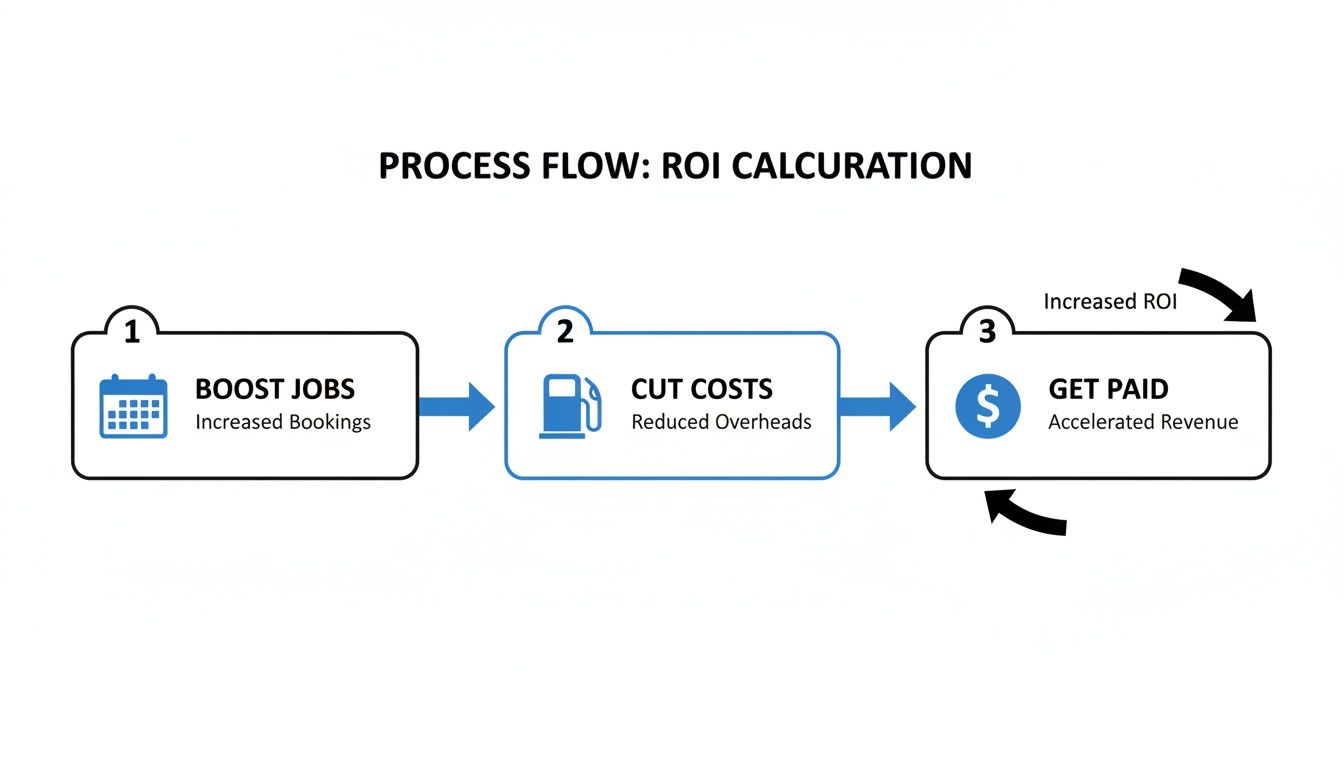
By nailing these three areas, the software quickly stops being an expense and becomes one of your most valuable assets for growing your bottom line.
What To Expect From Your New Partner
Think of your software provider as a business partner, not just a vendor. They know that if you don't get set up properly and see results, you won't stick around. That's why the best platforms make the onboarding process a top priority.
Key Takeaway: A successful software transition has less to do with your tech skills and everything to do with the support you receive. Find a partner who provides free, hands-on help to import your data and train your team.
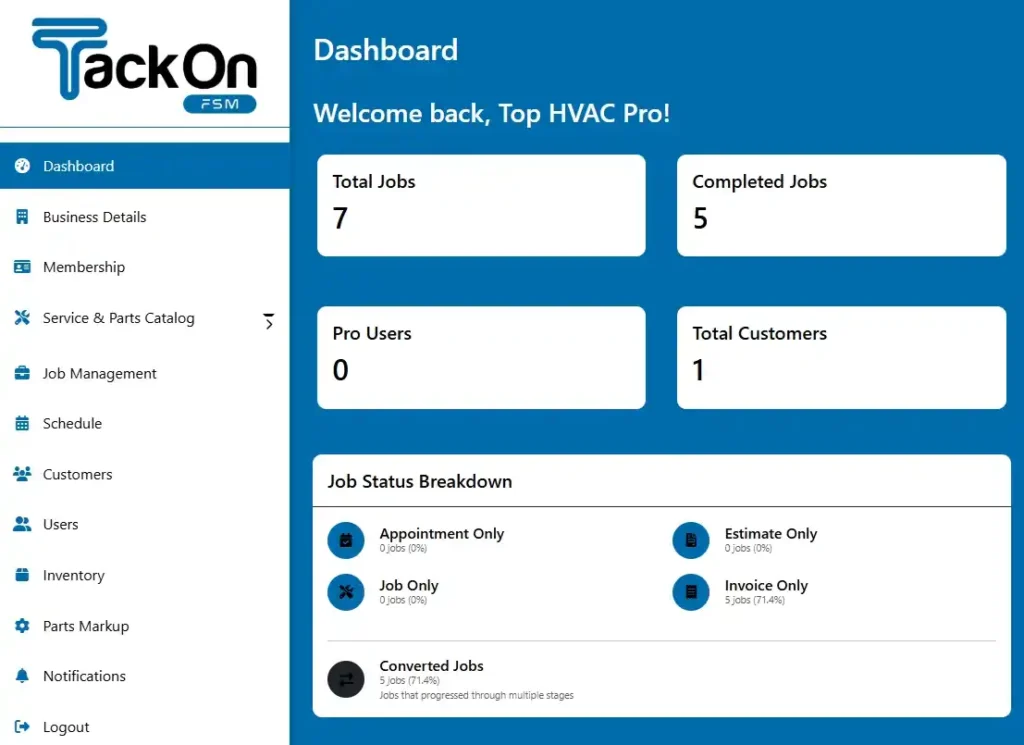
This level of support turns a daunting task into a guided, step-by-step process. In no time, you’ll be managing everything from a central hub, getting a clear view of your business from a modern FSM dashboard that tracks everything in real-time. This isn't just about swapping out one tool for another; it’s about giving your business the foundation it needs to become more organized, efficient, and profitable for years to come.
Finding The Right Software For Your Team

Shopping for contractor software for a small business can feel like a chore, especially when you're already juggling a full schedule. But it doesn't have to be complicated.
The right platform is the one that fits your crew of 2–20 technicians, understands the specific needs of HVAC, plumbing, or electrical work, and plugs the profit leaks without drowning you in features you'll never use.
Think of it as the central hub connecting your office staff with your field techs. It keeps everyone on the same page, tracks every part in real-time, and shows you which jobs are actually making you money. You get accurate estimates out the door, dispatch techs consistently, and get paid faster.
Look for a plan with predictable pricing. For a 5-tech team, you should be aiming for a flat rate under $300/month. Watch out for vendors who nickel-and-dime you with pay-per-feature add-ons for essentials like the mobile app or inventory tracking. A straightforward fee means you can budget effectively, and it shows the software provider is invested in your success, not just in upselling you.
What Really Matters in a Platform
When you’re comparing options, cut through the noise and focus on these fundamentals:
- Simple pricing without sneaky onboarding fees.
- Free migration support from your old system, whether it's ServiceTitan, QuickBooks, or something else.
- A mobile app and office dispatch board that are included in the base price.
- An elastic parts database pre-loaded with 3,000+ common HVAC, plumbing, and electrical items.
"Migration support and transparent costs were the tipping point for our team,” says an HVAC business owner who switched to TackonFSM.
Here’s a quick cheat sheet for what you should expect:
| Feature | Expectation | Benefit |
|---|---|---|
| Pricing structure | Flat monthly fee per tech | Predictable costs without surprises |
| Onboarding process | Dedicated, no-cost data migration | Zero downtime and accurate data transfer |
| Inventory management | Track parts across vans and warehouses | Prevent lost revenue from unbilled parts |
| Support availability | 24/7 in-app chat and calls | Quick answers keep jobs moving |
A Real-World Example
A plumbing crew with ten technicians brought in a field service management (FSM) platform to automate their recurring service reminders and clean up their invoicing mess.
The results? Within a single month, they slashed their administrative work by 40% and squeezed in 25% more jobs each week.
- 40% admin time saved
- 25% more jobs per week
- 15% revenue growth
- Zero hidden fees and no setup costs
That's the kind of efficiency you unlock when your office and field crews are operating from the same playbook.
Making the Switch Shouldn't Be Painful
Many software companies will hit you with setup or onboarding fees right out of the gate. TackonFSM does things differently by including free, assisted data migration. We handle the heavy lifting to ensure a smooth transition, so you get fast adoption without any disruption to your business.
Your Next Steps
The only way to know if a tool is right for you is to get your hands on it. A free trial is the perfect way to test how a modern FSM system can organize your schedule, dispatch jobs, and protect your bottom line.
Here’s how to do it right:
- Sign up for a 14-day trial—no credit card needed.
- Book a guided setup session to get your customer lists and price books imported.
- Get your techs on the mobile app to try out the field workflows.
This approach lets you see the real-world value for yourself before you spend a dime. Most teams report a 90% drop in scheduling errors within just a few weeks of going live.
If you're looking to drill down into your billing process, check out our guide on how to Simplify Estimates Quotes and Invoicing.
Getting the right contractor software for your small business is about trading administrative chaos for organized, profitable growth.
Pick a tool your team will actually want to use, and watch your productivity—and your profits—climb.
Don’t wait. Start a trial of TackonFSM today and see what effortless job management feels like firsthand.
A Few Common Questions
Making the jump to new software always brings up a few questions. Let's tackle some of the most common ones we hear from contractors just like you.
How Long Does It Take to Get Set Up?
You're probably thinking this will take weeks, right? Not anymore. Modern field service platforms are designed to get you live and scheduling jobs in just a few days. The days of painful, long-drawn-out software projects are over.
For a small team, the whole process is surprisingly fast. We're usually talking about 3 to 5 business days from start to finish.
- Day 1-2: We pull in your customer lists and parts data.
- Day 3: Your team gets a walkthrough to see how everything works.
- Day 4-5: We run a few live jobs to iron out any kinks.
This quick turnaround means you see a return on your investment almost immediately, without grinding your business to a halt.
Will My Techs Actually Use the Mobile App?
This is a big one. If your crew in the field won't use it, what's the point? The good news is that these apps are built for people who work with their hands, not computer programmers.
Most technicians get the hang of the mobile app in less than a day. The buttons are big, the checklists are clear, and everything is laid out to follow a logical workflow—from driving to the job to collecting the final payment.
“Our techs were up and running in a morning,” says one plumbing manager. “The app felt like second nature.”
It's designed to make their life easier with things like:
- Snapping photos for proof of work or to show a customer a problem.
- Working offline when they're in a basement with no signal.
- Tapping a button to update their job status instead of calling the office.
With almost no training, we see crews make 80% fewer "what's next?" calls back to the office, which means they can get to the next job faster.
How Does It Work with QuickBooks?
If you’re like most small contractors, your business runs on QuickBooks. Any new software has to play nice with it.
A good system syncs with QuickBooks Online automatically, completely wiping out the need for double data entry. When a tech finishes a job and creates an invoice on their phone, it instantly and correctly appears in your accounting software. For a small business, this feature alone can free up 5 to 10 hours of bookkeeping work every single week.
| Feature | What It Means for You |
|---|---|
| One-way sync | Job details and invoices flow directly into QuickBooks. |
| Two-way sync | Customer info and payment statuses update in both systems. |
| Automatic mapping | Your income and expenses line up with your existing chart of accounts. |
One HVAC shop told us they cut the time it takes to get invoices out by 60% just by turning on the QuickBooks sync. It's a game-changer for cash flow.
What Are the Next Steps?
Feeling a bit more confident? The best way to know for sure is to see it in action.
You can book a live demo where we can walk through your exact scheduling and billing process. Or, just jump in and run a trial with a real work order. Seeing is believing.
- Book a live demo to see how it handles your workflows.
- Upload a sample work order and run it through a trial.
- Compare the dashboard reporting to your current pen-and-paper or spreadsheet method.
And if you get stuck, our support team is right there in the app to help via chat, email, or a phone call.
Ready to see how fast onboarding, an easy-to-use mobile app, and a rock-solid QuickBooks integration can change your business? Try TackonFSM now.