Dispatch Scheduling Software: Transform HVAC and Plumbing Dispatch Operations
Think of dispatch scheduling software as the central nervous system for any field service business. It’s the smart system that finally replaces the chaotic mess of spreadsheets, whiteboards, and sticky notes. At its core, this software organizes jobs, keeps tabs on your technicians in real-time, and automates communication to make sure the right tech gets to the right job, every single time. For trades like HVAC, plumbing, and electrical, it’s the difference between being reactive and proactive.
Your Digital Air Traffic Control Tower
Ever tried to run a team of technicians with just a phone and a whiteboard? An emergency call comes in, and the frantic scramble begins. Who's closest? Who has the right skills? Do they even have the needed parts in their truck? Relying on these manual methods is not just stressful; it's a recipe for costly mistakes that can damage your bottom line and your reputation.
Dispatch scheduling software solves this puzzle by giving you a single, reliable source of information. It's much more than a shared calendar; it's an intelligent platform built to orchestrate your entire field operation from one screen.
This central hub connects every piece of the workflow:
- For the Office: Dispatchers get a live map showing every technician's location. They can assign new jobs with a simple drag-and-drop, making it easy to respond to customer needs in minutes.
- For the Field Techs: Your team gets all the job details, customer history, and even turn-by-turn directions sent straight to their phone or tablet. No more confusion, no more wasted trips back to the shop.
- For the Customers: Automatic notifications about appointment reminders and technician ETAs keep them in the loop. This alone drastically cuts down on those "Where's your tech?" phone calls.
A recent study revealed that 40% of contractors point to dispatching problems as a major cause of project delays and miscommunication. A centralized software system tackles this head-on by creating a crystal-clear, real-time link between your office and your team in the field.
The image below gives a great visual of how this software serves as your command center, pulling your operations from manual chaos into automated efficiency.
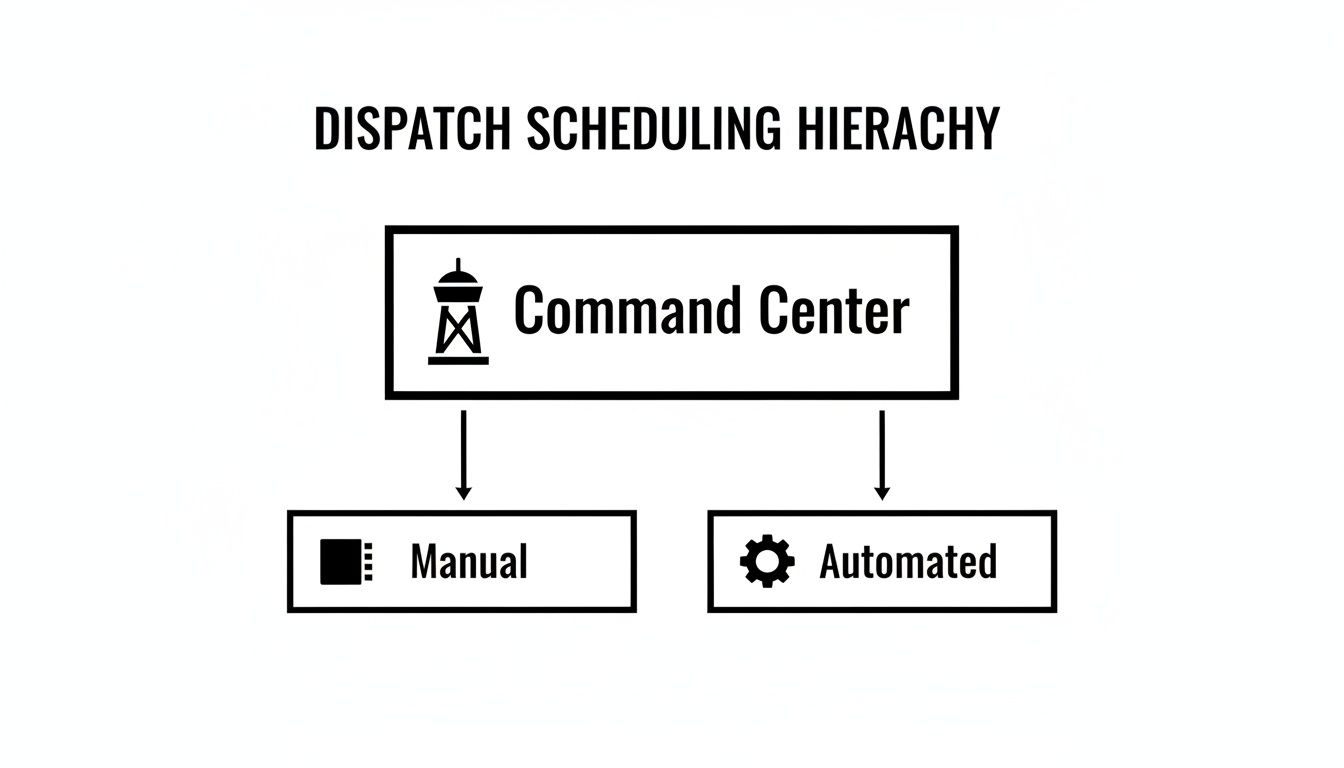
This flowchart perfectly illustrates the move away from scattered, error-prone manual methods toward a single, smart system that coordinates every part of your service delivery.
Let's break down the real-world differences between the old way and the new way.
Manual Dispatching vs Automated Software
| Operational Task | Manual Method (Paper & Spreadsheets) | Dispatch Scheduling Software (Like TackonFSM) |
|---|---|---|
| Job Assignment | Phone calls, texts, and guesswork based on memory. | Drag-and-drop scheduling on a live map; AI-suggested assignments. |
| Technician Tracking | Constant check-in calls. No real-time visibility. | Live GPS tracking shows exact tech locations and job status. |
| Customer Communication | Manual phone calls for reminders and updates. Often forgotten. | Automated SMS/email for appointments, ETAs, and follow-ups. |
| Access to Job Info | Paperwork that can be lost, incomplete, or hard to read. | Full job history, notes, and photos available on a mobile app. |
| Schedule Changes | A chaotic scramble of calls and texts to re-route everyone. | Instantly update schedules and push notifications to affected techs. |
As you can see, the software doesn't just digitize your old process—it completely overhauls it for the better.
The Growing Need for Smart Dispatching
It's no surprise that the demand for these tools is exploding. Businesses are realizing they can't scale effectively without better operational control. Just look at the bus dispatch management software market, a related segment, which was valued at USD 2.4 billion and is expected to grow at a CAGR of 10.6% through 2034.
Right now, North America commands a 35% market share, a figure driven by trade contractors adopting these platforms to handle more jobs without letting things fall through the cracks. You can discover more insights about this growing market and its impact. The data tells a clear story: upgrading your operations with dispatch software isn't just a nice-to-have anymore—it's essential for staying competitive.
The Core Features That Run Your Field Operations
So, we've talked about the big picture. Now, let's get into the guts of a modern field service business—the engine that actually makes it run. The best dispatch scheduling software isn't just a single tool; it's a suite of powerful features that all work together to kill guesswork and get more done. This is what transforms a simple digital calendar into a full-blown command center for your entire operation.
Think of it like a mechanic's toolbox. You wouldn't use a wrench to hammer a nail. Each tool has a specific job, and when they're all used correctly, you get a smooth, efficient, and profitable workflow that pen and paper could never hope to match.
The Drag-and-Drop Schedule Board
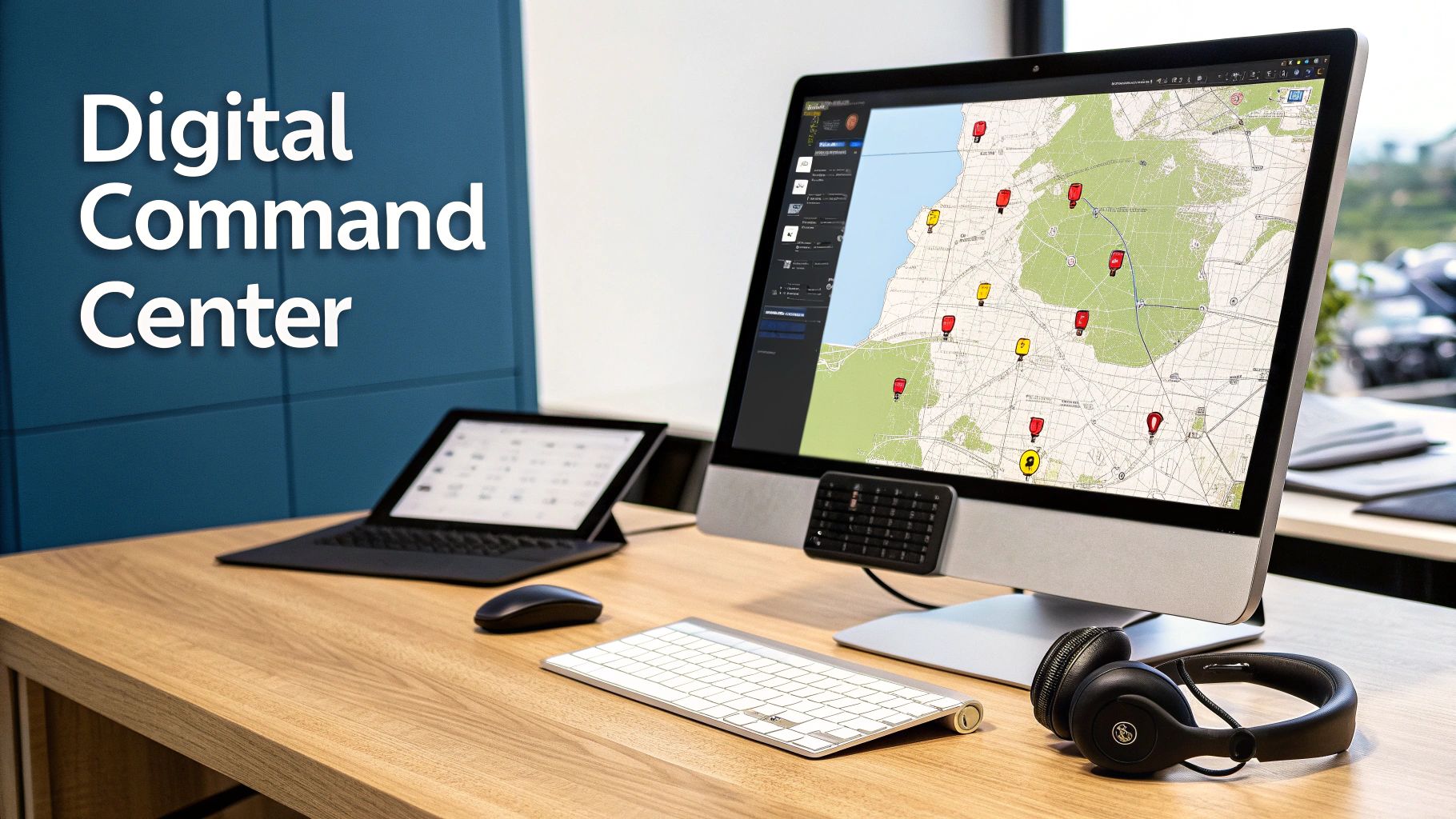
At the very heart of any great system is the visual schedule board. This is mission control. It’s a live, interactive display showing every job, every tech, and every appointment, all in one place.
Picture this: an emergency call comes in—a burst pipe on a freezing winter day. Your dispatcher doesn't have to frantically flip through binders or make a dozen phone calls. They just glance at the board, instantly see who is closest with the right skills, and drag the new job right onto their timeline. The system updates everything automatically. What used to be chaos is now a calm, measured response.
Real-Time Technician Tracking
This feature gets a bad rap, sometimes seen as micromanagement. But that's not the point at all. Its real power is in making smarter decisions and delivering incredible customer service.
GPS tracking gives your dispatcher a live map of your entire team. Need to fit in a quick diagnostic job? They can give it to the tech who’s finishing up just two streets away, not the one stuck in traffic clear across town.
This visibility also lets you give customers the one thing they crave: accurate ETAs. Instead of a vague "we'll be there between 10 and 2," you can confidently say, "Your technician, Dave, is on his way and should be there in about 15 minutes." That one simple update completely changes the customer experience.
Key Takeaway: The goal of tracking isn't to watch over your team's shoulder. It's about optimizing routes, cutting down travel time, and providing the kind of transparency modern customers don't just want—they expect.
The gains here are huge. Visual scheduling and smart routing can slash operations time by up to 30% by reacting to live traffic and intelligently planning multi-stop routes. For more data, you can see the full impact in this piece on the benefits of dispatching solutions.
Automated Customer Notifications
Take a second and think about how much time your office staff spends on the phone answering one question: "Where's the technician?" Automated notifications make that question pretty much disappear.
The software can send out texts or emails on its own for key events:
- Appointment Confirmations: Fired off the moment a job is booked.
- Friendly Reminders: Sent 24 hours before the service call.
- "On My Way" Alerts: Triggered automatically when the tech heads to the job.
- Follow-ups: Sent after the job is wrapped up to ask for a review.
These automated touchpoints keep customers in the loop and happy, which frees up your team to focus on what really matters: scheduling more jobs and growing the business. In fact, these notifications can cut down on those "where are you?" calls by nearly 50%.
More Game-Changing Features
Beyond those big three, a solid dispatch platform brings a few more critical tools to the table, all designed to connect the office to the field without a hitch.
- Technician Mobile App: This is your tech's lifeline. It puts every piece of information they need—job details, customer history, checklists, even service manuals—right on their phone or tablet. To see just how much this helps, see our insights on how a field service scheduling software can save you time.
- Integrated Invoicing and Payments: The minute a job is done, the tech can create an invoice, grab a signature, and take payment right there. This closes the gap between work and getting paid, seriously improving your cash flow.
- Inventory Management: The system keeps tabs on every part, both on the trucks and back at the shop. This prevents that dreaded moment when a technician shows up to a job only to realize they don't have the right part, saving you from another costly trip to the supply house.
How Top Contractors Win with Smart Dispatching
It's one thing to talk about features on a spec sheet, but the real magic of dispatch scheduling software happens in the trenches—during the chaos of a busy workday. This is where a digital command center proves its worth, turning what could be a five-alarm fire into just another smoothly handled job.
Let’s pull back the curtain and see how the best contractors in different trades use this tech to solve their biggest headaches and come out on top.
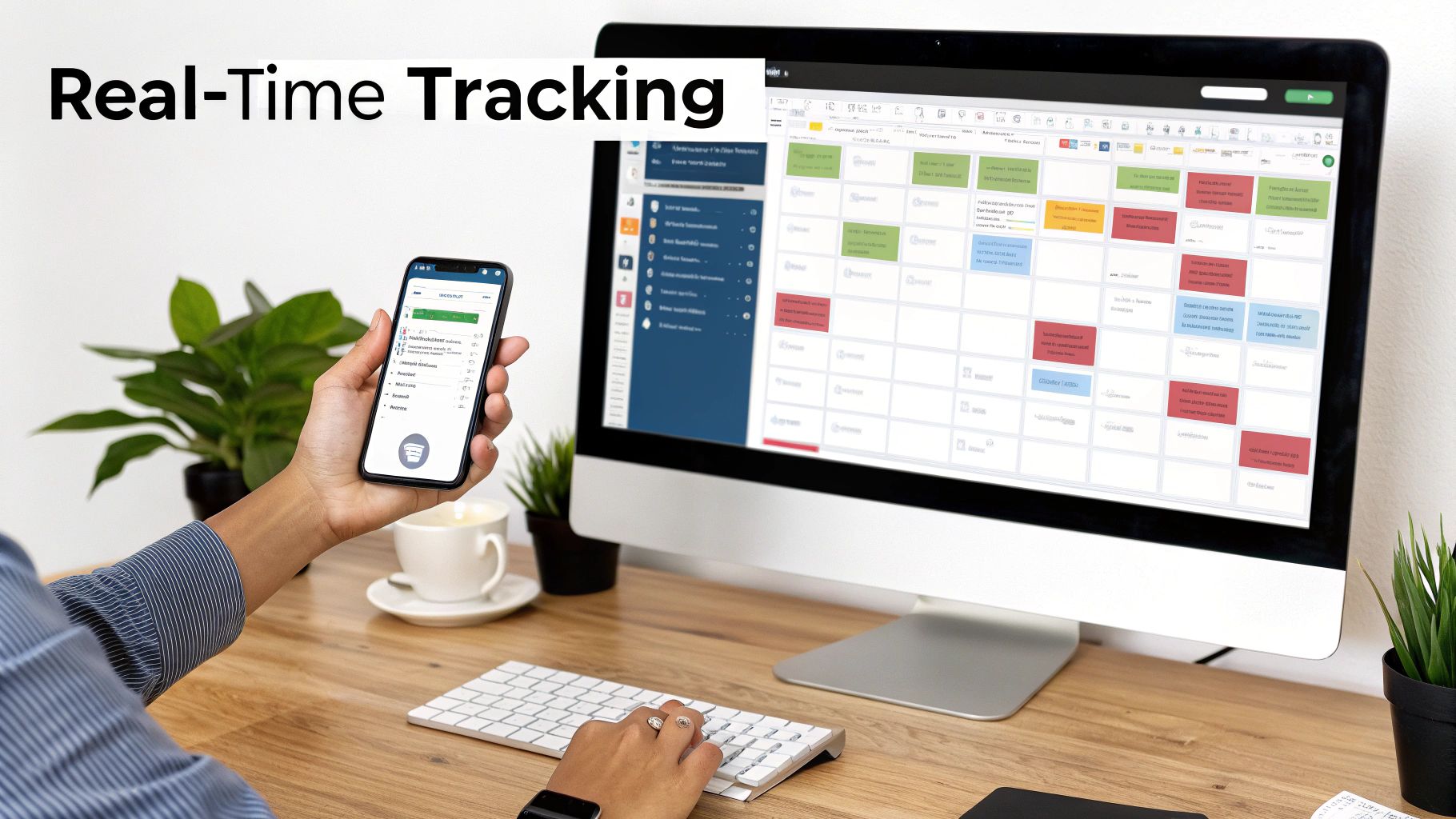
Picture this: it’s the hottest day of the year, and your phone is melting with emergency AC repair calls. Without a solid system, this is a surefire recipe for missed jobs, angry customers, and a completely frazzled team.
But with smart dispatching, your team sees the whole battlefield. They can instantly solve the logistical puzzle of who goes where, squeezing every ounce of efficiency out of a day when every single minute counts.
HVAC Contractors Conquering a Heatwave
When a heatwave smacks the city, an HVAC shop basically becomes an emergency response unit. The real challenge isn't just taking calls; it's about strategically deploying your techs to rescue as many customers from the sweltering heat as possible.
Here's how the software turns chaos into a coordinated response:
- Location-Based Dispatch: A panicked call comes in. A rooftop unit at a senior living facility just died. Instead of guessing who's closest, your dispatcher glances at the live map, sees that your senior tech, Mark, is finishing a tune-up just three miles away, and reassigns him to the emergency in seconds.
- Skill Matching: The software knows Mark is your ace for commercial rooftop units. It automatically flags him as the best fit, preventing a nightmare scenario where a less experienced tech shows up totally unprepared for the job.
- Van Inventory Check: Before Mark even puts the truck in drive, the dispatcher confirms his van is stocked with the universal contactors and capacitors he’ll likely need. That simple check prevents a wasted trip back to the shop and gets the cool air flowing faster.
Of course, smart dispatching is only half the battle. To keep that schedule full, top contractors also need to know how to craft winning HVAC proposals that turn leads into loyal customers.
Plumbers Managing a Complex Commercial Project
Let's shift gears to a plumbing crew tackling a multi-day commercial rough-in for a new restaurant. This isn't your average leaky faucet call—it's a complex project with distinct phases, specialized parts, and deadlines that can't be missed.
The dispatch software acts as the project's brain, keeping all the moving parts in sync. The platform tracks exactly which crew is scheduled for which phase, making sure the right team is on-site for installing drain lines versus setting the final fixtures.
For complex projects, communication is everything. Dispatch software centralizes all project notes, schematics, and progress photos, creating a single source of truth that prevents miscommunication between the morning and evening crews.
The system also keeps an eye on special-order parts, like a commercial-grade grease trap. The second it arrives from the supplier, an alert automatically pings the project manager. They can then schedule the installation crew immediately, keeping the project moving without a hitch. You simply can't achieve that level of coordination with a mess of spreadsheets and phone calls.
Electricians Ensuring Compliance on a Panel Upgrade
For electricians, precision and documentation aren't just good practice—they're non-negotiable. Take a residential panel upgrade, a job that demands a certified technician, specific materials, and a flawless paper trail for safety and compliance.
The software ensures the right electrician gets the job by matching it to their certifications, which are stored right in their digital profile. It also attaches a mandatory checklist to the work order, forcing the tech to document every critical step.
- Step 1: Snap a "before" photo of the old, messy panel.
- Step 2: Confirm all circuits are de-energized and tag them out correctly.
- Step 3: Install the new panel and breakers, following the attached schematic.
- Step 4: Take clear "after" photos showing clean wiring and proper labeling.
These photos and checked-off items are uploaded directly to the job file from the field, creating a permanent, time-stamped record. This isn't just about covering your bases legally; it gives the customer a professional, detailed report of the work you did. It's a perfect example of how the software helps a team simplify estimates, quotes, and invoicing by seamlessly connecting the work in the field to the paperwork in the office.
Choosing the Right Dispatch Scheduling Software
Knowing you need dispatch scheduling software is the easy part. The real challenge? Picking the right one for your business. With so many options floating around, it's easy to get bogged down in endless feature lists. The trick is to look past the shiny objects and focus on what will actually make a difference in your day-to-day operations.
Think of this decision like hiring a new operations manager. You need a platform that’s reliable, understands your trade, can grow with you, and works well with your existing systems. This isn’t just a purchase; it’s a long-term partnership that will shape your workflow for years. A methodical approach now will save you major headaches down the road.
Focus on Ease of Use and Team Adoption
Let's be blunt: the most feature-packed software on the planet is worthless if your team won't use it. A clunky, confusing interface is a recipe for disaster. It leads to low adoption, which means you'll never see a return on your investment.
Your top priority should be a clean, intuitive design that everyone can grasp quickly—from the dispatcher who lives on the computer to the senior tech who’s still skeptical about new-fangled apps.
Get your team involved in the decision. Sign up for a free trial and let your people kick the tires. Have your dispatcher drag and drop jobs on the schedule board. Ask a technician to run a mock service call on the mobile app. Their feedback is pure gold. If they find it simple and straightforward, you’ve found a winner.
Crucial Insight: Team adoption is the number one predictor of a successful software rollout. A user-friendly interface that feels natural to both your office staff and field technicians is absolutely non-negotiable.
Ensure It Can Scale with Your Ambitions
The software that fits your two-truck operation today needs to be able to handle your twenty-truck fleet tomorrow. Scalability isn't just about adding more users. It’s about whether the platform can manage more complexity—more crews, multi-day projects, bigger inventory—without grinding to a halt.
Ask potential vendors directly how their system supports growth. Do they offer different tiers? Can you add advanced features later, like multi-location inventory or custom reporting, as your needs change? Choosing a scalable solution from the start helps you avoid the painful and expensive process of switching systems in just a few years.
Prioritize Seamless Integration Capabilities
Your dispatch software can't be a silo. It needs to talk to the other tools you rely on to run your business. For nearly every contractor, the most critical connection is with accounting software.
A direct, two-way sync with a program like QuickBooks is a must-have. This link automates the entire financial workflow, pushing invoices created in the field directly into your books. It eliminates hours of mind-numbing data entry, slashes the risk of human error, and gives you a real-time pulse on your company’s financial health. When looking at different solutions, it can be helpful to explore all types, including open-source employee scheduling software options.
Evaluate the Mobile App from a Tech’s Perspective
Your technicians are the primary users of the mobile app, so it has to be built for their world—working out of a truck, often in less-than-ideal conditions. A great mobile app is more than a digital job list; it's a complete toolkit that empowers them to work smarter and more professionally.
Here are a few make-or-break mobile features to look for:
- Offline Functionality: Can a tech pull up job details and add notes when they’re in a basement with zero cell service?
- Easy Photo and Video Uploads: How simple is it to document a finished repair, show proof of a pre-existing issue, or flag something for the office?
- Integrated Payments: Can they build an invoice, capture a customer’s signature, and take a credit card payment right on the spot?
A solid mobile app means fewer phone calls back to the office, better job documentation, and faster cash flow. It’s a game-changer for your field crew.
The Dispatch Software Evaluation Checklist
With so many variables to consider, a structured approach is your best bet for making a confident decision. This checklist will help you cut through the marketing noise and compare different software options on the factors that truly matter to your business.
Use it to guide your demos and conversations with sales reps, ensuring you cover all the critical bases before you commit.
| Evaluation Criteria | Key Questions to Ask | Why It Matters |
|---|---|---|
| User Interface (UI) | Is the layout clean and intuitive? Can my team learn it with minimal training? | A confusing UI leads to poor team adoption and a failed implementation. |
| Mobile App | Does it work offline? Is it easy to upload photos, take payments, and view history? | The mobile app is your technician's primary tool. If it's clunky, their efficiency suffers. |
| Core Features | Does it handle scheduling, dispatching, invoicing, and customer history effectively? | These are the non-negotiable functions. The software must excel at the basics. |
| Scalability | Can the software grow with my business? What's the process for adding users or features? | You want a long-term partner, not a temporary fix you'll outgrow in two years. |
| Integrations | Does it offer a two-way sync with my accounting software (e.g., QuickBooks)? | Manual data entry is a time-killer and a major source of errors. Automation is key. |
| Customer Support | What are their support hours? Do they offer phone, email, or chat support? | When something goes wrong, you need fast, reliable help from a real human. |
| Pricing Structure | Is the pricing clear and transparent? Are there hidden fees for setup or support? | Understand the total cost of ownership, not just the monthly subscription fee. |
| Reporting & Analytics | Can I easily pull reports on technician performance, job profitability, and revenue? | Good data helps you make smarter business decisions and identify growth opportunities. |
Choosing the right software is a significant investment of time and money. By using a checklist and focusing on these core areas, you can ensure you're picking a platform that will truly support your business and help you achieve your goals.
Making the Switch: How to Implement Your New System Without the Headaches
Bringing new software into your business can feel like a huge project, but a smooth rollout is completely within reach if you have a solid plan. The real goal is to get your business running on a more efficient platform without dropping the ball on the daily jobs that pay the bills. This isn't about flipping a switch and hoping for the best; it's a careful, step-by-step process.
If you start thinking of this as a strategic upgrade rather than just another painful software change, the whole vibe shifts. A good dispatch scheduling software partner will be in the trenches with you, guiding you through each stage. They can help turn what seems like a daunting task into a manageable—and even exciting—transition for your entire team. After all, this is about setting your business up to win for years to come.
Getting Your Data Ready for a Clean Start
Your business lives and breathes on its data—customer info, service histories, your price book, and inventory lists. Getting this information into your new system correctly is job number one. A clean import saves you from massive headaches down the road and, more importantly, ensures your team trusts the software right out of the gate.
Start by doing some spring cleaning on your existing records. This is the perfect chance to merge duplicate customer files, update old phone numbers, and get your parts list standardized. Most quality software providers, including TackonFSM, offer help with data migration to do the heavy lifting, making sure your valuable history makes the move without a hitch.
Here’s where you should focus your prep work:
- Customer Lists: Get all your contacts—from spreadsheets, old programs, or even paper files—into a single, organized file.
- Price Book: Take a hard look at your service items and labor rates. Now is the time to make sure your pricing is current before you import it.
- Parts Inventory: Do a quick stock count. You want to start with accurate inventory numbers in the new system from day one.
A little bit of prep work here pays off big time, guaranteeing your team is working with reliable information the moment you go live.
Training Your Team to Be Confident and Onboard
A tool is only as good as the person using it. This is why great training is the single most important factor in getting your team to actually use—and love—the new system. The focus shouldn't just be on which buttons to click, but on why this new way of doing things is better for them, for the company, and for the customer.
Your training needs to be tailored to the role. Dispatchers and office staff need to become pros at the schedule board, invoicing, and customer management features. Your techs in the field, on the other hand, need to master the mobile app. They have to be comfortable viewing job details, snapping photos, and taking payments right there on-site.
A great way to build confidence and get everyone on board is to start with a small group of "champions." Pick your most tech-friendly team members, train them first, and let them become the go-to experts who can help their coworkers through the transition.
Hands-on practice is absolutely essential. Run a few fake service calls. Have your team walk through the entire process, from a customer call to a final payment. This builds muscle memory and lets them work out any kinks in a safe environment before they’re standing in a customer's home. This kind of proactive training ensures everyone feels ready and supported.
Rolling It Out With a Phased "Go-Live" Plan
Going live doesn't need to be a frantic, all-at-once nightmare. A phased rollout dramatically lowers the risk and gives your team time to adjust. Instead of changing everything overnight, you can manage the transition in a controlled way that keeps business running as usual.
Consider these tried-and-true strategies for a much smoother launch:
- Run in Parallel: For the first week or so, consider running your old system right alongside the new one. This acts as a safety net, letting your team double-check their work and build confidence without the fear of making a critical mistake.
- Start with One Crew: Roll out the new software to just one or two of your most adaptable techs first. They can be your pioneers, working out any issues in the field and giving you priceless feedback before the whole team joins in.
- Pick Your "Go-Live" Day Wisely: Schedule the official switch for a historically slower day, like a Monday or Tuesday morning. This gives you and your software provider's support team some breathing room to handle any questions without the chaos of a busy Friday afternoon.
This deliberate, step-by-step approach breaks a massive project down into small, manageable wins. It’s the best way to ensure a successful and stress-free implementation of your new dispatch scheduling software.
Why TackonFSM Is Built for Your Trade
It’s one thing to read a list of features, but it's another thing entirely to see how they solve the actual problems you face in your trade every day. TackonFSM wasn't designed as a generic calendar with a few extra bells and whistles. We built it from the ground up for the tough realities of HVAC, plumbing, and electrical work.
Honestly, we made the platform we always wished we had—one that feels like it was designed by someone who's actually been on a service call. The heart of the system is a simple, visual drag-and-drop schedule board. When that emergency call comes in, you see your whole team’s location and status at a glance, making it dead simple to send the nearest, best-qualified tech in seconds.
Tools Designed for the Field
Your technicians are the face of your company, and our mobile app is their secret weapon. It puts everything they need right in the palm of their hand: complete customer history, equipment service records, job-specific checklists, and even safety protocols. This empowers them to work smarter and more independently, which means fewer "quick question" calls back to the office.
We also built seamless customer communication right into the platform. Automated appointment reminders and "technician on the way" alerts drastically cut down on those "where's your guy?" calls. This frees up your office staff to focus on what really matters—booking more jobs and keeping the operation running smoothly.
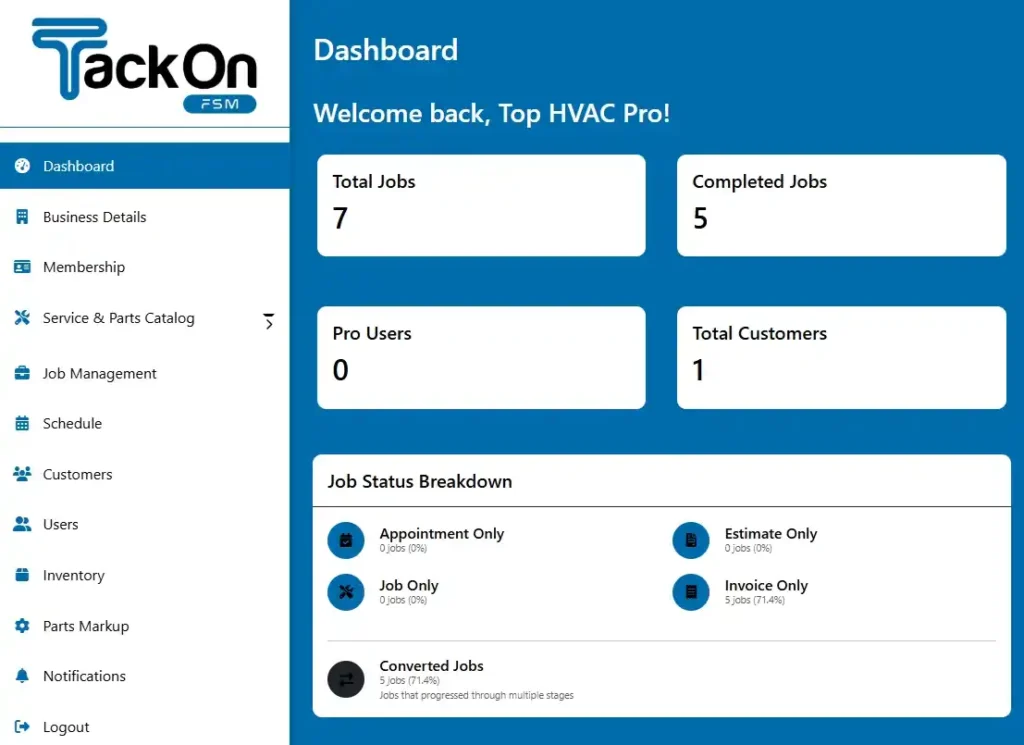
Take a look at the TackonFSM dashboard. It gives you a crystal-clear, real-time view of your entire operation.
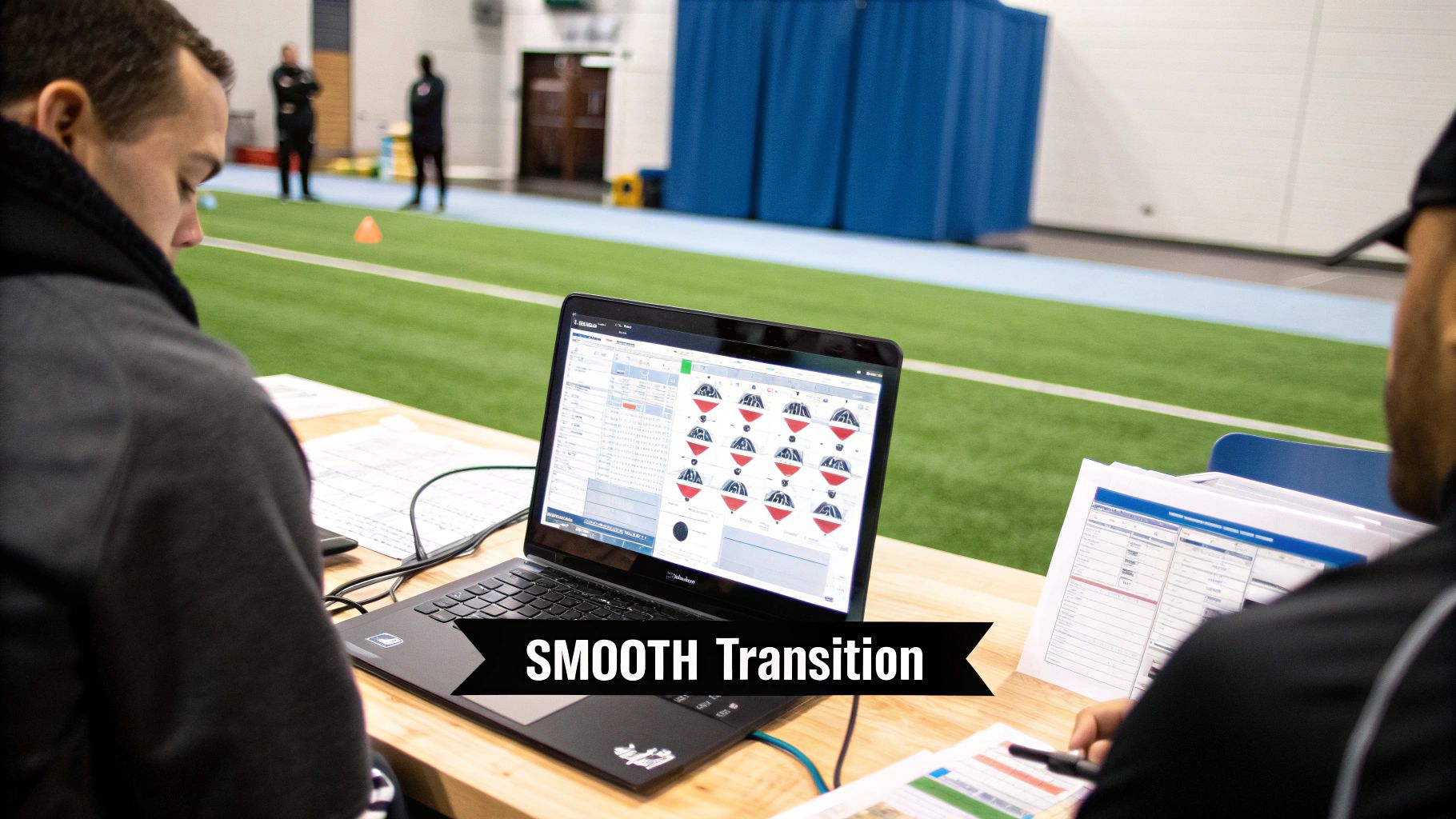
This central hub is what allows dispatchers to make smart decisions on the fly, optimizing routes and responding to customer needs with total precision.
Beyond Scheduling: Profit-Driven Features
For growing shops, what really sets TackonFSM apart are the features we designed to protect your bottom line. We get it—profitability is about way more than just keeping the schedule full.
TackonFSM weaves estimating and invoicing directly into the workflow. Techs can build professional, accurate quotes right in the field, get a digital signature from the customer, and convert that quote into a job on the spot. This simple process makes sure nothing falls through the cracks and, most importantly, you get paid faster.
Our inventory management system is another game-changer. You can track parts across every single truck and the warehouse, stopping you from over-ordering and making sure your techs show up with what they need to get the job done right the first time. That kind of control is vital for managing job costs and protecting your margins. You can see how all these pieces fit together on the TackonFSM operational dashboard.
By combining powerful scheduling with integrated financial and inventory tools, TackonFSM delivers an affordable, easy-to-use solution. Think of it as the perfect partner for contractors who are ready to take firm control of their operations and scale their business with confidence.
Frequently Asked Questions
Jumping into dispatch scheduling software is a big step, and it's smart to have questions. Here are some straight answers to the things we hear most often from business owners who are thinking about making the switch.
How Long Will It Take to Get My Team Up and Running?
This is probably the number one concern, and the answer is: a lot faster than you think. Modern platforms are built to be intuitive, not clunky. With a system like TackonFSM, which guides you through setup and data migration, your office team can feel confident with the basics in just a couple of days.
Your techs in the field? They usually get the hang of the mobile app on the first or second job. The key is finding a partner who offers real, human support to walk you through it, so you're never left guessing.
Is This Software Actually Affordable for a Small Business?
Absolutely. The old-school, enterprise systems gave dispatch software a reputation for being expensive, but that’s not the case anymore. Many of the best providers today offer simple, clear pricing plans built for small and mid-sized businesses. The trick is to find one that avoids surprise setup fees or long, restrictive contracts.
Think of it less as a cost and more as an investment. A good system should pay for itself by cutting down on wasted fuel, plugging profit leaks on jobs, and giving you more billable hours in a day. It makes financial sense even if you only have a couple of trucks.
My Technicians Aren't Tech-Savvy. Will They Really Use a Mobile App?
We hear this all the time, and it's a fair point. But the best mobile apps are designed for the field, not for a computer science class. We're talking big buttons, clear instructions, and a simple flow that walks them from one step to the next.
Honestly, if they can use Facebook or check the weather on their phone, they can handle a well-designed field service app. The best way to know for sure is to take advantage of a free trial. Let your crew get their hands on it and see for themselves before you spend a dime. It needs to be a tool they want to use.
Ready to see how a modern, easy-to-use platform can change how you run your field operations? TackonFSM gives you the tools to schedule smarter, dispatch faster, and get a real grip on your profitability. Start your free 14-day trial today.