How to Track Inventory for Small Business: A Simple Guide
Before you count a single screw or fitting, you have to answer a fundamental question: where will your inventory live? Will you treat each service van as its own rolling warehouse, or will you manage everything from a central hub?
Getting this right from the start is the cornerstone of a system that actually works. It's how you prevent last-minute runs to the supply house, stop cash from getting tied up in overstock, and make sure your team has what they need to get the job done right the first time.
Building Your Inventory Management Foundation
The very first strategic decision you’ll make—long before you think about software or labeling—is choosing your inventory model. This single choice dictates your daily workflows, how you purchase parts, and ultimately, how efficient your entire operation can be.
For most trade businesses, it boils down to two main approaches.
Centralized vs. Per-Van Inventory Models
Deciding between a central warehouse and stocking each van involves trade-offs between cash flow, convenience, and control. Here’s a quick breakdown to help you see which approach aligns better with your business.
| Factor | Centralized (Warehouse) Model | Per-Van (Truck Stock) Model |
|---|---|---|
| Best For | Larger fleets (5+ vans), specialized parts, high-cost items. | Smaller fleets (1-4 vans), common repairs, standard parts. |
| Initial Cost | Higher. Requires dedicated space and shelving. | Lower. Uses existing vehicle space. |
| Total Inventory | Lower. No duplicated stock across the fleet. | Higher. Common parts are duplicated on every truck. |
| Part Access | Slower. Techs must visit the shop or wait for delivery. | Instant. Parts are already on-site at the job. |
| Management | Simpler to track; everything is in one place. | More complex; requires tracking stock across multiple locations. |
| Efficiency | Can cause job delays if a part isn't pre-picked. | Increases first-time fix rates for common issues. |
Ultimately, many established shops land on a hybrid model. They keep the everyday essentials—the capacitors, fittings, and outlets—on the trucks, while the expensive compressors and specialty circuit boards stay safe and sound at the shop until they're needed.
For a deeper dive, check out this a practical guide to smarter stock for small businesses.
Choosing Your Inventory Model
The right system really just depends on your scale. If you're a one-person plumbing operation, managing parts out of your garage is perfectly fine. But once you have a team of ten HVAC techs on the road, that same "system" becomes pure chaos.
A good rule of thumb is to let your fleet size guide your decision.
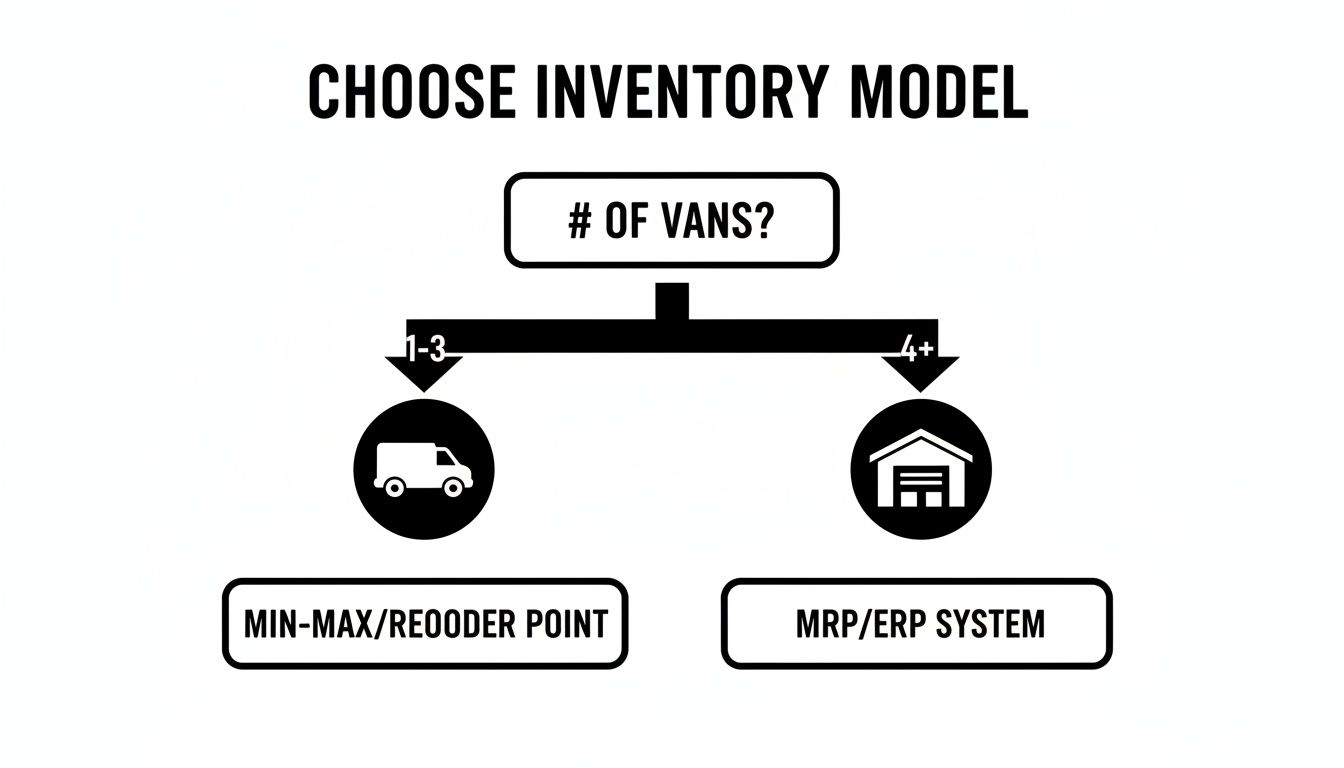
As you can see, what works for a small crew quickly becomes impractical as you grow. Larger operations almost always benefit from the tighter control a centralized warehouse provides.
This decision has become even more critical lately. With interest rates squeezing cash flow, the total inventory value held by small and mid-sized businesses dropped by a sharp 9% worldwide since early 2023, with North American companies seeing a 10% decline. Even so, nearly 80% of these businesses admit they still struggle with overstocked parts. This just goes to show how crucial a solid strategy is from day one.
This isn't just about where you put your parts—it's about managing your cash. A per-van system gets parts closer to the job but means you own five of everything instead of one. A centralized model frees up that cash but can create delays if your dispatching isn't dialed in.
Your goal is to find the sweet spot that minimizes headaches for your techs while giving you clear visibility and control over one of your biggest expenses. This is where you'll start to see https://tackonfsm.com/wp-content/uploads/2025/11/Field_Service_Management_Software_Matters-removebg-preview-255×300.webp, because the right software can support whichever model you choose and help you manage it effectively.
Creating Order with SKUs and Accurate Counts
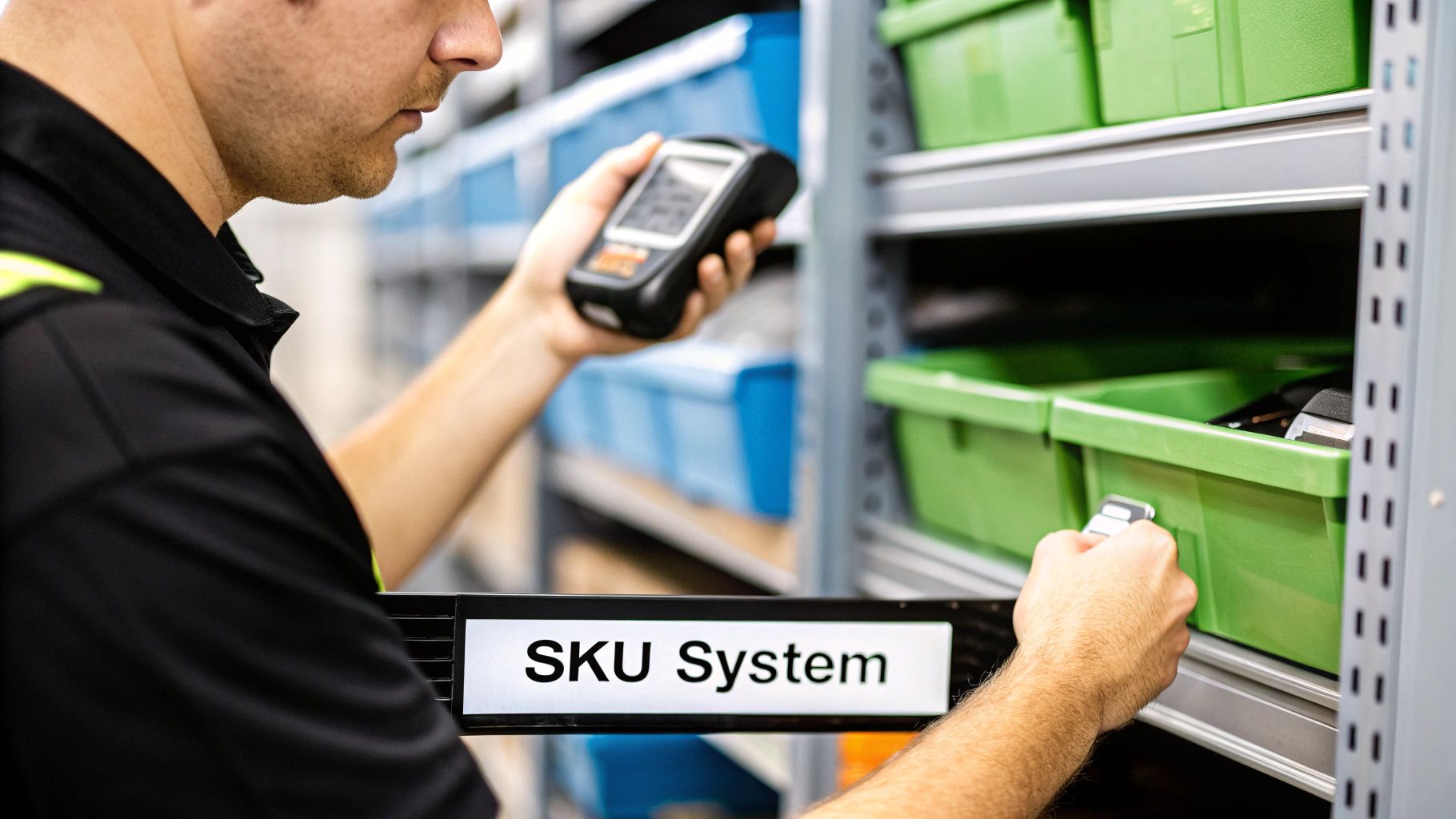
Once you’ve figured out where your inventory will live—in a central warehouse, on the vans, or a mix of both—it's time to get everything organized. You need a universal language for your parts. Without it, "that little brass fitting" means something different to every technician, which leads straight to confusion and expensive ordering mistakes. This is where a solid SKU (Stock Keeping Unit) system comes in.

A good SKU isn't just a random string of numbers. It’s a code that tells you something useful about the item at a glance. The key is to keep it simple enough for your entire team to understand and use every single day.
Designing a Practical SKU System
First things first: forget about using long, complicated manufacturer part numbers. Your SKU system is for your team. It needs to be internal, logical, and built for speed so techs can identify parts quickly, whether they're in the warehouse or grabbing something from the truck.
A simple, effective formula we see work well for trade businesses looks something like this:
[Category]-[Type]-[Size/Attribute]-[Supplier]
Let's look at how that works in the real world:
- HVAC: A common capacitor might be CAP-RUN-455-TRN (Capacitor, Run, 45/5 MFD, from Trane).
- Plumbing: A half-inch copper elbow could be PIP-COP-050-VIE (Pipe Fitting, Copper, 0.5 Inch, from Viega).
- Electrical: A 15-amp residential breaker might be BRK-RES-015-EAT (Breaker, Residential, 15 Amp, from Eaton).
See how that instantly makes it clear what the item is? No need to look it up.
The most important rule for SKUs is consistency. It doesn't matter if your system is perfect, but it absolutely must be the only system. Everyone—from the office to the field—needs to use the same language to describe the same part.
Conducting Your First Full Inventory Count
With your SKU logic in place, you're ready to set your baseline. This means doing a full physical inventory count of every single part you own, both in the warehouse and on every service van. This count becomes the single source of truth for your new system.
Don't underestimate this step. For many small businesses, poor inventory data is a massive liability, accounting for 20-30% of total assets on average. Getting this first count right is non-negotiable.
To make this less painful, plan it carefully:
- Schedule it during a slow period. A weekend or an evening works best to avoid disrupting active jobs.
- Use a two-person team. One person counts while the other records. This simple check-and-balance drastically reduces errors.
- Count each location separately. Treat each van as its own little warehouse. This is crucial for getting accurate truck stock levels.
Yes, this initial effort is intense. But it provides the clean, accurate data you need to make your inventory tracking system truly effective from day one. It’s the foundation for all your future ordering, job costing, and profitability analysis.
Choosing the Right Inventory Tracking Tools
If you're still wrangling inventory with a spreadsheet, you're not alone. But let's be honest—it's a system running on borrowed time. When you’re just getting started, it works. But as you grow, that spreadsheet becomes a huge liability. Manual entries lead to typos, formulas inevitably break, and you have absolutely zero real-time insight into what's actually on your trucks. Trying to scale a service business on a spreadsheet is like building a house on a foundation of sand. Sooner or later, it's going to crumble.
Making the jump to a dedicated tool isn’t just about making life easier. It's a strategic move to stop bleeding cash and protect your profit margins. The right software turns inventory from a chaotic black hole of expenses into a tightly managed asset.
Must-Have Features for Service Businesses
Not all inventory software is built the same. A system designed for a retail store is going to be a terrible fit for an HVAC, plumbing, or electrical business with a mobile workforce. You need tools built for the field.
As you look at different options, make sure these features are at the top of your list:
- Multi-Location Tracking: This is non-negotiable. Your software must be able to treat each service van as its own small warehouse. Without this, you have no way of knowing who has which part. It's the only way to prevent a tech from showing up to a job empty-handed when the part they need is sitting in another truck just a few miles away.
- Automated Part-to-Job Linking: The system should make it dead simple for techs to add parts to a work order right from their phone or tablet. This creates a direct link that ensures every single capacitor, valve, and breaker is billed to the customer, plugging one of the most common profit leaks in the trades.
- Low-Stock Alerts: You know which parts you burn through. For every furnace ignitor or P-trap, you should be able to set a minimum quantity. When stock dips below that level, the system needs to automatically ping your office manager to reorder.
The goal isn't just to count inventory better—it's to make your inventory work for you. The right tool actively prevents stockouts, stops technicians from hoarding parts, and guarantees you get paid for everything you install.
Beyond the Basics: Integration and Usability
The best inventory systems don't operate in a silo; they slide right into your existing workflow. You’ll want to find software that connects directly with your accounting platform, like QuickBooks, to get rid of the soul-crushing double data entry for purchase orders and invoices. That kind of connection saves countless admin hours and cuts down on costly clerical mistakes. To see how this fits together, you can learn more about how the right field service scheduling software saves time.
The global inventory management software market is expected to balloon from $2.75 billion to $5.52 billion by 2034, and it's small businesses just like yours driving that growth. Even so, the struggle is real. About 34% of businesses still have trouble seeing inventory across all their locations. Shifting to an automated system can cut stockouts by 30% and improve your team's efficiency by a whopping 50%. You can dig deeper into the latest inventory management statistics to see the full picture.
At the end of the day, the best tool is the one your team will actually use. A clunky, complicated interface will just get ignored in the field, making your entire investment worthless. Always prioritize a clean, mobile-friendly design that makes it easy for your techs to find a part, add it to the job, and get back to what they do best.
Implementing Your Day-to-Day Inventory Workflows
A perfect inventory system on paper is useless if it falls apart in the field. The real test is how well it holds up during the daily grind—for your techs, your office staff, and everyone in between. Getting this right means turning inventory tracking from a painful chore into a simple, team-wide habit that protects your profit on every single job.
It all starts by getting rid of the gray areas. Ambiguity is the enemy of accuracy. Everyone on your team needs to know exactly what they're responsible for. This is how you finally kill that classic "I thought someone else was handling that" problem that leads to double-ordering and last-minute runs to the supply house.
Defining Key Roles and Responsibilities
For any system to run smoothly, every major inventory action needs a clear owner. This isn’t about creating more red tape; it’s about creating accountability. When people know what’s expected of them, crucial tasks don't slip through the cracks.
-
Who places purchase orders? This should be one person—maybe an office manager or a dedicated parts manager. Limiting this to a single point of contact is the simplest way to prevent accidentally ordering the same $500 compressor twice.
-
Who receives new parts? When a shipment from Johnstone or Ferguson arrives, one person needs to be in charge of checking it against the PO and officially adding it to your inventory software. No exceptions.
-
Who handles cycle counts? This can be a shared task, but one person must own the schedule. For example, a lead technician could be responsible for weekly van counts, while the office manager handles the main warehouse stock once a month.
A great system empowers your team; it doesn't just police them. When a technician can see their van’s stock on their phone and link a part to a job in two taps, they're more likely to follow the process because it genuinely makes their life easier.
Empowering Technicians in the Field
Your technicians are on the front lines, so getting their buy-in is everything. If the process is clunky, they'll find workarounds. The goal is to make tracking parts so easy it becomes second nature. This is where good mobile software becomes a game-changer, letting techs link parts directly to jobs right as they use them.
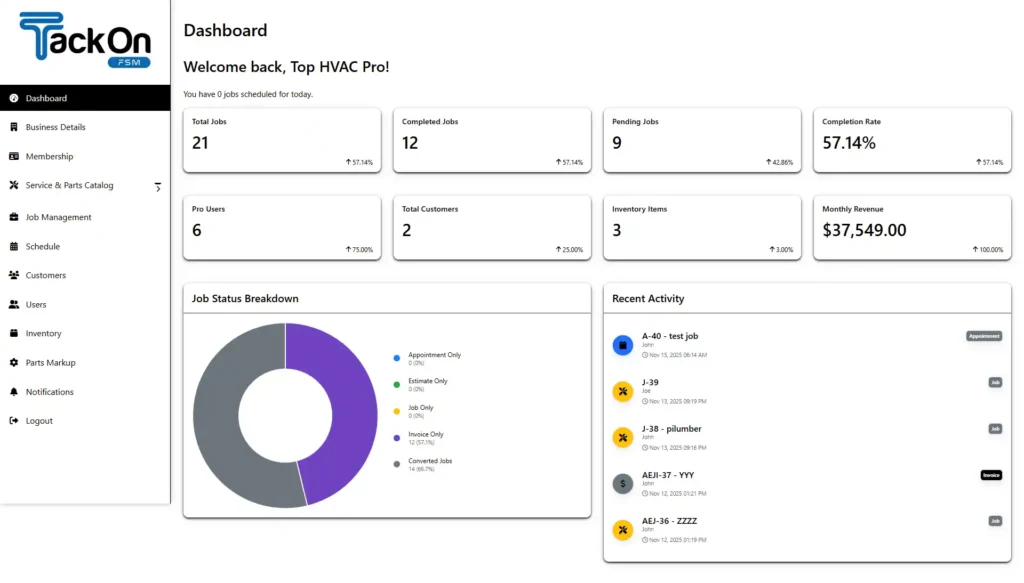
That direct link is the most important piece of the puzzle. It ensures every part is accounted for and, more importantly, billed to the customer. This single workflow plugs one of the biggest and most common profit leaks in the trades. You can see how an integrated company dashboard helps track these activities in real-time, giving you a clear view of what's happening in the field.
To make this stick, build it into simple, repeatable routines.
A Simple Daily Van Stock Checklist:
-
Start of Day Check: Before rolling out, techs take five minutes to do a quick scan of their van's high-use items against the app. This simple step prevents them from arriving at the first job of the day missing a common capacitor or fitting.
-
End of Day Restock: As the day wraps up, techs should create a "restock list" in the app for every part they used. Back at the office, the manager can pull those items and have them ready for the next morning, ensuring every van starts the day fully equipped and ready to make money.
Using Data to Optimize and Prevent Loss
So, you've got your new inventory system up and running. Parts are getting assigned to jobs, and your team is (mostly) following the new workflows. Great. But is it actually making you more money? Getting a system in place is only half the battle. The real magic happens when you start using the data it generates to make smarter decisions and stop bleeding cash.
This is where you shift from just tracking inventory to truly managing it as a core asset.

Think about it this way: on average, inventory ties up 20-30% of a small business's total assets. With that much cash sitting on shelves and in vans, you absolutely need to make sure it’s working for you, not against you. The best way to do that is by keeping an eye on a few key performance indicators (KPIs).
Key Metrics That Actually Matter
You don't need a finance degree to get a handle on your inventory's health. Just focus on a few simple, powerful metrics that paint a clear picture.
To keep things straightforward, we’ve put together a table of the most essential KPIs for any service business. These are the numbers that will tell you if your inventory is a well-oiled machine or a money pit.
| KPI | What It Measures | Why It Matters |
|---|---|---|
| Inventory Turnover Rate | How quickly you sell and replace your stock over a specific period. | A high rate means parts aren't collecting dust, freeing up cash. A rate that's too high might signal you're under-stocking. |
| Stockout Frequency | How often a tech needs a part but it's not on their truck or in the warehouse. | High stockout rates kill first-time fix rates, lead to extra truck rolls, and frustrate customers. |
| Carrying Costs | The total cost of holding inventory (storage, insurance, obsolescence). | This hidden expense, often 20-25% of inventory value annually, eats into your profit margins. |
| Shrinkage Rate | The percentage of inventory lost due to theft, damage, or administrative errors. | This is a direct hit to your bottom line. Tracking it helps you identify and plug the leaks. |
These KPIs give you a vital look into your operations. By monitoring them, you can spot problems early and make data-driven adjustments instead of just guessing what to order.
Your goal is to find the sweet spot. You want a turnover rate high enough to keep cash flowing, but not so high that you're constantly running out of parts and frustrating both your techs and your customers.
Turning Insights into Action
Data is useless if you don't do anything with it. Once you start tracking these KPIs, you can build smarter processes that protect your bottom line from common headaches like shrinkage (lost, stolen, or damaged parts) and over-ordering.
A huge first step is setting up reorder points and min/max levels for your most-used items. Your inventory software should be able to automate this. For instance, you could set a rule that when your stock of a specific 1-inch copper fitting drops to 20 units (your reorder point), a purchase order is automatically flagged or created to buy 50 more (bringing you to your max level). This simple automation is your best defense against stockouts.
You'll also inevitably end up with parts you no longer need. Knowing how to approach managing surplus inventory is key to recovering cash from those items instead of letting them become dead weight.
Another powerful habit is to start doing regular cycle counts. Forget the massive, disruptive annual inventory count that shuts down your business for a day. Instead, count a small slice of your inventory every week. One week, you might count all your capacitors; the next, all your thermostats. This practice keeps your data clean, catches discrepancies early, and maintains accuracy year-round. It’s a proactive way to make sure the numbers in your software always match the reality on your shelves.
Got Questions About Your Inventory? We've Got Answers.
Switching up how you handle inventory is a major move. It's totally normal to have a bunch of questions as you try to break old habits and build smarter workflows. Getting the right answers can be the difference between a smooth transition and a month-long headache.
We've heard it all from HVAC, plumbing, and electrical shop owners. Here are a few of the most common questions—and our straight-up answers—to help you get past those hurdles.
What's the Best Way to Track Parts Across Multiple Trucks?
Honestly, the only way to do this without going crazy is with a good field service management (FSM) platform that has inventory built right in. This lets you treat every single truck as its own little warehouse on wheels.
Think about it: Your tech is on-site and needs to know if they have a specific capacitor. With the right software, they just pull up their mobile app and see exactly what's stocked in their van. When they use a part, it's instantly deducted from that truck's count. This gives you a live look at your entire fleet's stock, so you're not sending a tech across town for a part that was sitting in another van two miles away.
How Should We Handle Returns or Unused Parts?
You need a dead-simple process for this, or it just won't get done. When a tech wraps up a job and has extra parts, they should be able to flag them for return right in their app. This keeps the part's history tied to the job for tracking but, more importantly, makes sure it doesn't end up on the customer's bill.
Then, you need a routine—maybe it's end-of-day, maybe it's every Friday—where those parts physically come back to the shop or warehouse. Someone in the office then uses the software to officially "receive" them back into your main stock. That simple step is what keeps your master inventory count from slowly drifting into fantasy land.
How Often Do We Really Need to Do a Full Physical Inventory?
Look, the big, all-hands-on-deck annual inventory count is a nightmare. It shuts you down and everyone hates it. While you might need one for your accountant once a year, a much better way to stay accurate year-round is cycle counting.
Cycle counting is just what it sounds like: counting small, specific sections of your inventory on a rotating schedule. You might count all your copper fittings one week, all your thermostats the next, and all your drain pans the week after.
It's way less disruptive. Plus, you catch mistakes and discrepancies way faster instead of waiting for a massive surprise at the end of the year. This keeps your numbers tight all the time without the chaos of a full shutdown.
My Techs Always Forget to Add Parts to the Invoice. How Do I Fix This?
This is the silent killer of profit for so many shops. The fix isn't to yell at your techs more; it's to make it impossible for them to forget. Technology is your best friend here.
The key is to use software that ties parts directly to the work being done. For example, you can create service templates for your most common jobs. When a tech chooses "Annual Furnace Maintenance" from a dropdown list, the system can automatically add the standard filter and thermocouple to the invoice. It takes the "remembering" part out of the equation entirely, which means you stop giving away parts for free.
Ready to stop guessing and start tracking your inventory with real precision? TackonFSM gives you the tools to manage parts across every van and warehouse, link them directly to jobs, and get paid for everything you use. Start your free 14-day trial and see how it works.