

A Contractor’s Guide to Asset Management Inventory
Here’s a scenario I’ve seen play out a thousand times: your best technician is on-site, ready to wrap up a profitable job, but the one specific part they need isn’t on the van. What happens next? A frustrating, unpaid trip to the supply house, a project that runs late, and a customer who’s starting to get annoyed.
This story is a classic example of a massive profit leak that plagues so many trade businesses. Without a solid asset management inventory system, you're basically inviting chaos into your daily operations.
Why Smart Inventory Management Is a Game Changer
When your inventory control is a mess, it silently drains your company’s resources. It’s not just one big catastrophe; it's a slow, steady bleed from wasted fuel on supply runs, lost billable hours, and sinking customer satisfaction. The real cost isn’t the price of a lost fitting or a misplaced capacitor—it’s the ripple effect that hits your entire business.
This guide is your roadmap to move beyond that chaos. I’m going to show you how a streamlined system for your parts isn't just about counting what’s on the shelves. It’s about supercharging your cash flow, nailing those first-time fix rates, and building a business that’s scalable and far more profitable.

The Hidden Costs of Poor Inventory Control
That emergency run to the supply house is just what you see on the surface. The real financial damage from disorganized parts management runs much, much deeper, touching nearly every corner of your operations. Every single minute a tech spends hunting for a part is a minute they aren’t billing a customer.
Think about how these problems compound:
- Wasted Labor: It’s not uncommon for technicians to spend 10–25% of their shift just looking for tools or materials instead of doing billable work. That’s a direct hit to your revenue per technician.
- Increased Overhead: Every extra trip to a supplier piles on costs—fuel, vehicle wear and tear, and non-billable drive time. Those "small" expenses add up to a shocking amount across your entire fleet over a year.
- Customer Dissatisfaction: When a simple repair stretches out for hours because of a missing part, it chips away at customer trust. That can lead to bad reviews and make it harder to get repeat business, stalling your growth.
A well-oiled asset management inventory system flips these hidden liabilities into strategic advantages. It’s about making sure your team has the right parts, at the right time, so they can get jobs done efficiently and look like the pros they are.
Turning Inventory into a Profit Center
At the end of the day, great inventory management boils down to two things: control and visibility. When you know exactly what you have, where it is, and how fast you’re using it, you can start making smarter decisions that directly boost your bottom line.
For small businesses especially, getting a handle on inventory is a game-changer for optimizing stock and slashing costs. This complete guide to inventory management for small businesses is a great resource that lays out some really effective strategies.
By putting a dedicated system in place, you can finally stop guessing and start measuring. This shift lets you cut back on overstocking slow-moving parts, which frees up cash that would otherwise be just sitting on your shelves. More importantly, it ensures you never run out of the critical components you need for your most common and profitable jobs.
Understanding Assets Versus Inventory
To get a real handle on your business, you have to know exactly what you’re tracking. Think about a professional chef’s kitchen for a second. The big-ticket, reusable equipment—the commercial oven, the heavy-duty mixers, the specialty knives—are the restaurant's assets. For the chef, managing these assets means knowing where every critical tool is, what shape it’s in, and when it needs service to prevent a dinner rush disaster.
Now, think about the ingredients—the flour, spices, and fresh vegetables. That's the inventory. These items get used up and sold as part of the final dish. Good inventory management means the chef never runs out of a key ingredient mid-service and isn’t wasting money on produce that spoils in the back. This simple distinction is the bedrock of a solid asset and inventory management strategy for your trade business.
Defining Assets in Your Trade Business
In your company, assets are the valuable, long-term tools your techs use over and over again to do their jobs. You don’t sell them to the customer, but you absolutely need them to make money. If you don't manage them well, expensive equipment gets lost, stolen, or breaks down without warning, grinding billable work to a halt.
Examples of your business assets include:
- Company Vehicles: Your fleet of service vans and trucks.
- Diagnostic Equipment: High-dollar tools like thermal imagers, refrigerant recovery machines, or advanced multimeters.
- Ladders and Lifts: Essential safety and access equipment.
- Power Tools: Drills, saws, and other costly, reusable tools.
For these kinds of assets, clear and permanent identification is a must. Using options like durable Traffolyte labels is a smart first step. Proper labeling is the foundation for tracking and maintaining these valuable items throughout their entire life.
Defining Inventory in Your Trade Business
Inventory, on the other hand, is all the consumable parts and materials you install at a customer's site. These items are directly tied to the revenue you make on each job. If your inventory control is a mess, you might be giving parts away for free, under-billing for materials, or losing jobs because a standard part isn't on the van.
Examples of your business inventory include:
- HVAC: Capacitors, contactors, refrigerant, and filters.
- Plumbing: Fittings, valves, pipes, and water heaters.
- Electrical: Breakers, wiring, outlets, and switches.
The table below breaks down the core differences in a nutshell.
Asset Management vs Inventory Management At a Glance
Here’s a simple way to visualize how these two critical functions differ and why they both need a specific management approach in your trade business.
| Attribute | Asset Management | Inventory Management |
|---|---|---|
| What It Is | Tracking long-term, high-value tools and equipment. | Managing consumable parts and materials for jobs. |
| Purpose | Maximize lifespan, prevent loss, ensure uptime. | Ensure availability, track costs, manage turnover. |
| Financial Impact | A capital expense depreciated over time. | A current asset; its cost becomes Cost of Goods Sold (COGS). |
| Lifecycle | Long (years). Tracked for maintenance, repairs, disposal. | Short (days to months). Tracked from purchase to installation. |
| Examples | Service vans, thermal cameras, heavy-duty drills. | Capacitors, fittings, breakers, copper wire. |
This distinction isn't just for your accountant; it directly impacts your field operations and profitability every single day.
Mixing up these two categories can cause serious problems. It’s a huge issue, too. Industry surveys consistently show that 30–40% of technician trips require an extra, unplanned run to the supply house because a part was missing. That means more wasted fuel, more non-billable hours, and lower first-time fix rates. As you can guess, that inefficiency hits your bottom line hard. You can read more about how supply chain issues impact the wider economy by checking out the World Bank's insights on GDP impact.
The Bottom Line: Treating an asset like inventory means you might "expense" a $2,000 diagnostic tool on a single job, completely wrecking your profitability data. Treating inventory like an asset means you're not tracking the cost of goods sold correctly, leaving you blind to your actual job margins.
Getting this right isn't just a paperwork exercise. It’s the first step to building a system that protects your valuable equipment and your hard-earned profits.
Designing Your Inventory Workflow
A great inventory system is more than just a spreadsheet of what you own. It’s a living, breathing workflow that follows a part from the moment you buy it to the second it’s installed and billed. Without a clear process, parts vanish, costs get assigned to the wrong jobs, and profit just leaks away. A well-designed workflow brings order to that chaos, making sure every single component is accounted for.
To get practical, let’s break down the inventory lifecycle into the three main places your parts live: the technician's van, your central shop or warehouse, and the customer's job site. Each spot has a specific role in the asset management inventory chain. Figuring out how they work together is the secret to building a system that kills stockouts and protects your margins.
This flow chart maps out the typical journey of a part, from the purchase order all the way to its final use on a job.
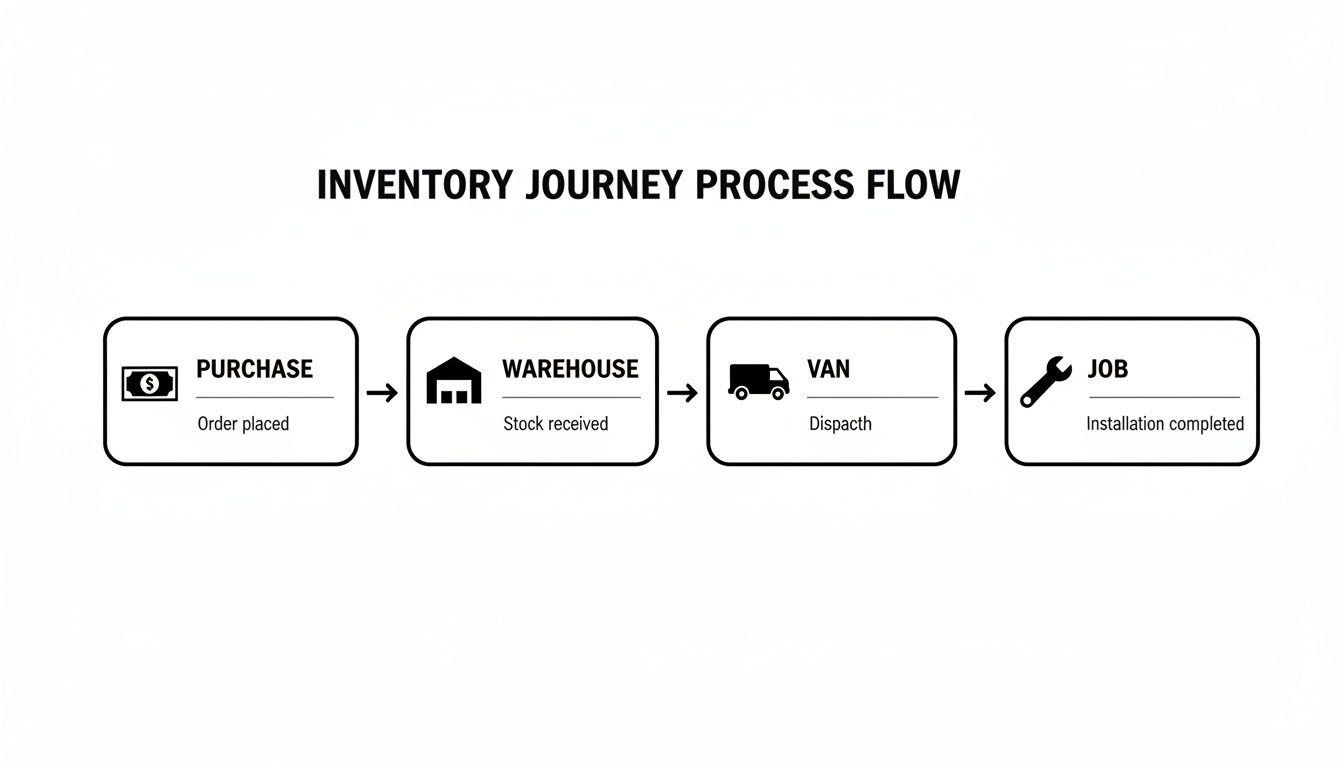
As you can see, a part moves through distinct stages. If you don't have accurate tracking at each step, you lose visibility and control—fast.
The Technician Van: A Mobile Warehouse
Start thinking of each service van not as a truck, but as a small, rolling warehouse. This is the frontline of your inventory operation, and how well it's run directly impacts your first-time fix rate. The whole point is to stock each van with the high-turnover parts needed for most daily calls, cutting out those time-wasting, profit-killing trips to the supply house.
This means you need to set smart stock levels for every vehicle.
- Minimum Stock Levels: This is your reorder trigger. For instance, when a tech is down to their last two universal capacitors on the van, the system should automatically flag that part for replenishment.
- Maximum Stock Levels: This keeps you from overstocking and tying up cash in parts that just sit there. A van might never need to carry more than ten of a specific contactor, so that’s the limit.
When a tech uses a part, they have to log it right then and there on their mobile app. That single action should deduct the part from the van's inventory and add it to the customer's invoice. No more forgotten parts.
The Shop or Warehouse: Central Command
Your shop or central warehouse is the heart of the entire operation. It’s where you use bulk purchasing to get better pricing and where you receive and organize everything that comes in. The warehouse is the hub that feeds all the mini-warehouses out in the field—your service vans.
Its main jobs are:
- Receiving and Logging: A big order of fittings arrives. It gets scanned and logged into your central system, immediately updating your overall quantity on hand.
- Van Restocking: The warehouse is responsible for filling the replenishment orders automatically triggered by the vans. Before a tech heads out, they can grab a pre-picked bin of parts to bring their van back up to its ideal stock level.
- Storing Bulk and Specialty Items: This is where you keep the less common or larger items that don’t belong on every truck, like a specific model of water heater or a big coil.
By centralizing your purchasing and storage, you gain incredible control over your supply chain. You can track parts from the moment they hit your dock, preventing the "phantom stock" that happens when receiving is disorganized.
The Job Site: Where It All Comes Together
The job site is the final—and most important—stop in the workflow. This is where a part stops being a company asset and becomes a line item on a customer's bill. Getting this part right isn't optional; it directly drives your job profitability.
When a technician installs something, the process has to be simple but locked down:
- The tech scans the part's barcode or selects it from a digital pricebook on their phone or tablet.
- The system instantly adds the part to the invoice with the correct, pre-set price and markup.
- The inventory count on that specific tech’s van is updated in real time.
Let's follow an HVAC capacitor to see how it works. You buy a case of 20, and it’s received at the warehouse. Five of those are then assigned to Technician A's van. On a service call, he uses one and logs it against the work order. Instantly, his van's inventory count drops to four. This clean, connected process ensures the part gets billed for, the van’s stock is accurate, and a reorder is triggered when it needs to be. None of this seamless visibility is possible without a unified software system tying it all together.
Tracking Key Metrics for Inventory Health
Having a solid workflow is a great start, but to really get a handle on your inventory, you need to measure how it’s performing. It’s the old saying: you can't improve what you don't measure. Moving from just having a process to truly managing performance means using Key Performance Indicators (KPIs) to diagnose the health of your system and find where the profit is leaking out.
These metrics aren't just numbers to stick in a report. They tell a story about how efficiently you’re running, where your cash is tied up, and whether you're keeping customers happy. By tracking the right data, you can stop making purchasing decisions based on gut feelings and start making smart, data-driven choices that fatten your bottom line. Let's break down the metrics that matter most for a trade contractor.
Core Inventory Performance Metrics
These first few KPIs give you that crucial 30,000-foot view. They show how well your capital is working for you and how quickly your parts are actually moving.
-
Inventory Turnover Rate: This is the big one. It tells you how many times you sell and replace your entire stock over a set period. A high number is great—it means you're turning parts into cash quickly. A low number, on the other hand, suggests you've got too much money collecting dust on the shelves.
-
Shrinkage Rate: This tracks the percentage of inventory that simply disappears due to theft, damage, or basic counting mistakes. Even a 1-2% shrinkage rate can add up to thousands of dollars in lost profit every year, so it's a number you absolutely have to watch.
-
Carrying Costs: Think of this as the total price tag for holding onto your inventory. It’s not just the purchase price; it includes what you pay for storage space, insurance, taxes, and the cost of the cash tied up in those unsold parts. The goal is to get this number as low as possible without running out of critical items.
Together, these KPIs give you a financial snapshot of your inventory's health. High turnover paired with low shrinkage and carrying costs? That’s the sweet spot. It means you're running a lean, profitable operation.
Field Operations and Service Metrics
Your inventory’s impact goes way beyond the shop or warehouse. It directly affects how well your techs can do their jobs out in the field. These metrics connect the dots between having the right parts and getting the job done right.
The ultimate goal of inventory management isn't just to count parts—it's to empower your technicians to complete jobs faster and more profitably. When your First-Time Fix Rate goes up, it’s a clear sign your entire system is working.
A perfect example is your First-Time Fix Rate (FTFR). This KPI measures the percentage of jobs you complete on the very first visit, no follow-up trip needed. A high FTFR is a direct result of having the right parts on the van, which is a win-win: customers are happier, and your profit per job goes up.
Ensuring Data Accuracy with Cycle Counts
Of course, all these fancy metrics rely on one simple thing: accurate data. If your software says you have ten of something, but the shelf is empty, your KPIs are completely useless. This is where cycle counting saves the day.
Instead of shutting everything down for a massive, painful annual inventory count, cycle counting is about counting small, manageable sections of your inventory on a regular basis. You might count all your capacitors one week, your copper fittings the next, and so on. This continuous process helps you:
- Catch mistakes early: Find and fix discrepancies in real-time before they cause a major headache.
- Avoid operational shutdowns: No more closing the doors for two days just to count everything you own.
- Improve purchasing accuracy: When your data is clean, you can trust your reorder points and avoid stockouts or over-buying.
By treating these KPIs and cycle counts as essential business tools, you turn your inventory from a necessary evil into a powerful asset that drives real growth and efficiency.
Choosing the Right Inventory Management Software
Once you’ve got a clear workflow mapped out, the last piece of the puzzle is picking the right tool for the job. Spreadsheets might feel like a simple way to start, but they quickly become a major liability. They create disconnected data silos and can’t give you the real-time visibility a modern trade business needs to actually grow.
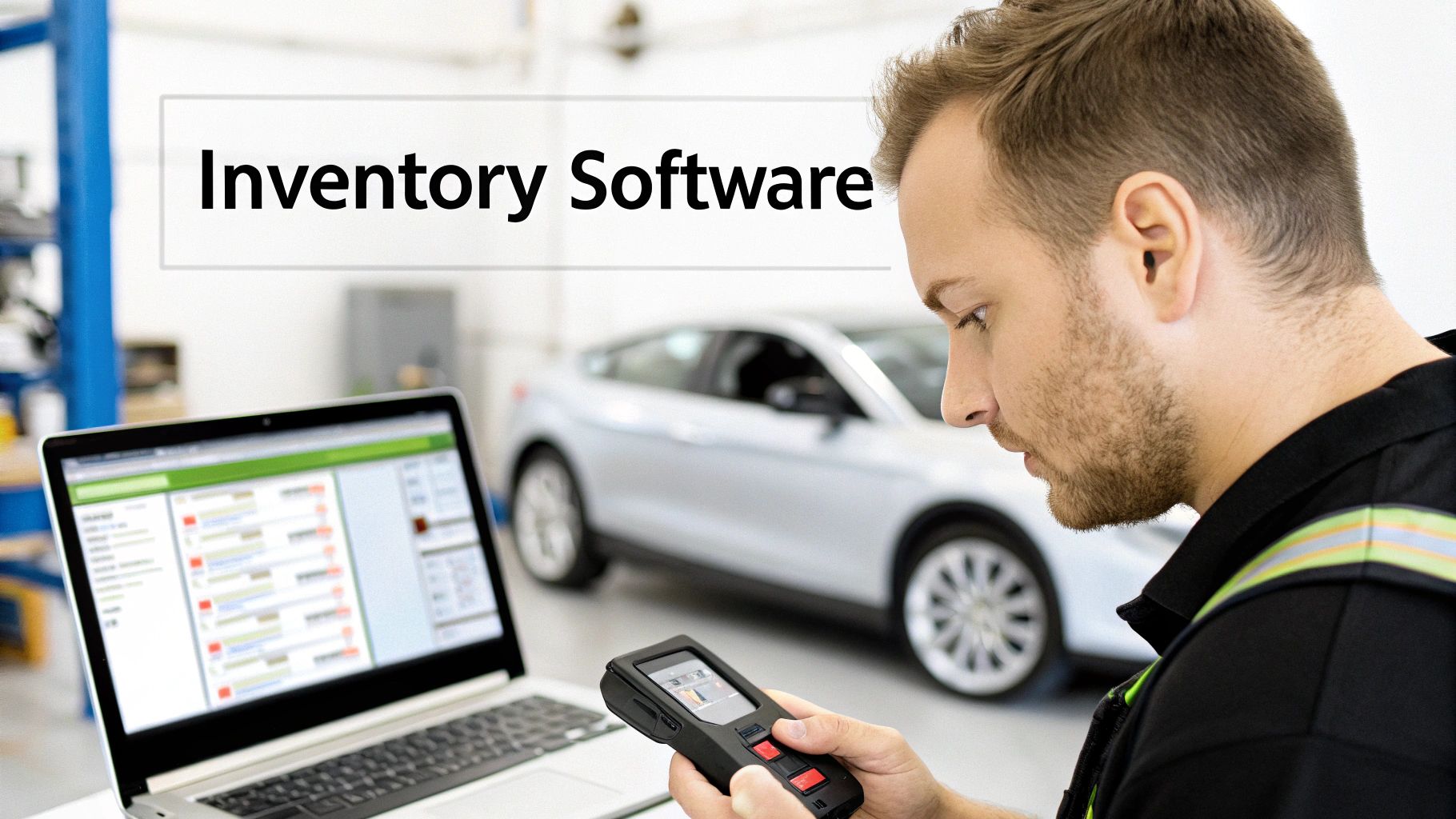
A platform built specifically for field service contractors isn’t just a nice-to-have anymore. It’s the essential link that turns your inventory strategy from a plan on paper into a profitable reality. Choosing the right asset management inventory software is about zeroing in on features that solve the specific, costly problems you face every single day. You're looking for a system that ties your office, warehouse, and every tech in the field into one seamless operation. That connection is what finally plugs the profit leaks from unbilled parts, wasted trips, and inconsistent pricing.
Core Features You Cannot Compromise On
As you start looking at different software options, you'll find some features are absolutely non-negotiable. These are the core functions that directly tackle the most common and damaging inventory issues, transforming parts management from a cost center into a genuine competitive advantage. Make sure any system you consider delivers on these fronts.
Your software must have:
- A Centralized Pricebook: This is your single source of truth for what things cost. It guarantees every tech quotes the correct, marked-up price for a part, killing the revenue loss that happens from inconsistent, on-the-fly pricing. It’s all about protecting your job margins.
- Multi-Location Tracking: You absolutely need a live, accurate count of what’s in the main shop, what’s in every service van, and what’s in any other storage unit. This is the feature that stops a tech from driving to a job unprepared because they thought a part was on their truck when it was sitting back at the warehouse.
- A Mobile App for Technicians: Your techs are in the trenches. A simple, easy-to-use mobile app lets them log parts on a job the moment they're installed. That one action should instantly add the item to the customer's invoice and deduct it from their van’s inventory. This is how you stop giving away parts for free.
These three features are the bedrock of any effective system. Without them, you’re basically flying blind.
Connecting Features to Real-World Problems
Let's ground this in the real world and connect these features back to the painful, everyday scenarios that bleed your profits. It's one thing to see a feature list, but it's another to understand exactly how those features solve your biggest headaches. This is why a dedicated platform like TackonFSM delivers so much more value than a generic spreadsheet ever could.
Take the centralized pricebook, for example. It directly solves the problem of under-billing. A new tech guesses a part’s price, and you lose money. With a system like TackonFSM, they just pick the part from a pre-loaded list that already has your approved markup baked in. Just like that, you've ensured profitability on the job.
The right software doesn't just track parts; it actively protects your profit margins at every step of the job, from the initial quote to the final invoice. It enforces the business rules that keep your company healthy and growing.
Multi-location tracking is the perfect cure for wasted supply house runs. Instead of guessing, a dispatcher can see that Van 4 has the specific furnace control board needed for a job and reroute them, saving hours of non-billable drive time. Add in barcode scanning to cut down on human error during receiving and transfers, and you have a nearly foolproof system.
Finally, seamless integration with quoting and invoicing closes the loop. Once a part is logged on the job via the mobile app, it automatically populates on the final bill. No more forgotten parts, no more lost revenue. You get paid for everything you install. It's that simple.
Your Step-By-Step Implementation Checklist
Making the switch to a proper asset and inventory system can feel like a massive undertaking. I've seen it firsthand. But if you break it down into manageable steps, it's not so daunting. A good plan gets rid of the guesswork and makes sure the transition is smooth, keeping your operations running without a hitch.
The first, and most important, step has nothing to do with software. It’s about your team. Before you change a single thing, you need to get them on board. Explain the why behind the change. This isn't just another thing for them to do; it's the solution to their biggest headaches—no more frantic trips to the supply house, less paperwork, and more time actually getting work done. When your techs see it as a tool that makes their day easier, you've already won half the battle.
Phase 1: The Foundational Setup
This first phase is all about getting a clean, accurate starting point. You can't manage what you haven't measured, and this groundwork is what makes the whole system work. If you try to skip these steps, it's like building a house on a bad foundation. It’s not a matter of if you'll have problems, but when.
-
Do a Full Initial Count: Your first real task is a wall-to-wall physical inventory count. You need to know exactly what you have in the warehouse and on every single truck. This baseline is non-negotiable; it's how you'll sync the real world with your new digital system.
-
Standardize Your Naming: It’s time to clean up the chaos. No more "sm capacitor" or "3/4 fitting copper." Create a standard naming system and give every single item a unique Stock Keeping Unit (SKU). Consistency is everything here—it’s what makes tracking and reporting actually work.
-
Define Your Digital Locations: Inside your new software, map out every place you store parts. This means creating a location for "Warehouse," "Van 01," "Van 02," and so on. Every part needs a home, a specific, defined place to live inside the system.
Phase 2: System Configuration and Training
Once you have clean data, you can start building the logic and training your team. This is where you turn your company's rules into automated workflows that work for you in the background, making everyone's job a lot simpler.
I've seen companies roll out new systems without setting clear rules, and it almost always ends in failure. The two most critical steps are defining your stock levels and drilling your team on a simple mobile workflow. Get those right, and you're set up for long-term success.
Next, it's time to set your parameters and get everyone trained up:
-
Set Min/Max Stock Levels: For your A-list parts—the ones you use all the time—set minimum reorder points and maximum stock levels for each location, especially the vans. This puts replenishment on autopilot, preventing both stockouts and the hidden costs of overstocking. Industry analysis shows that companies using min/max levels can cut their inventory carrying costs by 10-15%.
-
Train Techs on the Mobile Workflow: Walk your technicians through the simple process of logging parts on a job. Keep the training short, sweet, and hands-on. The key is to show them how this quick action makes sure they get credit for their work and, most importantly, that the customer gets billed correctly. The whole process shouldn't take them more than 30 seconds a part.
Phase 3: Go-Live and Validation
The final phase is all about launching with confidence. Instead of flipping a switch and hoping for the best, a short period of running both systems side-by-side acts as a safety net. It’s the best way to build trust with your team.
For one full billing cycle, run your new system right alongside your old method. This lets you compare the results, spot any issues, and prove to everyone that the new way is accurate and reliable. Following a structured plan like this, especially with the hands-on onboarding you'd get from a provider like TackonFSM, takes the stress and risk out of modernizing your operations.
Answering Your Questions About Contractor Inventory Systems
Even when you know you need a better system, making the jump to dedicated asset management inventory software can feel like a huge step. It’s completely normal to have questions about the cost, the learning curve, and what it really does for your bottom line. Let's tackle some of the most common concerns we hear from trade business owners who are on the fence.
Many owners get bogged down thinking about the day-to-day changes. Will this just create more busywork for my team? Are the benefits actually going to outweigh the hassle of getting started?
How Much Inventory Should Each Truck Carry?
The best way to start is with the 80/20 rule. Pinpoint the 20% of parts that your techs use on 80% of their service calls. These are your bread-and-butter items—the non-negotiables that absolutely must be on every single van. This simple strategy makes sure your crew is ready for almost any common job without turning their trucks into rolling junk drawers.
Once you have that core list, set two simple numbers for each part:
- A minimum stock level: Think of this as your trigger to restock. For instance, when a tech is down to their last two of a specific part, the system should flag it.
- A maximum stock level: This is your cap to prevent over-ordering and tying up cash. Maybe a van never needs more than ten of a certain filter, so that's the limit.
A good field service platform can even look at your job history to help figure this out for you, taking the guesswork out of stocking your mobile warehouses.
Is This Kind of Software Too Complicated for My Small Business?
Not at all. The best modern platforms are built from the ground up for trade businesses like yours, not giant corporations with completely different problems. The user interface is designed to be straightforward for everyone, from the dispatcher in the office to the tech who just needs to find a part and log it on a job.
The trick is to find a unified system where scheduling, dispatching, and inventory all live under one roof. This setup sidesteps the crushing complexity you'd find in enterprise-level software. With solid onboarding and customer support, it's a far smoother ride than trying to duct-tape spreadsheets and different apps together.
A common myth is that inventory software is only for the big players. The truth is, smaller businesses often get the biggest bang for their buck because they can quickly plug the profit leaks caused by manual tracking mistakes.
Will an Inventory System Actually Save Me Money?
Absolutely. The return on your investment shows up in a few critical ways. First off, you immediately stop losing money on parts that were never billed out or just plain forgotten on invoices. Second, you slash overhead costs like fuel and wasted labor by cutting down on those last-minute, time-killing trips to the supply house.
You'll also lower your carrying costs by not overstocking parts that just collect dust on a shelf, tying up your cash. But the biggest win? You increase your team's total billable hours. Your technicians spend more of their day actually working and less time chasing down materials. For most contractors, these improvements add up to thousands of dollars in new profit and much healthier cash flow every year.
Ready to see how a dedicated system can transform your operations? TackonFSM provides the tools to get your inventory under control, protect your job margins, and streamline your entire business from dispatch to payment. Explore how TackonFSM works.


