

A Contractor’s Guide to Purchase Orders Systems
At its core, a purchase order system is a digital tool that brings order to the chaos of buying parts and materials. It automates the entire journey—from the moment a tech realizes they need a part, to creating the request, all the way through to paying the supplier.
For any trade business, from HVAC to plumbing, this system is a financial shield. It makes sure every single component bought for a job is tracked, accounted for, and ultimately, billed to the right customer. This simple control is what stops those small, costly mistakes that quietly eat away at your profit margins.
What Are Purchase Orders Systems and Why They Matter
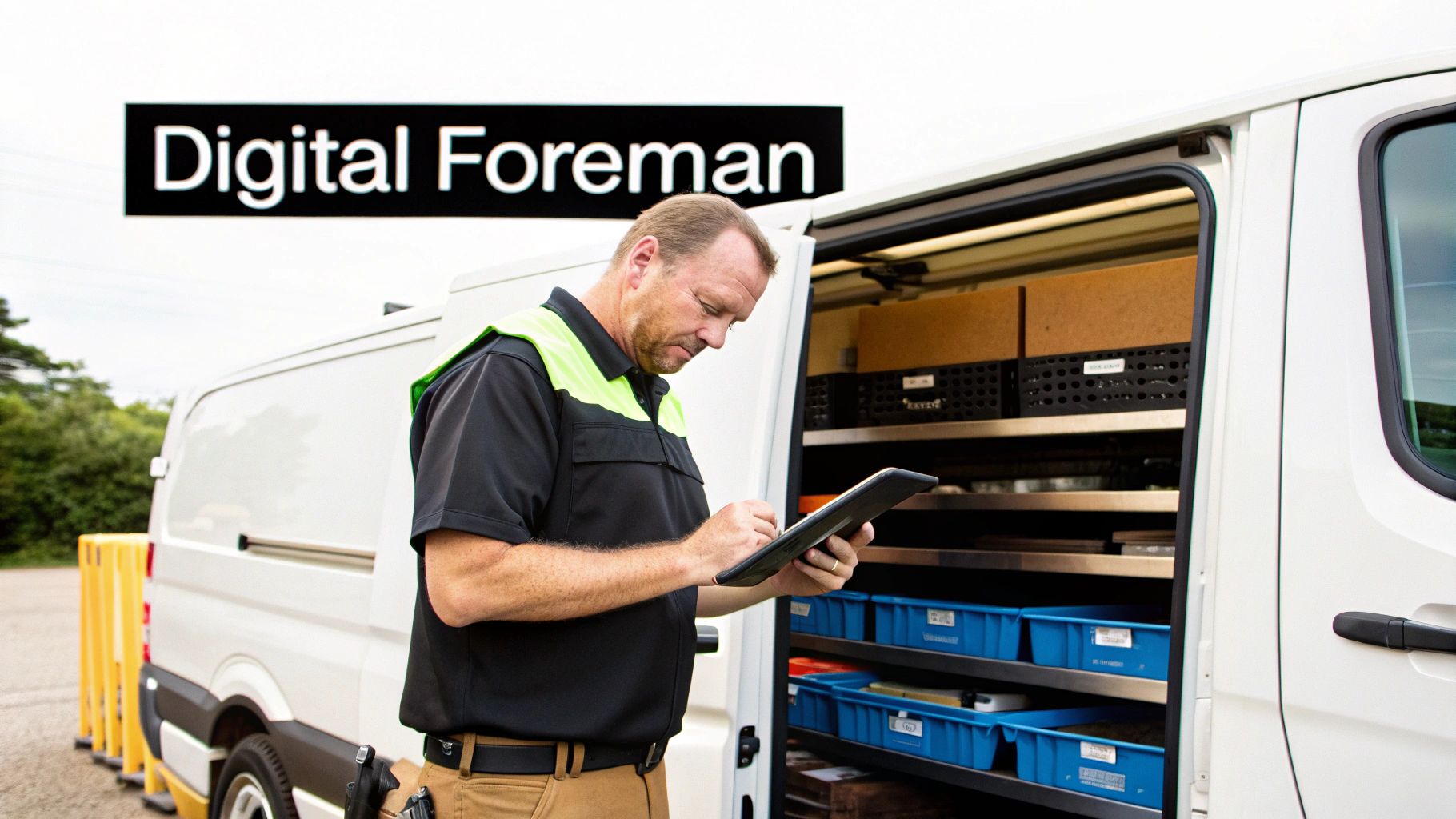
Think of a purchase order system as your project’s digital foreman. A real foreman manages the crew on-site, but this digital counterpart meticulously manages every single part and material. It tracks everything from the instant a technician needs it to the moment it appears on the final customer invoice. It becomes the central brain for all your materials, ending the mess of paper POs, lost receipts, and frantic phone calls to the office.
If you’re still wrestling with spreadsheets or carbon-copy PO books, you know the daily headaches all too well. A tech gets to a job site only to find they have the wrong condenser fan motor, forcing a second trip and an unhappy customer. Meanwhile, the office orders a fresh shipment of copper fittings, completely unaware that two full boxes are already sitting in another tech’s van. These "small" mix-ups add up fast, draining profits one mistake at a time.
The Real Cost of Manual Tracking
When you don’t have a formal system, your entire purchasing process is wide open to errors that directly hit your bank account. A solid purchase orders system is built to shut down these vulnerabilities by giving you structure, visibility, and control. It puts a stop to common problems like:
- Duplicate Orders: The system gives everyone a live look at all outstanding orders, so you don't accidentally buy the same expensive materials twice.
- Lost Parts: By tying every purchased item to a specific job number, you ensure nothing gets lost in the Bermuda Triangle between the supplier, your shop, and the job site.
- Forgotten Invoices: It makes certain that every part, screw, and fitting used on a job actually makes it onto the final bill, plugging a major source of revenue leakage.
Let’s be honest: comparing manual methods to an automated system shows just how much time and money is being left on the table. The daily grind looks completely different.
Manual POs vs Automated Purchase Orders Systems
| Task | Manual Process (Paper and Spreadsheets) | Automated System |
|---|---|---|
| Creating a PO | Tech calls the office. Office staff handwrites or types a PO, then faxes or emails it. Takes 15-20 minutes. | Tech creates a PO directly from their phone on-site. It's pre-filled with job info and sent for approval instantly. Takes 2-3 minutes. |
| Getting Approval | The PO sits in an inbox or on a desk waiting for a manager to sign off, delaying the order. | Manager gets a notification on their phone and can approve or deny the request with one tap, no matter where they are. |
| Tracking the Order | Someone has to call the supplier for an ETA. The status lives in someone’s head or a messy spreadsheet. | The system provides a real-time status update. Everyone can see if the part is ordered, shipped, or received. |
| Receiving Parts | Parts arrive at the shop. The paper PO is manually matched against the delivery slip. Mistakes are easy to miss. | Warehouse staff scans the part, and the system automatically updates the inventory and marks the PO as "received." |
| Job Costing | The office manager has to manually enter the part cost from the invoice into a spreadsheet or accounting software. | The cost is automatically assigned to the correct job as soon as the PO is created, providing instant and accurate job costing. |
This table isn't just about saving a few minutes here and there; it’s about transforming a reactive, error-prone workflow into a proactive, efficient, and profitable operation.
A purchase order system creates a clear, legally binding agreement between you and your supplier. It formalizes the request, detailing exact quantities, prices, and delivery terms, which protects both parties and eliminates confusion down the line.
The shift toward this level of control is happening fast. The purchase order software market was valued at around $1.2 billion globally in 2023, and some projections show it soaring to $2.5 billion by 2032. This isn’t just a corporate trend; it’s driven by the urgent need for better tools in hands-on industries like field service. You can learn more about the global purchase order software market trends on dataintelo.com. By adopting a system, you’re not just buying software—you’re replacing guesswork with hard data and turning a chaotic process into a predictable, profitable one.
Must-Have Features in a Contractor's PO System
Standard, off-the-shelf purchase order software usually falls flat for trade businesses. A tool built for a quiet office just doesn't get the messy, on-the-go reality of HVAC, plumbing, or electrical work. To really move the needle on your profits, you need a purchase orders system with specific, non-negotiable features designed for the field.
These aren't just nice-to-haves; they're the core components that solve the day-to-day headaches contractors actually face. Picking a system without them is like buying a brand new work truck but forgetting the ladder rack—sure, it runs, but it won't help you get the job done right. Let's dig into the features that transform a PO system from a glorified spreadsheet into a true profit-driver.
Seamless Inventory Integration
For any contractor, your inventory isn't neatly stacked in one warehouse. It's scattered across service vans, tucked away in the main shop, and sometimes even sitting at a job site. A great PO system has to plug directly into your inventory management, giving you a single source of truth for stock levels, no matter where they are.
Imagine a tech in the field needs a specific part. Instead of immediately driving to the supplier, they should be able to check if another technician’s van nearby already has it. This simple check cuts down on wasted trips and stops you from buying materials you already own. When a PO is finally approved and the parts are picked up, a truly integrated system updates your inventory counts automatically, so everyone from the office to the field is working with the same information.
Automated Approval Workflows
Maverick spending can silently drain your profits. A well-meaning tech might grab a premium part when a standard one would do just fine, or an apprentice could accidentally order ten of something when they only needed one. Automated approval workflows are the guardrails that prevent this.
You can set up simple rules, like requiring a manager's approval for any purchase over $250. The system should then ping the manager’s phone instantly, letting them approve or reject the request with a quick tap. This gives you tight control over spending without slowing your team down with bureaucratic red tape.
A smart purchase order system doesn't just track spending after the fact—it actively controls it before the money leaves your account. Automated approvals give your team the freedom to do their jobs while giving you the financial oversight you need.
Direct Job Costing Connection
How can you be certain a job was profitable? Only when you account for every single cost, especially materials. The best PO systems for contractors let you tie every purchase order directly to a specific job number right from the start.
This means the cost of every single item, whether it's a $5 PVC fitting or a $1,500 compressor, gets automatically assigned to the right project. This simple connection eliminates hours of manual data entry, ensures parts don't get left off the final invoice, and gives you a crystal-clear, real-time view of your profit margin on every job you do.
Robust Mobile Accessibility
Your team works out of their trucks, not from behind a desk. A PO system that isn’t built for a smartphone is basically useless to a modern trade business. Your technicians need to be able to do everything from their phone or tablet while standing on the job site.
That includes things like:
- Creating new POs on the spot, with customer and job details already loaded.
- Snapping photos of a broken part and attaching them to the PO to avoid mix-ups.
- Submitting POs for approval and getting instant notifications on the status.
- Marking parts as received the moment they pick them up from the supply house.
This kind of mobile power lets your field crew manage materials on their own, cutting down on calls to the office and minimizing project delays. It turns purchasing from a clunky, administrative chore into a smooth, natural part of their daily work.
A Smooth Implementation Plan for Your PO System
Switching systems can feel like a massive undertaking, but rolling out a new PO system doesn't have to be a headache. For a busy contractor, the trick is to break the process down into simple, manageable steps. This isn't just about installing software; it's about building a reliable process that your entire team can get behind.
Think of it less as a huge overhaul and more as a phased rollout. A well-thought-out plan minimizes disruption and builds momentum, and modern platforms are designed to do a lot of the heavy lifting for you.
Phase One: Laying the Groundwork
Before you even think about "going live," you need to get your house in order. The single biggest mistake I see companies make is dumping a messy, outdated parts list into a shiny new system. All that does is bring old problems along for the ride.
Start by cleaning up your data. Standardize your parts list and get rid of all the duplicate or obsolete items cluttering it up.
Next, you need to set the rules of the road for your team. This is the perfect time to define clear spending limits and create simple approval workflows.
- Set Spending Tiers: For instance, you could decide that any PO under $100 gets auto-approved, but anything over $500 needs a manager’s signature.
- Assign Approval Roles: Make it crystal clear who has the authority to approve purchases. This simple step prevents confusion and stops work from grinding to a halt while someone tries to find the right person to sign off.
Doing this work upfront means your new purchase orders system starts on the right foot with clean data and clear guidelines.
The diagram below shows how these pieces fit together, connecting your inventory with approvals and job costing in one seamless flow.
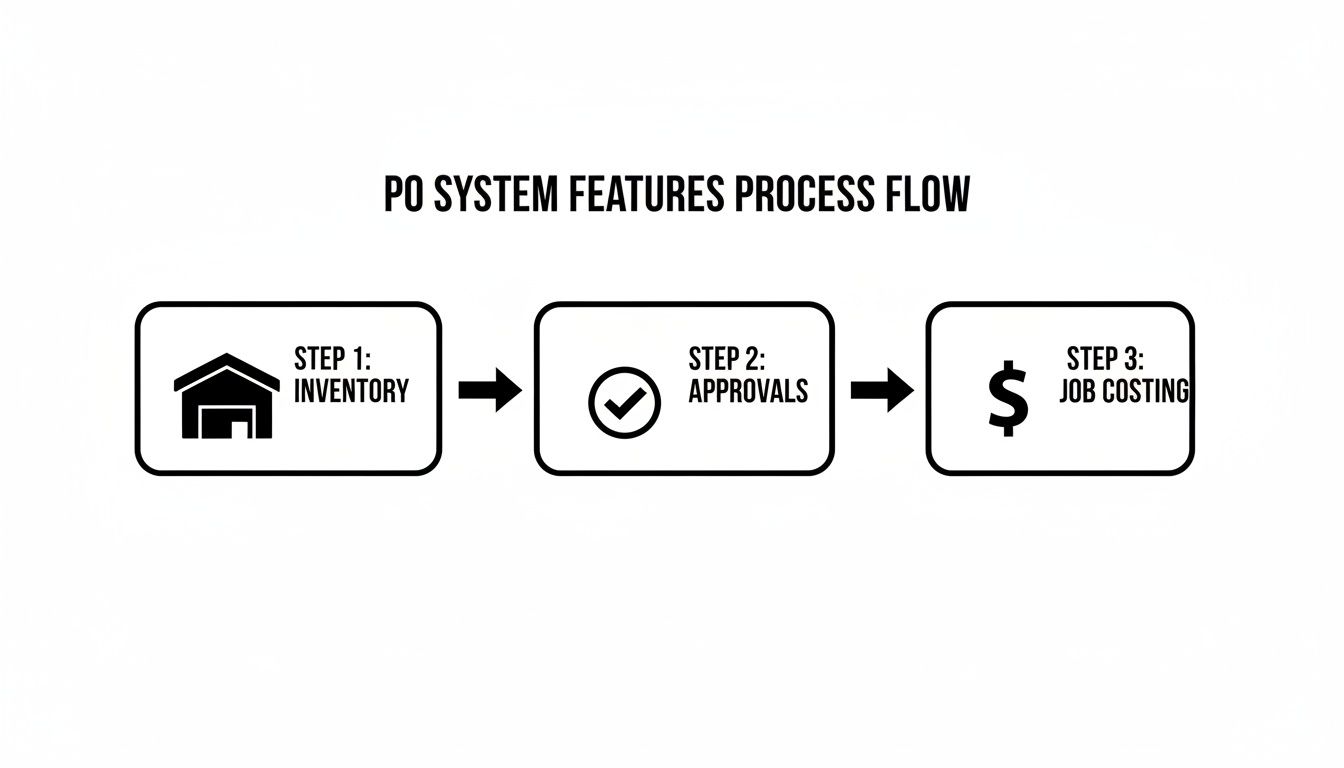
As you can see, a single purchase order kicks off a chain reaction that ensures parts are tracked, spending is controlled, and every cost is billed back to the right job.
Phase Two: Training and Rollout
Good training isn't about lecturing your team. It's about showing them how the new system actually makes their jobs easier.
Split your training between the office staff and your field technicians, focusing on what matters to them. For the techs, it’s all about the mobile app—show them how they can create a PO in just a couple of minutes right from the job site.
A common pitfall is failing to get buy-in from your technicians. If they see the new system as just more administrative hoops to jump through, they won't use it correctly. You have to frame it as a tool that gets them the right parts faster and kills the paperwork they hate.
My advice? Start with a pilot group. Pick one or two of your most trusted techs to use the system first. Let them work out any kinks before you roll it out to the whole company. Their positive feedback will be your best weapon for getting the rest of the crew on board.
This focused approach turns what could be a rocky transition into a smooth, low-risk upgrade for your operations. And it’s a necessary one. The purchase order management outsourcing market hit a staggering USD 5,519.7 million in 2024, showing just how much contractors are relying on these systems to manage their supply chains. You can dig deeper into the global purchase order management market on grandviewresearch.com.
Measuring the True ROI of Your PO System
Putting a new purchase orders system in place is a big step, but how do you actually prove it’s paying off? The real answer is in the numbers, not just a gut feeling that "things feel smoother." Tracking hard data is what separates a smart investment from just another monthly expense. Your goal is to see real, measurable improvements in efficiency, cost control, and ultimately, your bottom line.
Calculating the return on investment goes beyond just the software's price tag. It's about figuring out the total value it brings back into your business. To get a clear financial picture, you need to understand how to calculate return on investment. This means looking at direct cost savings (like catching duplicate orders) and indirect gains (like technicians wasting less time).
Think about it: how much money do you save by preventing just one accidental duplicate order for an expensive HVAC unit or a specialized plumbing fixture each month? That alone can often cover the cost of the software.
Key KPIs to Track Your Success
To see the software's impact in black and white, you have to measure specific Key Performance Indicators (KPIs) before you make the switch and then track them after. These metrics are your scoreboard, showing you exactly where you're winning.
First, you need a baseline. How long does it take for a tech's request to become an approved PO right now? How often do jobs get delayed because a crucial part is out of stock? Get those numbers down. Once you have that starting point, you can watch how they improve.
Here's a table of some of the most critical metrics to monitor. These KPIs will help you quantify the value your new PO system is delivering.
| KPI | What It Measures | How a PO System Improves It |
|---|---|---|
| Purchase Order Cycle Time | The total time from when a part is requested to when the order is officially placed. | Automates approvals and eliminates paperwork, drastically cutting down delays. |
| Inventory Turnover Rate | How quickly you sell through and replenish your stock. | Ensures you order what you need, when you need it, reducing dead stock. |
| Order Accuracy Rate | The percentage of orders that are error-free (no wrong parts, quantities, or prices). | Standardized forms and vendor catalogs minimize human error and costly mistakes. |
| Job Costing Accuracy | How precisely material costs are assigned to specific jobs. | Automatically links every part purchased to a job, giving you a true profit margin. |
Tracking these KPIs is how you move from vague feelings to concrete proof.
The real value becomes crystal clear when you can confidently say, "Our PO cycle time has dropped from 24 hours to just 2 hours, getting techs the parts they need faster and letting us wrap up jobs a day sooner."
Quantifying the Financial Impact
The push for this kind of efficiency isn't just happening in your business; it's an industry-wide shift. The order management software market, a close cousin to PO systems, was a USD 2.95 billion global market in 2023. That’s a lot of businesses looking for a better way to handle purchasing.
Historically, up to 70% of small contractors relied on paper POs, which led to stockout rates as high as 25% on critical jobs. Modern tools flip this script. We've seen businesses using digital PO systems boost their billable hours by 15-20% simply because technicians have the right parts when they need them.
By tracking the right numbers, you can clearly show how a dedicated PO system directly boosts your bottom line and makes the investment a no-brainer for your entire team.
How Integrated Systems Power Your Workflow
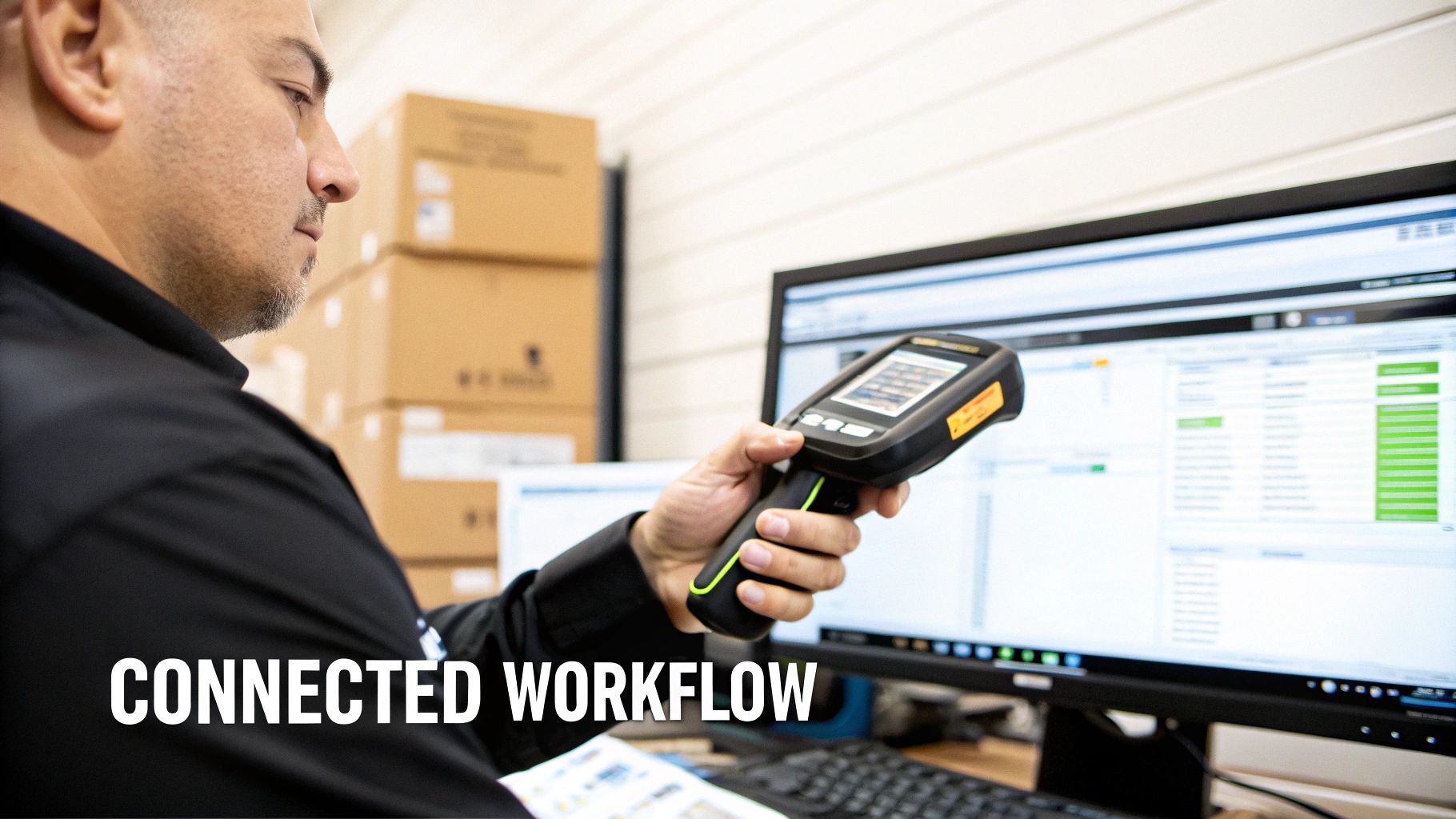
Think of a standalone purchase order tool like a powerful engine sitting on the workshop floor. It might have all the horsepower in the world, but without a transmission connecting it to the wheels, it's not actually going to move your business forward. It just creates another island of information, forcing your team to enter the same data over and over again in different places. That’s a recipe for costly mistakes.
The real magic happens with integration. When your purchase orders system is woven into a comprehensive field service management platform, it stops being a separate task and becomes a vital gear in a much larger, smarter machine. This isn't just about making life easier; it's about creating a single source of truth that helps you make better, more profitable decisions.
From a Field Request to a Final Invoice
Let's walk through a real-world scenario. A technician is on-site and realizes they need a new compressor to finish the job. With an integrated system, they don't just create a PO in a bubble. The second they tap out the request on their phone or tablet, they kick off a seamless chain reaction.
This connected process ensures information flows automatically where it needs to go, no manual re-entry required. That single purchase order becomes the digital thread connecting what's happening in the field directly to your finances back at the office.
Here’s a breakdown of how that one PO ripples through your entire business:
- Inventory Gets an Instant Update: As soon as the part is ordered and received, the system automatically adjusts the stock levels in your warehouse or assigns it directly to the tech’s van.
- Job Costs are Captured Immediately: The cost of that compressor is instantly tied to the correct job number. No more guesswork or trying to match receipts to jobs weeks later. Your profitability reports are always accurate.
- Invoicing Becomes Foolproof: The part and its cost are automatically added to the customer’s final invoice, plugging a very common source of lost revenue.
This kind of connected ecosystem makes sure nothing slips through the cracks. It transforms a simple purchase into a fully documented, fully costed piece of the project's lifecycle.
When your POs, inventory, and job costing "talk" to each other, you eliminate the guesswork. You move from running your business on hunches to managing it with hard, reliable data.
The Power of a Unified Platform
When you juggle separate tools, you create painful information gaps. Your dispatcher might have no idea a job is on hold waiting for a part. Your bookkeeper might spend hours trying to match a supplier invoice to the right project. An integrated platform closes these gaps, giving everyone on the team the complete picture.
For instance, when a technician creates a PO for a backordered part, the job status on the main dispatch board can automatically switch to "Awaiting Parts." Now, your office team has full visibility without having to chase down the tech for an update. This clarity is huge for managing customer expectations and scheduling your team efficiently.
Ultimately, a fully integrated purchase orders system does a lot more than just track what you buy. It offers a live, 360-degree view of your operations—from the exact parts sitting in your trucks to the true profit margin on every single job. It’s the key to stamping out manual errors, getting a firm grip on your costs, and building a more resilient, profitable trade business.
Answering Your Top Questions About PO Systems
Making any change to your business workflow brings up a lot of "what ifs." When you're thinking about a purchase orders system, you're probably wondering how it will really impact your day-to-day work, your team, and your profits. Let's tackle some of the most common questions we hear from contractors in the field.
My goal here is to give you straight, honest answers to help you see past the sales pitch and understand the real value of updating how you buy materials.
"My Team Is Used to Paper POs. How Hard Is It to Switch?"
The switch is a lot smoother than most people expect, especially with software built for teams that aren't chained to a desk. Modern PO systems run on simple mobile apps. If your techs can use their phone to get directions to a job site, they have all the skills they need to create a purchase order with a few taps.
The trick is a smart, phased rollout. A good software partner will help you get your parts list uploaded and provide training. We've seen a ton of success with starting just one or two of your most tech-savvy people on the system first. Let them get comfortable, and they'll become champions for it. Once the rest of the team sees how much time it saves and how many mistakes it prevents, even the most stubborn skeptics will come around.
"Can a Purchase Order System Really Help Control Job Costs?"
Without a doubt. In fact, this is where you'll see one of the biggest and fastest returns. A PO system gives you immediate control over spending by letting you set approval limits. Any purchase over a certain amount—say, $250—can be set to require your direct sign-off before a single dollar is spent.
Even more powerfully, it forces every single purchase to be tied directly to a specific job number. This one simple step completely eliminates those mysterious "phantom" material costs that silently kill your profit margins. You’ll finally have crystal-clear data on exactly what was spent on each project, which leads to better estimates and makes sure every job you quote is actually profitable.
"Do I Need Separate Systems for Purchase Orders and Inventory?"
No, and you shouldn't have to settle for that. The best systems build purchase order management right into a complete field service platform. A fundamental question when diving into purchase order systems is understanding the crucial distinction of Purchase Order vs Contract, and when each is appropriate for your business needs.
When your PO system talks to your inventory, scheduling, and invoicing tools, everything just works together. You get a single, accurate view of your entire operation, cutting out double-entry and giving everyone a single source of truth.
"Is This Software Affordable for a Small Business?"
Yes. The old days of massive, expensive software installations are over. Modern cloud-based platforms have made these powerful tools accessible and affordable for businesses of any size.
Instead of a huge upfront investment, you'll find flexible pricing that can grow with you. You can start with the essential features you need right now and add more capabilities as your business expands. This model lets small-to-midsize contractors use the same professional-grade tools as the big guys, all without getting locked into a scary, long-term contract.
Ready to stop losing money on parts and gain full control over your job costs? TackonFSM integrates purchase orders, inventory, and job costing into one simple platform for trade businesses. See how TackonFSM can transform your purchasing workflow today.


