Top apps like jobber: Find the best alternatives for service pros
Jobber is a popular choice for managing field service operations, but it isn't always the perfect fit for every trade business. As your company scales, you might discover needs that Jobber can't quite meet, such as more robust inventory control, specialized features for your trade, or a more flexible pricing structure. If you're looking for apps like Jobber that better align with your specific operational demands, this guide is your starting point.
This listicle dives deep into 12 top-tier alternatives, offering a clear-eyed comparison to help you make an informed decision. We’ll analyze essential features like scheduling, dispatching, estimating, and invoicing for each platform. To truly understand the landscape of apps like Jobber, it's essential to grasp the core concepts of Field Service Management (FSM) software.
We'll pay special attention to how each solution handles parts and inventory management, a common pain point for growing HVAC, plumbing, and electrical contractors. Throughout this guide, you’ll find direct links and screenshots to give you a real feel for each tool. Our goal is simple: to help you identify the right FSM platform that streamlines your workflow, cuts costs, and supports your business's unique growth trajectory.
1. TackonFSM
TackonFSM presents a powerful, all-in-one alternative for trade contractors who find Jobber's inventory features lacking. Purpose-built for small HVAC, plumbing, and electrical teams (1–20 technicians), it integrates scheduling, dispatching, estimating, invoicing, and payments into a single, cohesive platform. Its core differentiator is an "inventory-first" design that goes far beyond basic tracking.
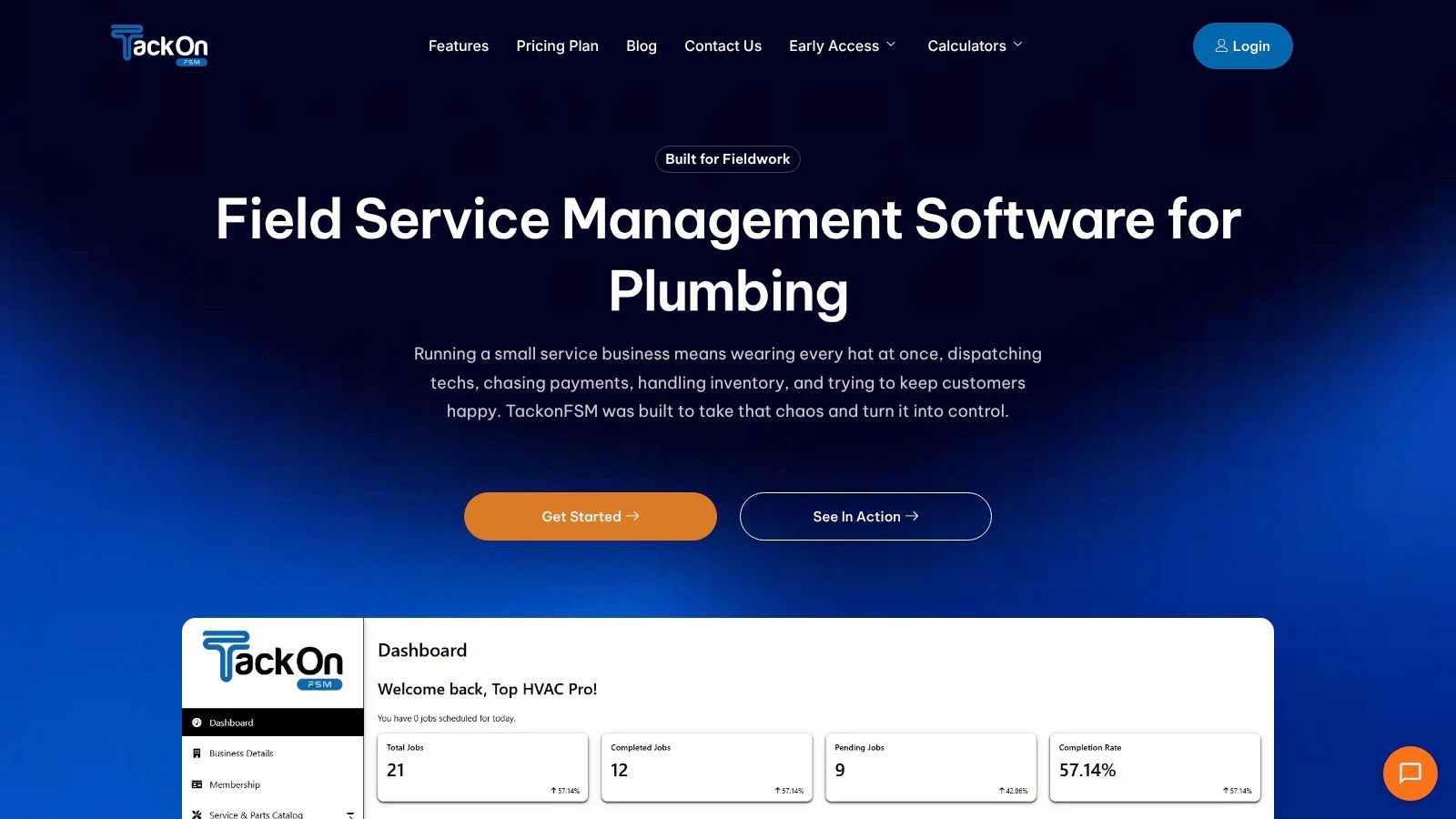
This platform excels at providing real-time visibility of parts across multiple locations like vans and warehouses. Features such as barcode scanning, automated stock deductions upon job completion, and low-stock alerts prevent costly over-ordering and project delays. The standout Elastic Parts Database comes preloaded with over 3,000 common items, drastically speeding up the quoting and estimating process.
Why It's a Top Jobber Alternative
TackonFSM is one of the best apps like Jobber for businesses where material management is critical to profitability. It directly solves the pain point of chaotic parts tracking that many contractors experience with other platforms. Field techs can see part availability on their mobile app, build accurate estimates using a shared pricebook with built-in markup logic, and capture digital approvals on-site. The streamlined workflow allows for one-tap conversion of estimates to invoices, while automated customer notifications reduce time-consuming "where's my tech?" calls.
Key Features:
- Inventory-First FSM: Multi-location stock control, barcode scanning, and parts tracking tied directly to jobs.
- Elastic Parts Database: A pre-populated library of 3,000+ items to accelerate accurate quoting.
- Unified Operations: Visual drag-and-drop dispatch, mobile checklists, digital approvals, and field payments in one app.
- Transparent Pricing: Flat-rate monthly plans starting at $69/mo with no contracts and free data migration.
Pros:
- True all-in-one system reduces app switching and manual data entry.
- Robust inventory control stops double-orders and ties parts directly to job profitability.
- Contractor-friendly pricing provides a lower total cost compared to enterprise FSMs.
- Field-focused features boost technician productivity and improve customer communication.
Cons:
- Certain advanced features (e.g., calendar sync, full warehouse management) are still in development or limited to higher-tier plans.
- The entry-level "Duo Team" plan requires paid add-ons for full inventory and Elastic DB access.
- User limits on standard plans mean rapidly scaling teams may need to confirm options for growth.
Website: https://www.tackonfsm.com
2. TackOn FSM
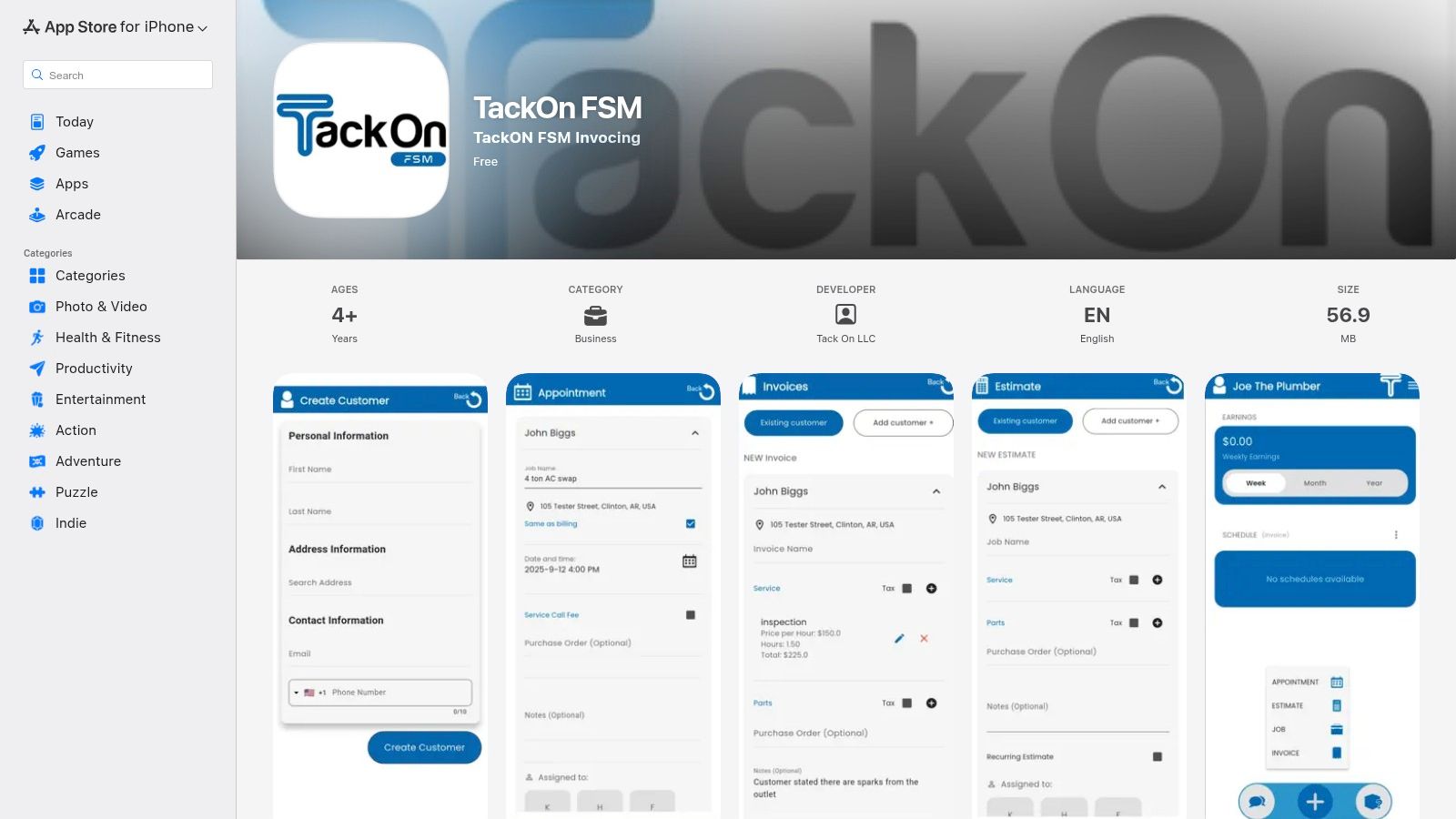
TackOn FSM is a modern field service management platform built specifically for trade contractors in HVAC, plumbing, and electrical services. It’s one of the newer apps like Jobber, offering a compact, all-in-one workflow designed to replace clunky legacy systems. The platform focuses heavily on simplifying the journey from initial estimate to final payment, with a particular emphasis on real-time inventory and parts tracking, a critical need for trade-based businesses.
Its core strength lies in connecting office operations with field technicians seamlessly. Office managers can use the drag-and-drop scheduler to dispatch jobs, while technicians in the field can access mobile checklists, capture photos, and track parts used on-site directly from the app. This creates a streamlined loop where estimates are quickly converted to jobs, and invoices with payment links can be sent via text or email as soon as work is complete.
Key Features & User Experience
TackOn FSM provides a focused feature set that avoids the bloat of larger enterprise solutions, making it accessible for small to mid-sized teams. The interface is clean and intuitive, reducing the learning curve for both office staff and field techs.
- Job Management: Drag-and-drop scheduling, dispatching, and real-time job status updates.
- Estimates & Invoicing: Create and send professional estimates that convert to jobs and invoices with one click.
- Payments: Collect payments faster with secure payment links sent directly to customers.
- Inventory Tracking: A standout feature for managing parts and equipment across vans and job sites.
Pros & Cons
| Pros | Cons |
|---|---|
| Streamlined Workflow | Newer Platform |
| Inventory-First Approach | Limited Integrations |
| Trade-Specific Design | Android app via APK |
Best for: HVAC, plumbing, and electrical contractors (1-20 technicians) who need a simple, affordable, and inventory-centric FSM solution.
3. Housecall Pro
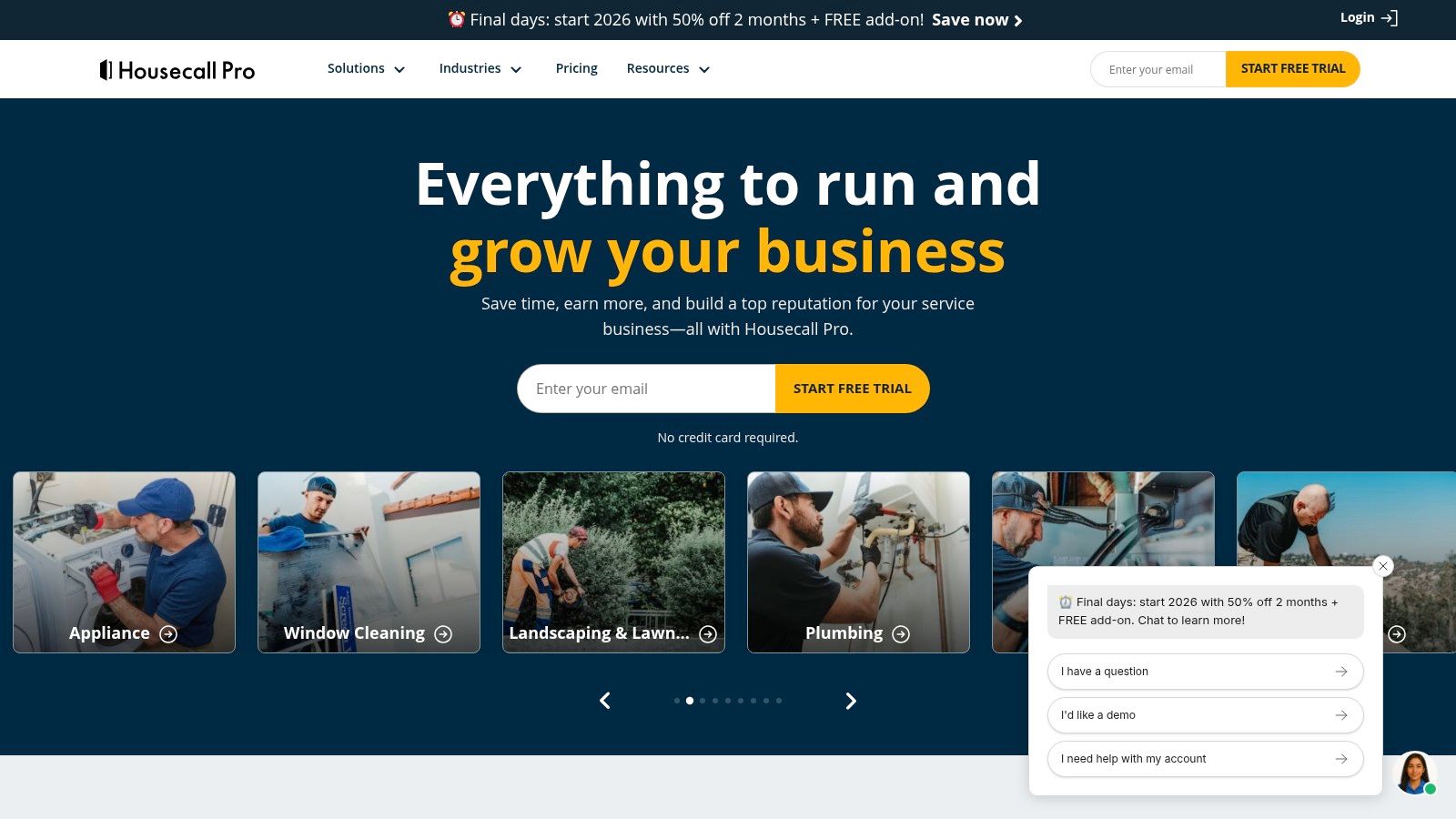
Housecall Pro is a well-established and popular app like Jobber, designed for a broad range of home-service professionals. Its platform is built around simplifying business operations, with a strong focus on online booking, customer communication, and a visually appealing price book. This makes it a great fit for businesses that want to present clear, flat-rate pricing options and empower customers to book services directly.
The platform excels at connecting the entire customer journey, from a booking request on your website to automated "on-my-way" texts for the client. Techs in the field have access to all job details, can build multi-option proposals on-site, and process payments immediately upon job completion using the mobile app. This creates a professional customer experience while streamlining administrative tasks for the office.
Key Features & User Experience
Housecall Pro offers a comprehensive feature set wrapped in a user-friendly interface that is accessible for businesses of all sizes. The platform is known for its robust community and extensive support resources, which helps new users get up to speed quickly.
- Scheduling & Dispatch: Drag-and-drop calendar with online booking integration and GPS tracking.
- Estimates & Invoicing: Create professional estimates and invoices with integrated payment processing (credit card and ACH).
- Customer Communication: Automated job reminders, "on my way" texts, and follow-up review requests.
- Visual Price Book: A standout feature for building and presenting flat-rate pricing options to customers.
Pros & Cons
| Pros | Cons |
|---|---|
| Large user base & support | Pricing can increase with add-ons |
| Robust price book tools | Some edits require the web app |
| Excellent customer communication | Less focus on deep inventory tracking |
Best for: A wide range of home service contractors (HVAC, plumbing, electrical, cleaning) who prioritize customer experience, online booking, and flat-rate pricing.
4. ServiceTitan
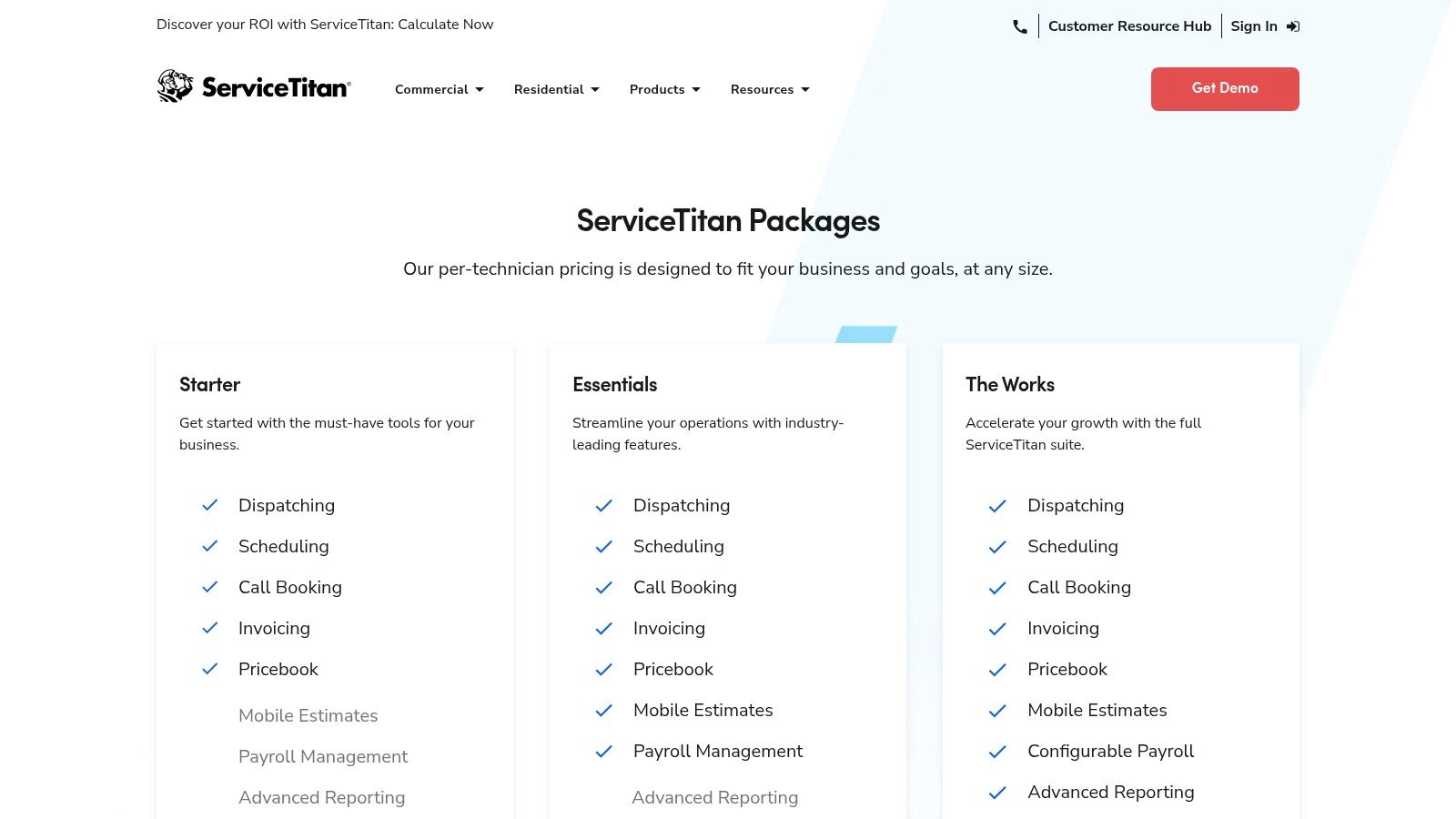
ServiceTitan is an enterprise-grade field service management software built for large-scale and rapidly growing home and commercial service contractors. Positioned as one of the most powerful apps like Jobber, it offers a comprehensive, all-in-one platform designed to manage complex operations. It excels in areas beyond standard job management, providing deep business insights through advanced reporting, integrated marketing attribution, and sophisticated call booking and membership management workflows.
The platform is designed to handle the needs of multi-location businesses with large teams. Its core strength lies in its ability to connect every facet of the business, from marketing campaigns and call center performance to dispatch efficiency and financial reporting. This makes it a powerful tool for contractors who have outgrown simpler solutions and require granular control and data-driven decision-making capabilities to fuel further growth.
Key Features & User Experience
ServiceTitan’s feature set is extensive, catering to nearly every aspect of a large service business. While powerful, the user experience can involve a steep learning curve due to its depth and configurability.
- Call Recording & Booking: Integrated workflows to track marketing ROI and improve booking rates.
- Dispatch Board & Mobile Estimates: Advanced dispatching tools and a robust mobile app for field technicians.
- Advanced Reporting & Analytics: Deep, configurable reporting on financials, marketing, and operational efficiency.
- Marketing & Memberships: Tools for managing marketing campaigns and recurring service/membership plans.
Pros & Cons
| Pros | Cons |
|---|---|
| Comprehensive Feature Set | No Public List Prices |
| Strong Analytics & Reporting | High Cost for Small Teams |
| Handles Complex Operations | Steep Learning Curve |
Best for: Established residential and commercial contractors (20+ technicians) who need a powerful, all-in-one system for managing complex, multi-location operations and require deep business analytics.
5. FieldPulse
FieldPulse is a field service management software designed for small to mid-sized trade companies seeking customizable workflows and dedicated onboarding. As one of the more established apps like Jobber, it provides a comprehensive suite of tools covering scheduling, work orders, estimates, invoicing, and project management. The platform aims to be a flexible core for a service business, connecting office staff with technicians in the field through robust mobile apps.
Its key differentiator is a hands-on approach to customer setup and support, making it a strong choice for businesses that want guided implementation. FieldPulse allows for extensive customization of forms, estimates, and workflows to match a company's specific processes. This adaptability, combined with integrations like QuickBooks and an optional VoIP add-on (Engage), helps businesses scale their operations without needing to switch platforms as they grow.
Key Features & User Experience
FieldPulse offers a broad feature set that can be tailored to fit various trade industries. The user experience is generally positive, with a clean interface on both desktop and mobile that helps teams manage complex projects and daily service calls efficiently.
- Job & Project Management: Create detailed work orders, schedule jobs, dispatch technicians, and manage multi-stage projects.
- Estimates & Invoicing: Build professional estimates and invoices with customizable line items and branding.
- QuickBooks Sync: A deep, two-way synchronization with QuickBooks Online and Desktop keeps financial data accurate.
- Multi-Location Support: Manage crews, schedules, and customers across different service areas or branches.
Pros & Cons
| Pros | Cons |
|---|---|
| Tailored Onboarding | Quote-Based Pricing |
| Strong Mobile Experience | Add-ons for Some Features |
| Flexible Configuration | Can Be Complex for Solos |
Best for: Small to mid-sized service businesses (5-50 technicians) that need a highly customizable FSM with strong support and QuickBooks integration.
6. ServiceM8
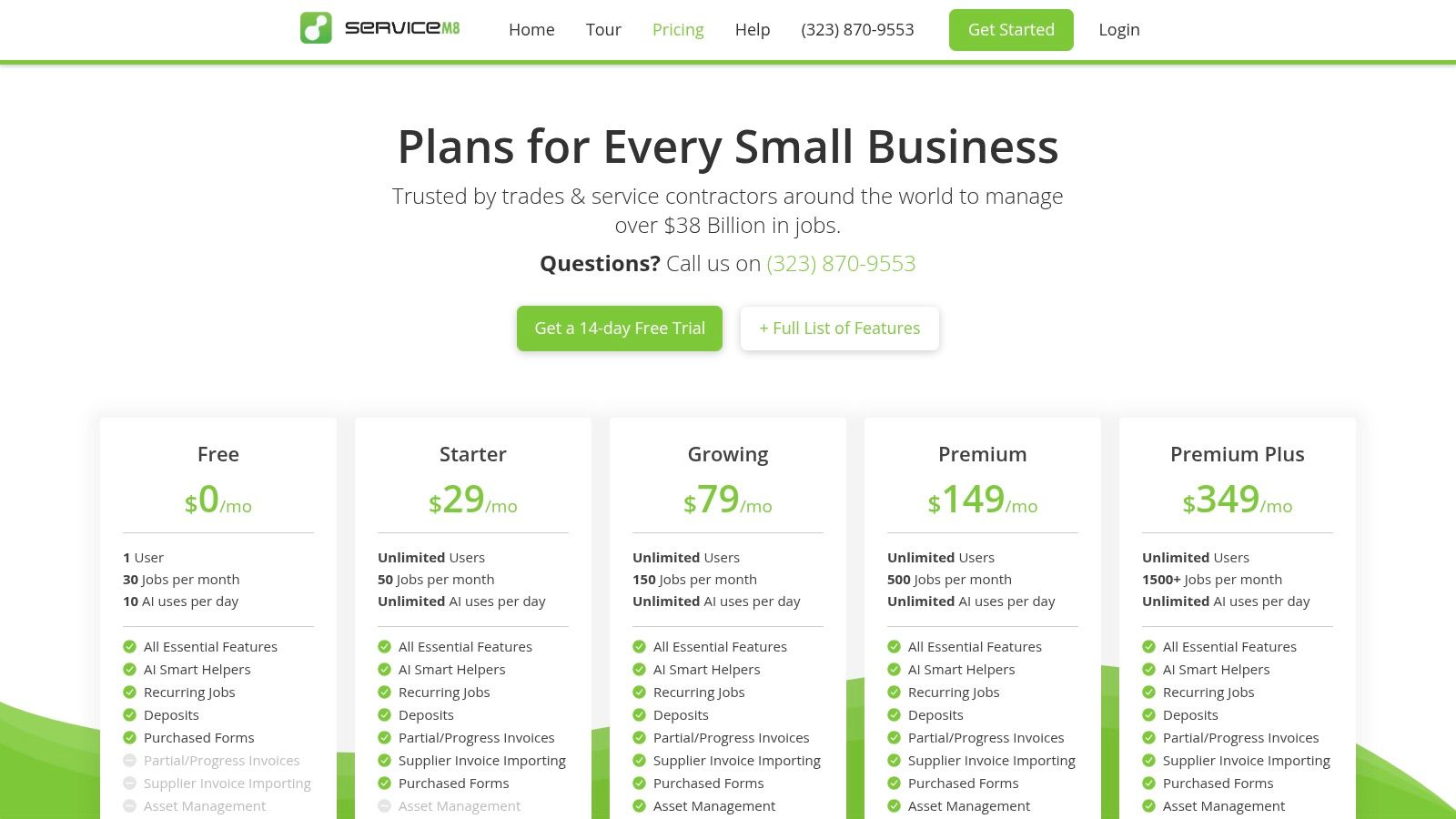
ServiceM8 is an iOS-first field service management app built for small trade and service businesses. It stands out in the "apps like Jobber" landscape with its unique job-based pricing model, which allows for unlimited users on paid plans rather than charging per technician. The platform is designed to be a complete job management solution, guiding users from the initial customer inquiry through to scheduling, quoting, invoicing, and payment, all from an iPhone or iPad.
Its core functionality revolves around a digital "job card" system, where all details, photos, notes, and communications for a job are stored in one place. Technicians can access these cards in the field, complete mobile checklists, and capture customer signatures on-site. The system integrates smoothly with accounting software like QuickBooks and Xero, making it a strong choice for businesses already embedded in the Apple ecosystem.
Key Features & User Experience
ServiceM8’s user experience is heavily optimized for Apple devices, offering a clean and intuitive interface that feels native to iOS. The features are focused on streamlining job-centric workflows for small, agile teams.
- Job Management: Digital job cards, drag-and-drop scheduling, and real-time staff location tracking.
- Quotes & Invoicing: Create, send, and track professional quotes and invoices from the app.
- Payments & Accounting: Integrates with Stripe for on-site payments and syncs with QuickBooks/Xero.
- Communication: Optional ServiceM8 Phone add-on for a dedicated business line with call handling features.
Pros & Cons
| Pros | Cons |
|---|---|
| Unlimited Users on Paid Plans | iOS-Only (No Native Android) |
| Transparent Job-Based Pricing | Job-Credit Tiers Require Monitoring |
| Free Plan for Solo Operators | SMS Usage Can Add Extra Costs |
Best for: Small trade businesses (1-15 staff) that are heavily invested in the Apple ecosystem and prefer a simple, job-based pricing model over per-user fees.
7. Workiz
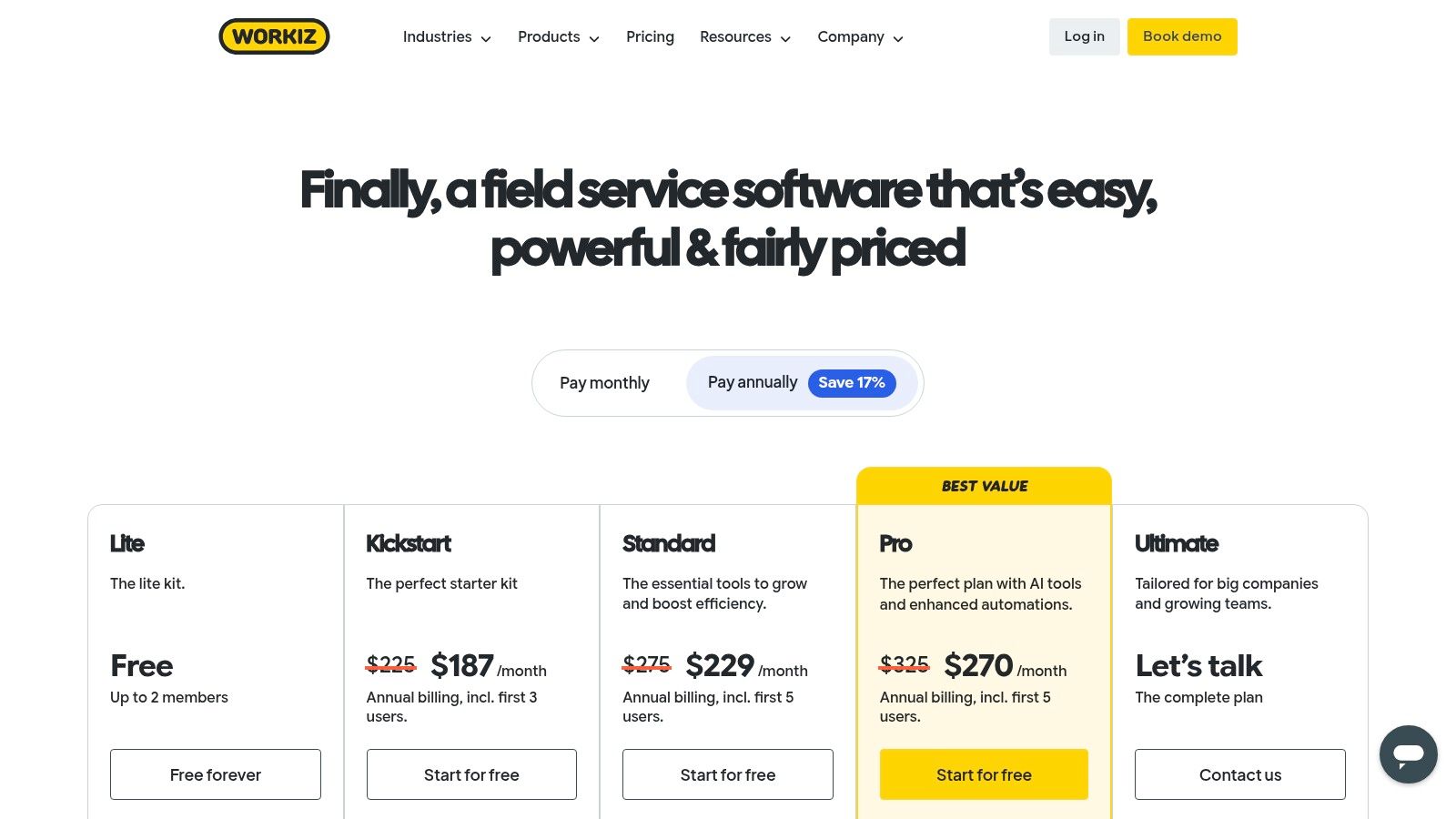
Workiz is a field service management platform that distinguishes itself with a strong focus on integrated communications and emerging AI capabilities. It’s a compelling Jobber alternative for home service businesses that manage a high volume of inbound calls and want to optimize their lead capture and booking processes. The platform bundles core FSM tools with a built-in phone system, effectively replacing the need for separate call center software.
Its main advantage is turning every phone call into a potential job. The system automatically logs calls, provides call recording and tracking, and allows teams to book jobs directly from an incoming call screen. With its "Workiz Genius" AI features, the platform can assist with intelligent scheduling and provide insights from call transcripts, helping teams improve customer service and conversion rates from the very first point of contact.
Key Features & User Experience
Workiz offers a comprehensive suite of tools designed to manage the entire service lifecycle, with a user-friendly interface that integrates communication features seamlessly into the daily workflow.
- Integrated Phone System: Built-in business phone with call tracking, recording, and flows.
- Scheduling & Dispatch: A visual calendar for assigning and tracking jobs in real time.
- Estimates & Invoicing: Create and send professional quotes and invoices with online payment options.
- AI Tools: "Workiz Genius" helps with optimized scheduling and call analysis to improve operations.
Pros & Cons
| Pros | Cons |
|---|---|
| Integrated Phone & AI | AI features on higher tiers |
| Strong Lead Management | Pricing can scale quickly |
| Self-Serve Trials | Extras can increase cost |
Best for: Service businesses (1-50 technicians) like locksmiths, garage door repair, and appliance repair that are call-heavy and want to streamline lead management and scheduling with AI assistance.
8. Service Fusion
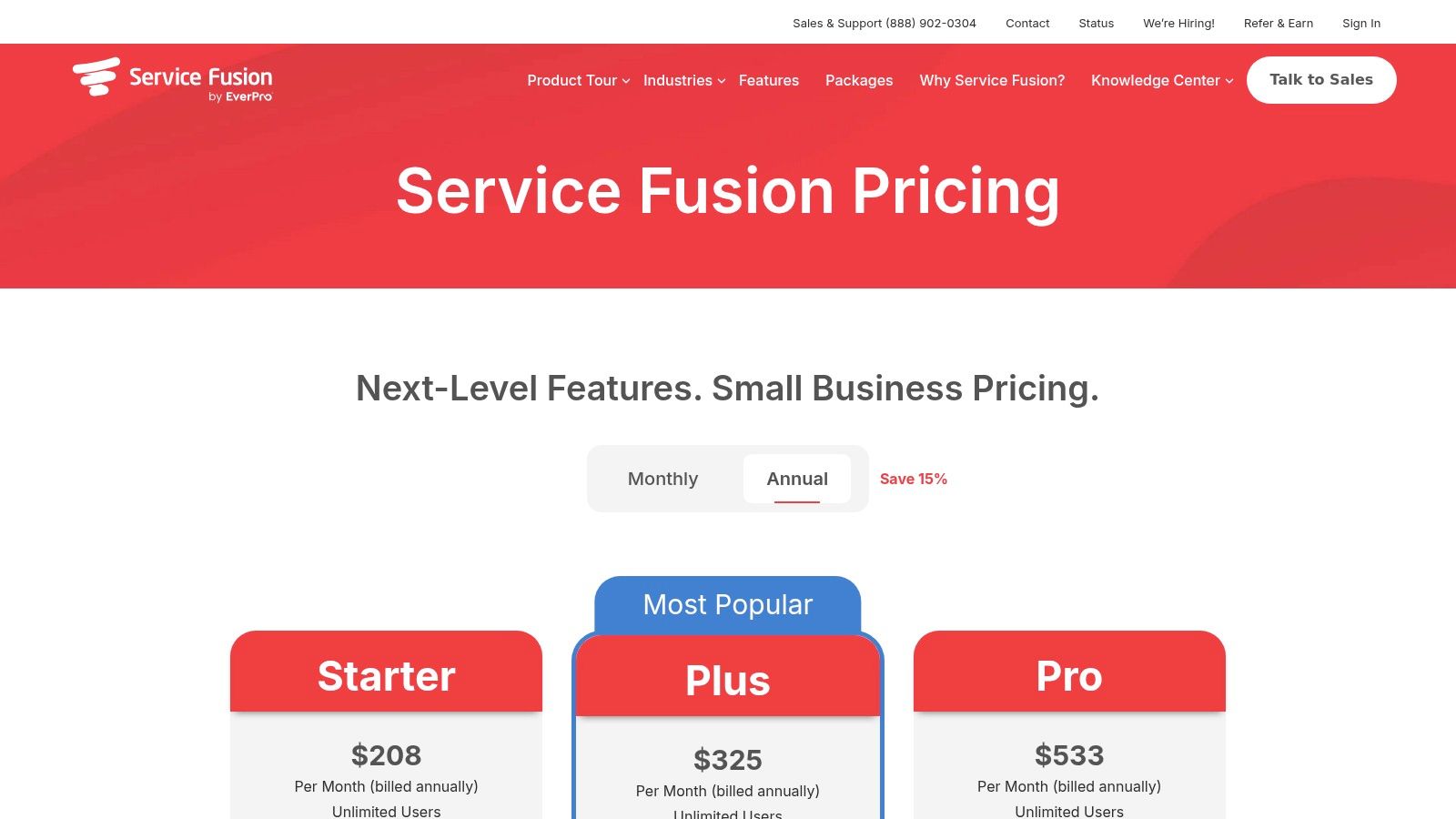
Service Fusion is a field service management software designed for small to medium-sized businesses looking for an alternative to Jobber that prioritizes user scalability. Its key differentiator is offering unlimited users on all its pricing plans, making it an excellent choice for companies with large office teams, multiple dispatchers, or administrative staff who all need system access without incurring per-user fees. The platform provides a solid foundation of FSM features, including customer management, estimates, job scheduling, and dispatching.
The software is built to handle the entire service lifecycle, from initial customer contact to final payment. It integrates smoothly with QuickBooks and offers optional add-ons like GPS tracking, telephony, and customer portals, allowing businesses to customize the platform to their specific needs. This modular approach ensures that companies only pay for the advanced features they require, such as inventory management or detailed job costing, which are available as separate modules.
Key Features & User Experience
Service Fusion's interface is functional and geared toward office-heavy operations, with clear workflows for managing jobs and customers. While its starter plan is basic, the platform becomes powerful when customized with add-ons.
- Customer Management: Maintain detailed customer histories, service locations, and contact information.
- Estimates & Jobs: Create professional estimates that can be converted into jobs with a single click.
- Scheduling & Dispatch: A visual dispatch board helps office staff assign and monitor jobs in real-time.
- Unlimited Users: All plans include unlimited users, a significant cost-saving benefit for growing teams.
Pros & Cons
| Pros | Cons |
|---|---|
| Unlimited Users | Inventory is an Add-On |
| Flexible Add-On Modules | Starter Tier is Basic |
| No Long-Term Contracts | UI Can Feel Dated |
Best for: Service businesses with large administrative or dispatch teams that need a scalable, cost-effective solution without per-user pricing.
9. mHelpDesk
mHelpDesk is an established field service management platform that has been a long-standing option for home service businesses. As one of the more mature apps like Jobber, it offers a comprehensive suite of tools for scheduling, dispatching, work order management, and billing. Its primary appeal lies in its robust, two-way integration with both QuickBooks Desktop and QuickBooks Online, making it a reliable choice for companies deeply embedded in the Intuit ecosystem.
The platform is designed to manage the entire service lifecycle, from the initial customer call to the final invoice and payment. Office staff can efficiently schedule and dispatch technicians, while field staff use the mobile app to access job details, update work orders, and process payments on-site. This creates a connected workflow that helps businesses improve operational efficiency and track financials accurately.
Key Features & User Experience
mHelpDesk provides a feature-rich environment supported by extensive training resources. While some interface elements may feel less modern than newer competitors, its functionality is proven and dependable for managing complex service operations.
- Work Orders & Scheduling: Create detailed work orders and manage technician schedules with a clear dispatch board.
- Estimates & Invoicing: Generate professional estimates and convert them into invoices for quick online payment processing.
- QuickBooks Sync: A key differentiator with reliable two-way sync for both QuickBooks Desktop and Online.
- Item Management: Import and manage price lists for parts and services to ensure consistent and accurate billing.
Pros & Cons
| Pros | Cons |
|---|---|
| Strong QuickBooks Integration | Gated Subscription Pricing |
| Established Platform | Some Dated Website Resources |
| Transparent Payment Rates | Interface Can Feel Older |
Best for: Service businesses of all sizes that prioritize a deep and reliable two-way integration with QuickBooks Desktop or Online.
10. Simpro
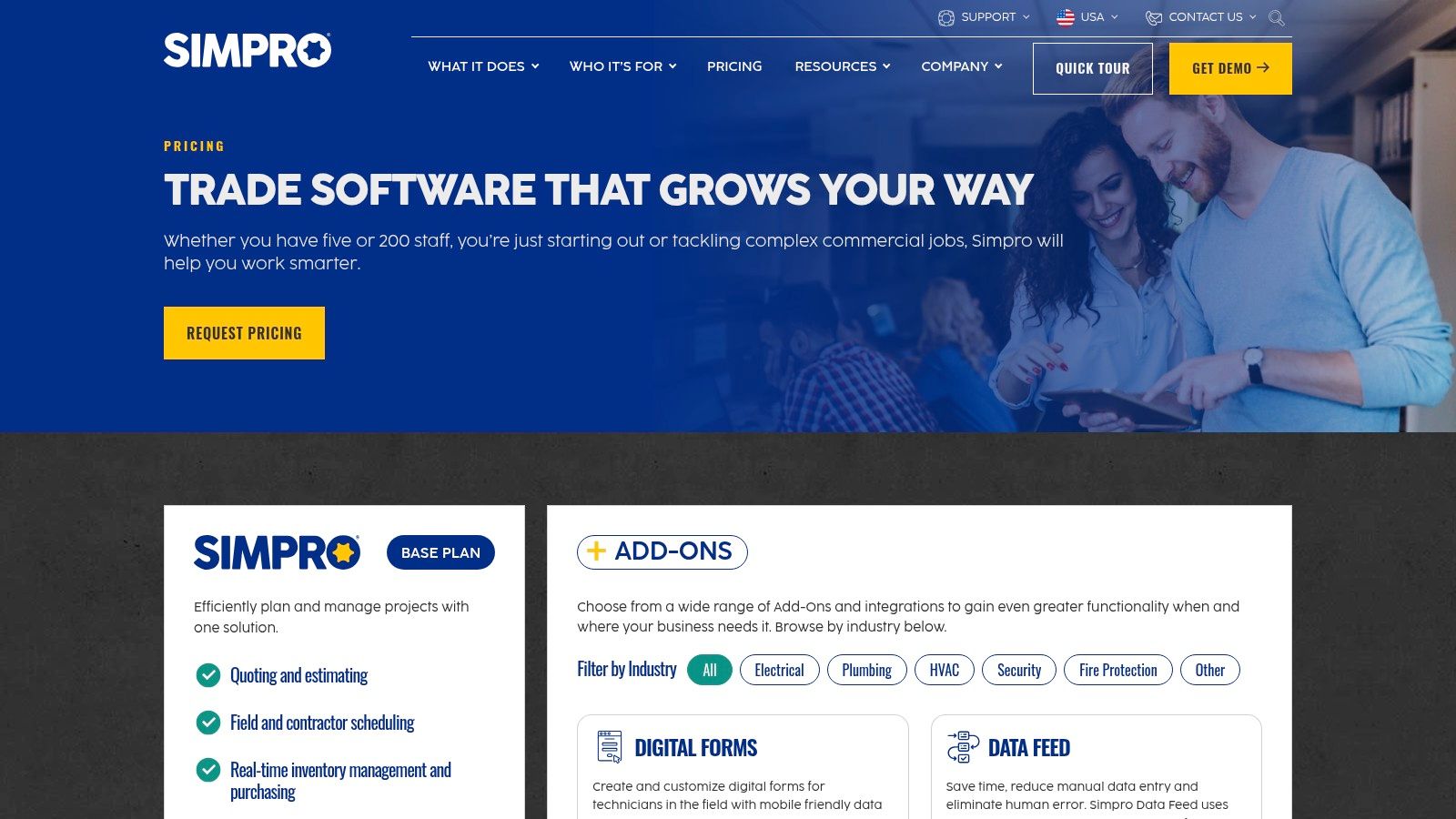
Simpro is an all-in-one field service management platform designed for service and project-based work, making it one of the more comprehensive apps like Jobber for established trade contractors. It excels in complex operations requiring deep inventory management, recurring maintenance schedules, and detailed job costing. The platform connects every stage of the workflow, from the initial lead and quote to final invoicing and reporting, with a strong focus on operational efficiency and profitability.
Its primary strength is its ability to manage both routine service jobs and large-scale, multi-stage projects within the same system. Simpro offers robust tools for purchasing, real-time inventory tracking across multiple locations, and asset maintenance planning. This makes it a powerful choice for businesses that have outgrown simpler job management tools and need greater control over materials, costs, and long-term customer projects.
Key Features & User Experience
Simpro's interface is feature-rich and built for complex workflows, which can present a higher learning curve. However, it provides extensive control over every aspect of a job's financial and operational lifecycle.
- Job & Project Costing: Track labor, materials, and other costs in real-time to ensure project profitability.
- Inventory Management: Advanced purchasing, stock control, and catalog management features.
- Maintenance Planning: Schedule and manage preventative and recurring maintenance contracts.
- Marketplace Add-ons: Extend functionality with modules for GPS tracking (Simtrac), digital forms, and more.
Pros & Cons
| Pros | Cons |
|---|---|
| Deep inventory & maintenance features | Quote-based pricing with onboarding fees |
| Handles complex projects and service work | Higher learning curve than simpler tools |
| Active marketplace of add-on integrations | Best value may require purchasing additional modules |
Best for: Established multi-trade contractors and service businesses (20+ employees) that need a robust, all-in-one system for managing complex projects, inventory, and asset maintenance.
11. G2 – Jobber Alternatives
Instead of a single app, G2 is a peer-review marketplace that provides a comprehensive list of Jobber alternatives and competitors. It serves as a powerful research hub where business owners can find a wide range of apps like Jobber, complete with user reviews, side-by-side feature comparisons, and recent feedback. This makes it an ideal starting point for anyone looking to evaluate the crowded field service management software market.
The platform excels at providing context and social proof. You can filter options based on company size, specific features like inventory tracking or dispatching, and user satisfaction ratings. This allows you to quickly shortlist potential solutions that fit your specific business needs, whether you're in HVAC, plumbing, or another trade. It aggregates real-world experiences, offering a more objective view than vendor marketing materials alone.
Key Features & User Experience
G2’s interface is designed for comparison, helping users gather competitive intelligence efficiently. While it's a review site, its structured data makes it a practical tool for making informed decisions.
- Ranked Alternatives: View dynamically updated lists of top competitors based on user satisfaction and market presence.
- User Reviews & Ratings: Access a large volume of recent, verified user feedback detailing pros and cons.
- Feature Filtering: Narrow down software choices by must-have features, pricing models, and business size.
- Side-by-Side Comparisons: Directly compare up to four different platforms on a detailed feature-by-feature basis.
Pros & Cons
| Pros | Cons |
|---|---|
| Large volume of user reviews | Some content is gated |
| Objective competitive context | Sponsored placements can influence lists |
| Excellent starting point for research | Reviews can lack trade-specific detail |
Best for: Business owners in the initial research phase who want to compare multiple FSM solutions and read authentic user feedback before committing to demos.
Visit G2 – Jobber Alternatives
12. Capterra – Jobber Alternatives
Capterra isn't a direct FSM app itself but an essential software directory for finding and comparing a vast range of Jobber alternatives. It functions as a research hub, allowing you to filter through hundreds of field service management tools based on features, company size, and user ratings. This makes it an ideal starting point for anyone looking to survey the market before committing to demos.
The platform's core strength is its ability to provide a high-level, at-a-glance comparison of different apps like Jobber. You can see user-submitted reviews, pricing snapshots, and core feature lists side-by-side. To fully utilize this resource, refer to a comprehensive guide to Capterra to understand its structure and how software reviews are gathered. This helps you build a shortlist of potential solutions to investigate further.
Key Features & User Experience
Capterra's interface is designed for efficient software discovery. It aggregates vendor information, saving you the time of visiting dozens of individual websites during the initial research phase.
- Category Filters: Narrow down options by industry, business size, and required features.
- User Ratings & Reviews: Gain insights from real users about the pros and cons of each platform.
- Side-by-Side Comparisons: Directly compare key metrics for up to four different software products.
- Vendor Profiles: Access screenshots, video overviews, and direct links to vendor websites.
Pros & Cons
| Pros | Cons |
|---|---|
| Broad FSM Tool Coverage | Sponsored Listings Affect Ranking |
| Quick Feature/Price Comparison | Information Can Be Outdated |
| Free Research Resource | Reviews Can Lack Depth |
Best for: Business owners in the early research stage who want to quickly build a shortlist of Jobber alternatives to investigate more deeply.
Visit Capterra – Jobber Alternatives
Top 12 Jobber Alternatives Comparison
| Product | Core features | UX / Quality ★ | Price & Value 💰 | Target audience 👥 | Unique selling point ✨ |
|---|---|---|---|---|---|
| TackonFSM 🏆 | Scheduling, drag‑drop dispatch, estimates→invoices, field & warehouse inventory, payments, Elastic Parts DB | ★★★★☆ — field-first mobile, 24/7 support | 💰 Duo $69 / Crew $139 / Command $179 / Fleet custom; 14‑day trial, no setup | 👥 Small trades (1–20 techs): HVAC, plumbing, electrical | ✨ Inventory-first, multi-location parts + growing Elastic DB; transparent pricing |
| TackOn FSM | Drag‑and‑drop scheduling, estimate→invoice, basic in-field parts, iOS app | ★★★☆☆ — new listing, limited reviews | 💰 App Store listing; pricing not centralized | 👥 Small trades replacing legacy tools | ✨ Compact all‑in‑one workflow for quick field use |
| Housecall Pro | Scheduling/dispatch, visual price book, payments, online booking | ★★★★☆ — large user base & help resources | 💰 Tiered plans + add‑ons; total cost can rise | 👥 Home-service contractors, SMBs | ✨ Flat-rate tooling & integrated instant payouts |
| ServiceTitan | Dispatch board, mobile estimates, call booking, advanced reporting, memberships | ★★★★★ — enterprise analytics & workflows | 💰 Custom pricing; higher TCO and implementation | 👥 Growing/large contractors & multi-location ops | ✨ Deep analytics, call handling, membership tools |
| FieldPulse | Scheduling, work orders, estimates/invoices, QuickBooks sync, project mgmt | ★★★★☆ — strong onboarding & mobile UX | 💰 Quote-based per‑technician pricing | 👥 SMBs wanting guided onboarding & configurability | ✨ Flexible configs + hands-on onboarding |
| ServiceM8 | Job cards, scheduling, quotes/invoices, mobile checklists, online booking | ★★★★☆ — simple iOS-first workflow | 💰 Job-credit tiers; free solo plan available | 👥 Apple-centric small teams | ✨ Unlimited users on paid plans; job-based pricing |
| Workiz | Scheduling, estimates/invoices, online payments, built‑in phone, AI tools | ★★★★☆ — integrated comms, growing AI features | 💰 Tiered plans; extras and AI on higher tiers | 👥 Teams prioritizing phone + lead management | ✨ Built-in telephony + AI-assisted scheduling |
| Service Fusion | Customer mgmt, estimates/jobs, scheduling/dispatch, payments | ★★★☆☆ — office-focused, relies on add‑ons | 💰 Plans with unlimited users; add-ons for inventory/job costing | 👥 Office-heavy SMBs needing many users | ✨ Unlimited users & month-to-month billing options |
| mHelpDesk | Work orders, scheduling, estimates/invoicing, two-way QuickBooks sync | ★★★☆☆ — stable product with training resources | 💰 Contact for pricing; transparent payment rates | 👥 Teams needing reliable QuickBooks integration | ✨ Two-way QuickBooks sync and price list import |
| Simpro | Scheduling/dispatch, real-time inventory & purchasing, job costing, maintenance | ★★★★☆ — powerful, steeper learning curve | 💰 Quote-based; onboarding fees typical | 👥 Multi-trade contractors & project-oriented firms | ✨ Deep inventory, purchasing & maintenance tooling |
| G2 – Jobber Alternatives | Ranked alternatives, user reviews, screenshots, filters | ★★★★☆ — extensive peer reviews | 💰 Free to browse (some content gated) | 👥 Buyers shortlisting FSM vendors | ✨ Peer reviews, comparative scoring & screenshots |
| Capterra – Jobber Alternatives | Vendor profiles, pricing snapshots, feature filters, comparisons | ★★★★☆ — broad vendor coverage | 💰 Free to use; verify vendor details | 👥 Early-stage researchers & shortlisters | ✨ Fast side-by-side comparisons and pricing snapshots |
Making Your Choice: Why an Inventory-First FSM is a Game Changer
Navigating the landscape of field service management software can feel overwhelming. We've explored a wide range of powerful apps like Jobber, from industry giants like ServiceTitan and Housecall Pro to niche specialists such as ServiceM8 and Workiz. Each platform offers a unique combination of features designed to streamline operations, but the "best" choice ultimately depends on identifying and solving your company's most critical pain point.
For many trade contractors in HVAC, plumbing, and electrical services, that core challenge isn't just scheduling; it's managing the physical parts and materials that are essential to every job. This is where the concept of an inventory-first FSM becomes a true differentiator.
The Real Cost of Poor Inventory Management
While most FSM tools can create an invoice, they often treat inventory as an afterthought. This leads to common, profit-draining problems:
- Lost Revenue: Technicians use parts from their van but forget to add them to the final invoice, effectively giving away materials for free.
- Inefficient Dispatching: A tech arrives on-site only to discover they don't have the necessary part, forcing a costly and frustrating return trip to the warehouse or a supplier.
- Inaccurate Job Costing: Without a clear view of which parts were used on which job, you can't accurately calculate your profit margins, making it difficult to create competitive yet profitable estimates.
An inventory-first platform like TackonFSM is built to solve these specific issues. By integrating a shared parts database and multi-location inventory tracking (from the warehouse to each van) directly into the job workflow, it transforms inventory from a liability into a well-managed asset. Every part is accounted for, billed correctly, and available when needed.
Your Actionable Next Steps
Choosing your next FSM is a significant decision. Before you commit, take these final steps to ensure you're making a strategic investment, not just a software change.
- Identify Your Biggest Bottleneck: Is it scheduling chaos, missed invoicing opportunities, or inventory leakage? Prioritize platforms that excel at solving your number one problem.
- Audit Your Current Workflow: Map out how a job moves from the initial call to the final payment. Where are the communication breakdowns and inefficiencies? A new tool should simplify this process, not complicate it.
- Calculate the Total Cost of Ownership: Look beyond the monthly subscription fee. Consider costs for additional users, feature add-ons, and, crucially, data migration. Platforms offering transparent pricing and free, guided implementation provide immediate and long-term value.
Ultimately, the goal is to find more than just an app; it's to find a partner that supports your growth. While many apps like Jobber can help you organize your calendar, a system built around the financial core of your business, your inventory, provides a more direct path to improved profitability and operational control.
Ready to see how an inventory-first FSM can transform your trade business? Discover why contractors are switching to TackonFSM for its straightforward pricing, free data migration, and powerful, integrated inventory control. Book a demo today and take the first step towards protecting your profit margins.