

Your Guide to Scheduling and Dispatch Software for Trades
Scheduling and dispatch software is your business's command center. Think of it as the air traffic control for your entire operation—managing every technician, every job, and every customer to make sure nothing slips through the cracks. It's what takes you from scribbled notes and overloaded whiteboards to a smooth, predictable system.
From Chaos to Control With Scheduling and Dispatch Software
If you run an HVAC, plumbing, or electrical business, you know the daily scramble all too well. It’s a constant juggle of phone calls, trying to read a tech's handwriting on a work order, and figuring out who is where at any given moment. This old-school way of doing things isn't just stressful; it creates bottlenecks, leads to unhappy customers, and costs you real money in wasted time and missed opportunities.
This is exactly the problem that scheduling and dispatch software was designed to fix.
Picture a single dashboard that gives you a bird's-eye view of your entire day. You can see every scheduled job, the real-time status of each technician, and exactly what’s coming up next. You're no longer guessing or chasing people down for updates. This shift moves your business from being reactive—always putting out fires—to being proactive, giving you the clarity to make smart decisions on the fly.
The Shift from Manual to Automated Operations
The difference between running a business with and without this kind of software is night and day. Before we get into the nuts and bolts, let's look at the big picture. Here’s a simple breakdown of how operations change.
The Old Way vs The New Way of Running Your Business
| Operational Area | The Old Way (Manual & Disconnected) | The New Way (Integrated Software) |
|---|---|---|
| Job Scheduling | Whiteboard, sticky notes, or a messy spreadsheet. Double-booking is common. | A visual drag-and-drop calendar. Instantly see tech availability and conflicts. |
| Dispatching | Multiple phone calls and texts to find the nearest available tech. | Smart dispatching suggests the best tech based on skill, location, and schedule. |
| Customer Info | Scraps of paper, disconnected files. Key details often missing. | A centralized customer database with full service history and notes. |
| Technician Workflow | Paper work orders, calls to the office for info, manual invoicing. | A mobile app with all job details, parts info, and digital invoicing. |
| Communication | Constant back-and-forth between office, techs, and customers. | Automated appointment reminders and "on-my-way" texts for customers. |
As you can see, the "old way" relies on fragmented tools and manual steps that are just magnets for human error. Work orders disappear, customer history is a mystery, and sending the closest technician to an emergency call turns into a frantic fire drill.
Modern software automates all of those painful, time-sucking tasks. It connects everything from the first phone call to the final payment into one seamless digital thread. This isn't just about being more organized; it's about building a business that's stronger, more scalable, and ultimately more profitable.
The industry is catching on fast.
The global Field Service Management (FSM) market, which is built around tools like this, grew from $3.96 billion in 2023 and is projected to hit a staggering $11.61 billion by 2032. The scheduling and dispatch part of that market is the biggest piece of the pie for one simple reason: it’s the antidote to operational chaos.
This explosive growth sends a clear message: the old manual methods just can't keep up anymore. If you want to dig deeper into the numbers, the full FSM market report from SkyQuest offers a comprehensive breakdown.
Core Benefits of Making the Switch
Putting a real dispatch system in place isn't just a "nice-to-have." It’s a strategic investment that pays off in very real ways, often much faster than you’d think. Here are a few of the immediate wins:
- Slash Administrative Overhead: Automating schedules, customer reminders, and invoicing frees up your office staff from hours of tedious, repetitive work every single week.
- Boost Technician Productivity: When routes are optimized and all job information is right on their phone, your techs can fit more paying jobs into their day. Simple as that.
- Elevate the Customer Experience: Think about it from the customer's perspective. They get automated reminders, a text when the tech is on the way, and a professional digital invoice. It builds trust and looks polished.
- Drive Up Profitability: Smarter scheduling, fewer missed appointments, and accurate job costing have a direct impact on your bottom line. Every bit of saved time and reduced waste turns into profit.
At the end of the day, this software gives you the structure you need to stop just surviving the day-to-day and start thinking about long-term growth. It's the foundation for building a truly efficient and predictable service business.
The Features That Actually Make You Money
When you're shopping for scheduling and dispatch software, it's easy to get lost in a sea of features. But let's cut through the noise. We're not just looking for a digital calendar; we're looking for tools that directly pad your bank account. The right features act like force multipliers for your business, turning everyday tasks into profit-generating activities.
Think of the software as the central nervous system of your operation. It connects your office, your techs, and your customers, making sure everyone is on the same page and every job runs smoothly.
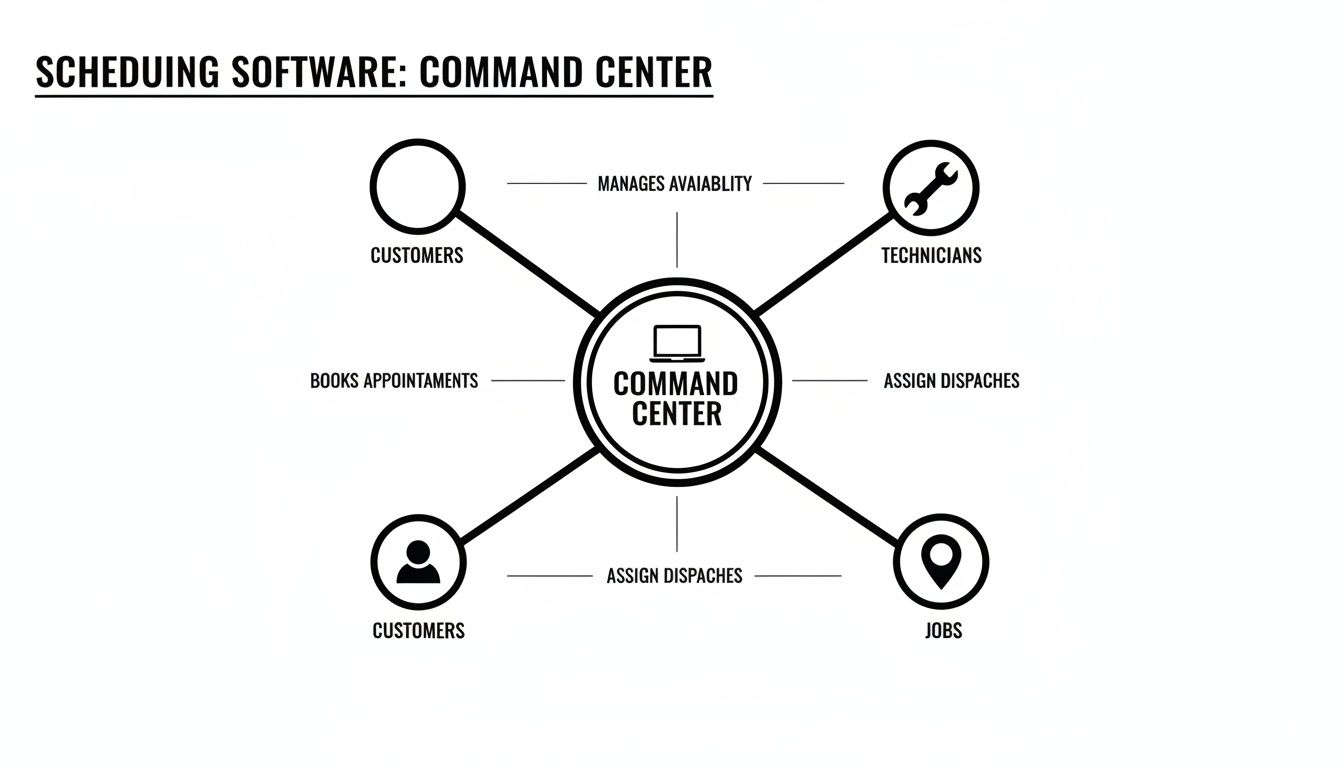
As you can see, it's all about coordination. A good system takes a chaotic day and brings order, efficiency, and—most importantly—profitability to it.
The Visual Dispatch Board
Remember your old office whiteboard, covered in magnets and frantic scribbles? A visual dispatch board is that concept, but brought to life. It’s a live, interactive map or calendar that gives your dispatcher a bird's-eye view of your entire field team in real time. No more guessing games or frantic phone calls to see who’s free.
When an emergency call comes in, your dispatcher can see exactly who is closest and who is about to wrap up their current job. With a simple drag-and-drop, the new job is assigned, and the technician is on their way. This isn't just about being tidy; it's about squeezing every last drop of billable time out of the day.
By slashing downtime between jobs and enabling smarter assignments, a visual dispatch board can realistically help a team fit in one extra job per technician each day. For a five-person crew, that's over 100 extra billable jobs a month.
A Powerful Mobile App for Techs
Your technicians live on the road, and their most critical tool should be in their pocket. A solid mobile app is the lifeline between your field team and the office, killing the need for clunky clipboards and endless games of phone tag.
Right from their phone or tablet, your techs can:
- See the Full Job History: They walk onto a job site already knowing the customer's equipment, past issues, and any specific notes. No more flying blind.
- Snap Photos and Videos: This is huge. They can document their work, show a customer a cracked heat exchanger without bringing them into a crawlspace, and cover your company from potential disputes.
- Build Quotes and Invoices On-the-Spot: They can create a professional estimate for an upsell right then and there, get approval, and even collect payment the second the job is done. This absolutely transforms your cash flow.
- Update Job Status Instantly: A quick tap lets the office know they're en route, on-site, or finished, keeping the dispatch board perfectly accurate for the next call.
This isn't just about convenience. It empowers your techs to be more professional and self-sufficient, which customers love and which gets you paid faster.
Linked Parts and Inventory Management
Let's be honest, few things kill profits faster than terrible parts management. How many times has a tech gotten to a job only to realize the one part they need is back at the shop? It’s a complete waste of time, fuel, and customer patience.
Good software ties inventory directly into the dispatching process. When a work order for a specific furnace repair is created, the system can automatically allocate the necessary ignitor and filter to that job. Your tech knows what to grab from the van, and when they use it, the part is automatically deducted from inventory.
This tight integration stops the bleeding by:
- Plugging Revenue Leaks: You'll finally bill for every single nut, bolt, and capacitor used on a job.
- Killing Unnecessary Trips: No more driving back to the shop or a supply house for a part that should have been in the truck.
- Preventing Stockouts: You get a real-time view of what's on hand and receive automatic alerts when it's time to reorder.
A Seamless Estimate-to-Invoice Workflow
The path from giving a customer a price to having their money in your bank account should be as short as possible. When you’re building estimates in one program and invoices in another, you’re just asking for mistakes and delays.
The best systems create a single, connected pipeline. You build a sharp-looking estimate using your pre-set parts and labor rates, email it to the customer for an e-signature, and then—with a single click—that approved quote becomes a work order. Once the job is done, another click turns it into an invoice. It's that simple. Many of these core software features are focused on automating repetitive tasks, which frees up your team to handle more jobs and grow the business.
This connected flow doesn't just look clean; it radically shrinks your sales cycle. You eliminate tedious data entry, cut down on billing errors, and make it ridiculously easy for customers to approve work and pay you on the spot. These aren’t just fancy add-ons; they are the gears of a well-oiled, highly profitable service machine.
Calculating the Real-World ROI of Your Software
Putting money into new technology can feel like a bit of a gamble. But when it comes to scheduling and dispatch software, the return on investment (ROI) isn’t some fuzzy, abstract concept—it's real, and you can measure it in dollars and cents. Think of this software less as another monthly bill and more as a profit-generating engine that turns smoother operations into actual cash.
To really get it, you have to look past the subscription fee. The magic is in how this software finds and plugs all the little financial leaks in your business while creating brand-new ways to make money. Let's break down how specific features translate directly into a healthier bottom line.

From Route Optimization to Fuel Savings
Take Dave, an HVAC owner with five vans on the road. Before he got his hands on modern dispatch software, his daily schedule was a chaotic mess of phone calls and pure guesswork. His techs were zigzagging all over town, burning fuel and wasting precious time. Once he switched to a system with route optimization, he immediately saw a 20% reduction in travel time across the board.
It might not sound like a huge deal, but that one change had a massive ripple effect:
- Lower Fuel Bills: His monthly fuel costs dropped by hundreds of dollars. That adds up to thousands in savings over a year.
- More Jobs Per Day: Less driving meant more working. Each of his five techs could suddenly fit one extra job into their schedule, every single day. That’s a huge boost in billable hours.
There's a reason this technology is taking off. The market for route optimization in field service was valued at $8.51 billion in 2023 and is expected to rocket to $21.46 billion by 2030. For shop owners, it means getting the right tech to the right job faster, cutting down on windshield time, and improving how quickly you can respond to calls. In fact, as the full route optimization software market report points out, smarter scheduling can boost first-time fix rates by as much as 20%—padding your profit margins directly.
Stopping Revenue Leakage with Automated Job Costing
Another place where profits just seem to disappear? Inaccurate job costing. A tech forgets to add a small part to the invoice, or they estimate their labor time wrong, and poof—that money is gone forever. This is where an automated workflow acts as your financial guardian angel.
Just ask Sarah, who runs a growing electrical business. She was constantly fighting a losing battle with missed parts on invoices and sloppy time tracking. Her new software connected the dots all the way from the initial quote to the final payment.
When a technician pulls a part from their van, the mobile app instantly adds it to the customer's invoice. Labor is tracked down to the minute, automatically. For Sarah's company, this simple change clawed back 15 hours of admin work a week. Even better, her average invoice value went up by 8% just by making sure nothing got missed.
That level of accuracy is a game-changer for your company’s financial health. It’s also why related systems, like automated inventory control solutions, are so valuable—they make sure every single part is accounted for, contributing to significant cost savings.
Translating Efficiency into Dollars
Figuring out your own potential ROI is all about looking at the key areas where this software creates value. It’s not one big thing; it's the sum of a dozen small improvements that lead to a major financial win.
Here’s a simple way to start estimating your own return:
- Time Savings in the Office: How many hours does your office staff burn on manual scheduling, making reminder calls, and chasing down paperwork? Multiply those hours by their pay rate to see your immediate administrative savings.
- Productivity Gains in the Field: How much time could each tech save with optimized routes and all job info on their phone? Even 30 minutes saved per day for each tech adds up to hundreds of extra billable hours over the course of a year.
- Increased Revenue from Better Service: Think about the value of fewer no-shows (thanks to automated reminders) and the ability to squeeze more jobs into the week. That’s pure top-line growth.
- Reduced Parts and Fuel Costs: Look at what you're currently spending on fuel and how much inventory goes "missing." A conservative 10-15% reduction in these areas is a very realistic goal.
When you start adding it all up, the financial argument becomes impossible to ignore. The software stops looking like a cost and starts looking like one of the smartest, most powerful profit-driving tools you can own.
How to Choose the Right Software for Your Business
Picking the right software can feel like navigating a maze. There are dozens of options out there, all promising to solve your problems. But the truth is, the right platform becomes a true partner in your growth, while the wrong one just adds another layer of chaos to your day. The trick is to look past the flashy sales pitches and zero in on what will actually work for your business, day in and day out.
Start by asking yourself a simple but critical question: "Will this thing grow with me?" A system that’s perfect for a two-person operation can completely fall apart once you have a twenty-person crew. Think about where you want to be in five years. You need a platform that’s built to scale—one that lets you add more techs, expand your services, and maybe even open another location without having to rip everything out and start over.
This is more important now than ever. The market for the kind of software that runs businesses like yours hit $430 million globally in 2024 and is on track to reach a staggering $1,129 million by 2032. That explosion is driven by trade professionals demanding simple, cloud-based tools. It also means the market is flooded with options, so you have to be smart about picking a solution that's both powerful and easy to live with. You can dig into the numbers yourself in this small business scheduling software market analysis.
Create Your Essential Buying Checklist
To cut through the noise, you need a checklist of your non-negotiables. This isn’t just about a list of features; it's about finding the right fit for your team, your workflow, and your customers. A little prep work here will save you a world of headaches later by helping you ask the right questions during demos.
Here’s what you absolutely need to nail down:
- Trade-Specific Functionality: Does this software actually speak your language? A generic calendar app just won't cut it. You need something built for the trades—a system that knows the difference between an HVAC compressor and a plumbing fixture and has workflows designed for service calls, not just office appointments.
- Ease of Use: This one is huge. If your techs can’t figure out the mobile app in five minutes, they’re not going to use it. Period. The software has to feel intuitive for everyone, from the dispatcher managing the board to the new apprentice out in the field. A steep learning curve just means wasted time and a frustrated team.
- Mobile Capability: Your business runs from a truck, not a desk. The mobile app needs to be a powerhouse, not a watered-down version of the desktop software. Can your techs build a quote, take a payment, and pull up a customer's full service history right from their phone, even if cell service is spotty?
- Integration Potential: Your scheduling software can't be an island. It has to play nice with the other tools you rely on, especially accounting software like QuickBooks. A solid integration eliminates the soul-crushing task of double data entry and keeps your books straight without any extra effort.
Look Beyond the Features
A great list of features is one thing, but the company behind the software is just as important. Think of it as a long-term partnership. A fantastic product with terrible support will eventually become a liability. You need to do a little digging to make sure you're making an investment that will pay off for years.
Drill down on these three areas:
- Transparent Pricing: Are the costs clear and straightforward? Be on the lookout for hidden fees, per-user charges that sneak up on you as you grow, or hefty mandatory setup costs. You want predictable pricing that fits your budget without any nasty surprises.
- Data Migration and Onboarding: Getting your information out of your old system—whether it’s a stack of file folders or another software—is a big job. Does the provider have a real plan to help you? A company that will actively help you import your customer list, parts inventory, and job history makes the switch from painful to painless.
- Customer Support: It’s 8 AM on a Monday, your schedule is packed, and something isn’t working. What happens next? You need to know you can get a real person on the line who can actually help. Find out what their support looks like. Is it just email, or is there a phone number? Check reviews and ask directly about their average response times.
Choosing a software partner is like hiring a key employee. You're not just buying a tool; you're investing in a relationship that will directly impact your operational efficiency, team morale, and bottom-line profitability for years to come.
Getting Your New System Up and Running—Without the Headache
Let's be honest, the thought of switching business software can give anyone a stress headache. You've got enough on your plate without worrying about lost customer data, a chaotic rollout, and a team that wants to stick with the old pen-and-paper system. But bringing in new scheduling and dispatch software doesn't have to be a painful process.
With a smart plan, it's less of a disruption and more of a strategic upgrade that actually makes everyone's job easier.

The secret isn’t trying to do everything at once. That's a classic mistake. Instead, a phased, step-by-step approach builds confidence and gets your crew on board from the start.
A Simple Roadmap for a Smooth Launch
A successful software switch is all about preparation and communication. A little bit of groundwork before you "go live" makes all the difference, turning what could be a stressful project into a genuine improvement for your operations.
Here’s a simple three-step plan to get it right:
- Clean Up Your Data First: This is non-negotiable. Before you move a single customer file, take some time to tidy up your current records. Merge those duplicate accounts, update phone numbers and addresses, and get rid of old, inactive clients you haven't heard from in years. Starting with clean data prevents the classic "garbage in, garbage out" problem and ensures your new system is trustworthy from day one.
- Get Your Team Involved Early: Nobody likes having change forced on them. The best way to get your team excited is to make them part of the conversation. Bring your lead dispatcher and a couple of your senior techs into the software demos. Ask for their opinions. Their buy-in is absolutely essential—they're the ones who will use this tool every single day.
- Start with the Core Features: Don't try to roll out every single bell and whistle on day one. You'll just overwhelm everyone. Start with the basics: scheduling jobs, dispatching techs, and having them update work orders from the field. Once the team has that core rhythm down, you can start introducing the more advanced stuff like inventory tracking or creating custom reports.
This methodical approach lets your team learn and build confidence, which is far more effective than just throwing them in the deep end.
Avoiding Common Implementation Traps
Even with a great plan, a few common mistakes can trip you up. Knowing what they are ahead of time means you can sidestep them and keep your transition on the right path. The goal is to build positive momentum, not create a bunch of new frustrations.
A study by Dodge Data & Analytics found that 40% of contractors point to dispatching problems as a direct cause of project delays. A sloppy software rollout just pours fuel on that fire, which is why a careful, planned approach is so critical.
To make sure your switch is a success, steer clear of these traps:
- Forgetting About Training: Just handing your team a login and wishing them luck is a recipe for disaster. You have to set aside real time for training. A good software partner will offer onboarding and support to get your crew comfortable and using the system correctly from the get-go.
- A Messy Data Transfer: A botched data import can cause absolute chaos. Imagine having wrong customer histories or missing job notes right when you need them. You need to work with a provider that offers hands-on help with migration to ensure all your valuable information moves over cleanly and correctly.
- No Leadership from the Top: If the owner isn't fully behind the new system, why should anyone else be? You have to lead by example. Use the software yourself, talk about the benefits in team meetings, and show everyone that this is the new way forward.
Ultimately, half the battle is won by picking the right software partner. A company that provides solid support, helps with data migration, and has a structured onboarding process can turn a potentially difficult transition into one of the best upgrades you'll ever make for your business.
Why TackonFSM is Built for the Trades
Most scheduling software out there is generic. It’s built for any business, which means it’s not truly built for your business. It doesn’t get the messy reality of managing parts across a fleet of vans or understand that an HVAC compressor and a plumbing P-trap are not interchangeable.
TackonFSM was created from the ground up with the trades in mind. We saw contractors juggling five different apps just to handle scheduling, invoicing, and parts, and we knew there had to be a better way. Instead of duct-taping separate tools together, we built everything you need into one single, cohesive platform.
Tools That Actually Fit Your Workflow
We didn't just bolt on a few "trade-friendly" features. The entire system is designed around the way you actually work, from the first customer call to the final payment. This means you get tools that feel like they were made for you—because they were.
- An Intuitive Visual Dispatch Board: Forget confusing spreadsheets. Our dispatch board gives you a bird's-eye view of your whole day. You can drag and drop jobs to the right tech based on their skills and location, making it a breeze to squeeze in an emergency call without throwing the whole schedule into chaos.
- A Powerful Mobile App: Your technicians' phone becomes their command center. They can pull up job histories, snap photos of completed work, build multi-option quotes on the spot, and even collect payment before leaving the driveway. This one feature can drastically shorten your cash cycle.
- The Elastic Parts Database: This is way more than just a list of parts. It's a shared brain for your whole team, pre-loaded with over 3,000 common trade parts. As you add your own inventory, the database grows, making it faster and more accurate for everyone to build quotes.
Predictable Pricing That Grows With You
We think you should have access to powerful tools without the enterprise-level price tag or confusing contracts. That’s why TackonFSM’s pricing is completely transparent. Our plans are designed to scale with your business, whether you’re a two-person shop or managing a growing fleet.
You’ll never find hidden setup fees or get locked into a long-term contract. Here’s a quick look at how simple our pricing is.
Each plan gives you exactly what you need for your current stage of growth. This way, you only pay for the features you’re actually using, giving you a clear, affordable path to scale your operations without any surprises.
Frequently Asked Questions
Jumping into new software is a big move, and it's smart to have questions. This is a major decision for your business, after all. You need real answers before you commit. We've gathered the most common questions we hear from trade business owners to give you the straight scoop.
How Long Does Training Take?
One of the biggest worries we see is the fear of a long, painful training period that takes your team off paying jobs. But with modern software designed for the trades, the learning curve is much shorter than you'd think. Most office staff get the hang of the basics—scheduling, dispatching, job notes—in just a few hours.
As for your techs in the field? They live on their phones already. The mobile app side of things usually clicks for them in less than an hour. The trick is to roll it out in stages. Start with the core stuff like scheduling and job status updates, then layer in the more advanced features once everyone's comfortable.
Does This Software Integrate with QuickBooks?
Yes. Honestly, this should be a deal-breaker. A clean, direct link to your accounting software, whether it's QuickBooks or something similar, is absolutely essential. Without it, you’re just creating hours of frustrating admin work for yourself.
A good integration means when a tech creates an invoice in the field and the customer pays, that information flows right into your books. No more typing the same details into two different systems. This simple connection wipes out double-entry, slashes human error, and gives you a true, up-to-the-minute look at your finances.
A rock-solid integration closes the gap between what happens in the field and what shows up in your bank account. It ensures every completed job translates directly and accurately to your bottom line.
What Kind of Customer Support Can I Expect?
Support is not just a feature; it's a lifeline. When you're juggling a full schedule and something isn't working right, you need fast help from someone who actually understands what you do for a living.
Look for a software partner that gives you multiple ways to get in touch—phone, email, live chat. More importantly, ask them to walk you through their onboarding process. The best companies will hold your hand through importing your customer list and getting your team set up, making sure you get off to a smooth start.
Is This Software Worth It for a Small Team?
Without a doubt. In fact, smaller outfits, even a one or two-person crew, often see the biggest impact. When your team is small, you can't afford to waste a single minute. Efficiency is the name of the game.
This kind of software automates all the tedious tasks that eat up a business owner's day. Instead of getting buried in scheduling puzzles, manual invoicing, and chasing payments, you can get back to doing the actual work and growing your business. It gives you the organized, professional backbone of a much larger company, helping you compete and build for the future.
Ready to see how an all-in-one platform can finally get your operations in order? TackonFSM was built from the ground up for trade businesses like yours. Start your free 14-day trial and discover a smarter way to manage your schedule, team, and profits.


