

A Guide to Scheduling Software for Field Service
At its core, field service scheduling software is your digital command center. It’s a specialized tool that takes the chaos out of assigning jobs, dispatching your techs, and keeping customers in the loop. Think of it as ditching the cluttered whiteboard, messy spreadsheets, and stacks of paper work orders for one central hub that boosts your efficiency and, more importantly, your bottom line.
Why Paper and Spreadsheets Are Killing Your Business
Trying to run a modern field service operation with paper and spreadsheets is like trying to direct air traffic with sticky notes. It’s a recipe for disaster, a constant fight against chaos that bleeds money from your business every single day.
When you're juggling phone calls and paper notes, it’s easy to miss a customer or schedule a job poorly. An answering service for contractors can definitely help catch those calls, but what happens next? Without a central system, your dispatcher is flying blind, guessing which tech is free and where they are. This leads to double-bookings and techs driving all over town like they’re on a scavenger hunt, burning fuel and wasting time that should be spent on paying jobs.
The Hidden Costs of Old-School Operations
These problems go way beyond simple frustration. Every missed appointment, every part that wasn't on the truck, and every invoice that gets sent out late is a direct hit to your revenue. If there's no digital trail connecting a job to your inventory, parts used on-site get forgotten and never make it onto the final bill. Your profit margins get eaten away, one forgotten part at a time.
On top of that, your customer experience takes a massive hit. Today’s homeowners expect Amazon-level service—real-time updates, clear communication, and knowing exactly when to expect you. The endless "Where is my technician?" calls not only tie up your office staff but also chip away at your reputation, making it tougher to get those five-star reviews and repeat customers.
Sticking with outdated methods isn’t just inefficient anymore; it puts you at a serious competitive disadvantage. Moving to a modern system is a strategic decision to plug revenue leaks, make customers happy, and build a business that can actually grow.
A Market That Demands a Digital Edge
This move away from manual chaos is happening across the entire industry. The global field service management software market is booming, fueled by the demand for mobile tools and cloud-based platforms. This isn't just a trend; it's a signal that your customers now expect digital perks like real-time scheduling and text alerts with a technician's ETA.
Adopting a modern platform is a smart move. It helps you keep up with the competition while also giving you the tools to win more jobs and get paid faster.
The Features Your Business Can't Live Without
When you're shopping for field service software, it's easy to get distracted by flashy dashboards and long feature lists. But the real value isn't in the bells and whistles—it's in the core functions that directly fix your biggest operational headaches and make you more money.
Think of it this way: your old spreadsheet was a paper map. It showed you where you were going, but that's about it. A proper field service platform is like a full-blown GPS with live traffic updates. It doesn't just point to a destination; it actively finds the fastest route, reroutes you around roadblocks, and recalculates on the fly. These are the non-negotiable features that give your business that kind of smart, agile power.
Without them, you're just paying for a prettier version of the same old broken system.
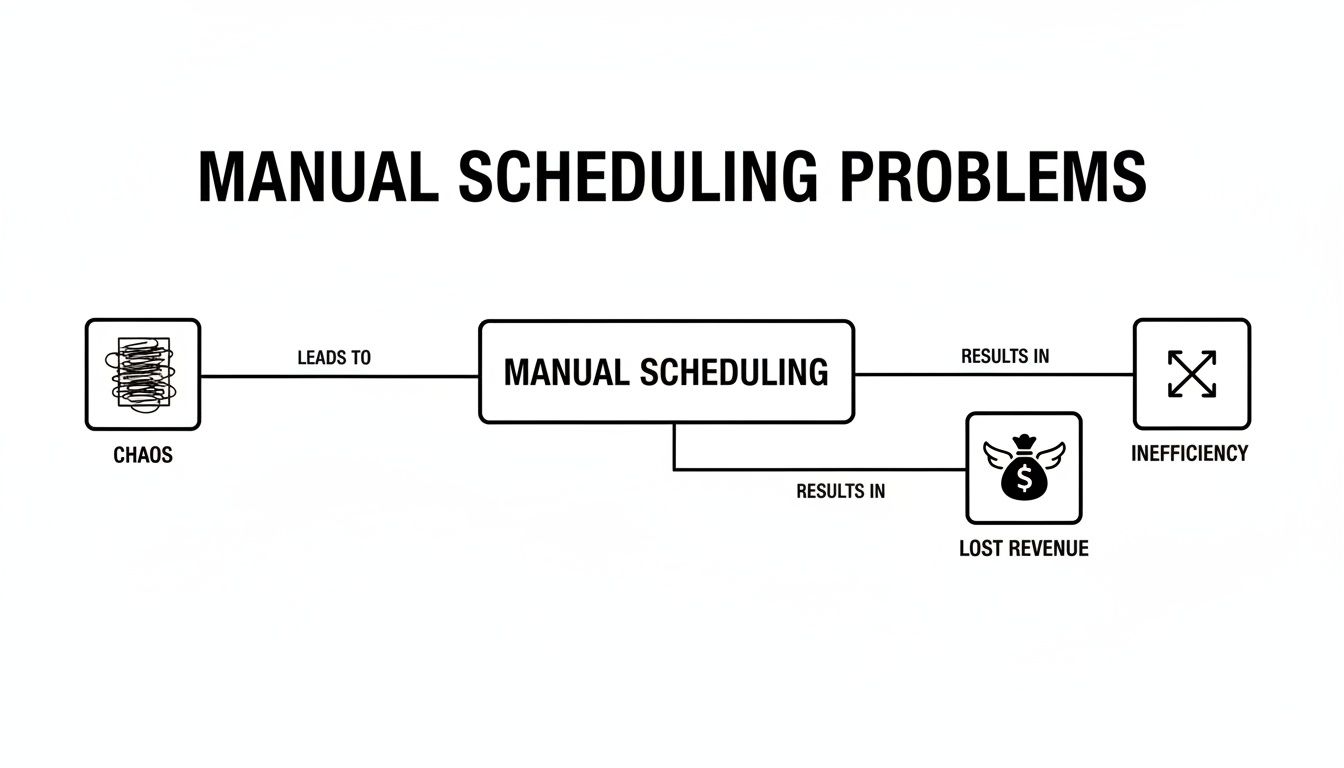
As you can see, these problems all feed into each other. A small scheduling hiccup creates a ripple effect that ultimately hits your bank account.
The Visual Dispatch Board: Your Command Center
At the heart of any great scheduling software is the visual dispatch board. This is so much more than a digital calendar; it's your business's command center. It gives you a live, color-coded map of every job, every technician, and every available time slot. Forget guessing who's free or frantically calling techs to see where they are.
A drag-and-drop interface turns scheduling from a stressful game of Tetris into a simple, intuitive process. When an emergency call comes in, your dispatcher can see at a glance which tech is closest, has the right skills, and has a gap in their schedule. A job that used to take ten minutes of phone tag now gets assigned in seconds.
This visual clarity has a massive impact on the bottom line. Intelligent dispatch can boost technician productivity in a big way. For a crew of just 5 technicians, a 10% improvement in completed jobs per day can add up to an extra $25,000 in revenue over a year. That’s the real-world return a good dispatch board delivers. You can dive deeper into this data with reporting from GMI Insights.
The Mobile App: Empowering Your Techs in the Field
Your technicians are the face of your company, and their on-site efficiency is everything. A powerful mobile app puts all the crucial information they need right in the palm of their hand, cutting out the endless back-and-forth calls to the office.
A must-have field service app includes:
- Complete Job Details: Access to the customer's name, address, job history, and specific notes about the task.
- Digital Checklists: Standardized workflows to make sure every step is done right, every single time, which boosts service quality.
- Photo and Note Capture: The ability to document work with pictures and notes, giving you proof of service and protecting your business from disputes.
- Real-Time Status Updates: Techs can tap to update their status to "traveling," "working," or "complete," giving the office instant visibility.
When your techs show up fully informed, they solve problems faster, cut down on return trips, and deliver a much better customer experience. They stop being just a technician and become a trusted on-site expert.
Integrated Estimating and Invoicing: Get Paid Faster
The path from giving a quote to getting paid should be a straight line. When you have separate systems for estimating, work orders, and invoicing, you create administrative logjams, slow down payments, and open the door for costly mistakes.
The best field service software brings it all together. Imagine your tech finishes a job, adds a couple of parts to the work order on their tablet, and generates an invoice on the spot. The customer can review it, sign off, and pay right there with a credit card. Done. The job is closed, and the money is heading to your bank.
This integration is a game-changer for your cash flow. Instead of waiting days or even weeks for paperwork to get back to the office, you can get paid the same day the work is done.
Linked Parts and Inventory Management: Stop Giving Away Profit
One of the biggest profit leaks for any trade business is unbilled parts. A tech pulls a component from their van, installs it, but forgets to add it to the invoice. You just gave away that part—and your margin—for free. It happens way more than most owners want to admit.
Good software connects your inventory directly to the job. When a tech adds a part to a work order, the system does two critical things automatically:
- It adds the part and its price to the final invoice, making sure you get paid for it.
- It deducts that part from the van's stock, giving you a real-time count of what you have on hand.
This simple link plugs a major revenue leak and gives you a clear picture of your entire inventory. You can finally stop guessing and start managing your parts for maximum profitability.
A quick way to vet potential software is to run it through a checklist of these essentials.
Core Feature Checklist for Field Service Software
Use this table to quickly evaluate if a software solution meets the fundamental needs of a modern trade business.
| Feature | Why It Matters for Your Business | Impact on Profitability |
|---|---|---|
| Visual Dispatch Board | Provides a real-time, at-a-glance view of all jobs and technicians, enabling smarter scheduling. | Increases daily job capacity, reduces travel time, and allows for quicker response to emergency calls, directly boosting revenue. |
| Mobile App for Techs | Equips technicians with all job info, checklists, and communication tools they need in the field. | Improves first-time fix rates, reduces calls to the office, and enhances professionalism, leading to happier, repeat customers. |
| Integrated Quoting/Invoicing | Creates a seamless workflow from estimate to payment, eliminating double-entry and delays. | Accelerates cash flow by enabling on-site payment and dramatically reduces administrative time spent on billing. |
| Inventory Management | Tracks parts from warehouse to van to job, ensuring every part used is billed to the customer. | Prevents "profit leakage" from unbilled parts and reduces costs associated with carrying excess or out-of-stock inventory. |
If a platform you're considering is missing any of these four pillars, it’s probably not going to solve the core problems that are holding your business back.
How to Choose the Right Software Platform
Picking the right scheduling software for your field service business is a huge decision, but it doesn't need to be a stressful one. The real trick is to ignore the flashy sales pitches and focus on how a platform will actually work for you day in and day out. It's about finding a partner that can grow with you, not just a product with the longest list of features.
You're looking for a tool that slots right into your current workflow, not a clunky system that forces you to change how you do business. A little methodical thinking now will help you cut through the noise and make a choice that empowers your entire team.

Create Your Evaluation Checklist
Before you even book a demo, stop and figure out what "the right software" actually means for your business. Every company is different, so sit down and create a checklist of your absolute must-haves. This simple step will keep you from getting distracted by bells and whistles you’ll never touch.
Your list should cover the basics:
- Ease of Use: Is the interface actually intuitive? Think about your newest tech and your most experienced dispatcher. If they can't pick it up quickly, it’s a non-starter.
- Scalability: Will this platform still work when you grow from five trucks to fifteen? You need software that can handle more users, jobs, and data without slowing down or costing a fortune.
- Customer Support: What’s the plan when something breaks at 7 AM on a Monday? Look for providers with a reputation for fast, helpful support. Read reviews that specifically talk about their support team.
- Integration Capabilities: Does it play nice with the tools you already rely on, like QuickBooks for accounting? Seamless connections save you from the nightmare of entering the same data in two different places.
This checklist is your scorecard. Use it to grade every option you look at, and you'll make a decision based on facts, not feelings.
Run a Real-World Free Trial
A demo is a highlight reel. A free trial is the actual test drive. Never, ever commit to a platform without putting it through its paces in a way that mimics a real workday.
The point of a trial isn't just to see if the software works—it's to see if it works for you. You need to simulate your entire job cycle to find the friction points before you’ve spent a dime.
Treat the trial period like a live simulation of your business. Run a few fake jobs completely through the system:
- Create a New Job: Enter a customer's info and job notes.
- Schedule and Dispatch: Drag and drop the job onto a tech’s schedule.
- Field Updates: Have a tech (or yourself) use the mobile app to navigate to the job, start the clock, and mark it complete.
- Invoice and Payment: Generate an invoice from the finished job and see how easy it is to send to a "customer."
This end-to-end test will tell you everything you need to know about the software’s flow. Is it smooth and logical, or did you hit a wall at every turn?
Involve Your Team in the Decision
One of the biggest mistakes owners make is choosing new software all by themselves. Your dispatchers and senior techs are the ones who will live in this system every single day. Getting their buy-in isn't just nice—it's critical for a successful launch.
Bring your key people into the trial process. Let your lead dispatcher get their hands on the scheduling board. Ask your best tech to run the mobile app on a real service call. They’ll spot problems and workflow issues you might completely miss.
Getting their feedback accomplishes two crucial things. First, it confirms the platform is practical for the people who will use it most. Second, it makes them feel heard and invested in the change. This turns potential critics into your biggest champions, making the transition a whole lot smoother for everyone.
Understanding Software Pricing and Your True ROI
New scheduling software isn’t just another line item on your P&L—it’s an engine for growth. But figuring out what you should pay can be a headache. You need to get your head around the different pricing models and, more importantly, how to figure out what your real return on investment (ROI) will be.
The sticker price is just the beginning of the story. A cheap plan that doesn't actually fix your biggest headaches is a waste of money. It's far better to invest a bit more in a system that stops revenue leaks and makes your whole operation run smoother. The idea is to look past the monthly fee and see the software for what it is: a tool that should make you more money than it costs.
Decoding Common Pricing Models
As you start shopping around, you’ll run into a few standard ways companies charge for their software. What’s best for you really depends on how big your team is and where you're headed. When you're digging in, make sure you carefully review their software pricing pages to see exactly what you’re getting for your money.
Here are the most common models you’ll come across:
- Per-User, Per-Month: This is as straightforward as it gets. You pay a set fee for every person—office staff or field tech—who needs a login. The cost is predictable and easy to adjust as you hire new people or if someone leaves.
- Tiered Plans: Many platforms, including TackonFSM, package their offerings into tiers (like Duo, Crew, or Command). Each step up usually adds more users and unlocks more powerful features, letting the software grow with your business.
- Usage-Based Pricing: You don't see this as often with full-blown management systems, but some tools might charge you based on how many jobs you book or invoices you create. It can be a good starting point for tiny shops, but the costs can become unpredictable fast as you get busier.
And watch out for the hidden fees. They can turn a good deal into a bad one pretty quickly. Always ask about one-time setup costs, data migration fees, extra charges for priority support, or add-ons that you thought were included but aren’t.
Calculating Your Real Return on Investment
The real value of field service software isn't what it costs you; it's what it saves you and what it helps you earn. To calculate your ROI, you have to look at tangible improvements across the board. The monthly subscription fee often looks tiny compared to the money you claw back from old, inefficient habits.
Think of it this way: if your software costs $150 per month but helps you find and bill for just one forgotten $200 part, it has already paid for itself with a profit. Everything else it does—saving time, optimizing routes, and booking more jobs—is pure upside.
Let's break down exactly where you'll see that money come back to you.
Key Metrics for Measuring Software ROI
When you’re trying to justify the cost, focus on the numbers you can actually track in these four areas:
- Increased Technician Productivity: When schedules and routes are optimized, your techs spend less time in the truck and more time with customers. If a five-person team can each squeeze in just one extra job per week, that’s over 250 additional billable jobs a year. The math on that is pretty compelling.
- Reduced Administrative Overhead: Seriously, count the hours your office staff spends juggling the schedule, chasing down paperwork, and answering "Where's my tech?" calls. Automating those tasks can easily save 10-15 hours per week. That’s time they can spend on things that actually grow the business.
- Eliminated Revenue Leaks: This is where you’ll likely see the fastest return. When you connect your inventory directly to jobs, every part and piece of material gets accounted for and billed. Simply catching two or three unbilled parts each week can often cover the entire cost of your software subscription.
- Lowered Fuel and Vehicle Costs: Smart routing does more than save time—it saves a ton of money. Cutting down each tech's daily mileage means you're buying less fuel and putting less wear and tear on your vehicles. Over a year, that can add up to thousands of dollars in real savings.
Ensuring a Smooth Transition for Your Team
Let's be honest: switching to new scheduling software can feel daunting. For most business owners, the real fear isn't about the cost—it's the thought of throwing your daily operations into chaos during the changeover.
The good news? It doesn't have to be that way. A well-managed switch, whether you're moving off paper spreadsheets or upgrading from a platform like Jobber or Housecall Pro, can be surprisingly smooth. The trick is to approach it as a people-first project, not just a tech install. It’s all about getting your data in order, having a clear plan, and empowering your team to embrace a better way of working.
 guide two young athletes on a green turf field, demonstrating technology.” title=”Best Field Management Software in”>
Preparing Your Business Data for Migration
Before you can flip the switch, you need to get your house in order. Think of it like packing before a move—the better you organize your boxes, the faster you'll be settled in your new home. For a software migration, your most valuable assets are your customer list and your pricebook.
A clean import is the foundation of a successful launch. Work with your new software provider to get the right template.
- Customer Lists: Pull all your customer info into a single spreadsheet. This is the perfect opportunity for a spring cleaning. Fix typos, merge duplicate accounts, and standardize addresses. A tidy list means your team can find who they're looking for instantly on day one.
- Pricebooks and Parts: Compile every service, part, and labor rate you use. If you're partnering with a platform like TackonFSM, they might even offer a pre-built pricebook for your specific trade, which can be a massive time-saver. Check your current pricing against the new system's format to make sure quoting and invoicing work flawlessly from the get-go.
What a Quality Onboarding Process Looks Like
A great software partner will never just hand you a password and walk away. They should guide you through a structured, hands-on onboarding process. This isn't a "nice-to-have"—it's a non-negotiable sign of their commitment to your business's success.
The whole process should feel like a partnership. You'll want a dedicated specialist who takes the time to actually understand how your business runs.
A proper onboarding isn't a one-hour webinar. It's a series of dedicated sessions focused on migrating your data, configuring the software to match your operations, and training your team on the features that matter most to their roles.
Your onboarding specialist should do the heavy lifting, especially with data migration. They need to ensure your customer lists and parts catalogs are imported correctly, without errors. That level of hands-on support is what separates a frustrating, confusing experience from a confident, successful launch.
Training Your Team for a Smooth Rollout
The most powerful software in the world is useless if your team doesn't know how to use it—or worse, doesn't want to. Good training is all about building confidence and showing them "what's in it for me." Don't try to teach them everything at once. A phased approach works best.
Here’s a simple, practical way to train your team:
- Start with the Office: Your dispatcher and office manager should be the first to learn the ropes. They are the hub of your operation and need to master creating jobs, managing the dispatch board, and handling customer communication. Once they're comfortable, they become your internal champions.
- Train Techs on the Mobile App: Next, bring in the field crew and focus only on the mobile app. Keep it simple. Show them how to see their daily schedule, get job details and directions, update their job status, and take payments. Nothing more, nothing less.
- Go Live in Phases: Don't feel pressured to go cold turkey. You can run your old system and the new one side-by-side for a day or two. This gives everyone a safety net to practice in a real-world environment without the fear of messing something up.
By breaking the transition into small, manageable steps, you reduce friction and help your team see the new scheduling software for field service for what it is: a tool to make their jobs easier. This methodical approach ensures your business doesn't skip a beat.
Your Top Questions About Field Service Software Answered
It's completely normal to have a few questions before you commit to a new system for your business. Let's tackle some of the most common ones we hear from trade business owners who are thinking about making the switch.
How Long Does This Actually Take to Set Up?
This is a big one. Nobody wants their business tied up in knots for weeks on end with a complicated software rollout. The good news is, with a modern cloud-based system, you're not looking at a massive project.
We've found that most businesses are fully up and running within one to two weeks. With a dedicated onboarding specialist helping you get your customer list and pricebook loaded, you can get the core of it done in just a couple of days. The key is having your data reasonably organized beforehand.
Will My Technicians Actually Use the Mobile App?
You might be worried about getting your crew on board, especially if some of them aren't big on technology. It’s a fair concern. But the best field service apps are built specifically for techs in the field, not for office staff. They're designed to be dead simple.
Here's the litmus test: if your techs can use Google Maps to get to a job site, they can use a well-designed field service app. The focus is always on making their life easier—seeing their schedule, pulling up job notes, and clocking in and out with a few taps. Big buttons and a clear, step-by-step flow are non-negotiable.
What's Involved in Switching from Another Program?
Many businesses we talk to are already using something else, like ServiceTitan, Jobber, or Housecall Pro, but have outgrown it or are frustrated with the cost. Moving your data from one system to another sounds intimidating, but a good software partner has this process down to a science.
They should handle the heavy lifting for you. This isn't something you should have to figure out on your own. A guided migration process ensures you don't lose years of customer history or job details. It typically looks like this:
- You get a dedicated migration specialist who walks you through the entire transfer.
- They provide simple templates to help you export your customer lists, parts, and job history.
- Before you go live, they do a final check with you to make sure everything looks right.
This hands-on support means your team can log in on day one and have all their familiar information right there. When you're shopping around, always ask if free, expert-led migration is included. It’s a game-changer for a stress-free switch.
Ready to see how a modern, all-in-one platform can eliminate chaos and boost your bottom line? Explore TackonFSM and start your free 14-day trial to experience streamlined scheduling, quoting, and inventory management firsthand.


