A Guide to Small Business Inventory Management Software for Trades
Ever tried to fix a leaky pipe with a screwdriver? You might make some progress, but you’re using the wrong tool for the job. That’s exactly what it feels like when an HVAC, plumbing, or electrical business tries to use generic retail inventory software. It’s a classic square-peg-in-a-round-hole problem, and it's a major reason so many software rollouts in the trades end in frustration.
Why Generic Inventory Software Fails Trade Businesses
Standard inventory systems are built for a predictable world. Think of a retail shop: products arrive, they sit on a shelf in a single warehouse or storefront, and they're sold. Easy. But trade businesses don't live in that world. You operate in a dynamic, mobile environment that basic software just can't comprehend.
The fundamental disconnect is this: retail software tracks static inventory, while the trades manage mobile inventory.
For a boutique, a product’s journey is simple. It gets delivered, scanned into the backroom, and stays there until a customer buys it. But for your plumbing company, a single copper fitting might travel from the main shop to a technician's van, ride around for two weeks, and finally get used on an emergency call across town. Generic software completely loses the plot during that journey.

The Critical Gaps Between Retail and The Trades
The daily workflows are worlds apart, and that’s where retail-focused solutions fall flat. Let's look at the key differences in a head-to-head comparison.
General vs Trade-Specific Inventory Software
| Feature | Generic Retail Software | Trade-Specific Software |
|---|---|---|
| Location Tracking | Static locations only (e.g., "Warehouse A"). | Manages warehouse stock plus a fleet of mobile van locations. |
| Inventory Movement | Tracks transfers between warehouses. | Tracks parts assigned to specific jobs, techs, and work orders. |
| Job Costing | Links sales to items, but not to service calls or projects. | Ties every part used directly to a job for 100% accurate costing. |
| Mobile Access | Limited or non-existent. Designed for desktop use in an office. | Robust mobile app for techs to view stock, log usage, and request parts. |
| Part Ordering | Basic reordering based on simple min/max levels. | Advanced purchasing with purchase orders linked to specific jobs. |
The table makes it clear: generic software simply wasn't designed with a technician in a van in mind.
What This Looks Like in The Real World
These aren't just minor inconveniences; they create major operational headaches.
- Van Stock vs. Warehouse Stock: Generic systems might have a field for "Warehouse A" or "Store B." They have no concept of treating 20 service vans as individual, rolling warehouses. This makes it impossible to know which tech has that crucial capacitor without a flurry of phone calls.
- Inaccurate Job Costing: Retail software tracks a sale. You need to track consumption. When an electrician uses a specific breaker on a job, that part must be assigned to the work order for accurate billing and profitability tracking. Generic tools can't do this.
- No Field Accessibility: What good is a powerful system if your team in the field can't use it? Without a solid mobile app, a tech can't check their van's stock, log the parts they just used, or see if another technician nearby has the component they need to finish a job.
The real failure of generic systems is their inability to connect your parts to your people and your jobs in real-time. This broken link is the direct cause of lost parts, inaccurate invoices, and countless wasted hours as techs drive back and forth for materials they thought they had on the truck.
Trying to force a generic solution just leads to clunky manual workarounds with spreadsheets and phone calls, completely defeating the purpose of getting software in the first place. The right small business inventory management software has to be built from the ground up to understand the unique, fast-paced nature of the trades.
What Is Small Business Inventory Management Software?
Forget the textbook definitions for a moment. Think of small business inventory management software as the central command center for all your physical parts and materials. It’s not just about counting boxes; it's about creating a live, transparent link between your inventory, your team, and your bottom line. It becomes the single source of truth, getting rid of the expensive guesswork that tanks profitability.
For any trade business—HVAC, plumbing, electrical—this is the key difference between organized control and daily chaos. A good system connects every part to the job it's on, from the moment you order it from a supplier to the final invoice you hand the customer. The market for this tech is already worth around USD 3.58 billion and growing, proving just how vital it is for small and medium-sized businesses. You can explore the full market research about this trend to see why so many shops are making the switch.

Beyond The Spreadsheet: A Quick Analogy
Trying to run your inventory on spreadsheets is like trying to direct city traffic using a paper map and a landline. You could call different intersections for updates, but by the time you piece it all together, the traffic jam has already moved. It’s a reactive, outdated approach.
Inventory management software is your live GPS traffic system. It shows you exactly where every part is in real-time, warns you about potential bottlenecks (stockouts), and helps you find the most efficient routes (workflows).
Demystifying Core Concepts For The Trades
This isn’t about abstract business theory; it’s about solving real-world problems you face every day. Let’s break down a few key ideas with examples any HVAC, plumbing, or electrical pro will get instantly.
- SKU Management (Stock Keeping Unit): A SKU is just a unique ID code for each item. Instead of having "3/4 inch copper elbow" scrawled on ten different bins, you have a single, clean code like
PL-CPE-075. This simple step ensures everyone—from the office manager ordering parts to the tech grabbing one from their van—is talking about the exact same thing. - Reorder Points: This is basically an automated low-stock alert. You set a rule that says, "When we get down to five furnace ignitors in the main warehouse, automatically flag them for the next purchase order." It’s what stops those frantic, last-minute runs to the supply house because a tech just discovered you’re out of a critical part.
- Multi-Location Tracking: For any trade business with a fleet, this is non-negotiable. It lets you see your inventory levels not just at the shop but on every single service truck. Instantly, you know that Dave’s truck has two of the needed compressors, while the main warehouse has ten. No more "who has what?" phone calls.
The goal is to achieve total inventory visibility. It’s about knowing precisely what you have, where it is, and its value at any given moment—whether it's sitting on a shelf or rolling around in the back of a van.
Following a Part From Purchase to Profit
To see how this works in the real world, let's follow a single furnace ignitor (SKU: HVAC-IGN-452) through a business using modern inventory software.
- Automated Purchase: The system notices stock has dropped below its pre-set level. It automatically adds the ignitor to the next purchase order for your main supplier.
- Receiving and Logging: The shipment arrives. A quick scan of the part’s barcode updates its status from "On Order" to "In Stock" at the "Main Warehouse" and logs its cost.
- Van Restock: A tech prepping for the day needs more ignitors. They scan ten of them as they move them from the warehouse to their truck, and the system updates the location to "Van #4".
- Job Site Usage: At a customer's house, the tech uses one ignitor to complete a repair. They scan the part's barcode on their phone or tablet, instantly assigning it to that specific work order.
- Automatic Invoicing and Depletion: That single scan does three things at once: it deducts one ignitor from Van #4's inventory, adds the part and its price to the customer’s invoice, and records the cost against the job for perfect profit tracking.
This seamless flow transforms a bunch of manual, error-prone steps into one smooth, automated process. It makes sure every part is paid for, every job is priced correctly, and your stock levels are always dead-on. Your inventory stops being a costly headache and starts becoming a well-managed asset.
What to Look For: The Must-Have Features in a Trade-Specific Inventory System
Choosing the right inventory software is a lot like picking out tools for your truck. Having the wrong set can turn a straightforward job into an absolute nightmare. Generic platforms might look good on paper, but for a trade business, the devil is in the details—the specialized features built for a mobile, fast-paced world. These aren't just "nice-to-haves." They're the absolute foundation of a system that will actually make you money instead of costing you time.
There's a reason the global market for this kind of software is booming, set to hit USD 10.5 billion and growing at nearly 10% a year. Businesses everywhere are finally realizing that modern, cloud-based tools are the key to getting efficient and scaling up. You can dig into more data on this market shift to see how the whole industry is moving away from old-school spreadsheets and paper logs.
So, let's break down the features that separate a tool built for the trades from a generic one that will just cause headaches.
Real-Time Multi-Location Tracking
This is non-negotiable. For any business with service vans on the road, this is the single most important feature. Your inventory isn't sitting neatly in one warehouse; it's spread out across a fleet of rolling stockrooms. Without the ability to see it all, you're flying blind.
A proper system has to show you exactly what parts are in the shop versus what’s on each tech's truck. Think of it this way:
- Warehouse Stock: Your main hub for big shipments and overflow parts.
- Van Stock: The individual inventory loaded onto every single vehicle.
- Job Site Stock: Materials assigned to a specific project but not yet installed.
Picture this: a tech is on an emergency AC repair and needs a specific circuit board. Instead of calling the office and starting a chaotic phone tree, he just pulls up the app. He instantly sees that Dave, another tech, is just two miles away and has three of those boards on his van. A multi-hour parts run just became a quick 10-minute meetup. That’s how you save a job and keep a customer happy.
A Mobile App That Your Techs Will Actually Use
Let's be blunt: if your team in the field can't easily use the software, it's completely worthless. A powerful mobile app is the lifeline connecting your office to your job sites. It puts the power to manage inventory right in your technicians' hands.
The app needs to be simple and fast, designed for someone who has to log a part while holding a wrench. Key functions should include:
- Barcode Scanning: A tech zaps a part's barcode with their phone. That one action should automatically assign it to the work order, update the van's stock count, add the item to the customer's bill, and log the cost against the job. No more forgotten parts.
- Real-Time Stock Checks: They can instantly see what they have on their truck or search the inventory across the entire company.
- Easy Parts Requests: If they're running low on something, they can tap a button to send a request back to the office, kicking off the reordering process.
This is what finally gets rid of the greasy paperwork and scribbled notes that bleed revenue. Every single part gets accounted for and, more importantly, billed for.
A great mobile app doesn't add work for your technicians; it removes it. By making inventory tracking faster and easier than doing it by hand, it guarantees they'll actually use it.
Serialized Part Tracking
For many trades, especially HVAC and plumbing, this is a game-changer. You’re not just installing "a water heater"; you're installing this specific water heater with its own unique serial number. Tracking serialized parts is critical for handling warranties and recalls professionally.
Generic software might tell you that you have 10 furnaces in stock, but it can't tell one from another. A system built for the trades lets you log the unique serial number of the exact compressor or furnace you install at a customer's house.
This creates an unbreakable record. When that unit fails a year later and is still under warranty, you can pull up the job, find the exact serial number, and process the claim with the manufacturer in minutes. It also becomes your safety net during a product recall. You can instantly generate a list of every single customer who received a part from a bad batch. That level of detail protects your business and shows your customers you’ve got their back.
How Software Connects Your Workflow From Purchase to Profit
The real magic of small business inventory management software isn't just one feature—it's how it stitches your entire workflow together. It takes a clunky, disconnected process and turns it into a smooth, automated loop that follows a part from the supplier's shelf all the way to a customer's invoice. This is what finally gets you out of the weeds of lost parts, messy invoices, and wasted hours.
To see what this actually looks like, let's walk through the life of a single AC compressor. We’ll follow it from the moment you order it to the moment you get paid for installing it.
The Journey of a Single AC Compressor
Let’s say you’ve set a rule in your system: you always need a minimum of five AC compressors in your main warehouse. The second a technician uses one and your stock drops to four, a whole chain of events kicks off automatically. No one even has to think about it.
-
The Automated Purchase Order: As soon as your stock count dips below five, the software instantly creates a purchase order. You can have it pop up for your office manager to approve, or if you trust your supplier, it can send it off directly. This simple step makes sure you’re never scrambling for a part you thought you had.
-
Receiving and Logging with a Scan: A week later, the new compressors arrive. Instead of grabbing a clipboard and a pen, your warehouse manager just scans the barcode on the box with their phone. Instantly, the system updates the part's status from "On Order" to "In Stock" and logs the purchase cost and arrival date.
-
Transferring to Mobile Inventory: One of your techs, Alex, is loading up his van for the week. He grabs one of the new compressors. He scans the part's barcode, then scans a barcode on his van. The software immediately moves the compressor's location from "Main Warehouse" to "Van #7."
Now you have total visibility. You know exactly which technician has which high-value parts, a level of detail that generic, off-the-shelf software just can't provide.
This is a simple look at how technicians can handle inventory in the field, breaking down what could be a messy process into three easy, trackable steps.
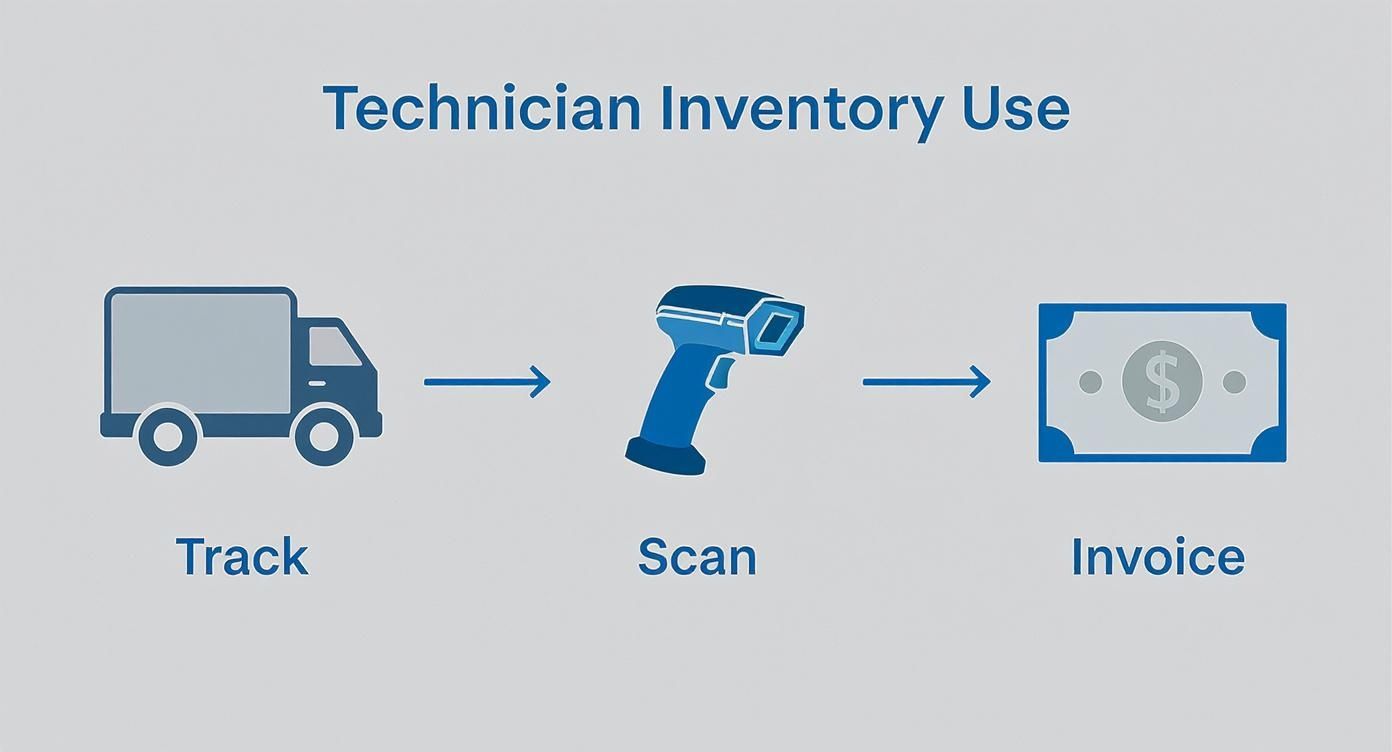
As the visual shows, modern systems are built around how a technician actually works, making it quick and painless to track parts, scan them on-site, and get them invoiced right away.
Connecting Fieldwork Directly to Your Finances
The last piece of the puzzle—and honestly, the most important—happens on the job site. This is where the system closes the loop and guarantees you get paid for every single part you use.
Alex gets to the customer’s house and finds their old compressor is shot. He grabs the new one from his van and finishes the repair. Before he packs up, he pulls out his phone, opens the app, and scans the compressor's barcode one last time.
This single scan is the linchpin. It sets off a domino effect of automated updates that protect your profit margins and speed up your cash flow.
In that one second, here’s what happens behind the scenes:
- Inventory is Depleted: The system automatically removes one compressor from the inventory assigned to "Van #7."
- Job Costing is Updated: The cost of that specific compressor is tied directly to the work order, making your job profitability reports 100% accurate.
- Invoicing is Perfected: The compressor is automatically added as a line item on the customer’s invoice, complete with the correct sale price.
There’s no chance for human error. No more parts jotted down on a scrap of paper or forgotten during billing. The part gets used, the part gets billed. Every time.
By linking purchasing, the warehouse, your techs in the field, and your invoicing, the software creates a system that’s practically foolproof. It turns your inventory from a constant money-leaking headache into a tightly controlled asset that actually drives profit on every job. And that’s the whole point, isn't it?
Calculating the True ROI of Your Software Investment
Thinking of small business inventory management software as just another monthly bill is like looking at a brand-new, fully-stocked service van and only seeing the payment coupon. It's a huge mistake. This software isn't a cost center; it's an engine designed to generate profit and put more money back into your business than you spend on it. To see the real value, you have to look past the subscription price and figure out its true Return on Investment (ROI).
There's a reason the global market for this software is projected to rocket from USD 2.38 billion to USD 8.48 billion with a staggering 13.1% annual growth. That boom is being fueled by small and medium-sized businesses—plumbers, electricians, HVAC pros—who've realized that modern, affordable tools offer a direct line to better profitability. You can discover more insights about this growing market and see how it’s changing the game.
Measuring Gains Beyond the Obvious
The biggest returns aren't always the most obvious ones. The software's price tag is a clear, hard number, but the real financial wins come from plugging all those little profit leaks that drain trade businesses day in and day out. A real ROI calculation needs to factor in both the hard cash savings and the massive boosts in efficiency.
Here are the key places you’ll see a real financial return:
- Reduced Carrying Costs: Stop paying for parts to sit on a shelf and collect dust. By nailing your reorder points and preventing overstocking, the software makes sure your cash isn't tied up in inventory that isn't moving. That’s capital you can use to actually grow the business.
- Eliminated Lost Revenue: Every single part a technician uses on a job that doesn't get billed is pure lost profit. When that tech simply scans a part and it’s instantly added to the invoice, you guarantee 100% of materials are accounted for, closing one of the biggest revenue gaps in the trades.
- Boosted Technician Efficiency: Wasted time is wasted money, period. When a tech has to drive all the way back to the shop or a supply house for a part they swore was on their van, you're paying for unproductive windshield time. With real-time visibility into every van's stock, those pointless trips disappear.
Think about it this way: If your crew of five technicians each saves just one hour a week—not even a day—on parts runs and administrative headaches, the software has likely already paid for itself. And that's before you even start counting all the other financial benefits.
A Simple ROI Example
Let's run some real-world numbers for a hypothetical plumbing business.
- Monthly Software Cost: $150
Now, let's look at what they get back each month:
- Reduced Parts Shrinkage: By tracking every fitting and valve, they stop $100 in lost or unbilled materials from walking out the door each month.
- Fewer Supply Runs: They cut out two unnecessary 1.5-hour supply runs per week. Figuring a loaded labor rate of $75/hour, that’s $900 a month saved in wasted labor (2 runs x 1.5 hours x 4 weeks x $75/hour).
- Lower Carrying Costs: By fine-tuning their stock, they reduce their excess inventory by $5,000. Using a standard 20% annual carrying cost, that's another $83 saved every single month.
The total monthly gain here is $1,083. Subtract the $150 software fee, and you're left with a net monthly profit of $933. The investment isn't just "worth it"—it's actively making you serious money, month after month.
How TackonFSM Solves Your Biggest Inventory Headaches
Knowing what features to look for in a trade-specific inventory system is a great start. But seeing how those features solve your actual, day-to-day frustrations? That’s where the real value is. TackonFSM was built from the ground up to plug the leaks that cost trade businesses time and money. We don’t just offer a generic list of functions; we deliver practical solutions for the problems you're facing right now.
Remember the chaos of trying to track parts scattered across a fleet of service vans? We get it. Our system gives you total visibility by treating each truck as its own mobile warehouse. You can see in an instant which technician has that critical compressor, eliminating those frantic phone calls and last-minute runs to the supply house. This isn't just about counting parts—it's about getting them where they need to be, efficiently.
From Hazy Job Costing to Crystal-Clear Profit
One of the sneakiest profit killers for any trade business is inaccurate job costing. Every time a technician uses a part and forgets to write it down, your business eats that cost. It’s a slow bleed that silently drains your profit margins. TackonFSM stops the bleeding with a simple, mobile-first design.
With our app, a technician just scans a part's barcode right on the job site. That single scan triggers a perfect chain reaction:
- It assigns the part: The component is immediately linked to that specific work order. No more guesswork.
- It updates stock: The inventory count on their van is adjusted in real-time, automatically.
- It adds to the invoice: The part instantly appears as a line item on the customer’s bill.
This creates a seamless, unbreakable link between what happens in the field and what happens in the office. Every single part is accounted for and—most importantly—billed for.
With TackonFSM, you're not guessing anymore. The system forges a direct connection between inventory used and money billed, so the profit you quote is the profit you actually pocket.
Giving Your Techs the Tools They Need, Not More Hassle
Let's be honest: if new software is clunky, your team won't use it. That's why TackonFSM’s mobile app is all about speed and simplicity. We built it to help your technicians, not slow them down. From their phone, they can check stock levels across the entire company, request parts from the main warehouse, and log every item used in just a few taps.
This approach turns every technician into a reliable inventory manager without burying them in paperwork. By making the right way the easy way, TackonFSM helps you transform your inventory from a disorganized liability into a tightly controlled, profit-driving asset. It's the small business inventory management software built not just for the office, but for the truck.
Answering Your Top Questions
When you're looking at bringing new software into your trade business, a lot of questions come up. Let's tackle some of the most common ones we hear from owners just like you.
Will This Software Play Nicely with My Accounting Program?
Yes, and honestly, if it doesn't, you should walk away. Any modern inventory platform worth its salt is built to integrate directly with major accounting software like QuickBooks or Xero.
Think of it as building a bridge between your warehouse and your bank account. When a tech uses a part on a job, that information automatically flows over to your invoicing and financial reports. This simple connection cuts out hours of manual data entry and drastically reduces the kind of billing mistakes that can eat into your profits.
How Do I Get My Techs to Actually Use It?
This is probably the single most important question, and the answer is simple: choose software with a ridiculously easy-to-use mobile app. The best systems are designed with your field team in mind, not just the folks in the office.
If a tech can scan a barcode or tap a drop-down menu to log a part faster than they can write it down on a piece of paper, they'll use it. A good software partner will also provide solid training to make sure your whole crew feels confident from day one.
What’s the Difference Between Inventory and Assets?
Good question. Inventory covers the consumable parts you sell or use up on jobs—things like filters, fittings, and refrigerant. Assets are the high-value tools and equipment your company owns and reuses, like trenchers, diagnostic tools, and your service vehicles. A comprehensive system can help you track both.
I'm Just a Small Shop. Is This Really Worth the Cost?
Without a doubt. For a small business, those "little" inventory problems can be killers. A few lost parts here, an extra supply house run there, a forgotten part on an invoice—it all adds up to thousands of dollars walking out the door every year.
This kind of software isn't an expense; it's an investment in plugging those profit leaks. It gives you a strong, organized foundation to build on, making sure you're profitable and ready to handle growth when it comes.
Ready to stop guessing and start knowing where every part is and how much every job really costs? TackonFSM gives your trade business the tools to turn your inventory from a constant headache into a competitive advantage.
Start your 14-day free trial and see the difference for yourself.